---
description: A sleek storage solution for PlayStation fans, but with limited functionality. Seagate has expanded its gaming storage solutions portfolio with the Game...
title: Seagate Game Drive PS5 SSD Review
image: https://www.storagereview.com/wp-content/uploads/2024/09/StorageReview-Seagate-Playstation-External-SSD.jpg
---
[![Storage Review]()](https://storagereview.com/)
---
[Facebook](https://www.facebook.com/@storagereview) [X (Twitter)](https://twitter.twitter.com/storagereview) [Instagram](https://www.instagram.com/storagereview/) [LinkedIn](https://www.linkedin.com/company/storagereview-com) [YouTube](https://www.youtube.com/user/storagereview?sub_confirmation=1) [Email](mailto:info@storagereview.com) [Spotify](https://open.spotify.com/show/1y6VnznABhHeOSMOmbDTz0) [Reddit](https://www.reddit.com/r/StorageReview/) [Discord](https://discord.gg/TwMHb4azdC) [RSS Feed](https://www.storagereview.com/rss.xml) [TikTok](https://www.tiktok.com/@storagereview)
[Facebook](https://www.facebook.com/@storagereview) [X (Twitter)](https://twitter.com/storagereview) [Instagram](https://www.instagram.com/storagereview/) [LinkedIn](https://www.linkedin.com/company/storagereview-com) [YouTube](https://www.youtube.com/user/storagereview?sub_confirmation=1) [Email](mailto:info@storagereview.com) [Spotify](https://open.spotify.com/show/1y6VnznABhHeOSMOmbDTz0) [Reddit](https://www.reddit.com/r/StorageReview/) [Discord](https://discord.gg/TwMHb4azdC) [RSS Feed](https://www.storagereview.com/rss.xml) [TikTok](https://www.tiktok.com/@storagereview)
[](https://www.storagereview.com)
≡ Menu
- [Home](https://www.storagereview.com/)
- [Storage Reviews](https://www.storagereview.com/review)
- [Consumer Reviews](https://www.storagereview.com/consumer)
- [Enterprise Reviews](https://www.storagereview.com/enterprise)
- [Ubiquiti Reviews](https://www.storagereview.com/best/ubiquiti-reviews)
- [SR Merch](https://store.storagereview.com)
- [Leaderboards](https://www.storagereview.com/best)
- [Best Storage Arrays](https://www.storagereview.com/best/storage-arrays)
- [Best Enterprise SSDs](https://www.storagereview.com/best/enterprise-ssds)
- [Best Servers](https://www.storagereview.com/best/servers)
- [Best Desktops for Local AI](https://www.storagereview.com/best/desktops-local-ai)
- [Best Laptops for Local AI](https://www.storagereview.com/best/laptops-local-ai)
- [Best Local LLM Tools](https://www.storagereview.com/best/local-llm-tools)
- [Agentic AI Hardware](https://www.storagereview.com/best/agentic-ai-hardware)
- [Best SSDs & Hard Drives](https://www.storagereview.com/best_drives)
- [Best Portable SSDs](https://www.storagereview.com/best/portable-ssds)
- [Best Business Laptops](https://www.storagereview.com/best/business-laptops)
- [Best Mobile Workstations](https://www.storagereview.com/best/mobile-workstations)
- [Best Desktop Workstations](https://www.storagereview.com/best/desktop-workstations)
- [Best Mini PCs](https://www.storagereview.com/best/mini-pcs)
- [Best Laptop Battery Life](https://www.storagereview.com/best/laptop-battery-life)
- [Storage Reference Guide](https://www.storagereview.com/storage-reference-guide)
- [About SR](https://www.storagereview.com/about-storagereview)
- [StorageReview.com Sweepstakes Rules and Regulations](https://www.storagereview.com/storagereview-com-sweepstakes-rules-and-regulations)
Search
[Home](https://www.storagereview.com/) » [Review](https://www.storagereview.com/review) » Seagate Game Drive PS5 SSD Review
# Seagate Game Drive PS5 SSD Review
by Lyle Smith on September 17, 2024
[Consumer](https://www.storagereview.com/consumer) ◇ [Portable Storage](https://www.storagereview.com/consumer/portable-storage)
Seagate has expanded its gaming storage solutions portfolio with the Game Drive External SSD release, officially licensed by PlayStation for PS5 and PS4 consoles. This SSD follows their earlier HDD version of the Game Drive, offering faster speeds and an upgraded design tailored to match the PS5’s sleek aesthetic. Available in 1TB and 2TB options, it provides gamers with a stylish way to expand their storage for additional titles or high-resolution gameplay recordings.
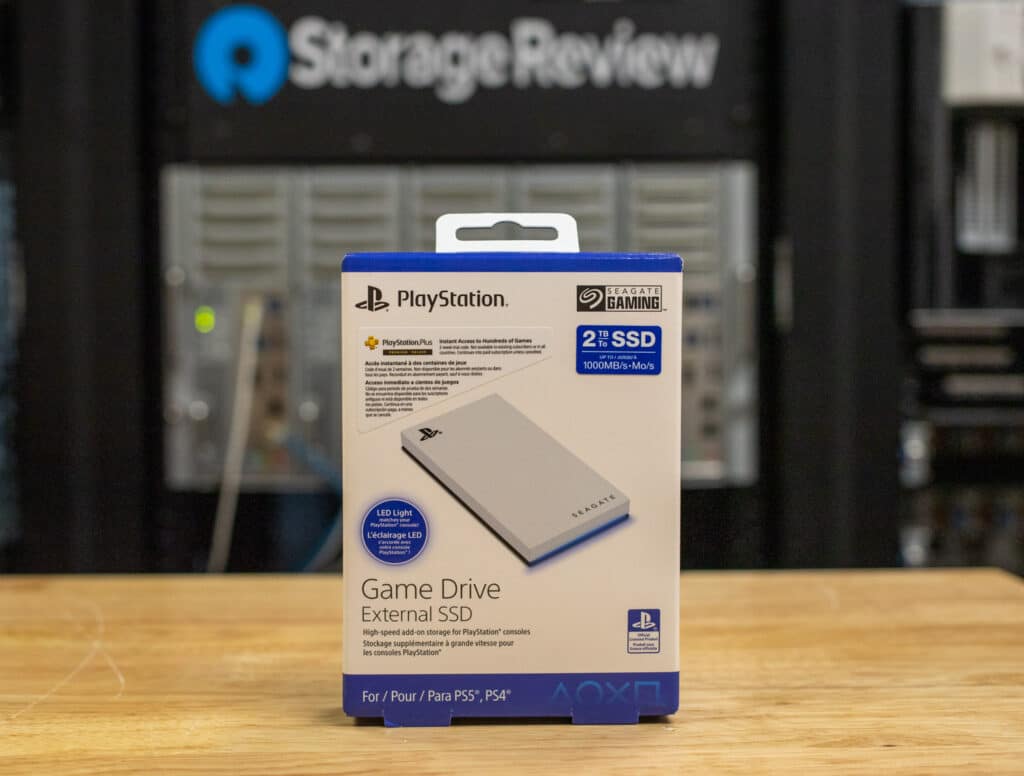
## Seagate Game Drive External SSD For PS5: Features and Design
The Game Drive features a USB 3.2 Gen1 Type-C interface, which provides fast enough speeds to handle large file transfers easily. It includes a USB-C to USB-A adapter and a USB-C to USB-C cable, ensuring compatibility across different setups.
![]()
The Game Drive’s design mirrors the PS5’s, with a sleek, minimalist aesthetic and a blue LED light strip that adds a stylish touch. Its compact and lightweight build makes it highly portable, making it ideal for gamers on the go. Also built with durability in mind, the drive is shock-resistant and operates without the need for an external power source, offering a convenient, plug-and-play experience.
## Seagate Game Drive External SSD For PS5: Use Cases
That said, while you can play PS4 games directly from external drives like the Seagate Game Drive, its use on the PS5 is relatively limited. Its primary purpose is to store PS5 games temporarily or serve as a destination for saving recordings and media. Unfortunately, PS5 games cannot be played directly from the drive because the console relies on its internal SSD, which delivers the ultra-high speeds required for fast load times, asset streaming, and smooth gameplay. External SSDs can’t match the internal SSD’s 5,500 MB/s bandwidth needed for these features.
![]()
Similar to Seagate’s Xbox version, this restriction makes it inconvenient for gamers who prefer playing directly from external storage like they can on a PC. Constantly transferring PS5 games between the Game Drive and the internal SSD can be time-consuming, especially when you can delete the game and download it later. This limitation isn’t specific to the Game Drive, as the PS5 does not support playing games directly from any external drive.
![Seagate Game Drive for PS5 External SSD]()
The most likely scenarios where it might be useful are for pre-staging large games before taking them to a friend’s house or for those with limited internet access who find transferring large games from the Game Drive more convenient than re-downloading. Beyond that, its necessity in a PS5 setup is unclear (though it does look great alongside the console!)
## **Seagate Game Drive (PS5) Pricing and Warranty**
Backed by a 3-year warranty, the officially licensed Game Drive External SSD costs roughly $130 (1TB) and $220 (2TB). For this review, we will be looking at the 2TB model.
| **Seagate Game Drive SSD Specifications** | |
| --- | --- |
| **Capacity Options** | 1TB, 2TB |
| **Interface** | SSD, USB 3.2 Gen 2×1 |
| **Compatibility** | PlayStation 5 (for storing PS5 games, playing PS4 games), PlayStation 4, PC, Mac |
| **Performance** | Up to 1000MB/s (sequential) |
| **Dimensions** | 4.7 x 2.2 x 0.4 inches (120 x 56 x 10 mm) |
| **Weight** | 0.22 lbs (100g) |
| **Durability** | Shock-resistant, portable design |
| **Cables Included** | USB-C to USB-A, USB-C to USB-C |
| **Price** | $130 (1TB), $220 (2TB) |
| **Warranty** | 3-year limited warranty |
## **Seagate Game Drive (PS5)** **Performance**
We will benchmark the Seagate Game Drive against several USB 3.2 Gen 2×2 external drives for performance comparisons. It’s important to note that the Seagate Game Drive uses the older USB 3.2 Gen 2×1 interface, which is noticeably slower than the more advanced Gen 2×2 standard. However, we are including these newer drives in the comparison because they offer similar capacities at comparable, or even lower, price points, making them direct alternatives for users considering external storage options.
Here are the comparables for this review.
- [Lexar Armor 700](https://www.storagereview.com/review/lexar-armor-700-portable-ssd-review)
- [Lexar SL600](https://www.storagereview.com/review/lexar-sl600-portable-ssd-review)
- [Crucial X10 Pro](https://www.storagereview.com/review/crucial-x10-pro-portable-ssd-review)
- [Samsung T9](https://www.storagereview.com/review/samsung-t9-portable-ssd-review)
First up is the usual BlackMagic Disk Speed test, which gauges the real-world performance of external SSDs. As expected, the Seagate external drive trails significantly behind the USB 3.2 Gen 2×2 SSDs in both read and write speeds, with **924.5MB/s** read and **979.6MB/s** write speeds. In contrast, SSDs like the Lexar SL600 and Crucial X10 Pro exceeded **1,700MB/s** in both categories.
| **Disk Speed Test** | **Seagate Game Drive** | **Lexar Armor 700** | **Lexar SL600** | **Crucial X10 Pro** | **Samsung T9** |
| --- | --- | --- | --- | --- | --- |
| Write | 979.6MB/s | 1,630.6MB/s | 1,728.3MB/s | 1,564.0MB/s | 1,581.6MB/s |
| Read | 924.5MB/s | 1,771.4MB/s | 1,890.5MB/s | 1,723.1MB/s | 1,566.0MB/s |
### **IOMeter 1 Thread**
The next test is the Single-Threaded IOMeter test, which examines sequential and random read/write performance under a lighter load. The speeds here will be close to those in the BlackMagic test on the Sequential 2MB read and write portions, but we should see some differences in the 4-threaded portion.
While the Seagate Game Drive SSD managed **871.71MB/s** in sequential 2MB writes and **850.50MB/s** in sequential 2MB reads, it lagged considerably behind other external SSDs like the Lexar SL600, which hit over **1,400MB/s** for write speeds and almost **1,800MB/s** for reads. While decent for Gen2x1 USB external drives, the Game Drive’s performance was similarly underwhelming in random 2MB read/write tests, where it posted results nearly **500MB/s** slower than the top performers.
For **4K writes**, the drive posted **18,762 IOPS**, which is competitive with the top performers, like the Lexar Armor 700 (**20,885 IOPS**) and the Crucial X10 Pro (**19,988 IOPS**). However, in **4K random reads**, the Game Drive significantly outshone its competitors, delivering **7,964 IOPS**—far better than the Lexar and Crucial models, which lingered around **4,600 to 4,900 IOPS**. This strong 4K read performance indicates that the Game Drive can handle smaller, random data read tasks efficiently, which is great when loading smaller files or assets in PS4 games.
| **IOMeter
(1 Thread)** | **Seagate Game Drive** | **Lexar Armor 700** | **Lexar SL600** | **Crucial X10 Pro** | **Samsung T9** |
| --- | --- | --- | --- | --- | --- |
| Seq 2MB Write | 871.71MB/s | 1,419.46MB/s | 1,423.40MB/s | 1,273.3MB/s | 1,284MB/s |
| Seq 2MB Read | 850.50MB/s | 1,692.62MB/s | 1,769.56MB/s | 1,591.5MB/s | 1,355MB/s |
| Random 2MB Write | 869.63MB/s | 1,287.16MB/s | 1,286.14MB/s | 1,104.1MB/s | 1,355MB/s |
| Random 2MB Read | 848.52MB/s | 1,358MB/s | 1,439.85MB/s | 1,242.8MB/s | 1,117MB/s |
| Random 4K Write | 18,762 IOPS | 20,885 IOPS | 20,635 IOPS | 19,988 IOPS | 16,643 IOPS |
| Random 4K Read | 7,964 IOPS | 4,901.93 IOPS | 4,878.83 IOPS | 4,609 IOPS | 4,441 IOPS |
### **IOMeter 4 Thread**
Our final performance test is the 4 Thread IOMeter test, which better simulates multi-tasking or heavier workloads. The Seagate Game Drive again showed subpar performance compared to the other tested drives.
Here, the Game drive showed **1,042.49MB/s** in sequential 2MB writes and **974.60MB/s** in sequential reads. Drives like the Lexar SL600 and Lexar Armor 700 achieved over **1,900MB/s** in these tests. While the Game Drive fared slightly better in random 4K write performance, posting an impressive **79,461 IOPS**, its random 4K read speeds hit **35,649 IOPS**, somewhat better than some of the other tested external SSDs.
| **IOMeter
(4 Thread)** | **Seagate Game Drive** | **Lexar Armor 700** | **Lexar SL600** | **Crucial X10 Pro** | **Samsung T9** |
| --- | --- | --- | --- | --- | --- |
| Seq 2MB Write | 1,042.49MB/s | 1,906.56MB/s | 1,906.68MB/s | 1,736.2MB/s | 1,766MB/s |
| Seq 2MB Read | 974.60MB/s | 2,100.67MB/s | 2,101.49MB/s | 1,966.9MB/s | 1,944MB/s |
| Random 2MB Write | 1,042.08MB/s | 1,738.48MB/s | 1,741.64MB/s | 1,447.9MB/s | 1,493MB/s |
| Random 2MB Read | 964.82MB/s | 1,916.62MB/s | 1,959.41MB/s | 1,863.8MB/s | 1,468MB/s |
| Random 4K Write | 79,461 IOPS | 60,605.64 IOPS | 60,755.19 IOPS | 67,206 IOPS | 32,358 IOPS |
| Random 4K Read | 35,649 | 16,356.82 IOPS | 16,361.77 IOPS | 15,333 IOPS | 18,925 IOPS |
## **Conclusion**
While the Seagate Game Drive SSD boasts a nice design and decent performance for a Gen 2×1 external drive, its usefulness on the PS5 is minimal. Since external drives cannot play PS5 games directly, the Game Drive’s primary role is temporarily storing games and transferring them back to the console’s internal SSD when needed. Most users can easily manage this process by deleting and redownloading games, especially if they have fast internet speeds.
![Seagate Game Drive for PS5 External SSD front]()
It might find a niche among users who frequently record gameplay, create video content, or are looking to pre-stage games for quick access at a friend’s place. It could also benefit gamers with slower internet connections who want to avoid lengthy downloads.
Ultimately, the Seagate Game Drive is best suited for gamers who prioritize the look and feel of their gaming setup, as it seamlessly integrates with the look and feel of the PS5. There are more affordable and faster alternatives, making Game Drive a style-focused choice rather than one based on practicality or value.
**Leaderboard:** This drive appears in the Also Tested section of our [Best Portable SSDs](https://www.storagereview.com/best/portable-ssds) leaderboard.
**Engage with StorageReview**
[Newsletter](https://www.storagereview.com/storage_newsletter) | [YouTube](https://www.youtube.com/user/StorageReview "Opens in a new window") | Podcast [iTunes](https://podcasts.apple.com/gb/podcast/storagereview-com-storage-reviews/id1060681115 "Opens in a new window")/ [Spotify](https://open.spotify.com/show/1y6VnznABhHeOSMOmbDTz0 "Opens in a new window") | [Instagram](https://www.instagram.com/storagereview/ "Opens in a new window") | [Twitter](https://twitter.com/storagereview "Opens in a new window") | [TikTok](https://www.tiktok.com/@storagereview? "Opens in a new window") | [RSS Feed](https://www.storagereview.com/rss.xml)
![]()
### Lyle Smith
Lyle is a writer for StorageReview, covering a broad set of end user and enterprise IT topics.
Previous post: [IBM Storage FlashSystem 5300 Review](https://www.storagereview.com/review/ibm-storage-flashsystem-5300-review)
Next post: [Tripp Lite AVR750UNC UPS Review](https://www.storagereview.com/review/tripp-lite-avr750unc-ups-review)
Trusted Vendors
Products and solutions from our affiliate partners:
- [

Ubiquiti
](https://store.ui.com/us/en?a_aid=StorageReview "Opens in a new window")
- [

Newegg
](https://click.linksynergy.com/fs-bin/click?id=g5terNMDhz0&offerid=1207190.18&subid=0&type=4 "Opens in a new window")
- [
 Amazon
](https://amzn.to/4fLJUEW "Opens in a new window")
Newsletter
Subscribe to the StorageReview newsletter to stay up to date on the latest news and reviews. We promise no spam!
1
Leave this field empty if you’re human:
## Advertisement
Content Categories
[Facebook](https://www.facebook.com/@storagereview) [X](https://twitter.com/storagereview) [Instagram](https://www.instagram.com/storagereview/) [LinkedIn](https://www.linkedin.com/company/storagereview-com) [YouTube](https://www.youtube.com/user/storagereview?sub_confirmation=1) [Email](mailto:info@storagereview.com) [Spotify](https://open.spotify.com/show/1y6VnznABhHeOSMOmbDTz0) [Reddit](https://www.reddit.com/r/StorageReview/) [Discord](https://discord.gg/TwMHb4azdC) [RSS](https://www.storagereview.com/rss.xml) [TikTok](https://www.tiktok.com/@storagereview)
Copyright © 1998-2025 Flying Pig Ventures, LLC Cincinnati, Ohio. All rights reserved.
Manage your privacy
To provide the best experiences, we and our partners use technologies like cookies to store and/or access device information. Consenting to these technologies will allow us and our partners to process personal data such as browsing behavior or unique IDs on this site and show (non-) personalized ads. Not consenting or withdrawing consent, may adversely affect certain features and functions.
Click below to consent to the above or make granular choices. Your choices will be applied to this site only. You can change your settings at any time, including withdrawing your consent, by using the toggles on the Cookie Policy, or by clicking on the manage consent button at the bottom of the screen.
Functional Functional Always active
The technical storage or access is strictly necessary for the legitimate purpose of enabling the use of a specific service explicitly requested by the subscriber or user, or for the sole purpose of carrying out the transmission of a communication over an electronic communications network.
Preferences Preferences
The technical storage or access is necessary for the legitimate purpose of storing preferences that are not requested by the subscriber or user.
Statistics Statistics
The technical storage or access that is used exclusively for statistical purposes. The technical storage or access that is used exclusively for anonymous statistical purposes. Without a subpoena, voluntary compliance on the part of your Internet Service Provider, or additional records from a third party, information stored or retrieved for this purpose alone cannot usually be used to identify you.
Marketing Marketing
The technical storage or access is required to create user profiles to send advertising, or to track the user on a website or across several websites for similar marketing purposes.
Statistics
Marketing
Features
Always active
Always active
- Manage options
- Manage services
- Manage {vendor\_count} vendors
- [Read more about these purposes](https://cookiedatabase.org/tcf/purposes/)
Accept Deny Manage options Save preferences Manage options
- {title}
- {title}
- {title}
Manage your privacy
To provide the best experiences, we use technologies like cookies to store and/or access device information. Consenting to these technologies will allow us to process data such as browsing behavior or unique IDs on this site. Not consenting or withdrawing consent, may adversely affect certain features and functions.
Functional Functional Always active
The technical storage or access is strictly necessary for the legitimate purpose of enabling the use of a specific service explicitly requested by the subscriber or user, or for the sole purpose of carrying out the transmission of a communication over an electronic communications network.
Preferences Preferences
The technical storage or access is necessary for the legitimate purpose of storing preferences that are not requested by the subscriber or user.
Statistics Statistics
The technical storage or access that is used exclusively for statistical purposes. The technical storage or access that is used exclusively for anonymous statistical purposes. Without a subpoena, voluntary compliance on the part of your Internet Service Provider, or additional records from a third party, information stored or retrieved for this purpose alone cannot usually be used to identify you.
Marketing Marketing
The technical storage or access is required to create user profiles to send advertising, or to track the user on a website or across several websites for similar marketing purposes.
Statistics
Marketing
Features
Always active
Always active
- Manage options
- Manage services
- Manage {vendor\_count} vendors
- [Read more about these purposes](https://cookiedatabase.org/tcf/purposes/)
Accept Deny Manage options Save preferences Manage options
- {title}
- {title}
- {title}
Manage consent Manage consent
```json
{"@context":"https:\/\/schema.org","@graph":[{"@type":"WebPage","@id":"https:\/\/www.storagereview.com\/review\/seagate-game-drive-ps5-ssd-review","url":"https:\/\/www.storagereview.com\/review\/seagate-game-drive-ps5-ssd-review","name":"Seagate Game Drive PS5 SSD Review - StorageReview.com","isPartOf":{"@id":"https:\/\/www.storagereview.com\/#website"},"primaryImageOfPage":{"@id":"https:\/\/www.storagereview.com\/review\/seagate-game-drive-ps5-ssd-review#primaryimage"},"image":{"@id":"https:\/\/www.storagereview.com\/review\/seagate-game-drive-ps5-ssd-review#primaryimage"},"thumbnailUrl":"https:\/\/www.storagereview.com\/wp-content\/uploads\/2024\/09\/StorageReview-Seagate-Playstation-External-SSD.jpg","datePublished":"2024-09-17T14:38:19+00:00","dateModified":"2026-08-17T17:13:36+00:00","breadcrumb":{"@id":"https:\/\/www.storagereview.com\/review\/seagate-game-drive-ps5-ssd-review#breadcrumb"},"inLanguage":"en-US","potentialAction":[{"@type":"ReadAction","target":["https:\/\/www.storagereview.com\/review\/seagate-game-drive-ps5-ssd-review"]}]},{"@type":"ImageObject","inLanguage":"en-US","@id":"https:\/\/www.storagereview.com\/review\/seagate-game-drive-ps5-ssd-review#primaryimage","url":"https:\/\/www.storagereview.com\/wp-content\/uploads\/2024\/09\/StorageReview-Seagate-Playstation-External-SSD.jpg","contentUrl":"https:\/\/www.storagereview.com\/wp-content\/uploads\/2024\/09\/StorageReview-Seagate-Playstation-External-SSD.jpg","width":1500,"height":974},{"@type":"BreadcrumbList","@id":"https:\/\/www.storagereview.com\/review\/seagate-game-drive-ps5-ssd-review#breadcrumb","itemListElement":[{"@type":"ListItem","position":1,"name":"Home","item":"https:\/\/www.storagereview.com\/"},{"@type":"ListItem","position":2,"name":"Review","item":"https:\/\/www.storagereview.com\/review"},{"@type":"ListItem","position":3,"name":"Seagate Game Drive PS5 SSD Review"}]},{"@type":"WebSite","@id":"https:\/\/www.storagereview.com\/#website","url":"https:\/\/www.storagereview.com\/","name":"StorageReview.com","description":"StorageReview.com is a leading provider of news and reviews throughout the entire IT stack - from the datacenter to the edge, and all points in between.","publisher":{"@id":"https:\/\/www.storagereview.com\/#organization"},"potentialAction":[{"@type":"SearchAction","target":{"@type":"EntryPoint","urlTemplate":"https:\/\/www.storagereview.com\/?s={search_term_string}"},"query-input":{"@type":"PropertyValueSpecification","valueRequired":true,"valueName":"search_term_string"}}],"inLanguage":"en-US"},{"@type":"Organization","@id":"https:\/\/www.storagereview.com\/#organization","name":"StorageReview.com","url":"https:\/\/www.storagereview.com\/","logo":{"@type":"ImageObject","inLanguage":"en-US","@id":"https:\/\/www.storagereview.com\/#\/schema\/logo\/image\/","url":"https:\/\/www.storagereview.com\/wp-content\/uploads\/2020\/02\/Storage-Reviews-2-2.png","contentUrl":"https:\/\/www.storagereview.com\/wp-content\/uploads\/2020\/02\/Storage-Reviews-2-2.png","width":344,"height":61,"caption":"StorageReview.com"},"image":{"@id":"https:\/\/www.storagereview.com\/#\/schema\/logo\/image\/"},"sameAs":["https:\/\/x.com\/storagereview","http:\/\/youtube.com\/user\/storagereview"]}]}
```