---
description: The Dell Latitude 9440 2-in-1 is a slim 14-inch business laptop with many firsts, including a mini-LED keyboard and a collaboration touchpad.
title: Dell Latitude 9440 2-in-1 Review
image: https://www.storagereview.com/wp-content/uploads/2023/06/StorageReview-Dell-Latitude-9440-2in1-06.jpg
---
[![Storage Review]()](https://storagereview.com/)
---
[Facebook](https://www.facebook.com/@storagereview) [X (Twitter)](https://twitter.twitter.com/storagereview) [Instagram](https://www.instagram.com/storagereview/) [LinkedIn](https://www.linkedin.com/company/storagereview-com) [YouTube](https://www.youtube.com/user/storagereview?sub_confirmation=1) [Email](mailto:info@storagereview.com) [Spotify](https://open.spotify.com/show/1y6VnznABhHeOSMOmbDTz0) [Reddit](https://www.reddit.com/r/StorageReview/) [Discord](https://discord.gg/TwMHb4azdC) [RSS Feed](https://www.storagereview.com/rss.xml) [TikTok](https://www.tiktok.com/@storagereview)
[Facebook](https://www.facebook.com/@storagereview) [X (Twitter)](https://twitter.com/storagereview) [Instagram](https://www.instagram.com/storagereview/) [LinkedIn](https://www.linkedin.com/company/storagereview-com) [YouTube](https://www.youtube.com/user/storagereview?sub_confirmation=1) [Email](mailto:info@storagereview.com) [Spotify](https://open.spotify.com/show/1y6VnznABhHeOSMOmbDTz0) [Reddit](https://www.reddit.com/r/StorageReview/) [Discord](https://discord.gg/TwMHb4azdC) [RSS Feed](https://www.storagereview.com/rss.xml) [TikTok](https://www.tiktok.com/@storagereview)
[](https://www.storagereview.com)
≡ Menu
- [Home](https://www.storagereview.com/)
- [Storage Reviews](https://www.storagereview.com/review)
- [End User Reviews](https://www.storagereview.com/consumer)
- [Enterprise Reviews](https://www.storagereview.com/enterprise)
- [Ubiquiti Reviews](https://www.storagereview.com/best/ubiquiti-reviews)
- [SR Merch](https://store.storagereview.com)
- [Leaderboards](https://www.storagereview.com/best)
- [Best Storage Arrays](https://www.storagereview.com/best/storage-arrays)
- [Best Enterprise SSDs](https://www.storagereview.com/best/enterprise-ssds)
- [Best Servers](https://www.storagereview.com/best/servers)
- [Best Enterprise GPUs](https://www.storagereview.com/best/enterprise-gpus)
- [Best Desktops for Local AI](https://www.storagereview.com/best/desktops-local-ai)
- [Best Laptops for Local AI](https://www.storagereview.com/best/laptops-local-ai)
- [Best Local LLM Tools](https://www.storagereview.com/best/local-llm-tools)
- [Agentic AI Hardware](https://www.storagereview.com/best/agentic-ai-hardware)
- [Best SSDs & Hard Drives](https://www.storagereview.com/best_drives)
- [Best Portable SSDs](https://www.storagereview.com/best/portable-ssds)
- [Best Business Laptops](https://www.storagereview.com/best/business-laptops)
- [Best Mobile Workstations](https://www.storagereview.com/best/mobile-workstations)
- [Best Desktop Workstations](https://www.storagereview.com/best/desktop-workstations)
- [Best Mini PCs](https://www.storagereview.com/best/mini-pcs)
- [Best Laptop Battery Life](https://www.storagereview.com/best/laptop-battery-life)
- [Storage Reference Guide](https://www.storagereview.com/storage-reference-guide)
- [About SR](https://www.storagereview.com/about-storagereview)
- [StorageReview.com Sweepstakes Rules and Regulations](https://www.storagereview.com/storagereview-com-sweepstakes-rules-and-regulations)
Search
[Home](https://www.storagereview.com/) » [Review](https://www.storagereview.com/review) » Dell Latitude 9440 2-in-1 Review
# Dell Latitude 9440 2-in-1 Review
by Charles P. Jefferies on June 7, 2023
[End User](https://www.storagereview.com/consumer) ◇ [Workstation](https://www.storagereview.com/consumer/workstation)
The new Dell Latitude 9440 2-in-1 is a slim 14-inch business laptop with many firsts, including a mini-LED keyboard and a collaboration touchpad with customizable feedback.
## Dell Latitude 9440 2-in-1 Specifications
The Latitude 9000 series sits at the top of Dell’s business-focused Latitude range and offers the latest features and innovations. The Latitude 9440 2-in-1 under review here is a 14-inch laptop with a screen that rotates 360 degrees, allowing it to convert into a tablet. Active pen support is standard.
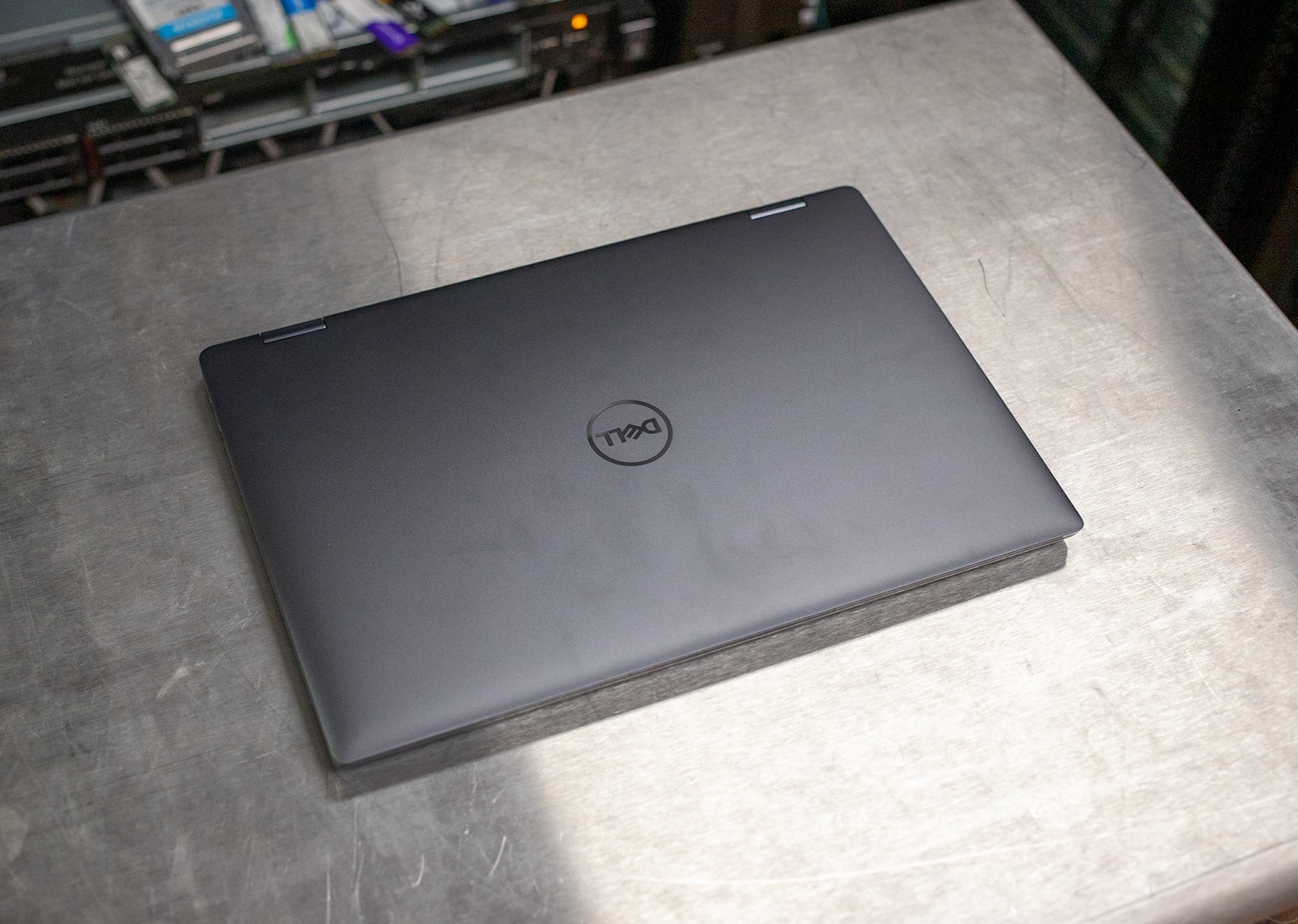
The Latitude 9440 2-in-1 is a redesign of the [Latitude 9430 2-in-1](https://www.storagereview.com/review/dell-latitude-9430-2-in-1-review) that seemed so modern when we reviewed it less than a year ago, but times change quickly. Internally, it has Intel’s 13th generation Core processors up to the 15-watt Core i7-1365U (two Performance cores and eight Efficiency cores). This Latitude supports a single M.2 drive and 64GB of LPDDR5-6000 RAM.
The full specifications of the Latitude 9440 2-in-1 are as follows:
| **Processor** | Up to 13th Gen Intel Core i7 U-class (15 watts) |
| --- | --- |
| **Operating System** | Windows 11 |
| **Graphics Card** | Intel Iris Xe |
| **Display** | 14” 16:10 2560×1600, IPS, pen support |
| **Memory** | Up to 64GB LPDDR5-6000 (soldered) |
| **Storage** | M.2 2242 |
| **Ports and Slots** | 3x Thunderbolt 4 (USB-C), 1x universal audio jack, 1x wedge-shaped lock slot, 1x nano SIM (WWAN only) |
| **Dimensions and Weight** | - Height (front) : 8.00 mm (0.32 in.)
- Height (rear) : 14.20 mm (0.56 in.)
- Width : 310.50 mm (12.20 in.)
- Depth : 215.00 mm (8.46 in.)
- Weight : 1.53 kg (3.38 lbs.)
|
| **Touchpad** | Collaboration touchpad with haptics |
| **Camera** | 1080p at 30fps, FHD RGB IR |
| **Audio and Speakers** | - Stereo speakers with Realtek & Waves MaxxAudio® Pro, 12 W, with subwoofer output
- Dual-array microphones
|
| **Wireless** | Intel® Wi-Fi 6E AX211, 2×2, 802.11ax, Bluetooth® wireless card |
| **Battery** | 60Whr Battery, ExpressChargeTM Capable, 3-cell |
| **Power** | 65W AC adapter, USB Type-C, TCO Gen9 compliant |
## Dell Latitude 9440 2-in-1 Build and Design
Quality, slimness, and C-suite style are three things the Latitude 9440 2-in-1 has in abundance. Dell takes great pains to emphasize much of the Latitude 9440 is made of recycled aluminum and bio-based material.
![Dell Latitude 9440 2-in-1 Screen]()
The Dell Latitude 9440 2-in-1 has a 14″ 2560×1600 touch screen with pen support.
The Latitude 9440 2-in-1’s 14-inch screen is a star attraction. It’s not 4K quality, but its 16:10 2560×1600 (QHD+) resolution offers good vertical real estate and requires less scrolling than old-fashioned 16:9 screens. The display seems plenty bright and colorful for this Latitude’s intended usage. It supports touch and, as noted, has active pen support. The surface coating is anti-reflective and anti-smudge.
The display has an especially narrow bezel, but Dell still fits a 1080p webcam along the top edge. It has an IR function, so it works for Windows Hello facial recognition. There’s also a fingerprint reader built into the power button, which is at the top right of the keyboard.
![Dell Latitude 9440 2-in-1 Power Button]()
The Latitude 9440 2-in-1’s power button doubles as a fingerprint reader.
How about that keyboard? Dell calls this a zero-lattice design; it’s still chiclet style, but the keys are larger and there’s no lattice or space between them. Typing on it feels natural; you can slide your fingers around instead of picking them up since there really aren’t edges to the keys to catch your fingers.
![Dell Latitude 9440 2-in-1 Keyboard]()
The Latitude 9440 2-in-1 has a “zero-lattice” keyboard, with extra-large keys and mini-LED backlighting.
The biggest innovation with this keyboard is its mini-LED backlighting. Dell says this technology uses 75% less power than traditional keyboard backlighting, though we found this nearly impossible to test since the keyboard backlighting automatically shuts off after a period of inactivity. Nonetheless, we like the innovation.
![Dell Latitude 9440 2-in-1 Keyboard]()
Layout-wise, Dell makes the cardinal mistake of squeezing half-height up and down arrows between full-size left and right arrows; I’ve never mastered this arrangement and never will. The arrow keys should all be the same size, even if they all have to be half-height. The half-height approach would have left room for dedicated Page Up and Page Down keys, but they’re instead secondary functions in the up and down arrows. At least Home and End are dedicated.
Build-wise, this convertible feels exceptionally strong; Dell says it passes MIL-STD-810H testing. It’s nearly the same size as its predecessor, at 0.32\~0.56 x 12.2 x 8.46 inches. At 3.38 pounds, it’s a laptop first, tablet second device; it becomes an armful as a tablet after a short time. Of course, the swiveling screen offers other advantages – you can rotate it 270 degrees to use the laptop in an easel-like presentation mode. This can be especially useful in airline coach for watching a movie.
Another improvement the Latitude 9440 2-in-1 makes over its predecessor is its enlarged touchpad, which now spans the height of the palm rest. This is Dell’s collaboration touchpad, which we first saw on the [Latitude 9330 2-in-1](https://www.storagereview.com/review/dell-latitude-9330-2-in-1-review).
![Dell Latitude 9440 2-in-1 Collaboration Touchpad]()
The Latitude 9440 2-in-1’s collaboration touchpad has Zoom icons to facilitate meetings.
It features customizable haptic feedback that you can tune to your liking.
![Dell Latitude 9440 2-in-1 Haptic Feedback Setting]()
The collaboration touchpad’s haptic feedback can be tailored to your liking.
The illuminated collaboration icons automatically appear after opening a Zoom meeting – they let you enable your camera or microphone, share your screen, or enter the chat. The latter gently pulses when you receive a message. Swiping to the left over the icons automatically hides them and swiping right brings them back. Dell also lets you change the brightness and disable icons you don’t use.
The Dell Command app helps when it comes to configuring Dell-specific features. It sits in the background without being too intrusive and quickly lets you adjust settings, such as the touchpad’s, without much fuss.
![Dell Latitude 9440 2-in-1 Collaboration Touchpad Settings]()
Dell lets you customize the collaboration touchpad’s icons, brightness, and behavior.
The Latitude 9440 2-in-1’s port selection is limited to three Thunderbolt 4 (USB-C) ports, so you’ll need an adapter to connect anything that isn’t USB-C. There’s also a universal audio jack. The included 65-watt power adapter plugs into any of the Thunderbolt 4 ports.
![Dell Latitude 9440 2-in-1 Left Ports]()
The left edge has two Thunderbolt 4 (USB-C) ports.
![Dell Latitude 9440 2-in-1 Right Edge]()
The right edge has a universal audio jack, a Thunderbolt 4 port, and a wedge lock slot.
The right edge also has a wedge lock slot. WWAN-equipped models also get a nano SIM slot. Wi-Fi 6E and Bluetooth 5.3 are standard.
## Dell Latitude 9440 2-in-1 Upgradeability
Removing the Latitude 9440 2-in-1’s bottom panel requires taking out the screws securing it and using a trim removal tool to pop the clips free. The motherboard has one M.2 2242 SSD slot, not the more common M.2 2280, so that will limit your storage drive choice. (The [Sabrent Rocket 2242](https://www.storagereview.com/review/sabrent-rocket-2242-nvme-ssd-review) comes to mind.) The PCIe slot seen on the right is empty in our unit, but that’s where the WWAN card would go. It can’t accept SSDs.
![Dell Latitude 9440 2-in-1 Bottom Panel Removal]()
The Latitude 9440 2-in-1 has an upgradeable M.2 2242 SSD, WWAN card, and battery.
The battery can also be swapped out. No other components are upgradeable; the LPDDR5 memory is soldered as is the Intel AX211 wireless card.
This view also lets you see the Latitude 9440 2-in-1’s twin-fan cooling system, which sends air out the back.
![Dell Latitude 9440 2-in-1 Rear View]()
Notice the two fan outlets on the Latitude 9440 2-in-1’s rear edge.
I like this fan placement since it keeps hot air as far as possible from the user. The Latitude didn’t become more than lukewarm in our testing and the fan noise wasn’t an annoyance. The dual-fan cooling setup got the job done well. It can move a good amount of air without spinning too fast or noisy, and plenty of airflow means the chassis doesn’t significantly warm up.
## Dell Latitude 9440 2-in-1 Performance
Our Latitude 9440 2-in-1 review unit has the following specifications:
- Windows 11 Pro
- Intel Core i7-1365U CPU (2P/8E, 15-watt PBP)
- Intel Iris Xe integrated graphics
- 32GB LPDDR5-6000 RAM
- 1TB SSD
This unit retails for about $2,999, but that’s the single-unit price on Dell.com; business buyers can expect volume discounts. (Dell told us it only sells a tiny fraction of its Latitudes through its site.) Any buyer should be able to appreciate that Dell uses 100% recyclable or renewable packaging on all Latitudes.
We will be comparing the Latitude 9440 2-in-1 to its predecessor, the Latitude 9430 2-in-1, in our performance tests. It has similar specifications: an Intel Core i7-1265U CPU (2P/8E), 16GB of RAM, and a 512GB SSD.
### SPECworkstation 3
SPECworkstation3 specializes in benchmarks designed for testing all key aspects of workstation performance; it uses over 30 workloads to test CPU, graphics, I/O, and memory bandwidth. The workloads fall into broader categories such as Media and Entertainment, Financial Services, Product Development, Energy, Life Sciences, and General Operations. We are going to list the broad-category results for each, as opposed to the individual workloads. The results are an average of all the individual workloads in each category.
These Latitudes wouldn’t normally be used for these tasks but they nonetheless completed the benchmark. The Latitude 9430 appeared stronger in most tests, though the margins were slim to negligible.
| **SPECworkstation 3 (Higher is better)** | | |
| --- | --- | --- |
| | **Dell Latitude 9440 2-in-1 (Core i7-1365U)** | **Dell Latitude 9430 2-in-1 (Core i7-1265U)** |
| **M&E** | 1.15 | 1.18 |
| **ProdDev** | 1.32 | 1.54 |
| **LifeSci** | 1.46 | 1.37 |
| **FSI** | 1.14 | 1.55 |
| **Energy** | 1.47 | 1.47 |
| **GeneralOps** | 1.78 | 1.72 |
| **GPU Compute** | 0.22 | 0.2 |
### Luxmark
Another 3D benchmark we will be looking at is LuxMark, an OpenCL GPU benchmarking utility. The Latitude 9440 pulled ahead of its predecessor; perhaps its faster memory accelerated its integrated graphics performance.
| **Luxmark (Higher is better)** | | |
| --- | --- | --- |
| | **Dell Latitude 9440 2-in-1 (Core i7-1365U)** | **Dell Latitude 9430 2-in-1 (Core i7-1265U)** |
| **Hallbench** | 2,349 | 2,125 |
| **food** | 1,090 | 898 |
### 7-Zip Compression
We also run 7-Zip’s built-in memory benchmark. The Latitude 9440 dominated the Latitude 9430; its faster memory must be making a difference.
| **7-Zip Compression Benchmark** | | |
| --- | --- | --- |
| ** ** | **Dell Latitude 9440 2-in-1 (Core i7-1365U)** | **Dell Latitude 9430 2-in-1 (Core i7-1265U, Iris Xe)** |
| ***Compressing*** | | |
| **Current CPU Usage** | 528% | 1069% |
| **Current Rating/Usage** | 8.002 GIPS | 3.141 GIPS |
| **Current Rating** | 42.224 GIPS | 33.575 GIPS |
| **Resulting CPU Usage** | 537% | 1052% |
| **Resulting Rating/Usage** | 8.543 GIPS | 3.307 GIPS |
| **Resulting Rating** | 45.468 GIPS | 34.770 GIPS |
| ***Decompressing*** | | *** *** |
| **Current CPU Usage** | 1105% | 1174% |
| **Current Rating/Usage** | 4.114 GIPS | 3.076 GIPS |
| **Current Rating** | 45.437 GIPS | 36.120 GIPS |
| **Resulting CPU Usage** | 1134% | 1180% |
| **Resulting Rating/Usage** | 4.351 GIPS | 3.399 GIPS |
| **Resulting Rating** | 49.372 GIPS | 40.098 GIPS |
| ***Total Rating*** | | |
| **Total CPU Usage** | 836% | 1116% |
| **Total Rating/Usage** | 6.447 GIPS | 3.353 GIPS |
| **Total Rating** | 47.420 GIPS | 37.434 GIPS |
### SiSoftware Sandra 2021
Next up is the popular SiSoftware Sandra 2021 memory-performance suite. Higher numbers are better in all subtests. The Latitude 9440 generally fell behind its predecessor here, and we’re not sure why.
| **SiSoftware Sandra 2021** | **Dell Latitude 9440 2-in-1 (Core i7-1365U)** | **Dell Latitude 9430 2-in-1 (Core i7-1265U, Iris Xe)** |
| --- | --- | --- |
| **Memory Bandwidth** | 51.990 GB/s | 55.391 GB/s |
| **Cache & Memory Latency** | 84.5 ns | 36.7 ns |
| **Cache & Memory Bandwidth** | 197.877 GB/s | 180.771 GB/s |
| **Overall Memory Score** | 1.25 kPT | 1.64 kPT |
### Blackmagic RAW Speed Test
Our last test is the new Blackmagic RAW Speed test. The Latitudes are about even, and that was expected since they use the same Intel Iris Xe integrated graphics solution. These laptops can handle 4K video playback without issue, though above that will be a stretch.
| **Blackmagic RAW Speed Test** | | |
| --- | --- | --- |
| **Category** | **Dell Latitude 9440 2-in-1 (Core i7-1365U)** | **Dell Latitude 9430 2-in-1 (Core i7-1265U, Iris Xe)** |
| **8K CPU** | **32** | **32** |
| **8K OPENCL** | **27** | **29** |
### Blackmagic Disk Speed Test
This storage drive benchmark is a solo test for the Latitude 9440 2-in-1; it seems to have average numbers for a Gen3 drive. Storage performance is never going to be a strong suit for this laptop, but even the included SSD has plenty of pep for everyday tasks.
![Dell Latitude 9440 2-in-1 Blackmagic Disk Speed Test]()
### Dell Latitude 9440 2-in-1 Battery Life
We test laptop battery life using UL’s [Procyon Battery Life benchmark](https://benchmarks.ul.com/procyon/battery-life-benchmark) in its office productivity mode. The Latitude 9440 2-in-1 achieved **12 hours and 21 minutes**. We just started running this, so we don’t have comparisons to other machines yet, but this seems like a lengthy runtime; you should be able to go an entire working day without plugging in. That’s battery life befitting a modern ultraportable.
![Dell Latitude 9440 2-in-1 UL Procyon Office Productivity Battery Life]()
## Conclusion
Dell’s Latitude 9440 2-in-1 is a snazzy business convertible that combines high quality and useful innovation. We like its thin metal design even if it is on the heavy side for use as a tablet, but tablet mode is always a bonus with convertible laptops.
But innovation is where this convertible impresses the most. We found its collaboration touchpad to be truly useful in the real world. Dell also innovated with the mini-LED keyboard and its extra-large keys.
Performance-wise, we didn’t see the Latitude 9440 2-in-1 hugely outperform its predecessor, but we didn’t expect it to do that. Its numbers suggest solid everyday performance, and we also saw good results in our battery test. Overall, the Latitude 9440 2-in-1 gets our top recommendation among business convertible laptops.
**Engage with StorageReview**
[Newsletter](https://www.storagereview.com/storage_newsletter) | [YouTube](https://www.youtube.com/user/StorageReview "Opens in a new window") | Podcast [iTunes](https://podcasts.apple.com/gb/podcast/storagereview-com-storage-reviews/id1060681115 "Opens in a new window")/ [Spotify](https://open.spotify.com/show/1y6VnznABhHeOSMOmbDTz0 "Opens in a new window") | [Instagram](https://www.instagram.com/storagereview/ "Opens in a new window") | [Twitter](https://twitter.com/storagereview "Opens in a new window") | [TikTok](https://www.tiktok.com/@storagereview? "Opens in a new window") | [RSS Feed](https://www.storagereview.com/rss.xml)
![]()
### Charles P. Jefferies
I'm a lifelong technology enthusiast and have been reviewing consumer and enterprise technology since 2005. I specialize in laptops, tablets, and enterprise hardware. I'm a graduate of Rochester Institute of Technology. Outside of work, I love the gym, reading, and photography.
Previous post: [QNAP TVS-h874 NAS Review](https://www.storagereview.com/review/qnap-tvs-h874-nas-review)
Next post: [BougeRV Portable Refrigerator Review: Single Zone E50 and Dual Zone CR55](https://www.storagereview.com/review/bougerv-portable-refrigerator-review-single-zone-e50-and-dual-zone-cr55)
Trusted Vendors
Products and solutions from our affiliate partners:
- [

Ubiquiti
](https://store.ui.com/us/en?a_aid=StorageReview "Opens in a new window")
- [

Newegg
](https://click.linksynergy.com/fs-bin/click?id=g5terNMDhz0&offerid=1207190.18&subid=0&type=4 "Opens in a new window")
- [
 Amazon
](https://amzn.to/4fLJUEW "Opens in a new window")
Newsletter
Subscribe to the StorageReview newsletter to stay up to date on the latest news and reviews. We promise no spam!
1
Leave this field empty if you’re human:
## Advertisement
Content Categories
[Facebook](https://www.facebook.com/@storagereview) [X](https://twitter.com/storagereview) [Instagram](https://www.instagram.com/storagereview/) [LinkedIn](https://www.linkedin.com/company/storagereview-com) [YouTube](https://www.youtube.com/user/storagereview?sub_confirmation=1) [Email](mailto:info@storagereview.com) [Spotify](https://open.spotify.com/show/1y6VnznABhHeOSMOmbDTz0) [Reddit](https://www.reddit.com/r/StorageReview/) [Discord](https://discord.gg/TwMHb4azdC) [RSS](https://www.storagereview.com/rss.xml) [TikTok](https://www.tiktok.com/@storagereview)
Copyright © 1998-2025 Flying Pig Ventures, LLC Cincinnati, Ohio. All rights reserved.
Manage your privacy
We use technologies like cookies to store and/or access device information. We do this to improve browsing experience and to show (non-) personalized ads. Consenting to these technologies will allow us to process data such as browsing behavior or unique IDs on this site. Not consenting or withdrawing consent, may adversely affect certain features and functions.
Functional Functional Always active
The technical storage or access is strictly necessary for the legitimate purpose of enabling the use of a specific service explicitly requested by the subscriber or user, or for the sole purpose of carrying out the transmission of a communication over an electronic communications network.
Preferences Preferences
The technical storage or access is necessary for the legitimate purpose of storing preferences that are not requested by the subscriber or user.
Statistics Statistics
The technical storage or access that is used exclusively for statistical purposes. The technical storage or access that is used exclusively for anonymous statistical purposes. Without a subpoena, voluntary compliance on the part of your Internet Service Provider, or additional records from a third party, information stored or retrieved for this purpose alone cannot usually be used to identify you.
Marketing Marketing
The technical storage or access is required to create user profiles to send advertising, or to track the user on a website or across several websites for similar marketing purposes.
- Manage options
- Manage services
- Manage {vendor\_count} vendors
- [Read more about these purposes](https://cookiedatabase.org/tcf/purposes/)
Accept Deny Manage options Save preferences Manage options
- {title}
- {title}
- {title}
Manage your privacy
To provide the best experiences, we use technologies like cookies to store and/or access device information. Consenting to these technologies will allow us to process data such as browsing behavior or unique IDs on this site. Not consenting or withdrawing consent, may adversely affect certain features and functions.
Functional Functional Always active
The technical storage or access is strictly necessary for the legitimate purpose of enabling the use of a specific service explicitly requested by the subscriber or user, or for the sole purpose of carrying out the transmission of a communication over an electronic communications network.
Preferences Preferences
The technical storage or access is necessary for the legitimate purpose of storing preferences that are not requested by the subscriber or user.
Statistics Statistics
The technical storage or access that is used exclusively for statistical purposes. The technical storage or access that is used exclusively for anonymous statistical purposes. Without a subpoena, voluntary compliance on the part of your Internet Service Provider, or additional records from a third party, information stored or retrieved for this purpose alone cannot usually be used to identify you.
Marketing Marketing
The technical storage or access is required to create user profiles to send advertising, or to track the user on a website or across several websites for similar marketing purposes.
- Manage options
- Manage services
- Manage {vendor\_count} vendors
- [Read more about these purposes](https://cookiedatabase.org/tcf/purposes/)
Accept Deny Manage options Save preferences Manage options
- {title}
- {title}
- {title}
Manage consent Manage consent
```json
{"@context":"https:\/\/schema.org","@graph":[{"@type":"WebPage","@id":"https:\/\/www.storagereview.com\/review\/dell-latitude-9440-2-in-1-review","url":"https:\/\/www.storagereview.com\/review\/dell-latitude-9440-2-in-1-review","name":"Dell Latitude 9440 2-in-1 Review - StorageReview.com","isPartOf":{"@id":"https:\/\/www.storagereview.com\/#website"},"primaryImageOfPage":{"@id":"https:\/\/www.storagereview.com\/review\/dell-latitude-9440-2-in-1-review#primaryimage"},"image":{"@id":"https:\/\/www.storagereview.com\/review\/dell-latitude-9440-2-in-1-review#primaryimage"},"thumbnailUrl":"https:\/\/www.storagereview.com\/wp-content\/uploads\/2023\/06\/StorageReview-Dell-Latitude-9440-2in1-06.jpg","datePublished":"2023-06-08T01:12:46+00:00","description":"The Dell Latitude 9440 2-in-1 is a slim 14-inch business laptop with many firsts, including a mini-LED keyboard and a collaboration touchpad.","breadcrumb":{"@id":"https:\/\/www.storagereview.com\/review\/dell-latitude-9440-2-in-1-review#breadcrumb"},"inLanguage":"en-US","potentialAction":[{"@type":"ReadAction","target":["https:\/\/www.storagereview.com\/review\/dell-latitude-9440-2-in-1-review"]}]},{"@type":"ImageObject","inLanguage":"en-US","@id":"https:\/\/www.storagereview.com\/review\/dell-latitude-9440-2-in-1-review#primaryimage","url":"https:\/\/www.storagereview.com\/wp-content\/uploads\/2023\/06\/StorageReview-Dell-Latitude-9440-2in1-06.jpg","contentUrl":"https:\/\/www.storagereview.com\/wp-content\/uploads\/2023\/06\/StorageReview-Dell-Latitude-9440-2in1-06.jpg","width":1500,"height":1101,"caption":"The Latitude 9440 2-in-1 has a \"zero-lattice\" keyboard, with extra-large keys and mini-LED backlighting."},{"@type":"BreadcrumbList","@id":"https:\/\/www.storagereview.com\/review\/dell-latitude-9440-2-in-1-review#breadcrumb","itemListElement":[{"@type":"ListItem","position":1,"name":"Home","item":"https:\/\/www.storagereview.com\/"},{"@type":"ListItem","position":2,"name":"Review","item":"https:\/\/www.storagereview.com\/review"},{"@type":"ListItem","position":3,"name":"Dell Latitude 9440 2-in-1 Review"}]},{"@type":"WebSite","@id":"https:\/\/www.storagereview.com\/#website","url":"https:\/\/www.storagereview.com\/","name":"StorageReview.com","description":"StorageReview.com is a leading provider of news and reviews throughout the entire IT stack - from the datacenter to the edge, and all points in between.","publisher":{"@id":"https:\/\/www.storagereview.com\/#organization"},"potentialAction":[{"@type":"SearchAction","target":{"@type":"EntryPoint","urlTemplate":"https:\/\/www.storagereview.com\/?s={search_term_string}"},"query-input":{"@type":"PropertyValueSpecification","valueRequired":true,"valueName":"search_term_string"}}],"inLanguage":"en-US"},{"@type":"Organization","@id":"https:\/\/www.storagereview.com\/#organization","name":"StorageReview.com","url":"https:\/\/www.storagereview.com\/","logo":{"@type":"ImageObject","inLanguage":"en-US","@id":"https:\/\/www.storagereview.com\/#\/schema\/logo\/image\/","url":"https:\/\/www.storagereview.com\/wp-content\/uploads\/2020\/02\/Storage-Reviews-2-2.png","contentUrl":"https:\/\/www.storagereview.com\/wp-content\/uploads\/2020\/02\/Storage-Reviews-2-2.png","width":344,"height":61,"caption":"StorageReview.com"},"image":{"@id":"https:\/\/www.storagereview.com\/#\/schema\/logo\/image\/"},"sameAs":["https:\/\/x.com\/storagereview","http:\/\/youtube.com\/user\/storagereview"]}]}
```