---
description: If you have an HDD in an older computer and want a bit of a pick me up, the Lexar NQ100 fits that bill nicely and for as little as $30.
title: Lexar NQ100 SSD Review
image: https://www.storagereview.com/wp-content/uploads/2021/03/Lexar-nq100-box.jpg
---
[![Storage Review]()](https://storagereview.com/)
---
[Facebook](https://www.facebook.com/@storagereview) [X (Twitter)](https://twitter.twitter.com/storagereview) [Instagram](https://www.instagram.com/storagereview/) [LinkedIn](https://www.linkedin.com/company/storagereview-com) [YouTube](https://www.youtube.com/user/storagereview?sub_confirmation=1) [Email](mailto:info@storagereview.com) [Spotify](https://open.spotify.com/show/1y6VnznABhHeOSMOmbDTz0) [Reddit](https://www.reddit.com/r/StorageReview/) [Discord](https://discord.gg/TwMHb4azdC) [RSS Feed](https://www.storagereview.com/rss.xml) [TikTok](https://www.tiktok.com/@storagereview)
[Facebook](https://www.facebook.com/@storagereview) [X (Twitter)](https://twitter.com/storagereview) [Instagram](https://www.instagram.com/storagereview/) [LinkedIn](https://www.linkedin.com/company/storagereview-com) [YouTube](https://www.youtube.com/user/storagereview?sub_confirmation=1) [Email](mailto:info@storagereview.com) [Spotify](https://open.spotify.com/show/1y6VnznABhHeOSMOmbDTz0) [Reddit](https://www.reddit.com/r/StorageReview/) [Discord](https://discord.gg/TwMHb4azdC) [RSS Feed](https://www.storagereview.com/rss.xml) [TikTok](https://www.tiktok.com/@storagereview)
[](https://www.storagereview.com)
≡ Menu
- [Home](https://www.storagereview.com/)
- [Storage Reviews](https://www.storagereview.com/review)
- [End User Reviews](https://www.storagereview.com/consumer)
- [Enterprise Reviews](https://www.storagereview.com/enterprise)
- [Ubiquiti Reviews](https://www.storagereview.com/best/ubiquiti-reviews)
- [SR Merch](https://store.storagereview.com)
- [Leaderboards](https://www.storagereview.com/best)
- [Best Storage Arrays](https://www.storagereview.com/best/storage-arrays)
- [Best Enterprise SSDs](https://www.storagereview.com/best/enterprise-ssds)
- [Best Servers](https://www.storagereview.com/best/servers)
- [Best Enterprise GPUs](https://www.storagereview.com/best/enterprise-gpus)
- [Best Desktops for Local AI](https://www.storagereview.com/best/desktops-local-ai)
- [Best Laptops for Local AI](https://www.storagereview.com/best/laptops-local-ai)
- [Best Local LLM Tools](https://www.storagereview.com/best/local-llm-tools)
- [Agentic AI Hardware](https://www.storagereview.com/best/agentic-ai-hardware)
- [Best SSDs & Hard Drives](https://www.storagereview.com/best_drives)
- [Best Portable SSDs](https://www.storagereview.com/best/portable-ssds)
- [Best Business Laptops](https://www.storagereview.com/best/business-laptops)
- [Best Mobile Workstations](https://www.storagereview.com/best/mobile-workstations)
- [Best Desktop Workstations](https://www.storagereview.com/best/desktop-workstations)
- [Best Mini PCs](https://www.storagereview.com/best/mini-pcs)
- [Best Laptop Battery Life](https://www.storagereview.com/best/laptop-battery-life)
- [Storage Reference Guide](https://www.storagereview.com/storage-reference-guide)
- [About SR](https://www.storagereview.com/about-storagereview)
- [StorageReview.com Sweepstakes Rules and Regulations](https://www.storagereview.com/storagereview-com-sweepstakes-rules-and-regulations)
Search
[Home](https://www.storagereview.com/) » [Review](https://www.storagereview.com/review) » Lexar NQ100 SSD Review
# Lexar NQ100 SSD Review
by Adam Armstrong on March 26, 2021
[Client SSD](https://www.storagereview.com/consumer/client-ssd) ◇ [End User](https://www.storagereview.com/consumer)
The Lexar NQ100 is a 2.5” SSD that is designed for the most entry-level needs. While not being a high-performance drive, it is immensely better than using hard drives. Users will see a massive gap up in performance, not to mention the NQ100 will use less power and make no noise compared to legacy spinning disks. The Lexar NQ100 comes in three capacities; 240GB, 480GB, and 960GB.
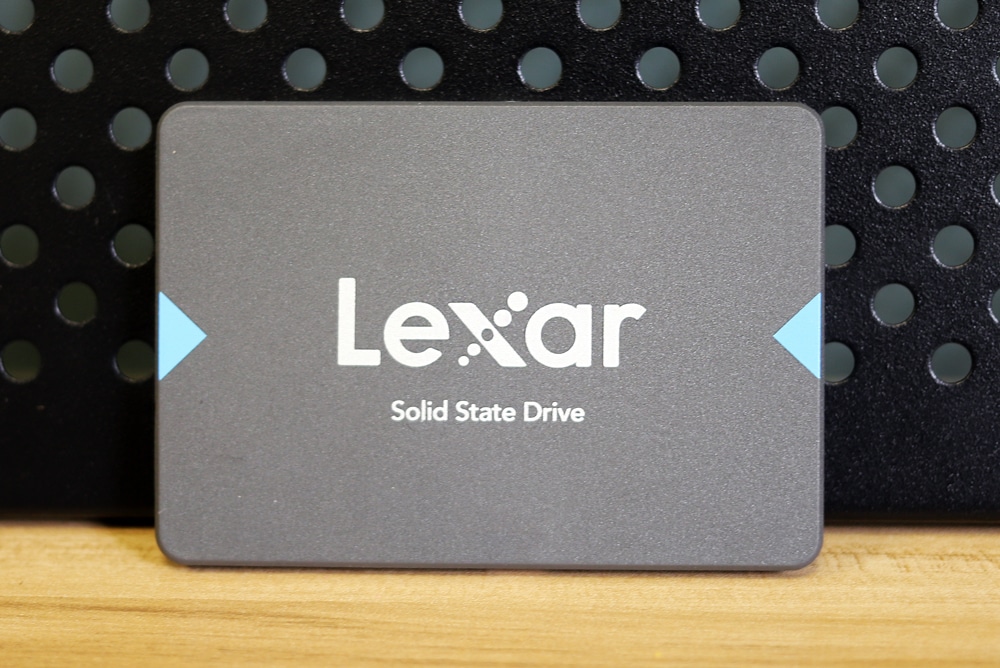
The NQ100 leverages the SATA III interface. This interface can provide up to 550MB/s with the NQ100, not quite near the speeds we see in NVMe consumer drives nowadays, however, this drive can be picked up for as little as $30. Also, being a SATA makes it an ideal drop-in and replace of an HDD. Users will see faster boot-up times, quicker application load times, and faster data transfers.
![lexar nq100 back]()
The Lexar NQ100 comes with a 3-year limited warranty and goes for as little as [$31 for the 240GB, $53 for the 480GB](https://amzn.to/3fk5J1N), and it doesn’t look like the 960GB is available at the moment. For our review, we used the 240GB capacity.
## **Lexar NQ100 SSD Specifications**
| Capacity | 240GB, 480GB, 960GB |
| --- | --- |
| Interface | 2.5” SATA III (6Gb/s) |
| Speed | 240GB —sequential read up to 550MB/s
480GB —sequential read up to 550MB/s
960GB —sequential read up to 550MB/s |
| Operating Temperature | 0°C to 70°C (32°F to 158°F) |
| Storage Temperature | -40°C to 85°C (-40°F to 185°F) |
| Shock Resistant | 1500G, duration 0.5ms, Half Sine Wave |
| Vibration Resistant | 7\~800Hz, 3.08Grm, 20G, 1 Oct/min, 30min/axis(X,Y,Z) |
| TBW | 120GB: 84TB, 240GB: 168TB, 480GB: 336TB |
| DWPD | 0.32 |
| Dimension (L x W x H) | 69.85mm x 100.2mm x 7mm / 2.75” x 3.94” x 0.28” |
| Weight | 34g |
## **Lexar NQ100 SSD P****erformance**
We used our [Dell EMC PowerEdge R740xd](https://www.storagereview.com/review/dell-emc-poweredge-r740xd-nvme-server-review) test platform to perform the benchmarks on the Lexar NQ100.
**VDBench Workload Analysis**
When it comes to benchmarking storage devices, application testing is best, and synthetic testing comes in second place. While not a perfect representation of actual workloads, synthetic tests do help to baseline storage devices with a repeatability factor that makes it easy to do apples-to-apples comparison between competing solutions. These workloads offer a range of different testing profiles ranging from “four corners” tests, common database transfer size tests, to trace captures from different VDI environments.
All of these tests leverage the common vdBench workload generator, with a scripting engine to automate and capture results over a large compute testing cluster. This allows us to repeat the same workloads across a wide range of storage devices, including flash arrays and individual storage devices. Our testing process for these benchmarks fills the entire drive surface with data, then partitions a drive section equal to 5% of the drive capacity to simulate how the drive might respond to application workloads. This is different than full entropy tests which use 100% of the drive and take them into steady state. As a result, these figures will reflect higher-sustained write speeds.
Profiles:
- 4K Random Read: 100% Read, 128 threads, 0-120% iorate
- 4K Random Write: 100% Write, 64 threads, 0-120% iorate
- 64K Sequential Read: 100% Read, 16 threads, 0-120% iorate
- 64K Sequential Write: 100% Write, 8 threads, 0-120% iorate
Normally we run SSDs against a handful of comparable drives to give users an idea of what to expect. With the Lexar NQ100, we don’t have a good comparison as it is an entry-level drive and most of the drives we’ve looked at over the last 12 months or so have been more on the high-performance side and have been higher in capacity. So in this case, we are just looking at the results as sheer numbers versus how it places.
The first up is 4K random read. The NQ100 maintained sub-millisecond latency until over 20K IOPS and peaked at 21,687 IOPS with a latency of 5.9ms.
![]()
In 4K random write the drive mainly stayed over 1ms and peaked at 22,813 IOPS at 5.6ms.
![]()
Switch over to sequential work, first we look at 64K sequential read. Here the drive stayed below 1ms until about 3,400 IOPS or 210MB/s and went on to peak at 5,429 IOPS or 339MB/s at a latency of 2.9ms.
![]()
In 64K write the Lexar peaked at 2,280 IOPS or 142MB/s at a latency of 4.3ms.
![]()
Next, we looked at our VDI benchmarks, which are designed to tax the drives even further. These tests include Boot, Initial Login, and Monday Login. Looking at the Boot test, the NQ100 had sub-millisecond latency until about 5,500 IOPS and peaked at 8,375 IOPS with 4ms for latency.
![]()
For VDI Initial Login the drive peaked at 4,093 IOPS with a latency of 7.3ms.
![]()
Finally, for VDI Monday Login the NQ100 peaked at 4,136 IOPS with a latency of 3.9ms.
![]()
## **Conclusion**
The Lexar NQ100 is a 2.5” SATA SSD that is aimed at giving an entry-level computer a boost in performance. Specifically, if one is using spinning disks and is looking for a pick me up in boot, application load times, and data transfers. Lexar claims the drive can hit up to 550MB/s (the interface limit) and is priced pretty low at around $30 for the 240GB capacity. Though, those that need a bit more storage and get the drive in a 960GB capacity in the near future.
For performance, he ran the drive through our VDBench tests. The NQ100 performed as expected, not fantastic but not bad for a SATA aimed at entry-level. Highlights include 22K IOPS in 4K read, 23K IOPS in 4K write, 339MB/s in 64K read, and 142MB/s in 64K write. In our VDI benchmarks, the drive gave us 8K IOPS in boot, 4K IOPS in Initial Login, and 4K in Monday Login.
If you have an HDD in an older computer and want a bit of a pick me up, the Lexar NQ100 fits that bill nicely and for as little as $30. To further illustrate the point, we’ve purchased an old HDD-based PC for $110 off NewEgg and intend to [show off exactly what a low-cost SSD can do in that scenario](https://www.storagereview.com/review/150-budget-pc-with-ssd-and-windows-10-pro).
[Lexar NQ100 on Amazon](https://amzn.to/3fk5J1N)
[$150 Budget PC Build](https://www.storagereview.com/review/150-budget-pc-with-ssd-and-windows-10-pro) with Lexar NQ100
**Engage with StorageReview**
[Newsletter](https://www.storagereview.com/storage_newsletter) | [YouTube](https://www.youtube.com/user/StorageReview "Opens in a new window") | Podcast [iTunes](https://podcasts.apple.com/gb/podcast/storagereview-com-storage-reviews/id1060681115 "Opens in a new window")/ [Spotify](https://open.spotify.com/show/1y6VnznABhHeOSMOmbDTz0 "Opens in a new window") | [Instagram](https://www.instagram.com/storagereview/ "Opens in a new window") | [Twitter](https://twitter.com/storagereview "Opens in a new window") | [TikTok](https://www.tiktok.com/@storagereview? "Opens in a new window") | [RSS Feed](https://www.storagereview.com/rss.xml)
![]()
### Adam Armstrong
Adam is the chief news editor for StorageReview.com, managing our internal and freelance content teams.
Previous post: [Lexar PLAY microSDXC Card Review](https://www.storagereview.com/review/lexar-play-microsdxc-card-review)
Next post: [$150 Budget PC with SSD and Windows 10 Pro](https://www.storagereview.com/review/150-budget-pc-with-ssd-and-windows-10-pro)
Trusted Vendors
Products and solutions from our affiliate partners:
- [

Ubiquiti
](https://store.ui.com/us/en?a_aid=StorageReview "Opens in a new window")
- [

Newegg
](https://click.linksynergy.com/fs-bin/click?id=g5terNMDhz0&offerid=1207190.18&subid=0&type=4 "Opens in a new window")
- [
 Amazon
](https://amzn.to/4fLJUEW "Opens in a new window")
Newsletter
Subscribe to the StorageReview newsletter to stay up to date on the latest news and reviews. We promise no spam!
1
Leave this field empty if you’re human:
## Advertisement
Content Categories
[Facebook](https://www.facebook.com/@storagereview) [X](https://twitter.com/storagereview) [Instagram](https://www.instagram.com/storagereview/) [LinkedIn](https://www.linkedin.com/company/storagereview-com) [YouTube](https://www.youtube.com/user/storagereview?sub_confirmation=1) [Email](mailto:info@storagereview.com) [Spotify](https://open.spotify.com/show/1y6VnznABhHeOSMOmbDTz0) [Reddit](https://www.reddit.com/r/StorageReview/) [Discord](https://discord.gg/TwMHb4azdC) [RSS](https://www.storagereview.com/rss.xml) [TikTok](https://www.tiktok.com/@storagereview)
Copyright © 1998-2025 Flying Pig Ventures, LLC Cincinnati, Ohio. All rights reserved.
Manage your privacy
To provide the best experiences, we and our partners use technologies like cookies to store and/or access device information. Consenting to these technologies will allow us and our partners to process personal data such as browsing behavior or unique IDs on this site and show (non-) personalized ads. Not consenting or withdrawing consent, may adversely affect certain features and functions.
Click below to consent to the above or make granular choices. Your choices will be applied to this site only. You can change your settings at any time, including withdrawing your consent, by using the toggles on the Cookie Policy, or by clicking on the manage consent button at the bottom of the screen.
Functional Functional Always active
The technical storage or access is strictly necessary for the legitimate purpose of enabling the use of a specific service explicitly requested by the subscriber or user, or for the sole purpose of carrying out the transmission of a communication over an electronic communications network.
Preferences Preferences
The technical storage or access is necessary for the legitimate purpose of storing preferences that are not requested by the subscriber or user.
Statistics Statistics
The technical storage or access that is used exclusively for statistical purposes. The technical storage or access that is used exclusively for anonymous statistical purposes. Without a subpoena, voluntary compliance on the part of your Internet Service Provider, or additional records from a third party, information stored or retrieved for this purpose alone cannot usually be used to identify you.
Marketing Marketing
The technical storage or access is required to create user profiles to send advertising, or to track the user on a website or across several websites for similar marketing purposes.
Statistics
Marketing
Features
Always active
Special features
Special purposes
Always active
- Manage options
- Manage services
- Manage {vendor\_count} vendors
- [Read more about these purposes](https://cookiedatabase.org/tcf/purposes/)
Accept Deny Manage options Save preferences Manage options
- {title}
- {title}
- {title}
Manage your privacy
To provide the best experiences, we use technologies like cookies to store and/or access device information. Consenting to these technologies will allow us to process data such as browsing behavior or unique IDs on this site. Not consenting or withdrawing consent, may adversely affect certain features and functions.
Functional Functional Always active
The technical storage or access is strictly necessary for the legitimate purpose of enabling the use of a specific service explicitly requested by the subscriber or user, or for the sole purpose of carrying out the transmission of a communication over an electronic communications network.
Preferences Preferences
The technical storage or access is necessary for the legitimate purpose of storing preferences that are not requested by the subscriber or user.
Statistics Statistics
The technical storage or access that is used exclusively for statistical purposes. The technical storage or access that is used exclusively for anonymous statistical purposes. Without a subpoena, voluntary compliance on the part of your Internet Service Provider, or additional records from a third party, information stored or retrieved for this purpose alone cannot usually be used to identify you.
Marketing Marketing
The technical storage or access is required to create user profiles to send advertising, or to track the user on a website or across several websites for similar marketing purposes.
Statistics
Marketing
Features
Always active
Special features
Special purposes
Always active
- Manage options
- Manage services
- Manage {vendor\_count} vendors
- [Read more about these purposes](https://cookiedatabase.org/tcf/purposes/)
Accept Deny Manage options Save preferences Manage options
- {title}
- {title}
- {title}
Manage consent Manage consent
```json
{"@context":"https:\/\/schema.org","@graph":[{"@type":"WebPage","@id":"https:\/\/www.storagereview.com\/review\/lexar-nq100-ssd-review","url":"https:\/\/www.storagereview.com\/review\/lexar-nq100-ssd-review","name":"Lexar NQ100 SSD Review - StorageReview.com","isPartOf":{"@id":"https:\/\/www.storagereview.com\/#website"},"primaryImageOfPage":{"@id":"https:\/\/www.storagereview.com\/review\/lexar-nq100-ssd-review#primaryimage"},"image":{"@id":"https:\/\/www.storagereview.com\/review\/lexar-nq100-ssd-review#primaryimage"},"thumbnailUrl":"https:\/\/www.storagereview.com\/wp-content\/uploads\/2021\/03\/Lexar-nq100-box.jpg","datePublished":"2021-03-27T00:36:51+00:00","dateModified":"2021-03-30T19:22:28+00:00","description":"If you have an HDD in an older computer and want a bit of a pick me up, the Lexar NQ100 fits that bill nicely and for as little as $30.","breadcrumb":{"@id":"https:\/\/www.storagereview.com\/review\/lexar-nq100-ssd-review#breadcrumb"},"inLanguage":"en-US","potentialAction":[{"@type":"ReadAction","target":["https:\/\/www.storagereview.com\/review\/lexar-nq100-ssd-review"]}]},{"@type":"ImageObject","inLanguage":"en-US","@id":"https:\/\/www.storagereview.com\/review\/lexar-nq100-ssd-review#primaryimage","url":"https:\/\/www.storagereview.com\/wp-content\/uploads\/2021\/03\/Lexar-nq100-box.jpg","contentUrl":"https:\/\/www.storagereview.com\/wp-content\/uploads\/2021\/03\/Lexar-nq100-box.jpg","width":1000,"height":667,"caption":"Lexar nq100 box"},{"@type":"BreadcrumbList","@id":"https:\/\/www.storagereview.com\/review\/lexar-nq100-ssd-review#breadcrumb","itemListElement":[{"@type":"ListItem","position":1,"name":"Home","item":"https:\/\/www.storagereview.com\/"},{"@type":"ListItem","position":2,"name":"Review","item":"https:\/\/www.storagereview.com\/review"},{"@type":"ListItem","position":3,"name":"Lexar NQ100 SSD Review"}]},{"@type":"WebSite","@id":"https:\/\/www.storagereview.com\/#website","url":"https:\/\/www.storagereview.com\/","name":"StorageReview.com","description":"StorageReview.com is a leading provider of news and reviews throughout the entire IT stack - from the datacenter to the edge, and all points in between.","publisher":{"@id":"https:\/\/www.storagereview.com\/#organization"},"potentialAction":[{"@type":"SearchAction","target":{"@type":"EntryPoint","urlTemplate":"https:\/\/www.storagereview.com\/?s={search_term_string}"},"query-input":{"@type":"PropertyValueSpecification","valueRequired":true,"valueName":"search_term_string"}}],"inLanguage":"en-US"},{"@type":"Organization","@id":"https:\/\/www.storagereview.com\/#organization","name":"StorageReview.com","url":"https:\/\/www.storagereview.com\/","logo":{"@type":"ImageObject","inLanguage":"en-US","@id":"https:\/\/www.storagereview.com\/#\/schema\/logo\/image\/","url":"https:\/\/www.storagereview.com\/wp-content\/uploads\/2020\/02\/Storage-Reviews-2-2.png","contentUrl":"https:\/\/www.storagereview.com\/wp-content\/uploads\/2020\/02\/Storage-Reviews-2-2.png","width":344,"height":61,"caption":"StorageReview.com"},"image":{"@id":"https:\/\/www.storagereview.com\/#\/schema\/logo\/image\/"},"sameAs":["https:\/\/x.com\/storagereview","http:\/\/youtube.com\/user\/storagereview"]}]}
```