---
description: The Dell Pro 34 Plus USB-C Hub Monitor combines ultrawide WQHD visuals, advanced connectivity, and comfort-focused design.
title: "Dell Pro 34 Plus USB-C Hub Monitor Review: Ultrawide Productivity Hub"
image: https://www.storagereview.com/wp-content/uploads/2025/06/StorageReview-Dell-Pro-34-Plus-Monitor-9.jpg
---
[![Storage Review]()](https://storagereview.com/)
---
[Facebook](https://www.facebook.com/@storagereview) [X (Twitter)](https://twitter.twitter.com/storagereview) [Instagram](https://www.instagram.com/storagereview/) [LinkedIn](https://www.linkedin.com/company/storagereview-com) [YouTube](https://www.youtube.com/user/storagereview?sub_confirmation=1) [Email](mailto:info@storagereview.com) [Spotify](https://open.spotify.com/show/1y6VnznABhHeOSMOmbDTz0) [Reddit](https://www.reddit.com/r/StorageReview/) [Discord](https://discord.gg/TwMHb4azdC) [RSS Feed](https://www.storagereview.com/rss.xml) [TikTok](https://www.tiktok.com/@storagereview)
[Facebook](https://www.facebook.com/@storagereview) [X (Twitter)](https://twitter.com/storagereview) [Instagram](https://www.instagram.com/storagereview/) [LinkedIn](https://www.linkedin.com/company/storagereview-com) [YouTube](https://www.youtube.com/user/storagereview?sub_confirmation=1) [Email](mailto:info@storagereview.com) [Spotify](https://open.spotify.com/show/1y6VnznABhHeOSMOmbDTz0) [Reddit](https://www.reddit.com/r/StorageReview/) [Discord](https://discord.gg/TwMHb4azdC) [RSS Feed](https://www.storagereview.com/rss.xml) [TikTok](https://www.tiktok.com/@storagereview)
[](https://www.storagereview.com)
≡ Menu
- [Home](https://www.storagereview.com/)
- [Storage Reviews](https://www.storagereview.com/review)
- [Consumer Reviews](https://www.storagereview.com/consumer)
- [Enterprise Reviews](https://www.storagereview.com/enterprise)
- [Ubiquiti Reviews](https://www.storagereview.com/best/ubiquiti-reviews)
- [SR Merch](https://store.storagereview.com)
- [Leaderboards](https://www.storagereview.com/best)
- [Best Storage Arrays](https://www.storagereview.com/best/storage-arrays)
- [Best Enterprise SSDs](https://www.storagereview.com/best/enterprise-ssds)
- [Best Servers](https://www.storagereview.com/best/servers)
- [Best Desktops for Local AI](https://www.storagereview.com/best/desktops-local-ai)
- [Best Laptops for Local AI](https://www.storagereview.com/best/laptops-local-ai)
- [Best Local LLM Tools](https://www.storagereview.com/best/local-llm-tools)
- [Agentic AI Hardware](https://www.storagereview.com/best/agentic-ai-hardware)
- [Best SSDs & Hard Drives](https://www.storagereview.com/best_drives)
- [Best Portable SSDs](https://www.storagereview.com/best/portable-ssds)
- [Best Business Laptops](https://www.storagereview.com/best/business-laptops)
- [Best Mobile Workstations](https://www.storagereview.com/best/mobile-workstations)
- [Best Desktop Workstations](https://www.storagereview.com/best/desktop-workstations)
- [Best Mini PCs](https://www.storagereview.com/best/mini-pcs)
- [Best Laptop Battery Life](https://www.storagereview.com/best/laptop-battery-life)
- [Storage Reference Guide](https://www.storagereview.com/storage-reference-guide)
- [About SR](https://www.storagereview.com/about-storagereview)
- [StorageReview.com Sweepstakes Rules and Regulations](https://www.storagereview.com/storagereview-com-sweepstakes-rules-and-regulations)
Search
[Home](https://www.storagereview.com/) » [Review](https://www.storagereview.com/review) » Dell Pro 34 Plus USB-C Hub Monitor Review: Ultrawide Productivity Hub
# Dell Pro 34 Plus USB-C Hub Monitor Review: Ultrawide Productivity Hub
by Anthony Signorelli on July 7, 2025
[Client Accessories](https://www.storagereview.com/consumer/client-accessories) ◇ [Consumer](https://www.storagereview.com/consumer)
The Dell Pro 34 Plus USB-C Hub Monitor is an ultrawide display designed for productivity and connectivity. The Dell Pro Plus series is available in various sizes, including 14-inch, 22-inch, 24-inch, 27-inch, 32-inch, and the 34-inch model (P3425WE) we are reviewing. All are designed to increase multitasking efficiency. At the time of this review, this monitor is [priced at $699.99 on the Dell Store](https://www.dell.com/en-us/shop/dell-pro-34-plus-usb-c-hub-monitor-p3425we/apd/210-brhy/monitors-monitor-accessories).
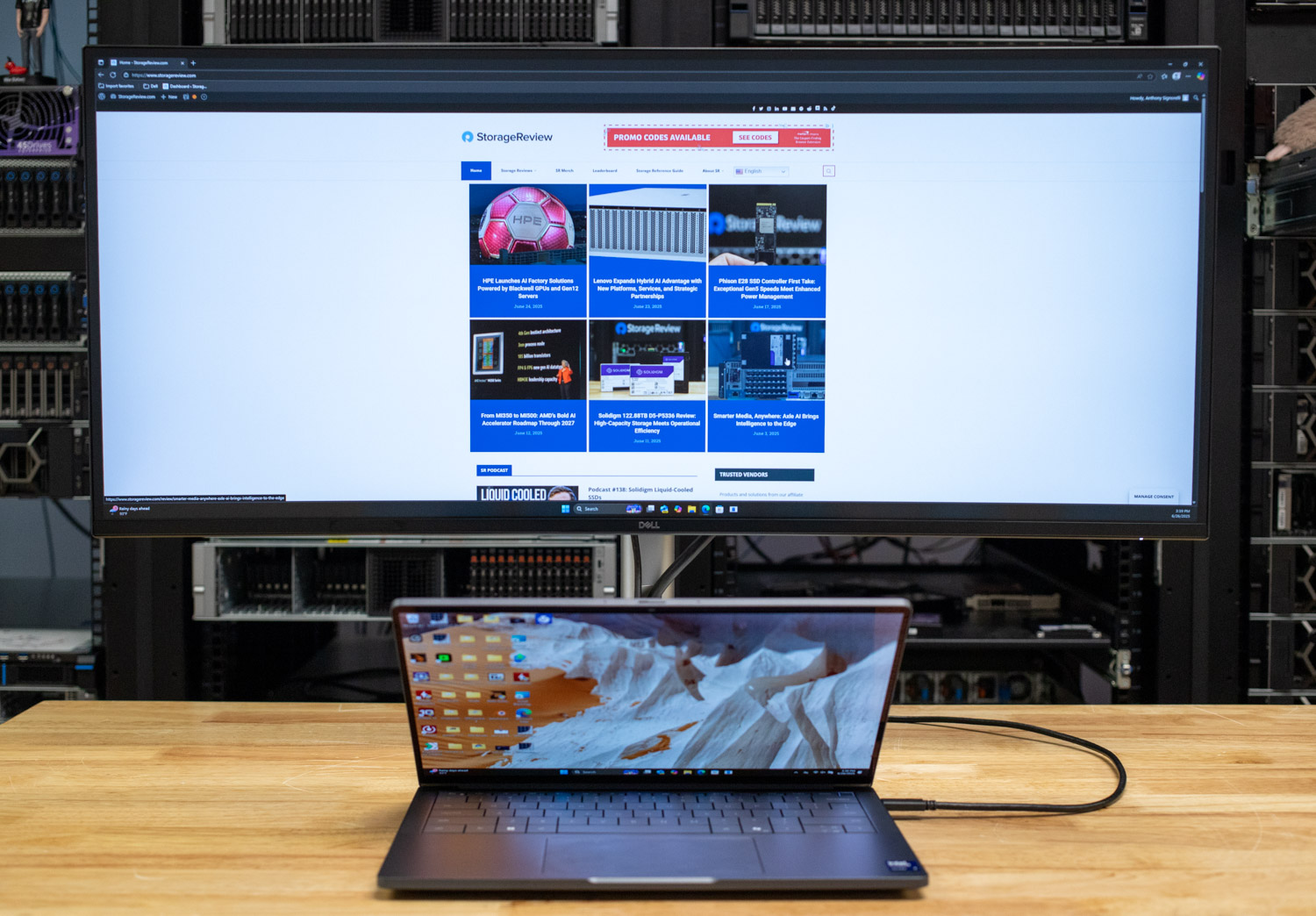
This monitor is a high-end solution for creators and hybrid workers who want to maintain productivity across multiple devices while reducing cable clutter. The front-facing ports are easily accessible, and the monitor offers a wide range of useful I/O options. Numerous devices can display content simultaneously using built-in PiP (Picture-in-Picture) and PbP (Picture-in-Picture with audio) modes, allowing users to view and edit more efficiently.
### Dell Pro 34 Plus USB-C Hub Monitor Specifications
| Category | Specification |
| --- | --- |
| Screen Size | 34.1″ (UW-QHD, 3440 x 1440 @ 100Hz) |
| Panel Type | IPS, LED Edgelight |
| Curvature | 3800R |
| Aspect Ratio | 21:9 |
| Brightness | 350 cd/m² |
| Contrast Ratio | 1500:1 (Native) |
| Color Support | 1.07 Billion, 99% sRGB |
| Response Time | 5ms GTG (Fast), 8ms GTG |
| Viewing Angles | 178° (H) / 178° (V) |
| Pixel Pitch | 0.2325 mm |
| PPI | 110 |
| Refresh Rate | 100 Hz |
| Height Adjustment | 150 mm |
| Ergonomics | Tilt (-5° to 21°), Swivel (±30°), Slant (±4°) |
| Ports | 1x HDMI (HDCP 1.4)
1x DP 1.4 (HDCP 1.4)
3x USB-A 5Gbps
1x USB-B Upstream
1x USB-C 5Gbps Down (15W PD)
1x USB-C 5Gbps Up (DP Alt Mode, 90W PD)
1x RJ45 Ethernet |
| USB-C PD | Up to 90W |
| Power (Typical) | 28.7W (Max 200W) |
| Standby/Off Power | 0.3W |
| Environmental | 0–40°C, 10–80% RH Operating |
| Features | Anti-glare, Picture-in-Picture, Picture-by-Picture, Eye Comfort
Security Lock, Cable Lock Slot, Narrow Bezel
BFR/PVC Free, Arsenic- & Mercury-Free |
## Dell Pro 34 Plus USB-C Hub Monitor Build and Design
#### Stand and Mounting
The base of the Dell Pro 34 Plus USB-C Hub Monitor is constructed from recycled aluminum and steel, ensuring excellent stability. It connects to an included arm that supports the display. It features adjustable display positions, including -5° to +21° screen tilt, 30° swivel, 4° slant, and height adjustment of up to 150mm. This feature enables the user to customize it for their comfort.
The monitor proved to be stable during our setup. Movement while positioning the panel was fluid, while providing the freedom to adjust as needed for plugging in cords and regular use.
![Dell Pro 34 Plus USB-C Hub Monitor base]()
#### Display
The curved display panel features a traditional IPS screen, enabling vibrant colors across a wide viewing angle. This model features a native resolution of WQHD (3440 x 1440) and a contrast ratio of 1500:1 for deeper blacks and brighter whites. The monitor features a brightness of up to 350 nits, along with a solid 5ms response time. To provide a more seamless experience with reduced flickering and smoother motion, it features a 100Hz refresh rate.
![]()
The Dell Pro 34 Plus USB-C Hub Monitor features broad color coverage with 1.07 billion displayable colors (99% sRGB). It increases eye comfort, offering an improved ComfortView Plus (TÜV 4-Star certified), which reduces blue light emissions that can be harmful to ≤35%. The monitor is capable of delivering an all-day comfort experience without compromising color quality.
During our evaluation of the monitor, we subjected it to a wide range of display colors. We found it to be comfortable for viewing, and it provided a relaxing and enjoyable experience. Even after extended use, the screen does not strain your eyes. Additionally, there was no visible glare, resulting in a display with clearer and more vibrant colors.
#### Connectivity and Docking
Designed as a hub for all your devices and peripherals, this monitor streamlines multi-device workflow with its extensive port selection, providing an HDMI port and a DisplayPort. The monitors’ multitasking capabilities are further illustrated with upstream ports for USB Type-B 5Gbps and a USB-C 5Gbps upstream port, enabling simple connectivity and power delivery with up to 90W from the USB-C port. An RJ45 Ethernet port provides 1GbE connectivity to connected devices, facilitating easy cable management.
![Dell Pro 34 Plus USB-C Hub Monitor ports]()
For the downstream connections that go to the user’s peripherals, there are four ports. Two ports, a USB-C (Data only) and a USB Type-A, are located on a front-facing quick access block that extends from the bottom of the Dell Pro 34 Plus USB-C Hub for convenience and easy connectivity. The other two downstream ports on the back panel are both USB Type-A. This setup allows users to easily hide more permanent peripherals, such as keyboards and mice, on the back of the device. Acknowledging that users need to keep more mobile peripherals, such as phones and chargers, is easily accessible from the front. And there are notches on the bottom for a soundbar.
The addition of front-facing ports was beneficial. Connecting a device was simple and elevated the user experience. Furthermore, being able to pop the quick-access piece into the monitor to hide the ports made the user experience more enjoyable.
![]()
The Dell Pro 34 Plus USB-C Hub Monitor includes various cables to help users get started. A 1.8-meter DisplayPort cable can connect to most modern devices. A 1.8-meter USB Type-C to Type-C cable that can provide power to those compatible peripherals. Finally, a 1.8-meter USB Type A to Type B upstream cable is included for any other connection the user might want to utilize.
### Dell Display Peripheral Manager Overview
The Dell Display Peripheral Manager (DDPM) is a [downloadable software option](https://www.dell.com/support/kbdoc/en-us/000287285/dell-display-and-peripheral-manager-for-windows) that enables users to personalize settings on their monitor and configure peripherals to function according to their preferences. The software works on macOS and Windows Machines and is capable of completing a handful of tasks. For example, users can play with color settings to better suit their needs. Moreover, hotkeys can be created to swap inputs easily. Multiple windows can be combined on-screen with software-selectable presets.
![]()
Another valuable function of DDPM is an onboard KVM, which enables the sharing of keyboard, video, and mouse to multiple devices connected to the monitor.
### Conclusion
The Dell Pro Monitor boasts excellent build quality and performance, along with professional-grade software. The monitor delivers a premium experience that most users will enjoy. Its color performance meets the high standards of professional work. The KVM and multimedia display capabilities, combined with the extensive array of ports, enhance the user’s daily workflow.
All the features provided on this monitor combine to create a unique user experience, providing a sense of comfort and functionality with easily accessible ports. During extended use, the monitor should have less damaging effects on a user’s vision than many alternatives. Due to its high refresh rate and reduced emission of blue light, the display equips users for a longer and more satisfying experience.
![Dell Pro 34 Plus USB-C Hub Monitor back]()
At $699.99, the monitor isn’t inexpensive, but you must consider the productivity gains that a device like this offers. Being able to position two windows or apps side by side can enable significant efficiency benefits for the right type of user. Additionally, the included functionality, built-in hub, and performance make this monitor compete very well against more expensive models. We’re big fans of ultrawide monitors and really enjoy the cost/benefit balance the Dell Pro 34 Plus USB-C Hub Monitor brings to the table.
[Dell Product Page](https://www.dell.com/en-us/shop/dell-pro-34-plus-usb-c-hub-monitor-p3425we/apd/210-brhy/monitors-monitor-accessories)
**Engage with StorageReview**
[Newsletter](https://www.storagereview.com/storage_newsletter) | [YouTube](https://www.youtube.com/user/StorageReview "Opens in a new window") | Podcast [iTunes](https://podcasts.apple.com/gb/podcast/storagereview-com-storage-reviews/id1060681115 "Opens in a new window")/ [Spotify](https://open.spotify.com/show/1y6VnznABhHeOSMOmbDTz0 "Opens in a new window") | [Instagram](https://www.instagram.com/storagereview/ "Opens in a new window") | [Twitter](https://twitter.com/storagereview "Opens in a new window") | [TikTok](https://www.tiktok.com/@storagereview? "Opens in a new window") | [RSS Feed](https://www.storagereview.com/rss.xml)
![]()
### Anthony Signorelli
Previous post: [Kingston DC3000ME Review: Built for System Integrators and Mainstream Enterprise](https://www.storagereview.com/review/kingston-dc3000me-review-built-for-system-integrators-and-mainstream-enterprise)
Next post: [Breathing new Life into Old Devices with Windows 11 on Amazon WorkSpaces](https://www.storagereview.com/review/breathing-new-life-into-old-devices-with-windows-11-on-amazon-workspaces)
Trusted Vendors
Products and solutions from our affiliate partners:
- [

Ubiquiti
](https://store.ui.com/us/en?a_aid=StorageReview "Opens in a new window")
- [

Newegg
](https://click.linksynergy.com/fs-bin/click?id=g5terNMDhz0&offerid=1207190.18&subid=0&type=4 "Opens in a new window")
- [
 Amazon
](https://amzn.to/4fLJUEW "Opens in a new window")
Newsletter
Subscribe to the StorageReview newsletter to stay up to date on the latest news and reviews. We promise no spam!
1
Leave this field empty if you’re human:
## Advertisement
Content Categories
[Facebook](https://www.facebook.com/@storagereview) [X](https://twitter.com/storagereview) [Instagram](https://www.instagram.com/storagereview/) [LinkedIn](https://www.linkedin.com/company/storagereview-com) [YouTube](https://www.youtube.com/user/storagereview?sub_confirmation=1) [Email](mailto:info@storagereview.com) [Spotify](https://open.spotify.com/show/1y6VnznABhHeOSMOmbDTz0) [Reddit](https://www.reddit.com/r/StorageReview/) [Discord](https://discord.gg/TwMHb4azdC) [RSS](https://www.storagereview.com/rss.xml) [TikTok](https://www.tiktok.com/@storagereview)
Copyright © 1998-2025 Flying Pig Ventures, LLC Cincinnati, Ohio. All rights reserved.
Manage your privacy
To provide the best experiences, we and our partners use technologies like cookies to store and/or access device information. Consenting to these technologies will allow us and our partners to process personal data such as browsing behavior or unique IDs on this site and show (non-) personalized ads. Not consenting or withdrawing consent, may adversely affect certain features and functions.
Click below to consent to the above or make granular choices. Your choices will be applied to this site only. You can change your settings at any time, including withdrawing your consent, by using the toggles on the Cookie Policy, or by clicking on the manage consent button at the bottom of the screen.
Functional Functional Always active
The technical storage or access is strictly necessary for the legitimate purpose of enabling the use of a specific service explicitly requested by the subscriber or user, or for the sole purpose of carrying out the transmission of a communication over an electronic communications network.
Preferences Preferences
The technical storage or access is necessary for the legitimate purpose of storing preferences that are not requested by the subscriber or user.
Statistics Statistics
The technical storage or access that is used exclusively for statistical purposes. The technical storage or access that is used exclusively for anonymous statistical purposes. Without a subpoena, voluntary compliance on the part of your Internet Service Provider, or additional records from a third party, information stored or retrieved for this purpose alone cannot usually be used to identify you.
Marketing Marketing
The technical storage or access is required to create user profiles to send advertising, or to track the user on a website or across several websites for similar marketing purposes.
Statistics
Marketing
Features
Always active
Always active
- Manage options
- Manage services
- Manage {vendor\_count} vendors
- [Read more about these purposes](https://cookiedatabase.org/tcf/purposes/)
Accept Deny Manage options Save preferences Manage options
- {title}
- {title}
- {title}
Manage your privacy
To provide the best experiences, we use technologies like cookies to store and/or access device information. Consenting to these technologies will allow us to process data such as browsing behavior or unique IDs on this site. Not consenting or withdrawing consent, may adversely affect certain features and functions.
Functional Functional Always active
The technical storage or access is strictly necessary for the legitimate purpose of enabling the use of a specific service explicitly requested by the subscriber or user, or for the sole purpose of carrying out the transmission of a communication over an electronic communications network.
Preferences Preferences
The technical storage or access is necessary for the legitimate purpose of storing preferences that are not requested by the subscriber or user.
Statistics Statistics
The technical storage or access that is used exclusively for statistical purposes. The technical storage or access that is used exclusively for anonymous statistical purposes. Without a subpoena, voluntary compliance on the part of your Internet Service Provider, or additional records from a third party, information stored or retrieved for this purpose alone cannot usually be used to identify you.
Marketing Marketing
The technical storage or access is required to create user profiles to send advertising, or to track the user on a website or across several websites for similar marketing purposes.
Statistics
Marketing
Features
Always active
Always active
- Manage options
- Manage services
- Manage {vendor\_count} vendors
- [Read more about these purposes](https://cookiedatabase.org/tcf/purposes/)
Accept Deny Manage options Save preferences Manage options
- {title}
- {title}
- {title}
Manage consent Manage consent
```json
{"@context":"https:\/\/schema.org","@graph":[{"@type":"WebPage","@id":"https:\/\/www.storagereview.com\/review\/dell-pro-34-plus-usb-c-hub-monitor-review-ultrawide-productivity-hub","url":"https:\/\/www.storagereview.com\/review\/dell-pro-34-plus-usb-c-hub-monitor-review-ultrawide-productivity-hub","name":"Dell Pro 34 Plus USB-C Hub Monitor Review: Ultrawide Productivity Hub - StorageReview.com","isPartOf":{"@id":"https:\/\/www.storagereview.com\/#website"},"primaryImageOfPage":{"@id":"https:\/\/www.storagereview.com\/review\/dell-pro-34-plus-usb-c-hub-monitor-review-ultrawide-productivity-hub#primaryimage"},"image":{"@id":"https:\/\/www.storagereview.com\/review\/dell-pro-34-plus-usb-c-hub-monitor-review-ultrawide-productivity-hub#primaryimage"},"thumbnailUrl":"https:\/\/www.storagereview.com\/wp-content\/uploads\/2025\/06\/StorageReview-Dell-Pro-34-Plus-Monitor-9.jpg","datePublished":"2025-07-07T19:27:09+00:00","description":"The Dell Pro 34 Plus USB-C Hub Monitor combines ultrawide WQHD visuals, advanced connectivity, and comfort-focused design.","breadcrumb":{"@id":"https:\/\/www.storagereview.com\/review\/dell-pro-34-plus-usb-c-hub-monitor-review-ultrawide-productivity-hub#breadcrumb"},"inLanguage":"en-US","potentialAction":[{"@type":"ReadAction","target":["https:\/\/www.storagereview.com\/review\/dell-pro-34-plus-usb-c-hub-monitor-review-ultrawide-productivity-hub"]}]},{"@type":"ImageObject","inLanguage":"en-US","@id":"https:\/\/www.storagereview.com\/review\/dell-pro-34-plus-usb-c-hub-monitor-review-ultrawide-productivity-hub#primaryimage","url":"https:\/\/www.storagereview.com\/wp-content\/uploads\/2025\/06\/StorageReview-Dell-Pro-34-Plus-Monitor-9.jpg","contentUrl":"https:\/\/www.storagereview.com\/wp-content\/uploads\/2025\/06\/StorageReview-Dell-Pro-34-Plus-Monitor-9.jpg","width":1500,"height":878},{"@type":"BreadcrumbList","@id":"https:\/\/www.storagereview.com\/review\/dell-pro-34-plus-usb-c-hub-monitor-review-ultrawide-productivity-hub#breadcrumb","itemListElement":[{"@type":"ListItem","position":1,"name":"Home","item":"https:\/\/www.storagereview.com\/"},{"@type":"ListItem","position":2,"name":"Review","item":"https:\/\/www.storagereview.com\/review"},{"@type":"ListItem","position":3,"name":"Dell Pro 34 Plus USB-C Hub Monitor Review: Ultrawide Productivity Hub"}]},{"@type":"WebSite","@id":"https:\/\/www.storagereview.com\/#website","url":"https:\/\/www.storagereview.com\/","name":"StorageReview.com","description":"StorageReview.com is a leading provider of news and reviews throughout the entire IT stack - from the datacenter to the edge, and all points in between.","publisher":{"@id":"https:\/\/www.storagereview.com\/#organization"},"potentialAction":[{"@type":"SearchAction","target":{"@type":"EntryPoint","urlTemplate":"https:\/\/www.storagereview.com\/?s={search_term_string}"},"query-input":{"@type":"PropertyValueSpecification","valueRequired":true,"valueName":"search_term_string"}}],"inLanguage":"en-US"},{"@type":"Organization","@id":"https:\/\/www.storagereview.com\/#organization","name":"StorageReview.com","url":"https:\/\/www.storagereview.com\/","logo":{"@type":"ImageObject","inLanguage":"en-US","@id":"https:\/\/www.storagereview.com\/#\/schema\/logo\/image\/","url":"https:\/\/www.storagereview.com\/wp-content\/uploads\/2020\/02\/Storage-Reviews-2-2.png","contentUrl":"https:\/\/www.storagereview.com\/wp-content\/uploads\/2020\/02\/Storage-Reviews-2-2.png","width":344,"height":61,"caption":"StorageReview.com"},"image":{"@id":"https:\/\/www.storagereview.com\/#\/schema\/logo\/image\/"},"sameAs":["https:\/\/x.com\/storagereview","http:\/\/youtube.com\/user\/storagereview"]}]}
```