---
description: Synology’s surprise entry into the SSD market is certainly a welcomed one, as the new SAT5200 line proved it can outperform most NAS drives in its class.
title: Synology SAT5200 SSD Review
image: https://www.storagereview.com/wp-content/uploads/2020/07/StorageReview-Synology-SAT5200-LifeStyle.jpg
---
[![Storage Review]()](https://storagereview.com/)
---
[Facebook](https://www.facebook.com/@storagereview) [X (Twitter)](https://twitter.twitter.com/storagereview) [Instagram](https://www.instagram.com/storagereview/) [LinkedIn](https://www.linkedin.com/company/storagereview-com) [YouTube](https://www.youtube.com/user/storagereview?sub_confirmation=1) [Email](mailto:info@storagereview.com) [Spotify](https://open.spotify.com/show/1y6VnznABhHeOSMOmbDTz0) [Reddit](https://www.reddit.com/r/StorageReview/) [Discord](https://discord.gg/TwMHb4azdC) [RSS Feed](https://www.storagereview.com/rss.xml) [TikTok](https://www.tiktok.com/@storagereview)
[Facebook](https://www.facebook.com/@storagereview) [X (Twitter)](https://twitter.com/storagereview) [Instagram](https://www.instagram.com/storagereview/) [LinkedIn](https://www.linkedin.com/company/storagereview-com) [YouTube](https://www.youtube.com/user/storagereview?sub_confirmation=1) [Email](mailto:info@storagereview.com) [Spotify](https://open.spotify.com/show/1y6VnznABhHeOSMOmbDTz0) [Reddit](https://www.reddit.com/r/StorageReview/) [Discord](https://discord.gg/TwMHb4azdC) [RSS Feed](https://www.storagereview.com/rss.xml) [TikTok](https://www.tiktok.com/@storagereview)
[](https://www.storagereview.com)
≡ Menu
- [Home](https://www.storagereview.com/)
- [Storage Reviews](https://www.storagereview.com/review)
- [Consumer Reviews](https://www.storagereview.com/consumer)
- [Enterprise Reviews](https://www.storagereview.com/enterprise)
- [Ubiquiti Reviews](https://www.storagereview.com/best/ubiquiti-reviews)
- [SR Merch](https://store.storagereview.com)
- [Leaderboards](https://www.storagereview.com/best)
- [Best Storage Arrays](https://www.storagereview.com/best/storage-arrays)
- [Best Enterprise SSDs](https://www.storagereview.com/best/enterprise-ssds)
- [Best Servers](https://www.storagereview.com/best/servers)
- [Best Desktops for Local AI](https://www.storagereview.com/best/desktops-local-ai)
- [Best Laptops for Local AI](https://www.storagereview.com/best/laptops-local-ai)
- [Best Local LLM Tools](https://www.storagereview.com/best/local-llm-tools)
- [Agentic AI Hardware](https://www.storagereview.com/best/agentic-ai-hardware)
- [Best SSDs & Hard Drives](https://www.storagereview.com/best_drives)
- [Best Portable SSDs](https://www.storagereview.com/best/portable-ssds)
- [Best Business Laptops](https://www.storagereview.com/best/business-laptops)
- [Best Mobile Workstations](https://www.storagereview.com/best/mobile-workstations)
- [Best Desktop Workstations](https://www.storagereview.com/best/desktop-workstations)
- [Best Laptop Battery Life](https://www.storagereview.com/best/laptop-battery-life)
- [Storage Reference Guide](https://www.storagereview.com/storage-reference-guide)
- [About SR](https://www.storagereview.com/about-storagereview)
- [StorageReview.com Sweepstakes Rules and Regulations](https://www.storagereview.com/storagereview-com-sweepstakes-rules-and-regulations)
Search
[Home](https://www.storagereview.com/) » [Review](https://www.storagereview.com/review) » Synology SAT5200 SSD Review
# Synology SAT5200 SSD Review
by Lyle Smith on July 15, 2020
[Enterprise](https://www.storagereview.com/enterprise) ◇ [SSD](https://www.storagereview.com/enterprise/ssd)
Synology has entered the SSD world with the launch of SSD lines specifically designed to handle demanding environments like virtualization workloads, high traffic volume database storage, and AI and HPC projects within the NAS environment. One of these drives is the Synology SAT5200, a SATA SSD ideal for mixed and intensive 24/7 workloads while boasting consistent I/O performance, low latency and minimal operational downtime. Available in capacities up to 1.92TB, these drives are purpose built for ultimate compatibility and optimization in Synology NAS systems. The company also released an M.2 2280 model ([SNV3400](https://www.storagereview.com/review/synology-snv3400-400g-ssd-review)) for the M.2 slots used for caching.
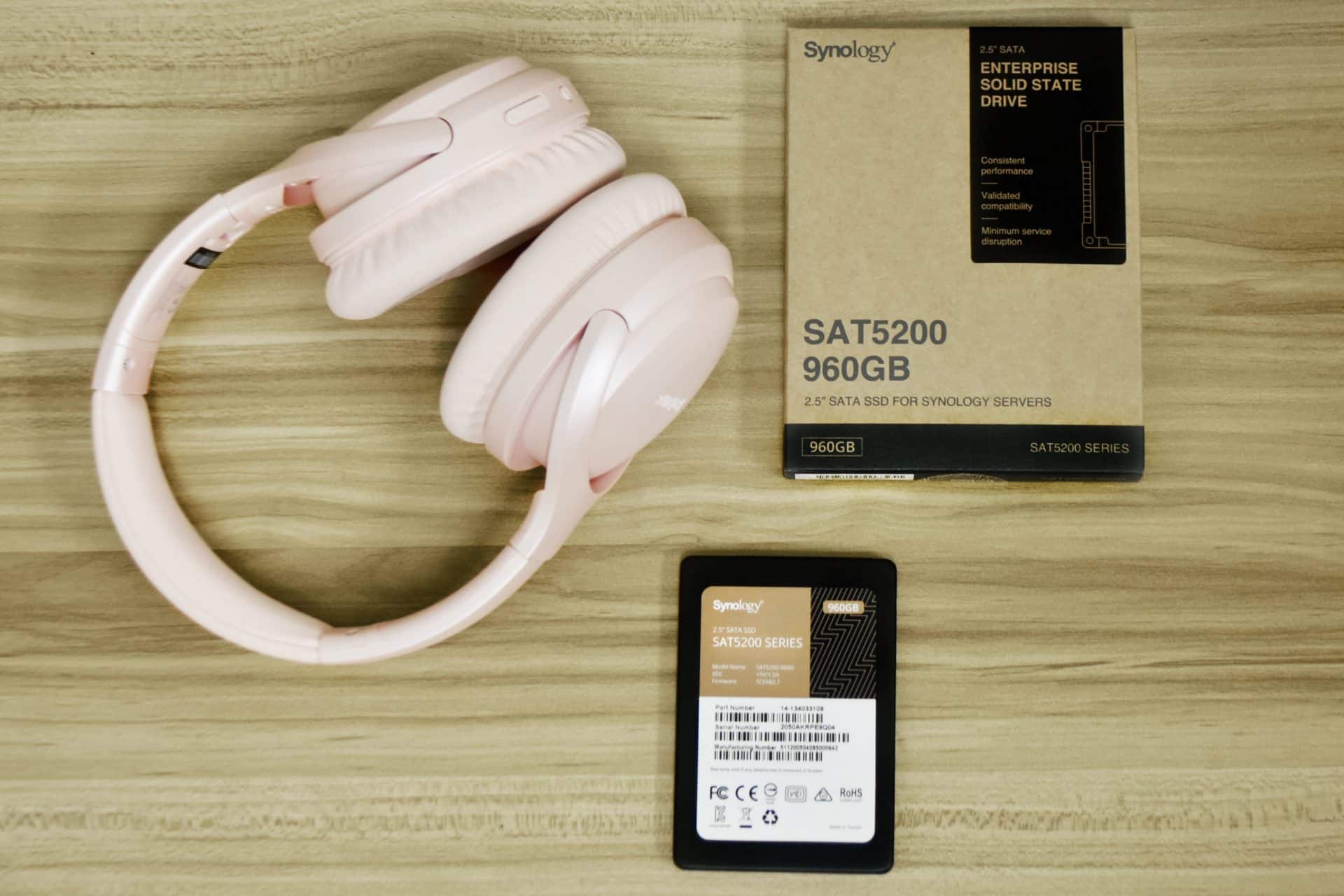
For performance, the Synology SAT5200 offers the regular SATA numbers, quoting sequential reads and writes up to 530MB/s and 500MB/s, respectively. For a SSD controller, the drive leverages Phison PS3112-S12DC. Random reads and writes are expected to reach up to 98,000 IOPS and 60,000 IOPS, respectively for the 1.92TB capacity model. What stands out in this release is the promise of sustained low latency. The SAT5200, unsurprisingly, also features strong endurance and reliable specifications with 1,145TB for TBW, 1.3 DWDP and 1.5 million hours for MTBF.
![]()
Moreover, the new Synology drive has end-to-end data protection to for further data integrity and consistency during data transfers, as well as a power loss protection circuit design, meaning that it has dedicated capacitors that provides enough power to flush data-in-flight into NAND flash during unexpected power losses.
![]()
The new Synology SSDs also feature full integration with the company’s comprehensive OS, DiskStation Manager (DSM). Users will be able to display lifetime analytics for each installed SAT5200 unit based on actual workloads.
![]()
Backed by a 5-year warranty, the Synology SAT5200 SSD is available in capacities of 480GB, 960GB and 1.92TB, priced at $180, $350, and $600 respectively. We will be looking at the 960GB model for this review.
## Synology SAT5200 Specifications
| 1 | | **SAT5200-480G** | **SAT5200**-960G | SAT5200-1920G |
| --- | --- | --- | --- | --- |
| General | Capacity | 480 GB | 960 GB | 1.92 TB |
| Form Factor | 2.5″ 7mm | 2.5″ 7mm | 2.5″ 7mm |
| Interface | SATA 6 Gb/s | SATA 6 Gb/s | SATA 6 Gb/s |
| Performance | Sequential Read (128KB, QD32) | 530 MB/s | 530 MB/s | 530 MB/s |
| Sequential Write (128KB, QD32) | 500 MB/s | 500 MB/s | 500 MB/s |
| Random Read (4KB, QD32) | 95,000 IOPS | 98,000 IOPS | 98,000 IOPS |
| Random Write (4KB, QD32) | 55,000 IOPS | 67,000 IOPS | 60,000 IOPS |
| Endurance and Reliability | Terabytes Written (TBW)\* | 1145 TB | 2290 TB | 4581 TB |
| Drive Writes Per Day (DWPD) | 1.3 | 1.3 | 1.3 |
| Mean Time Between Failures (MTBF) | 1.5 million hours | 1.5 million hours | 1.5 million hours |
| Uncorrectable Bit Error Rate (UBER) | < 1 sector per 1017 bits read | < 1 sector per 1017 bits read | < 1 sector per 1017 bits read |
| Power Loss Protection |
| Warranty\* | 5 Years | 5 Years | 5 Years |
| Power Consumption | Supply Voltage | 5V (± 10%) | 5V (± 10%) | 5V (± 10%) |
| Active Read (Typ.) | 2.6 W | 2.9 W | 3.1 W |
| Active Write (Typ.) | 4.2 W | 4.6 W | 5.1 W |
| Idle | 1.4 W | 1.5 W | 1.6 W |
| Temperature | Operating Temperature | 0°C to 70°C (32°F to 158°F) | 0°C to 70°C (32°F to 158°F) | 0°C to 70°C (32°F to 158°F) |
| Storage Temperature | -40°C to 85°C (-40°F to 185°F) | -40°C to 85°C (-40°F to 185°F) | -40°C to 85°C (-40°F to 185°F) |
| Others | Size (Height x Width x Depth) | 7 mm x 69.85 mm x 100 mm | 7 mm x 69.85 mm x 100 mm | 7 mm x 69.85 mm x 100 mm |
| Certification | | | |
## Synology SAT5200 Performance
**Testbed**
Our Enterprise SSD reviews leverage a Lenovo ThinkSystem SR850 for application tests (Note: we had to use an adapter card instead of a front bay slot due to a compatibility issue) and a [Dell PowerEdge R740xd](https://www.storagereview.com/dell_emc_poweredge_r740xd_server_review) for synthetic benchmarks. The ThinkSystem SR850 is a well-equipped quad-CPU platform, offering CPU power well in excess of what’s needed to stress high-performance local storage. Synthetic tests that don’t require a lot of CPU resources use the more traditional dual-processor server. In both cases, the intent is to showcase local storage in the best light possible that aligns with storage vendor maximum drive specs.
Lenovo ThinkSystem SR850
- 4 x Intel Platinum 8160 CPU (2.1GHz x 24 Cores)
- 16 x 32GB DDR4-2666Mhz ECC DRAM
- 2 x RAID 930-8i 12Gb/s RAID Cards
- 8 NVMe Bays
- VMware ESXI 6.5
Dell PowerEdge R740xd
- 2 x Intel Gold 6130 CPU (2.1GHz x 16 Cores)
- 4 x 16GB DDR4-2666MHz ECC DRAM
- 1x PERC 730 2GB 12Gb/s RAID Card
- Add-in NVMe Adapter
- Ubuntu-16.04.3-desktop-amd64
**Testing Background and Comparables**
The [StorageReview Enterprise Test Lab](https://www.storagereview.com/storagereview_enterprise_test_lab) provides a flexible architecture for conducting benchmarks of enterprise storage devices in an environment comparable to what administrators encounter in real deployments. The Enterprise Test Lab incorporates a variety of servers, networking, power conditioning, and other network infrastructure that allows our staff to establish real-world conditions to accurately gauge performance during our reviews.
We incorporate these details about the lab environment and protocols into reviews so that IT professionals and those responsible for storage acquisition can understand the conditions under which we have achieved the following results. None of our reviews are paid for or overseen by the manufacturer of equipment we are testing. Additional details about the [StorageReview Enterprise Test Lab](https://www.storagereview.com/storagereview_enterprise_test_lab) and an overview of its networking capabilities are available on those respective pages.
**VDBench Workload Analysis**
When it comes to benchmarking storage devices, application testing is best, and synthetic testing comes in second place. While not a perfect representation of actual workloads, synthetic tests do help to baseline storage devices with a repeatability factor that makes it easy to do apples-to-apples comparison between competing solutions. These workloads offer a range of different testing profiles ranging from “four corners” tests, common database transfer size tests, to trace captures from different VDI environments. All of these tests leverage the common vdBench workload generator, with a scripting engine to automate and capture results over a large compute testing cluster. This allows us to repeat the same workloads across a wide range of storage devices, including flash arrays and individual storage devices. Our testing process for these benchmarks fills the entire drive surface with data, then partitions a drive section equal to 25% of the drive capacity to simulate how the drive might respond to application workloads. This is different than full entropy tests which use 100% of the drive and takes them into steady state. As a result, these figures will reflect higher-sustained write speeds.
Profiles:
- 4K Random Read: 100% Read, 128 threads, 0-120% iorate
- 4K Random Write: 100% Write, 64 threads, 0-120% iorate
- 64K Sequential Read: 100% Read, 16 threads, 0-120% iorate
- 64K Sequential Write: 100% Write, 8 threads, 0-120% iorate
Comparables:
- [Seagate IronWolf 110 240GB, 3.84TB](https://www.storagereview.com/review/seagate-ironwolf-110-ssd-nas-review)
- [WD Red SA500 1TB](https://www.storagereview.com/review/wd-red-sa500-nas-sata-ssd-review)
In our first VDBench Workload Analysis, Random 4K Read, the Synology SAT5200 took top spot with a peak performance of 80,213 IOPS at a latency of 1,594.6µs. ![Synology SAT5200 Random Read 4K performance]()
In 4K random write, the SAT5200 was the best performing drive again, with a peak performance of 63,758 IOPS at a latency of 2,004.8µs.
![Synology SAT5200 Random Write 4K performance]()
Switching over to 64k sequential workloads, the SAT5200 once again took the top spot in 64K read with a peak of 7,558 IOPS or 472.3MB/s at a latency of 2,111.8µs.
![Synology SAT5200 Random Read 64K performance]()
64K write told a similar story, with the new Synology drive taking the top spot with 6,696 IOPS or 418.5MB/s at a latency of 2,3764 µs (it showed very low latency until the very end of the test).
## ![Synology SAT5200 Random Write 64K performance]()**Conclusion**
Synology’s surprise entry into the SSD market is certainly a welcomed one, as the new SAT5200 line proved it can outperform most NAS drives in its class. The company’s freshman drives are available in capacities of 480GB, 960GB and 1.92TB and are specifically optimized for Synology NAS systems in 24/7 environments and demanding workloads that need minimal operational downtime. They are also highlighted by a range of reliability and longevity features, including end-to-end data protection and power loss protection circuit technology coupled with 1,145TB TBW, 1.3 DWDP and 1.5 million hours MTBF.
For performance, we looked at VDBench tests and compared the Synology SAT5200 to other similar NAS SATA SSDs. Here, the SAT5200 boasted consistent I/O performance and low latency, taking top spot in all of our tests. In 4K random performance, peak performance of 80,213 IOPS and 63,758 IOPS for reads and writes, respectively, while sequential speeds showed 7,558 IOPS (or 472.3MB/s) read and 6,696 IOPS (or 418.5MB/s) write.
Overall, Synology’s first SSD release is a successful endeavor. If you’re looking for a consistent, high-performing, and low latency NAS drive, you will find that the SAT5200 is a perfect fit. This is especially true if you already have a Synology NAS, as they have been specifically optimized for these systems.
[Synology SAT5200 SSD on Amazon](https://amzn.to/32k8fi6)
**Engage with StorageReview**
[Newsletter](https://www.storagereview.com/storage_newsletter) | [YouTube](https://www.youtube.com/user/StorageReview "Opens in a new window") | Podcast [iTunes](https://podcasts.apple.com/gb/podcast/storagereview-com-storage-reviews/id1060681115 "Opens in a new window")/ [Spotify](https://open.spotify.com/show/1y6VnznABhHeOSMOmbDTz0 "Opens in a new window") | [Instagram](https://www.instagram.com/storagereview/ "Opens in a new window") | [Twitter](https://twitter.com/storagereview "Opens in a new window") | [TikTok](https://www.tiktok.com/@storagereview? "Opens in a new window") | [RSS Feed](https://www.storagereview.com/rss.xml)
![]()
### Lyle Smith
Lyle is a writer for StorageReview, covering a broad set of end user and enterprise IT topics.
Previous post: [Synology SNV3400-400G SSD Review](https://www.storagereview.com/review/synology-snv3400-400g-ssd-review)
Next post: [Lenovo ThinkStation P330 Workstation Review](https://www.storagereview.com/review/lenovo-thinkstation-p330-workstation-review)
Trusted Vendors
Products and solutions from our affiliate partners:
- [

Ubiquiti](https://store.ui.com/us/en?a_aid=StorageReview "Opens in a new window")
- [
![Newegg Logo]()
Newegg](https://click.linksynergy.com/fs-bin/click?id=g5terNMDhz0&offerid=1207190.18&subid=0&type=4 "Opens in a new window")
- [
 Amazon](https://amzn.to/4fLJUEW "Opens in a new window")
Newsletter
Subscribe to the StorageReview newsletter to stay up to date on the latest news and reviews. We promise no spam!
1
Leave this field empty if you’re human:
## Advertisement
Content Categories
[Facebook](https://www.facebook.com/@storagereview) [X](https://twitter.com/storagereview) [Instagram](https://www.instagram.com/storagereview/) [LinkedIn](https://www.linkedin.com/company/storagereview-com) [YouTube](https://www.youtube.com/user/storagereview?sub_confirmation=1) [Email](mailto:info@storagereview.com) [Spotify](https://open.spotify.com/show/1y6VnznABhHeOSMOmbDTz0) [Reddit](https://www.reddit.com/r/StorageReview/) [Discord](https://discord.gg/TwMHb4azdC) [RSS](https://www.storagereview.com/rss.xml) [TikTok](https://www.tiktok.com/@storagereview)
Copyright © 1998-2025 Flying Pig Ventures, LLC Cincinnati, Ohio. All rights reserved.
Manage your privacy
To provide the best experiences, we and our partners use technologies like cookies to store and/or access device information. Consenting to these technologies will allow us and our partners to process personal data such as browsing behavior or unique IDs on this site and show (non-) personalized ads. Not consenting or withdrawing consent, may adversely affect certain features and functions.
Click below to consent to the above or make granular choices. Your choices will be applied to this site only. You can change your settings at any time, including withdrawing your consent, by using the toggles on the Cookie Policy, or by clicking on the manage consent button at the bottom of the screen.
Functional Functional Always active
The technical storage or access is strictly necessary for the legitimate purpose of enabling the use of a specific service explicitly requested by the subscriber or user, or for the sole purpose of carrying out the transmission of a communication over an electronic communications network.
Preferences Preferences
The technical storage or access is necessary for the legitimate purpose of storing preferences that are not requested by the subscriber or user.
Statistics Statistics
The technical storage or access that is used exclusively for statistical purposes. The technical storage or access that is used exclusively for anonymous statistical purposes. Without a subpoena, voluntary compliance on the part of your Internet Service Provider, or additional records from a third party, information stored or retrieved for this purpose alone cannot usually be used to identify you.
Marketing Marketing
The technical storage or access is required to create user profiles to send advertising, or to track the user on a website or across several websites for similar marketing purposes.
Statistics
Marketing
Features
Always active
Always active
- Manage options
- Manage services
- Manage {vendor\_count} vendors
- [Read more about these purposes](https://cookiedatabase.org/tcf/purposes/)
Accept Deny Manage options Save preferences Manage options
- {title}
- {title}
- {title}
Manage your privacy
To provide the best experiences, we use technologies like cookies to store and/or access device information. Consenting to these technologies will allow us to process data such as browsing behavior or unique IDs on this site. Not consenting or withdrawing consent, may adversely affect certain features and functions.
Functional Functional Always active
The technical storage or access is strictly necessary for the legitimate purpose of enabling the use of a specific service explicitly requested by the subscriber or user, or for the sole purpose of carrying out the transmission of a communication over an electronic communications network.
Preferences Preferences
The technical storage or access is necessary for the legitimate purpose of storing preferences that are not requested by the subscriber or user.
Statistics Statistics
The technical storage or access that is used exclusively for statistical purposes. The technical storage or access that is used exclusively for anonymous statistical purposes. Without a subpoena, voluntary compliance on the part of your Internet Service Provider, or additional records from a third party, information stored or retrieved for this purpose alone cannot usually be used to identify you.
Marketing Marketing
The technical storage or access is required to create user profiles to send advertising, or to track the user on a website or across several websites for similar marketing purposes.
Statistics
Marketing
Features
Always active
Always active
- Manage options
- Manage services
- Manage {vendor\_count} vendors
- [Read more about these purposes](https://cookiedatabase.org/tcf/purposes/)
Accept Deny Manage options Save preferences Manage options
- {title}
- {title}
- {title}
Manage consent Manage consent
```json
{"@context":"https:\/\/schema.org","@graph":[{"@type":"WebPage","@id":"https:\/\/www.storagereview.com\/review\/synology-sat5200-ssd-review","url":"https:\/\/www.storagereview.com\/review\/synology-sat5200-ssd-review","name":"Synology SAT5200 SSD Review - StorageReview.com","isPartOf":{"@id":"https:\/\/www.storagereview.com\/#website"},"primaryImageOfPage":{"@id":"https:\/\/www.storagereview.com\/review\/synology-sat5200-ssd-review#primaryimage"},"image":{"@id":"https:\/\/www.storagereview.com\/review\/synology-sat5200-ssd-review#primaryimage"},"thumbnailUrl":"https:\/\/www.storagereview.com\/wp-content\/uploads\/2020\/07\/StorageReview-Synology-SAT5200-LifeStyle.jpg","datePublished":"2020-07-15T21:02:40+00:00","dateModified":"2021-07-08T12:21:36+00:00","description":"Synology’s surprise entry into the SSD market is certainly a welcomed one, as the new SAT5200 line proved it can outperform most NAS drives in its class.","breadcrumb":{"@id":"https:\/\/www.storagereview.com\/review\/synology-sat5200-ssd-review#breadcrumb"},"inLanguage":"en-US","potentialAction":[{"@type":"ReadAction","target":["https:\/\/www.storagereview.com\/review\/synology-sat5200-ssd-review"]}]},{"@type":"ImageObject","inLanguage":"en-US","@id":"https:\/\/www.storagereview.com\/review\/synology-sat5200-ssd-review#primaryimage","url":"https:\/\/www.storagereview.com\/wp-content\/uploads\/2020\/07\/StorageReview-Synology-SAT5200-LifeStyle.jpg","contentUrl":"https:\/\/www.storagereview.com\/wp-content\/uploads\/2020\/07\/StorageReview-Synology-SAT5200-LifeStyle.jpg","width":1920,"height":1280},{"@type":"BreadcrumbList","@id":"https:\/\/www.storagereview.com\/review\/synology-sat5200-ssd-review#breadcrumb","itemListElement":[{"@type":"ListItem","position":1,"name":"Home","item":"https:\/\/www.storagereview.com\/"},{"@type":"ListItem","position":2,"name":"Review","item":"https:\/\/www.storagereview.com\/review"},{"@type":"ListItem","position":3,"name":"Synology SAT5200 SSD Review"}]},{"@type":"WebSite","@id":"https:\/\/www.storagereview.com\/#website","url":"https:\/\/www.storagereview.com\/","name":"StorageReview.com","description":"StorageReview.com is a leading provider of news and reviews throughout the entire IT stack - from the datacenter to the edge, and all points in between.","publisher":{"@id":"https:\/\/www.storagereview.com\/#organization"},"potentialAction":[{"@type":"SearchAction","target":{"@type":"EntryPoint","urlTemplate":"https:\/\/www.storagereview.com\/?s={search_term_string}"},"query-input":{"@type":"PropertyValueSpecification","valueRequired":true,"valueName":"search_term_string"}}],"inLanguage":"en-US"},{"@type":"Organization","@id":"https:\/\/www.storagereview.com\/#organization","name":"StorageReview.com","url":"https:\/\/www.storagereview.com\/","logo":{"@type":"ImageObject","inLanguage":"en-US","@id":"https:\/\/www.storagereview.com\/#\/schema\/logo\/image\/","url":"https:\/\/www.storagereview.com\/wp-content\/uploads\/2020\/02\/Storage-Reviews-2-2.png","contentUrl":"https:\/\/www.storagereview.com\/wp-content\/uploads\/2020\/02\/Storage-Reviews-2-2.png","width":344,"height":61,"caption":"StorageReview.com"},"image":{"@id":"https:\/\/www.storagereview.com\/#\/schema\/logo\/image\/"},"sameAs":["https:\/\/x.com\/storagereview","http:\/\/youtube.com\/user\/storagereview"]}]}
```