---
description: "HP OmniBook Ultra 16 review: 128GB and 32GB RTX Spark N1X units tested in local AI, CPU, gaming, thermals, and storage vs the Blade 16."
title: "HP OmniBook Ultra 16 Review: RTX Spark With 128GB Tops Our Local Coding Agent Test"
image: https://www.storagereview.com/wp-content/uploads/2026/10/StorageReview-HP-OmniBook-Ultra-16-3.jpg
---
[![Storage Review]()](https://storagereview.com/)
---
[Facebook](https://www.facebook.com/@storagereview) [X (Twitter)](https://twitter.twitter.com/storagereview) [Instagram](https://www.instagram.com/storagereview/) [LinkedIn](https://www.linkedin.com/company/storagereview-com) [YouTube](https://www.youtube.com/user/storagereview?sub_confirmation=1) [Email](mailto:info@storagereview.com) [Spotify](https://open.spotify.com/show/1y6VnznABhHeOSMOmbDTz0) [Reddit](https://www.reddit.com/r/StorageReview/) [Discord](https://discord.gg/TwMHb4azdC) [RSS Feed](https://www.storagereview.com/rss.xml) [TikTok](https://www.tiktok.com/@storagereview)
[Facebook](https://www.facebook.com/@storagereview) [X (Twitter)](https://twitter.com/storagereview) [Instagram](https://www.instagram.com/storagereview/) [LinkedIn](https://www.linkedin.com/company/storagereview-com) [YouTube](https://www.youtube.com/user/storagereview?sub_confirmation=1) [Email](mailto:info@storagereview.com) [Spotify](https://open.spotify.com/show/1y6VnznABhHeOSMOmbDTz0) [Reddit](https://www.reddit.com/r/StorageReview/) [Discord](https://discord.gg/TwMHb4azdC) [RSS Feed](https://www.storagereview.com/rss.xml) [TikTok](https://www.tiktok.com/@storagereview)
[](https://www.storagereview.com)
≡ Menu
- [Home](https://www.storagereview.com/)
- [Storage Reviews](https://www.storagereview.com/review)
- [End User Reviews](https://www.storagereview.com/consumer)
- [Enterprise Reviews](https://www.storagereview.com/enterprise)
- [Ubiquiti Reviews](https://www.storagereview.com/best/ubiquiti-reviews)
- [SR Merch](https://store.storagereview.com)
- [Leaderboards](https://www.storagereview.com/best)
- [Best Storage Arrays](https://www.storagereview.com/best/storage-arrays)
- [Best Enterprise SSDs](https://www.storagereview.com/best/enterprise-ssds)
- [Best Servers](https://www.storagereview.com/best/servers)
- [Best Enterprise GPUs](https://www.storagereview.com/best/enterprise-gpus)
- [Best Desktops for Local AI](https://www.storagereview.com/best/desktops-local-ai)
- [Best Laptops for Local AI](https://www.storagereview.com/best/laptops-local-ai)
- [Best Local LLM Tools](https://www.storagereview.com/best/local-llm-tools)
- [Agentic AI Hardware](https://www.storagereview.com/best/agentic-ai-hardware)
- [Best SSDs & Hard Drives](https://www.storagereview.com/best_drives)
- [Best Portable SSDs](https://www.storagereview.com/best/portable-ssds)
- [Best Business Laptops](https://www.storagereview.com/best/business-laptops)
- [Best Mobile Workstations](https://www.storagereview.com/best/mobile-workstations)
- [Best Desktop Workstations](https://www.storagereview.com/best/desktop-workstations)
- [Best Mini PCs](https://www.storagereview.com/best/mini-pcs)
- [Best Laptop Battery Life](https://www.storagereview.com/best/laptop-battery-life)
- [Storage Reference Guide](https://www.storagereview.com/storage-reference-guide)
- [About SR](https://www.storagereview.com/about-storagereview)
- [StorageReview.com Sweepstakes Rules and Regulations](https://www.storagereview.com/storagereview-com-sweepstakes-rules-and-regulations)
Search
[Home](https://www.storagereview.com/) » [Review](https://www.storagereview.com/review) » HP OmniBook Ultra 16 Review: RTX Spark With 128GB Tops Our Local Coding Agent Test
# HP OmniBook Ultra 16 Review: RTX Spark With 128GB Tops Our Local Coding Agent Test
by Brian Beeler on October 16, 2026
[End User](https://www.storagereview.com/consumer) ◇ [Workstation](https://www.storagereview.com/consumer/workstation)
The HP OmniBook Ultra 16 is HP’s 16-inch NVIDIA RTX Spark notebook, a 0.62-inch-thick laptop built around NVIDIA’s N1X superchip and a 3K OLED display. We tested two units side by side: one with the full 20-core N1X, 128GB of LPDDR5X, and a 2TB Gen5 SSD, and one with the same chip, 32GB, and a 1TB Gen5 SSD. The 32GB, 1TB unit we tested is Best Buy’s $3,199.99 configuration, which is also HP’s starting price; a 64GB, 2TB model lists for $4,999.99 on HP.com, and the 128GB, 2TB build we tested is available only through HP.com’s configurator, where HP priced it at $6,229.99 as of October 14.
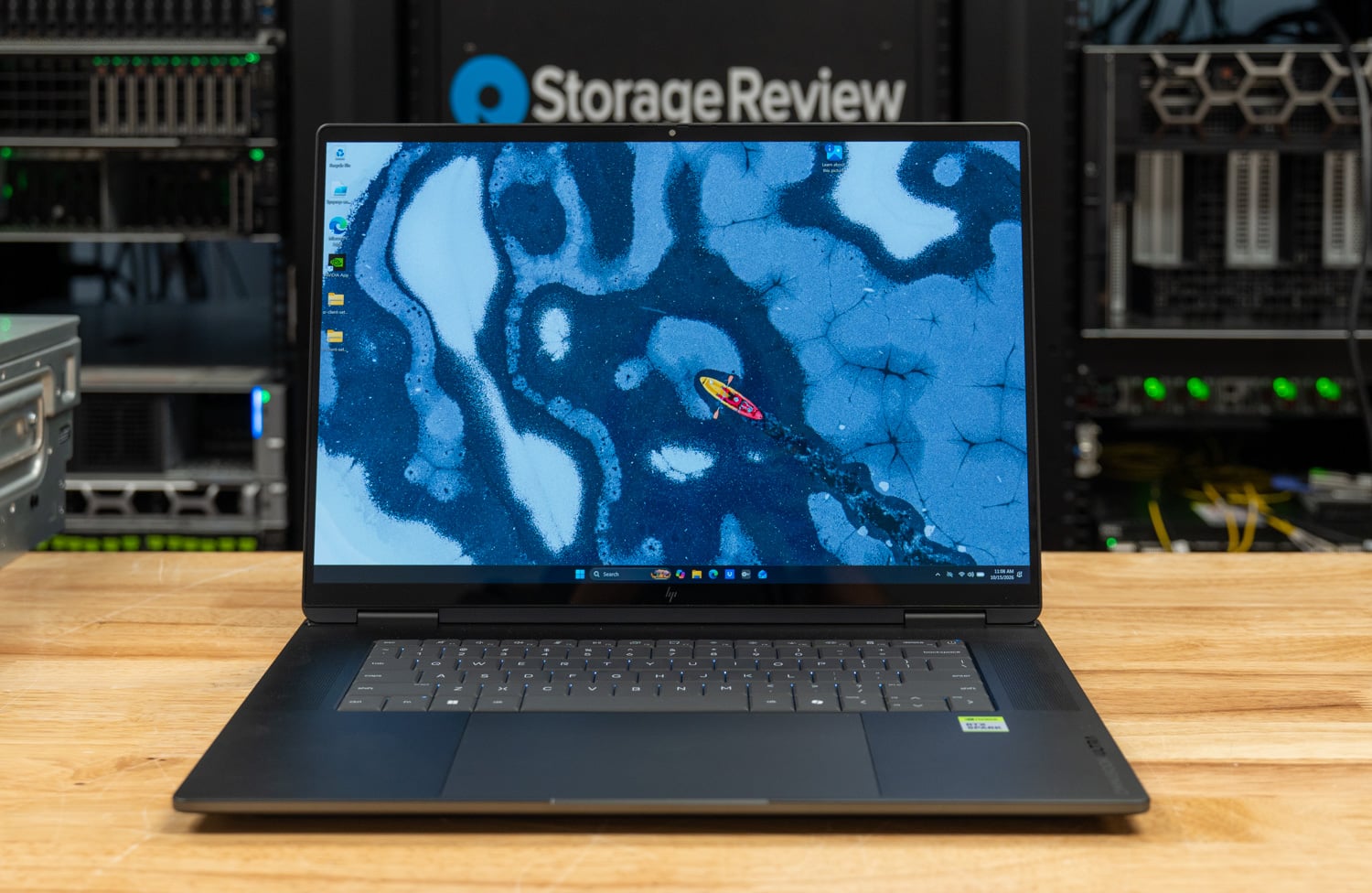
Alongside the two HPs, we compare the [Microsoft Surface Laptop Ultra](https://www.storagereview.com/review/microsoft-surface-laptop-ultra-for-business-review-rtx-spark-n1x), the other 128GB RTX Spark notebook we have tested; the [Lenovo Pro 9n 15](https://www.storagereview.com/review/lenovo-pro-9n-15-review-rtx-spark-n1x), which shares the 32GB HP’s 12GB GPU split; and the Razer Blade 16, whose RTX 5090 made it the strongest x64 notebook in that comparison. Our battery results will follow when the new test harness is completed.
Let’s get this out of the way first, though: the 128GB OmniBook is the most complete RTX Spark system we have tested. It posted the highest multi-core Cinebench 2026 score in this group at 7,004, finished the tier M Qwen3.6 coding task faster than any other system, and ran the all-core OpenBLAS solve that powered off two Surface units all the way to completion at 98 C. The 32GB unit stays within about 2 percent of it on CPU, MLPerf, and RAG work. With all of these systems, memory is the constraint and should inform the sizing decision when buying: smaller GPU allocations limit which models can fit and run well.
> ### Key Takeaways
>
> - **The 128GB unit runs every local AI tier we test:** with 62.5GB of GPU-usable memory, gpt-oss:20b and Qwen3.6-35B-A3B generate at 58.0 and 89.5 tokens per second, and the Qwen3.6 coding task passed three of three runs in 72.0 seconds, the quickest in the group. The Blade 16’s RTX 5090 is 2.3x faster on models that fit in its 24GB.
> - **The 32GB unit keeps the speed but not the capacity:** MLPerf Llama 3.1 8B ran at 56.4 tokens per second against 56.5 on the 128GB unit, but its 12GB GPU split keeps it out of every model-load and coding agent test.
> - **The fastest multi-core results in the group:** 7,004 in Cinebench 2026 multi-core, 35 percent ahead of the Razer Blade 16, and an LLVM build in 206.6 seconds against 327.0 on the Blade.
> - **Hot, and stable at the limit:** both HPs sat at 98 C through every all-core test without losing performance, and both completed the all-core OpenBLAS solve, the test that cut power on two Surface Laptop Ultra units.
> - **Gen5 storage behind a Windows on Arm ceiling:** the 128GB unit’s Sandisk SN8050S read 13,833MB/s sequentially and 1.89M IOPS from the raw device, but 4K random reads through NTFS and BitLocker topped out at 437.8K IOPS.
## Build and Design
HP built the OmniBook Ultra 16 around a three-piece aluminum chassis that is CNC-machined, with curved edges and concave sides, in a dark color HP calls Eclipse gray. It measures 14.01 x 10.1 inches, tapers from 15.7mm at the rear to 11.6mm at the front, and weighs 4.89 pounds; HP calls it the thinnest RTX Spark PC so far. The covers use 50 percent recycled metal, the keyboard parts are 85 percent post-consumer recycled plastic, and the speaker enclosures contain ocean-bound plastic. Both of our units share the same chassis, so everything in this section applies to either configuration.
![HP OmniBook Ultra 16 lid in Eclipse gray with the HP logo, closed on a wood surface]()
The OmniBook is the nicest-feeling RTX Spark notebook we have tested in this initial review batch. The textured metal surfaces and slim profile give it a premium, solid feel that belies how thin it is, with none of the flex a chassis this size often shows (it feels much more like a proper ZBook system). The rear edge of the base extends past the display hinge, which is unusual for a notebook, and it changes where the heat goes: with the lid open or closed, the exhaust leaves straight out the back of the chassis and never blows up into the hinge or the bottom of the display.
That extension is what HP calls its tower hinge and trunk design, a first for an HP consumer laptop. In a conventional clamshell, the display and hinge crowd the rear of the base, so HP extended the chassis behind the hinge to give air a straight path out the back, and it rates the OmniBook at up to 70W in Performance mode.
HP’s claim for the design is sustained performance and lower surface temperatures, and the first half held in our testing, where the N1X ran its clocks flat for the full 30-minute sustained loop. It did so at the 98 C ceiling in every CPU test, hotter than either the Pro 9n or the [Lenovo Yoga 9n 2-in-1 16](https://www.storagereview.com/review/lenovo-yoga-9n-2-in-1-16-review-rtx-spark-n1x), so the trunk moves the exhaust without making the CPU itself run cooler, and we did not measure surface temperatures for this review.
![HP OmniBook Ultra 16 closed, rear three-quarter view showing the raised rear section behind the hinge]()
Underneath, a large intake grille covers most of the rear half of the bottom panel. With the panel off, two fans sit at the rear corners on either side of a shielded center section, with heat pipes running between them, and the 99Wh battery fills the front half of the chassis. HP says each fan carries 79 blades 0.15mm thick, that two wide heat pipes cover the processor and a third runs over the SSD, with pipes 1 to 1.8mm thick, and that a thermistor tracks internal temperature while an IR sensor watches the surface.
Memory is soldered LPDDR5X, so the configuration you buy is the one you keep, which matters more on an RTX Spark system than on most laptops because memory capacity also sets how much the GPU can use.
![HP OmniBook Ultra 16 bottom panel with the large intake grille across the rear half]() ![HP OmniBook Ultra 16 internals with the bottom panel removed: two fans, heat pipes, a shielded center section, and the 99Wh battery]()
The keyboard is HP’s second-generation lattice-less layout, full-size and backlit, with a 3mm gap between keys and a deeper dish than the first generation, and it is flanked on both sides by the grilles for the quad speakers, two main drivers and two tweeters on discrete smart amplifiers with DTS spatial audio and Poly Studio tuning. Below it, a huge 160 x 100mm haptic touchpad clicks anywhere on its surface, with adjustable force, a silent-click option, and gestures for volume and brightness. The 5MP IR camera has a physical privacy shutter, and a dedicated key mutes the microphones.
![HP OmniBook Ultra 16 keyboard deck with speaker grilles on both sides of the keyboard and the haptic touchpad]()
The display is a 16-inch 3K (2880 x 1800) OLED touchscreen under Corning Gorilla Glass 3, with a refresh rate up to 120Hz, variable refresh support, and a 0.2ms response time. HP rates it at 500 nits in SDR and 1,100 nits in HDR, with 100 percent DCI-P3 coverage, VESA DisplayHDR True Black 1000 certification, and a Delta E under 1; the panel fills 91 percent of the lid.
The left side carries HDMI 2.1, two USB-C ports at 40Gbps with USB Power Delivery and DisplayPort 2.1, and a headphone jack; the right side has a microSD reader and two USB-A ports at 10Gbps. Wireless is a MediaTek MT7925 card with Wi-Fi 7 and Bluetooth 6.0. HP rates the 99Wh battery at up to 17 hours and ships a 140W USB-C GaN adapter with folding prongs and a detachable 2m cable, which HP says is 43 percent smaller and 28 percent lighter than its previous 140W unit and charges to about 50 percent in 30 minutes.
![HP OmniBook Ultra 16 left side with HDMI, two USB-C ports, and the headphone jack]() ![HP OmniBook Ultra 16 right side with the microSD reader and two USB-A ports]()
## The RTX Spark N1X Platform
RTX Spark is the Windows PC family built on the N1X superchip, the laptop sibling of the GB10 in [DGX Spark](https://www.storagereview.com/review/nvidia-dgx-spark-review-the-ai-appliance-bringing-datacenter-capabilities-to-desktops). We covered the platform in depth in our [Surface Laptop Ultra review](https://www.storagereview.com/review/microsoft-surface-laptop-ultra-for-business-review-rtx-spark-n1x), so this section sticks to what matters for reading the OmniBook’s results. Both of our HPs carry the top bin, which pairs a 20-core Grace CPU (10 faster cores and 10 efficiency cores, with no SMT) with a 6,144-core Blackwell RTX GPU. HP also sells an 18-core, 5,120-core-GPU version, the same bin as the Lenovo Pro 9n in this comparison.
The N1X’s LPDDR5X runs at 9,400 MT/s on a 256-bit interface and is shared between the CPU and GPU, with a setting in the NVIDIA app deciding how much Windows hands the GPU as dedicated memory. That is a change in Windows, not a BIOS option, so the split is easy to revisit.
Our 128GB unit ran at 64GB GPU and 64GB CPU, which measured 62.5GB GPU-usable and qualifies for both of our local AI model tiers. We set the 32GB unit to 12GB GPU and 20GB CPU, the same split as the Lenovo Pro 9n, so the two 32GB systems compare directly; at 12GB, neither qualifies for a model tier test.
The fixed split is a Windows limitation, not an NVIDIA one. Windows does not yet support unified memory across the CPU and GPU the way the Linux stack on DGX Spark does, which is why the allocation has to be set in advance; we understand that support is in the works between NVIDIA and Microsoft.
The OmniBook runs Windows 11 26H1 on Arm64, so x64 applications go through Prism emulation, and our suite uses native Arm64 builds of every open-source workload so the CPU rows compare silicon. Where an Arm64 port is immature, or the only option is an x64 build, we say so, because a handful of rows below depend on it.
## HP OmniBook Ultra 16 Specifications
| **Specification** | **HP OmniBook Ultra 16 (16-bk0xxx)** |
| --- | --- |
| **Platform Overview** | |
| **Processor** | NVIDIA RTX Spark N1X, 20-core CPU with 6,144-core Blackwell RTX GPU (both units as tested)
NVIDIA RTX Spark N1X, 18-core CPU with 5,120-core Blackwell RTX GPU |
| **Memory** | 32GB, 64GB, or 128GB LPDDR5X-9400 (onboard)
128GB, 64GB GPU / 64GB system split (unit 1 as tested)
32GB, 12GB GPU / 20GB system split (unit 2 as tested) |
| **Storage** | 1TB PCIe Gen5 NVMe M.2 SSD or 2TB PCIe Gen5 NVMe Performance M.2 SSD
2TB Sandisk PC SN8050S (unit 1 as tested)
1TB KIOXIA KBG80ZNV (unit 2 as tested) |
| **Operating System** | Windows 11 Home or Windows 11 Pro (Arm64)
Windows 11 Pro (unit 1), Windows 11 Home (unit 2) as tested |
| **Display and I/O** | |
| **Display** | 16-inch 3K (2880 x 1800) OLED touchscreen, up to 120Hz, VRR, 0.2ms
500 nits SDR, 1,100 nits HDR, 100% DCI-P3, Delta E <1
VESA DisplayHDR True Black 1000, Corning Gorilla Glass 3 |
| **Ports** | 2x USB-C 40Gbps (USB Power Delivery, DisplayPort 2.1)
2x USB-A 10Gbps
1x HDMI 2.1
1x microSD card reader
1x headphone/microphone combo jack |
| **Wireless** | MediaTek Wi-Fi 7 MT7925 (2×2), Bluetooth 6.0 |
| **Camera** | 5MP IR camera with privacy shutter |
| **Audio** | Quad speakers (2x main, 2x tweeter) with discrete smart amplifiers; DTS spatial audio, Poly Studio tuning |
| **Input** | Second-generation lattice-less backlit keyboard
160 x 100mm haptic touchpad with gesture control |
| **Power and Physical** | |
| **Battery** | 6-cell, 99Wh Li-ion polymer; up to 17 hours (HP claim) |
| **Charging** | 140W USB-C GaN adapter; about 50% in 30 minutes (HP claim) |
| **Thermal design** | Tower hinge and trunk; two fans, three heat pipes, thermistor and IR sensor; up to 70W TDP (HP rating) |
| **Dimensions** | 14.01 x 10.1 x 0.62 in (15.7mm rear, 11.6mm front) |
| **Weight** | 4.89 lb |
| **Color** | Eclipse gray |
| **Security and Pricing** | |
| **Security** | Mic mute key, camera privacy shutter, TPM; BitLocker XTS-AES-128 on both units |
| **Price** | $3,199.99 (32GB, 1TB, Best Buy and HP.com, as tested); $4,999.99 (64GB, 2TB, HP.com)
$6,229.99 (128GB, 2TB, HP.com configurator, as tested; HP pricing as of October 14, 2026) |
## Test Setup and Methodology
Our two OmniBook Ultra 16 units run the RTX Spark N1X with its 6,144-core Blackwell GPU: one with 128GB of LPDDR5X-9400 split 64/64 and a 2TB Sandisk SN8050S Gen5 SSD on Windows 11 Pro 26H1, the other with 32GB split 12/20 and a 1TB KIOXIA Gen5 SSD on Windows 11 Home 26H1, both on Arm64. Benchmarks ran in HP’s Performance mode with Windows set to Best performance, plugged in.
Every system ran sr-client 1.2, our scripted Windows client benchmark suite. The suite applies the same lab settings everywhere: Windows power mode at Best performance, display at 50 percent brightness, all sleep and display-off timers disabled, and Windows Firewall and UAC prompts off. Each result is the median of repeated passes, and the suite reruns a test whose spread exceeds 2 percent before accepting it.
| **System** | **CPU** | **Memory** | **GPU used for GPU and AI tests** | **SSD** | **OS and performance mode** |
| --- | --- | --- | --- | --- | --- |
| **HP OmniBook Ultra 16 (128GB)** | **NVIDIA RTX Spark N1X, 20C / 20T** | **128GB LPDDR5X-9400 (64GB GPU / 64GB system split)** | **6,144-core Blackwell RTX (integrated, 62.5GB usable)** | **Sandisk PC SN8050S 2TB, Gen5 x4** | **Windows 11 Pro 26H1 (Arm64), HP Performance** |
| **HP OmniBook Ultra 16 (32GB)** | **NVIDIA RTX Spark N1X, 20C / 20T** | **32GB LPDDR5X-9400 (12GB GPU / 20GB system split)** | **6,144-core Blackwell RTX (integrated, 12GB usable)** | **KIOXIA KBG80ZNV 1TB, Gen5 x4** | **Windows 11 Home 26H1 (Arm64), HP Performance** |
| **[Microsoft Surface Laptop Ultra](https://www.storagereview.com/review/microsoft-surface-laptop-ultra-for-business-review-rtx-spark-n1x)** | NVIDIA RTX Spark N1X, 20C / 20T | 128GB LPDDR5X-9400 (64GB GPU / 64GB system split) | 6,144-core Blackwell RTX (integrated, 62.5GB usable) | SK hynix HFS001TFM9X 1TB, Gen5 x4 | Windows 11 Pro 26H1 (Arm64), Best performance |
| **[Lenovo Pro 9n 15](https://www.storagereview.com/review/lenovo-pro-9n-15-review-rtx-spark-n1x)** | NVIDIA RTX Spark N1X, 18C / 18T | 32GB LPDDR5X-9400 (12GB GPU / 20GB system split) | 5,120-core Blackwell RTX (integrated, 12GB usable) | Samsung MZAL81T0HFLB 1TB, Gen4 x4 | Windows 11 Pro 26H1 (Arm64), Lenovo Performance mode |
| **[Razer Blade 16](https://www.storagereview.com/review/nvidia-geforce-rtx-5090-mobile-review-ai-power-meets-efficiency)** | AMD Ryzen AI 9 HX 370, 12C / 24T | 32GB LPDDR5X-8000 | NVIDIA GeForce RTX 5090 Laptop GPU, 24GB | Samsung MZVL22T0 2TB, Gen4 x4 | Windows 11 Home 25H2 (x64), Razer Synapse Performance |
Looking at the data below, we have two designations that are important to understand, outside of the completed numbers. DNF means a test started and did not finish, or was skipped after a failure; here it applies only to the Surface’s OpenBLAS run, which was skipped after the test cut the laptop’s power. Not run means the suite declined to start a test because the hardware does not qualify, most often because a model exceeds the GPU memory available: the 32GB OmniBook and the Pro 9n, at 12GB GPU-usable, sit below our smallest model tier, and the Blade 16’s 24GB keeps it below tier M.
N/A means a test does not apply to that hardware, such as SMT single-core on a chip without SMT, or an emulation row on an x64 system that runs its native build. Where an RTX Spark system ran x64 software through Prism, the row says so.
## Local AI Performance
Local AI on these notebooks comes down to how fast the GPU runs a model and whether the model fits at all. The 128GB OmniBook and the Surface answer the capacity question, since 62.5GB of GPU-usable memory lets them run our tier M models, while the 32GB OmniBook and Pro 9n match their speed on small models and stop there.
### MLPerf Client v2.0
MLPerf Client runs Llama 3.1 8B and Phi-4-mini through five prompt categories and reports time to first token and the token rate after it, as a geometric mean across the categories. Every system in this review uses llama.cpp with CUDA, so the engine is the same, and the rows compare hardware. The agentic scenarios run Llama 3.1 8B as a software engineering agent and a data analyst agent that call tools over multiple turns.
![HP OmniBook Ultra 16 review chart: MLPerf Client v2.0 token generation rate for the 128GB and 32GB OmniBooks against the Microsoft Surface Laptop Ultra, Lenovo Pro 9n 15, and Razer Blade 16]()
| **MLPerf Client v2.0** | **OmniBook Ultra 16 (128GB)** | **OmniBook Ultra 16 (32GB)** | **Surface Laptop Ultra** | **Pro 9n 15** | **Razer Blade 16** |
| --- | --- | --- | --- | --- | --- |
| **Llama 3.1 8B, time to first token, geomean (s, lower is better)** | **0.274** | 0.275 | 0.284 | 0.303 | 0.149 |
| **Llama 3.1 8B, token rate, geomean (tok/s)** | **56.5** | 56.4 | 56.4 | 55.1 | 128.8 |
| **Phi-4-mini, time to first token, geomean (s, lower is better)** | **0.130** | 0.123 | 0.127 | 0.135 | 0.074 |
| **Phi-4-mini, token rate, geomean (tok/s)** | **96.8** | 96.8 | 97.5 | 95.2 | 222.7 |
| **Data Analyst Agent, end-to-end (s, lower is better)** | **53.0** | 52.4 | 52.6 | 56.2 | 27.8 |
| **Data Analyst Agent, token rate (tok/s)** | **48.5** | 49.0 | 48.9 | 46.9 | 108.3 |
| **SWE Agent, end-to-end (s, lower is better)** | **45.3** | 46.2 | 46.0 | 48.0 | 24.6 |
| **SWE Agent, token rate (tok/s)** | **46.6** | 46.6 | 46.4 | 44.5 | 102.5 |
The two OmniBooks generated Llama 3.1 8B at 56.5 and 56.4 tokens per second and Phi-4-mini at 96.8 and 96.8, effectively identical to each other and to the Surface, which confirms that memory capacity does not change the N1X GPU’s speed on a model that fits. The Pro 9n’s 5,120-core GPU came within 3 percent on both models because token generation at this size is limited by memory bandwidth more than by GPU cores. The Blade 16 led at 128.8 and 222.7 tokens per second.
The agentic scenarios follow the same pattern, with every RTX Spark system finishing the data analyst scenario in 52.4 to 56.2 seconds and the software engineering scenario in 45.3 to 48.0 seconds, while the Blade 16 took about half as long in both.
### Model Loading
This test times a local model in Ollama from SSD to its first generated token, cold (file cache flushed) and warm (file already in memory), and reports how fast the SSD was read during the cold load. Tier S uses gpt-oss:20b (12.8GB) on systems with at least 16GB of GPU-usable memory; tier M adds Qwen3.6-35B-A3B (21.1GB) on systems with about 40GB or more.
![HP OmniBook Ultra 16 review chart: Ollama model load time to first token for the 128GB and 32GB OmniBooks against the Microsoft Surface Laptop Ultra, Lenovo Pro 9n 15, and Razer Blade 16]()
| **Model loading (memory mapping on)** | **OmniBook Ultra 16 (128GB)** | **OmniBook Ultra 16 (32GB)** | **Surface Laptop Ultra** | **Pro 9n 15** | **Razer Blade 16** |
| --- | --- | --- | --- | --- | --- |
| **gpt-oss:20b, cold load to first token (s, lower is better)** | **6.23** | Not run (12GB GPU memory) | 6.57 | Not run (12GB GPU memory) | 8.71 |
| **gpt-oss:20b, warm load to first token (s, lower is better)** | **3.59** | Not run (12GB GPU memory) | 3.57 | Not run (12GB GPU memory) | 6.93 |
| **gpt-oss:20b, read throughput during cold load (MB/s)** | **3,044** | Not run (12GB GPU memory) | 3,080 | Not run (12GB GPU memory) | 3,874 |
| **Qwen3.6-35B-A3B, cold load to first token (s, lower is better)** | **9.04** | Not run (12GB GPU memory) | 8.77 | Not run (12GB GPU memory) | Not run (24GB VRAM, below tier M) |
| **Qwen3.6-35B-A3B, warm load to first token (s, lower is better)** | **4.23** | Not run (12GB GPU memory) | 4.47 | Not run (12GB GPU memory) | Not run (24GB VRAM, below tier M) |
The 128GB OmniBook brought gpt-oss:20b to its first token in 6.23 seconds cold, the quickest in the group, against 6.57 on the Surface and 8.71 on the Blade 16, and in 3.59 seconds warm. The Blade read the file fastest at 3,874MB/s but reached first token last, because its weights still have to cross PCIe into VRAM, while unified memory has them in place once they are read. The HP’s drive is not the limit here: its 3,044MB/s during the load is a fraction of the 12,866MB/s the test’s own DiskSpd pass reads from the same model file at 1MB blocks.
In tier M, the OmniBook and Surface traded wins within 0.3 seconds, at 9.04 and 8.77 seconds cold and 4.23 and 4.47 warm. The 32GB OmniBook and the Pro 9n do not qualify for either tier at 12GB GPU-usable, and the Blade 16 sits out tier M with 24GB of VRAM.
### Coding Agent
Codex CLI drives a local model served by Ollama through a fixed coding task in a pinned repository; a run succeeds when the repository’s 11 tests pass. We report the median wall time of three runs, how many succeeded, and the generation rate. The agent-beside-user test runs the agent and Speedometer together and reports how much each slows down compared to running alone.
![HP OmniBook Ultra 16 review chart: Codex CLI coding agent generation rate for the 128GB and 32GB OmniBooks against the Microsoft Surface Laptop Ultra, Lenovo Pro 9n 15, and Razer Blade 16]()
| **Codex CLI coding agent** | **OmniBook Ultra 16 (128GB)** | **OmniBook Ultra 16 (32GB)** | **Surface Laptop Ultra** | **Pro 9n 15** | **Razer Blade 16** |
| --- | --- | --- | --- | --- | --- |
| **Tier S, gpt-oss:20b 64K: wall time (s, lower is better)** | **115.3** | Not run (12GB GPU memory) | 191.8 | Not run (12GB GPU memory) | 64.4 |
| **Tier S: successes (of 3)** | **3** | Not run (12GB GPU memory) | 3 | Not run (12GB GPU memory) | 2 |
| **Tier S: generation rate (tok/s)** | **58.0** | Not run (12GB GPU memory) | 58.0 | Not run (12GB GPU memory) | 137.9 |
| **Tier M, gpt-oss:20b 128K: wall time (s, lower is better)** | **152.1** | Not run (12GB GPU memory) | 87.5 | Not run (12GB GPU memory) | Not run (24GB VRAM, below tier M) |
| **Tier M, gpt-oss:20b 128K: successes (of 3)** | **3** | Not run (12GB GPU memory) | 2 | Not run (12GB GPU memory) | Not run (24GB VRAM, below tier M) |
| **Tier M, Qwen3.6-35B-A3B 64K: wall time (s, lower is better)** | **72.0** | Not run (12GB GPU memory) | 88.6 | Not run (12GB GPU memory) | Not run (24GB VRAM, below tier M) |
| **Tier M, Qwen3.6-35B-A3B 64K: successes (of 3)** | **3** | Not run (12GB GPU memory) | 3 | Not run (12GB GPU memory) | Not run (24GB VRAM, below tier M) |
| **Tier M, Qwen3.6-35B-A3B 64K: generation rate (tok/s)** | **89.5** | Not run (12GB GPU memory) | 89.2 | Not run (12GB GPU memory) | Not run (24GB VRAM, below tier M) |
| **Speedometer beside the agent (score)** | **21.2** | Not run (12GB GPU memory) | 18.1 | Not run (12GB GPU memory) | 36.3 |
| **Speedometer slowdown beside the agent (x, lower is better)** | **1.73** | Not run (12GB GPU memory) | 1.92 | Not run (12GB GPU memory) | 1.06 |
| **Agent slowdown beside Speedometer (x, lower is better)** | **1.04** | Not run (12GB GPU memory) | 1.10 | Not run (12GB GPU memory) | 1.05 |
The 128GB OmniBook passed all nine of its coding runs. It finished the Qwen3.6-35B-A3B task in 72.0 seconds at 89.5 tokens per second, ahead of the Surface’s 88.6 seconds at a matching rate, and the tier S task in 115.3 seconds against 191.8 on the Surface. Its tier M gpt-oss:20b run took longer than the Surface’s, at 152.1 seconds against 87.5, because the model made more tool calls and generated more tokens on the HP; the generation rates, 57.7 and 59.2 tokens per second, are the cleaner hardware comparison.
The Blade 16 finished the tier S task in 64.4 seconds at 137.9 tokens per second, passing two of three runs. The concurrency test is where a discrete GPU pays off: the Blade’s browser score fell 5 percent with the agent running, because the model lives on the RTX 5090. On the OmniBook, where the agent shares the integrated GPU and memory bus with everything else, Speedometer fell from 36.7 to 21.2, a 1.73x slowdown that is still milder than the Surface’s 1.92x.
### Retrieval-Augmented Generation
Our RAG test embeds 20,963 SQuAD v1.1 passages with nomic-embed-text, retrieves the top five passages for each of 2,000 questions, and answers 400 of them with Phi-4-mini, scoring exact match and F1 against the reference answers. The models are small enough to run on every system, so this is a speed comparison.
![HP OmniBook Ultra 16 review chart: RAG pipeline throughput and answer time for the 128GB and 32GB OmniBooks against the Microsoft Surface Laptop Ultra, Lenovo Pro 9n 15, and Razer Blade 16]()
| **RAG** | **OmniBook Ultra 16 (128GB)** | **OmniBook Ultra 16 (32GB)** | **Surface Laptop Ultra** | **Pro 9n 15** | **Razer Blade 16** |
| --- | --- | --- | --- | --- | --- |
| **Ingest wall time, 20,963 passages (s, lower is better)** | **187.0** | 195.2 | 189.8 | 191.8 | 131.0 |
| **Retrieval query time, p50 (ms, lower is better)** | **23.3** | 22.5 | 23.4 | 24.2 | 20.9 |
| **Answer, Phi-4-mini time to first token, p50 (s, lower is better)** | **0.155** | 0.156 | 0.161 | 0.171 | 0.109 |
| **Answer, prompt processing (tok/s)** | **7,142** | 7,139 | 6,955 | 6,268 | 11,560 |
| **Answer, generation rate (tok/s)** | **104.4** | 102.0 | 102.7 | 96.6 | 209.2 |
| **Question to answer, p50 (s, lower is better)** | **0.227** | 0.231 | 0.235 | 0.252 | 0.159 |
| **Answer F1 (%)** | **73.97** | 73.97 | 73.97 | 74.27 | 74.47 |
The four RTX Spark systems finished ingest within 8 seconds of each other, with the 128GB OmniBook quickest at 187.0 seconds, and they answered a typical question in 0.227 to 0.252 seconds. The Blade 16 ingested the corpus in 131.0 seconds and generated answers at 209.2 tokens per second, twice the OmniBook’s 104.4. Accuracy was identical on the three 20-core systems and within half a point of F1 on the Pro 9n and Blade, as it should be with the same models at temperature 0.
## CPU Performance
The three 20-core RTX Spark notebooks perform as one platform in CPU work, with the two OmniBooks and the Surface finishing most multi-threaded tests within 1 to 2 percent of each other, and the 18-core Pro 9n about 7 to 11 percent behind them. Against the Razer Blade 16’s Ryzen AI 9 HX 370, the N1X wins rendering, compression, and compiles by roughly 18 to 50 percent, and loses GROMACS, OpenBLAS, single-threaded Python, and primesieve, the tests where Zen 5’s per-core speed or x64 software maturity decides the result.
### Cinebench 2026 and Sustained Load
Cinebench 2026 renders a scene with Maxon’s Redshift engine on the CPU and scores single-core, SMT single-core (two threads on one physical core), and multi-core throughput. We follow it with a sustained loop that repeats the multi-core run for about 30 minutes and compares the steady state to the first pass, which shows how much a notebook gives back once it heat-soaks.
![HP OmniBook Ultra 16 review chart: Cinebench 2026 single-core, multi-core, and sustained loop scores for the 128GB and 32GB OmniBooks against the Microsoft Surface Laptop Ultra, Lenovo Pro 9n 15, and Razer Blade 16]()
| **Cinebench 2026 (points, higher is better)** | **OmniBook Ultra 16 (128GB)** | **OmniBook Ultra 16 (32GB)** | **Surface Laptop Ultra** | **Pro 9n 15** | **Razer Blade 16** |
| --- | --- | --- | --- | --- | --- |
| **Single core** | **558.6** | 564.7 | 558.5 | 518.2 | 480.0 |
| **SMT single core** | **N/A** | N/A | N/A | N/A | 661.3 |
| **Multi core** | **7,004** | 6,934 | 6,963 | 6,394 | 5,179 |
| **Sustained loop, first pass** | **6,954** | 6,943 | 6,938 | 6,346 | 5,162 |
| **Sustained loop, steady state** | **6,942** | 6,929 | 7,016 | 6,416 | 5,206 |
| **Steady state / first pass** | **0.998** | 0.998 | 1.011 | 1.011 | 1.009 |
The 128GB OmniBook scored 7,004 multi-core, the top result here and 35 percent ahead of the Blade 16, with the 32GB unit at 6,934 and the Surface at 6,963. The 32GB OmniBook took the single-core lead at 564.7. Both HPs held their scores through the sustained loop, finishing at 99.8 percent of the first pass with the CPU at 98 C and about 3.23GHz; the Surface and Pro 9n gained about 1 percent over the same half hour.
### 7-Zip
7-Zip’s built-in benchmark reports LZMA compression and decompression throughput in giga-instructions per second, once on every thread and once pinned to a single core. LZMA leans on integer throughput, branch prediction, and cache and memory latency, so it tends to reward a wide core count and a fast memory path more than vector width.
![HP OmniBook Ultra 16 review chart: 7-Zip all-thread compression and decompression throughput for the 128GB and 32GB OmniBooks against the Microsoft Surface Laptop Ultra, Lenovo Pro 9n 15, and Razer Blade 16]()
The 32GB and 128GB OmniBooks led the all-thread test at 152.9 and 151.2 GIPS, 20 percent ahead of the Blade 16, with compression ratings about 37 percent clear of the Blade’s. On one thread, the Blade led at 9.24 GIPS and the HPs followed at 9.09 and 9.10. The OmniBooks do not show the slow-core state that held the Surface to 7.16 GIPS on one thread, so the single-thread rows here reflect the N1X itself.
| **7-Zip, one thread (GIPS, higher is better)** | **OmniBook Ultra 16 (128GB)** | **OmniBook Ultra 16 (32GB)** | **Surface Laptop Ultra** | **Pro 9n 15** | **Razer Blade 16** |
| --- | --- | --- | --- | --- | --- |
| **Total** | **9.09** | 9.10 | 7.16 | 8.93 | 9.24 |
| **Compress** | **7.31** | 7.33 | 4.62 | 7.26 | 7.28 |
| **Decompress** | **10.87** | 10.87 | 9.70 | 10.59 | 11.20 |
### Blender, HandBrake, and LLVM
Blender 4.5 renders the Monster, Junkshop, and Classroom scenes with Cycles on the CPU. HandBrake encodes 60 seconds of a 4K60 clip in software with x265 (HEVC, medium preset, quality 22) and SVT-AV1 (preset 8, quality 30). The LLVM test compiles the full LLVM 21.1.4 tree with Clang and Ninja, the longest all-core workload in the suite.
![HP OmniBook Ultra 16 review chart: Blender 4.5 CPU render scores for the 128GB and 32GB OmniBooks against the Microsoft Surface Laptop Ultra, Lenovo Pro 9n 15, and Razer Blade 16]() ![HP OmniBook Ultra 16 review chart: HandBrake x265 and SVT-AV1 CPU encode speed for the 128GB and 32GB OmniBooks against the Microsoft Surface Laptop Ultra, Lenovo Pro 9n 15, and Razer Blade 16]() ![HP OmniBook Ultra 16 review chart: LLVM 21.1.4 build time for the 128GB and 32GB OmniBooks against the Microsoft Surface Laptop Ultra, Lenovo Pro 9n 15, and Razer Blade 16]()
The three 20-core notebooks finished within 2 percent of each other in all three Blender scenes, with the 32GB OmniBook ahead in Monster at 211.7 samples per minute and the Surface ahead in Classroom at 93.2. The 128GB OmniBook led the Blade 16 by 49 percent in Monster and 18 percent in Classroom. The LLVM build took 206.6 seconds on the 128GB OmniBook, matching the Surface and 37 percent less time than the Blade 16’s 327.0.
HandBrake split along software lines, with the 32GB OmniBook leading x265 at 42.3 fps, 27 percent ahead of the Blade 16, while every N1X system managed only about 15 fps in SVT-AV1 against the Blade’s 77.3. The cores that lead x265 cannot be five times slower in silicon, so the gap sits in SVT-AV1’s Arm64 code path.
### Stockfish, primesieve, Python, and the Browser
Stockfish’s built-in bench reports chess search speed in millions of nodes per second. primesieve counts the primes below 10^12 on all threads and below 10^11 on one thread. PyPerformance runs three CPython benchmarks (go, nbody, and regex\_compile) pinned to one fast core, and Speedometer 3.1 measures web application responsiveness in Microsoft Edge. The last two rows run the x64 build of 7-Zip under Prism emulation, which shows what an x64-only application costs on these systems.
| **Test** | **OmniBook Ultra 16 (128GB)** | **OmniBook Ultra 16 (32GB)** | **Surface Laptop Ultra** | **Pro 9n 15** | **Razer Blade 16** |
| --- | --- | --- | --- | --- | --- |
| **Stockfish bench, all threads (Mnps, higher is better)** | **16.28** | 15.12 | 15.51 | 15.20 | 17.96 |
| **Stockfish bench, one thread (Mnps, higher is better)** | **1.73** | 1.73 | 1.33 | 1.70 | 2.04 |
| **primesieve 1e12, all threads (s, lower is better)** | **9.57** | 9.54 | 9.82 | 10.56 | 10.60 |
| **primesieve 1e11, one thread (s, lower is better)** | **12.03** | 12.02 | 12.03 | 12.34 | 6.67 |
| **PyPerformance go (ms, lower is better)** | **111.2** | 111.2 | 123.9 | 114.1 | 75.2 |
| **PyPerformance nbody (ms, lower is better)** | **80.4** | 80.6 | 89.8 | 82.5 | 60.8 |
| **PyPerformance regex\_compile (ms, lower is better)** | **84.6** | 84.5 | 94.1 | 86.7 | 69.7 |
| **Speedometer 3.1, Edge (score, higher is better)** | **36.7** | 35.4 | 34.7 | 33.9 | 38.4 |
| **x64 7-Zip under emulation, all threads (GIPS)** | **127.0** | 127.8 | 127.2 | 117.6 | N/A (native x64) |
| **x64 7-Zip under emulation, one thread (GIPS)** | **8.26** | 8.36 | 8.27 | 7.94 | N/A (native x64) |
The Blade 16 led Stockfish on all threads at 17.96 Mnps, 10 percent ahead of the 128GB OmniBook, and led every single-threaded row: primesieve on one thread in 6.67 seconds against about 12 on the N1X systems, and PyPerformance go in 75.2 ms against 111.2 on the HPs. The OmniBooks were fastest at primesieve on all threads, at 9.54 and 9.57 seconds, and the 128GB unit’s Speedometer score of 36.7 came within 5 percent of the Blade’s 38.4.
Emulation costs less than it once did on this platform, and the x64 build of 7-Zip ran at 127.0 GIPS on all threads on the 128GB OmniBook, 84 percent of the native Arm64 result, and still slightly ahead of the Blade 16 running its own native x64 build. The x64 build of Cinebench 2026 crashed under emulation on every N1X system we have tested, so those rows are left out.
### GROMACS, OpenBLAS, and Memory
GROMACS runs the benchMEM molecular dynamics case on 16 cores in four rank-and-thread layouts and reports nanoseconds of simulated time per day for the best layout. Our OpenBLAS test runs an HPL-style double-precision LU solve at three problem sizes and a DGEMM matrix multiply, on all cores and again on the top core class alone, and it is the heaviest sustained floating-point load in the suite. STREAM measures sustained memory bandwidth, and the latency rows measure a single access to memory and between cores.
| **Test (higher is better)** | **OmniBook Ultra 16 (128GB)** | **OmniBook Ultra 16 (32GB)** | **Surface Laptop Ultra** | **Pro 9n 15** | **Razer Blade 16** |
| --- | --- | --- | --- | --- | --- |
| **GROMACS benchMEM, best layout (ns/day)** | **17.47** | 17.43 | 17.29 | 16.88 | 26.41 |
| **OpenBLAS LU N=10000, all cores (GFLOPS)** | **324.0** | 326.9 | DNF | 303.4 | 400.9 |
| **OpenBLAS LU N=20000, all cores (GFLOPS)** | **329.6** | 322.4 | DNF | 318.1 | 454.4 |
| **OpenBLAS LU N=40000, all cores (GFLOPS)** | **348.8** | Not run (needs 11.9GB) | DNF | Not run (needs 11.9GB) | 498.5 |
| **OpenBLAS LU N=20000, top core class (GFLOPS)** | **380.5** | 432.2 | DNF | 403.8 | 240.4 |
| **OpenBLAS DGEMM M=8000, all cores (GFLOPS)** | **398.5** | 368.9 | DNF | 357.6 | 455.4 |
| **OpenBLAS DGEMM M=8000, top core class (GFLOPS)** | **488.7** | 488.7 | DNF | 448.3 | 252.4 |
The Blade 16 led GROMACS at 26.41 ns/day against about 17.4 on the OmniBooks, and led the all-core OpenBLAS rows by about 14 to 43 percent, the same pattern we saw with the Surface. The more important result is that both OmniBooks finished OpenBLAS at all. The 128GB unit ran every size, including N=40000 at 348.8 GFLOPS, and the 32GB unit ran everything except N=40000, which needs 11.9GB and is skipped on any system where that exceeds half of Windows’ memory. The Surface lost power three times on the N=20000 solve; both HPs completed it at 98 C.
The N1X’s top core class does better on its own than with all 20 cores in OpenBLAS: the 32GB OmniBook’s 10 fast cores solved N=20000 at 432.2 GFLOPS against 322.4 on all 20, and the 128GB unit’s DGEMM on 10 cores reached 488.7 GFLOPS. That suggests the efficiency cores slow the shared work down more than they add to it in this test.
![HP OmniBook Ultra 16 review chart: STREAM memory bandwidth for the 128GB and 32GB OmniBooks against the Microsoft Surface Laptop Ultra, Lenovo Pro 9n 15, and Razer Blade 16]()
| **Test** | **OmniBook Ultra 16 (128GB)** | **OmniBook Ultra 16 (32GB)** | **Surface Laptop Ultra** | **Pro 9n 15** | **Razer Blade 16** |
| --- | --- | --- | --- | --- | --- |
| **STREAM Copy (MB/s, higher is better)** | **130,790** | 128,814 | 130,516 | 127,682 | 43,731 |
| **STREAM Triad (MB/s, higher is better)** | **122,260** | 121,662 | 122,114 | 120,272 | 48,298 |
| **Memory latency, 1GiB buffer, 4KiB pages (ns, lower is better)** | **143.1** | 143.5 | 251.1 | 143.4 | 129.6 |
| **Core-to-core latency, mean of all pairs (ns, lower is better)** | **156.8** | 160.9 | 171.6 | 160.6 | 57.0 |
Memory bandwidth is the RTX Spark platform’s clearest hardware advantage. Every N1X system read 120 to 122GB/s in STREAM Triad, 2.5x the Blade 16’s 48,298MB/s. The OmniBooks’ memory latency of about 143 ns is also normal for the platform, well below the Surface’s 251.1 ns, though still slower than the Blade’s 129.6 ns, and core-to-core latency of 156.8 to 160.9 ns is about three times the Blade’s 57.0 ns, which helps explain why the N1X trails x64 on single-threaded work.
## Gaming and GPU Encoding
SuperTuxKart 1.5 runs its built-in benchmark at 1080p fullscreen on the highest preset with vsync off, once with the game’s native Arm64 build and once with the x64 build under emulation. We report the average and the steady frame rate. FFmpeg encodes the same 4K60 clip with NVENC HEVC at 8Mbps on the NVIDIA systems and with the Media Foundation HEVC encoder where it is available.
![HP OmniBook Ultra 16 review chart: SuperTuxKart 1080p frame rate, native and emulated for the 128GB and 32GB OmniBooks against the Microsoft Surface Laptop Ultra, Lenovo Pro 9n 15, and Razer Blade 16]()
| **Test (higher is better)** | **OmniBook Ultra 16 (128GB)** | **OmniBook Ultra 16 (32GB)** | **Surface Laptop Ultra** | **Pro 9n 15** | **Razer Blade 16** |
| --- | --- | --- | --- | --- | --- |
| **SuperTuxKart 1080p Ultra, native, average (fps)** | **225.9** | 236.1 | 235.9 | 218.4 | 200.0 |
| **SuperTuxKart 1080p Ultra, native, steady (fps)** | **143** | 147 | 146 | 140 | 115 |
| **SuperTuxKart 1080p Ultra, x64 under emulation, average (fps)** | **266.5** | 265.4 | 264.6 | 248.6 | N/A (native x64) |
| **SuperTuxKart 1080p Ultra, x64 under emulation, steady (fps)** | **141** | 143 | 129 | 94 | N/A (native x64) |
| **FFmpeg NVENC HEVC, 4K60 at 8Mbps (fps)** | **138** | 137 | 135 | 139 | 132 |
| **FFmpeg Media Foundation HEVC (fps)** | **66** | 55 | 55 | 55 | N/A |
The 32GB OmniBook and the Surface tied for the native lead at about 236 fps; the 128GB OmniBook ran 225.9 fps, and the Blade 16 managed 200.0 fps. At this resolution, the CPU sets the frame rate, and the RTX 5090 has headroom it cannot use, so the result says more about each system’s cores than about its GPU. The x64 build under emulation averaged about 266 fps on both HPs, higher than the native Arm64 build, which suggests the game’s Windows on Arm port is the slower of the two.
Hardware encoding is close to identical across the field because NVENC is fixed-function. The OmniBooks encoded HEVC at 138 and 137 fps against 132 on the Blade 16, and the 128GB unit’s Media Foundation encoder ran at 66 fps.
## Thermals
Both OmniBooks run the N1X at its limit by design. They sat at 98 C through every all-core workload, with means of 96 to 98 C in Stockfish, Blender, GROMACS, and the 30-minute sustained loop, and neither lost a point of performance for it. The two units stayed within a degree of each other in almost every test, which is what identical chassis should produce. RTX Spark systems report CPU temperature only through the Windows thermal zones, with no GPU reading, so the tables below cover the CPU.
| **CPU temperature, max / mean (C)** | **OmniBook Ultra 16 (128GB)** | **OmniBook Ultra 16 (32GB)** | **Surface Laptop Ultra** | **Pro 9n 15** | **Razer Blade 16** |
| --- | --- | --- | --- | --- | --- |
| **Cinebench 2026** | **98 / 83** | 98 / 83 | 98 / 88 | 92 / 70 | 96 / 78 |
| **7-Zip** | **98 / 78** | 98 / 77 | 98 / 65 | 83 / 63 | 99 / 84 |
| **Stockfish** | **98 / 97** | 98 / 96 | 98 / 96 | 88 / 83 | 92 / 90 |
| **Blender** | **98 / 96** | 98 / 97 | 98 / 93 | 91 / 80 | 95 / 87 |
| **HandBrake** | **98 / 86** | 98 / 87 | 98 / 84 | 93 / 74 | 92 / 86 |
| **LLVM build** | **98 / 92** | 98 / 92 | 98 / 92 | 87 / 79 | 98 / 93 |
| **GROMACS** | **98 / 96** | 98 / 96 | 98 / 96 | 89 / 85 | 97 / 94 |
| **OpenBLAS** | **98 / 95** | 97 / 93 | DNF | 92 / 83 | 91 / 87 |
| **STREAM** | **98 / 96** | 95 / 89 | 98 / 92 | 78 / 66 | 75 / 71 |
| **SuperTuxKart** | **95 / 82** | 94 / 86 | 90 / 80 | 74 / 68 | 89 / 82 |
| **MLPerf Client** | **93 / 84** | 93 / 85 | 93 / 77 | 76 / 66 | 97 / 76 |
| **Coding agent** | **90 / 79** | Not run | 86 / 78 | Not run | 91 / 84 |
| **RAG** | **94 / 90** | 94 / 90 | 94 / 86 | 76 / 71 | 88 / 83 |
| **Sustained loop** | **98 / 98** | 98 / 98 | 98 / 97 | 92 / 87 | 94 / 90 |
The Surface Laptop Ultra behaves the same way thermally, at 98 C with no loss over the sustained loop, which is why its OpenBLAS power-off stands out. The OmniBooks ran the identical OpenBLAS sequence at up to 98 C, means of 95 and 93 C, and about 3.0GHz, without a fault. The Pro 9n peaked 5 to 18 C lower than the HPs in the CPU tests, at clocks within about 1 percent of theirs, and the Blade 16’s Zen 5 cores reached 98 to 99 C in 7-Zip and the LLVM build.
| **Mean CPU clock (MHz)** | **OmniBook Ultra 16 (128GB)** | **OmniBook Ultra 16 (32GB)** | **Surface Laptop Ultra** | **Pro 9n 15** | **Razer Blade 16** |
| --- | --- | --- | --- | --- | --- |
| **Cinebench 2026** | **2,962** | 2,964 | 2,952 | 2,951 | 4,158 |
| **7-Zip** | **2,838** | 2,862 | 2,405 | 2,849 | 4,014 |
| **Stockfish** | **3,269** | 3,269 | 3,263 | 3,292 | 3,645 |
| **Blender** | **3,123** | 3,241 | 3,174 | 3,216 | 3,729 |
| **HandBrake** | **2,756** | 2,865 | 2,739 | 2,834 | 3,814 |
| **LLVM build** | **3,151** | 3,193 | 3,160 | 3,197 | 3,697 |
| **GROMACS** | **3,308** | 3,315 | 3,325 | 3,367 | 3,874 |
| **OpenBLAS** | **3,024** | 3,057 | DNF | 3,192 | 4,274 |
| **STREAM** | **3,258** | 3,251 | 3,255 | 3,101 | 3,684 |
| **SuperTuxKart** | **1,957** | 2,008 | 2,049 | 2,017 | 4,349 |
| **MLPerf Client** | **2,114** | 2,241 | 2,165 | 2,027 | 3,593 |
| **Coding agent** | **2,078** | Not run | 2,242 | Not run | 3,789 |
| **RAG** | **2,749** | 2,724 | 2,751 | 2,760 | 3,764 |
| **Sustained loop** | **3,239** | 3,232 | 3,270 | 3,288 | 3,726 |
Under all-core load, the OmniBooks, Surface, and Pro 9n settle at 3.1 to 3.4GHz, the speed the N1X holds at the limit in these chassis, and the HPs held 3,239 and 3,232MHz through the sustained loop with steady scores. The firmware holds clocks at the limit without oscillating, so the scores come out flat. The SSDs ran cool under load as well, peaking at 52 C on the 128GB unit’s Sandisk and 64 C on the 32GB unit’s KIOXIA through 80 fio passes.
## Storage Performance
Our storage test runs fio’s four corners against the boot drive at 5GB and 25GB footprints, through the file system and again against the raw device, and reports the 25GB results here. The raw-device rows bypass NTFS and BitLocker, so the gap between the two shows how much of a drive’s ability survives the Windows I/O path. All four N1X systems run Windows on Arm with BitLocker device encryption; on both HPs, BitLocker protection was on, while on the Pro 9n it was off.
![HP OmniBook Ultra 16 review chart: fio 128K sequential read and write bandwidth for the 128GB and 32GB OmniBooks against the Microsoft Surface Laptop Ultra, Lenovo Pro 9n 15, and Razer Blade 16]() ![HP OmniBook Ultra 16 review chart: fio 4K random read and write IOPS for the 128GB and 32GB OmniBooks against the Microsoft Surface Laptop Ultra, Lenovo Pro 9n 15, and Razer Blade 16]()
| **fio, 25GB footprint, QD32** | **OmniBook Ultra 16 (128GB)** | **OmniBook Ultra 16 (32GB)** | **Surface Laptop Ultra** | **Pro 9n 15** | **Razer Blade 16** |
| --- | --- | --- | --- | --- | --- |
| **Sequential read 128K, file system (MB/s)** | **13,833** | 10,509 | 14,134 | 7,024 | 7,125 |
| **Sequential read 128K, raw device (MB/s)** | **12,479** | 10,047 | 13,815 | 7,165 | 7,134 |
| **Sequential write 128K (MB/s)** | **11,719** | 9,464 | 11,461 | 5,699 | 5,250 |
| **Random read 4K, file system, peak (IOPS)** | **437,833** | 289,024 | 300,225 | 338,936 | 694,597 |
| **Random read 4K, raw device, peak (IOPS)** | **1,888,501** | 1,412,982 | 1,670,736 | 973,106 | 993,050 |
| **Random write 4K, peak (IOPS)** | **228,354** | 226,661 | 279,848 | 192,000 | 648,446 |
| **Raw / file system random read** | **4.31x** | 4.89x | 5.56x | 2.87x | 1.43x |
| **Random read 4K, 4 jobs, p99 latency (us, lower is better)** | **643** | 494 | 477 | 578 | 444 |
| **Random write 4K, 4 jobs, p99 latency (us, lower is better)** | **586** | 602 | 449 | 758 | 371 |
| **Drive temperature, maximum (C)** | **52** | 64 | 56 | 78 | 60 |
The 128GB OmniBook’s 2TB Sandisk SN8050S read 13,833MB/s and wrote 11,719MB/s sequentially, the fastest writes in this group and second only to the Surface’s SK hynix on reads. The 32GB unit’s 1TB KIOXIA Gen5 drive reached 10,509 and 9,464MB/s, and the two Gen4 drives in the Pro 9n and Blade 16 landed near 7GB/s.
Random I/O is where the Windows on Arm storage path shows. The SN8050S delivered 1.89M IOPS of 4K random reads from the raw device but 437.8K through the file system, a 4.3x gap, and the KIOXIA’s gap was 4.9x. The Blade 16’s x64 path lost much less, reading 694.6K IOPS through the file system from a drive that does 993.0K raw. The likeliest cause is BitLocker’s software encryption with VBS and Memory Integrity on, and the Pro 9n, with BitLocker protection off, shows a smaller gap of 2.9x. HP configured these review systems with BitLocker turned on.
The file system path also produced long stalls. At 16 jobs, the slowest 0.01 percent of random reads took 3.2 seconds on the 128GB OmniBook and 6.2 seconds on the 32GB unit, against 14 ms on the Blade 16. One 128GB row set at that job count stayed above our 2 percent spread limit after a rerun and is marked partial; the peak and the raw-device results are not affected.
## Conclusion
The HP OmniBook Ultra 16 with 128GB makes a compelling case as the most complete RTX Spark notebook we have tested as part of this platform launch. It matches the Surface Laptop Ultra within a few percent on CPU, AI, and gaming results, runs both of our local AI tiers with 62.5GB of GPU-usable memory, finished the Qwen3.6 coding task faster than any system in the group, and ran the all-core OpenBLAS solve that powered off two Surface units at 98 C without a fault.
HP’s tower hinge and trunk cooling keep the N1X pinned at its limit for as long as the load lasts, with no loss over 30 minutes. More critically, the HP systems never failed to complete their tests.
![HP OmniBook Ultra 16 haptic touchpad and keyboard at an angle]()
The 32GB OmniBook proves that the N1X’s CPU and GPU performance does not depend on memory capacity: it stays within about 2 percent of the 128GB unit on CPU, MLPerf, and RAG work, and it led the group in Cinebench single-core and SuperTuxKart. What it gives up is local model capacity, since a 12GB GPU split keeps it out of every model-load and coding agent test. Buyers who want the N1X for its CPU lose little at 32GB; buyers who want it for local AI should look at 64GB or 128GB.
The Windows on Arm storage path holds 4K random reads to under a quarter of what the drive can do; a few Arm64 ports such as SVT-AV1 and GROMACS lag their x64 builds badly, and single-threaded Python takes 20 to 50 percent longer than on the Blade 16, with single-threaded primesieve taking about 80 percent longer. The integrated GPU also shares the memory bus with the rest of the system, so the browser slowed by 1.73x while the coding agent ran. Those are platform/software issues, not HP’s, and we expect the ecosystem to keep improving with new patches and releases.
For developers and creators who want an extremely well-built mobile platform to run 20B to 35B models locally, compile large trees, or render on the CPU in a thin 16-inch laptop, the 128GB OmniBook Ultra 16 does more than any other notebook in this comparison.
[![StorageReview Best 2026: Best RTX Spark Laptop]()](https://www.storagereview.com/best/laptops-local-ai)
**Leaderboard:** The 128GB HP OmniBook Ultra 16 holds Best RTX Spark Laptop on our [Best Laptops for Local AI](https://www.storagereview.com/best/laptops-local-ai) leaderboard.
### [HP OmniBook Ultra 16 Product Page](https://www.hp.com/us-en/shop/pdp/hp-omnibook-ultra-laptop-next-gen-ai-16-bk000-16-bg9s9av-1)
**Engage with StorageReview**
[Newsletter](https://www.storagereview.com/storage_newsletter) | [YouTube](https://www.youtube.com/user/StorageReview "Opens in a new window") | Podcast [iTunes](https://podcasts.apple.com/gb/podcast/storagereview-com-storage-reviews/id1060681115 "Opens in a new window")/ [Spotify](https://open.spotify.com/show/1y6VnznABhHeOSMOmbDTz0 "Opens in a new window") | [Instagram](https://www.instagram.com/storagereview/ "Opens in a new window") | [Twitter](https://twitter.com/storagereview "Opens in a new window") | [TikTok](https://www.tiktok.com/@storagereview? "Opens in a new window") | [RSS Feed](https://www.storagereview.com/rss.xml)
![]()
### Brian Beeler
Brian is located in Cincinnati, Ohio and is the chief analyst and President of StorageReview.com.
Previous post: [Lenovo Yoga 9n 2-in-1 16 Review: The Coolest-Running RTX Spark Notebook](https://www.storagereview.com/review/lenovo-yoga-9n-2-in-1-16-review-rtx-spark-n1x)
Next post: [Open WebUI Desktop Hands-On: Running Local LLMs on Windows](https://www.storagereview.com/review/open-webui-desktop-hands-on-running-local-llms-on-windows)
Trusted Vendors
Products and solutions from our affiliate partners:
- [

Ubiquiti
](https://store.ui.com/us/en?a_aid=StorageReview "Opens in a new window")
- [

Newegg
](https://click.linksynergy.com/fs-bin/click?id=g5terNMDhz0&offerid=1207190.18&subid=0&type=4 "Opens in a new window")
- [
 Amazon
](https://amzn.to/4fLJUEW "Opens in a new window")
Newsletter
Subscribe to the StorageReview newsletter to stay up to date on the latest news and reviews. We promise no spam!
1
Leave this field empty if you’re human:
## Advertisement
Content Categories
[Facebook](https://www.facebook.com/@storagereview) [X](https://twitter.com/storagereview) [Instagram](https://www.instagram.com/storagereview/) [LinkedIn](https://www.linkedin.com/company/storagereview-com) [YouTube](https://www.youtube.com/user/storagereview?sub_confirmation=1) [Email](mailto:info@storagereview.com) [Spotify](https://open.spotify.com/show/1y6VnznABhHeOSMOmbDTz0) [Reddit](https://www.reddit.com/r/StorageReview/) [Discord](https://discord.gg/TwMHb4azdC) [RSS](https://www.storagereview.com/rss.xml) [TikTok](https://www.tiktok.com/@storagereview)
Copyright © 1998-2025 Flying Pig Ventures, LLC Cincinnati, Ohio. All rights reserved.
Manage your privacy
To provide the best experiences, we and our partners use technologies like cookies to store and/or access device information. Consenting to these technologies will allow us and our partners to process personal data such as browsing behavior or unique IDs on this site and show (non-) personalized ads. Not consenting or withdrawing consent, may adversely affect certain features and functions.
Click below to consent to the above or make granular choices. Your choices will be applied to this site only. You can change your settings at any time, including withdrawing your consent, by using the toggles on the Cookie Policy, or by clicking on the manage consent button at the bottom of the screen.
Functional Functional Always active
The technical storage or access is strictly necessary for the legitimate purpose of enabling the use of a specific service explicitly requested by the subscriber or user, or for the sole purpose of carrying out the transmission of a communication over an electronic communications network.
Preferences Preferences
The technical storage or access is necessary for the legitimate purpose of storing preferences that are not requested by the subscriber or user.
Statistics Statistics
The technical storage or access that is used exclusively for statistical purposes. The technical storage or access that is used exclusively for anonymous statistical purposes. Without a subpoena, voluntary compliance on the part of your Internet Service Provider, or additional records from a third party, information stored or retrieved for this purpose alone cannot usually be used to identify you.
Marketing Marketing
The technical storage or access is required to create user profiles to send advertising, or to track the user on a website or across several websites for similar marketing purposes.
Statistics
Marketing
Features
Always active
Special features
Special purposes
Always active
- Manage options
- Manage services
- Manage {vendor\_count} vendors
- [Read more about these purposes](https://cookiedatabase.org/tcf/purposes/)
Accept Deny Manage options Save preferences Manage options
- {title}
- {title}
- {title}
Manage your privacy
To provide the best experiences, we use technologies like cookies to store and/or access device information. Consenting to these technologies will allow us to process data such as browsing behavior or unique IDs on this site. Not consenting or withdrawing consent, may adversely affect certain features and functions.
Functional Functional Always active
The technical storage or access is strictly necessary for the legitimate purpose of enabling the use of a specific service explicitly requested by the subscriber or user, or for the sole purpose of carrying out the transmission of a communication over an electronic communications network.
Preferences Preferences
The technical storage or access is necessary for the legitimate purpose of storing preferences that are not requested by the subscriber or user.
Statistics Statistics
The technical storage or access that is used exclusively for statistical purposes. The technical storage or access that is used exclusively for anonymous statistical purposes. Without a subpoena, voluntary compliance on the part of your Internet Service Provider, or additional records from a third party, information stored or retrieved for this purpose alone cannot usually be used to identify you.
Marketing Marketing
The technical storage or access is required to create user profiles to send advertising, or to track the user on a website or across several websites for similar marketing purposes.
Statistics
Marketing
Features
Always active
Special features
Special purposes
Always active
- Manage options
- Manage services
- Manage {vendor\_count} vendors
- [Read more about these purposes](https://cookiedatabase.org/tcf/purposes/)
Accept Deny Manage options Save preferences Manage options
- {title}
- {title}
- {title}
Manage consent Manage consent
```json
{"@context":"https:\/\/schema.org","@graph":[{"@type":"WebPage","@id":"https:\/\/www.storagereview.com\/review\/hp-omnibook-ultra-16-review-rtx-spark-n1x","url":"https:\/\/www.storagereview.com\/review\/hp-omnibook-ultra-16-review-rtx-spark-n1x","name":"HP OmniBook Ultra 16 Review: RTX Spark With 128GB Tops Our Local Coding Agent Test - StorageReview.com","isPartOf":{"@id":"https:\/\/www.storagereview.com\/#website"},"primaryImageOfPage":{"@id":"https:\/\/www.storagereview.com\/review\/hp-omnibook-ultra-16-review-rtx-spark-n1x#primaryimage"},"image":{"@id":"https:\/\/www.storagereview.com\/review\/hp-omnibook-ultra-16-review-rtx-spark-n1x#primaryimage"},"thumbnailUrl":"https:\/\/www.storagereview.com\/wp-content\/uploads\/2026\/10\/StorageReview-HP-OmniBook-Ultra-16-3.jpg","datePublished":"2026-10-16T20:53:58+00:00","dateModified":"2026-10-29T16:54:26+00:00","description":"HP OmniBook Ultra 16 review: 128GB and 32GB RTX Spark N1X units tested in local AI, CPU, gaming, thermals, and storage vs the Blade 16.","breadcrumb":{"@id":"https:\/\/www.storagereview.com\/review\/hp-omnibook-ultra-16-review-rtx-spark-n1x#breadcrumb"},"inLanguage":"en-US","potentialAction":[{"@type":"ReadAction","target":["https:\/\/www.storagereview.com\/review\/hp-omnibook-ultra-16-review-rtx-spark-n1x"]}]},{"@type":"ImageObject","inLanguage":"en-US","@id":"https:\/\/www.storagereview.com\/review\/hp-omnibook-ultra-16-review-rtx-spark-n1x#primaryimage","url":"https:\/\/www.storagereview.com\/wp-content\/uploads\/2026\/10\/StorageReview-HP-OmniBook-Ultra-16-3.jpg","contentUrl":"https:\/\/www.storagereview.com\/wp-content\/uploads\/2026\/10\/StorageReview-HP-OmniBook-Ultra-16-3.jpg","width":1500,"height":976,"caption":"HP OmniBook Ultra 16 open on the StorageReview lab bench with the display on"},{"@type":"BreadcrumbList","@id":"https:\/\/www.storagereview.com\/review\/hp-omnibook-ultra-16-review-rtx-spark-n1x#breadcrumb","itemListElement":[{"@type":"ListItem","position":1,"name":"Home","item":"https:\/\/www.storagereview.com\/"},{"@type":"ListItem","position":2,"name":"Review","item":"https:\/\/www.storagereview.com\/review"},{"@type":"ListItem","position":3,"name":"HP OmniBook Ultra 16 Review: RTX Spark With 128GB Tops Our Local Coding Agent Test"}]},{"@type":"WebSite","@id":"https:\/\/www.storagereview.com\/#website","url":"https:\/\/www.storagereview.com\/","name":"StorageReview.com","description":"StorageReview.com is a leading provider of news and reviews throughout the entire IT stack - from the datacenter to the edge, and all points in between.","publisher":{"@id":"https:\/\/www.storagereview.com\/#organization"},"potentialAction":[{"@type":"SearchAction","target":{"@type":"EntryPoint","urlTemplate":"https:\/\/www.storagereview.com\/?s={search_term_string}"},"query-input":{"@type":"PropertyValueSpecification","valueRequired":true,"valueName":"search_term_string"}}],"inLanguage":"en-US"},{"@type":"Organization","@id":"https:\/\/www.storagereview.com\/#organization","name":"StorageReview.com","url":"https:\/\/www.storagereview.com\/","logo":{"@type":"ImageObject","inLanguage":"en-US","@id":"https:\/\/www.storagereview.com\/#\/schema\/logo\/image\/","url":"https:\/\/www.storagereview.com\/wp-content\/uploads\/2020\/02\/Storage-Reviews-2-2.png","contentUrl":"https:\/\/www.storagereview.com\/wp-content\/uploads\/2020\/02\/Storage-Reviews-2-2.png","width":344,"height":61,"caption":"StorageReview.com"},"image":{"@id":"https:\/\/www.storagereview.com\/#\/schema\/logo\/image\/"},"sameAs":["https:\/\/x.com\/storagereview","http:\/\/youtube.com\/user\/storagereview"]}]}
```