

La workstation desktop HP Z6 G5 è una soluzione ad alte prestazioni per progetti ad uso intensivo di grafica e carichi di lavoro professionali impegnativi. Alimentata dal processore Intel Xeon w9 con un massimo di 36 core e memoria ECC per l'affidabilità dei dati, questa workstation è progettata per offrire una potenza di elaborazione eccezionale e una maggiore sicurezza tramite Intel vPro4. Supporta fino a 3 GPU di fascia alta, come NVIDIA RTX 6000 Ada Generation o AMD Radeon Pro W6800, consentendo la gestione senza interruzioni di contenuti 4K, simulazione avanzata e progetti di apprendimento automatico.
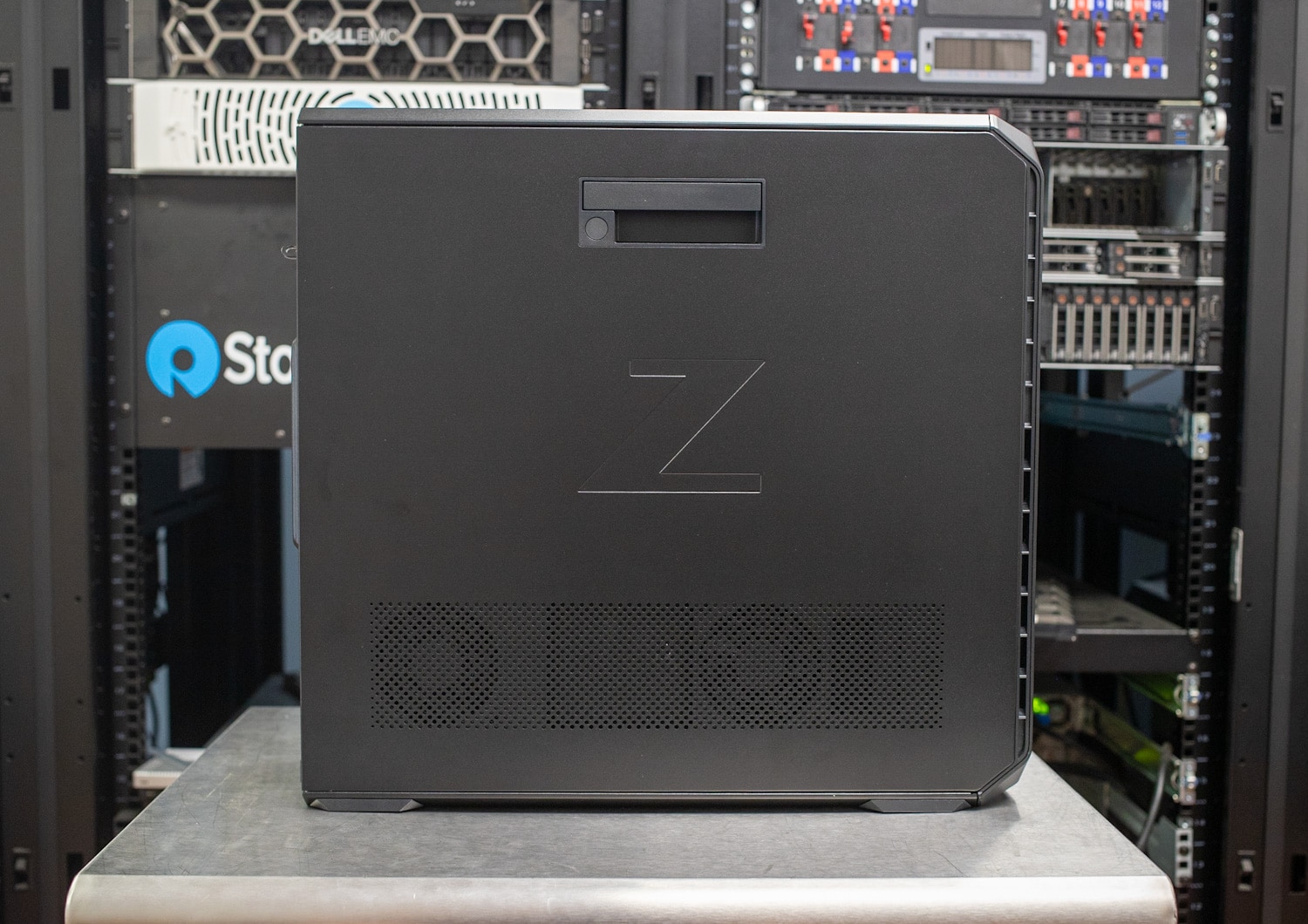
Le workstation Z ( recensione HP Z8 Fury G5 ) hanno riscosso un successo strepitoso ultimamente, affermandosi sul mercato grazie al loro design solido, alla personalizzazione e alle funzionalità ben studiate. Uno degli aspetti più notevoli è lo spazio extra tra le GPU, che consente un flusso d'aria e un raffreddamento migliori, anche con tre o quattro schede professionali di fascia alta. In definitiva, HP ha dimostrato di essere tra i migliori nella realizzazione di workstation con prestazioni eccezionali e funzionalità ottimali. Non ci aspettiamo niente di meno da HP Z6 G5.
Opzioni del processore per workstation HP Z6 G5
HP Z6 G5 è anche un sistema altamente personalizzabile, che include una gamma di opzioni di processore Intel Xeon. Questa linea di CPU è, come al solito, un'ottima scelta per workstation come queste, poiché sono progettate per ambienti informatici ad alte prestazioni e carichi di lavoro server. Offrono una serie di vantaggi come elaborazione multi-core avanzata, capacità di memoria migliorata, maggiore affidabilità e prestazioni ottimizzate per attività impegnative.
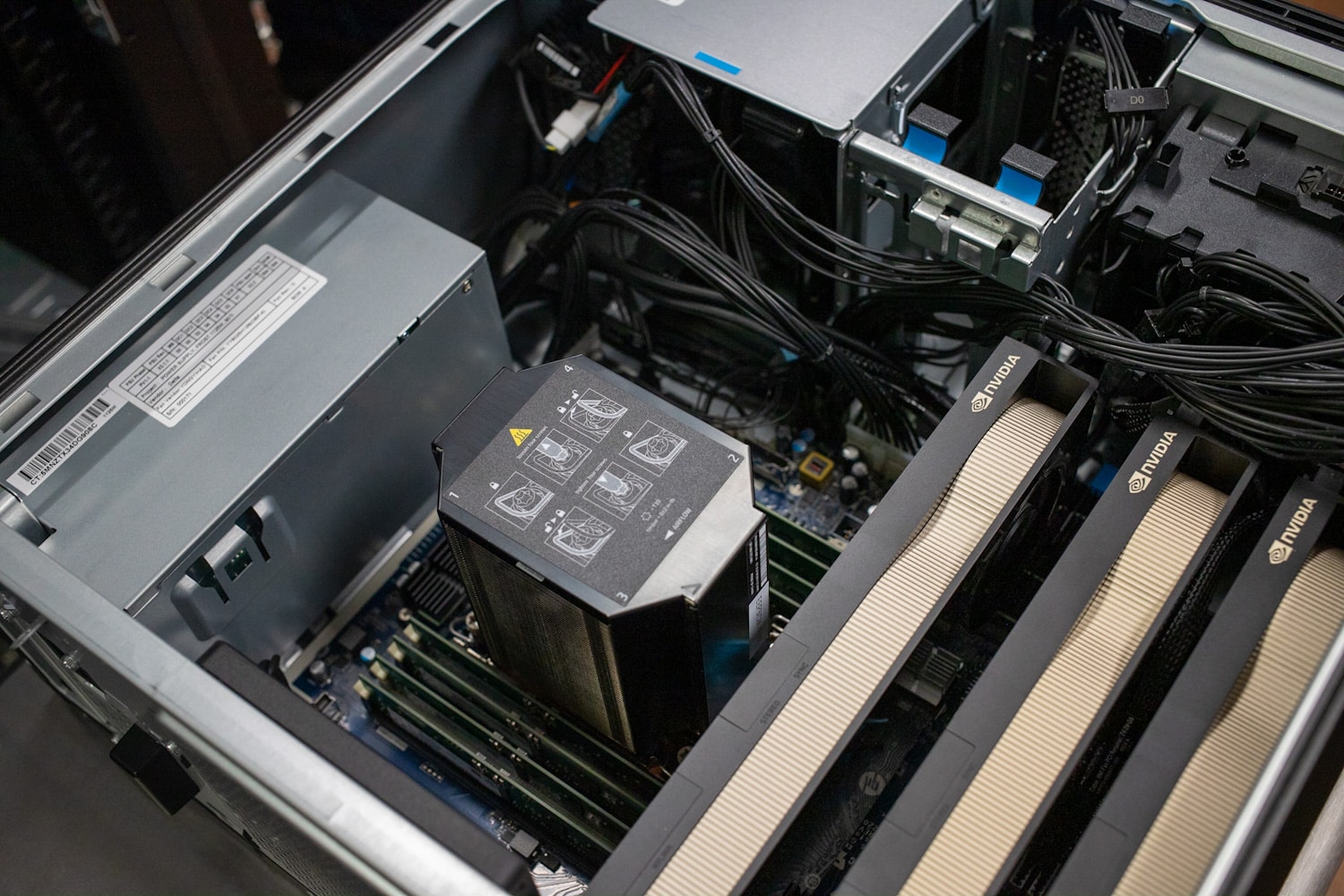
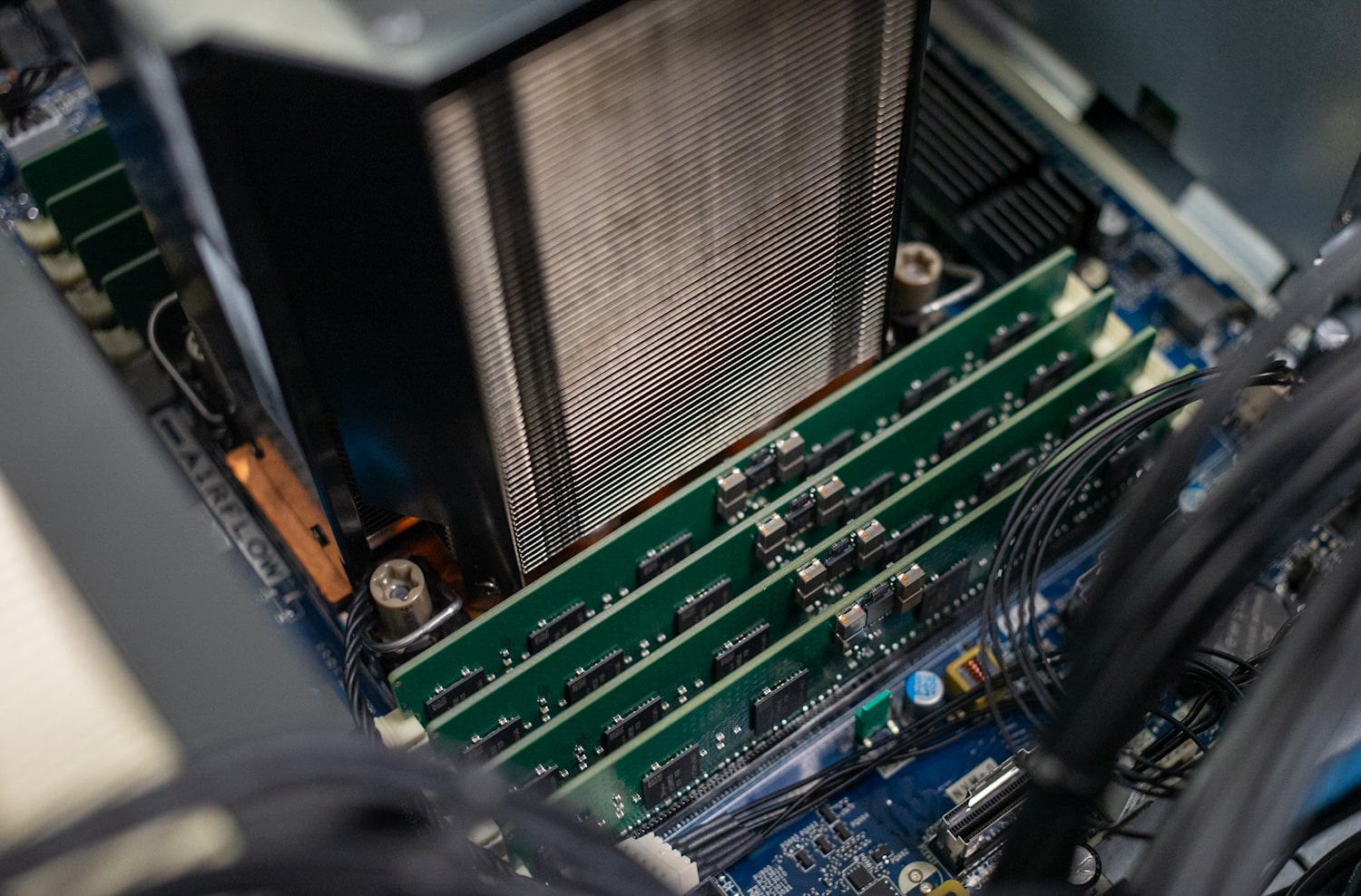
Gli utenti possono equipaggiare lo Z6 G5 con una varietà di CPU. Il modello di fascia bassa è un Intel Xeon w5-3423 (frequenza base 2.1 GHz, fino a 4.2 GHz con tecnologia Intel Turbo Boost, cache L30 da 3 MB, 12 core, 24 thread) con la possibilità di salire alla fascia alta ( e molto costoso) Intel Xeon w9-3475X (frequenza base 2.2 GHz, fino a 4.8 GHz con tecnologia Intel Turbo Boost, cache L82.5 da 3 MB, 36 core, 72 thread). Ci sono diverse opzioni intermedie.
Per quanto riguarda la memoria, supporta fino a 1 TB di memoria registrata DDR5-4800 DIMM ECC.
Lo Z6 G5 di HP offre un'ampia gamma di opzioni di archiviazione per soddisfare le diverse esigenze. Questi includono HDD fino a 12 TB a 7,200 giri/min e SSD HP Z Turbo Drive Dual Pro NVMe da 4 TB, con varie dimensioni disponibili nel mezzo. Queste unità possono essere utilizzate nei sei alloggiamenti esterni (due SSD NVMe M.2, due HDD da 3.5 pollici, due ODD da 9.5 mm), così come nei quattro alloggiamenti per unità SSD PCIe M.2 interni e quattro HDD da 3.5 pollici. baie.
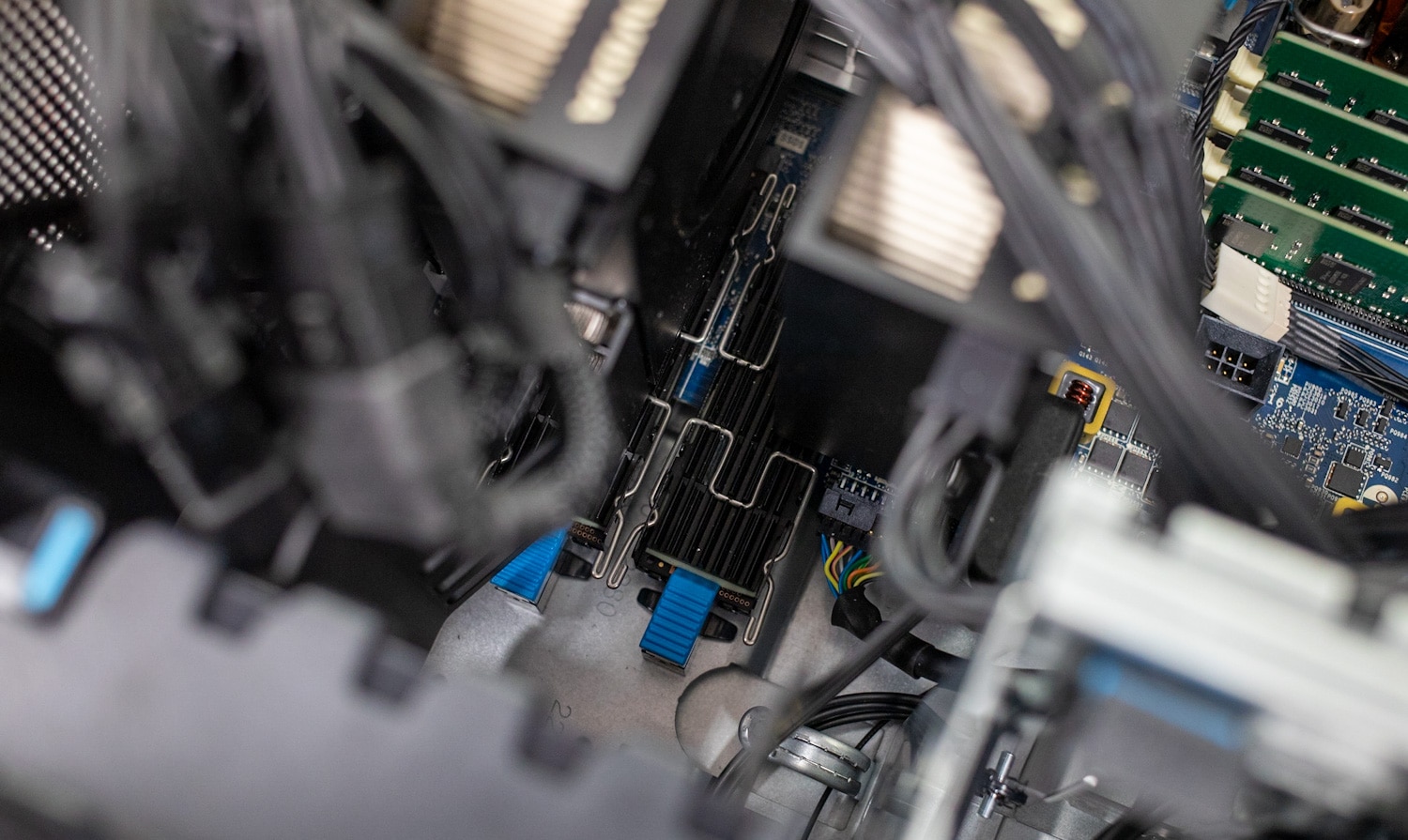
L'espansione dello storage è resa pratica da quattro alloggiamenti NVMe anteriori, che consentono una capacità di storage totale fino a 88 TB. Con sei slot PCIe, incluso l'ultimo Gen5, la workstation garantisce la compatibilità con flussi di lavoro ad alte prestazioni. Inoltre, lo Z6 G5 è dotato di accesso senza strumenti, facilitando facili aggiornamenti dei componenti e l'aggiunta di unità M.2 o dispositivi SATA da 3.5 pollici.
Inoltre, l'HP Z6 G5 è ottimizzato per le massime prestazioni e la compatibilità con le applicazioni professionali, grazie alla certificazione ISV. Rappresenta una scelta affidabile per una varietà di flussi di lavoro del settore. Hai anche la possibilità di scegliere tra i modelli di alimentatore da 775 W o 1,125 W.
HP è andata ben oltre quando si tratta di GPU, fornendo una miriade di opzioni che soddisfano un'ampia gamma di casi d'uso professionali. Lo Z6 G5 supporta sedici diverse schede NVIDIA e AMD, tra cui la NVIDIA RTX A6000 di fascia alta (48 GB GDDR6) e AMD Radeon Pro W6800 (32 GB GDDR6 dedicata).
I modelli di fascia media includono schede come NVIDIA T1000 (8 GB GDDR6 dedicata) e AMD Radeon Pro W6600 (8 GB GDDR6 dedicata), mentre le GPU entry-level sono costituite da modelli da 4 GB come NVIDIA T1000/T400 e AMD Radeon RX 6400. Intel ha anche alcune schede incluse come opzioni, Intel Arc Pro A40 (6 GB GDDR6 dedicato) e Intel Arc Pro A40 (6 GB GDDR6).
Build di revisione della workstation HP Z6 G5
La nostra build per la parte di benchmarking di questa recensione include una gamma di componenti di fascia alta, tra cui il processore Xeon W9-3475X, RAM DDR128-8 ECC da 16 GB (5x4800 GB), tre GPU NVIDIA RTX A6000, due unità NVMe da 1 TB e Windows 11 Pro. .
Specifiche della workstation HP Z6 G5
|
Sistemi operativi disponibili |
Windows 11 Pro per workstation2,3 Ubuntu 22.04 LTS Pronto per Linux Red Hat Enterprise Linux |
| Processori disponibili |
|
| chipset | IntelW790 |
| Fattore di forma | SDRAM DDR1-5 ECC da 4800 TB/Velocità di trasferimento fino a 4800 MT/s. |
| Storage interno |
|
| Unità ottica | DVD-ROM HP Slim; Masterizzatore Blu-ray HP Slim; Masterizzatore DVD HP Slim |
| Grafica disponibile | Fascia ultra alta: NVIDIA RTX A6000 (48 GB GDDR6 dedicati) NVIDIA RTX A5000 (24 GB GDDR6 dedicati) AMD Radeon Pro W6800 (32 GB GDDR6 dedicati) NVIDIA RTX 6000 Ada Generation (48 GB GDDR6 dedicati) Fascia alta: NVIDIA RTX A4500 (20 GB GDDR6 dedicati) NVIDIA RTX A4000 (16 GB GDDR6 dedicati) NVIDIA A4000E (16 GB GDDR6 dedicati) NVIDIA RTX A2000 (12 GB GDDR6 dedicati) AMD Radeon RX 6700 XT (12 GB GDDR6 dedicati)Di fascia media: NVIDIA T1000 (8 GB GDDR6 dedicati) AMD Radeon Pro W6600 (8 GB GDDR6 dedicati) Intel Arc Pro A40 (6 GB GDDR6 dedicati) Voce: NVIDIA T1000 (4 GB GDDR6 dedicati) NVIDIA T400 (4 GB GDDR6 dedicati) AMD Radeon RX 6400 (4 GB GDDR6 dedicati) Intel Arc Pro A40 (6 GB GDDR6 dedicati) |
| audio | Realtek ALC3205-CG |
| Slot di espansione | 2 PCIe 4x4; 2 PCIe 4x16; 1 PCIe 3x16; 1 PCIe 5 x16 (l'accesso alla paratia posteriore può essere ottenuto tramite tutti gli slot, ma 2 PCIe 4 x8 sono accesso interno solo per M.2.) |
| Dispositivo con scheda di memoria | 1 lettore di schede SD (opzionale) |
| Porte e connettori | Fronte (versione Premium): 2 SuperSpeed USB Type-C con velocità di segnale di 20 Gbps (USB Power Delivery); 2 Velocità di segnale USB SuperSpeed Type-A da 5 Gbps; 1 combinazione cuffia/microfono29 ;
Frontale (versione Entry): 4 USB Type-A velocità di segnale 5Gbps; 1 combinazione cuffia/microfono; |
| tastiera | Tastiera cablata HP 125; Tastiera USB HP 320K; Tastiera HP USB Business Slim cablata SmartCard CCID |
| Topo | Mouse laser HP desktop cablato 128; Mouse cablato HP 320M |
| Comunicazioni | LAN: adattatore di rete Ethernet Intel I225-T1; Intel I219-LM PCIe GbE integrato, vPro; Scheda di rete HP 10GBase-T a doppia porta; scheda di rete 550GbE a doppia porta Intel X2-T10; Scheda di rete SFP6 NVIDIA Mellanox ConnectX-10 DX a doppia porta 25/28GbE; Scheda di rete NIC 2911GbE a doppia porta Allied Telesis AT-2T/901-1; Scheda di rete in fibra PCIe Allied Telesis AT-2914SX/LC; Porta IO Flex in fibra LC HP 1 GbE; Porta IO HP 10 GBASE-T Flex; Scheda di rete a porta singola HP Flex IO 1 GbE; Porta IO HP Flex da 2.5 GbE;
WLAN: scheda wireless Intel Wi-Fi 6E AX210 (2×2) e Bluetooth 5.3, non vPro con antenna esterna; Scheda wireless Intel Wi-Fi 6 AX210 (2×2) e Bluetooth 5.3, non vPro con antenna interna |
| Alloggiamenti per unità | Esterno: quattro SSD NVMe M.2; Due HDD da 3.5″; Due DISPARI da 9.5 mm;
Interno: quattro SSD PCIe M.2; Quattro HDD da 3.5″ |
| Software | HP PC Hardware Diagnostics UEFI HP Performance Advisor HP Support Assistant Diagnostica hardware PC HP Windows HP Image Assistant Kit di integrazione di gestibilità HP HP Anyware Gestione dello stack di HP Data Science |
| Gestione sicurezza |
|
| Licenze software di sicurezza | Edizione HP Wolf Pro Security |
| Funzioni di gestione | Pacchetti driver HP; HP System Software Manager (scaricamento); Utilità di configurazione del BIOS HP (download); Supporto intelligente HP |
| Potenza | Alimentatore interno da 1450 W, efficienza fino al 90%, PFC attivo; Alimentatore interno da 1125 W, efficienza fino al 90%, PFC attivo; Alimentatore interno da 775 W, efficienza fino al 90%, PFC attivo |
| Dimensioni | 6.65 x 18.30 x 17.50 pollici; 16.89 x 46.48 x 44.45 cm |
| Peso | A partire da 28.2 libbre; A partire da 12.8 kg; (I pesi esatti dipendono dalla configurazione (solo peso del sistema)) |
| Ecolabel | Disponibili configurazioni registrate EPEAT; Disponibili configurazioni con certificazione TCO |
| Certificato Energy Star | Certificato ENERGY STAR (configurazioni disponibili) |
| Specifiche di impatto sostenibile | Basso contenuto di alogeni; 40% plastica riciclata post-consumo; 25% plastica a circuito chiuso derivata da ITE; Confezione sfusa disponibile; Alimentatore esterno efficienza 90%; Gli inserti dei cuscini in plastica contengono l'80% di contenuto riciclato; Plastica destinata all'oceano nella ventola del sistema; 10% metallo riciclato postindustriale; Il cuscino in polpa di carta modellata all'interno della scatola è riciclabile e proveniente da fonti sostenibili al 100%. |
| Display compatibili | Sono supportati tutti i display HP Z e HP DreamColor |
Progettazione e realizzazione della workstation HP Z6 G5
La workstation HP Z6 G5 vanta lo stesso aspetto degli altri sistemi della linea Z6: ha un design robusto e funzionale e sembra molto resistente mentre la porti in giro. Il suo telaio è costruito con particolare attenzione alla praticità, fornendo un facile accesso per la manutenzione e gli aggiornamenti hardware con gli alloggiamenti di archiviazione a caricamento frontale.
La workstation sfoggia una combinazione di colori elegante e professionale, caratterizzata da una combinazione di grigio scuro e nero, che ne esalta il fascino professionale. Il design enfatizza inoltre un raffreddamento efficiente per garantire prestazioni ottimali durante le attività ad uso intensivo di risorse.
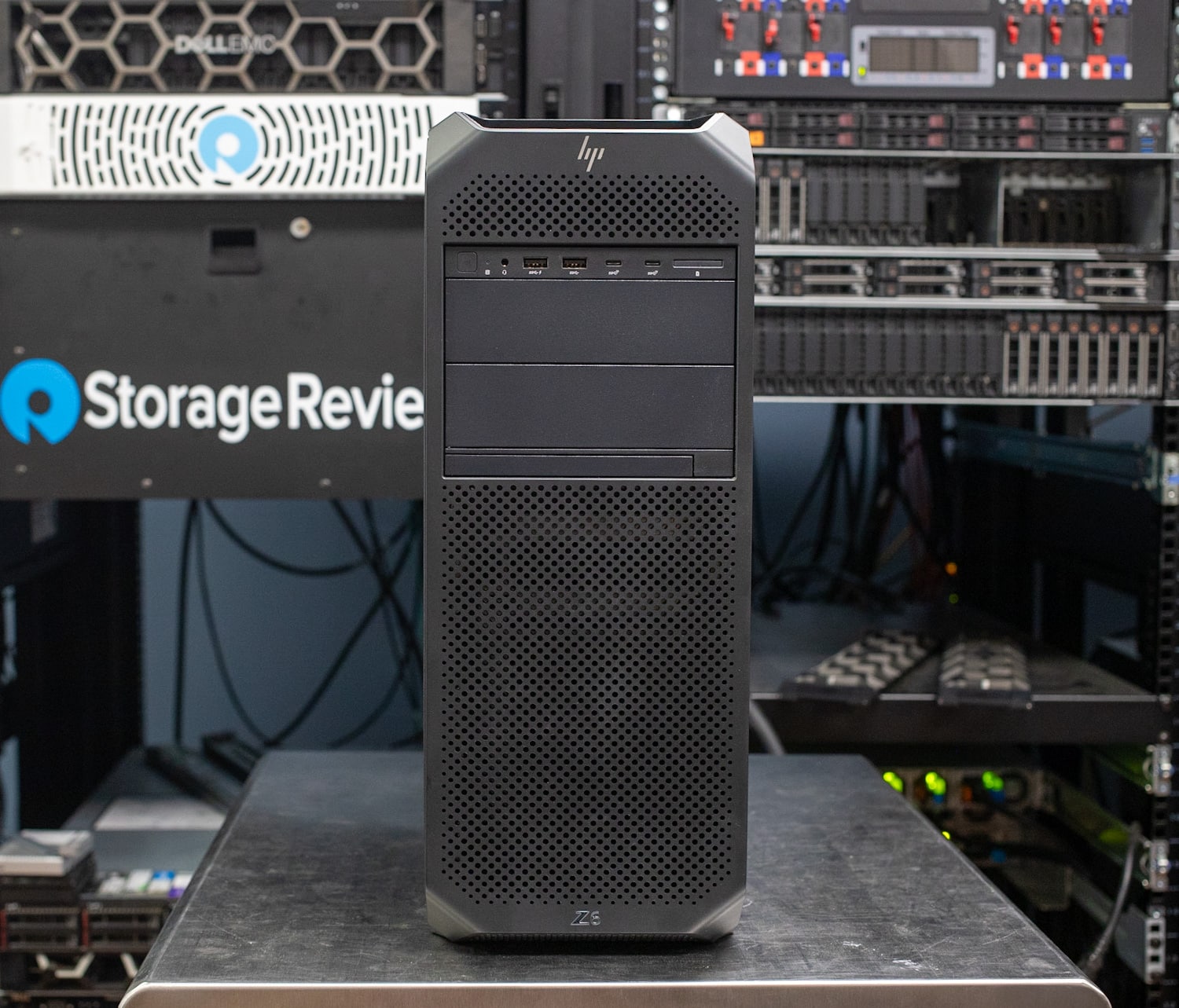
Il pannello frontale presenta una comoda maniglia nella parte superiore della torre per un facile trasporto. Scendendo verso il basso c'è una certa ventilazione e il pulsante di accensione, il jack audio, due porte USB 3 di tipo A, due porte USB 3 di tipo C (le altre opzioni includono solo quattro porte di tipo A) e un lettore di schede multimediali. Più in basso si trova l'esterno opzionale da 5.25, che circonda la serratura dell'alloggiamento dell'unità. Anche l'alloggiamento ottico opzionale si trova sul pannello anteriore.
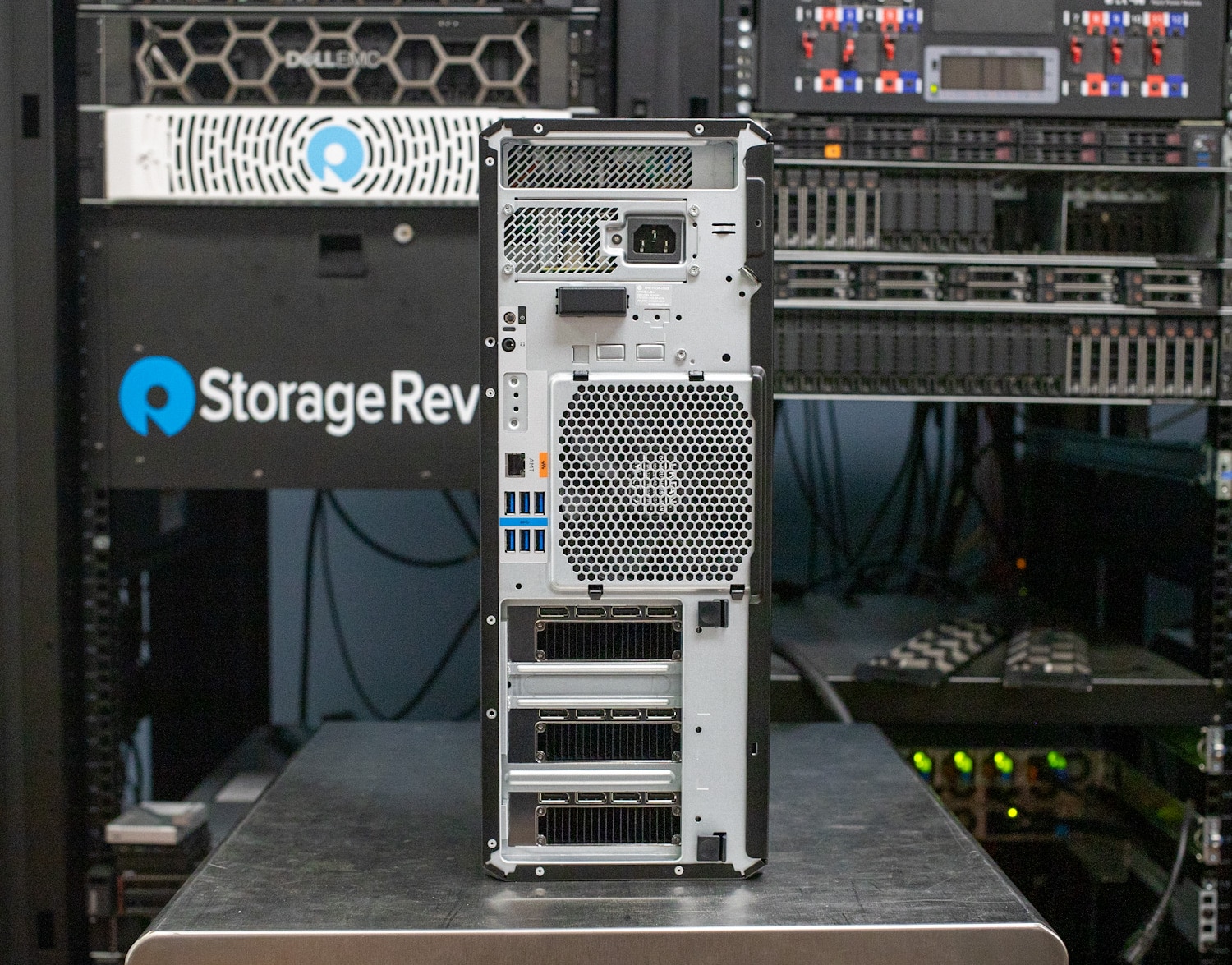
Nella parte posteriore sono presenti la linea audio e il pulsante di accensione, il modulo Flex I/O opzionale, la porta Ethernet 1GbE e sei porte USB 3 Type-A.
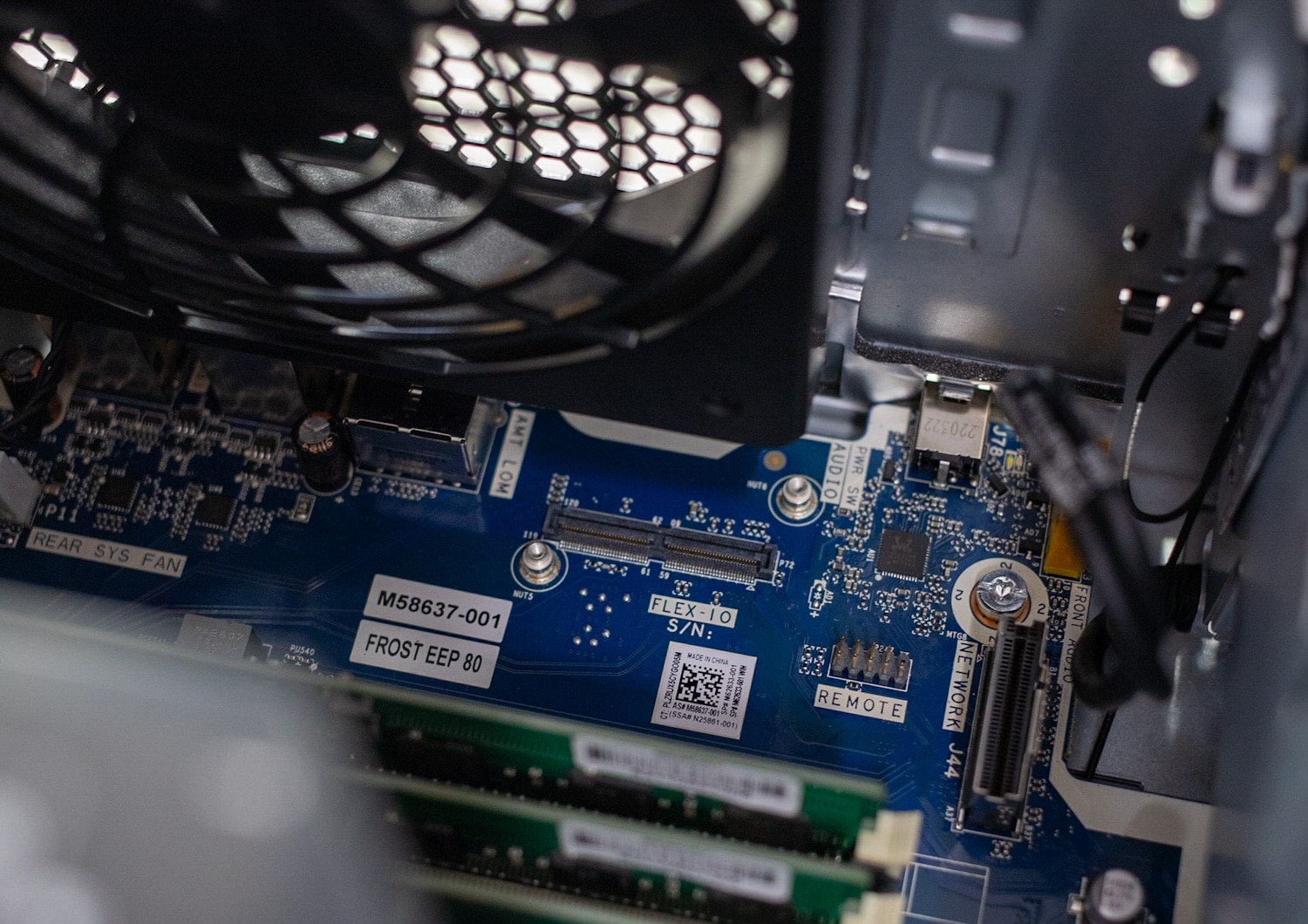
Come per l'HP Z8 G5 Fury, la sicurezza è della massima importanza per questa workstation di fascia alta. Per garantire la massima protezione, lo Z6 G5 è dotato di varie funzionalità di sicurezza fisica, tra cui supporti con accesso frontale bloccabili, blocchi del pannello laterale con sensore di interblocco e uno slot per blocco Kensington. Inoltre, può essere facilmente montato su rack per maggiore comodità e versatilità.
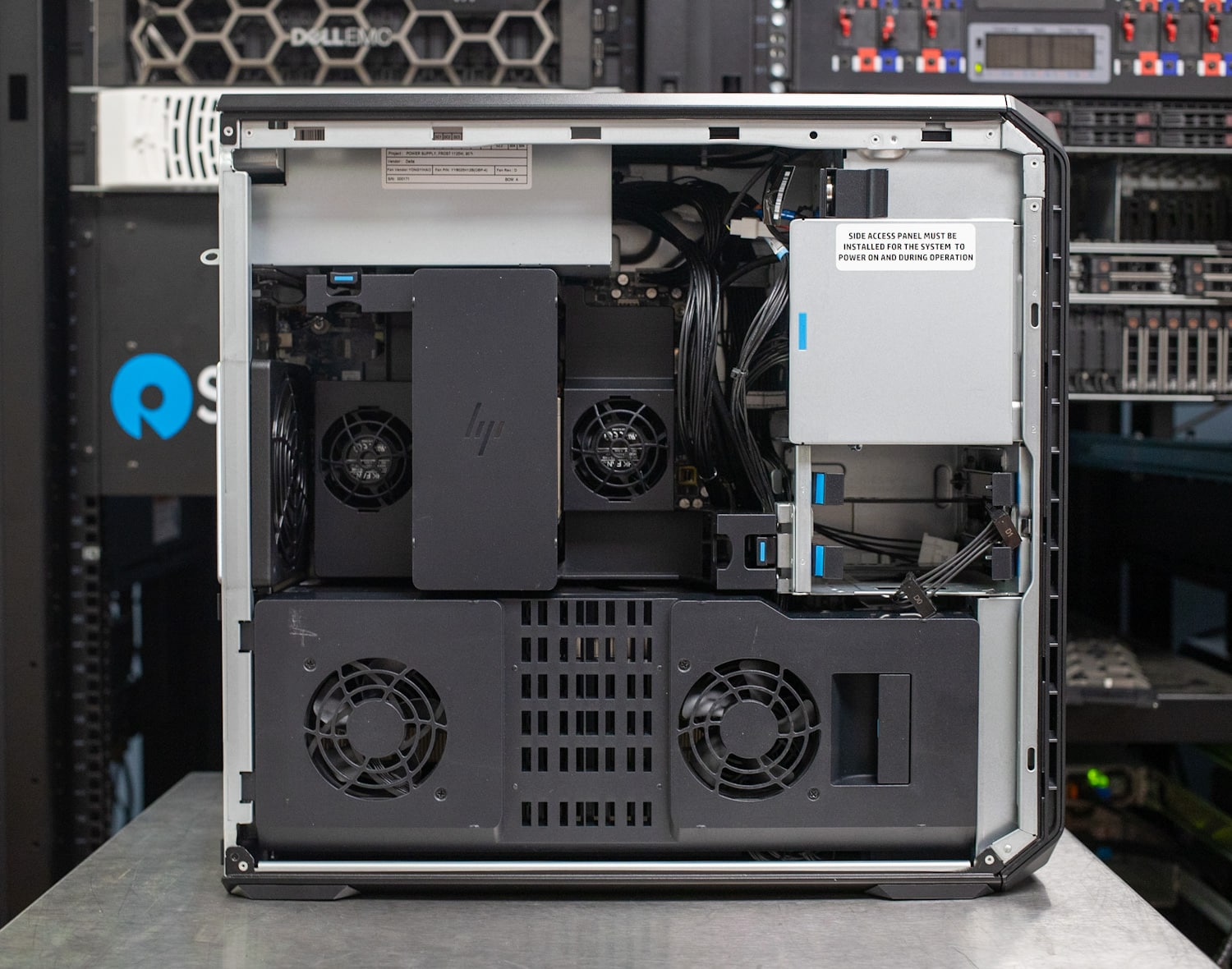
Entrambi i pannelli laterali scivolano facilmente per l'accesso interno con il lato sinistro da cui è possibile accedere a tutti i componenti. Qui vedrai le tre NVIDIA RTX A6000 di fascia alta. Sebbene queste GPU professionali abbiano un'ampiezza doppia, sono distanziate di 2.5 slot non standard per migliorare il flusso d'aria.
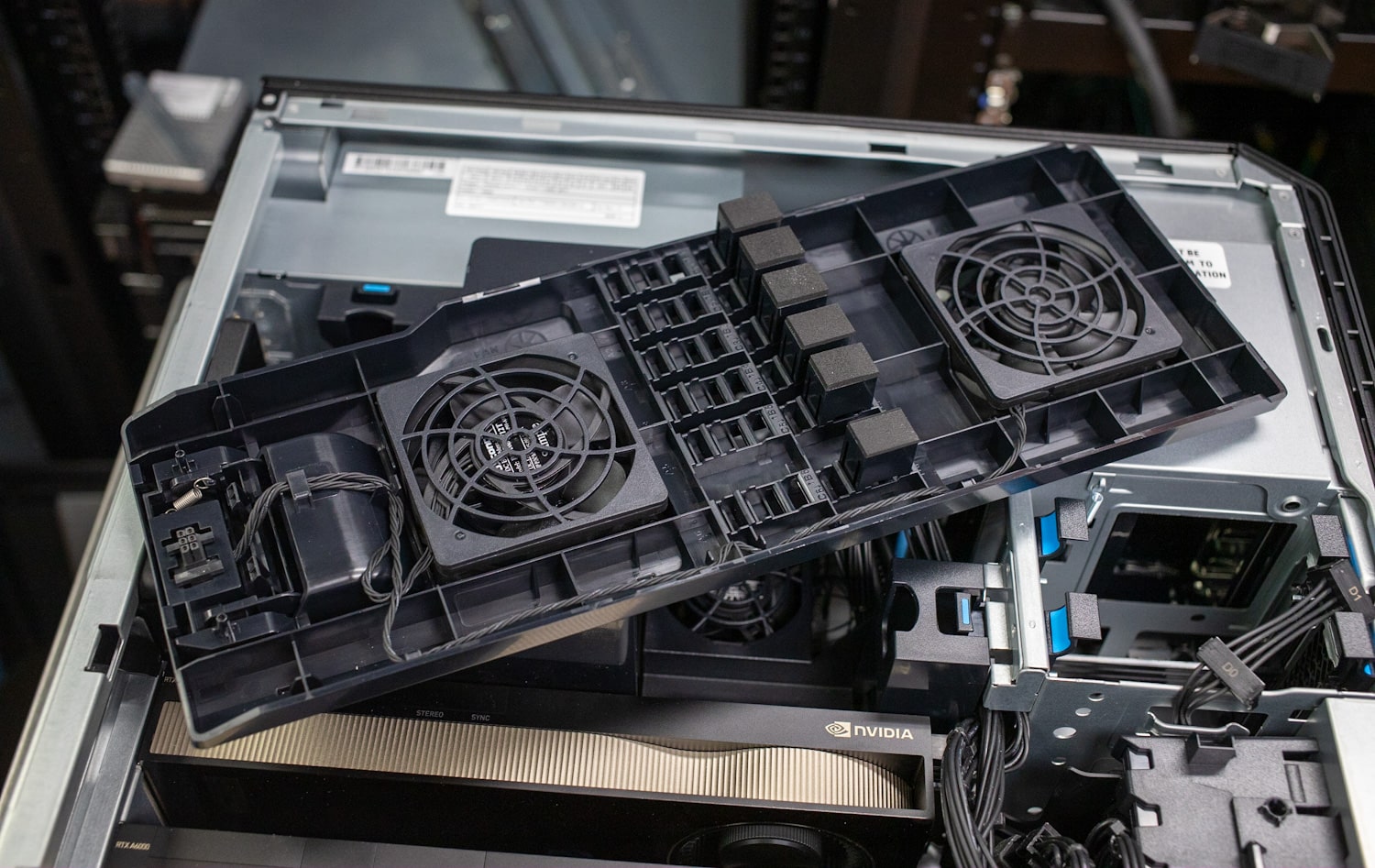
La funzione di controllo intelligente della ventola del sistema garantisce un funzionamento silenzioso regolando dinamicamente la velocità della ventola in base ai dati in tempo reale provenienti da oltre 20 sensori di temperatura. Inoltre, il sistema incorpora prese d'aria e condotti posizionati strategicamente per ottimizzare il flusso d'aria e rimuovere efficacemente il calore, migliorando ulteriormente le sue capacità di raffreddamento.
HP Z6 G5 Cookie di prestazione
L' unità HP Z6 G5 che abbiamo ricevuto per la recensione ha una configurazione di fascia piuttosto alta:
- CPU: Intel Xeon W9-3475X
- RAM:RAM DDR128-8 ECC da 16 GB (5x4800 GB).
- Grafica: 3xNvidia RTX A6000
- Memoria su disco: 2 SSD NVMe da 1 TB
- OS:Finestre 11 pro
Lo Z6 G5 parte da circa $ 2,683 in vendita per il modello base. Sebbene non disponiamo di un prezzo preciso per la nostra unità specifica, possiamo certamente prendere in considerazione l'inclusione di tre schede grafiche RTX A6000, ciascuna delle quali costa circa $ 6,000. Inoltre, la CPU Xeon W36-9X a 3475 core ha un prezzo di quasi $ 4,000.
La valutazione delle prestazioni delle quattro GPU dello Z6 G5 ha presentato delle sfide. Alcuni dei nostri test non sono stati eseguiti e in molti casi non tutte le GPU sono state completamente utilizzate.
Stiamo confrontando la Z6 G5 con la workstation di fascia alta Z8 Fury G5 (4x A6000):
- Finestre 11 Pro
- CPU Intel Xeon w9-3945X (56 core, 112 thread, Turbo Boost a 4.8 GHz, potenza base di 350 watt)
- 4 GPU NVIDIA RTX A6000
- RAM DDR128-5 ECC da 4800 GB (16x 8 GB, quattro canali)
- 2 SSD Gen1 da 4 TB (non RAID)
- Alimentatore da 2250 watt (2 unità da 1,125 watt)
In alcuni casi, lo abbiamo confrontato anche con il Dell Precision 7865 o il Lenovo ThinkStation P620, entrambi dotati di una singola GPU RTX A6000 e processore AMD 5995WX. Questo è progettato per mostrare semplicemente la scala di più GPU.
Frullatore OptiX
Blender è un'applicazione di modellazione 3D open source. Questo benchmark è stato eseguito utilizzando l'utilità Blender Benchmark. Il punteggio è campioni al minuto, dove più alto significa migliore. Questo test utilizza solo una scheda grafica, quindi la Z6 G5 ha ottenuto punteggi simili a quelli delle altre workstation con una singola RTX A6000.
| Blender OptiX (campioni al minuto, più alto è meglio) | |||||
| Categoria | HP Z6 G5 (Xeon W9-3475X, 3xRTX A6000) |
HP Z8 Fury G5 (Xeon w9-3945X, 4x RTX A6000) | Dell Precision 7865 (AMD 5995WX, RTX A6000) | Lenovo ThinkStation P620 (AMD 5995WX, RTX A6000) | |
| Mostro - Monster | 2,805 (SLI)
2,784 |
2,814 | 2,839 | 2,764 | |
| Rigattiere | 1,771 (SLI)
1,767 |
1,781 | 1,595 | 1,537 | |
| Aula | 1,521 (SLI)
1,496 |
1,519 | 1,384 | 1,369 | |
Luxmark
LuxMark è un'utilità di benchmarking 3D GPU OpenCL che supporta sistemi multi-GPU. Qui puoi sicuramente vedere che lo Z6 G5 ha sfruttato appieno, pubblicando numeri davvero impressionanti. Da notare che il Fury G5 è stato di gran lunga la workstation con le migliori prestazioni, poiché è dotato di quattro GPU (rispetto alle tre dello Z6 G5).
Tieni presente che abbiamo condotto test sulla workstation HP Z6 G5 con NVIDIA SLI sia abilitato che disabilitato. Disabilitando SLI verranno valutate le prestazioni di una singola scheda grafica mentre abilitandolo si sfrutterà la potenza combinata di più GPU.
| Luxmark (più alto è meglio) | ||||
| HP Z6 G5 (Xeon W9-3475X, 3xRTX A6000) |
HP Z8 Fury G5 (Xeon w9-3945X, 4x RTX A6000) | Dell Precision 7865 (AMD 5995WX, RTX A6000) | Lenovo ThinkStation P620 (AMD 5995WX, RTX A6000) | |
| Panchina | 62,368 (SLI abilitato)
64,429 |
82,265 | 20,991 | 20,889 |
| Alimentare - Food | 23,893 (SLI abilitato)
23,859 |
31,242 | 7,866 | 7,643 |
Octane Bench
Passando a OctaneBench (un'utilità di benchmarking standard del settore progettata per OctaneRender), che è un altro software di rendering 3D che supporta anche la tecnologia RTX. OctaneBench fornisce punteggi complessivi, dove i numeri più alti indicano prestazioni migliori.
Come previsto, la Z8 Fury G5 ha sovraperformato tutte le schede con le sue quad GPU, anche se l'HP Z6 G5 ha comunque avuto risultati impressionanti.
| Scena | nocciolo | HP Z6 G5 (Xeon W9-3475X, 3xRTX A6000) |
HP Z8 Fury G5 (Xeon w9-3945X, 4x RTX A6000) | Dell Precision 7865 (AMD 5995WX, RTX A6000) | Lenovo ThinkStation P620 (AMD 5995WX, RTX A6000) |
| Interior | Canali informativi | 54.77 | 72.53 | 18.39 | 18.43 |
| Interior | Illuminazione diretta | 198.73 | 264.18 | 66.64 | 66.55 |
| Interior | Tracciatura del percorso | 258.16 | 343.06 | 86.40 | 86.27 |
| L'idea | Canali informativi | 33.88 | 44.66 | 11.33 | 11.46 |
| L'idea | Illuminazione diretta | 156.49 | 207.55 | 52.14 | 52.28 |
| L'idea | Tracciatura del percorso | 192.46 | 255.55 | 64.19 | 64.46 |
| ATV | Canali informativi | 85.30 | 114.33 | 28.75 | 28.81 |
| ATV | Illuminazione diretta | 222.03 | 296.01 | 74.09 | 73.97 |
| ATV | Tracciatura del percorso | 278.86 | 371.35 | 93.20 | 93.07 |
| di vetro | Canali informativi | 46.34 | 61.14 | 15.60 | 15.55 |
| di vetro | Illuminazione diretta | 198.41 | 262.21 | 66.25 | 66.32 |
| di vetro | Tracciatura del percorso | 224.30 | 297.21 | 75.01 | 75.11 |
Test di velocità RAW di Blackmagic
Il prossimo è il test di velocità RAW di Blackmagic, che testa la riproduzione video. Abbiamo solo risultati da confrontare con lo Z8 Fury G5 e il Precision 7865.
Sebbene i numeri della CPU siano abbastanza simili, i punteggi CUDA mostrano quante prestazioni possono offrire più RTX A6000.
| Test di velocità RAW di Blackmagic | HP Z6 G5 (Xeon W9-3475X, 3xRTX A6000) |
HP Z8 Fury G5 (Xeon w9-3945X, 4x RTX A6000) | Dell Precision 7865 (AMD 5995WX, RTX A6000) |
| CPU 8K | 38 FPS
133 FPS (SLI abilitato) |
126 FPS | 122 FPS |
| 8K CUDA | 122 FPS
308 FPS (SLI abilitato) |
444 FPS | 153 FPS |
Compressione a 7 zip
Il benchmark della memoria integrata nel popolare strumento di archiviazione 7-Zip risponde bene alla memoria più veloce con latenze inferiori. Come il Fury, lo Z6 G5 sembrava restare indietro rispetto al Dell in termini di prestazioni complessive.
| Benchmark di compressione 7-Zip | |||
| HP Z6 G5 (Xeon W9-3475X, 3xRTX A6000) |
HP Z8 Furia G5 (Xeon w9-3945X, 4xRTX A6000) |
Dell Precision 7865 (AMD 5995WX, RTX A6000) | |
| Compressione | |||
| Utilizzo attuale della CPU | 3396% | 2523% | 3302% |
| Valutazione/utilizzo corrente | 5.928 GIPS | 8.432 GIPS | 6.913 GIPS |
| Corrente nominale | 201.289 GIPS | 212.717 GIPS | 228.231 GIPS |
| Utilizzo della CPU risultante | 3383% | 2526% | 3293% |
| Valutazione/Utilizzo risultante | 5.978 GIPS | 8.370 GIPS | 6.973 GIPS |
| Valutazione risultante | 202.216 GIPS | 211.422 GIPS | 229.630 GIPS |
| decompressione | |||
| Utilizzo attuale della CPU | 6086% | 4628% | 6181% |
| Valutazione/utilizzo corrente | 3.516 GIPS | 4.269 GIPS | 5.265 GIPS |
| Corrente nominale | 214.012 GIPS | 197.569 GIPS | 325.422 GIPS |
| Utilizzo della CPU risultante | 6069% | 4624% | 6188% |
| Valutazione/Utilizzo risultante | 3.514 GIPS | 4.226 GIPS | 5.265 GIPS |
| Valutazione risultante | 213.235 GIPS | 195.389 GIPS | 325.813 GIPS |
| Valutazione totale | |||
| Utilizzo totale della CPU | 4726% | 3575% | 4740% |
| Valutazione/utilizzo totale | 4.746 GIPS | 6.298 GIPS | 6.119 GIPS |
| Valutazione totale | 207.725 GIPS | 203.405 GIPS | 277.721 GIPS |
Cinebench R23
Cinebench R23 di Maxon è un benchmark di rendering della CPU che utilizza tutti i core e i thread della CPU. L'abbiamo eseguito sia per test multi che single-core. Questo è un altro benchmark in cui abbiamo solo numeri per HP Z6 G5 e Z8 Fury G5. I punteggi più alti sono migliori.
| Cinebench R23 | HP Z6 G5 (Xeon W9-3475X) |
HP Z8 Furia G5 (Xeon w9-3945X) |
| CPU (multicore) | 45,571 punti | 44,416 punti |
| CPU (single core) | 1,392 punti | 1,558 punti |
| Rapporto MP | 32.74x | 28.51x |
Inferenza AI Procyon di UL
Procyon di UL stima le prestazioni di una workstation per le applicazioni professionali. Abbiamo eseguito il test di inferenza AI sulla CPU e poi una volta sulla GPU utilizzando i core NVIDIA Tensor RT. Anche in questo caso, disponiamo di dati solo per HP Z6 G8 e Z8 Fury G5.
I tempi più bassi sono migliori, mentre i punteggi complessivi più alti sono migliori.
| Tempi medi di inferenza UL Procyon (ms) | HP Z6 G5 (Xeon W9-3475X) |
HP Z6 G5 RTX A6000 – GPU (NVIDIA Tensor RT) |
HP Z8 Furia G5 (Xeon w9-3945X) |
HP Z8 Furia G5 RTX A6000 – GPU (NVIDIA Tensor RT) |
| Rete Mobile V3 | 1.28 | 0.86 | 2.81 | 0.65 |
| Res Net 50 | 10.99 | 1.59 | 6.94 | 1.55 |
| Inizio V4 | 26.12 | 4.76 | 29.59 | 4.73 |
| Deep Lab V3 | 44.02 | 4.08 | 25.20 | 4.60 |
| YOLO V3 | 85.54 | 4.53 | 42.89 | 4.69 |
| REAL-ESRGAN | 3,719.34 | 127.57 | 1,416.15 | 128.25 |
| Punteggio totale | 120 | 1000 | 161 | 1027 |
Conclusione
La workstation desktop HP Z6 G5 si rivela un'altra soluzione impressionante di HP, specificatamente per i professionisti che lavorano con progetti ad alta intensità grafica e carichi di lavoro impegnativi. Con il suo potente processore Intel Xeon w9, che offre fino a 36 core e memoria ECC per l'affidabilità dei dati, questa workstation offre una potenza di elaborazione eccezionale e una maggiore sicurezza tramite Intel vPro. Il supporto per un massimo di tre GPU di fascia alta, come NVIDIA RTX 6000 Ada Generation o AMD Radeon Pro W6800, garantisce una gestione fluida di contenuti 4K, simulazione avanzata e progetti di apprendimento automatico.
L'HP Z6 G5 fa parte della linea di workstation Z, che ci ha costantemente impressionato per il suo design e le sue prestazioni solidi come la roccia. In particolare, l'inclusione di spazio extra tra le GPU consente un migliore flusso d'aria e raffreddamento, anche quando si utilizzano più schede di fascia alta. L'impegno di HP nel fornire workstation con prestazioni eccezionali e funzionalità ottimali è chiaramente dimostrato ancora una volta con lo Z6 G5.
Questa workstation altamente personalizzabile offre anche una gamma di opzioni di processore Intel Xeon, che offrono elaborazione multi-core avanzata, capacità di memoria migliorata, maggiore affidabilità e prestazioni ottimizzate per attività impegnative. Anche le opzioni di archiviazione sono diverse, con supporto per HDD fino a 12 TB e SSD HP Z Turbo Drive Dual Pro NVMe da 4 TB, consentendo agli utenti di soddisfare le loro esigenze specifiche. L'accesso senza strumenti della workstation e la certificazione ISV garantiscono aggiornamenti semplici, aggiunte di componenti e compatibilità con le applicazioni professionali. Nel complesso, lo Z6 G5 è un altro ottimo sistema di HP, che è stato ripetutamente brillante con gli ultimi desktop Z.


 Amazon