---
description: The HP ZBook Studio G8 offers a great combination of power, dedicated graphics and a DreamColor display to deliver a sophisticated package.
title: HP ZBook Studio G8 Review
image: https://www.storagereview.com/wp-content/uploads/2021/08/storagereview-HP-ZBook-Studio-G8-logo.jpg
---
[![Storage Review]()](https://storagereview.com/)
---
[Facebook](https://www.facebook.com/@storagereview) [X (Twitter)](https://twitter.twitter.com/storagereview) [Instagram](https://www.instagram.com/storagereview/) [LinkedIn](https://www.linkedin.com/company/storagereview-com) [YouTube](https://www.youtube.com/user/storagereview?sub_confirmation=1) [Email](mailto:info@storagereview.com) [Spotify](https://open.spotify.com/show/1y6VnznABhHeOSMOmbDTz0) [Reddit](https://www.reddit.com/r/StorageReview/) [Discord](https://discord.gg/TwMHb4azdC) [RSS Feed](https://www.storagereview.com/rss.xml) [TikTok](https://www.tiktok.com/@storagereview)
[Facebook](https://www.facebook.com/@storagereview) [X (Twitter)](https://twitter.com/storagereview) [Instagram](https://www.instagram.com/storagereview/) [LinkedIn](https://www.linkedin.com/company/storagereview-com) [YouTube](https://www.youtube.com/user/storagereview?sub_confirmation=1) [Email](mailto:info@storagereview.com) [Spotify](https://open.spotify.com/show/1y6VnznABhHeOSMOmbDTz0) [Reddit](https://www.reddit.com/r/StorageReview/) [Discord](https://discord.gg/TwMHb4azdC) [RSS Feed](https://www.storagereview.com/rss.xml) [TikTok](https://www.tiktok.com/@storagereview)
[](https://www.storagereview.com)
≡ Menu
- [Home](https://www.storagereview.com/)
- [Storage Reviews](https://www.storagereview.com/review)
- [End User Reviews](https://www.storagereview.com/consumer)
- [Enterprise Reviews](https://www.storagereview.com/enterprise)
- [Ubiquiti Reviews](https://www.storagereview.com/best/ubiquiti-reviews)
- [SR Merch](https://store.storagereview.com)
- [Leaderboards](https://www.storagereview.com/best)
- [Best Storage Arrays](https://www.storagereview.com/best/storage-arrays)
- [Best Enterprise SSDs](https://www.storagereview.com/best/enterprise-ssds)
- [Best Servers](https://www.storagereview.com/best/servers)
- [Best Enterprise GPUs](https://www.storagereview.com/best/enterprise-gpus)
- [Best Desktops for Local AI](https://www.storagereview.com/best/desktops-local-ai)
- [Best Laptops for Local AI](https://www.storagereview.com/best/laptops-local-ai)
- [Best Local LLM Tools](https://www.storagereview.com/best/local-llm-tools)
- [Agentic AI Hardware](https://www.storagereview.com/best/agentic-ai-hardware)
- [Best SSDs & Hard Drives](https://www.storagereview.com/best_drives)
- [Best Portable SSDs](https://www.storagereview.com/best/portable-ssds)
- [Best Business Laptops](https://www.storagereview.com/best/business-laptops)
- [Best Mobile Workstations](https://www.storagereview.com/best/mobile-workstations)
- [Best Desktop Workstations](https://www.storagereview.com/best/desktop-workstations)
- [Best Mini PCs](https://www.storagereview.com/best/mini-pcs)
- [Best Laptop Battery Life](https://www.storagereview.com/best/laptop-battery-life)
- [Storage Reference Guide](https://www.storagereview.com/storage-reference-guide)
- [About SR](https://www.storagereview.com/about-storagereview)
- [StorageReview.com Sweepstakes Rules and Regulations](https://www.storagereview.com/storagereview-com-sweepstakes-rules-and-regulations)
Search
[Home](https://www.storagereview.com/) » [Review](https://www.storagereview.com/review) » HP ZBook Studio G8 Review
# HP ZBook Studio G8 Review
by Lyle Smith on August 18, 2021
[End User](https://www.storagereview.com/consumer) ◇ [Workstation](https://www.storagereview.com/consumer/workstation)
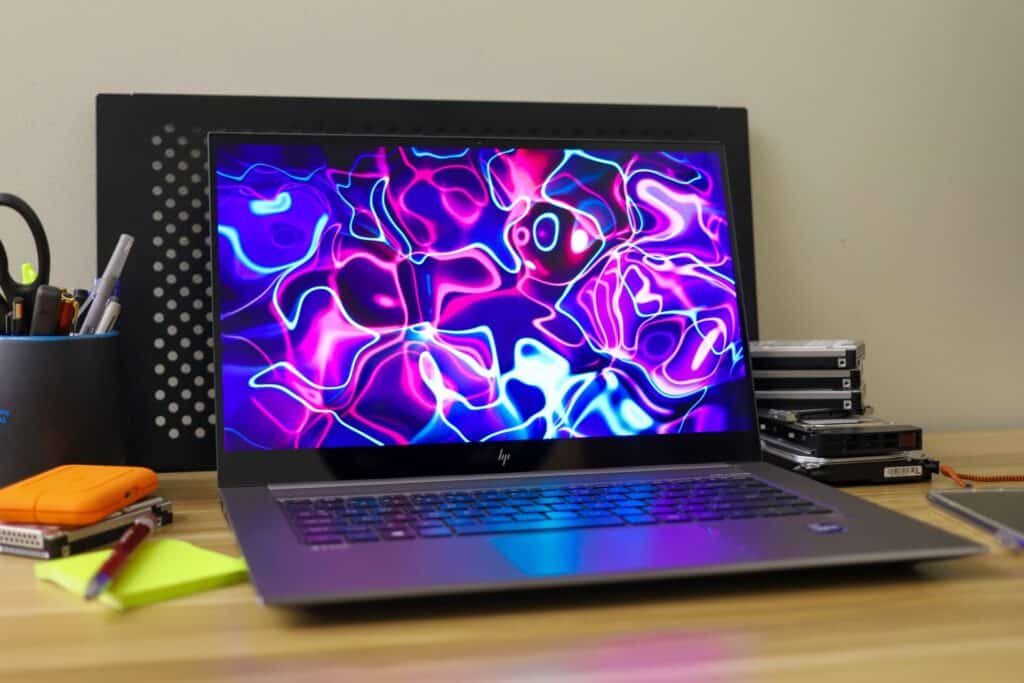
The ZBook Studio G8 is one of the new models from the recently refreshed line of mobile workstations from HP, which also include the [Power G8](https://www.storagereview.com/review/hp-zbook-power-g8-review-15-6) (an entry-level workstation), the [Firefly G8](https://www.storagereview.com/review/hp-zbook-firefly-g8-review) (an ultra-portable 14-inch laptop), and the Fury G8 (a larger form-factor model with desktop-caliber performance). The Studio G8 is dubbed by HP as the most powerful of its size and class, featuring a 15.6-inch display, a generous amount of RAM, NVIDIA RTX professional graphics options, and a selection of 11th gen Intel processors. All of this makes it ideal for design professionals and engineers on the go who work with 3D rendering as well as consumers simply looking for a powerful laptop or gamers who need a portable solution with an RTX GPU.
## HP ZBook Studio G8 Components
Though [the standard model goes for over $2,000 dollars,](https://www.hp.com/us-en/shop/mdp/business-solutions/zbook-studio-mobile-workstation--1#!&tab=vao) it can be outfitted with a range of components to fit all kinds of budgets and performance needs. For processing power, users have the option of 11th gen Intel Core i7 and or i9 CPUs, with the high-end configuration reaching an Intel Core i9-11950H (2.6 GHz-5.0 GHz with Intel Turbo Boost Technology, 24 MB L3 cache, 8 cores) that supports Intel vPro Technology. Users can pair this up to 32GB 3200MTs RAM, and a range of professional graphics cards, including the NVIDIA T1200 (4 GB GDDR6), NVIDIA RTX A2000 (4 GB GDDR6), or an NVIDIA RTX 3070 (8 GB GDDR6). Those looking to drive down costs or don’t need a high-end GPU to have the option of outfitting the Studio with an Intel Iris Xᵉ onboard graphics.
![HP ZBook Studio G8 keyboardview]()
For storage, the Studio G8 can be equipped with the same drives as the other models from the ZBook line: starting at a 256GB NVMe SSD all the way up to a 2TB NVMe TLC NAND drive. Unlike the Power G8, the Studio G8 only has one drive slot.
The Studio G8 also comes in a range of display options, including 100% DCI-P3 coverage with DreamColor, a technology that HP developed alongside DreamWorks Studio. This is great for those who work in applications that rely on color-critical features due to its superior color accuracy and predictability. Having a great display like this in an ultra-portable form factor is fairly rare in the mobile workstation market.
Backed by a 5-year warranty, our review ZBook Studio G8 model is equipped with an Intel I9-11950H, an NVIDIA RTX 3070, 32GB of RAM, and a 2TB NVMe SSD.
## HP ZBook Studio G8 Specifications
| Available Operating Systems | Windows 10 Pro 64 – HP recommends Windows 10 Pro for business Windows 10 Home 64 Ubuntu 20.04 FreeDOS 3.0 |
| --- | --- |
| Processor family | Intel® Core™ i7-11800H with Intel® UHD Graphics (2.3 GHz base frequency, up to 4.6 GHz with Intel® Turbo Boost Technology, 24 MB L3 cache, 8 cores) Intel® Core™ i7-11850H with Intel® UHD Graphics (2.5 GHz base frequency, up to 4.8 GHz with Intel® Turbo Boost Technology, 24 MB L3 cache, 8 cores), supports Intel® vPro® Technology Intel® Core™ i9-11900H with Intel® UHD Graphics (2.5 GHz base frequency, up to 4.9 GHz with Intel® Turbo Boost Technology, 24 MB L3 cache, 8 cores) Intel® Core™ i9-11950H with Intel® UHD Graphics (2.6 GHz base frequency, up to 5.0 GHz with Intel® Turbo Boost Technology, 24 MB L3 cache, 8 cores), supports Intel® vPro® Technology |
| Display size | 15.6″ |
| Product color | Turbo Silver |
| Maximum memory | 32 GB DDR4-3200 non-ECC SDRAM Memory soldered down. Supports dual channel memory. |
| Internal storage | 256 GB up to 2 TB PCIe® Gen 3 x 4 NVMe™ M.2 SSD 512 GB PCIe® NVMe™ M.2 SED SSD 512 GB PCIe NVMe TLC SSD 1 TB PCIe-3×4 2280 NVMe TLC SSD 2 TB PCIe NVMe TLC SSD |
| Display | 15.6″ diagonal, FHD (1920 x 1080), IPS, anti-glare, 1000 nits, 72% NTSC, HP Sure View Reflect integrated privacy screen 15.6″ diagonal, FHD (1920 x 1080), IPS, narrow bezel, anti-glare, 400 nits, low power, 100% sRGB 15.6″ diagonal, 4K UHD (3840 x 2160), 120 Hz, IPS, anti-glare, 600 nits, HDR 400, 100% DCI-P3, HP DreamColor 15.6″ diagonal, 4K UHD (3840 x 2160), OLED, multitouch-enabled, UWVA, BrightView, Corning® Gorilla® Glass 5, 400 nits, 100% DCI-P3 |
| Available Graphics | Integrated: Intel® Iris® Xᵉ Graphics Discrete: NVIDIA® GeForce RTX™ 3060 (6 GB GDDR6 dedicated); NVIDIA® GeForce RTX™ 3070 (8 GB GDDR6 dedicated); NVIDIA® GeForce RTX™ 3080 (16 GB GDDR6 dedicated); NVIDIA® T1200 (4 GB GDDR6 dedicated); NVIDIA RTX™ A2000 (4 GB GDDR6 dedicated); NVIDIA RTX™ A3000 (6 GB GDDR6 dedicated); NVIDIA RTX™ A4000 (8 GB GDDR6 dedicated); NVIDIA RTX™ A5000 (16 GB GDDR6 dedicated) |
| Audio | Audio by Bang & Olufsen, stereo speakers (2 tweeters & 2 woofers), HP World Facing Microphone dual array digital microphones, functions keys for volume up and down, combo microphone/headphone jack, HD audio with 150Hz Bass Roll off |
| Memory card device | 1 SD 7.0 media card reader |
| Ports and Connectors | Left side: 1 headphone/microphone combo; 1 SuperSpeed USB Type-A 5Gbps signaling rate (charging); 1 nano security lock slot Right side: 1 power connector; 1 Mini DisplayPort™ 1.4; 2 Thunderbolt™ 4 with USB4™ Type-C® 40Gbps signaling rate (USB Power Delivery, DisplayPort™ 1.4, HP Sleep and Charge); 1 HDMI 2.1 |
| Available Keyboards | HP Z Command Keyboard – spill-resistant, full-size, backlit keyboard with drain and DuraKeys; HP Premium Quiet Keyboard – spill-resistant, full-size, backlit keyboard with drain and DuraKeys; HP RGB Keyboard – Full-size, per-key RGB backlit keyboard |
| Available Pointing Devices | Clickpad with image sensor and glass surface supporting multi-touch gestures and taps |
| Communications | Intel® Wi-Fi CERTIFIED 6™ AX201 (2×2) and Bluetooth® 5.2 combo, vPro® Intel® Wi-Fi CERTIFIED 6™ AX201 (2×2) and Bluetooth® 5.2 combo, non-vPro® |
| Camera | 720p HD IR camera |
| Software | Absolute persistence module; HP Device Access Manager; HP Power On Authentication; Trusted Platform Module TPM 2.0 Embedded Security Chip; Master Boot Record security; Pre-boot authentication; HP Sure Click; Windows Defender; HP Secure Erase; HP Manageability Integration Kit; HP Sure Sense; HP BIOSphere Gen6; HP Sure Start Gen6; HP Sure Admin; HP Image Assistant; MS Bitlocker Encryption; Nano Security Lock Slot; HP Sure Recover Gen4; HP Sure Run Gen4; HP Client Security Manager Gen7; HP Sure Recover Gen4 with Embedded Reimaging |
| Fingerprint reader | Fingerprint reader (select models) |
| Power | HP Smart 150 W External AC Power Adapter; HP Slim Smart 200 W External AC Power Adapter |
| Battery type | HP Long Life 6-cell, 83 Wh Li-ion polymer |
| Battery life | Up to 9 hours and 30 minutes |
| Battery recharge time | Supports battery HP fast charge: approximately 50% in 30 minutes |
| Dimensions | 13.93 x 9.24 x 0.70 in (non touch); 13.93 x 9.24 x 0.69 in (touch); 35.4 x 23.46 x 1.79 cm (non-touch); 35.4 x 23.46 x 1.75 cm (touch) |
| Weight | Starting at 3.96 lb; Starting at 1.79 kg (Weight varies by configuration and components.) |
| Energy efficiency compliance | ENERGY STAR® certified; EPEAT® Gold registered in US |
| Sustainable impact specifications | Low halogen |
## **HP ZBook Studio G8 Design and Build**
The Studio G8 features the usual high-quality, all-aluminum “Turbo Silver” chassis, and is an overall nice-looking, durable mobile workstation. Starting at 3.96lb, the Studio sits roughly in the middle of the ZBook line as far as its weight goes; a bit lighter than the Power and about a pound heavier than the Firefly.
![HP ZBook Studio G8 top view closed]()
On the left side of the laptop is the main ventilation of the laptop, along with a headphone/microphone combo jack, a USB Type-A port (5Gbps rate/charging), and a nano security lock slot.
![]()
On the right side is the power connector, a Mini DisplayPort 1.4, two Thunderbolt 4 USB4 Type-C ports (40Gbps), and an HDMI 2.1 port (not part of our configuration, but the spec sheet indicates it is an option).
![]()
One of the coolest features of the ZBook is the new RGB keyboard with per-key LED backlighting, which allows users to customize the colors and even highlight the keys they use the most. While it’s not a full keyboard like the Power G8, this is a really unique feature for a laptop and is something that gamers specifically would appreciate. In the dark, you can easily see the keys via a bright and beautiful set of colored LEDs.
![HP ZBook Studio G8 RGB LED keyboard]()
Our review model is outfitted with the NVIDIA RTX 3070, which certainly helps make this a solid choice as a gaming laptop. This Ampere-based, well sought-after graphics card features 5,120 CUDA processing cores, 8GB of DDR6 GPU memory, and 2nd generation Ray Tracing Cores.
**NVIDIA GEFORCE RTX 3070 Laptop GPU Specifications**
| GPU Engine Specs: | NVIDIA CUDA® Cores | 5120 |
| --- | --- | --- |
| | Boost Clock (MHz) | 1290 – 1620 MHz |
| | GPU Subsystem Power (W) | 80 – 125 W |
| Memory Specs: | Standard Memory Configuration | 8 GB GDDR6 |
| | Memory Interface Width | 256-bit |
| Technology Support:- Ray Tracing Cores: 2nd Generation
- Tensor Cores: 3rd Generation
- NVIDIA Architecture: Ampere
- Microsoft DirectX® 12 Ultimate
- NVIDIA DLSS
- NVIDIA Reflex
- NVIDIA Broadcast
- PCI Express Gen 4
- Resizable BAR
- NVIDIA GeForce Experience™
- NVIDIA Ansel
- NVIDIA FreeStyle
- NVIDIA ShadowPlay®
- NVIDIA Highlights
- NVIDIA G-SYNC®
- Game Ready Drivers
- NVIDIA Studio Drivers
- NVIDIA GPU Boost™
- Vulkan RT API, OpenGL 4.6
- HDMI Poty
- DisplayPort
- NVIDIA Encoder
- 7th Generation
- NVIDIA Decoder
- 5th Generation
- VR Ready
| | |
**HP ZBook Power G8 Performance**
To gauge the performance of the Studio G8, we put it through a series of resource-intensive tests using the following build:
- Intel I9-11950H
- NVIDIA RTX 3070
- 32GB RAM
- 2TB NVMe SSD
We will be comparing it to our recently reviewed [ZBook Firefly G8](https://www.storagereview.com/review/hp-zbook-firefly-g8-review) and [ZBook Power G8](https://www.storagereview.com/review/hp-zbook-power-g8-review-15-6), both of which were launched alongside the Studio G8. The Firefly features an Intel Core i7-1185G7 processor, NVIDIA T500 graphics (4GB GDDR6), 32GB DDR4-3200 memory, and a 512GB NVMe SSD while the Power is equipped with an Intel i7-11850H processor, an NVIDIA RTX A2000 (4GB DDR6), 64GB RAM and a Samsung PM9A1 2TB SSD.
Our first test is PCMark10, a system benchmark for Windows PCs with a focus on modern office tasks. It offers a variety of workloads categorized into three groups.
- The Essentials group includes web browsing, video conferencing, and app start-up time.
- The Productivity group includes tests based on spreadsheets and writing.
- The Digital Content Creation group includes photo editing, video editing, and a rendering and visualization test.
![HP ZBook Studio G8 PCMark performance]()
Here, the ZBook Studio G8 showed solid results, posting an overall score of 6,872, which consisted of 10,213 in essentials, 8,858 in productivity, and 9,734 in digital content. In comparison, the Power had an overall score of 6,255, comprising 9,820 in essentials, 8,967 in productivity, and 7,544 in digital content. The Firefly had an overall score of 5,343, comprising 9,010 in essentials, 8,414 in productivity, and 5,460 in digital content.
The SPECviewperf 2020 benchmark is the worldwide standard for measuring the graphics performance of professional applications running under the OpenGL and Direct X application programming interfaces. The viewsets (or benchmarks) represent graphics content and behavior from actual applications, without having to install the applications themselves. These viewsets include 3D Max, CATIA, Creo, Energy, Maya, Medical, Siemens NX, and Solidworks.
| Viewsets | **HP ZBook Studio G8
(NVIDIA RTX 3070 8GB 4K)** | HP ZBook Power G8
(NVIDIA RTX A2000 4GB 4K) | HP ZBook Firefly G8
(NVIDIA T500 4GB, 1080P) |
| --- | --- | --- | --- |
| 3dsmax-07 | **53.1** | 25.37 | 28.36 |
| Catia-06 | **32.47** | 18.08 | 22.77 |
| Creo-03 | **56.5** | 32.61 | 39.2 |
| Energy-03 | **11.81** | 7.9 | 10.99 |
| Maya-06 | **99.94** | 69.45 | 72.86 |
| Medical-03 | **9.44** | 8.19 | 14.47 |
| Snx-04 | **14.2** | 92.87 | 86.69 |
| Sw-05 | **63.09** | 23.74 | 42.17 |
Numbers were well ahead of the Firefly and Power G8 due to Studio’s higher-end, more powerful GPU.
Next, we ran SPECworkstation3, a test that specializes in benchmarks designed for testing all key aspects of workstation performance; it uses over 30 workloads to test CPU, graphics, I/O, and memory bandwidth. The workloads fall into broader categories such as Media and Entertainment, Financial Services, Product Development, Energy, Life Sciences, and General Operations. We are going to list the broad-category results for each, as opposed to the individual workloads. The results are an average of all the individual workloads in each category.
| Category | **HP ZBook Studio G8**
**(NVIDIA RTX 3070 8GB, 4K)** | HP ZBook Power G8
(NVIDIA RTX A2000 4GB, 4K) | HP ZBook Firefly G8
(NVIDIA T500 4GB, 1080P) |
| --- | --- | --- | --- |
| M&E | **2.47** | 2.39 | 1.26 |
| ProdDev | **2.28** | 2.65 | 1.67 |
| LifeSci | **2.21** | 2.43 | 1.5 |
| Energy | **1.44** | 1.45 | 0.89 |
| FSI | **2.34** | 2.3 | 1.15 |
| GeneralOps | **2.33** | 2.36 | 1.71 |
| GPU Compute | **5** | 2.79 | 1.22 |
Here, the Studio and Power had similar results throughout, with the Power barely edging out the Studio is most of the categories with the exception of, unsurprisingly, the GPU Compute category.
Next up is the Environmental Systems Research Institute (Esri) benchmark. Esri is a supplier of Geographic Information System (GIS) software. Esri’s Performance Team designed their PerfTool add-in scripts to automatically launch the ArcGIS Pro. This application uses a “ZoomToBookmarks” function to browse various predefined bookmarks and create a log file with all the key data points required to predict the user experience. The script automatically loops the bookmarks three times to account for caching (memory and disk cache). In other words, this benchmark simulates heavy graphical use that one might see through Esri’s ArcGIS Pro software.
The tests consist of three main datasets. Two are 3-D city views of Philadelphia, PA, and Montreal, QC. These city views contain textured 3-D multipatch buildings draped on a terrain model and draped aerial images. The third dataset is a 2-D map view of the Portland, OR, region. This data contains detailed information for roads, land use parcels, parks and schools, rivers, lakes, and hill shaded terrain.
Looking at the Montreal model, the ZBook Studio G8 posted an average and minimum FPS recorded 106.47 and 43.93, respectively.
| **ESRI ArcGIS Pro 2.3 Montreal** | |
| --- | --- |
| **Average FPS** | **Average** |
| **HP ZBook Studio G8 (NVIDIA RTX 3070 8GB, 4K)** | **106.47** |
| HP ZBook Power G8 (NVIDIA RTX A2000 4GB, 4K) | 101.18 |
| HP ZBook Firefly G8 (NVIDIA T500 4GB, 1080P) | 187.86 |
| **Minimum FPS** | **Average** |
| **HP ZBook Studio G8 (NVIDIA RTX 3070 8GB, 4K)** | **43.93** |
| HP ZBook Power G8 (NVIDIA RTX A2000 4GB, 4K) | 50.43 |
| HP ZBook Firefly G8 (NVIDIA T500 4GB, 1080P) | 70.76 |
Next up is our Philly model, where the Studio G8 showed an average and minimum FPS showed 105.13 and 51.80.
| **ESRI ArcGIS Pro 2.3 Philly** | |
| --- | --- |
| **Average FPS** | **Average** |
| **HP ZBook Studio G8 (NVIDIA RTX 3070 8GB, 4K)** | **105.13** |
| HP ZBook Power G8 (NVIDIA RTX A2000 4GB, 4K) | 79.51 |
| HP ZBook Firefly G8 (NVIDIA T500 4GB, 1080P) | 178.57 |
| **Minimum FPS** | **Average** |
| **HP ZBook Studio G8 (NVIDIA RTX 3070 8GB, 4K)** | **51.80** |
| HP ZBook Power G8 (NVIDIA RTX A2000 4GB, 4K) | 49.34 |
| HP ZBook Firefly G8 (NVIDIA T500 4GB, 1080P) | 83.20 |
Our last model is of Portland. Here, the new ZBook had an average FPS that showed 119.32 while the minimum FPS posted 94.65.
| **ESRI ArcGIS Pro 2.3 Portland** | |
| --- | --- |
| **Average FPS** | **Average** |
| **HP ZBook Studio G8 (NVIDIA RTX 3070 8GB, 4K)** | **119.32** |
| HP ZBook Power G8 (NVIDIA RTX A2000 4GB, 4K) | 162.37 |
| HP ZBook Firefly G8 (NVIDIA T500 4GB, 1080P) | 647.70 |
| **Minimum FPS** | **Average** |
| **HP ZBook Studio G8 (NVIDIA RTX 3070 8GB, 4K)** | **94.65** |
| HP ZBook Power G8 (NVIDIA RTX A2000 4GB, 4K) | 105.34 |
| HP ZBook Firefly G8 (NVIDIA T500 4GB, 1080P) | 460.41 |
**Blender**
Next up is the ubiquitous Blender, an open-source 3D modeling application. This benchmark was run using the Blender Benchmark utility (OptiX enabled), which measures in seconds (lower is better).
![HP ZBook Studio G8 Blender performance]()
Here, you can see the ZBook Studio with great results, showing numbers much better than the Firefly. This is undoubtedly due to the newer-gen and much better specced NVIDIA RTX A2000.
**LuxMark**
LuxMark is an OpenCL cross-platform benchmarking tool from those who maintain the open-source 3D rending engine, LuxRender. This tool looks at GPU performance in the areas of 3D modeling, lighting, and video work. For this review, we used the newest version, v4alpha0. In LuxMark, higher is better when it comes to the score.
![HP ZBook Studio G8 LuxMark performance]()
In the food rendering category, the ZBook Power scored 1,929 when equipped with the RTX 3070, while the Hallbench rendering category showed 5,620. These results once again demonstrated the difference in performance compared to the two generations and classes of NVIDIA GPUs.
**Octane**
Lastly, we look OctaneBench, a benchmarking utility for OctaneRender, which is another 3D renderer with RTX support that is similar to V-Ray. Here, the ZBook Studio had an overall score of 360.81.
![Octane Benchmark ZBook Studio G8 RTX 3070]()
## **Conclusion**
The HP ZBook Studio G8 is from the company’s newly refreshed line of professional mobile workstations released earlier this year. It joins models like the ZBook Power G8 and ZBook Firefly G8 as a unique offering that combines quality build, portability, and component customization, making it line ideal for a range of different needs for consumers, professionals and gamers.
![]()
The price tag for the [Studio G8 starts at over $2K for the base model](https://www.hp.com/us-en/shop/SearchDisplay?client=&charset=utf-8&searchTerm=studio+g8&storeId=10151&catalogId=10051&langId=-1&beginIndex=0&pageSize=12). However, it can be outfitted with higher-end components for more resource-demanding use cases, which will make the price quickly rise to over $5K. Available components include up to an 11th-generation 8-core Intel i9-11950H processor (2.6 GHz to 5.0 GHz) with three other options below (i9-11900H, i7-11800H, and i7-11850H). For memory, users can choose up to 32GB of DDR4 3200 RAM (down from the Power G8’s 64GB), while internal storage ranges from a 256GB PCIe TLC SSD up to a 2TB Gen4 PCIe NVMe TLC SSD. The spec sheet indicates only up to 512GB; however, when you customize the laptop using the HP store, you can choose a much higher-capacity SSD. That said, the Power G8 has an option for a second drive for a total of 4TB of NVMe storage and up to 64GB of RAM, which might be preferable for certain applications. For connectivity, the Studio G8 features the usual headphone/microphone combo jack, a USB Type-A port (5Gbps), two Thunderbolt 4 ports (USB4 Type-C at 40Gbps), a Mini DisplayPort 1.4, and an HDMI 2.1 port.
The Studio G8 has better GPU options than the other refreshed ZBook models we’ve reviewed, giving users the option to outfit workstation with either an Intel Iris Xᵉ on-board graphics, an NVIDIA T1200 (4 GB GDDR6), an NVIDIA RTX A2000 (4 GB GDDR6), or an NVIDIA RTX 3070 (8GB DDR6). We certainly recommend choosing the NVIDIA RTX 3070 for those planning to use the workstation for high-end gaming as well as one of the non-integrated GPUs and higher-end CPUs for demanding professional software use cases.
Though it’s not the most powerful workstation out there, the HP ZBook Studio is a great choice for creative professionals, productivity-leaning consumers, and gamers. We particularly liked the HP DreamColor panel option (like we did with the [Firefly G8](https://www.storagereview.com/review/hp-zbook-firefly-g8-review)), the customizable backlit RGB keyboard, its solid performance during our benchmarks, the usual quality ZBook build, and the range of important security features. Those who are willing to open up their wallets will also be able to create a fairly powerful mobile workstation to suit pretty much any consumer/professional need.
[Product Page](https://www.hp.com/us-en/shop/SearchDisplay?client=&charset=utf-8&searchTerm=studio+g8&storeId=10151&catalogId=10051&langId=-1&beginIndex=0&pageSize=12)
**Engage with StorageReview**
[Newsletter](https://www.storagereview.com/storage_newsletter) | [YouTube](https://www.youtube.com/user/StorageReview "Opens in a new window") | Podcast [iTunes](https://podcasts.apple.com/gb/podcast/storagereview-com-storage-reviews/id1060681115 "Opens in a new window")/ [Spotify](https://open.spotify.com/show/1y6VnznABhHeOSMOmbDTz0 "Opens in a new window") | [Instagram](https://www.instagram.com/storagereview/ "Opens in a new window") | [Twitter](https://twitter.com/storagereview "Opens in a new window") | [TikTok](https://www.tiktok.com/@storagereview? "Opens in a new window") | [RSS Feed](https://www.storagereview.com/rss.xml)
![]()
### Lyle Smith
Lyle is a writer for StorageReview, covering a broad set of end user and enterprise IT topics.
Previous post: [OCI Ampere A1 Compute Review](https://www.storagereview.com/review/oci-ampere-a1-compute-review)
Next post: [TYAN Transport SX TS65-B8253 Server Review](https://www.storagereview.com/review/tyan-transport-sx-ts65-b8253-server-review)
Trusted Vendors
Products and solutions from our affiliate partners:
- [

Ubiquiti
](https://store.ui.com/us/en?a_aid=StorageReview "Opens in a new window")
- [

Newegg
](https://click.linksynergy.com/fs-bin/click?id=g5terNMDhz0&offerid=1207190.18&subid=0&type=4 "Opens in a new window")
- [
 Amazon
](https://amzn.to/4fLJUEW "Opens in a new window")
Newsletter
Subscribe to the StorageReview newsletter to stay up to date on the latest news and reviews. We promise no spam!
1
Leave this field empty if you’re human:
## Advertisement
Content Categories
[Facebook](https://www.facebook.com/@storagereview) [X](https://twitter.com/storagereview) [Instagram](https://www.instagram.com/storagereview/) [LinkedIn](https://www.linkedin.com/company/storagereview-com) [YouTube](https://www.youtube.com/user/storagereview?sub_confirmation=1) [Email](mailto:info@storagereview.com) [Spotify](https://open.spotify.com/show/1y6VnznABhHeOSMOmbDTz0) [Reddit](https://www.reddit.com/r/StorageReview/) [Discord](https://discord.gg/TwMHb4azdC) [RSS](https://www.storagereview.com/rss.xml) [TikTok](https://www.tiktok.com/@storagereview)
Copyright © 1998-2025 Flying Pig Ventures, LLC Cincinnati, Ohio. All rights reserved.
Manage your privacy
To provide the best experiences, we and our partners use technologies like cookies to store and/or access device information. Consenting to these technologies will allow us and our partners to process personal data such as browsing behavior or unique IDs on this site and show (non-) personalized ads. Not consenting or withdrawing consent, may adversely affect certain features and functions.
Click below to consent to the above or make granular choices. Your choices will be applied to this site only. You can change your settings at any time, including withdrawing your consent, by using the toggles on the Cookie Policy, or by clicking on the manage consent button at the bottom of the screen.
Functional Functional Always active
The technical storage or access is strictly necessary for the legitimate purpose of enabling the use of a specific service explicitly requested by the subscriber or user, or for the sole purpose of carrying out the transmission of a communication over an electronic communications network.
Preferences Preferences
The technical storage or access is necessary for the legitimate purpose of storing preferences that are not requested by the subscriber or user.
Statistics Statistics
The technical storage or access that is used exclusively for statistical purposes. The technical storage or access that is used exclusively for anonymous statistical purposes. Without a subpoena, voluntary compliance on the part of your Internet Service Provider, or additional records from a third party, information stored or retrieved for this purpose alone cannot usually be used to identify you.
Marketing Marketing
The technical storage or access is required to create user profiles to send advertising, or to track the user on a website or across several websites for similar marketing purposes.
Statistics
Marketing
Features
Always active
Special features
Special purposes
Always active
- Manage options
- Manage services
- Manage {vendor\_count} vendors
- [Read more about these purposes](https://cookiedatabase.org/tcf/purposes/)
Accept Deny Manage options Save preferences Manage options
- {title}
- {title}
- {title}
Manage your privacy
To provide the best experiences, we use technologies like cookies to store and/or access device information. Consenting to these technologies will allow us to process data such as browsing behavior or unique IDs on this site. Not consenting or withdrawing consent, may adversely affect certain features and functions.
Functional Functional Always active
The technical storage or access is strictly necessary for the legitimate purpose of enabling the use of a specific service explicitly requested by the subscriber or user, or for the sole purpose of carrying out the transmission of a communication over an electronic communications network.
Preferences Preferences
The technical storage or access is necessary for the legitimate purpose of storing preferences that are not requested by the subscriber or user.
Statistics Statistics
The technical storage or access that is used exclusively for statistical purposes. The technical storage or access that is used exclusively for anonymous statistical purposes. Without a subpoena, voluntary compliance on the part of your Internet Service Provider, or additional records from a third party, information stored or retrieved for this purpose alone cannot usually be used to identify you.
Marketing Marketing
The technical storage or access is required to create user profiles to send advertising, or to track the user on a website or across several websites for similar marketing purposes.
Statistics
Marketing
Features
Always active
Special features
Special purposes
Always active
- Manage options
- Manage services
- Manage {vendor\_count} vendors
- [Read more about these purposes](https://cookiedatabase.org/tcf/purposes/)
Accept Deny Manage options Save preferences Manage options
- {title}
- {title}
- {title}
Manage consent Manage consent
```json
{"@context":"https:\/\/schema.org","@graph":[{"@type":"WebPage","@id":"https:\/\/www.storagereview.com\/review\/hp-zbook-studio-g8-review","url":"https:\/\/www.storagereview.com\/review\/hp-zbook-studio-g8-review","name":"HP ZBook Studio G8 Review - StorageReview.com","isPartOf":{"@id":"https:\/\/www.storagereview.com\/#website"},"primaryImageOfPage":{"@id":"https:\/\/www.storagereview.com\/review\/hp-zbook-studio-g8-review#primaryimage"},"image":{"@id":"https:\/\/www.storagereview.com\/review\/hp-zbook-studio-g8-review#primaryimage"},"thumbnailUrl":"https:\/\/www.storagereview.com\/wp-content\/uploads\/2021\/08\/storagereview-HP-ZBook-Studio-G8-logo.jpg","datePublished":"2021-08-18T15:23:07+00:00","dateModified":"2021-08-30T18:59:30+00:00","description":"The HP ZBook Studio G8 offers a great combination of power, dedicated graphics and a DreamColor display to deliver a sophisticated package.","breadcrumb":{"@id":"https:\/\/www.storagereview.com\/review\/hp-zbook-studio-g8-review#breadcrumb"},"inLanguage":"en-US","potentialAction":[{"@type":"ReadAction","target":["https:\/\/www.storagereview.com\/review\/hp-zbook-studio-g8-review"]}]},{"@type":"ImageObject","inLanguage":"en-US","@id":"https:\/\/www.storagereview.com\/review\/hp-zbook-studio-g8-review#primaryimage","url":"https:\/\/www.storagereview.com\/wp-content\/uploads\/2021\/08\/storagereview-HP-ZBook-Studio-G8-logo.jpg","contentUrl":"https:\/\/www.storagereview.com\/wp-content\/uploads\/2021\/08\/storagereview-HP-ZBook-Studio-G8-logo.jpg","width":1920,"height":1280},{"@type":"BreadcrumbList","@id":"https:\/\/www.storagereview.com\/review\/hp-zbook-studio-g8-review#breadcrumb","itemListElement":[{"@type":"ListItem","position":1,"name":"Home","item":"https:\/\/www.storagereview.com\/"},{"@type":"ListItem","position":2,"name":"Review","item":"https:\/\/www.storagereview.com\/review"},{"@type":"ListItem","position":3,"name":"HP ZBook Studio G8 Review"}]},{"@type":"WebSite","@id":"https:\/\/www.storagereview.com\/#website","url":"https:\/\/www.storagereview.com\/","name":"StorageReview.com","description":"StorageReview.com is a leading provider of news and reviews throughout the entire IT stack - from the datacenter to the edge, and all points in between.","publisher":{"@id":"https:\/\/www.storagereview.com\/#organization"},"potentialAction":[{"@type":"SearchAction","target":{"@type":"EntryPoint","urlTemplate":"https:\/\/www.storagereview.com\/?s={search_term_string}"},"query-input":{"@type":"PropertyValueSpecification","valueRequired":true,"valueName":"search_term_string"}}],"inLanguage":"en-US"},{"@type":"Organization","@id":"https:\/\/www.storagereview.com\/#organization","name":"StorageReview.com","url":"https:\/\/www.storagereview.com\/","logo":{"@type":"ImageObject","inLanguage":"en-US","@id":"https:\/\/www.storagereview.com\/#\/schema\/logo\/image\/","url":"https:\/\/www.storagereview.com\/wp-content\/uploads\/2020\/02\/Storage-Reviews-2-2.png","contentUrl":"https:\/\/www.storagereview.com\/wp-content\/uploads\/2020\/02\/Storage-Reviews-2-2.png","width":344,"height":61,"caption":"StorageReview.com"},"image":{"@id":"https:\/\/www.storagereview.com\/#\/schema\/logo\/image\/"},"sameAs":["https:\/\/x.com\/storagereview","http:\/\/youtube.com\/user\/storagereview"]}]}
```