

The Antec Flux Pro Noctua Edition is a premium full-tower case that takes the existing Flux Pro layout and replaces the standard fan package with six Noctua G2 PWM fans. The airflow setup includes three NF-A14x25 G2 front intake fans, two NF-A12x25 G2 lower intake fans above the PSU shroud, and one NF-A14x25 G2 rear exhaust fan. For this build, we used the full set of supplied fans in that configuration, with the NZXT AIO radiator mounted up top as the exhaust.
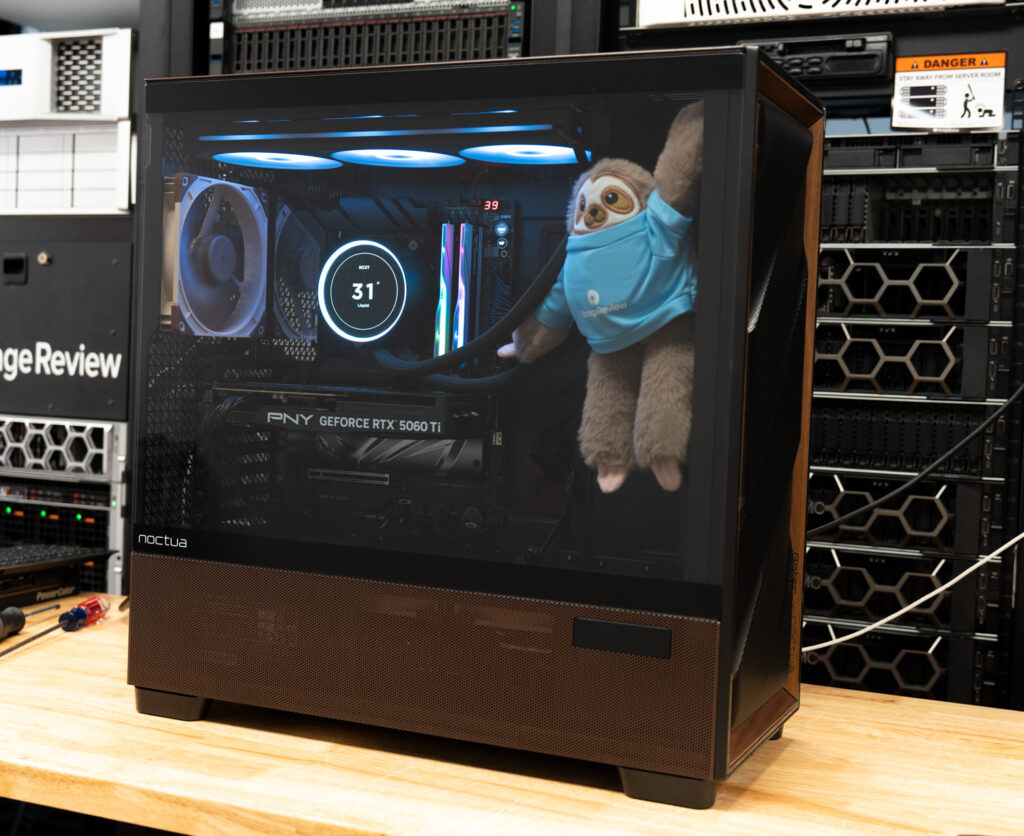
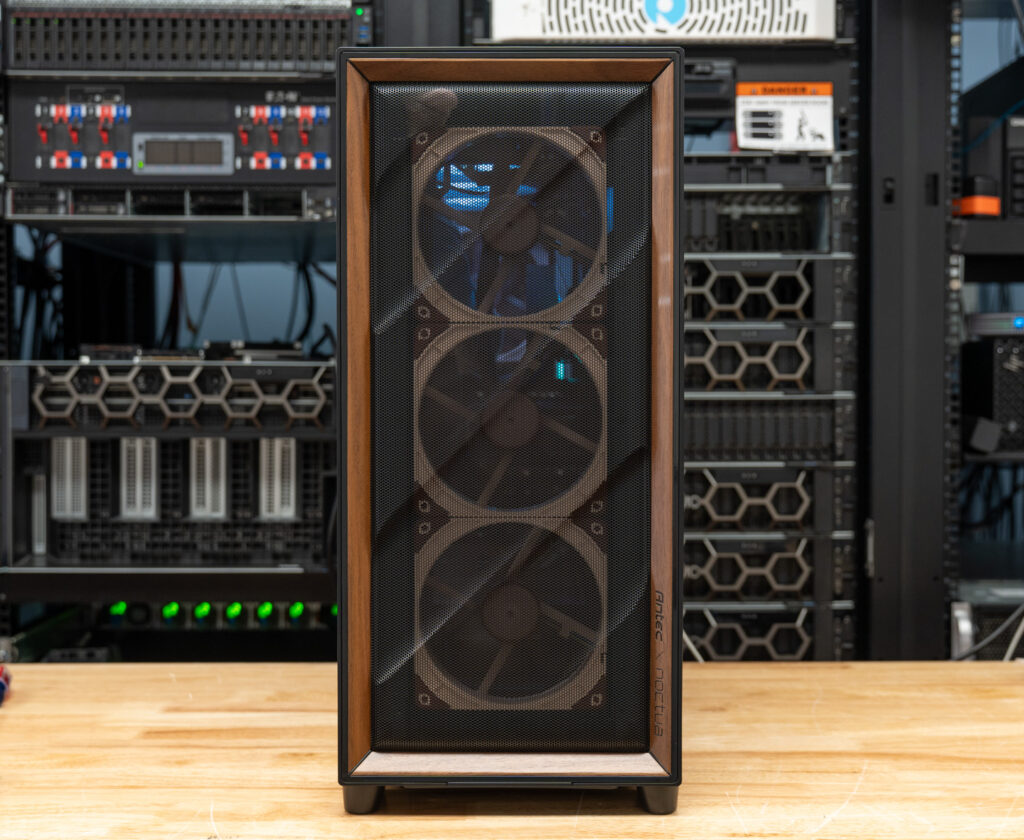
While Noctua’s beige-brown color scheme can be polarizing, pairing it with walnut gives this case a warmer, more refined look than many might expect. The brown accents, silicone grommets, walnut front detail, and small Noctua logos give the chassis a more cohesive appearance than a typical branded collaboration. The walnut-accented color scheme looks fantastic, making this one of the few PC cases where the styling feels carefully considered rather than forced.
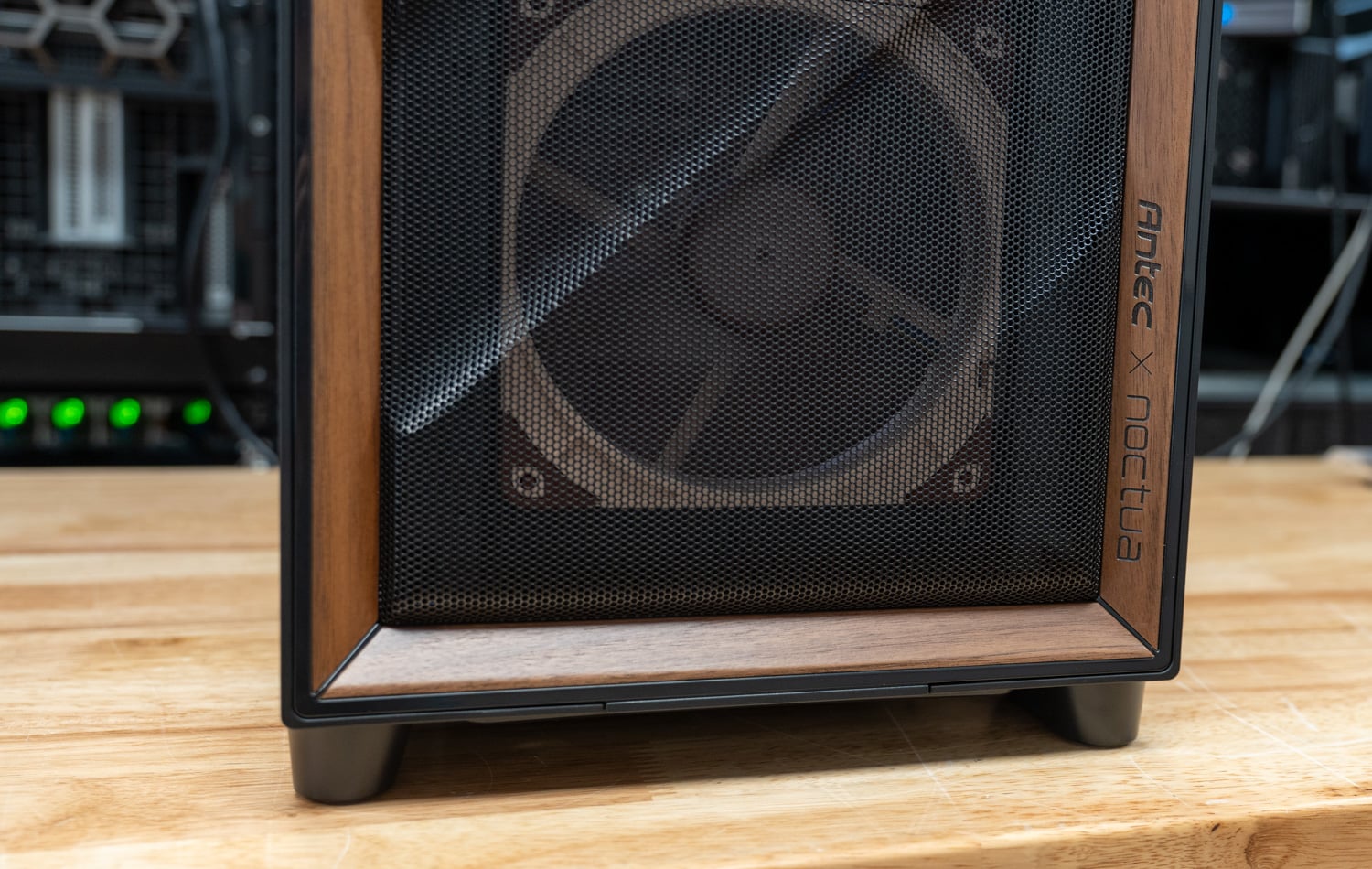
Aside from any cooler or components you add yourself, the Flux Pro Noctua Edition is very LED-neutral, so the look comes from the walnut trim, brown accents, and Noctua fans instead of a wall of RGB. It has a much calmer, more mature style that feels better suited for a creator build than a typical gaming case.
Antec also keeps the extensive ventilation layout the Flux Pro is already known for and adds Noctua’s NF-A14x25 G2 and NF-A12x25 G2 fans to reduce noise while maintaining similar airflow levels. The case is rated for up to an 8 dB(A) noise reduction compared with the standard version while keeping internal component temperatures similar, though actual results will depend on the hardware, fan curves, radiator placement, and room conditions. The adjacent fan speed offsets are also useful, as they are intended to reduce periodic humming and vibration caused by matching fan speeds.
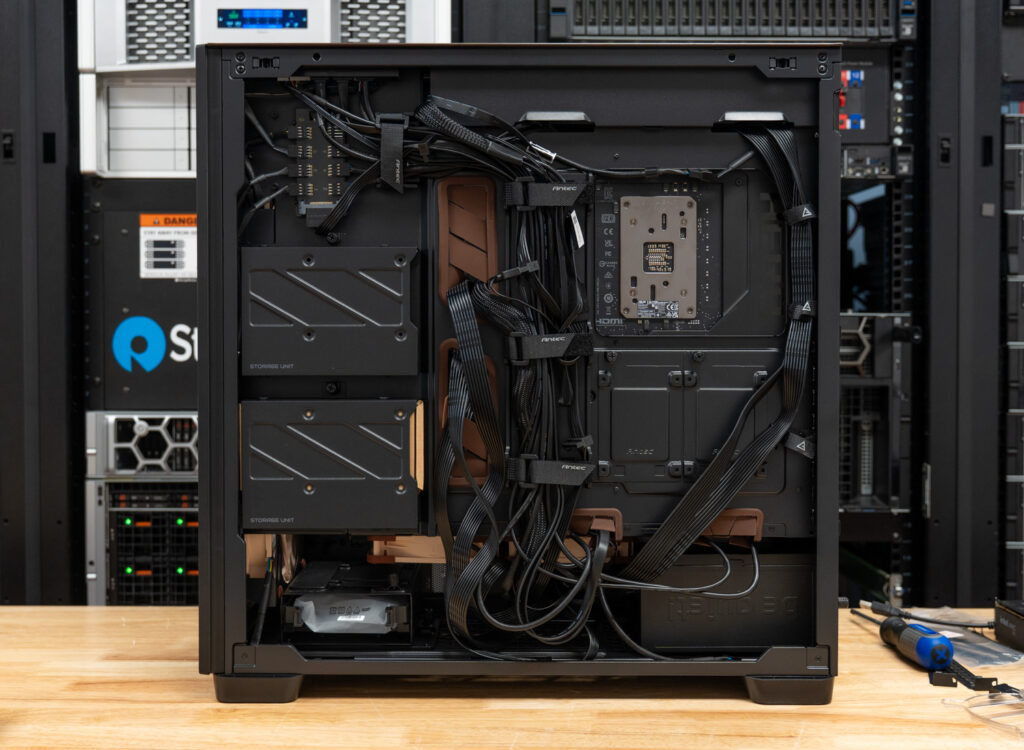
Besides the fan package, the case has several builder-friendly features that help justify its size and price. The NA-FH1 fan hub is pre-installed behind the right-side panel, and the fan cables come pre-routed, which should make setup less messy. The side and top panels are tool-free, the front and top fan brackets can be removed, and the case supports large hardware, including E-ATX motherboards, GPUs up to 455 mm, CPU coolers up to 190 mm, and 360 mm or 420 mm radiators at the front and top. There is also a small external temperature display, along with modular hard drive cages for builds that need extra 3.5-inch storage.
Antec Flux Pro Noctua Edition Ultra-Quiet PC Case Pricing and Warranty
At USD $399.90 (Amazon affiliate link), the Antec Flux Pro Noctua Edition is on the more expensive side, especially compared with the standard Flux Pro, so the value depends heavily on whether you were already planning to use Noctua’s higher-end fans and hub. The included fan package helps offset the overall cost, but it is still a premium chassis, not a budget-focused option. The case, supplied fans, and NA-FH1 fan hub are covered by a 6-year manufacturer’s warranty, with Noctua listing an MTTF rating of more than 150,000 hours for the included fans.
Antec Flux Pro Noctua Edition Ultra-Quiet PC Case Specifications
| Specification | Value |
|---|---|
| Physical Specifications | |
| Dimensions | 245x545x530 mm |
| Weight (with fans) | 13.75 kg |
| Color | Black, Brown |
| Compatibility | |
| Motherboard form factors | Mini-ITX, µATX, ATX, E-ATX |
| Max. CPU cooler height | 190 mm |
| Max. PSU length without HDD | 470 mm |
| Max. video card (GPU) length | 455 mm |
| Cooling | |
| Fan configuration | 3x NF-A14x25 G2 PWM (front intake) 2x NF-A12x25 G2 PWM (PSU shroud intake) 1x NF-A14x25 G2 PWM (rear exhaust) |
| Supported radiator sizes | Front: 120/140/240/280/360/420 mm Top: 120/140/240/280/360/420 mm Rear: 120/140 mm Bottom: 120/240 mm PSU cover: 120/240/360 mm |
| General | |
| Warranty | 6 years |
Antec Flux Pro Noctua Edition Ultra-Quiet PC Case Design and Internals
The Flux Pro is a full-tower chassis made from steel, plastic, tempered glass, and FSC-certified walnut wood accents. It measures 245 mm wide, 545 mm tall, and 530 mm deep, with a listed weight of 13.75 kg with the fans installed. It is a big case, and you notice that right away when lifting it or moving it around during the build. The 4 mm tempered glass side panel has a solid, secure fit, while the steel mesh panels have a sturdy feel that matches the chassis’s size and weight.
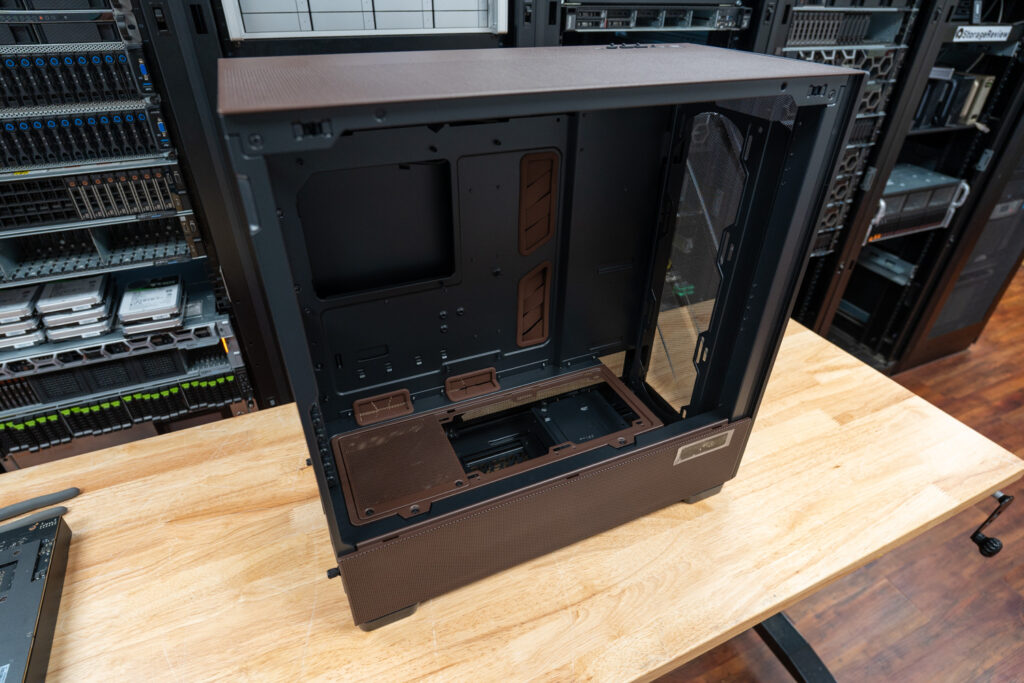
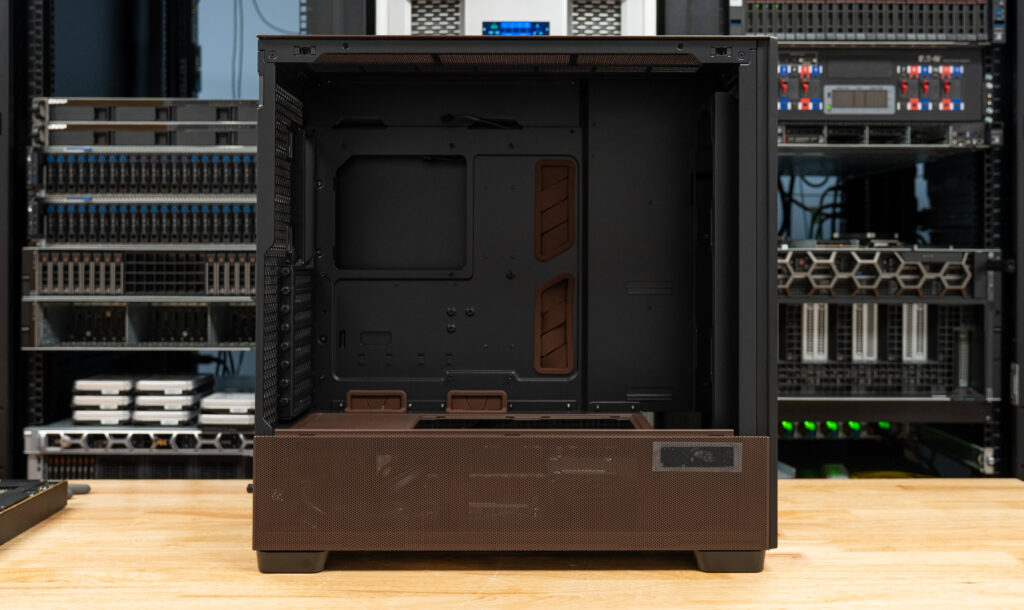
With the case empty, the Flux Pro shows how open the main chamber is before any hardware goes in. We liked that there is a lot of uninterrupted space around the motherboard tray, top radiator area, front intake section, and lower fan area, which should make the build process much easier when working with larger cooling hardware or a longer graphics card. The brown grommets also help break up the black interior while giving the cable pass-throughs a neater look. In addition, the wide routing cutouts made it simple to bring cables into the main chamber.
The top I/O area includes two USB 3.0 ports, one USB-C 10 Gbps port, a headphone and mic combo jack, and power and reset controls.
The front mesh panel attaches magnetically, so it comes off easily for cleaning, and the bottom dust filter should help keep the lower intake area from collecting too much buildup over time. Antec uses actual FSC-certified walnut for the trim, which really gives the case a more premium feel compared to the usual plastic or metal. The darker walnut tone works surprisingly well with Noctua’s beige and brown fans, giving the case a cozy, warmer look.
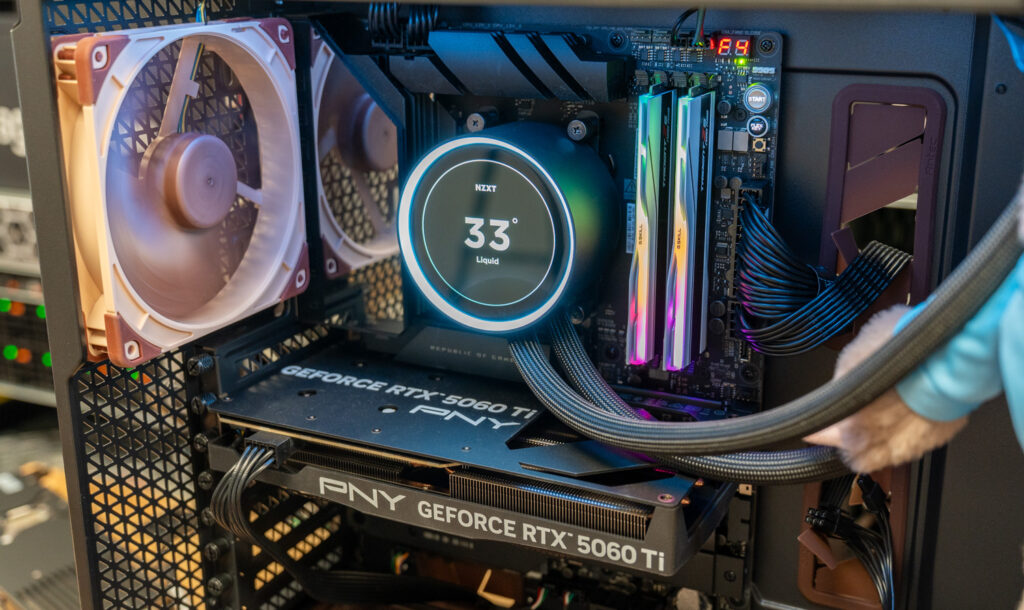
Once the system is fully assembled, the Flux Pro still leaves ample space around the main hardware. To show how spacious the interior is, we installed the motherboard, all six Noctua fans, an NZXT AIO, and a larger graphics card, which in this build was an RTX 5060 Ti. Even with that hardware in place, the system still looks open and organized. The rear chamber and pre-routed fan cables also make it fairly simple to hide most of the wiring, which helps keep the main component side tidy once everything is connected.
The NZXT Kraken AIO from the image below is not included with the case, but it helps illustrate how the Flux Pro looks with a full cooling setup installed.
The Flux Pro includes an external temperature display built into the case’s lower side panel. That readout can show CPU temperature, GPU temperature, or both through Antec’s iUnity software, giving users a quick way to check system thermals from outside the case. This can also be useful when an internal display, like the NZXT pump in this build, is facing away from you or is hard to see from your normal viewing angle.
Fan Configuration and Acoustic Engineering
The Noctua Edition includes six fans, packed separately from the case with paper inlays to help protect them during shipping. The setup uses three NF-A14x25 G2 PWM fans as front intake, two NF-A12x25 G2 PWM fans as lower intake above the PSU shroud, and one NF-A14x25 G2 PWM fan as rear exhaust. The fan set also includes different-speed variants, with PPA and PPB models used so that adjacent fans are not all spinning at the same speed.
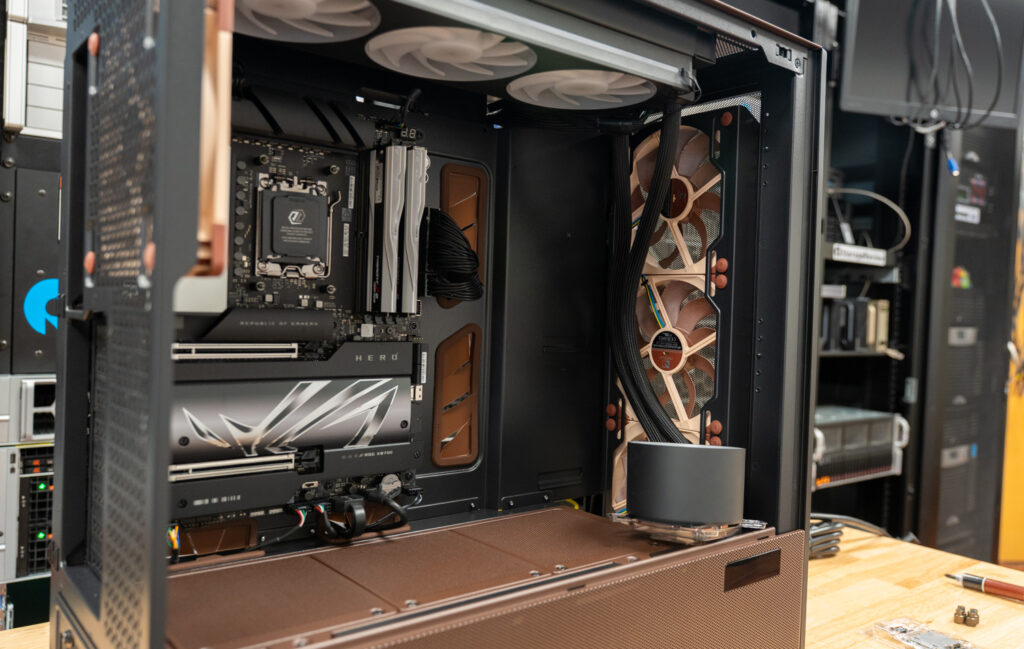 The bundled fans use Noctua’s PPA and PPB speed-offset variants: the 140 mm fans are rated at 1475 and 1525 rpm, while the 120 mm fans run at 1750 and 1850 rpm. In this build, we used all six supplied fans, with the three 140 mm fans at the front, the two 120 mm fans as lower intake fans, and the final 140 mm fan at the rear as the exhaust. The NZXT radiator was mounted at the top as exhaust.

The offset fan speeds are meant to reduce unwanted acoustic effects, including periodic humming or vibration that can happen when several nearby fans operate at identical speeds. The three front intake fans follow a PPA-PPB-PPA layout, which matches Noctua’s recommended setup. For installation, Antec and Noctua include 36 NA-AV4 anti-vibration mounts, allowing the fans to be mounted without screws to reduce vibration transfer into the chassis. Matching NM-SFS1 fan screws are also included and are the safer option if the finished system will be shipped or moved often, since the rubber mounts trade some physical security for lower vibration.
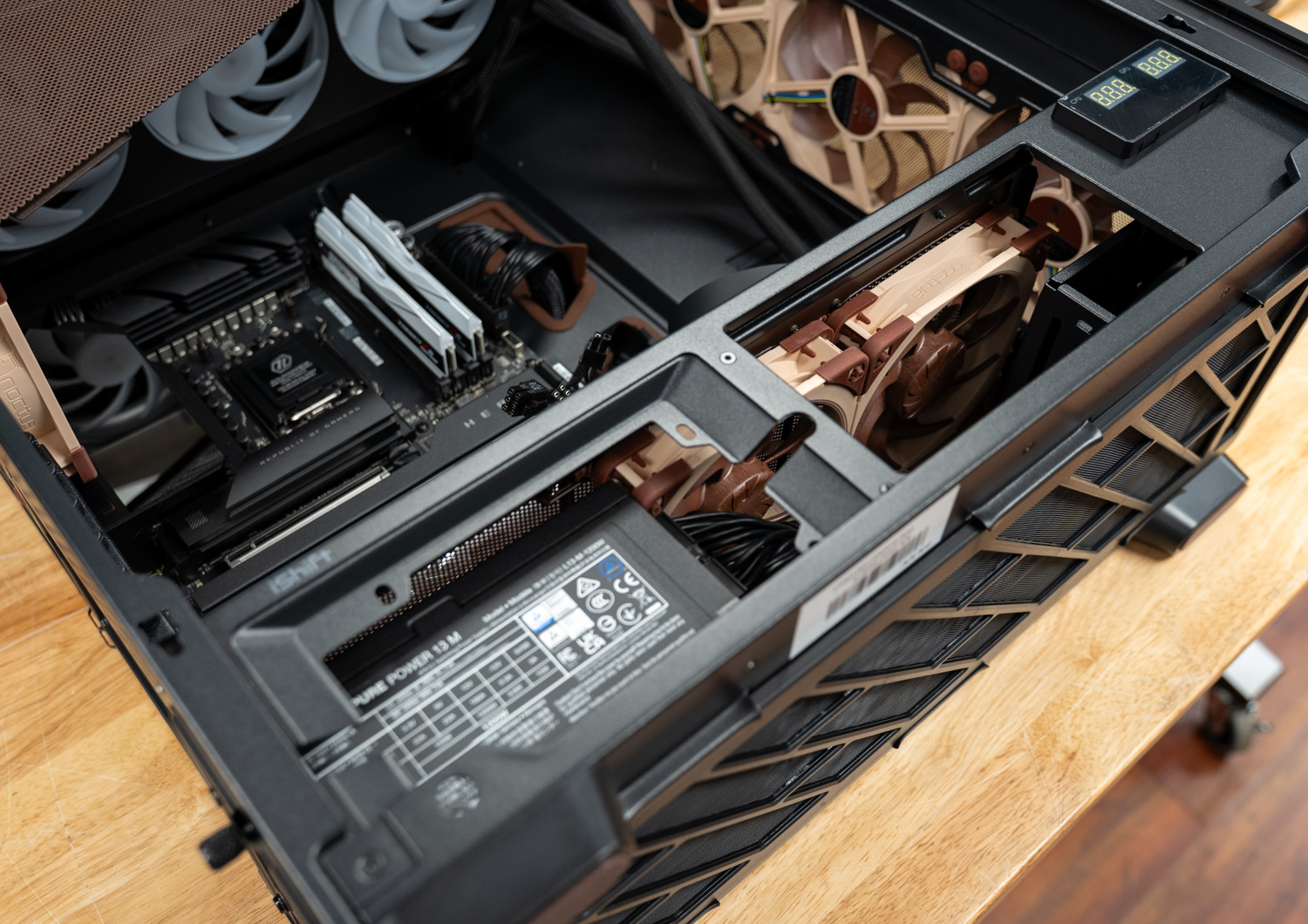
During our testing, the Noctua fan setup was very stable, with no noticeable vibration, rattling, or low-frequency hum, while the fans moved a good amount of air through the chassis without making the system sound loud. Noise will still depend on your specific build, especially if you pair it with a more aggressive CPU cooler or run a faster fan curve, but the factory Noctua setup does a good job of maintaining high airflow without adding much noise.
Conclusion
The Antec Flux Pro Noctua Edition is best suited to a larger build where space, build quality, and low noise are high priorities. The interior gives you plenty of room for a larger graphics card, AIO cooling, multiple fans, and extra storage, while still leaving the finished system looking open and organized. The panels feel weighty and premium, access is very good, and the case gives you enough working room that the build does not feel cramped once all of your components are inside. The FSC-certified walnut trim gives the case a higher-end look that works surprisingly well with Noctua’s beige and brown color scheme.
One thing we appreciated more as the build came together is how neutral the case looks without the usual RGB-heavy fan setup. Outside of the cooler we added for this build, the Flux Pro Noctua Edition does not rely on lighting to stand out; the Noctua fans keep the interior clean and almost calm, while the walnut trim does the visual work. It would be a great fit as a living room PC alongside mid-century furniture, especially given Noctua’s focus on low noise.
Cable management was one of the better areas of the build: The rear chamber gives you enough space to route and hide wiring, and the pre-routed fan cables help reduce some of the cleanup that usually comes with a fan-heavy case. Even with all six Noctua fans and an AIO installed, it was easy to keep most of the wiring out of sight, which keeps the main component side tidy.
The included Noctua fan package is the main difference from the standard Flux Pro, and it performed well during our testing. The fans remained stable and isolated, providing the chassis with plenty of airflow without noise. Noise can still vary depending on the CPU cooler, fan curve, and other system hardware, but the included Noctua setup provides quiet airflow out of the box. With its spacious interior, premium design, simple cable routing, and quiet factory fan setup, the Flux Pro Noctua Edition is a great fit for high-end builds where airflow and low noise are both priorities, and is great for those looking for a more mature, mellow design.


 Amazon