

StorageReview has been testing enterprise storage and infrastructure hardware for over 25 years. During that time, we have reviewed petabytes of data across drives, dozens of all-flash arrays, countless switches, servers, and networking gear. We have benchmarked hardware that costs more than most people’s houses. What we have never done, not once, is properly label any of it.
This is not something we are especially proud of. For years, the StorageReview lab has operated on a system best described as “whoever plugged it in probably remembers where it goes.” Cables have been traced by feel. Ports have been identified largely by educated guessing. New team members have received the time-honored orientation of “just follow the cable and see where it ends up.” It has mostly worked, like a lot of things do until they suddenly don’t.
Recently, we started a major lab refresh. New Dell switches to support 800GbE connectivity, more powerful GPU systems, faster storage, retirement of old gear, the kind of upgrade that makes you look at your existing cable management situation and feel a special sort of organizational shame. At some point during the planning process, someone said sensible words that changed our plan: “We should probably label some of this.” And so here we are.
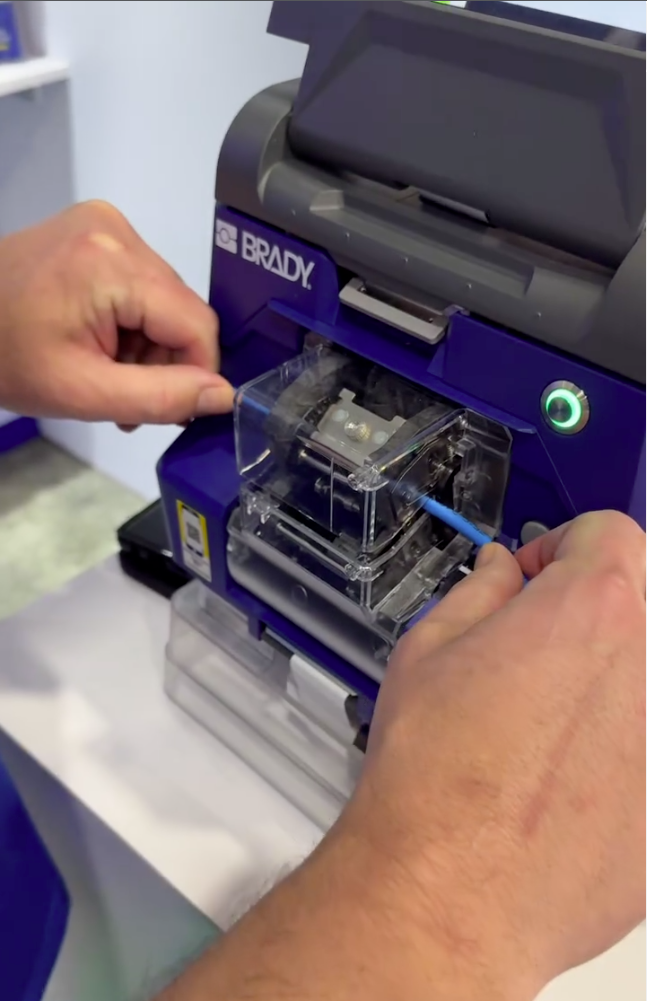 Brady has been on our radar since Data Center World last year, when we covered the company’s large-format label-printing systems designed for high-volume data center operations. When Brady reached out about the M511, a more compact and portable Bluetooth label printer aimed at smaller facilities, remote sites, and teams that need to move around a space rather than print from a fixed station, it felt like the data center universe was sending a message specifically to our unlabeled lab.
Launched in September 2023, the M511 emerged directly from customer feedback following Brady’s 2022 introduction of the M211, with users asking for wider labels, edge-to-edge printing, and the ability to share the printer across a team. For a lab environment like ours, where multiple people work across the same racks and infrastructure, that multi-user angle is exactly what makes the M511 relevant rather than just a bigger version of its smaller sibling.
The M511 prints up to 1.5″ wide labels from edge to edge at 300 dpi, connects via Bluetooth 5.0 with a 65-foot range to up to five devices simultaneously, and runs on an internal Li-Ion battery rated for 8+ hours or roughly 1,000 labels per charge. It carries MIL-STD-810G durability ratings, surviving 6-foot drops (which we inadvertently tested), 250-pound crushes, and blowing sand and dust, which is more punishment than our lab will ever dish out, but we appreciate the commitment. Print speed is 1.3 inches per second, and an auto label cutter holds each finished label in place until you’re ready to pull it.
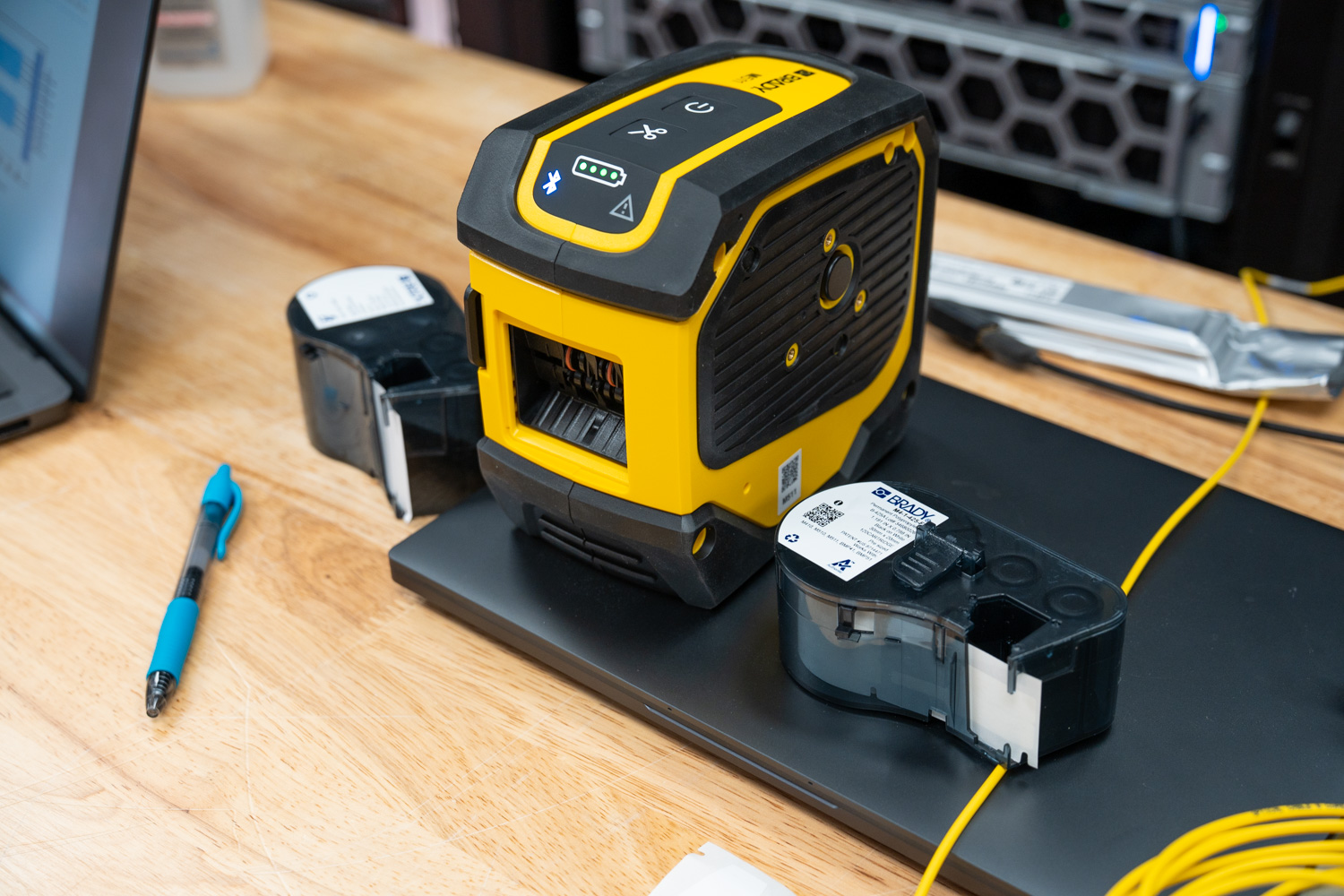
Brady sent us the M511-KIT configuration, which bundles the printer with a hard case, an indoor/outdoor vinyl label cartridge, self-laminating cable wraps, a nylon cloth label cartridge, an AC adapter, a mounting magnet, a utility hook, a power brick, and Brady Workstation Design and Print Pro software with the Product and Wire ID suite. Essentially, everything needed to walk into a facility and start labeling from scratch, which, as it turns out, describes our situation exactly.
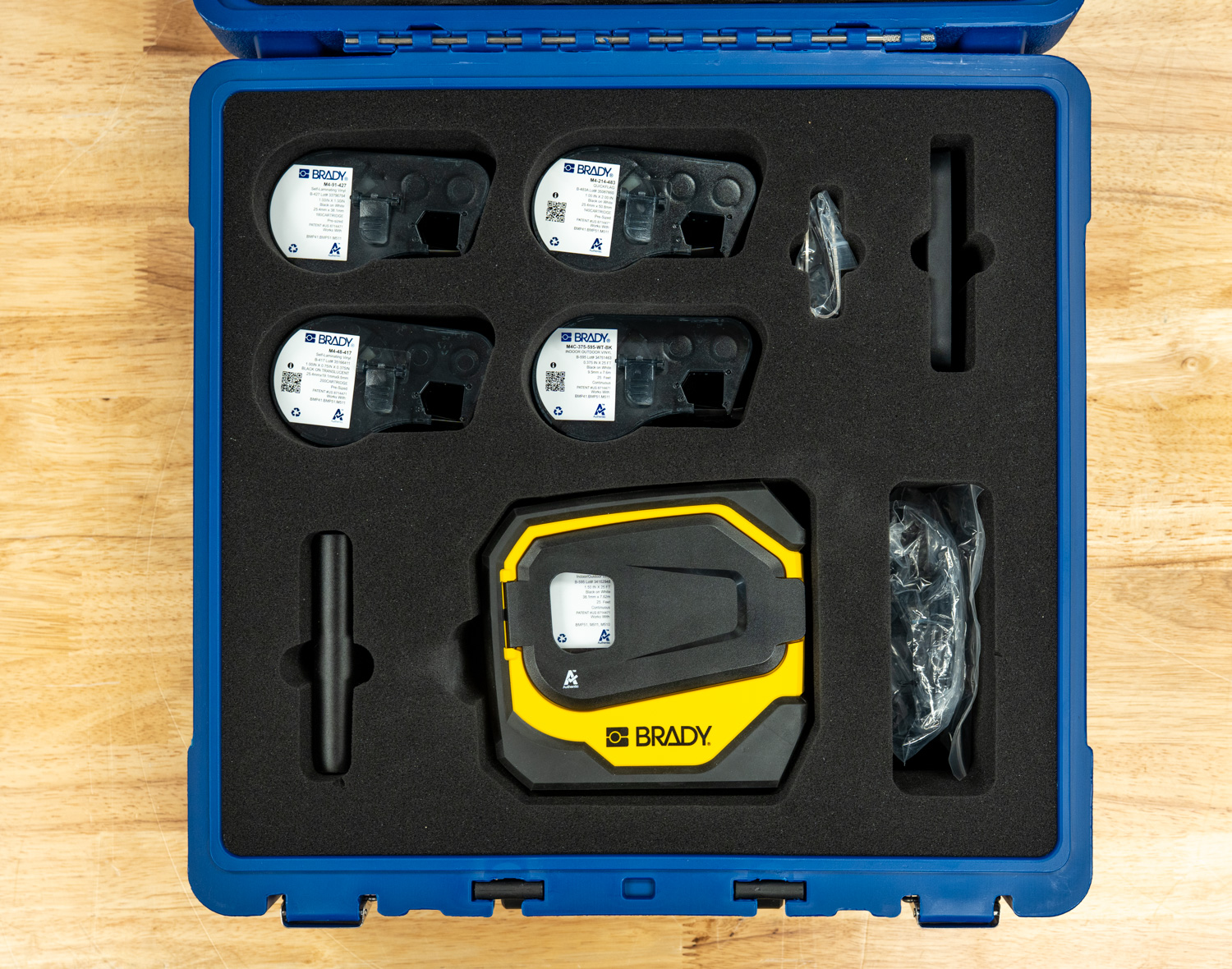
Along with the kit’s included starter materials, we asked Brady to send a selection of label types specific to our needs. They provided four additional cartridges: M4C-375-595-WT-BK, an all-weather permanent adhesive vinyl continuous tape in 3/8″ width for general asset and rack identification; M4-1425-FP, a P-Flag polypropylene flag label designed for cable identification with strong solvent resistance; M4-214-483, Brady’s QuickFlag tapered polyester flag labels that wrap cables neatly without mismatched edges; and M4-48-417, a high-adhesion self-laminating vinyl wrap-around label built specifically for wire ID in challenging environments like high humidity and with newer wire jacketing materials such as Teflon and silicone. We detail each of these in our testing experiences.
Label design can be handled via the Express Labels mobile app over Bluetooth on a phone or tablet, or via Brady Workstation on a PC. Recent updates to the app added BradyVoice, a voice-dictation labeling assistant, and an Image-to-Text feature that uses the phone’s camera to convert printed text or handwritten notes directly into label content. The latter is particularly useful for anyone needing to replicate existing labels in a hurry without manually retyping everything.
The standalone M511 printer is priced at $399.99 direct from Brady. At the same time, our M511-KIT review unit comes in at $551.99 and includes the hard case, three label cartridges, mounting accessories, power brick, and Brady Workstation Product and Wire ID software.
Specifications
| Specification | Brady M511 Portable Bluetooth Label Printer Kit |
|---|---|
| Key Characteristics | |
| Trade Name | M511 |
| UPC | 888434620557 |
| Color | Black, Yellow |
| Dimensions | |
| Height | 3.6 in |
| Width | 6 in |
| Depth | 6.4 in |
| Weight | 2.646 lb |
| Power & Battery | |
| Battery Type | Internal, not removable, Rechargeable Lithium-ion |
| Battery mAh Rating | 2450 mAh |
| Shipped With Battery | Yes – shipped with battery installed |
| Recharge Time | 2.5 hours |
| Power Supply Voltage | 110 – 240 V |
| Port Type | USB-C |
| Auto Shut-Off / Power Conserve | Yes, User Configurable |
| Connectivity & Interface | |
| Connectivity | Bluetooth® 5 Low Energy (Class II) |
| Device Connectivity | Mobile device connected, PC connected |
| User Interface | Mobile device, PC |
| Memory | Via connected mobile device |
| Device Indicators | Bluetooth indicating lights: pulsing blue = broadcasting signal; solid blue = device connected or paired; LEDs indicating battery life |
| Durability | |
| Drop Test & Durability | Resistant to 6-foot drops, Resistant to 250-lb crushes, Resistant to military-grade shocks (MIL-STD-810G), Sand & Dust |
| Printing Specifications | |
| Print Technology | Thermal Transfer |
| Print Resolution | 300 dpi |
| Maximum Print Speed | 1.33 in/s |
| Color Printing Capability | Single Color |
| Maximum Label/Tape Width | 1.5 in |
| Maximum Print Width | 1.44 in |
| Minimum Label Length | 0.240 in |
| Maximum Printed Label Length | 39 in |
| Maximum Labels per Charge | 1000 |
| Cutter Type | Auto Cutter |
| Calibration | Automated through Smart Cell |
| Label Retention Feature | Yes |
| Font Sizes | 4 – 150 pt |
| Barcode Symbologies — 2D | Data Matrix, PDF417, QR Code, More through Brady Workstation, More through software |
| Barcode Symbologies — Linear | Code 128, Code 128A, Code 128B, Code 128C, Code 39, Code 39 Full ASCII, Code 93, Code 93 Full ASCII, EAN-13, EAN-13 Extension 2, EAN-13 Extension 5, EAN-8, EAN-8 Extension 2, EAN-8 Extension 5, GS1-128, HIBC, Interleaved 2 of 5, JAN-13, JAN-8, UPC-A, UPC-E |
| Built-In Label Wizards | Breaker Box, Flags, General, Patch Panel, Pipe Marker, Safety, Sleeves, Slide, Terminal Block, Tube, Vial, Wire Wrap |
| Compatibility | |
| Compatible Media | M4-, M4C-, M5-, M5C- |
| Label Material Types | BradyGrip® Polyester, FreezerBondz™ Polyester, Heat-shrink Polyolefin, Metalized Polyester, Nylon Cloth, Polyester, Polypropylene, Reflective Tape, Self-laminating Polyester, Self-laminating Vinyl, StainerBondz™ Polyester, Tamper-resistant Vinyl, Vinyl, Vinyl Cloth, Water Dissolvable Paper |
| Materials Supported | Continuous, Die-cut |
| Phones & Tablets Supported | Android devices with Android OS 6+, iPhone 5S or newer with iOS 10+ |
| Software Compatibility | Brady Workstation, Express Labels Mobile App, Windows-based driver for 3rd-party software use |
| Applications | |
| Application | Asset Tracking, Circuit Board Labeling, Component and Equipment Labeling, Data and Telecommunications Labeling, Electrical Labeling, Facility Identification, General Identification, Inventory and Inspection Labeling, Laboratory Labeling, Lean and 5S Labeling, Safety Identification, Warehouse Marking, Wire and Cable Labeling |
Hands On, Labels Out
With the M511 kit unpacked and the Brady Express app installed, we put it straight to work on our first real task: a new batch of cables for our 800G networking deployment. In high-density environments, keeping breakouts organized by speed and strand numbering is not optional. It is the difference between a clean install and a troubleshooting nightmare down the road.
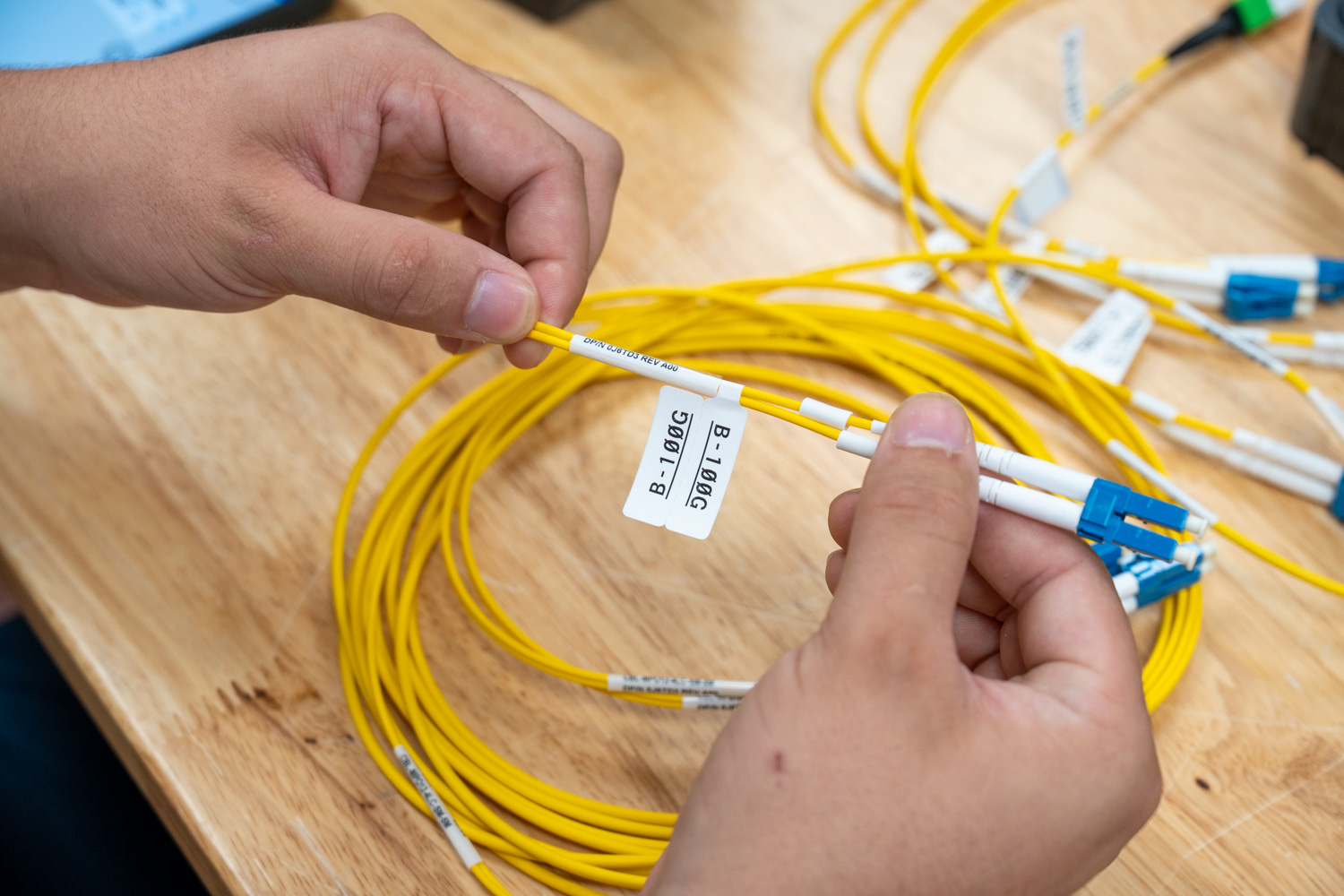
Example of a Brady P-Flag label applied to a cable.
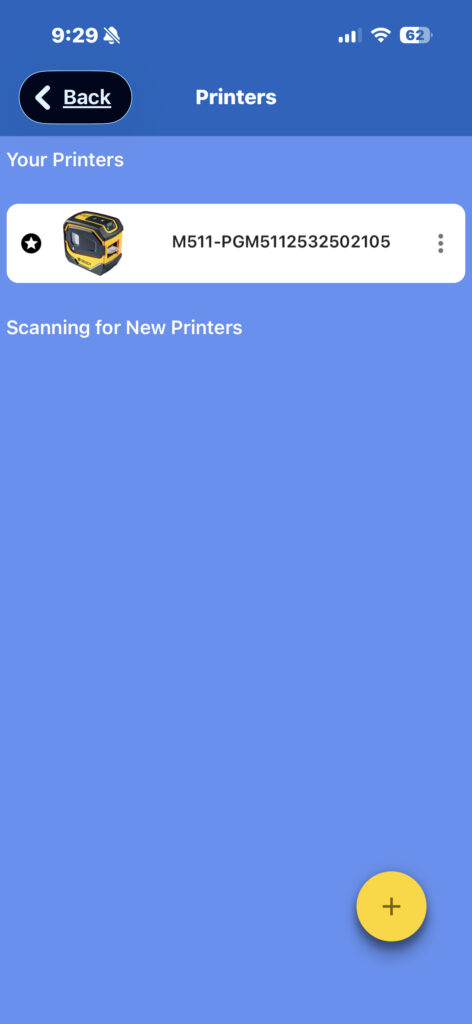
The first step was installing the Brady Express mobile app, available on both iOS and Android. On iOS, the pairing process was about as simple as it gets. Power on the M511. The Bluetooth indicator lights up blue and blinks, showing it is waiting to pair. Open the app, and the printer is immediately detected and ready to connect; then the light goes solid. No digging through settings, no manual pairing codes, no driver installs. From unboxing to first print took only a few minutes.
Once connected, the app automatically detects the installed label cartridge and adjusts accordingly. Before getting into labels, though, the app prompts you on first launch to select your trade. Brady offers four options: Electrical/Datacom, Lab, Maintenance/Mechanical, and Custom. This is a small but thoughtful touch. By selecting your trade upfront, the app reorganizes the dashboard to surface the label categories most relevant to your work and trims out the ones you are unlikely to need. For a lab or data center environment, selecting Electrical/Datacom keeps the clutter down and puts the right category types front and center.
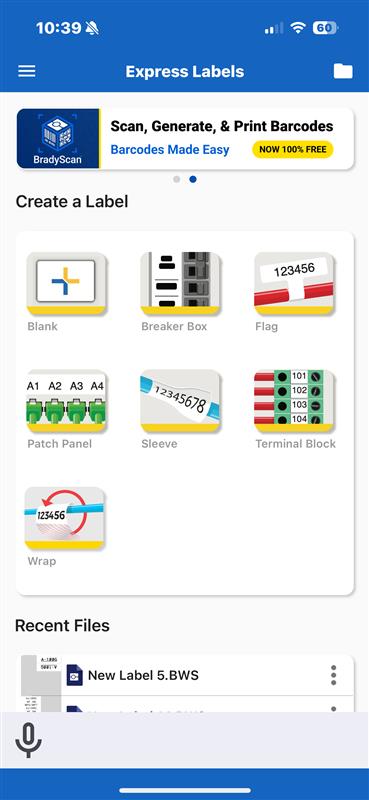
For Electrical/Datacom, which we focused on specifically, Brady breaks the dashboard into 7 label categories: blank, label layouts, breaker box, flags, patch panel, sleeves, terminal blocks, and cable wraps. Each category is tailored to the types of labeling jobs common to that trade, so rather than browsing through a generic list, you are working from a focused set of options that actually map to what you are doing in the field or in the rack.
How We Labeled the Cables
For this deployment, we focused on three label types: flags, wraps, and blank tape. Each breakout in the batch received two labels. The trunk got a self-laminating wrap label identifying it as a 4x100G cable, and each breakout strand got a durable flag label identifying it as A-100G, B-100G, C-100G, or D-100G. This gives anyone pulling cables in the rack immediate context on both the cable type and the specific strand without having to trace anything back to a patch panel or documentation.
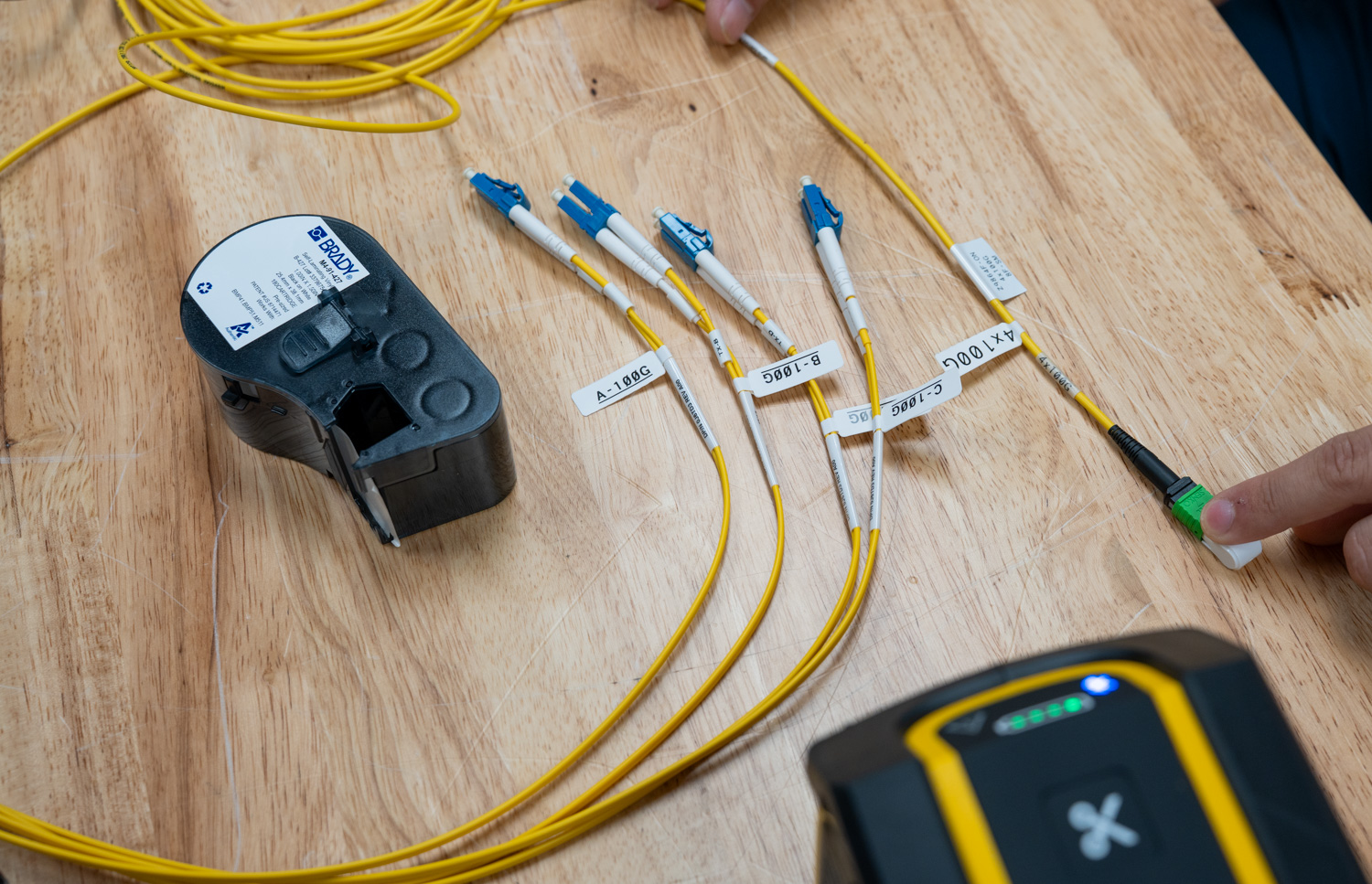
Example breakout cable with flags A-D, with speeds and cable wraps.
Selecting a label category in the app automatically prompts you to use the installed cartridge material, preventing you from accidentally designing something that does not match the loaded material. From there, you get a live view of the printable area and full control over the layout.
Designing in the App
The design toolset in Brady Express is more capable than the compact hardware would suggest. You can add and format text, insert images, place barcodes, add dates, draw shapes, build sequences for batch numbering, and import data from a spreadsheet or scan from an external scanner. For repetitive labeling jobs like cable runs, the sequence and import features alone save significant time compared to designing labels one at a time.
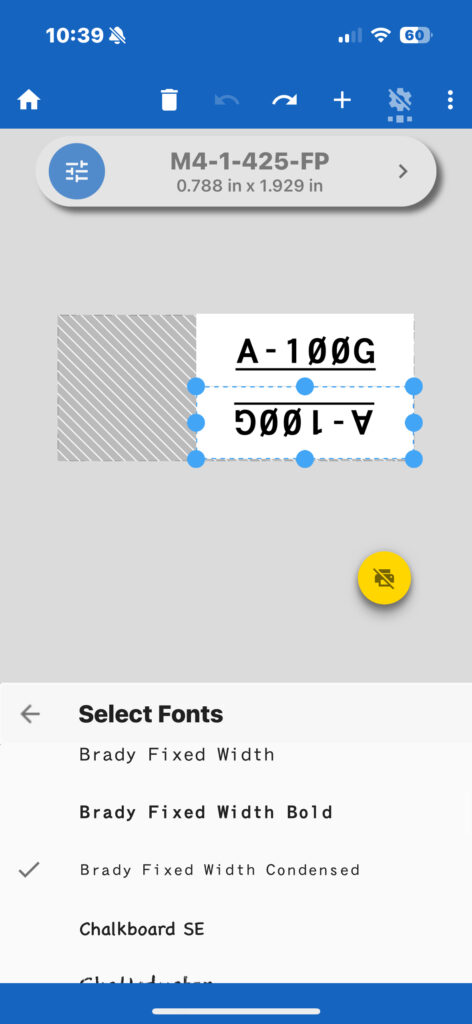
Brady preloads 20+ barcode types, 85+ fonts, and 1,400+ symbols directly in the app, and if the built-in library does not cover your needs, you can upload your own fonts as well. The app also supports 35 languages, making it a practical option for teams operating across different regions or facilities. None of it requires an internet connection or a separate design tool to put together a professional label.
When you back out of a label design, the app prompts you to save it as a template. In practice, this proved more useful than expected. Working through multiple cycles of cables, having a saved template meant we could pull up the same design each time without rebuilding it or remembering which font size and styling were used in the previous batch. It keeps the labeling uniform throughout the entire run and reduces the small decisions that slow you down mid-job.
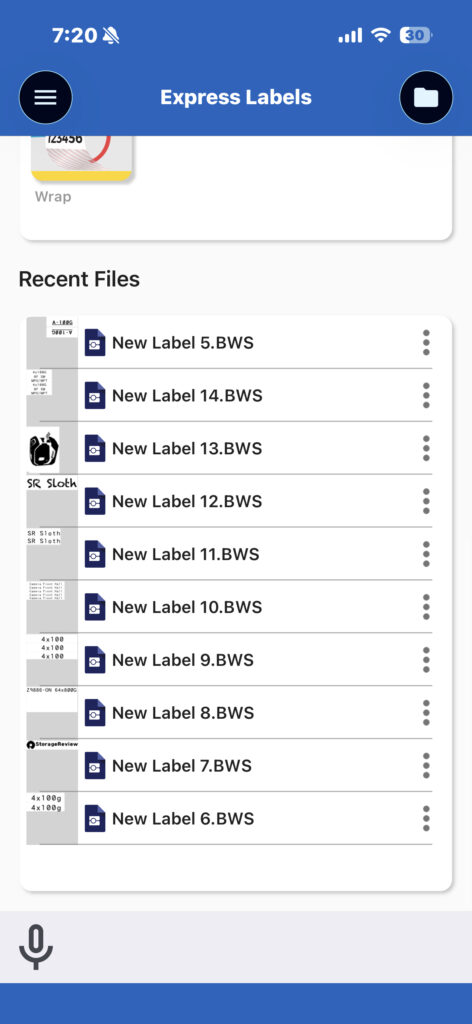
Brady Express also includes a feature called Brady Voice, which lets you speak to create labels instead of typing everything manually. For longer text strings or repetitive label content, this saves a noticeable amount of time. In a busy lab environment where your hands may already be occupied, it is a practical addition that offers more than novelty.
Compatibility and Multi-Device Printing
The Brady Express app works across a solid lineup of Brady printers, including the M211, M610, M611, M511, M710, S3700, i4311, i5300, and i7500. Connectivity varies by model. The M211, M610, and i7500 support one connected device at a time; the i4311 supports up to four; and the M511 sits in the top tier alongside the M611, M710, S3700, and i5300, supporting up to five simultaneous connected devices.
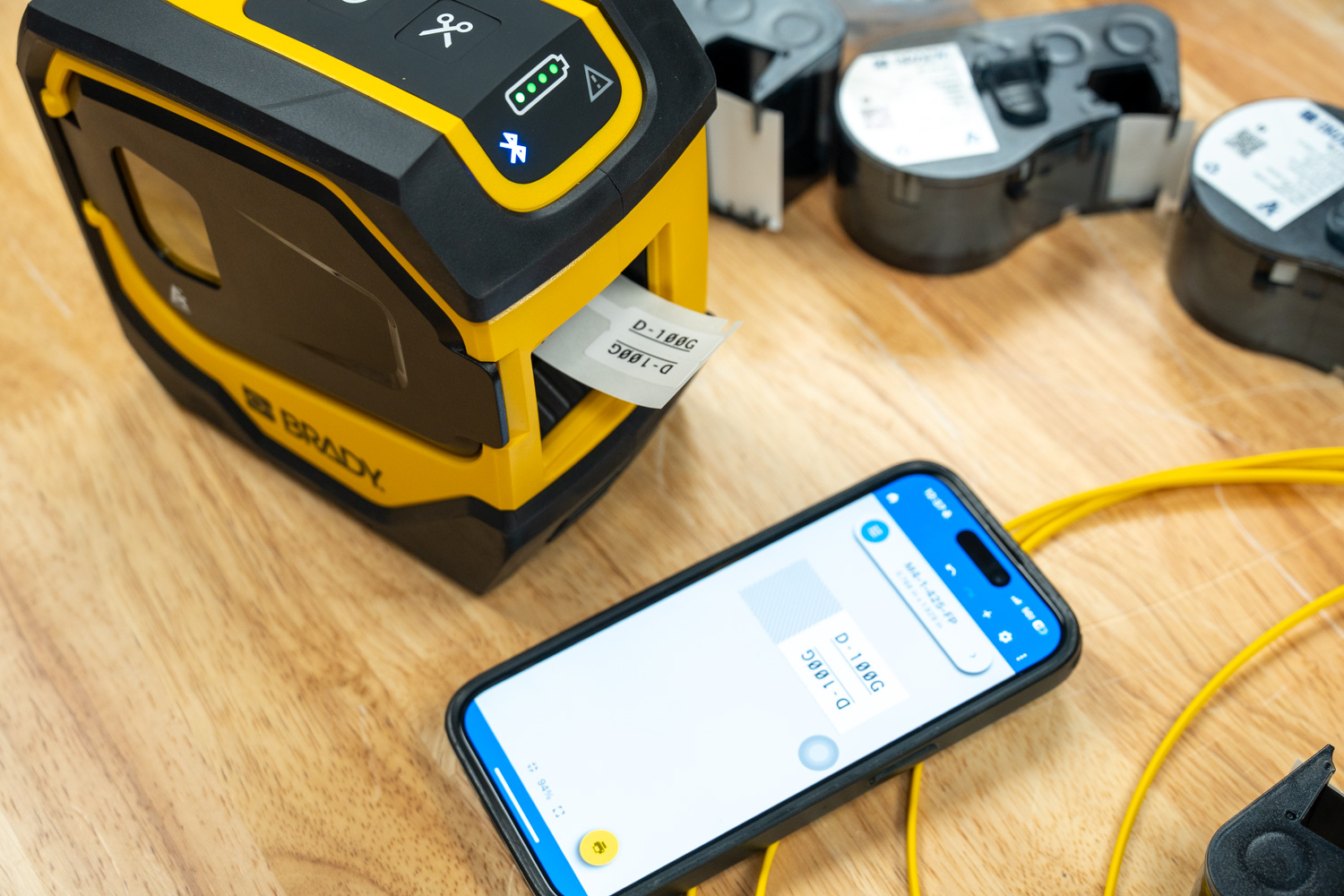
That last point matters in a lab or data center setting. With five devices connected at once, multiple technicians can have the app open and queued to the same printer without anyone having to disconnect and reconnect. For a team working through a large batch of cables, that kind of parallel workflow adds up quickly.
Conclusion
The Brady M511 is one of those tools that is hard to appreciate until you actually have it in your hands and a real job in front of you. On paper, it is a compact Bluetooth label printer. In practice, it is the thing that finally gave the StorageReview lab a labeling workflow that we will actually use in day-to-day operation.
Durability is not a concern. MIL-STD-810G ratings, a battery good for 1,000+ labels per charge, and a material lineup covering vinyl, polyester, self-laminating wraps, nylon cloth, heat shrink, and more mean the M511 travels well beyond a lab setting. Remote sites, field deployments, warehouse floors, it handles them all. The 65-foot Bluetooth range and simultaneous connectivity for up to 5 devices reinforce its value as a shared team tool rather than something that gets passed around from person to person.
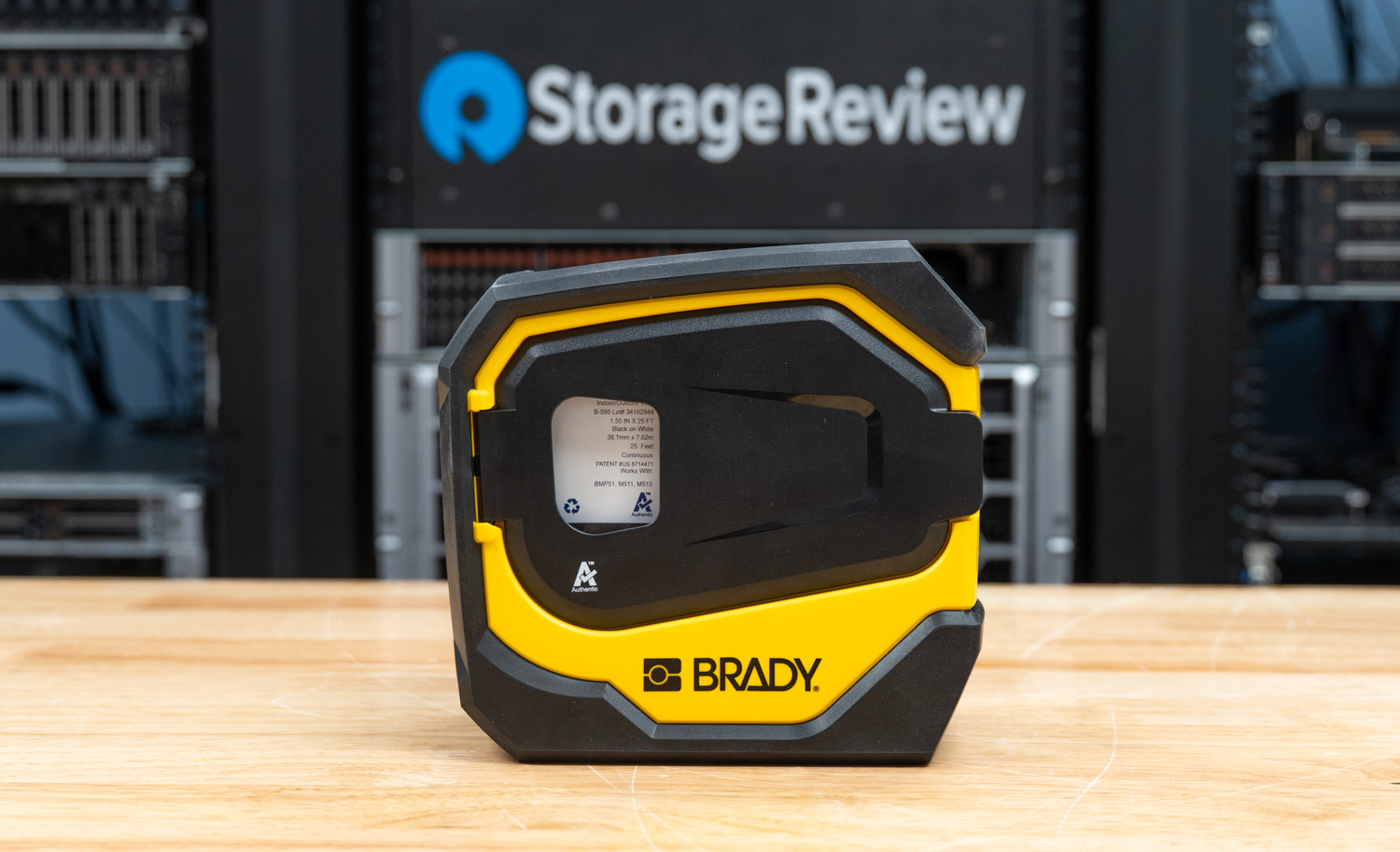
The experience from first pairing to finished labels is frictionless. The Brady Express app is well thought out; the trade-based setup keeps the interface focused, and features like template saving, Brady Voice, and sequence printing noticeably speed up your workflow. For larger or more complex labeling projects, Brady Workstation on the desktop extends that further with deeper design control, batch printing, and the full Product and Wire ID suite for teams that need to manage labeling at scale. For our 800G cable deployment, having a consistent, readable labeling system across every breakout strand is the kind of detail that pays off every time someone works in that rack. And with rack labeling, server identification, and asset tagging all on the roadmap as the lab projects continue, the M511 will stay busy.
On price, the standalone M511 at $399.99 is a straightforward buy for any facility serious about infrastructure organization. The M511-KIT at $551.99 is the most valuable entry point for most users, bundling a hard case, multiple label cartridges, a battery bank, mounting accessories, and Brady software. For a team starting from scratch, it covers everything needed in one purchase, and at that price point, the value is hard to argue with.
After 25 years of “just follow the cable and see where it ends up,” the StorageReview lab is finally labeled. It only took an 800GbE refresh and a little organizational shame to get us here.


 Amazon