

The Dell Pro Rugged 10 and 12 tablets are engineered for professionals in the most demanding environments, from construction sites to industrial floors, where standard hardware cannot withstand the rigors. Powered by the latest Intel Core Ultra “Lunar Lake” Series 2 processors, these tablets are among the first fully rugged slates to feature a built-in NPU for AI-enhanced edge tasks. While the 10-inch model is a very lightweight, fully rugged tablet in its class at just 2.29 pounds, the 12-inch model (2.89 lbs) provides more screen real estate and enhanced I/O, including Thunderbolt 4. Both systems maintain Dell’s reputation for extreme durability, meeting rigorous IP66 and MIL-STD-810H standards without sacrificing modern workstation performance.
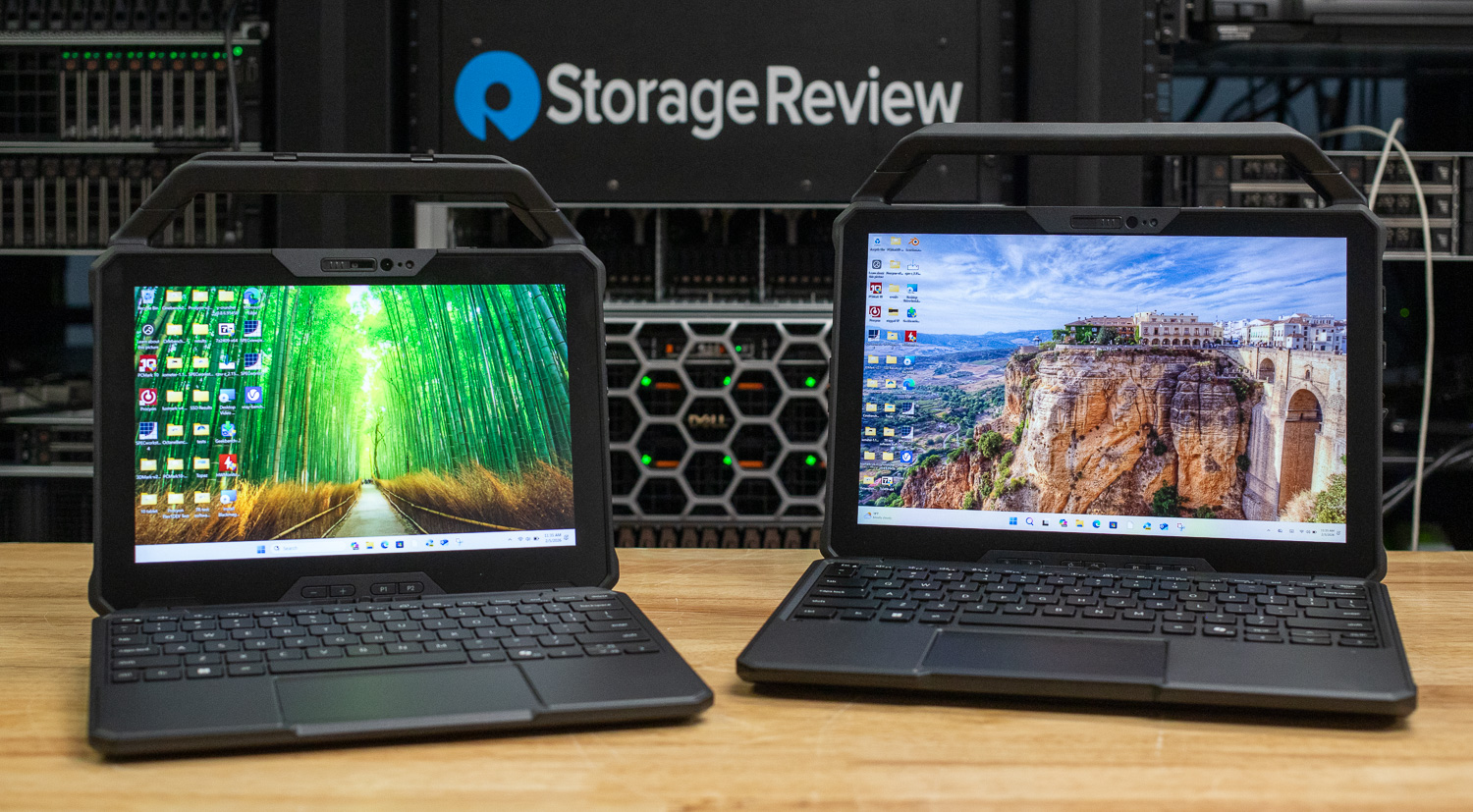
Both tablets are available directly from Dell. The Dell Pro Rugged 10 Tablet (RA00260) currently starts at $3,134.09, while the larger Dell Pro Rugged 12 Tablet (RA02260) starts at $3,561.19. Buyers can explore configuration options and current pricing on Dell’s product pages for the Pro Rugged 10 and Pro Rugged 12. It is also worth noting that most business customers purchase these systems in volume and receive significant discounts through enterprise agreements. Pricing shown on Dell.com reflects single-unit purchases, and only a very small percentage of these systems are actually acquired through the retail storefront.
| Dell Pro Rugged 10 (RA00260) | Dell Pro Rugged 12 (RA02260) | |
|---|---|---|
| Core Specifications | ||
| Processor | Intel Core Ultra 5 236V / Ultra 7 268V | Intel Core Ultra 5 236V / Ultra 7 268V |
| Display | 10.1″ (1920×1200), 1000 nits, 100% sRGB | 12.0″ (1920×1200), 1200 nits, 100% sRGB |
| Memory | 16GB / 32GB LPDDR5x (Onboard) | 16GB / 32GB LPDDR5x (Onboard) |
| Storage | M.2 PCIe NVMe (Removable Option) | M.2 PCIe NVMe (Removable Option) |
| Graphics | Intel Arc 140V GPU | Intel Arc 140V GPU |
| Connectivity & Durability | ||
| Connectivity | Wi-Fi 7, BT 5.4, Optional 5G (Snapdragon X72) | Wi-Fi 7, BT 5.4, Optional 5G (Snapdragon X72) |
| Durability | IP66, MIL-STD-810H, 4′ Drop | IP66, MIL-STD-810H, 4′ Drop |
| Power & Portability | ||
| Battery | Dual 18Wh Hot-Swappable (36Wh total) | Dual 35.6Wh Hot-Swappable (71.2Wh total) |
| Weight | Starting at 2.29 lbs (1.04 kg) | Starting at 2.89 lbs (1.31 kg) |
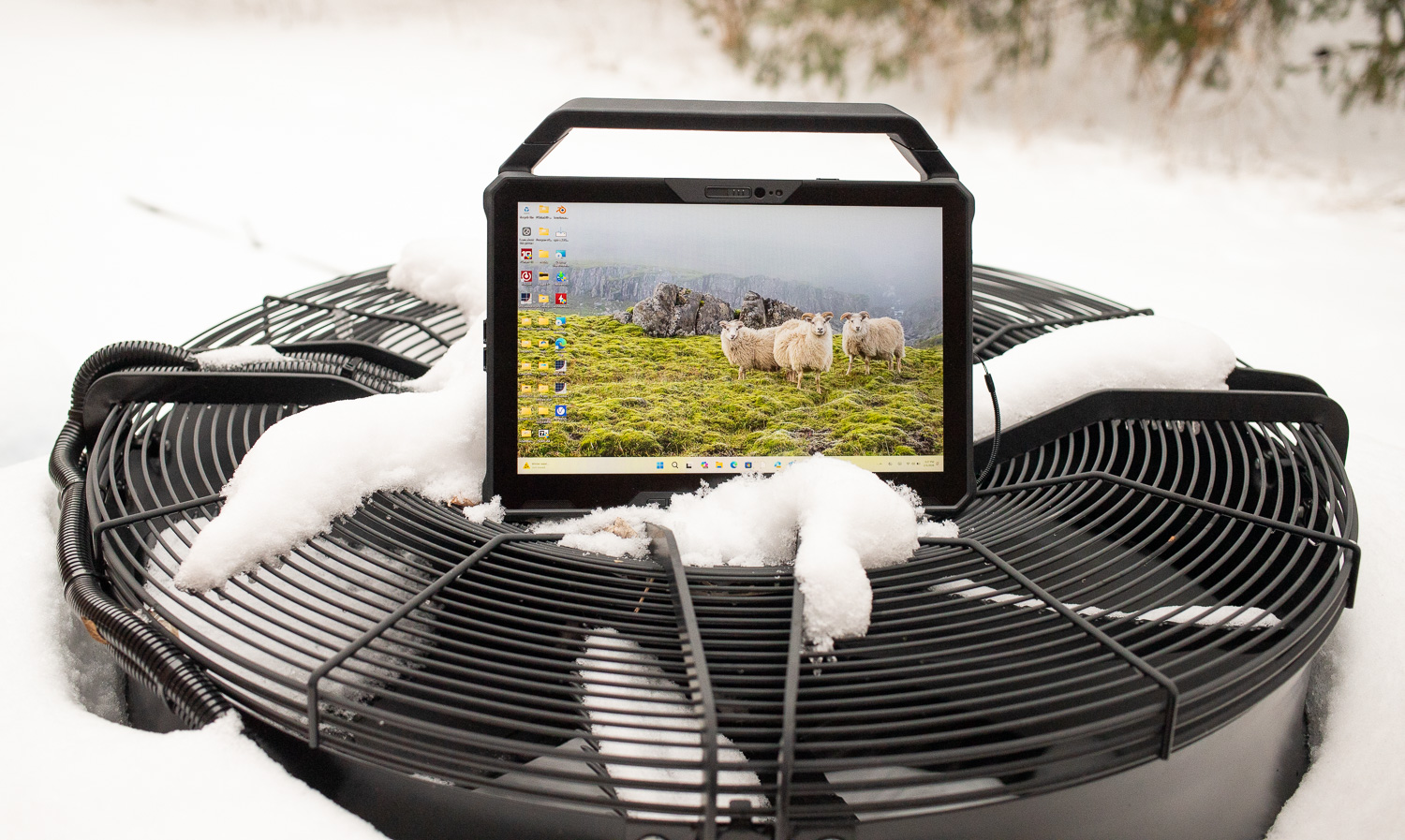
The Pro Rugged series is designed for durability. Both tablets are IP66-rated, meaning they are completely dust-tight and can withstand powerful, high-pressure water jets, which is essential for rinsing off mud or sand at a job site. They are built to MIL-STD-810H standards and have undergone a battery of tests, including shocks, vibrations, and repeated 4-foot drops onto plywood over concrete. Thermal resilience is equally impressive, with an operating range of -20°F to 145°F (-29°C to 63°C), enabling deployment in both arctic and desert conditions.
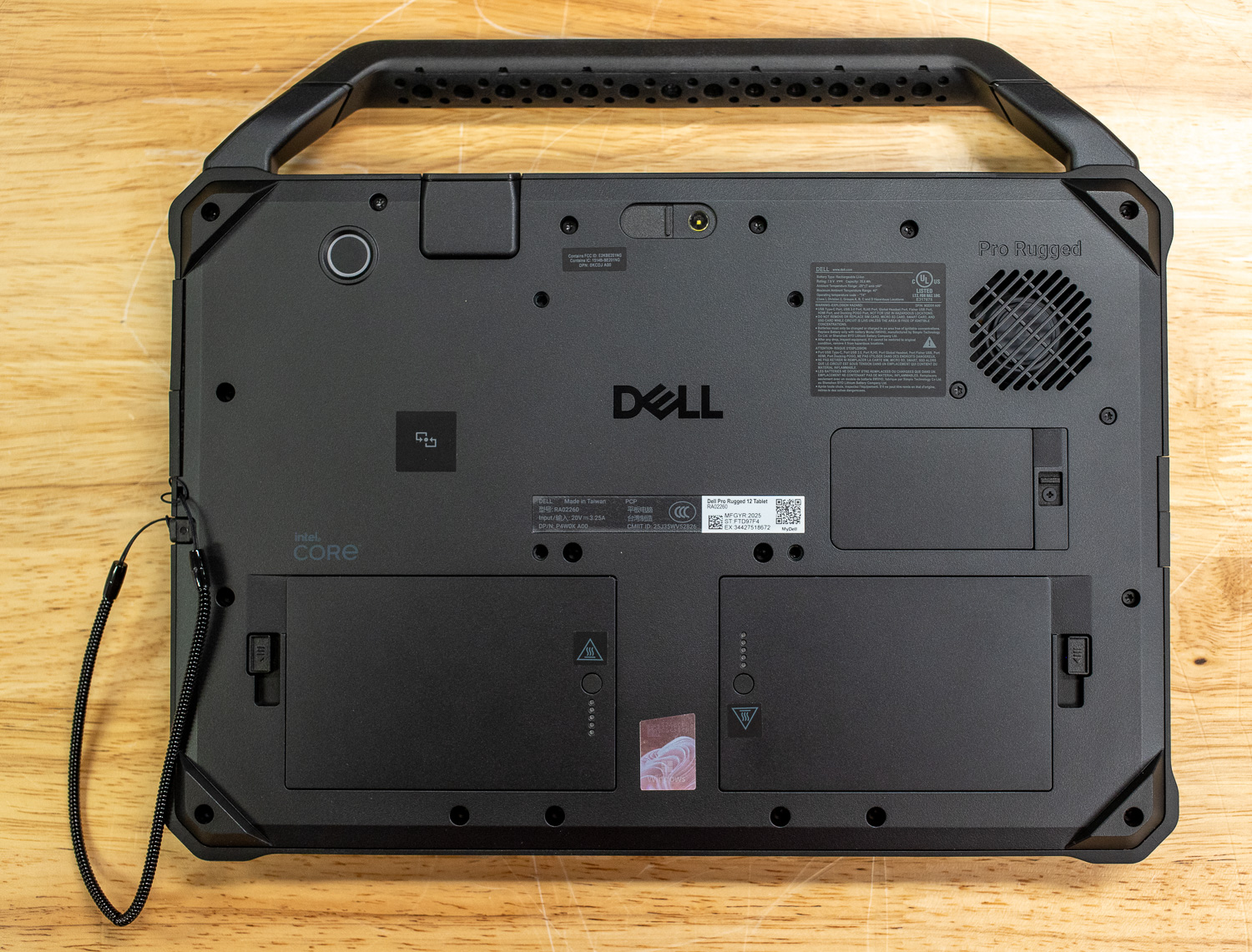
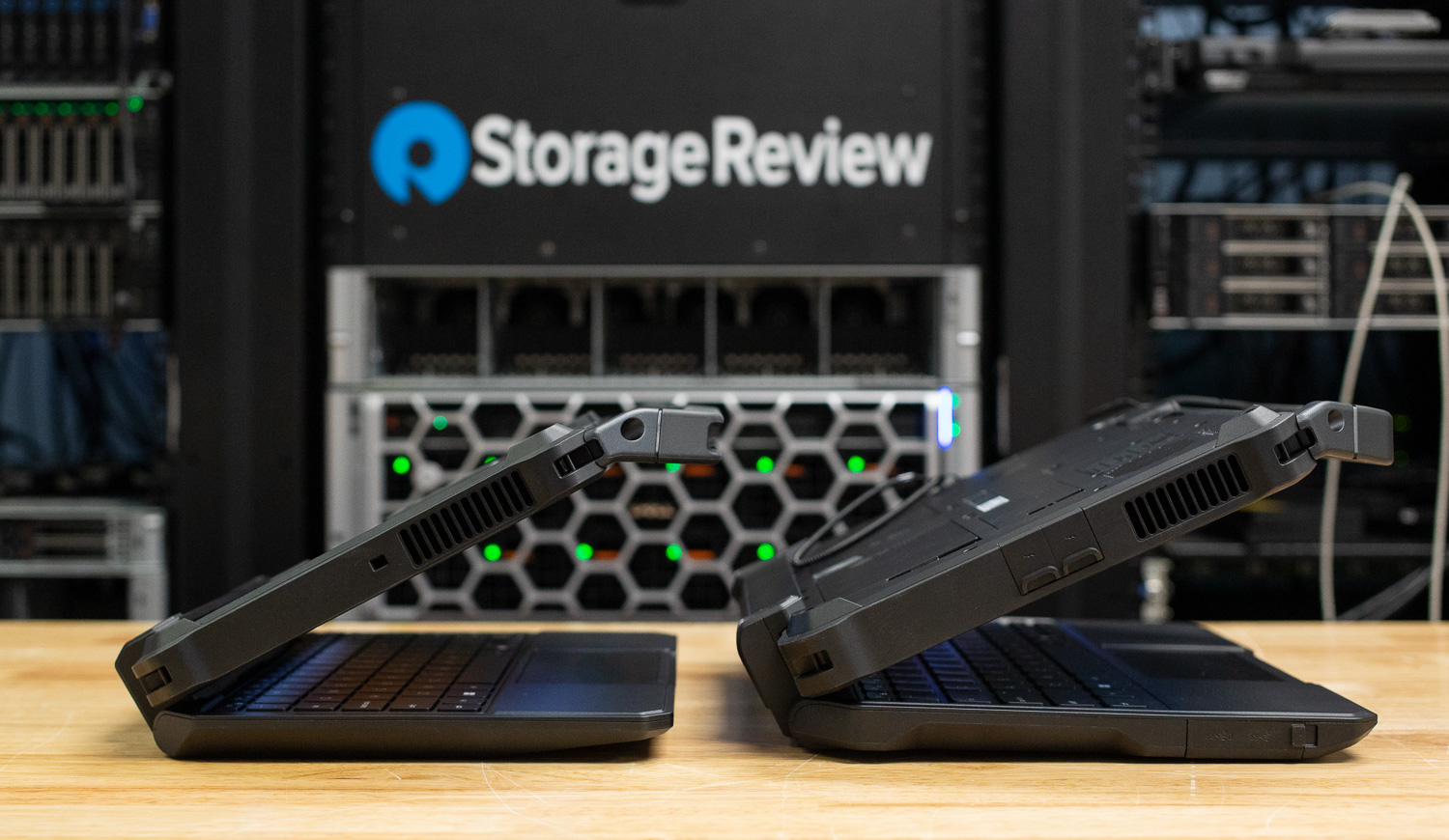
The chassis architecture features reinforced corners with integrated tether hooks, providing secure mounting points for essential field accessories, including active styluses, hand straps, and barcode scanners. To preserve the integrity of the internal components, all I/O ports are shielded by covers that require a tactile, secure “click” to engage the gaskets and maintain the IP66 environmental seal. Predictably, these certifications make the entire system feel durable. In fact, these systems would appear unscathed if I haphazardly tossed either machine at a brick wall.
Security and Upgradability
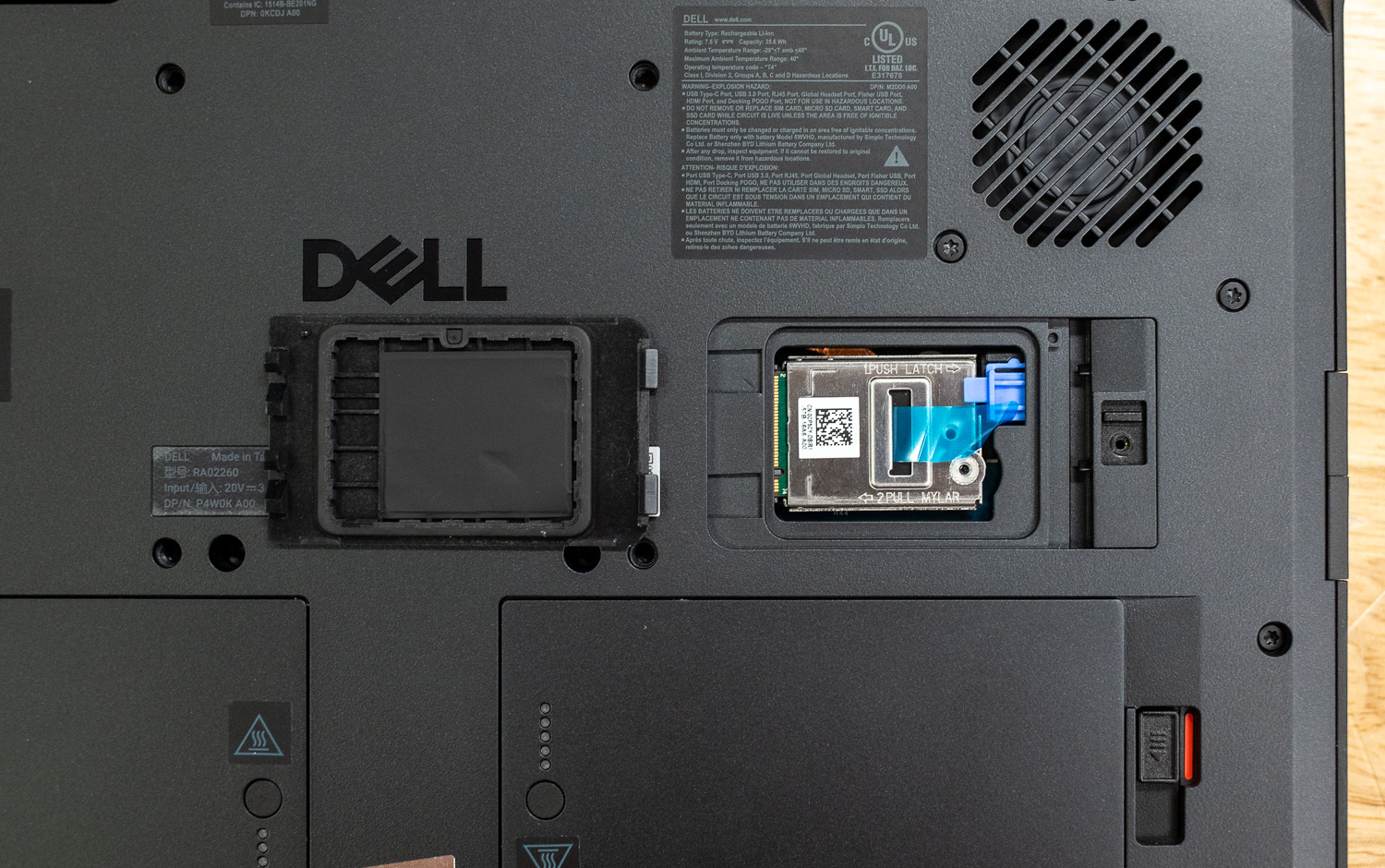
For highly sensitive environments, Dell offers an optional removable SSD, allowing users to physically extract their data before storing the tablet. Security is further bolstered by a discrete TPM 2.0 (FIPS 140-2/3 certified), a wedge-shaped lock slot, and a Windows Hello-capable IR camera. Optional biometric and authentication features include a capacitive fingerprint reader, a contact smart card reader (ControlVault 3+), and a contactless NFC smart card reader.
One notable trade-off for the compact, rugged design is that the LPDDR5x RAM is soldered and cannot be upgraded after purchase. However, the M.2 PCIe NVMe storage is accessible, with capacities up to 2TB.
I/O and Expansion
The connectivity options vary slightly depending on which size you choose. The Pro Rugged 12 is equipped with two Thunderbolt 4 ports (40Gbps) and a USB 3.2 Gen 1 port with PowerShare. The Pro Rugged 10 uses two USB4 (or USB 3.2 Gen 2) ports alongside its own PowerShare-enabled USB 3.2 Gen 1 port.
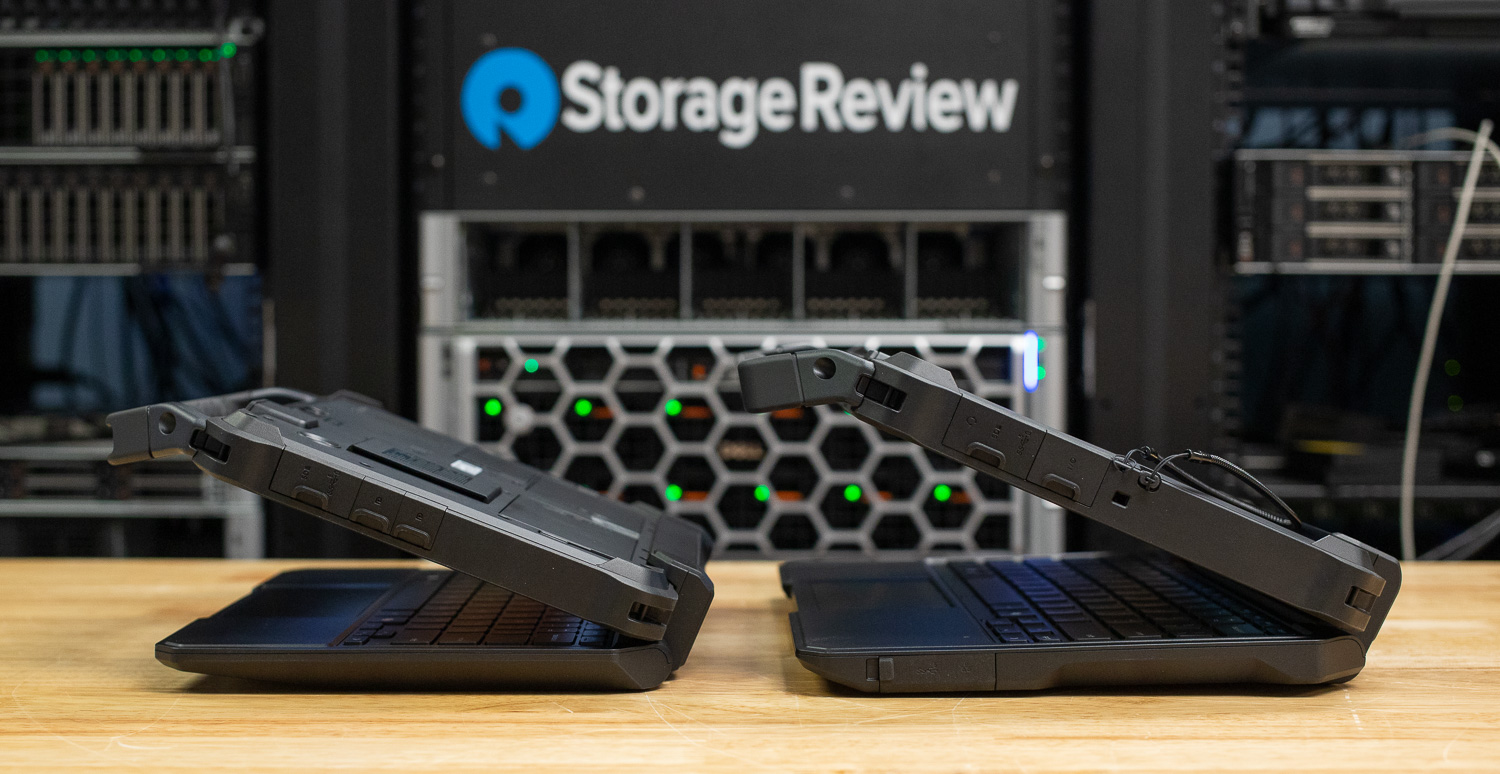
The modularity of these tablets is what really sets them apart for fieldwork. They include a microSD slot and a Top Expansion Bay that can be configured with a 1Gb RJ45 Ethernet port, a rugged Fischer USB port, or a 1D/2D barcode scanner. The 12-inch model adds greater flexibility with a Side I/O bay that supports an optional HDMI 2.1 port. For those working away from a steady signal, both models support SIM cards for mobile broadband connectivity.
Integrated Sensors
Under the hood, the tablets are equipped with a full suite of sensors to handle orientation and environment tracking. This includes an ambient light sensor for automatic brightness adjustments and a proximity sensor for safety. For navigation and positional sensing, they use the built-in eCompass, magnetometer, gyroscope, and accelerometer. There is also a hall-effect sensor to detect the chassis state, such as when a magnetic cover is attached.
Display and Audio
The displays are optimized for high-glare outdoor environments and, under direct glare from a flashlight, office lights, and winter sunlight, appear to hold up very well. The 10-inch model hits a bright 1000 nits, while the 12-inch version goes even further to 1200 nits. Both feature 16:10 FHD+ displays protected by Corning Gorilla Glass 5. They are thoughtfully designed to keep working even if wearing heavy work gloves or viewing a rain-soaked screen, supporting multi-touch input. For capturing work on the go, there is an 11 MP rear camera and an 8 MP front camera. The front also houses a VGA IR camera, enabling more personal and secure sign-ins with Windows Hello.
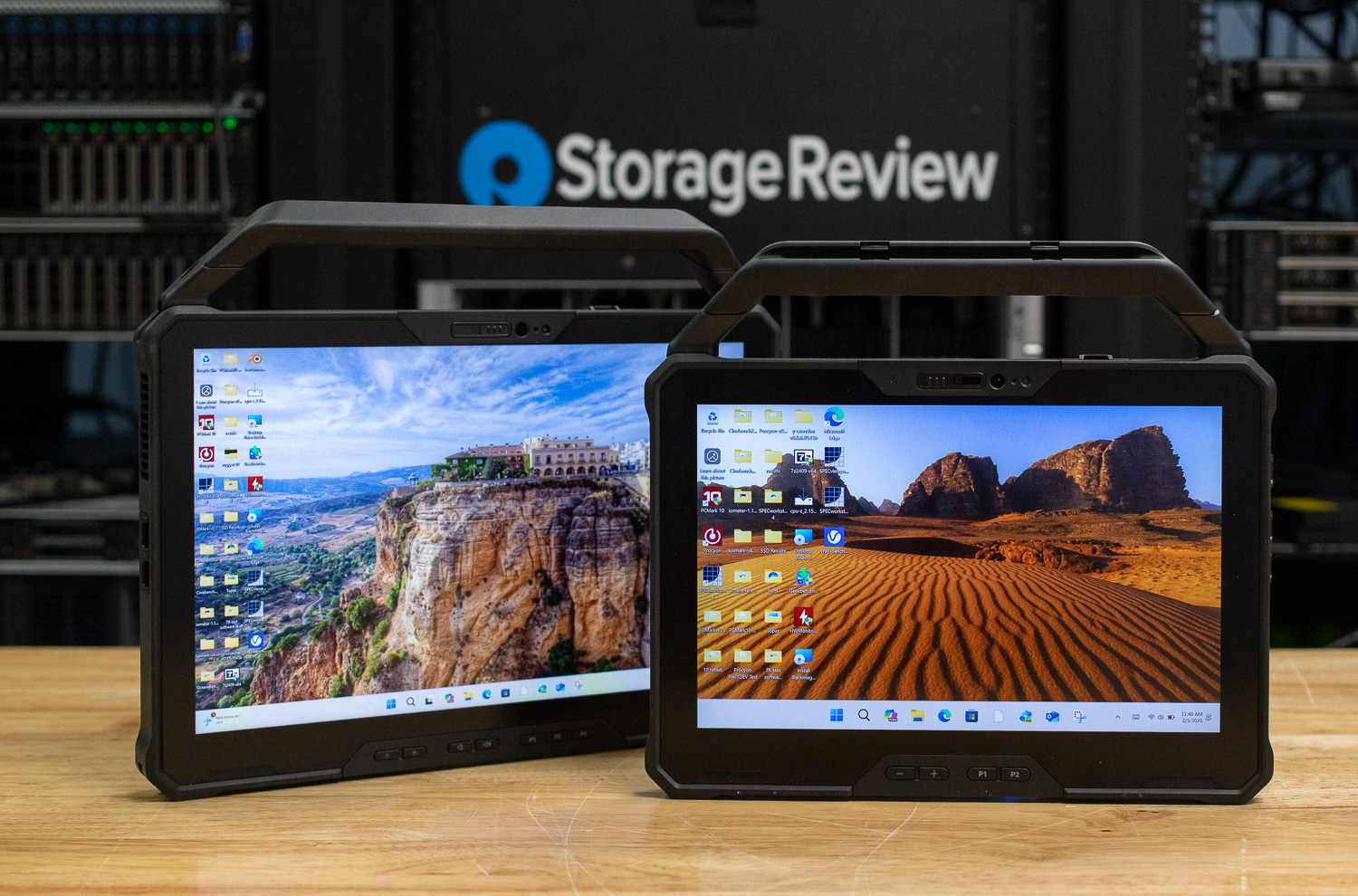
Audio performance is surprisingly robust for a tablet, featuring stereo speakers powered by a Realtek ALC3204 controller and delivering a total output of 5W (2.5W x 2). This ensures that alerts or video calls are audible above industrial background noise, provided the speakers are sufficiently sensitive.
Keyboard and Accessories
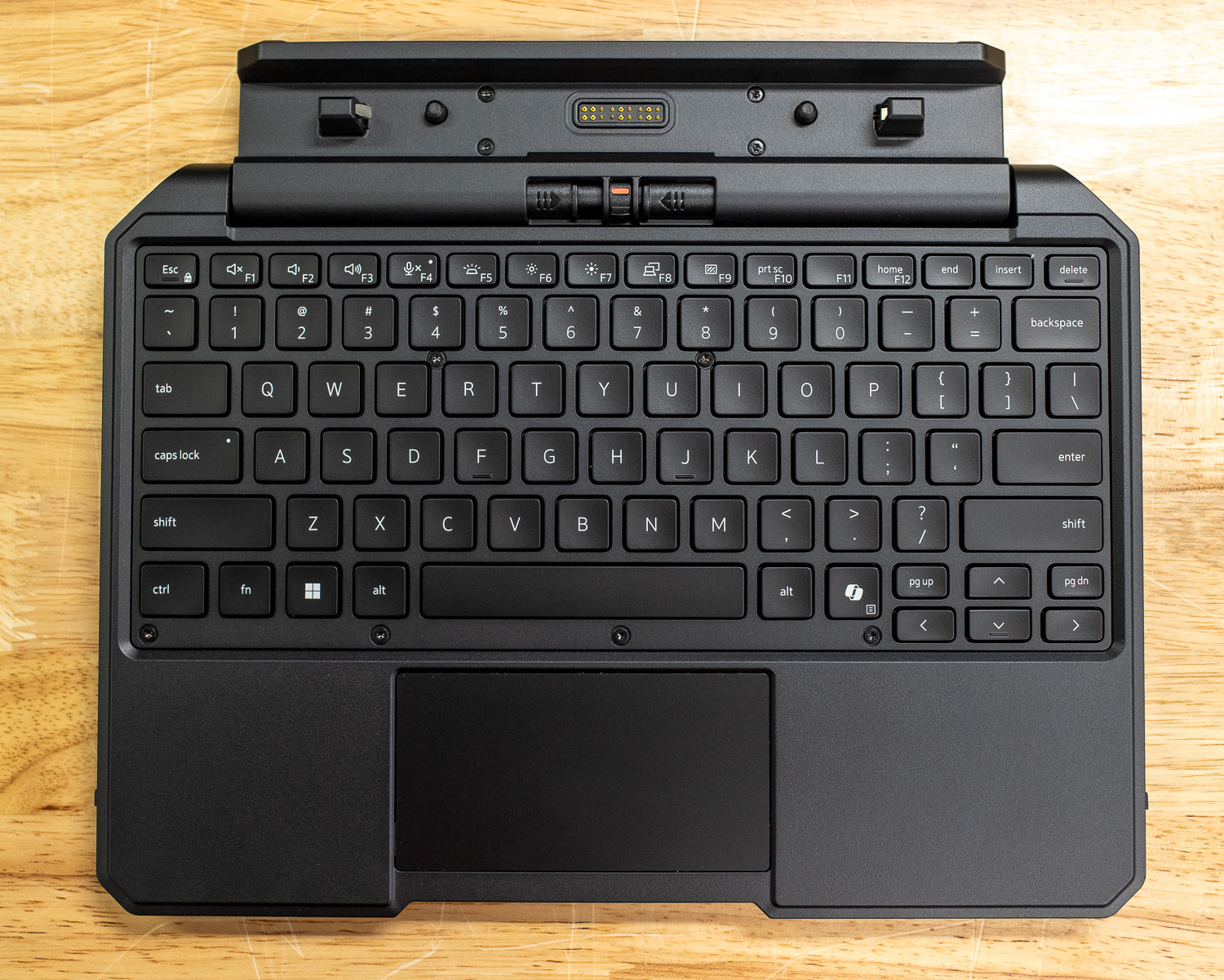
The 10-inch model features a keyboard that closely mirrors the layout and aesthetic of Dell’s premium XPS and Latitude Pro Max lines. While the typing experience is predictably more compact and perhaps slightly “mushier” than its full-sized counterparts, it is paired with a surprisingly rigid and precise trackpad.
In contrast, the 12-inch model’s input deck is underwhelming. The keyboard lacks the tactile consistency of the 10-inch version and feels more like a lower-tier consumer chassis. More concerning is the trackpad; it lacks a solid feeling, exhibiting a “hollow” feel. Some rugged designs are engineered to allow flex and movement to absorb drops without causing damage. We dropped this platform down our hallway, denting our wall without scratching the notebook. Both models remain highly functional in the field, supporting robust vehicle docking solutions with optional RF pass-through for enhanced external antenna connectivity.
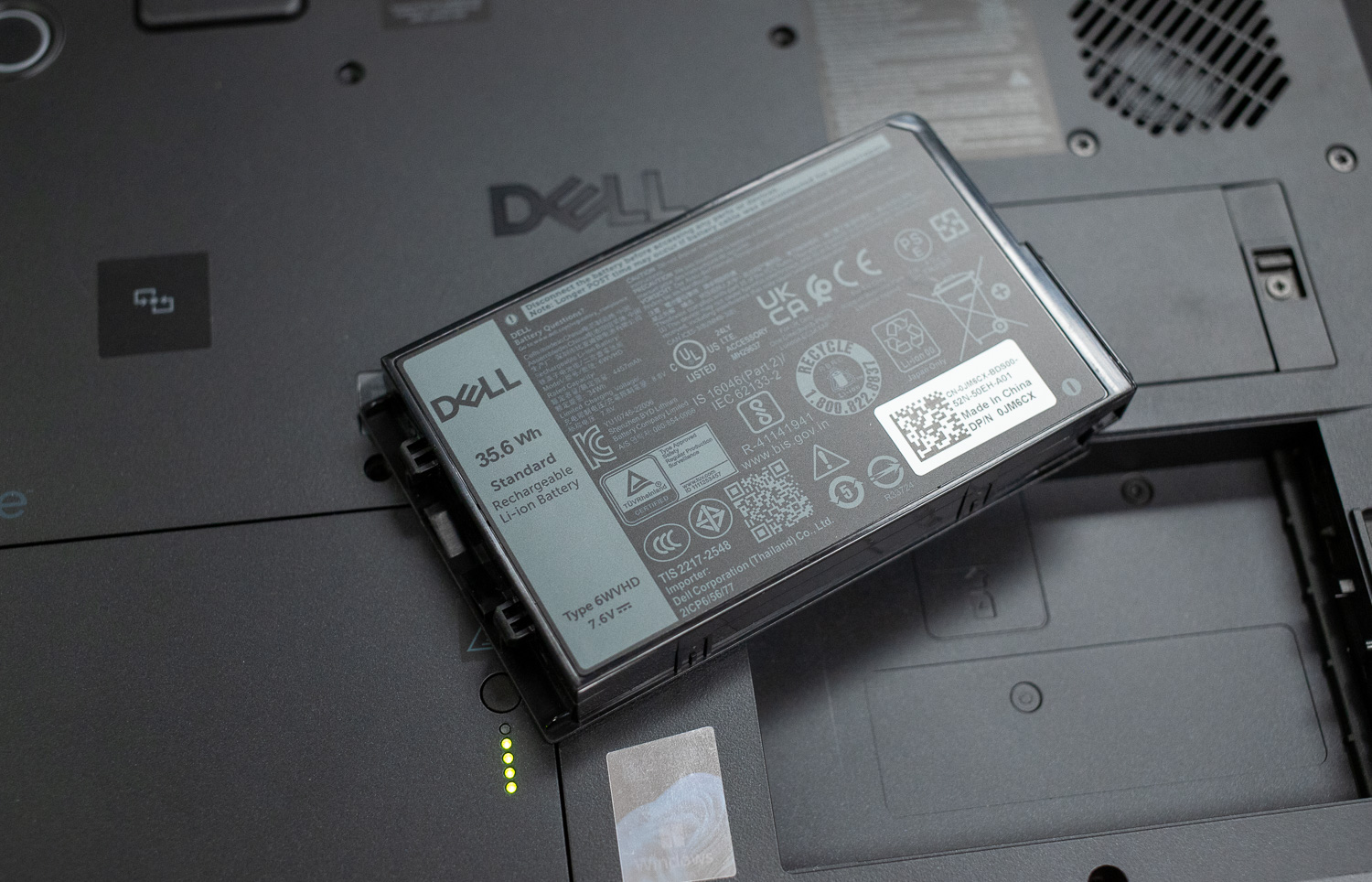
The power system is designed for 24/7 uptime. Both tablets use dual hot-swappable batteries, allowing users to replace one battery without powering down the device. The 12-inch model’s 71.2Wh total capacity is particularly impressive, offering a hypothetical near-doubling of the 10-inch’s 36Wh setup.
Performance
Our Dell Pro 10 and 12 Rugged Tablet review units both have the following specifications:
- CPU: Intel Core Ultra 7 268V (8 cores @ 5GHz)
- GPU: ARC 130V graphics
- RAM: 32GB LPDDR5x (8533MHz)
- DISPLAY: TOUCH, FHD+, 1000/1200 nits
We compared these two tablets directly to assess their performance.
Procyon AI Computer Vision
The Procyon AI Computer Vision Benchmark measures AI inference performance across CPUs, GPUs, and dedicated accelerators using a range of state-of-the-art neural networks. It evaluates tasks such as image classification, object detection, segmentation, and super-resolution using models that include MobileNet V3, Inception V4, YOLO V3, DeepLab V3, Real ESRGAN, and ResNet 50. Tests are run on multiple inference engines, including NVIDIA TensorRT, Intel OpenVINO, Qualcomm SNPE, Microsoft Windows ML, and Apple Core ML, providing a broad view of hardware and software efficiency. Results are reported for float- and integer-optimized models, providing a consistent, practical measure of machine vision performance for professional workloads.
CPU-based inference performance between the Dell Pro 10 and Pro 12 is very close, with the Pro 10 holding a slight overall advantage across most models, with an overall gain of about 2.2%. Integrated GPU results are identical, indicating both systems share the same graphics configuration and are equally constrained at that level. NPU acceleration delivers a substantial performance uplift for both devices, outperforming CPU and GPU paths by a wide margin, with the 12 having about a 2.5% performance increase. Minor per-model differences appear, but overall results confirm the NPU as the optimal execution path for computer vision workloads.
| CPU Results | Dell Pro 10 Rugged Tablet (Intel Core Ultra 7 268V) (average time in ms) | Dell Pro 12 Rugged Tablet (Intel Core Ultra 7 268V) (average time in ms) |
|---|---|---|
| CPU Results | ||
| AI Computer Vision Overall Score | 92 | 90 |
| MobileNet V3 | 1.49 ms | 1.52 ms |
| ResNet 50 | 14.72 ms | 15.16 ms |
| Inception V4 | 44.58 ms | 45.72 ms |
| DeepLab V3 | 50.91 ms | 51.68 ms |
| YOLO V3 | 110.14 ms | 114,98 ms |
| REAL-ESRGAN | 4,473.21 ms | 4,615.89 ms |
| CPU Integrated Graphics Results | ||
| AI Computer Vision Overall Score | 273 | 273 |
| MobileNet V3 | 0.95 ms | 0.95 ms |
| ResNet 50 | 4.16 ms | 4.16 ms |
| Inception V4 | 13.00 ms | 13.00 ms |
| DeepLab V3 | 25.27 ms | 25.27 ms |
| YOLO V3 | 32.34 ms | 32.34 ms |
| REAL-ESRGAN | 886.67 ms | 886.67 ms |
| NPU Results | ||
| AI Computer Vision Overall Score | 1,089 | 1,117 |
| MobileNet V3 | 0.36 ms | 0.34 ms |
| ResNet 50 | 1.37 ms | 1.22 ms |
| Inception V4 | 3.09 ms | 2.96 ms |
| DeepLab V3 | 5.74 ms | 5.95 ms |
| YOLO V3 | 6.49 ms | 6.60 ms |
| REAL-ESRGAN | 166.44 ms | 167.61 ms |
Blender 4.5
Blender is an open-source 3D modeling application. This benchmark was run using the Blender Benchmark utility. The score is measured in samples per minute, with higher values indicating better performance.
In CPU rendering workloads, the Dell Pro 10 consistently completes scenes slightly faster than the Pro 12, particularly on more demanding tests such as Junkshop and Classroom. These results suggest marginally stronger sustained CPU performance on the Pro 10. GPU rendering performance is nearly identical between the two systems, with only minimal scene-to-scene variation. Overall differences are small and unlikely to impact real-world light 3D workloads.
| Blender CPU (samples per minute; higher is better) | Dell Pro 10 Rugged Tablet (Intel Core Ultra 7 268V) | Dell Pro 12 Rugged Tablet (Intel Core Ultra 7 268V) |
|---|---|---|
| Monster | 67.93 | 67.37 |
| Junkshop | 41.57 | 39.86 |
| Classroom | 30.76 | 27.40 |
| Blender GPU (samples per minute; higher is better) | Dell Pro 10 Rugged Tablet (Intel Core Ultra 7 268V) | Dell Pro 12 Rugged Tablet (Intel Core Ultra 7 268V) |
|---|---|---|
| Monster | 342.69 | 338.07 |
| Junkshop | 194.06 | 185.69 |
| Classroom | 178.42 | 178.71 |
PCMark 10
PCMark 10 is an industry-standard benchmark that measures overall system performance in modern office environments. It features updated workloads for Windows 10 and evaluates everyday tasks, including productivity, web browsing, video conferencing, and content creation. The benchmark is easy to run, delivers multi-level scoring (from high-level overall to detailed workload scores), and includes dedicated battery life and storage tests. While UL Solutions now recommends Procyon for newer, application-based testing, PCMark 10 remains a reliable and widely-used tool for assessing general PC performance.
The Dell Pro 10 achieves a 400-point higher overall PCMark 10 score, indicating better performance in common productivity tasks such as document editing, web browsing, and video conferencing. The performance gap is modest but consistent across subtests. This suggests the Pro 10 maintains slightly stronger responsiveness under mixed workloads. For everyday office use, the Pro 10 holds a slight, but measurable advantage.
| PCMark10 (higher is better) | Dell Pro 10 Rugged Tablet (Intel Core Ultra 7 268V) | Dell Pro 12 Rugged Tablet (Intel Core Ultra 7 268V) |
|---|---|---|
| Overall Score | 7,249 | 6,849 |
y-cruncher
y-cruncher is a multithreaded and scalable program that can compute Pi and other mathematical constants to trillions of digits. Since its launch in 2009, it has become a popular benchmarking and stress-testing application for overclockers and hardware enthusiasts.
In both the 1-billion and 2.5-billion digit calculations, the Dell Pro 10 completes workloads faster than the Pro 12. The performance gap increases from roughly 1.2s to 8.5s as the workload scales, highlighting stronger sustained multithreaded CPU performance. Memory and integer computation efficiency appear marginally better on the Pro 10. These results favor the Pro 10 for heavy compute-intensive tasks.
| Y-Cruncher (lower duration is better) | Dell Pro 10 Rugged Tablet (Intel Core Ultra 7 268V) | Dell Pro 12 Rugged Tablet (Intel Core Ultra 7 268V) |
|---|---|---|
| 1 Billion | 48.219 | 49.426 |
| 2.5 Billion | 169.119 | 177.589 |
7-Zip Compression
The 7-Zip Compression Benchmark evaluates CPU performance during compression and decompression, measuring GIPS (Giga Instructions Per Second) and CPU usage. Higher GIPS and efficient CPU usage indicate superior performance.
During compression testing, the Dell Pro 10 achieves higher throughput by about 1.2 GIBPS while maintaining similar CPU utilization, indicating better efficiency. Decompression results are closer, with the Pro 12 slightly ahead in raw output but requiring higher CPU usage. Overall performance differences are slight but consistent. Compression workloads slightly favor the Pro 10, while decompression (0.7 GIBPS difference) remains effectively comparable.
| 7-Zip Compression Benchmark (higher is better) | Dell Pro 10 Rugged Tablet (Intel Core Ultra 7 268V) | Dell Pro 12 Rugged Tablet (Intel Core Ultra 7 268V) |
|---|---|---|
| Compression | ||
| Current CPU Usage | 696% | 694% |
| Current Rating/Usage | 6.949 GIPS | 6.793 GIPS |
| Current Rating | 48.392 GIPS | 47.159 GIPS |
| Resulting CPU Usage | 701% | 693% |
| Resulting Rating/Usage | 7.010 GIPS | 6.907 GIPS |
| Resulting Rating | 49.108 GIPS | 47.896 GIPS |
| Decompression | ||
| Current CPU Usage | 728% | 768% |
| Current Rating/Usage | 6.801 GIPS | 6.561 GIPS |
| Current Rating | 49.526 GIPS | 50.392 GIPS |
| Resulting CPU Usage | 749% | 752% |
| Resulting Rating/Usage | 6.832 GIPS | 6.706 GIPS |
| Resulting Rating | 51.181 GIPS | 50.446 GIPS |
| Total Rating | ||
| Total CPU Usage | 725% | 723% |
| Total Rating/Usage | 6.921 GIPS | 6.806 GIPS |
| Total Rating | 50.145 GIPS | 49.171 GIPS |
PCMark Battery
To measure battery life in mobile systems, we use PCMark 10. It includes a Modern Office benchmark that provides a realistic assessment of battery life for typical workday tasks. It simulates everyday office activities, such as writing documents, browsing the web, and participating in video conferences, with built-in periods of inactivity to mirror how people use their laptops. This isn’t just about peak performance; it focuses on sustained usage under a moderate workload. It helps you understand how long a laptop is expected to operate during a workday.
The test operates in 10-minute cycles, balancing active tasks with periods of inactivity. Specifically, the Writing and Web Browsing workloads involve roughly 4.5 minutes of activity followed by 5.5 minutes of inactivity, while Video Conferencing is lighter, at 2 minutes of busy time and 8 minutes of idle time. This approach provides a more accurate representation of real-world battery drain than continuously running demanding tasks, giving you a better idea of how long your battery will last for everyday productivity.
The Pro 12 is the clear winner for battery life, with 13h 14min, nearly 4h 43min longer than the Pro 10. This indicates that users who need longer battery life without needing to swap batteries may want to spring for the larger model despite its slight performance drawbacks.
| PCMark Battery (longer duration is better) | Dell Pro 10 Rugged Tablet (Intel Core Ultra 7 268V) | Dell Pro 12 Rugged Tablet (Intel Core Ultra 7 268V) |
|---|---|---|
| Score | 8h 31 min | 13h 14 min |
Conclusion
The Dell Pro Rugged 10 and 12 represent a significant advancement in the rugged market, demonstrating that environmental resilience no longer requires substantial compromises in processing power. By integrating Intel’s “Lunar Lake” architecture, Dell has delivered workstation-class performance and dedicated NPU capabilities at the edge.
Our testing revealed an interesting performance dynamic: the Pro Rugged 10 consistently outperformed its larger sibling in sustained CPU workloads and productivity benchmarks, likely due to more efficient thermal management within its compact frame. However, the Pro Rugged 12 remains the heavy hitter for I/O-intensive tasks, offering the superior bandwidth of Thunderbolt 4 and a significantly larger 71.2Wh battery capacity for extended time away from a charger.
While the soldered RAM remains a notable limitation for future-proofing, the overall package is remarkably complete. With dual hot-swappable batteries, highly customizable expansion bays, and a build quality that feels like you could haphazardly throw them at a brick wall, these tablets are built for the realities of the field.
Leaderboard: The Dell Pro Rugged 10 & 12 ranks #15 on our Laptop Battery Life Leaderboard.


 Amazon