

Seagate’s FireCuda X Vault is the gaming-flavored half of a two-drive launch that brings bus-powered USB-C to 3.5-inch external hard drives for the first time. Available in 8TB and 20TB capacities starting at $269.99, it runs on a single USB-C cable for both data and power, provided the host port can supply at least 15W. That’s the same category-first hook Seagate is pitching with the new One Touch Desktop HDD, but the FireCuda X Vault trades the One Touch’s clean-desk minimalism for customizable RGB with Windows Dynamic Lighting support, Xbox on PC certification, and a one-month Xbox Game Pass Ultimate trial.
The pitch here is overflow storage for buyers who’ve outgrown smaller drives and want a clean way to add serious capacity to a gaming PC or streaming rig. Large game libraries, captured gameplay, archived installs, and media collections are the target workloads. It’s worth being upfront about what it isn’t: the 5400 RPM drive inside won’t deliver SSD-like load times, so this isn’t the place to install the games you actually play. The better pairing is an internal NVMe for active titles and the FireCuda X Vault for everything else. Despite the Xbox branding on the box, the drive is PC-only and is not compatible with Xbox Series X/S. And because 15W USB-C delivery isn’t universal on older systems, it’s worth confirming your port can feed it before committing.
Seagate bundles Toolkit with the FireCuda X Vault, adding a decent set of storage management features beyond basic file transfers. Incremental backup copies only files that are new or changed after the first run, which helps reduce backup time for repeat jobs, and it supports both scheduled backups and manual runs. The software also includes folder mirroring for keeping selected directories synced, password protection on supported setups, and direct import from USB devices or memory cards.
The FireCuda X Vault 8TB model is estimated to hold roughly 110 to 145 games, based on installations ranging from 80GB to 150GB, along with about 800 hours of 1080p video or around 120 hours of 4K footage. The 20TB version increases that to around 275-360 games, about 2,000 hours of 1080p video, or roughly 300 hours of 4K video.
Backed by a 2-year warranty, Seagate includes the drive, a 0.5-meter USB-C cable, Toolkit software, a quick start guide, and two years of Rescue Data Recovery Services. Seagate also adds a one-month Xbox Game Pass Ultimate offer for new users and a two-month Adobe Creative Cloud Pro subscription, which makes sense given its gaming and content-creation use cases.
Seagate FireCuda X Vault Specifications
| Specification/Feature | Seagate FireCuda X Vault |
|---|---|
| Overview | |
| Product Name | Seagate FireCuda X Vault |
| Product Type | Bus-powered USB-C external hard drive |
| Form Factor | 3.5-inch USB-C desktop drive |
| Target Audience | PC Gamers, Streamers, and Content Hoarders |
| Capacities offered | 8TB, 20TB |
| Connectivity and Compatibility | |
| Connection | USB-C |
| Power | Bus-powered, single-cable USB-C desktop storage, no external power required |
| USB-C power requirement | USB-C port must supply equal to or greater than 15W for drive operation |
| Operating System Compatibility | Compatible with most Windows and macOS systems |
| Time Machine | Reformatting required for use with Time Machine |
| Toolkit software compatibility | Toolkit software not compatible with ChromeOS |
| Xbox on PC | Designed for Xbox on PC |
| Software and Features | |
| Toolkit included | Yes |
| Toolkit features | Incremental Backup: Keeps data protected while minimizing backup time by saving only new or changed files Scheduled or “Backup Now” Options: Supports both hands-off automation and manual control Mirroring (RealTime Sync): Maintains an always-updated copy of active folders on the drive Seagate Secure (Password Protection): Helps prevent unauthorized access if the drive is lost or shared Import from USB / Memory Cards: Simplifies photo and video offloads directly to the drive RGB: Allows for various RGB illumination customization options |
| RGB lighting | Customizable RGB lighting with Windows Dynamic Lighting support |
| Rescue Data Recovery Services | Included |
| Capacity Estimates | |
| 8TB | ~800 hours (≈10 GB/hr) 1080p HD Video ~120 hours (≈60–70 GB/hr) 4K Video ~110-145 (≈80-150GB Each) Games |
| 20TB | ~2,000 hours 1080p HD Video ~300 hours 4K Video ~275-360 (≈80-150GB Each) Games |
| In the Box and Bundles | |
| What’s in the box | Firecuda X Vault Main Unit 1.64-foot (0.5m) USB-C cable Toolkit software Quick start guide |
| Warranty | 2-year limited warranty (may vary in region) |
| Data recovery coverage | 2-year Rescue data recovery services (may vary in region) |
| Bundled offers | Free month of Xbox Game Pass Ultimate included in box (for new users) Complimentary 2-month subscription to Adobe Creative Cloud Pro (All Apps) |
Seagate FireCuda X Vault Design and Build
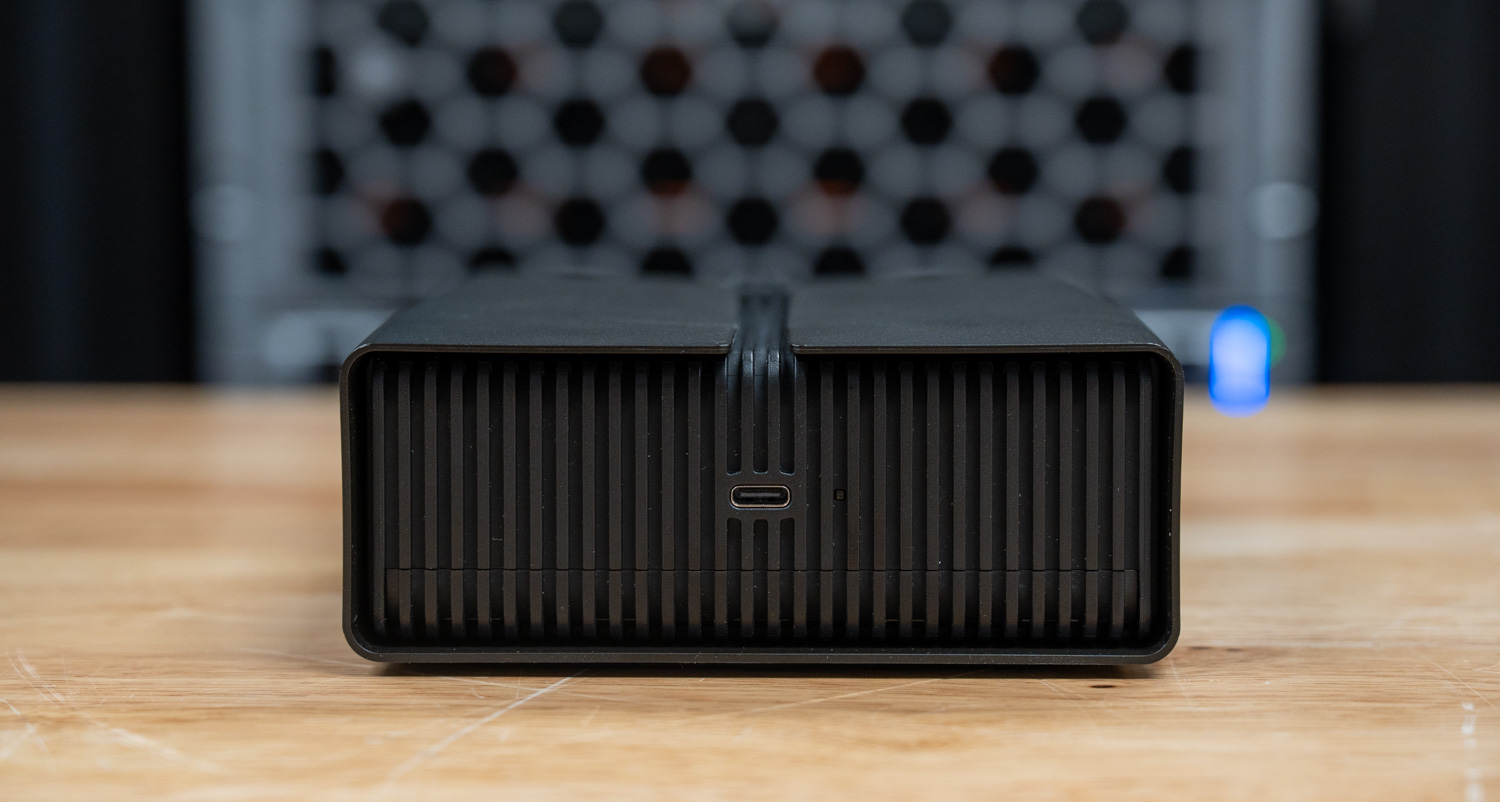
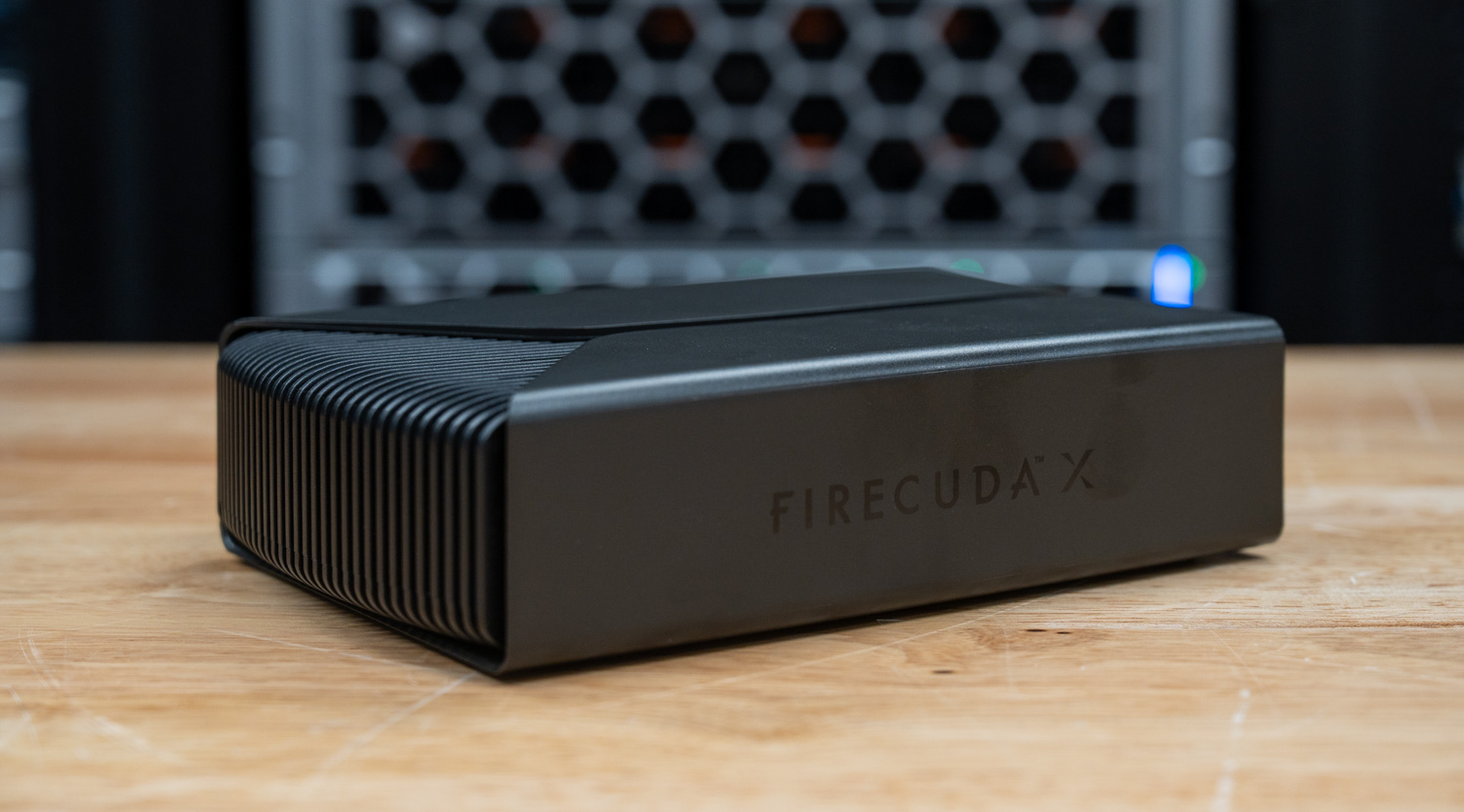
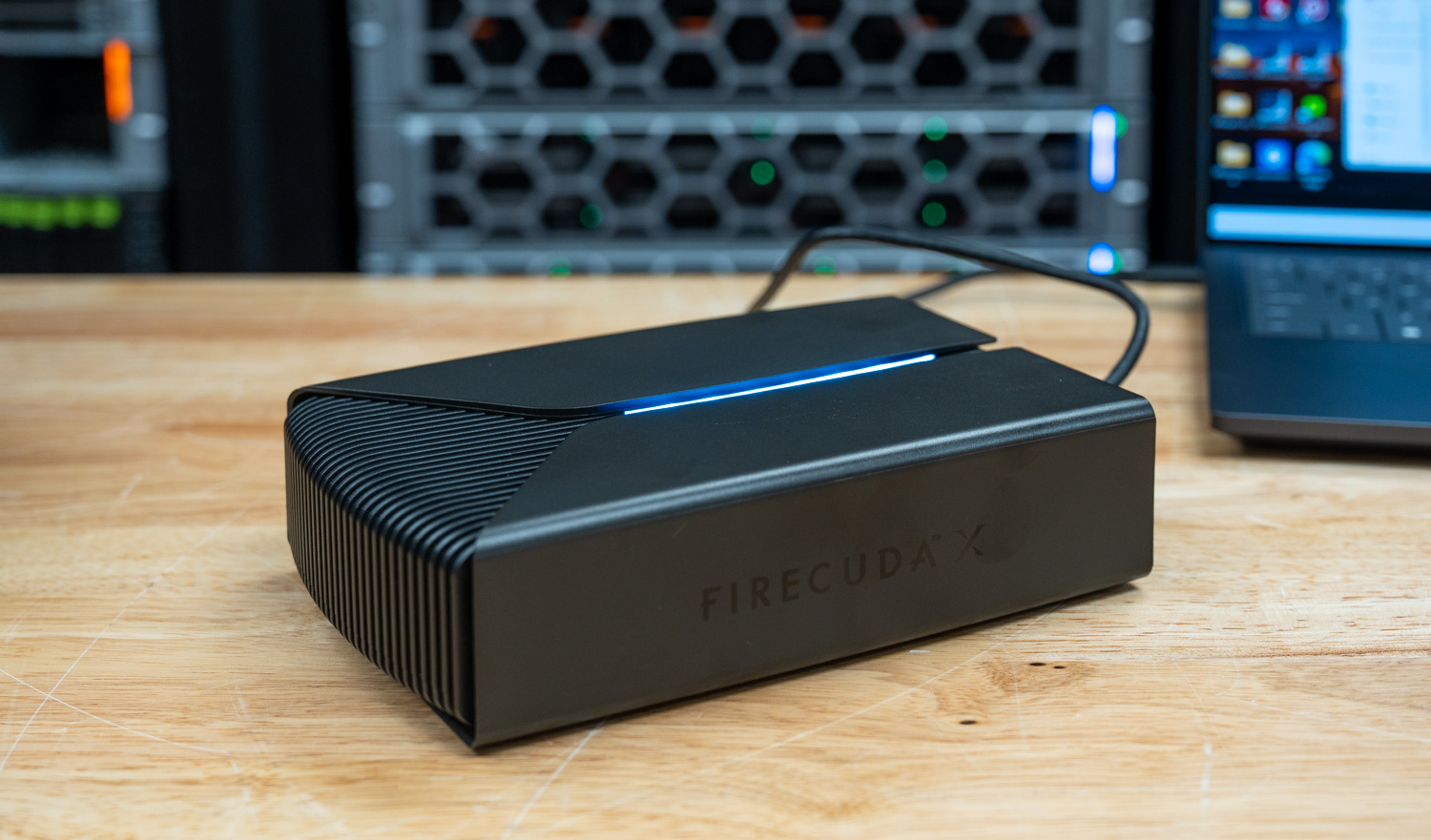
The FireCuda X Vault has a very distinct desktop look. The front features vertical ribbing wrapped by the outer shell, with a distinct opening at the top where the LED emits light. It provides immediate power feedback via this LED, glowing white when the drive is getting enough power and red when the USB-C source is not supplying enough.
There are no ports or controls on the front panel. One side carries only the FireCuda X branding, while the rear has only a single USB-C port. The design is pretty basic, and the LED light may make it a bit much for some work environments; however, for gaming or home use, the drive will fit in well.
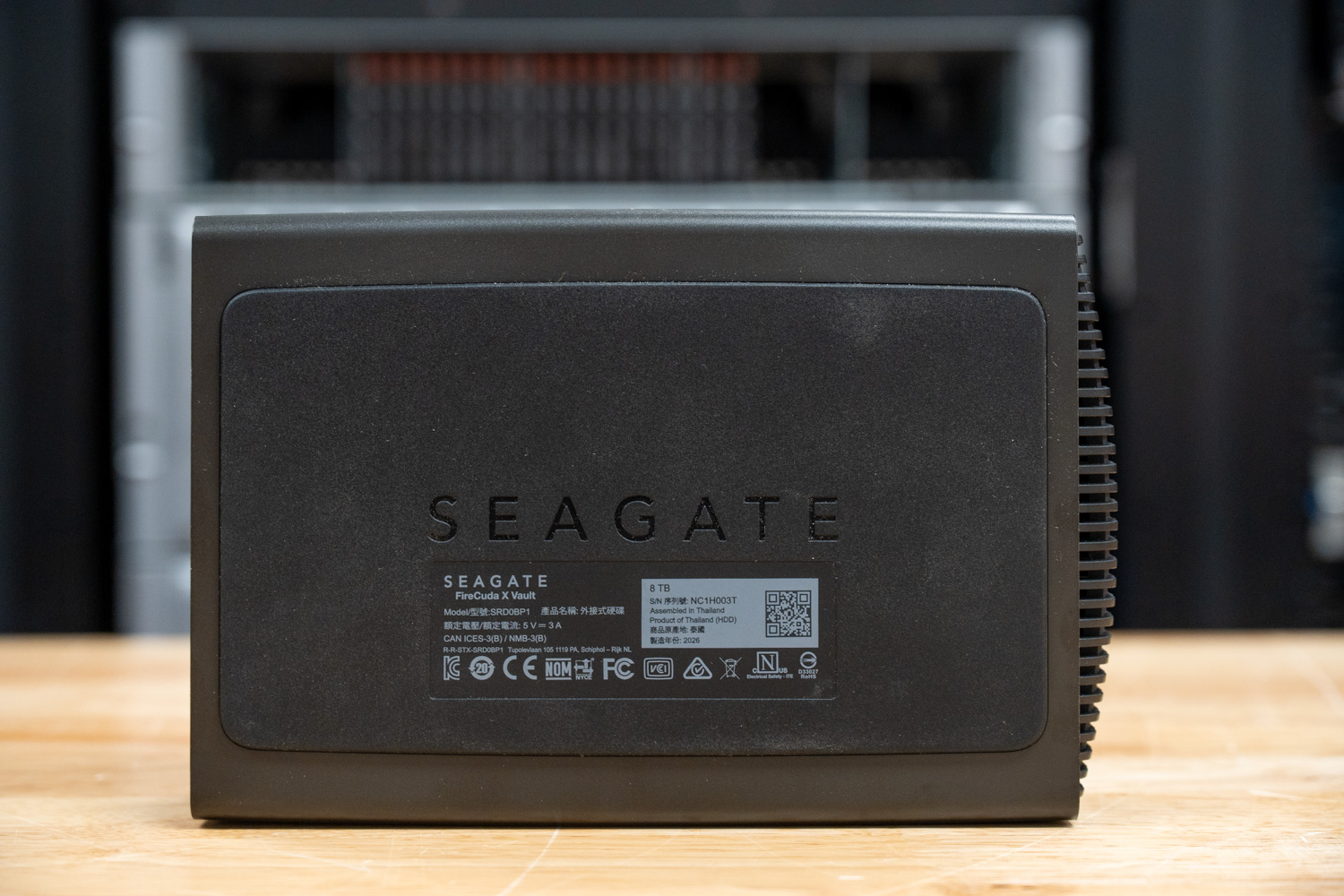
The outer shell is mostly plastic, and the base uses a high-friction material that helps keep the drive in place on a desk. It runs on bus power and passive cooling.
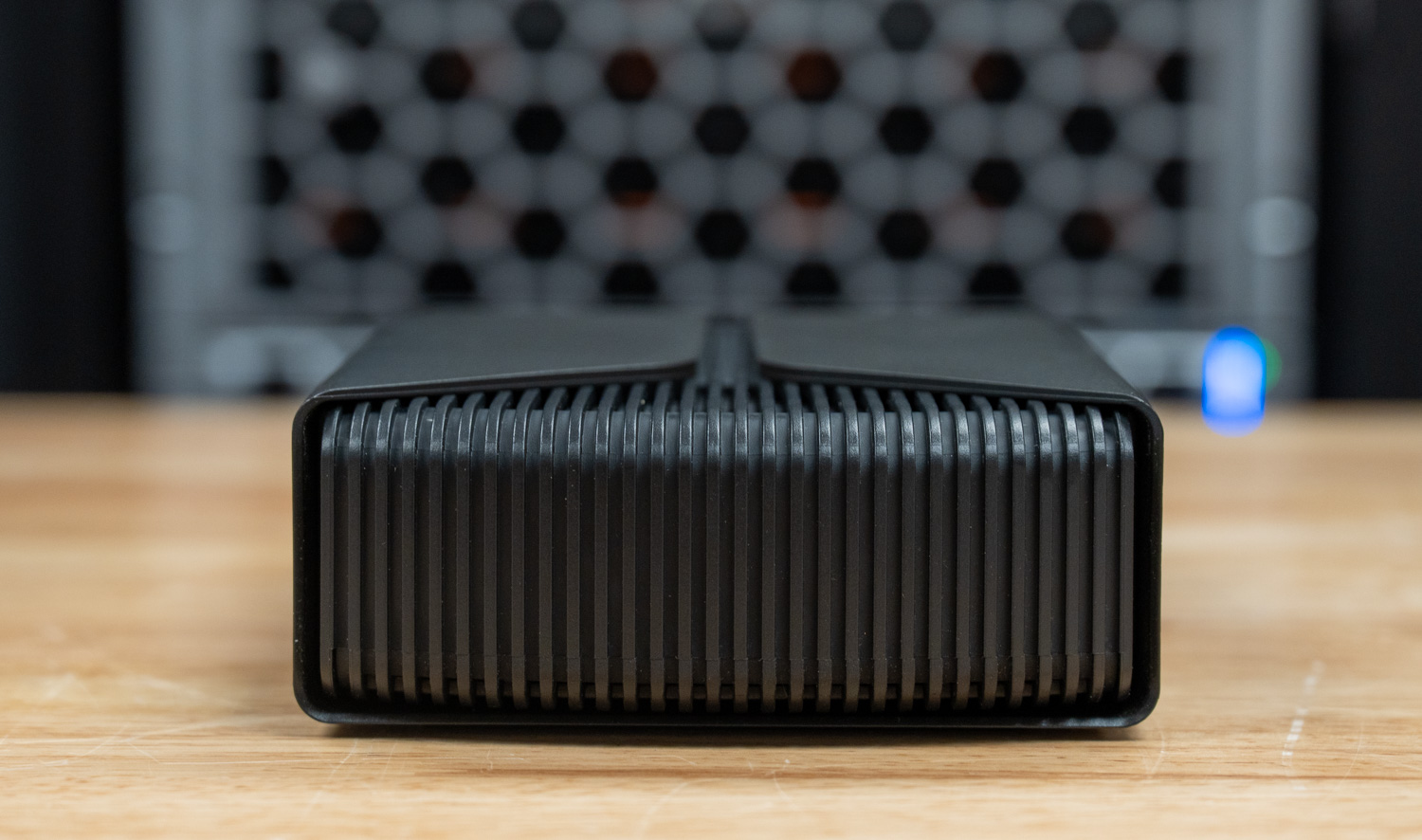
For everyday use, the single-cable design keeps setup simple, and the shape leaves enough open space around the ribbed sections, so placing two units one above the other does not appear to create an obvious airflow problem. However, the weak point is the RGB lighting. The top light bar fits the overall style, but the diffusion is uneven, so the glow looks patchy rather than smooth.
Seagate FireCuda X Vault Performance
To evaluate the performance of the Seagate FireCuda X Vault, we compared it against the Seagate One Touch Desktop HDD across a variety of benchmarks.
Here’s the high-performance test rig we used for benchmarking:
- CPU: AMD Ryzen 7 9850X3D
- Motherboard: Asus ROG Crosshair X870E Hero
- RAM: G.SKILL Trident Z5 Royal Series DDR5-6000 (2x16GB)
- GPU: NVIDIA GeForce RTX 4090
- OS: Windows 11 Pro
The drive inside our 8TB Seagate FireCuda X Vault self-reported as the Seagate SkyHawk (ST8000VX009) at 5400 RPM.
Blackmagic Diskspeed Test
First up is the Blackmagic test, where we evaluated the Seagate FireCuda X Vault against the One Touch Desktop HDD.
The Blackmagic Disk Speed Test benchmarks a drive’s read and write speeds to estimate its performance, especially for video editing tasks. It helps users ensure their storage is fast enough for high-resolution content, such as 4K or 8K video.
In this run, the FireCuda X Vault reached 222.4MB/s read and 158.9MB/s write. The read performance stands out here, coming in noticeably ahead of the One Touch’s 211.9MB/s, and landing fairly close to Seagate’s quoted maximums for its internal FireCuda drives. Write performance tells a different story, where the One Touch leads at 211.2MB/s, putting the FireCuda’s 158.9MB/s more in line with typical HDD behavior.
| Blackmagic (higher is better) | Seagate FireCuda X Vault 8TB | Seagate One Touch Desktop HDD 8TB |
|---|---|---|
| Read | 222.4 MB/s | 210.9 MB/s |
| Write | 158.9 MB/s | 152.0 MB/s |
IOMeter
In the 1-queue IOMeter test, the FireCuda X Vault demonstrated strong sequential performance, reaching 224.03 MB/s read and 223.37 MB/s write, outperforming the One Touch Desktop HDD, which came in at 211.26 MB/s read and 211.48 MB/s write. This reinforces the FireCuda’s advantage in sustained, large-block transfers.
Random 2MB performance was much closer between the two drives. The FireCuda posted 117.17MB/s read and 149.59MB/s write, while the One Touch slightly edged ahead in write performance at 150.06MB/s and trailed slightly in reads at 113.83MB/s. These small differences are within the margin expected for mechanical drives.
Small-block performance remained predictably low across both drives. The FireCuda delivered 429 IOPS in random 4K writes and 126 IOPS in reads, nearly identical to the One Touch at 424 IOPS in writes and 129 IOPS in reads. At this level, neither drive is designed for latency-sensitive workloads, and their performance is effectively comparable.
| IOMeter Test | Seagate FireCuda X Vault 8TB | Seagate One Touch Desktop HDD 8TB |
|---|---|---|
| Seq 2MB Write | 223.37 MB/s | 211.48 MB/s |
| Seq 2MB Read | 224.03 MB/s | 211.26 MB/s |
| Random 2MB Write | 149.59 MB/s | 150.06 MB/s |
| Random 2MB Read | 117.17 MB/s | 113.83 MB/s |
| Random 4K Write | 429 IOPS | 424 IOPS |
| Random 4K Read | 126 IOPS | 129 IOPS |
PCMark 10
PCMark 10 Storage Benchmarks evaluate real-world storage performance using application-based traces. They test the system and data drives, measuring bandwidth, access times, and consistency under load. These benchmarks offer practical insights beyond synthetic tests, enabling users to compare modern storage solutions effectively.
In PCMark 10’s Data Drive Benchmark, both drives performed nearly identically, with the Seagate One Touch Desktop HDD scoring 750 and the Seagate FireCuda X Vault close behind at 746. This minimal difference indicates that, in trace-based workloads, there is no meaningful performance gap between the two.
As expected for high-capacity HDDs, both drives are better suited for bulk storage tasks such as backups, media libraries, and large file transfers rather than latency-sensitive workloads. Overall, this result shows that real-world responsiveness between the two is effectively on par in this test.
| PCMark 10 Storage (higher is better) | Seagate FireCuda X Vault 8TB | Seagate One Touch Desktop HDD 8TB |
|---|---|---|
| Overall Score | 746 | 750 |
Conclusion
The FireCuda X Vault’s appeal comes down to the same category-first hook as its One Touch sibling: a 3.5-inch desktop HDD that runs off a single USB-C cable with no power brick in the mix. For gamers and streamers who want to add significant capacity to a PC or laptop setup without another power supply on the floor, that’s a quality-of-life improvement over every desktop external HDD that came before it.
Performance lands where it should, for a 5400-RPM hard drive. Sequential read and write throughput sits in the 220 MB/s range; random workloads are modest; and small-block IOPS behave like the mechanical storage they are. Those numbers are fine for bulk transfers and archival use, but they confirm this isn’t a drive for running modern games directly. Pair it with an internal NVMe for active titles and use the FireCuda X Vault for everything that doesn’t need fast access.
Starting at $269.99 for 8TB, the pricing is competitive with other high-capacity external HDDs and considerably less than that of equivalent external SSDs. The RGB execution could be cleaner, the USB-C cable is short, and buyers should verify their host port can deliver 15W before committing. Those caveats aside, the FireCuda X Vault earns its spot on the shortlist for PC gamers, streamers, and media collectors who need ample local storage with minimal cable clutter.


 Amazon