

El Sandisk WD_BLACK SN8100 es el nuevo SSD insignia de Gen5 de la compañía, diseñado para impulsar el rendimiento en computadoras de escritorio y estaciones de trabajo modernas. Está dirigido a usuarios avanzados que necesitan almacenamiento rápido y confiable para tareas exigentes como edición en 8K, instalaciones de juegos grandes y cargas de trabajo complejas. Con capacidades de hasta 4 TB disponibles actualmente y un modelo de 8 TB previsto para finales de este año, el SN8100 es su unidad de consumo de mayor rendimiento hasta la fecha.
Nota del editor:
Antes de continuar, reconocemos que el título de esta reseña y la marca del producto pueden resultar confusos. WD ha escindido recientemente el negocio de memorias flash, que ahora se llama Sandisk (¿otra vez?). El SN8100 se inició como un producto de WD y luego pasó a Sandisk tras la escisión. La marca WD_Black ha sido históricamente la oferta premium de WD, dirigida a jugadores y entusiastas. Hasta que Sandisk lance nuevos productos bajo su propia marca, es de esperar que haya confusión con la marca a medida que se calmen las aguas. Idealmente, Sandisk abandonará las referencias a WD y volverá a una familia más conocida y a nombres de producto como "Extreme" y "Extreme Pro". – Brian Beeler
Características y perfil de rendimiento del Sandisk WD_BLACK SN8100
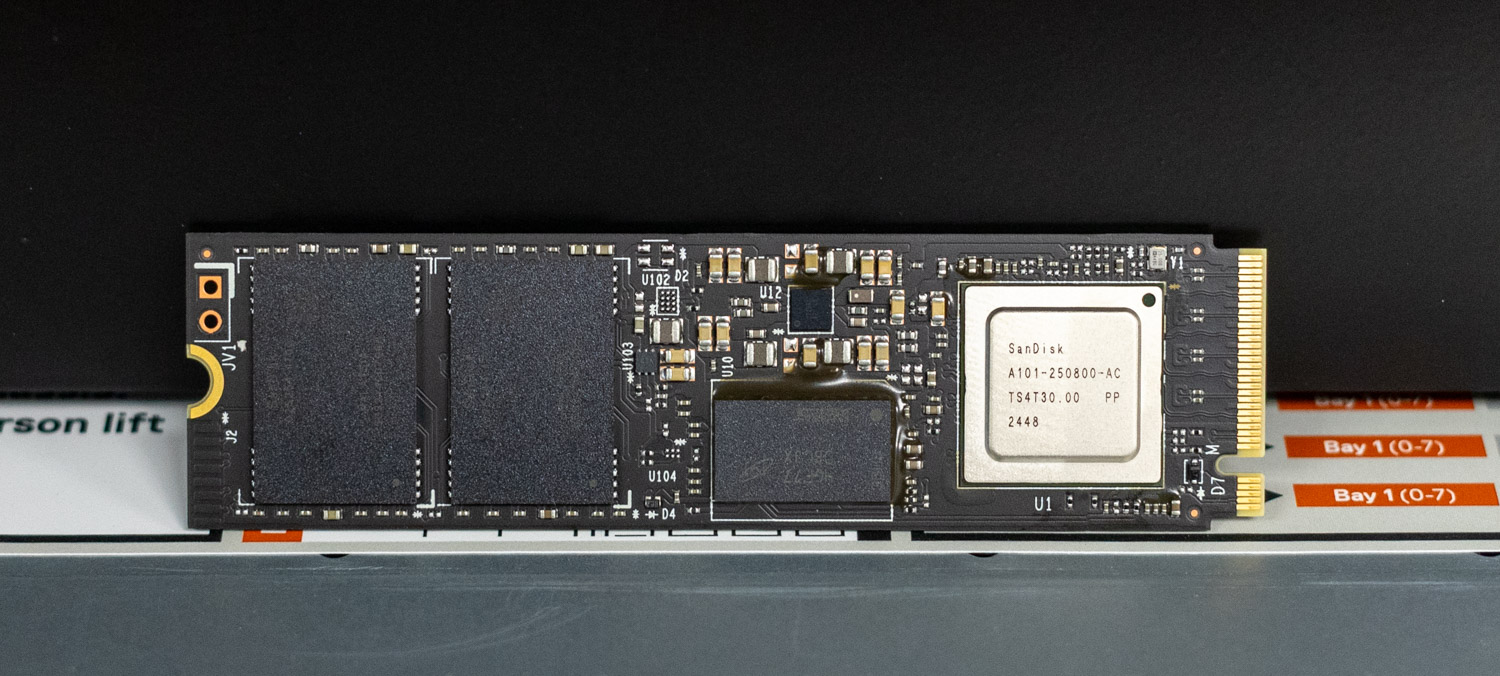
La nueva unidad está equipada con la tecnología BiCS8 TLC 3D CBA NAND y DRAM integrada para facilitar el almacenamiento en caché de metadatos y un rendimiento sostenido durante largas sesiones. Sandisk también incluye su capa de caché SLC nCache 4.0 para optimizar la velocidad de escritura a corto plazo. El controlador Silicon Motion SM2508, optimizado por Sandisk, es el claro factor diferenciador. Fabricado con un proceso de 6 nm, este chip ARM Cortex R8 de cuatro núcleos admite ocho canales NAND de hasta 3,600 MT/s cada uno, lo que le otorga un gran potencial de rendimiento.
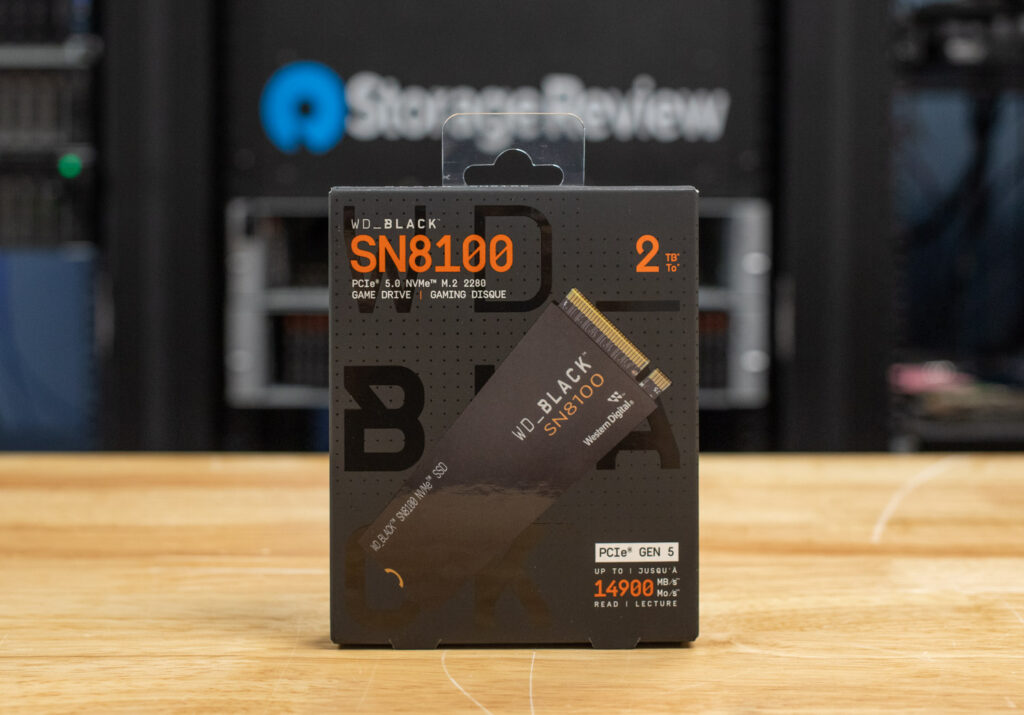
El controlador cuenta con control de reloj inteligente, que ayuda a reducir el consumo de energía al apagar dinámicamente las partes no utilizadas del chip en tiempo real. También admite ECC avanzado mediante la tecnología NANDXtend de Silicon Motion, lo que ayuda a preservar la integridad y la resistencia de los datos incluso con cargas de trabajo intensas. En cuanto a la interfaz, el SN8100 funciona con PCIe Gen5 x4 compatible con NVMe 2.0 y mantiene la retrocompatibilidad.
En cuanto a los detalles de su perfil de rendimiento, Sandisk afirma que el SN8100 puede alcanzar velocidades de lectura secuencial de hasta 14.9 GB/s en todas las capacidades. En cuanto a la escritura, los modelos de 2 TB y 4 TB alcanzan hasta 14 GB/s, mientras que la versión de 1 TB alcanza un máximo de 11 GB/s.
De forma aleatoria, las unidades de 2 TB y 4 TB alcanzan hasta 2.3 millones de IOPS de lectura y 2.4 millones de IOPS de escritura. La versión de 1 TB reduce esa cifra de lectura a 1.6 millones de IOPS, manteniendo el mismo rendimiento de escritura.
Estas especificaciones sitúan al SN8100 en la cima de los SSD PCIe Gen5, convirtiéndolo en uno de los discos de consumo más rápidos anunciados. Dicho esto, lo someteremos a rigurosas pruebas de rendimiento, incluyendo rendimiento sostenido y consistencia bajo carga, para comprobar su rendimiento más allá de las especificaciones.
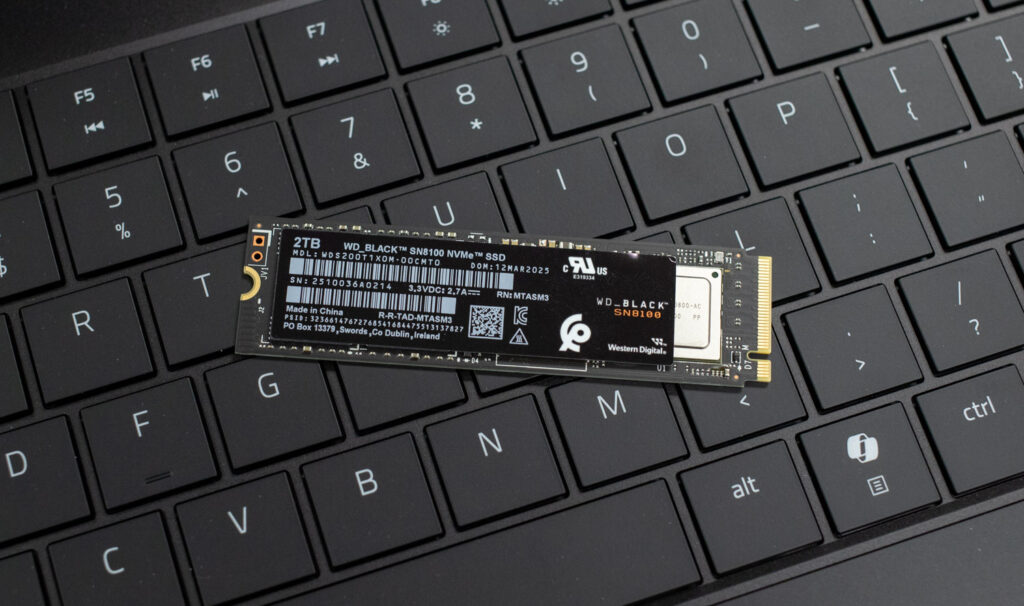
Todos los modelos cumplen con TCG Opal 2.02, una especificación de seguridad de almacenamiento ampliamente adoptada que permite el cifrado basado en hardware y la gestión de políticas. TCG Opal permite la integración en ecosistemas de software que gestionan el arranque seguro, el bloqueo de unidades y las rutinas de borrado de datos.
Las unidades de 2 TB y 4 TB consumen 6.5 W durante la lectura activa y 7.0 W durante la escritura. La versión de 1 TB consume un poco menos, con 6.2 W para ambas operaciones. El consumo de energía en reposo es de 5 mW. Sanfisk indica que esta eficiencia supone una mejora significativa con respecto a las unidades Gen4 anteriores, especialmente bajo carga, lo que debería reducir la presión sobre la refrigeración del sistema.
Fiabilidad del Sandisk WD_BLACK SN8100
El SN8100 también viene en una versión con un disipador térmico preinstalado, fabricado con aluminio anodizado y almohadillas de interfaz térmica duales para gestionar el calor de forma pasiva. Su diseño discreto facilita su instalación en espacios reducidos y no requiere cables de alimentación adicionales ni refrigeración activa. WD también incluye iluminación RGB personalizable, lo que permite a los usuarios combinar la apariencia del disco con el resto de su equipo.
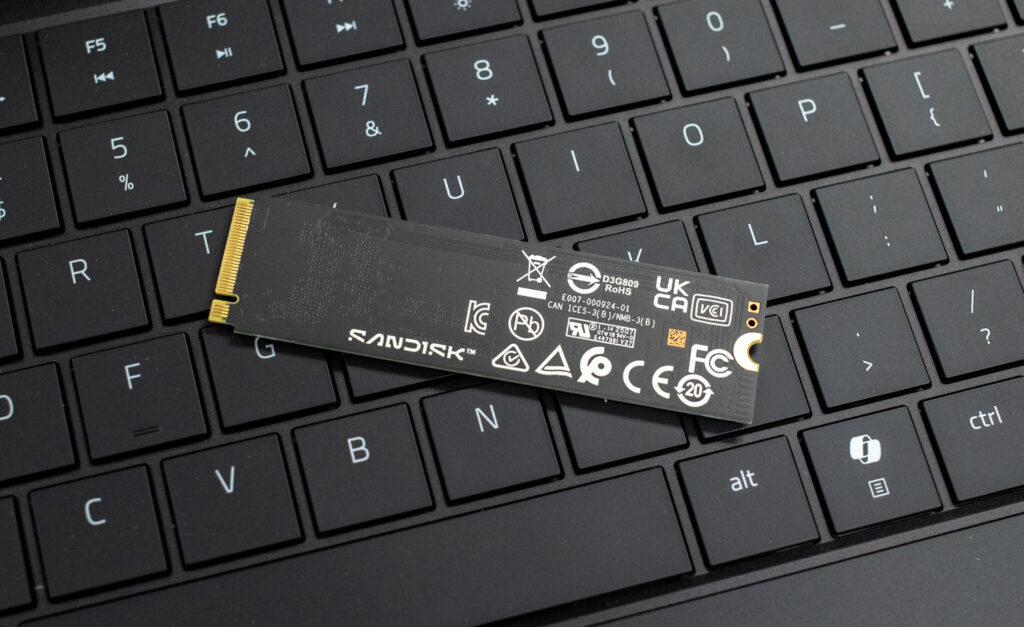
Las clasificaciones de resistencia coinciden con las de otras unidades de alta gama basadas en TLC. El modelo de 4 TB tiene una capacidad de hasta 2,400 TBW, el de 2 TB, 1,200 TBW, y el de 1 TB, 600 TBW. Todas las capacidades incluyen una garantía limitada de cinco años y un MTTF de 1.75 millones de horas.
Gestión de unidades
La administración de las unidades SSD se realiza a través del Panel de control de SanDisk , una utilidad optimizada con una interfaz intuitiva que brinda a los usuarios acceso a funciones clave de diagnóstico y monitoreo. Permite verificar el estado de la unidad, realizar un seguimiento del rendimiento, monitorear la temperatura y confirmar el estado de la interfaz de un vistazo. La herramienta también admite actualizaciones de firmware y, para unidades como la SN8100, incluye opciones para personalizar la iluminación RGB si su modelo lo admite.
La pantalla principal de resumen está organizada en paneles claros. En la parte superior, verá el nombre de la unidad, su capacidad (en este caso, el WD_BLACK SN8100 de 2 TB) y la versión actual del firmware. Muestra el estado general de la unidad en porcentaje, lecturas de temperatura en tiempo real y un desglose detallado de la capacidad (disponible, usada y sin asignar). También encontrará informes en tiempo real sobre la velocidad de la interfaz. En la parte inferior, un gráfico de rendimiento se actualiza cada pocos segundos con las velocidades de lectura/escritura y los datos de la cola, aunque en esta captura de pantalla está inactivo.
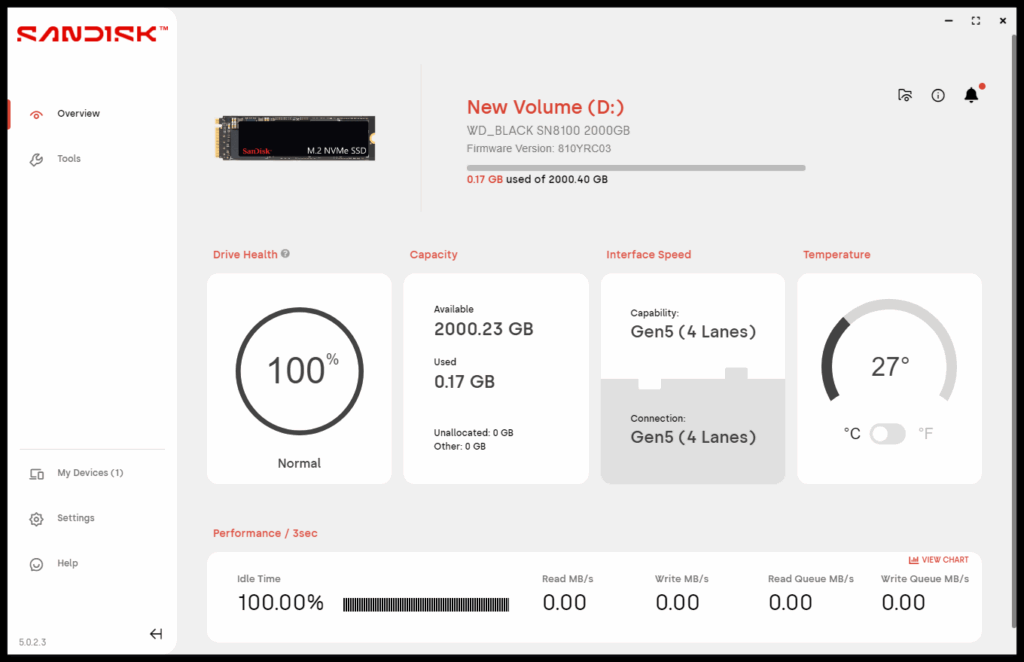
Una sección especialmente útil es el panel de Velocidad de Interfaz. Aquí, el software muestra tanto la capacidad del SSD (en este caso, "Gen5, 4 carriles") como su conexión real (también "Gen5, 4 carriles"). Esto es especialmente útil porque no todas las ranuras M.2 de una placa base funcionan a velocidades x4, incluso si son compatibles con Gen5. Mostrar ambos valores uno al lado del otro permite confirmar rápidamente si la unidad funciona a su máximo potencial o si la ranura está bloqueada.
Especificaciones del Sandisk WD_BLACK SN8100
El SSD NVMe SanDisk WD_BLACK SN8100 ya está disponible en SanDisk.com y en tiendas seleccionadas de todo el mundo en capacidades de 1 TB (179.99 $), 2 TB (279.99 $) y 4 TB (549.99 $). Las versiones con disipador estarán disponibles este otoño, a partir de 199.99 $ para 1 TB. Se espera un modelo de 8 TB, con y sin disipador, para finales de este año.
| Especificaciones del producto | 4TB WDS400T1XHM-00CMT0 |
2TB WDS200T1XHM-00CMT0 |
1TB WDS100T1XHM-00CMT0 |
| Factor de forma | M.2 2280 | ||
| Fácil de usar | PCIe Gen5 x4 NVMe 2.0 | ||
| NAND | TLC 3D CBA NAND | ||
| DRAM | Sí: | ||
| Lectura secuencial (hasta) | 14,900 MB / s | 14,900 MB / s | 14,900 MB / s |
| Escritura secuencial (hasta) | 14,000 MB / s | 14,000 MB / s | 11,000 MB / s |
| Lectura aleatoria (hasta) | 2.3 millón de IOPS | 2.3 millón de IOPS | 1.6 millón de IOPS |
| Escritura aleatoria (hasta) | 2.4 millón de IOPS | 2.4 millón de IOPS | 2.4 millón de IOPS |
| Lectura de potencia activa promedio | 6.5 W | 6.5 W | 6.2 W |
| Escritura de potencia activa promedio | 7.0 W | 7.0 W | 6.2 W |
| Suspender (PS4) | 5 mW | ||
| Resistencia (TBW) | 2,400 | 1,200 | 600 |
| MTTF (hasta) | 1.75 millón de horas | ||
| Garantía Limitada | 5 años | ||
| Compatibilidad | Compatible con versiones anteriores de PCIe Gen4/Gen3 x4, x2, x1; Windows 10+ | ||
| RoHS | Sí: | ||
| Seguridad | TCG Ópalo 2.02 | ||
| Temperatura de Funcionamiento | 32 185 ° F a ° F (° C a 0 85 ° C) | ||
| Temperatura de almacenamiento | -40 ° F a 185 ° F (-40 ° C a 85 ° C) | ||
| Dimensiones | Longitud: 80 mm, Ancho: 25 mm, Altura: 11.25 mm | ||
| Peso | 31.2g | ||
Rendimiento del SN8100
comparables
Antes de sumergirnos en las pruebas de rendimiento, aquí hay una lista de unidades comparables probadas junto con el SN8100 y su respectiva generación PCIe:
- P310 crucial (PCIe Gen4)
- Crucial T705 (PCIe Gen5)
- P510 crucial (PCIe Gen5)
- Samsung 9100 Pro de 4 TB (PCIe Gen5)
- Samsung 990 Pro (PCIe Gen4)
- WD SN850X (PCIe Gen4)
Para esta reseña, nos centraremos en el modelo de 2 TB del WD_BLACK SN8100.
Someteremos estas unidades a diversas pruebas para evaluar su rendimiento en situaciones reales y sintéticas. Esto incluye tiempos de carga LLM para medir la velocidad con la que gestionan grandes modelos de IA, pruebas DirectStorage para comprobar la velocidad con la que cargan recursos del juego y procesan datos del juego, y Blackmagic Design para evaluar la velocidad de lectura y escritura en la edición de vídeo de alta resolución. También ejecutaremos PCMark 10 para evaluar la capacidad de respuesta general del sistema, 3DMark Storage para evaluar el rendimiento en juegos y pruebas FIO para medir las velocidades máximas de lectura/escritura secuencial y aleatoria bajo cargas de trabajo intensas.
Aquí está el equipo de pruebas de alto rendimiento que utilizamos para la evaluación comparativa:
- UPC: AMD Ryzen 7 9800X3D
- Placa base: Asus ROG Crosshair X870E Hero
- RAM: G.SKILL Trident Z5 Royal Series DDR5-6000 (2 x 16 GB)
- GPU: NVIDIA GeForce RTX 4090
- Sistema operativo: Windows 11 Pro, Ubuntu 24.10 Desktop
Máximo rendimiento sintético
La prueba FIO es una herramienta de evaluación comparativa potente y flexible que se utiliza para medir el rendimiento de los dispositivos de almacenamiento, incluidos los SSD y los HDD. Evalúa métricas como el ancho de banda, las IOPS (operaciones de entrada/salida por segundo) y la latencia en diferentes cargas de trabajo, como las operaciones de lectura/escritura secuenciales y aleatorias. Esta prueba ayuda a evaluar el rendimiento máximo de los sistemas de almacenamiento, lo que la hace útil para comparar diferentes dispositivos o configuraciones. Medimos el rendimiento máximo en ráfagas para esta prueba, limitando la carga de trabajo a una huella de 10 GB en ambos SSD.
En la prueba de ráfaga FIO, el SN8100 ofrece un rendimiento máximo excepcional en todas las cargas de trabajo. Encabeza la tabla en rendimiento secuencial, alcanzando 15 GB/s en lectura y 14.1 GB/s en escritura, superando incluso al Crucial T705 y al Samsung 9100 Pro. La latencia es igualmente impresionante, con un promedio de tan solo 0.56 ms en lectura y 0.59 ms en escritura.
Para operaciones aleatorias 4K, el SN8100 alcanza 2.312 millones de IOPS en lectura y 2.144 millones de IOPS en escritura, con latencias promedio de 0.22 ms y 0.24 ms, respectivamente. Estas cifras lo sitúan entre los discos más rápidos probados, solo por detrás del 9100 Pro en IOPS de lectura, a la vez que ofrece un perfil competitivo de escritura y latencia.
| Prueba FIO (cuanto mayor sea el número de MB/s/IOPS, mejor) | Sandisk SN8100 |
Crucial P310 2TB | Crucial P510 1TB | CrucialT705 2TB | Samsung 990 Pro de 2 TB | Samsung 9100 Pro de 4 TB | Disco duro externo WD SN850X de 2 TB |
| Lectura secuencial de 128K (2T/64Q) | 15,000 MB/s (latencia promedio de 0.56 ms) | 7,197 MB/s (latencia promedio de 1.16 ms) | 8,835 MiB/s (latencia promedio de 0.90 ms) | 14,400 MB/s (latencia promedio de 0.58 ms) | 7,483 MB/s (latencia promedio de 1.12 ms) | 14,600 MB/s (latencia promedio de 0.57 ms) | 6,632 MB/s (latencia promedio de 0.76 ms) |
| Escritura secuencial de 128K (2T/64Q) | 14,100 MB/s (latencia promedio de 0.59 ms) | 6,376 MB/s (latencia promedio de 1.31 ms) | 9,961 MiB/s (latencia promedio de 0.80 ms) | 12,300 MB/s (latencia promedio de 0.68 ms) | 7,197 MB/s (latencia promedio de 1.16 ms) | 13,300 MB/s (latencia promedio de 0.63 ms) | 7,235 MB/s (latencia promedio de 0.92 ms) |
| Lectura aleatoria 4K (16T/32Q) | 2.312 millones de IOPS (latencia promedio de 0.22 ms) | 1.163 millones de IOPS (latencia promedio de 0.80 ms) | 1.163 millones de IOPS (latencia promedio de 0.44 ms) | 1.585 millones de IOPS (latencia promedio de 0.32 ms) | 1.400 millones de IOPS (latencia promedio de 0.36 ms) | 2.734 millones de IOPS (latencia promedio de 0.18 ms) | 1.2 millones de IOPS (latencia promedio de 0.43 ms) |
| Escritura aleatoria 4K (16T/32Q) | 2.144 millones de IOPS (latencia promedio de 0.24 ms) | 1.196 millones de IOPS (latencia promedio de 0.43 ms) | 1.196 millones de IOPS (latencia promedio de 0.51 ms) | 2.703 millones de IOPS (latencia promedio de 0.19 ms) | 1.403 millones de IOPS (latencia promedio de 0.36 ms) | 2.734 millones de IOPS (latencia promedio de 0.19 ms) | 825 0.62 IOPS (latencia media de XNUMX ms) |
Tiempo promedio de carga del LLM
La prueba de Tiempo Promedio de Carga de LLM evaluó los tiempos de carga de tres LLM diferentes: DeepSeek R1 7B, Meta Llama 3.2 11B y DeepSeek R1 32B. Cada modelo se probó 10 veces y se calculó el tiempo de carga promedio. Esta prueba mide la rapidez con la que la unidad puede cargar modelos de lenguaje grandes (LLM) en memoria. Los tiempos de carga de LLM son cruciales para las tareas relacionadas con la IA, especialmente para la inferencia en tiempo real y el procesamiento de grandes conjuntos de datos. Una carga más rápida significa que el modelo puede procesar los datos rápidamente, lo que mejora la capacidad de respuesta de la IA y reduce el tiempo de espera.
En la prueba de Tiempo Promedio de Carga LLM, el SN8100 se sitúa entre los mejores en todas las cargas de modelos. Completa la carga de DeepSeek R1 7B en tan solo 2.5702 segundos, superando a todas las demás unidades de la comparación, incluyendo al anterior más rápido, el Samsung 9100 Pro (2.6173 s). En el modelo Meta Llama 3.2 11B Vision, más exigente, registra 3.5856 segundos, situándose justo detrás del 9100 Pro (3.6017 s) y ligeramente más rápido que el T705 (3.6312 s) y el 990 Pro (3.6312 s).
Su ventaja es más evidente en el modelo DeepSeek R1 32B, que registró un tiempo de carga de 4.2870 segundos. El 9100 Pro, que quedó en segundo lugar, registró un tiempo de 4.3735 segundos, muy por delante de las demás unidades de consumo de la gama, como el P510 (5.0594 s) y el T705 (5.1080 s).
| Tiempo promedio de carga de LLM (cuanto menor, mejor) | Sandisk SN8100 | Crucial P310 2TB | Crucial P510 1TB | CrucialT705 2TB | Samsung 990 Pro de 2 TB | Samsung 9100 Pro de 4 TB | Disco duro externo WD SN850X de 2 TB |
| Búsqueda profunda R1 7B | Años 2.5702 | Años 3.1889 | Años 2.8817 | Años 2.8758 | Años 2.8758 | Años 2.6173 | Años 3.0082 |
| Meta Llama 3.2 11B Visión | Años 3.5856 | Años 3.7083 | Años 3.6631 | Años 3.6312 | Años 3.6312 | Años 3.6017 | Años 3.6543 |
| Búsqueda profunda R1 32B | Años 4.2870 | Años 5.4844 | Años 5.0594 | Años 5.1080 | Años 5.1080 | Años 4.3735 | Años 5.4844 |
Almacenamiento directo 3DMark
La prueba de características DirectStorage de 3DMark evalúa cómo DirectStorage de Microsoft optimiza la carga de recursos de juegos en SSD PCIe. Al reducir la sobrecarga de la CPU y mejorar las velocidades de transferencia de datos, DirectStorage mejora los tiempos de carga, especialmente cuando se combina con la compresión GDeflate y BypassIO de Windows 11. Esta prueba aísla el rendimiento del almacenamiento para destacar las posibles mejoras del ancho de banda cuando DirectStorage está habilitado.
Según los resultados de esta prueba, el SN8100 supera en casi todas las métricas de DirectStorage. Comenzando con la relación almacenamiento-VRAM (compresión GDeflate), mostró un ancho de banda de 26.11 GB/s, superando a todas las demás unidades probadas, incluyendo la Crucial T705 de gama alta (25.75 GB/s) y la Samsung 9100 Pro (23.77 GB/s).
En cuanto a la relación de almacenamiento a VRAM sin comprimir, el SN8100 ofrece 12.94 GB/s con DirectStorage activado (el SSD mejor probado) y 7.63 GB/s con DirectStorage desactivado. Sus velocidades de almacenamiento a RAM son igualmente buenas: 12.94 GB/s (DS activado) y 9.78 GB/s (DS desactivado), la más alta de todos los modelos.
El SN8100 también ofrece un potente ancho de banda de descompresión GDeflate de 64.51 GB/s. Si bien es inferior al del resto de los SSD de consumo probados, sigue siendo un resultado sólido.
| Almacenamiento directo 3DMark (GB/s, cuanto mayor sea, mejor) | Sandisk SN8100 | Crucial P310 2TB | Crucial P510 1TB | CrucialT705 2TB | Samsung 990 Pro de 2 TB | Samsung 9100 Pro de 4 TB | Disco duro externo WD SN850X de 2 TB |
| Almacenamiento en VRAM (compresión GDeflate) | 26.11 | 14.81 | 19.63 | 25.75 | 14.18 | 23.77 | 15.28 |
| Almacenamiento en VRAM (DirectStorage activado, sin comprimir) | 12.94 | 10.75 | 8.33 | 10.71 | 11.28 | 11.26 | 11.11 |
| Almacenamiento en VRAM (DirectStorage desactivado, sin comprimir) | 7.63 | 8.5 | 6.92 | 8.79 | 8.84 | 8.92 | 8.93 |
| Almacenamiento en RAM (DirectStorage activado, sin comprimir) | 12.94 | 6.46 | 9.06 | 12.03 | 6.57 | 11.62 | 6.78 |
| Almacenamiento en RAM (DirectStorage desactivado, sin comprimir) | 9.78 | 5.87 | 7.49 | 8.83 | 6.20 | 9.48 | 6.27 |
| Ancho de banda de descompresión de GDeflate | 64.51 | 65.43 | 66.22 | 66.36 | 65.71 | 66.61 | 64.96 |
Prueba de velocidad de disco de Blackmagic
La prueba de velocidad de disco de Blackmagic evalúa la velocidad de lectura y escritura de una unidad y estima su rendimiento, especialmente para tareas de edición de video. Ayuda a los usuarios a garantizar que su almacenamiento sea lo suficientemente rápido para contenido de alta resolución, como videos 4K u 8K.
En este caso, el WD SN8100 presenta los resultados generales más rápidos, con 10,005.2 10,581 MB/s de lectura y 5 705 MB/s de escritura. Supera a otros competidores de la generación 8,464.2, como el Crucial T10,256.4 (9100 MB/s de lectura y 9,542.3 9,907.9 MB/s de escritura), el Samsung 510 Pro (7,853.9 MB/s de lectura y 7,939.6 MB/s de escritura) y el Crucial PXNUMX (XNUMX MB/s de lectura y XNUMX MB/s de escritura).
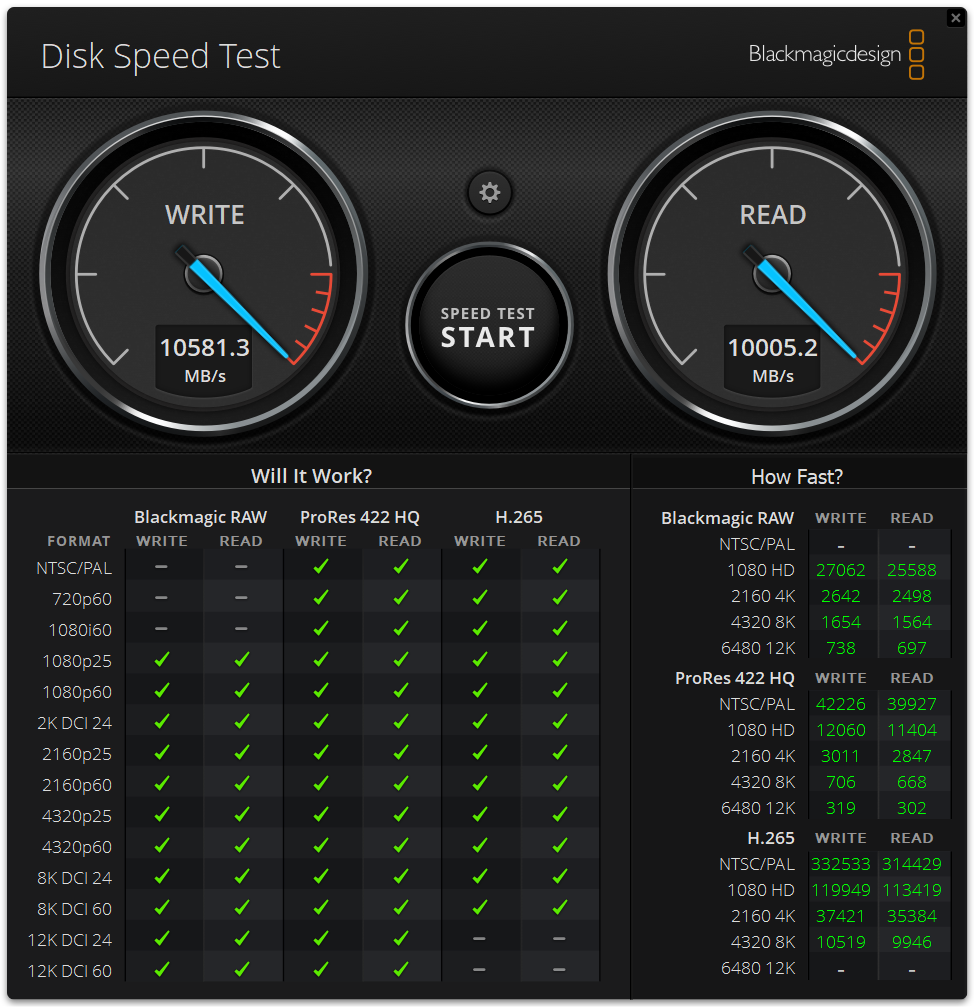
Entre las unidades Gen4, el Samsung 990 Pro, el WD SN850X y el Crucial P310 se quedan atrás, con velocidades de lectura de entre 5,200 y 5,800 MB/s y velocidades de escritura que rondan los 6,000 MB/s. Estos resultados son un excelente ejemplo del salto generacional en el rendimiento que ofrece la tecnología PCIe Gen5.
| Blackmagicdesign (MB/s, cuanto mayor sea, mejor) | Sandisk SN8100 | Crucial P310 2TB | Crucial P510 1TB | CrucialT705 2TB | Samsung 990 Pro de 2 TB | Samsung 9100 Pro de 4 TB | Disco duro externo WD SN850X de 2 TB |
| Leer MB/s | 10,005.2 | 5,282.4 | 7,853.9 | 8,464.2 | 5,769.5 | 9,542.3 | 5,862.6 |
| Escribir MB / s | 10,581 | 5,458.9 | 7,939.6 | 10,256.4 | 5,842.9 | 9,907.9 | 5,894.8 |
Almacenamiento PCMark10
Los puntos de referencia de almacenamiento de PCMark 10 evalúan el rendimiento del almacenamiento en el mundo real mediante seguimientos basados en aplicaciones. Ponen a prueba el sistema y las unidades de datos, midiendo el ancho de banda, los tiempos de acceso y la consistencia bajo carga. Estos puntos de referencia proporcionan información práctica más allá de las pruebas sintéticas, lo que ayuda a los usuarios a comparar soluciones de almacenamiento modernas de manera eficaz.
Los resultados muestran que el SN8100 obtuvo una puntuación de 8,644 , situándose entre los mejores de esta prueba. Se ubica justo detrás del Crucial T705 (8,783), pero por delante del Samsung 9100 Pro (7,552) y el Samsung 990 Pro (7,173). Además, supera significativamente a las demás unidades Gen4: Crucial P510 (6,450), P310 (6,436) y WD SN850X (4,988).
| Unidad de datos PCMark 10 (cuanto más alto, mejor) | Sandisk SN8100 | Crucial P310 2TB | Crucial P510 1TB | CrucialT705 2TB | Samsung 990 Pro de 2 TB | Samsung 9100 Pro de 4 TB | Disco duro externo WD SN850X de 2 TB |
| Puntuación Global | 8,644 | 6,436 | 6,450 | 8,783 | 7,173 | 7,552 | 4,988 |
Almacenamiento 3DMark
El benchmark de almacenamiento 3DMark evalúa el rendimiento de tu SSD en juegos midiendo tareas como cargar juegos, guardar progreso, instalar archivos de juegos y grabar partidas. Evalúa la capacidad de tu almacenamiento para juegos reales y es compatible con las últimas tecnologías de almacenamiento para obtener información precisa sobre el rendimiento.
Aquí, el SN8100 obtiene una puntuación de 6,047 , lo que lo sitúa en lo más alto de la clasificación con una ventaja considerable. Supera a todas las demás unidades Gen5 probadas, incluidas la Crucial T705 (5,100), la Samsung 9100 Pro (4,779) y la Crucial P510 (4,148), así como a todos los modelos Gen4. Esto convierte al WD SN8100 en un dispositivo con un rendimiento impresionante en cuanto a capacidad de respuesta en juegos y otras tareas cotidianas.
| Prueba de referencia de almacenamiento 3DMark (cuanto más alto, mejor) | Sandisk SN8100 | Crucial P310 2TB | Crucial P510 1TB | CrucialT705 2TB | Samsung 990 Pro de 2 TB | Samsung 9100 Pro de 4 TB | Disco duro externo WD SN850X de 2 TB |
| Puntuación Global | 6,047 | 3,848 | 4,148 | 5,100 | 4,128 | 4,779 | 3,962 |
Almacenamiento directo de GPU
Una de las pruebas que realizamos en este banco de pruebas fue la prueba Magnum IO GPU Direct Storage (GDS). GDS es una función desarrollada por NVIDIA que permite a las GPU ignorar la CPU al acceder a datos almacenados en unidades NVMe u otros dispositivos de almacenamiento de alta velocidad. En lugar de enrutar los datos a través de la CPU y la memoria del sistema, GDS permite la comunicación directa entre la GPU y el dispositivo de almacenamiento, lo que reduce significativamente la latencia y mejora el rendimiento de los datos.
Cómo funciona el almacenamiento directo en GPU
Tradicionalmente, cuando una GPU procesa datos almacenados en una unidad NVMe, los datos primero deben pasar por la CPU y la memoria del sistema antes de llegar a la GPU. Este proceso genera cuellos de botella, ya que la CPU se convierte en un intermediario, lo que agrega latencia y consume valiosos recursos del sistema. El almacenamiento directo en la GPU elimina esta ineficiencia al permitir que la GPU acceda a los datos directamente desde el dispositivo de almacenamiento a través del bus PCIe. Esta ruta directa reduce la sobrecarga asociada con el movimiento de datos, lo que permite transferencias de datos más rápidas y eficientes.
Las cargas de trabajo de IA, especialmente las que implican aprendizaje profundo, requieren un uso intensivo de datos. El entrenamiento de redes neuronales de gran tamaño requiere el procesamiento de terabytes de datos, y cualquier retraso en la transferencia de datos puede provocar que las GPU se subutilicen y que los tiempos de entrenamiento sean más prolongados. El almacenamiento directo en la GPU aborda este desafío al garantizar que los datos se entreguen a la GPU lo más rápido posible, lo que minimiza el tiempo de inactividad y maximiza la eficiencia computacional.
Además, GDS es particularmente beneficioso para cargas de trabajo que implican la transmisión de grandes conjuntos de datos, como el procesamiento de video, el procesamiento de lenguaje natural o la inferencia en tiempo real. Al reducir la dependencia de la CPU, GDS acelera el movimiento de datos y libera recursos de la CPU para otras tareas, lo que mejora aún más el rendimiento general del sistema.
Entre los SSD probados, el SN8100 ofrece un excelente rendimiento, especialmente con bloques de mayor tamaño. Con un tamaño de bloque de 16 128 bytes y una profundidad de cola de 3.4, alcanza 0.564 GiB/s de lectura (225.9 ms, 2.1 0.907 IOPS) y 140.6 GiB/s de escritura (5 ms, XNUMX XNUMX IOPS). Esto lo sitúa cerca del primer puesto en rendimiento de lectura con este tamaño de bloque y por delante de muchos competidores de GenXNUMX, aunque su rendimiento de escritura es ligeramente inferior.
A medida que aumenta el tamaño de los bloques, el SN8100 sigue impresionando. Con 128 K, alcanza 5.9 GiB/s de lectura (2.626 ms, 48.7 5.8 IOPS) y 2.668 GiB/s de escritura (47.9 ms, 9100 705 IOPS), superando a casi todas las demás unidades en rendimiento y latencia, incluyendo el Samsung XNUMX Pro y el Crucial TXNUMX.
Con un tamaño de bloque de 1 M, el SN8100 registra una lectura de 6.5 GiB/s (19.264 ms, 6.6 K IOPS) y una escritura de 5.9 GiB/s (21.063 ms, 6.1 K IOPS), lo que lo coloca ligeramente por delante del 9100 Pro y el T705 en rendimiento de escritura e iguala su eficiencia de lectura.
En general, el SN8100 es una de las unidades Gen5 más completas para tareas GDS entre las unidades probadas, y se ubica constantemente cerca de la cima en todos los tamaños de bloque probados.
He aquí un resumen completo:
| Gráfico GDSIO (promedios de tamaño de bloque de 16 128, 1 XNUMX y XNUMX XNUMX) | Sandisk SN8100 | Crucial P310 2TB | Crucial P510 1TB | CrucialT705 2TB | Samsung 990 Pro de 2 TB | Samsung 9100 Pro de 4 TB | Disco duro externo WD SN850X de 2 TB |
| (Tamaño de bloque de 16 K, profundidad de 128 E/S) Lectura promedio | 3.4 GB/s (0.564 ms) IOPS: 225.9 K |
3.1 GiB/s (0.627 ms) IOPS: 203.2 K | 2.3 GiB/s (0.837 ms) IOPS: 152.2 K | 3.3 GiB/s (0.587 ms) IOPS: 217.0 K | 2.7 GiB/s (0.731 ms) IOPS: 174.4 K | 3.4 GiB/s (0.565 ms) IOPS: 226.4 K | 2.3 GiB/s (0.736 ms) IOPS: 173.2 K |
| (Tamaño de bloque de 16 K, profundidad de E/S de 128) Escritura promedio | 2.1 GB/s (0.907 ms) IOPS: 140.6 K |
2.2 GiB/s (0.902 ms) IOPS: 141.4 K | 2.3 GiB/s (0.842 ms) IOPS: 151.5 K | 2.3 GiB/s (0.836 ms) IOPS: 152.6 K | 2.2 GiB/s (0.903 ms) IOPS: 141.2 K | 2.3 GiB/s (0.839 ms) IOPS: 161.7 K | 2.0 GiB/s (0.989 ms) IOPS: 129.0 K |
| (Tamaño de bloque de 128 K, profundidad de 128 E/S) Lectura promedio | 5.9 GiB/s (2.626 ms) IOPS: 48.7 K |
4.1 GiB/s (3.845 ms) IOPS: 33.3 K | 4.5 GiB/s (3.450 ms) IOPS: 37.1 K | 5.5 GiB/s (2.863 ms) IOPS: 44.7 K | 4.0 GiB/s (3.944 ms) IOPS: 32.4 K | 5.2 GiB/s (3.001 ms) IOPS: 44.9 K | 4.1 GiB/s (3.878 ms) IOPS: 33.3 K |
| (Tamaño de bloque de 128 K, profundidad de E/S de 128) Escritura promedio | 5.8 GiB/s (2.668 ms) IOPS: 47.9K |
3.9 GiB/s (3.992 ms) IOPS: 32.0 K | 4.8 GiB/s (3.262 ms) IOPS: 39.2 K | 5.6 GiB/s (2.799 ms) IOPS: 45.7 K | 4.1 GiB/s (3.849 ms) IOPS: 33.2 K | 5.9 GiB/s (2.662 ms) IOPS: 47.3 K | 4.0 GiB/s (3.958 ms) IOPS: 33.0 K |
| (Tamaño de bloque de 1 M, profundidad de 128 E/S) Lectura promedio | 6.5 GiB/s (19.264 ms) IOPS: 6.6K |
4.4 GiB/s (28.462 ms) IOPS: 4.5 K | 4.8 GiB/s (26.2181 ms) IOPS: 4.9 K | 6.0 GiB/s (20.738 ms) IOPS: 6.2 K | 3.9 GiB/s (32.415 ms) IOPS: 3.9 K | 6.3 GiB/s (19.877 ms) IOPS: 6.4 K | 4.4 GiB/s (30.501 ms) IOPS: 4.5 K |
| (Tamaño de bloque de 1 M, profundidad de E/S de 128) Escritura promedio | 5.9 GiB/s (21.063 ms) IOPS: 6.1 K |
4.1 GiB/s (30.964 ms) IOPS: 4.2 K | 5.0 GiB/s (25.121 ms) IOPS: 5.1 K | 6.0 GiB/s (20.855 ms) IOPS: 6.1 K | 4.2 GiB/s (29.520 ms) IOPS: 4.3 K | 6.1 GiB/s (20.579 ms) IOPS: 6.2 K | 4.1 GiB/s (30.782 ms) IOPS: 4.2 K |
Conclusión
El Sandisk WD_BLACK SN8100 ofrece exactamente lo que se espera de un SSD insignia de quinta generación. Es extremadamente rápido, consistente y supera a la competencia en la mayoría de nuestras pruebas de rendimiento. Sumado a esto, sus sólidas calificaciones de resistencia, compatibilidad con cifrado de hardware y una garantía de cinco años, cubre prácticamente todo lo que la mayoría de los usuarios exigentes esperan de un SSD de alta gama.
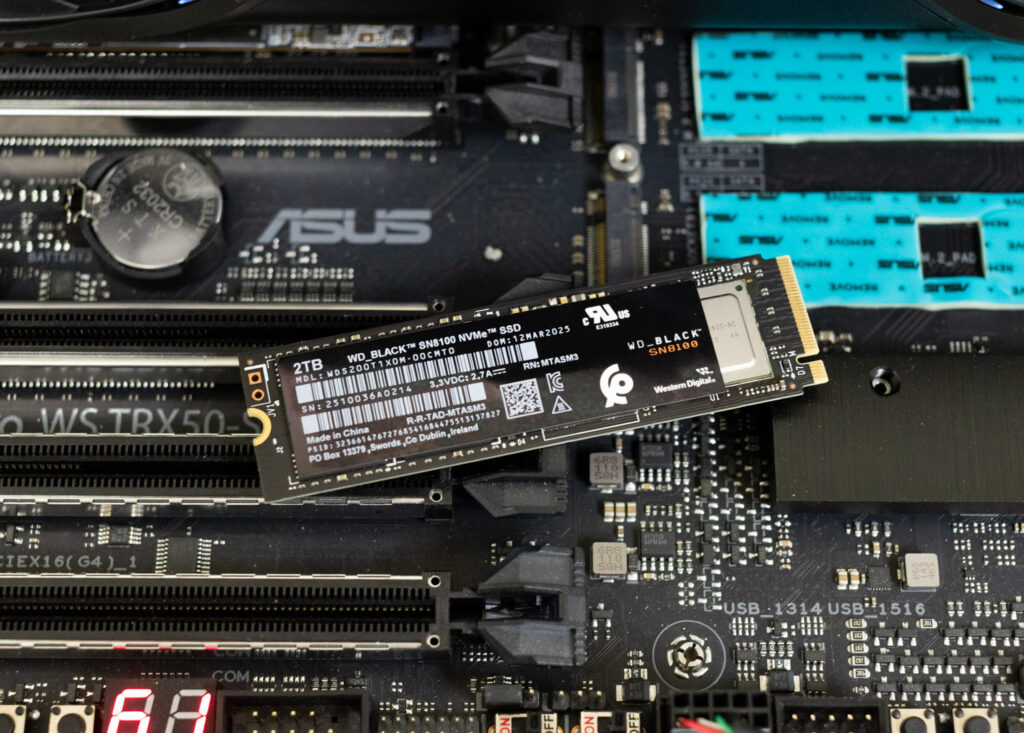
En cuanto a rendimiento, el SN8100 mostró resultados impresionantes en prácticamente todas las pruebas. Lideró el grupo en velocidades de lectura y escritura secuenciales, registró algunos de los mejores valores de IOPS aleatorios de 4K y tuvo un rendimiento excepcional en situaciones reales como la carga de modelos de lenguaje de gran tamaño, la transferencia de recursos de juegos DirectStorage y las cargas de trabajo de almacenamiento directo en la GPU. Se mantuvo consistentemente en la cima o cerca de ella en las pruebas de rendimiento sintéticas y basadas en aplicaciones.
Para cualquier usuario de un sistema compatible con Gen5, el SN8100 es una excelente incorporación a su equipo. Ofrece mejoras significativas de rendimiento en comparación con las unidades Gen4 y es perfecto para tareas que exigen velocidad y fiabilidad, como juegos, edición de contenido multimedia de alta resolución o la ejecución de modelos de IA. Al ser uno de los SSD de consumo más rápidos del mercado, con una excelente herramienta de software y un precio competitivo, ¡es una elección fácil para el premio Best Of 2025!

Tabla de clasificación: The SanDisk WD_BLACK SN8100 holds Best Overall Consumer SSD on our Los mejores SSD y discos duros tabla de clasificación.


 Amazon