

Linia Rugged firmy LaCie konsekwentnie kieruje się do profesjonalistów, którzy potrzebują niezawodnej pamięci masowej w nieprzewidywalnych lub trudnych warunkach. Rugged SSD4 kontynuuje ten kierunek, ale ze znaczącymi ulepszeniami pod maską. Zbudowany wokół pełnego wsparcia USB 40 Gb/s, ta generacja zapewnia znacznie szybsze prędkości transferu i bardziej wydajną architekturę wewnętrzną. Zewnętrzna część pozostaje zasadniczo niezmieniona, co jest mądrym posunięciem (konstrukcja LaCie sprawdziła się w terenie). Jednak użytkownicy pracujący z filmami o wysokiej rozdzielczości, dużymi bibliotekami zdjęć RAW i innymi mediami wymagającymi dużej ilości pamięci powinni zauważyć zauważalną poprawę wydajności w porównaniu z poprzednimi generacjami. W przeciwieństwie do Rugged Pro5 , który koncentruje się na szczytowej wydajności dzięki obsłudze Thunderbolt 5 i dodaje ochronę klasy IP68, SSD4 przyjmuje bardziej wszechstronne podejście. Koncentruje się na szerokiej kompatybilności z USB4 i zapewnia szybkie, stałe prędkości obsługiwane przez szerszą gamę systemów.
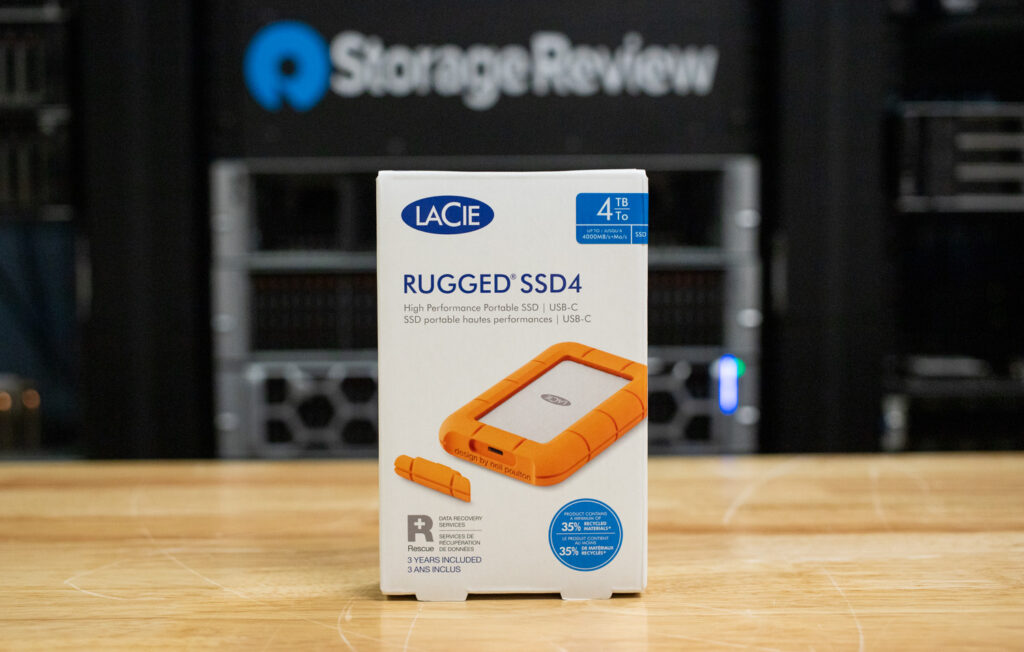
Profil wydajności dysku LaCie Rugged SSD4
Nowy dysk zewnętrzny Rugged działa z prędkością 40 Gb/s i jest kompatybilny z systemami hosta Thunderbolt 3, 4 i 5. Firma LaCie twierdzi, że po podłączeniu do portu obsługującego pełną przepustowość, dysk może osiągnąć maksymalną prędkość odczytu sekwencyjnego do 4,000 MB/s i prędkość zapisu do 3,800 MB/s. Wartości te odpowiadają dyskowi SSD NVMe Gen4; jednak rzeczywista wydajność będzie się różnić w zależności od systemu hosta, jakości okablowania, ograniczenia termicznego oraz typów przesyłanych plików. Więcej informacji na ten temat można znaleźć w sekcji poświęconej testom porównawczym.
Jeśli używasz komputera obsługującego tylko starsze porty USB, takie jak USB 3.2 Gen 2 (10 Gb/s), dysk Rugged SSD4 nadal będzie działał, ale nie będzie mógł osiągnąć pełnej wydajności. W takich przypadkach prędkość transferu zazwyczaj osiąga około 1–1.2 GB na sekundę, co jest znacznie poniżej możliwości USB 4. Zadania wymagające wielu małych plików, takich jak zdjęcia, dokumenty czy zasoby projektu, mogą również wydawać się wolniejsze lub mniej responsywne, chyba że dysk zostanie podłączony do portu USB 4 lub Thunderbolt 4 lub 5 o przepustowości 40 Gb/s. Jednak w połączeniu z odpowiednim systemem hosta dysk SSD4 z łatwością poradzi sobie z wymagającymi obciążeniami, takimi jak wideo w formacie RAW, obrazy o wysokiej rozdzielczości i transfery danych na dużą skalę.
Projekt i budowa dysku LaCie Rugged SSD4
Dysk Rugged SSD4 zachowuje charakterystyczny dla serii kompaktowy format i jaskrawopomarańczowy gumowy zderzak, który stał się znakiem rozpoznawczym przenośnych dysków LaCie. Nadal dobrze leży w dłoni, zapewniając wystarczającą przyczepność i wagę, aby nie ślizgać się w torbie, ale jednocześnie nie jest na tyle duży, by niepotrzebnie zajmować miejsce.
Choć konstrukcja pozostaje w dużej mierze taka sama, nie jest to wadą; LaCie wyraźnie skoncentrowało się na udoskonaleniu podzespołów wewnętrznych, zachowując jednocześnie to, co już działa dobrze. Obudowa posiada teraz klasę ochrony IP54, zapewniającą pyło- i wodoodporność, oraz jest testowana pod kątem odporności na upadek z wysokości do 3 metrów, co jest przydatne w podróży, na planie zdjęciowym oraz w środowiskach mobilnych, gdzie dyski są regularnie przerzucane między torbami, stołami roboczymi i stanowiskami roboczymi. Ogólnie rzecz biorąc, jakość wykonania pozostaje solidna, charakteryzując się konstrukcją zapobiegającą wyginaniu się, szczelnymi szwami i gładkim wykończeniem.
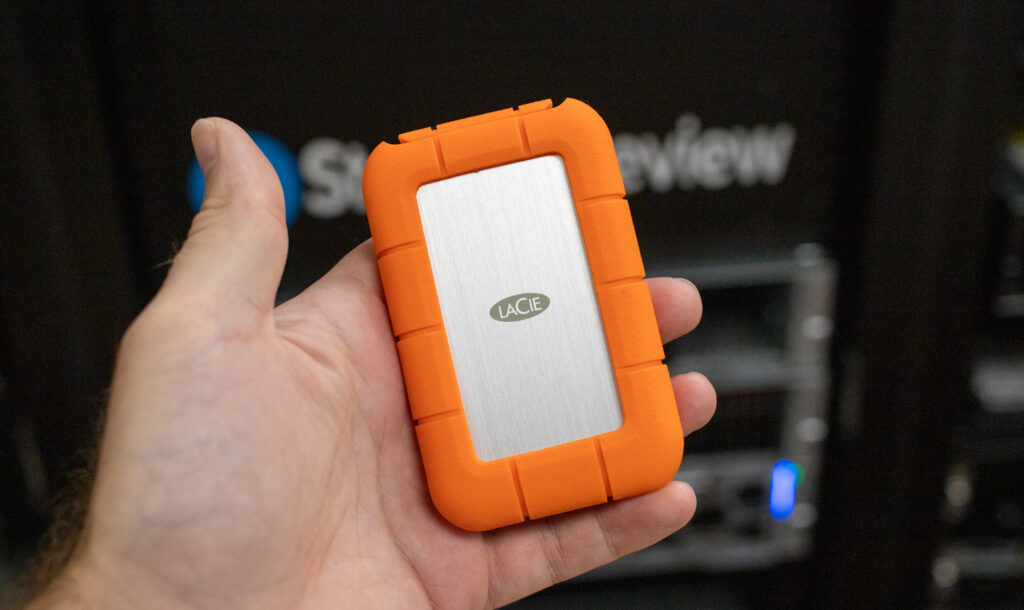
Wewnętrznie, co najmniej 35% całkowitej masy dysku Rugged SSD4 pochodzi z komponentów pochodzących z recyklingu. To mile widziana zmiana, która najwyraźniej nie wpływa na jakość wykonania. Obudowa jest solidna, bez ugięć, grzechotania ani widocznych słabych punktów, a pasywne chłodzenie zapewnia prostotę. Dysk wyraźnie się nagrzewa podczas długotrwałego pisania, co jest istotne w sytuacjach intensywnego użytkowania. Wygląda na to, że został zaprojektowany z myślą o ciągłym przemieszczaniu się i użytkowaniu, będąc wystarczająco wytrzymałym do pracy mobilnej, bez konieczności ostrożnego obchodzenia się z nim.
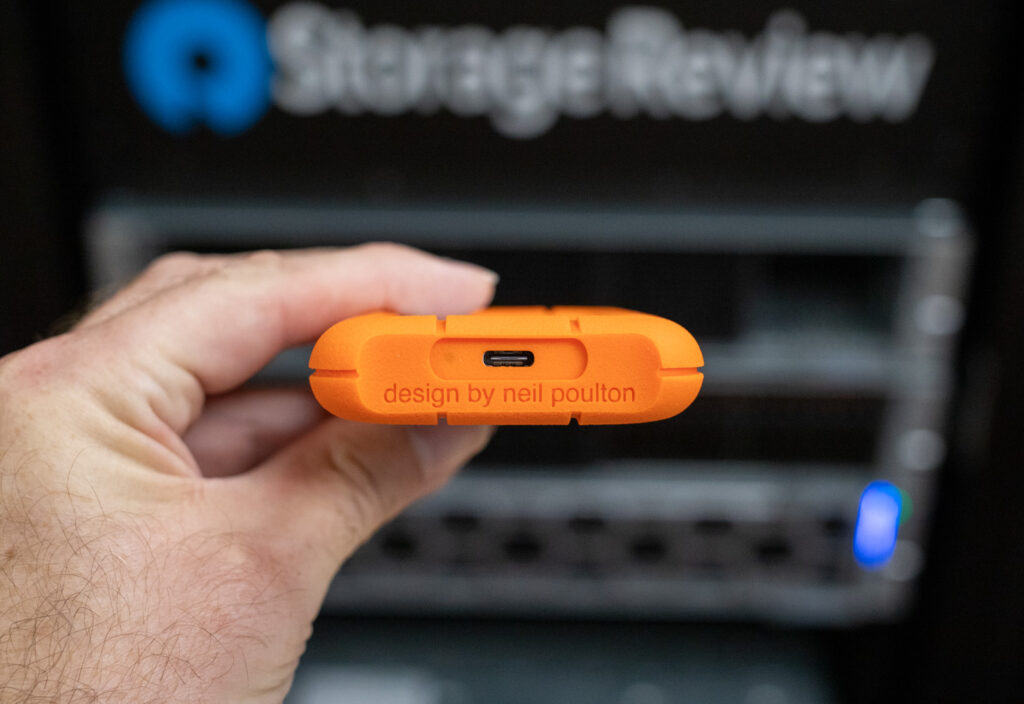
Dysk LaCie Rugged SSD4 jest kompatybilny z systemami macOS, Windows, iPadOS oraz urządzeniami z systemem Android wyposażonymi w port USB-C. Nie wymaga żadnych specjalnych czynności konfiguracyjnych ani dodatkowego oprogramowania, aby rozpocząć korzystanie z dysku. Posiada pojedynczy port USB-C do łączności i zasilania, co upraszcza korzystanie z wielu urządzeń.
Dysk LaCie Rugged SSD4 jest fabrycznie objęty dwumiesięczną subskrypcją Adobe Creative Cloud Pro (która zapewnia dostęp do narzędzi takich jak Adobe Firefly). Jest on objęty trzyletnią ograniczoną gwarancją obejmującą usługę Rescue Data Recovery Services.
Dysk LaCie Rugged SSD4 jest dostępny w wersjach o pojemności 1 TB, 2 TB i 4 TB. Ceny wynoszą 134.99 USD za wersję 1 TB, 249.99 USD za wersję 2 TB i 479.99 USD za wersję 4 TB.
Specyfikacja dysku LaCie Rugged SSD4
| Specyfikacja | Szczegół |
| Interfejs | USB 40 Gb/s (USB4), wsteczna kompatybilność z USB 3.2 Gen 2×2 (20 Gb/s), Gen 2 (10 Gb/s), Gen 1 (5 Gb/s) i Thunderbolt 3/4/5 |
| Maksymalna prędkość odczytu | Do 4,000MB / s |
| Maksymalna prędkość zapisu | Do 3,800MB / s |
| Typ napędu | Dysk SSD NVMe PCIe Gen 4 (wewnętrzny) |
| Dostępne pojemności | 1 TB, 2 TB, 4 TB |
| Materiał obudowy | Odporna na uderzenia obudowa z gumowym zderzakiem, wykonana w co najmniej 35% z materiałów pochodzących z recyklingu |
| Trwałość | Klasa odporności na kurz i wodę IP54; odporność na upadek z wysokości do 3 metrów |
| zgodność | macOS, Windows, iPadOS, Android (USB-C), systemy Thunderbolt 3/4/5 |
| Wymiary | Nieokreślony |
| Waga | Nieokreślony |
| Dołączone oprogramowanie | 2-miesięczne członkostwo w Adobe Creative Cloud Pro (obejmuje Adobe Firefly) |
| Gwarancja | 3-letnia ograniczona gwarancja z usługą odzyskiwania danych Rescue Data Recovery |
| MSRP | 1 TB – 134.99 USD 2 TB – 249.99 USD 4 TB – 479.99 USD |
Wydajność dysku LaCie Rugged SSD4 USB4
Najpierw sprawdzimy, jak dysk LaCie Rugged SSD4 radzi sobie pod względem prędkości transferu, wykorzystując testy Blackmagic Disk Speed Test i IOMeter w konfiguracjach z jedną i czterema kolejkami.
Do bezpośredniego porównania mieliśmy tylko jeden inny dysk USB4 — SanDisk Extreme PRO USB4 — dlatego uwzględniliśmy także nowsze dyski USB 3.2 Gen 2×2, aby pokazać, jak nowsza generacja wypada w porównaniu ze starszymi dyskami przenośnymi.
Oto wysokowydajny system testowy, którego użyliśmy do testów porównawczych dysków USB4. Wszystkie pozostałe dyski zostały przetestowane na stacji roboczej Lenovo ThinkStation P520:
- PROCESOR: AMD Ryzen 7 9800X3D
- płyta główna: Asus ROG Crosshair X870E Hero
- RAM: G.SKILL Trident Z5 Royal Series DDR5-6000 (2x16 GB)
- GPU: NVIDIA GeForce RTX 4090
- OS: Windows 11 Pro, Ubuntu 22.04 Server
Test prędkości dysku Blackmagic
W teście prędkości dysku Blackmagic Disk Speed Test na naszej platformie testowej obsługującej USB4, dysk Rugged SSD4 osiągnął prędkość zapisu 3,185.4 MB/s i odczytu 3,183.1 MB/s . Te wyniki plasują go na samym szczycie naszych testów przenośnych dysków SSD, nieznacznie przewyższając SanDisk Extreme PRO USB4 , który osiągnął maksymalną prędkość zapisu 2,863.6 MB/s i odczytu 3,172.3 MB/s w tych samych warunkach testowych. Chociaż prędkości odczytu obu dysków są praktycznie porównywalne, LaCie ma wyraźną przewagę w wydajności zapisu, co jest kluczowe dla twórców regularnie przesyłających duże partie danych na dysk.
W porównaniu z dyskami USB 3.2 Gen 2×2, takimi jak Lexar SL500, Crucial X10 Pro i Samsung T9 (wszystkie osiągające prędkość około 1,600 MB/s), dyski USB4 stanowią znaczący krok naprzód. W szczególności dysk Rugged SSD4 ukazuje korzyści płynące z przejścia na zewnętrzną pamięć masową klasy PCIe Gen4 z systemem hosta, który w pełni ją obsługuje.
| Test prędkości dysku | Dysk SSD LaCie Rugged 4 TB | SanDisk Extreme PRO USB4 2TB | Lexar SL500 4TB | TEAMGROUP PD20 2TB | Crucial X10 Pro 2TB | Samsung T9 4 TB |
| Pisać | 3,185.4MB / s | 2,863.6MB / s | 1,633.9MB / s | 1,633.5MB / s | 1,564.0MB / s | 1,581.6MB / s |
| Czytaj | 3,183.1MB / s | 3,172.3MB / s | 1,780.1MB / s | 1,800.7MB / s | 1,723.1MB / s | 1,566.0MB / s |
Kolejka IOMeter 1
Kolejnym testem jest test IOMeter z pojedynczą kolejką, który bada wydajność sekwencyjnego i losowego odczytu/zapisu przy mniejszym obciążeniu. Prędkości będą zbliżone do tych z testu BlackMagic w sekwencyjnych fragmentach odczytu i zapisu 2 MB, ale powinniśmy zauważyć pewne różnice w fragmencie z czterema kolejkami.
W teście jednowątkowym IOMeter, dysk LaCie Rugged SSD4 osiągnął doskonałe wyniki, osiągając prędkość zapisu 3,052 MB/s i prędkość odczytu 2,611 MB/s w sekwencyjnych transferach 2 MB. To daje mu przewagę nad dyskiem SanDisk Extreme PRO USB4 w zapisie (2,309 MB/s), ale nieznacznie ustępuje w odczytach (2,993 MB/s). W losowych transferach 2 MB, dysk LaCie osiągnął prędkość zapisu 3,049 MB/s i odczytu 1,823 MB/s , ponownie przodując pod względem przepustowości zapisu, ale nieznacznie ustępując pod względem przepustowości odczytu w porównaniu z dyskiem SanDisk, który osiągnął 2,864 MB/s.
W losowych operacjach 4K, dysk Rugged SSD4 wykazał się bardziej zrównoważonym profilem niż SanDisk. Osiągnął 9,983 IOPS odczytu i 33 217 IOPS zapisu , co stanowi znaczną przewagę w responsywności zapisu nad 4,959 IOPS SanDiska. Chociaż nie dorównał najwydajniejszym dyskom Gen 2x2, takim jak Lexar SL500, pod względem surowych IOPS, nowy przenośny dysk SSD LaCie uzyskał jeden z najlepszych wyników zapisu małych bloków wśród testowanych dysków USB4. To plasuje go jako urządzenie o większej responsywności w przepływach pracy wrażliwych na opóźnienia i przy niskiej liczbie wątków.
W porównaniu z dyskami USB 3.2 Gen 2×2, takimi jak Crucial X10 Pro i TEAMGROUP PD20, dysk LaCie Rugged SSD4 konsekwentnie osiągał lepsze wyniki we wszystkich obciążeniach, szczególnie w sekwencyjnych i losowych operacjach zapisu dużych bloków. Jego wynik zapisu 4K również dobrze wypada w porównaniu z najwyższymi wartościami IOPS odnotowanymi przez urządzenia Gen 2×2, co pokazuje, że USB4 nie musi już rezygnować z niskiej reakcji kolejki na rzecz przepustowości.
| IOMeter (1 wątki) | Dysk SSD LaCie Rugged 4 TB | SanDisk Extreme PRO USB4 2TB | Lexar SL500 4TB | TEAMGROUP PD20 2TB | Crucial X10 Pro 2TB | Samsung T9 4 TB |
| Zapis sekwencji 2 MB | 3,052.32MB / s | 2,309.62MB / s | 1427.0MB / s | 1,497.28MB / s | 1,273.3MB / s | 1,284MB / s |
| Odczyt sekwencji 2 MB | 2,611.05MB / s | 2,993.11MB / s | 1705.97MB / s | 1,799.88MB / s | 1,591.5MB / s | 1,355MB / s |
| Losowy zapis 2 MB | 3,049.84MB / s | 2,290.75MB / s | 1320.19MB / s | 1,359.07MB / s | 1,104.1MB / s | 1,355MB / s |
| Losowy odczyt 2 MB | 1,823.05MB / s | 2,864.66MB / s | 1336.21MB / s | 1,439.38MB / s | 1,242.8MB / s | 1,117MB / s |
| Losowy zapis 4K | 33,217 operacji wejścia/wyjścia na sekundę | 4,959 operacji wejścia/wyjścia na sekundę | 23,181 IOPS | 21,381 IOPS | 19,988 IOPS | 16,643 IOPS |
| Losowe czytanie 4K | 9,983 operacji wejścia/wyjścia na sekundę | 14,828 operacji wejścia/wyjścia na sekundę | 4,901 IOPS | 5,198 IOPS | 4,609 IOPS | 4,441 IOPS |
Kolejka IOMeter 4
Naszym ostatnim testem wydajności jest 4-wątkowy test IOMeter, który lepiej symuluje wielozadaniowość lub większe obciążenia.
W tym przypadku dysk LaCie Rugged SSD4 osiąga 3,532 MB/s zapisu i 3,732 MB/s odczytu w sekwencyjnych transferach, nieznacznie wyprzedzając SanDisk Extreme PRO USB4 z 3,497 MB/s zapisu i 3,546 MB/s odczytu. Oba dyski znacznie przewyższają wszystkie konkurencyjne modele Gen 2×2 i są bliskie nasycenia przepustowości USB4. Losowe obciążenia 2 MB przebiegały podobnie, przy czym dysk LaCie osiągnął prędkość zapisu 3,533 MB/s i odczytu 2,897 MB/s , nieznacznie ustępując SanDiskowi pod względem odczytu, ale dorównując mu pod względem zapisu. Te wysokie wyniki pokazują, że oba dyski z łatwością radzą sobie z profesjonalnymi obciążeniami i szybkimi transferami przez USB4 i Thunderbolt 4.
Najbardziej zauważalna różnica wystąpiła w przypadku obciążeń 4K. Dysk Rugged SSD4 osiągnął 82 941 IOPS przy odczycie 4K i 35 988 IOPS przy zapisie 4K , znacznie przewyższając odpowiednio 49 067 i 17 315 IOPS SanDisk. Dzięki temu dysk LaCie jest lepszym, wszechstronnym rozwiązaniem do intensywnego wykonywania wielu zadań i obciążeń wymagających mniejszych operacji.
| Kolejka IOMeter 4 (im wyższa wartość, tym lepiej) | Dysk SSD LaCie Rugged 4 TB | SanDisk Extreme PRO USB4 2TB | Lexar SL500 4TB | TEAMGROUP PD20 2TB | Crucial X10 Pro 2TB | Samsung T9 4 TB |
| Zapis sekwencji 2 MB | 3,532.25MB / s | 3,497.36MB / s | 1,806.0MB / s | 1,759.06MB / s | 1,736.2MB / s | 1,766MB / s |
| Odczyt sekwencji 2 MB | 3,731.76MB / s | 3,545.86MB / s | 1,997.36MB / s | 1,505.85MB / s | 1,966.9MB / s | 1,944MB / s |
| Losowy zapis 2 MB | 3,532.63MB / s | 3,482.21MB / s | 1,643.2MB / s | 807.55MB / s | 1,447.9MB / s | 1,493MB / s |
| Losowy odczyt 2 MB | 2,896.56MB / s | 3,546.11MB / s | 1,693.18MB / s | 913.25MB / s | 1,863.8MB / s | 1,468MB / s |
| Losowy zapis 4K | 35,988 IOPS | 17,315 IOPS | 72,622 operacji wejścia/wyjścia na sekundę | 63,640 IOPS | 67,206 IOPS | 32,358 IOPS |
| Losowe czytanie 4K | 82,941 IOPS | 49,067 IOPS | 15,623 operacji wejścia/wyjścia na sekundę | 15,396 IOPS | 15,333 IOPS | 18,925 IOPS |
Pamięć masowa PCMark 10 (dysk danych)
PCMark 10 symuluje rzeczywiste zadania, takie jak przesyłanie plików, uruchamianie aplikacji i dostęp do multimediów, aby zmierzyć wydajność dysku w codziennym użytkowaniu. Test Data Drive Benchmark koncentruje się na tym, jak responsywny i wydajny jest dysk podczas tych typowych czynności wykonywanych na komputerach stacjonarnych.
W tym teście dysk LaCie Rugged SSD4 uzyskał wynik 1,943 , za SanDisk Extreme PRO USB4 z wynikiem 2,585. Wykazał również nieco niższą przepustowość na poziomie 295.29 MB/s w porównaniu do 382.62 MB/s oraz wolniejszy czas dostępu wynoszący 82 µs w porównaniu do 60 µs. Prawdopodobnie oznacza to, że chociaż dysk Rugged SSD4 jest bardzo wydajny w przypadku przesyłania dużych plików i obciążeń multimedialnych, nie jest tak szybki w przypadku częstych, mniejszych operacji, które są bardziej powszechne w ogólnym użytkowaniu na komputerach stacjonarnych. Mimo to jego wyniki są spójne z wynikami innych zewnętrznych dysków SSD o dużej pojemności, które są przeznaczone głównie do obsługi multimediów.
Oto pełne zestawienie wyników PCMark 10:
| metryczny | Dysk SSD LaCie Rugged 4 TB | SanDisk Extreme PRO USB4 2TB |
| Wynik | 1,943 | 2,585 |
| Przepustowość | 295.29MB / s | 382.62MB / s |
| Średni czas dostępu | 82μs | 60μs |
| Format partycji | exFAT | exFAT |
| Pojemność napędu | 3726 GB (klasa 4 TB) | 1862 GB (klasa 2 TB) |
Test porównawczy pamięci masowej 3DMark
Przejdźmy teraz do testu wydajności pamięci masowej 3DMark, który skupia się na zadaniach związanych z grami, takich jak ładowanie tytułów, instalowanie, zapisywanie i nagrywanie rozgrywki.
Dysk LaCie Rugged SSD4 uzyskał wynik 1,880 , przewyższając wynik SanDisk Extreme PRO USB4 (1,370) w tym teście i wykazując lepszą wydajność w niemal każdym zadaniu, z wyjątkiem opóźnień w dostępie. Najbardziej zauważalną przewagę zaobserwowano podczas obciążenia „Move Game”, gdzie dysk Rugged SSD4 osiągnął 1,765 MB/s , w porównaniu z 1,376 MB/s w przypadku dysku SanDisk. Zapewniał również szybszą instalację i oszczędność przepustowości, co wskazuje na lepszą wydajność w scenariuszach wymagających dużej ilości zapisu (co jest zgodne z obserwacjami przeprowadzonymi przez IOMeter).
Oto jak oba dyski wypadły w każdym zadaniu:
| Zadanie | Dysk SSD LaCie Rugged 4 TB | SanDisk Extreme PRO USB4 2TB |
| Średnia (ogólnie) | 296.83 MB/s, 88 µs | 229.23 MB/s, 128 µs |
| Załaduj Battlefield V | 477.12 MB/s, 153 µs | 792.30 MB/s, 91 µs |
| Wczytaj Call of Duty BO4 | 204.87 MB/s, 118 µs | 360.10 MB/s, 68 µs |
| Załaduj Overwatch | 223.20 MB/s, 104 µs | 335.71 MB/s, 71 µs |
| Nagraj grę | 149.69 MB/s, 57 µs | 106.87 MB/s, 170 µs |
| Zainstaluj grę | 213.16 MB/s, 57 µs | 63.11 MB/s, 197 µs |
| Zapisz grę | 165.23 MB/s, 46 µs | 37.41 MB/s, 205 µs |
| Gra ruchowa | 1,765.09 MB/s, 153 µs | 1,376.16 MB/s, 192 µs |
Wniosek
Dysk LaCie Rugged SSD4 łączy wysoką wydajność z tą samą sprawdzoną, gotową do podróży konstrukcją, z której słynie seria. Choć wygląd zewnętrzny pozostaje w dużej mierze niezmieniony, przejście na USB 40 Gb/s i szybszą architekturę NVMe to miła odmiana w środku. Dla twórców i profesjonalistów, którzy polegają na szybkich i wytrzymałych nośnikach danych w terenie, zapewnia on niezawodność i przepustowość niezbędną do wszystkiego, od edycji w terenie po szybkie tworzenie kopii zapasowych multimediów.
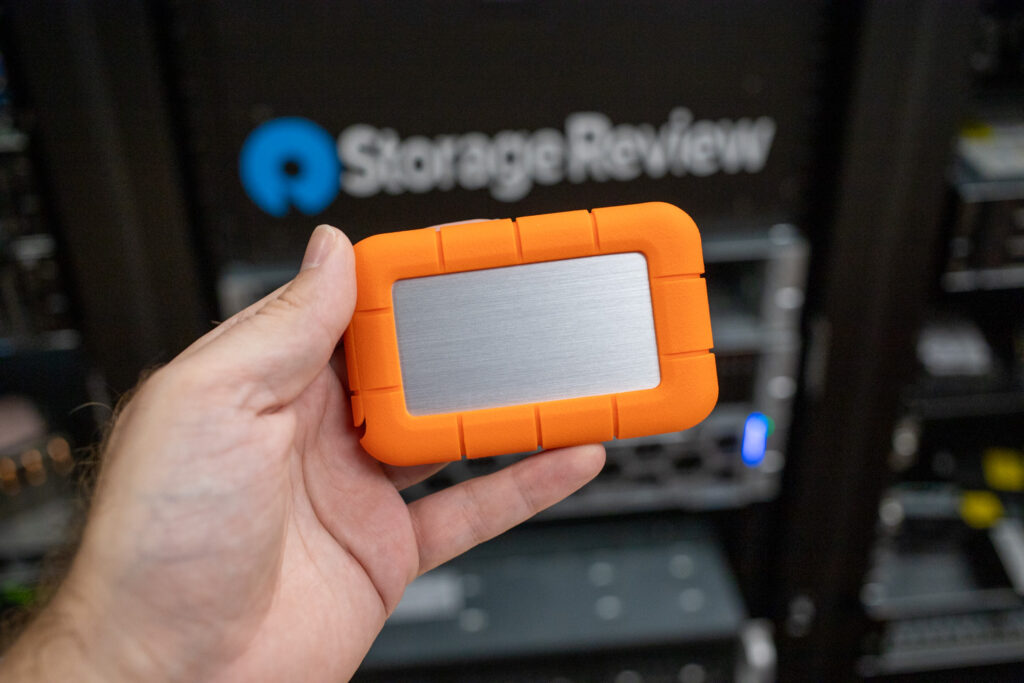
W testach dysk Rugged SSD4 zapewnił doskonałą wydajność sekwencyjną i losową, osiągając solidne wyniki w obciążeniach wymagających dużego zapisu. Przewyższył on dysk SanDisk Extreme PRO USB4 w kilku kluczowych obszarach, w tym w zakresie operacji wejścia/wyjścia na sekundę (IOPS) zapisu 4K i stabilnych transferów 2 MB (dwa parametry kluczowe podczas przenoszenia lub edycji dużych plików multimedialnych). Wyniki dotyczące opóźnień w PCMark i 3DMark również to potwierdzają, wskazując, że dysk doskonale radzi sobie z zadaniami w praktyce, takimi jak edycja wideo bezpośrednio z dysku SSD, szybkie odciążanie multimediów czy zarządzanie folderami projektów w różnych systemach.
Podsumowując, Rugged SSD4 wyróżnia się jako jeden z najmocniejszych przenośnych dysków USB4 dostępnych obecnie na rynku. Zapewnia on solidną równowagę między szybkością, jakością wykonania i obsługą szerokiej gamy platform, dzięki czemu doskonale sprawdza się w kreatywnych procesach pracy wymagających stabilnej wydajności. Dzięki szybkim prędkościom transferu danych, niezawodnej wytrzymałości i dodatkowym zaletom, takim jak obsługa odzyskiwania danych, LaCie stworzyło dysk stworzony z myślą o profesjonalistach. Oczywiście, wiąże się to z pewnymi kosztami, ale dla użytkowników pracujących w wymagających środowiskach, gdzie liczy się szybkość i niezawodność, jest to zdecydowanie opłacalne.
Ranking: Ten dysk znalazł się w naszym rankingu najlepszych przenośnych dysków SSD.


 Amazon