---
description: "UniFi Cloud Gateway Fiber review: compact 10G gateway with 5 Gbps IDS/IPS, 10G SFP+, 10GBASE-T, NVMe NVR support at $279."
title: "Ubiquiti Cloud Gateway Fiber Review: 10G Gateway With 5Gbps IDS/IPS"
image: https://www.storagereview.com/wp-content/uploads/2025/08/StorageReview-Ubiquiti-UCG-Fiber-3.jpg
---

[![Storage Review]()](https://storagereview.com/)

---

[Facebook](https://www.facebook.com/@storagereview) [X (Twitter)](https://twitter.twitter.com/storagereview) [Instagram](https://www.instagram.com/storagereview/) [LinkedIn](https://www.linkedin.com/company/storagereview-com) [YouTube](https://www.youtube.com/user/storagereview?sub_confirmation=1) [Email](mailto:info@storagereview.com) [Spotify](https://open.spotify.com/show/1y6VnznABhHeOSMOmbDTz0) [Reddit](https://www.reddit.com/r/StorageReview/) [Discord](https://discord.gg/TwMHb4azdC) [RSS Feed](https://www.storagereview.com/rss.xml) [TikTok](https://www.tiktok.com/@storagereview)

[Facebook](https://www.facebook.com/@storagereview) [X (Twitter)](https://twitter.com/storagereview) [Instagram](https://www.instagram.com/storagereview/) [LinkedIn](https://www.linkedin.com/company/storagereview-com) [YouTube](https://www.youtube.com/user/storagereview?sub_confirmation=1) [Email](mailto:info@storagereview.com) [Spotify](https://open.spotify.com/show/1y6VnznABhHeOSMOmbDTz0) [Reddit](https://www.reddit.com/r/StorageReview/) [Discord](https://discord.gg/TwMHb4azdC) [RSS Feed](https://www.storagereview.com/rss.xml) [TikTok](https://www.tiktok.com/@storagereview)

[![StorageReview.com](https://www.storagereview.com/wp-content/uploads/2026/07/Storage-Review-2x.png)](https://www.storagereview.com)

≡ Menu

- [Home](https://www.storagereview.com/)
- [Storage Reviews](https://www.storagereview.com/review)
  - [Consumer Reviews](https://www.storagereview.com/consumer)
  - [Enterprise Reviews](https://www.storagereview.com/enterprise)
  - [Ubiquiti Reviews](https://www.storagereview.com/best/ubiquiti-reviews)
- [SR Merch](https://store.storagereview.com)
- [Leaderboards](https://www.storagereview.com/best)
  - [Best Storage Arrays](https://www.storagereview.com/best/storage-arrays)
  - [Best Enterprise SSDs](https://www.storagereview.com/best/enterprise-ssds)
  - [Best Servers](https://www.storagereview.com/best/servers)
  - [Best Desktops for Local AI](https://www.storagereview.com/best/desktops-local-ai)
  - [Best Laptops for Local AI](https://www.storagereview.com/best/laptops-local-ai)
  - [Best Local LLM Tools](https://www.storagereview.com/best/local-llm-tools)
  - [Agentic AI Hardware](https://www.storagereview.com/best/agentic-ai-hardware)
  - [Best SSDs & Hard Drives](https://www.storagereview.com/best_drives)
  - [Best Portable SSDs](https://www.storagereview.com/best/portable-ssds)
  - [Best Business Laptops](https://www.storagereview.com/best/business-laptops)
  - [Best Mobile Workstations](https://www.storagereview.com/best/mobile-workstations)
  - [Best Desktop Workstations](https://www.storagereview.com/best/desktop-workstations)
  - [Best Laptop Battery Life](https://www.storagereview.com/best/laptop-battery-life)
- [Storage Reference Guide](https://www.storagereview.com/storage-reference-guide)
- [About SR](https://www.storagereview.com/about-storagereview)
  - [StorageReview.com Sweepstakes Rules and Regulations](https://www.storagereview.com/storagereview-com-sweepstakes-rules-and-regulations)

Search

[Home](https://www.storagereview.com/) » [Review](https://www.storagereview.com/review) » Ubiquiti Cloud Gateway Fiber Review: 10G Gateway With 5Gbps IDS/IPS

# Ubiquiti Cloud Gateway Fiber Review: 10G Gateway With 5Gbps IDS/IPS

by Dylan Dougherty on August 22, 2025

[Enterprise](https://www.storagereview.com/enterprise)  ◇  [Networking](https://www.storagereview.com/enterprise/networking)

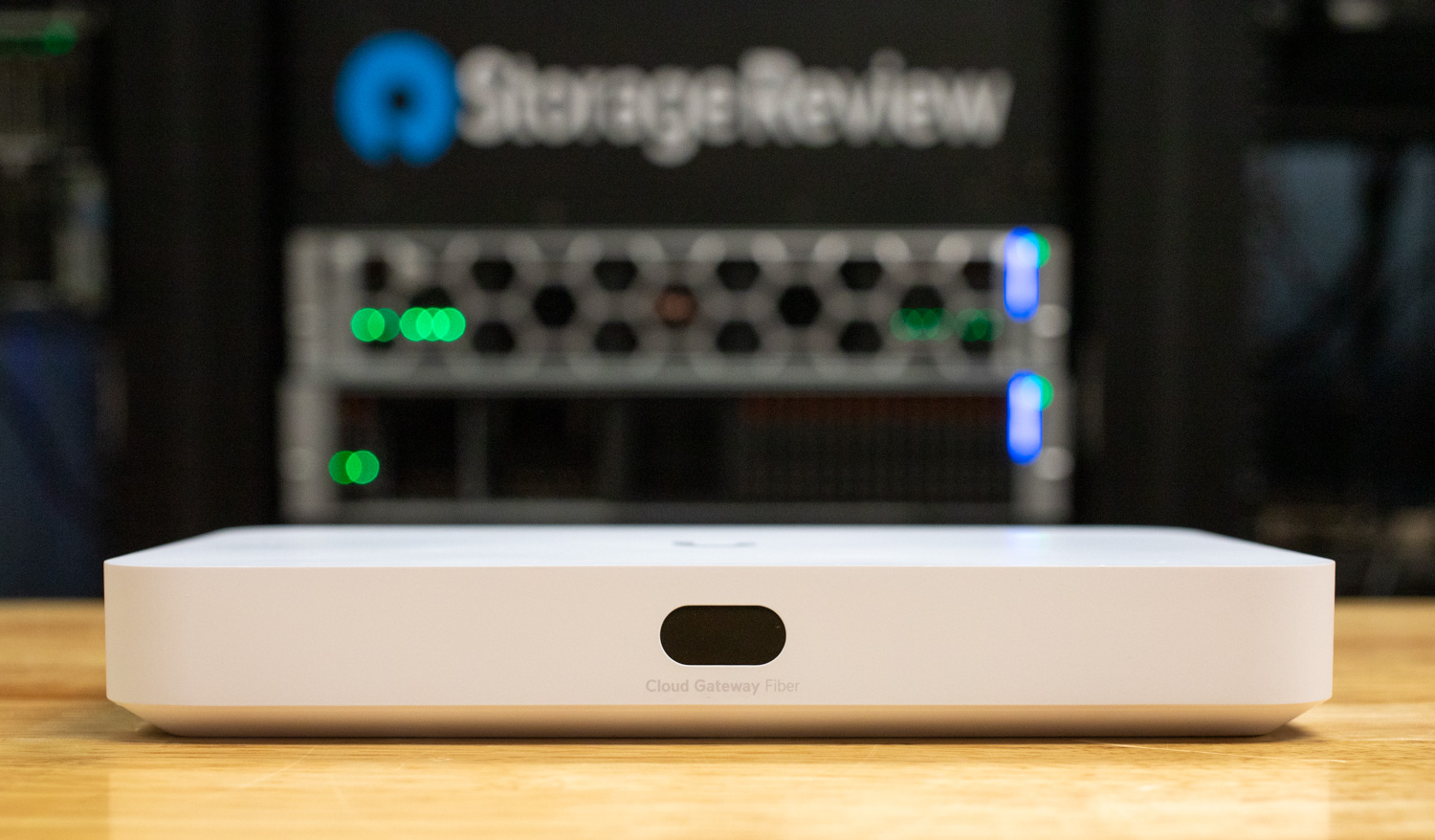
Ubiquiti recently sent us the UniFi Cloud Gateway Fiber, a compact 10G security gateway built to handle advanced routing and high IDS/IPS throughput while supporting the full UniFi application suite. Unlike the [UniFi Dream Router 7](https://www.storagereview.com/review/ubiquiti-dream-router-7-review-wifi-7-10gbe-and-full-unifi-in-one-box) we looked at previously, which targeted users needing an all-in-one router with integrated Wi-Fi, the Cloud Gateway Fiber is designed for environments that demand high-throughput networking and multi-gig flexibility. With dual 10G SFP+ ports, a 10GBASE-T port, and multiple 2.5 GbE ports, the gateway positions itself as a cost-effective way to bring 10G performance into small- to mid-sized UniFi deployments.

![Ubiquiti Cloud Gateway Fiber](https://www.storagereview.com/wp-content/uploads/2025/08/StorageReview-Ubiquiti-UCG-Fiber-5.jpg)

Priced at $279.00 on the Ubiquiti Store [(affiliate link)](https://store.ui.com/us/en/category/all-cloud-gateways/collections/cloud-gateway-fiber/products/ucg-fiber?a_aid=StorageReview), the Cloud Gateway Fiber brings 10G routing performance to an extremely affordable price point.

## Specifications UniFi Cloud Gateway Fiber

The table below outlines the complete hardware and software specifications of the UniFi Cloud Gateway Fiber.

| Specification | UniFi Cloud Gateway Fiber |
| --- | --- |
| Dimensions | 212.8 x 127.6 x 30 mm (8.3 x 5 x 1.2 inches) |
| UniFi Application Suite | Network, Protect, Access, Talk, Connect |
| Managed UniFi Devices | 50+ |
| Managed Cameras | (15) HD, (8) 2K, (5) 4K |
| Simultaneous Users Connected | 500+ |
| Default WAN Ports | (1) 10G SFP+, (1) 10 GbE RJ45 |
| LAN Ports | (1) 10G SFP+, (4) 2.5 GbE RJ45 |
| IDS/IPS Throughput | 5 Gbps |
| Form Factor | Compact desktop |
| Security Features | Stateful Firewall, Layer 7 Firewall, DPI & Traffic Identification, Zone-Based Firewall, Content Filtering, IPS/IDS, Ad Blocking |
| IDS/IPS Signatures | 55,000+ with CyberSecure |
| Traffic Segmentation | VLAN/Subnet-based |
| VPN & SD-WAN | License-Free SD-WAN, Site Magic, IPsec, OpenVPN, WireGuard, Teleport Zero-Configuration VPN, L2TP |
| Networking | Multi-WAN Load Balancing, OSPF, Advanced QoS, mDNS, Advanced NAT, Integrated RADIUS Server, RadSec, LTE Backup, Internet Quality Monitoring |
| MAC Address Table Size | 4,000 |
| NVR Storage | Selectable NVMe SSD up to 2 TB |
| PoE Budget | 30W |
| Power Supply | 54V DC/1.1A (adapter included) |
| Processor | Quad-core ARM Cortex-A73 at 2.2 GHz |
| System Memory | 3 GB |
| Weight | Without SSD: 675 g (1.5 lb); with SSD: 734 g (1.6 lb) |
| Enclosure Material | Polycarbonate |
| LCM Display | 0.96″ status display |
| Management | Ethernet, Bluetooth |
| LED Indicators | Ethernet, SFP+ |
| Button | (1) Factory reset |
| ESD/EMP Protection | Air: ±8kV, Contact: ±4kV |
| Ambient Operating Temperature | 0 to 40° C (32 to 104° F) |
| Ambient Operating Humidity | 5 to 95% noncondensing |
| Certifications | CE, FCC, IC |
| NDAA Compliant | Yes |

## Performance per Dollar with Cloud Gateway Fiber

Starting from a throughput and cost perspective, the Cloud Gateway Fiber offers an impressive value compared to the UniFi Dream Machine SE. As mentioned, starting at $279 without storage, the UCG-Fiber delivers up to 5 Gbps of IDS/IPS-secured routing bandwidth, making it nearly 50% faster than the UDM-SE’s 3.5 Gbps performance, despite costing almost half the price of the $499 UDM-SE. While the UDM-SE brings more in terms of 8 vs. 1 total PoE ports, expanded storage options, and higher device capacity, the Cloud Gateway Fiber positions itself as a strong option for smaller environments. It prioritizes highly secure throughput at a lower entry cost. This makes it particularly appealing for networks where throughput efficiency per dollar is the main deciding factor.

| Specification | UCG-Fiber | UCG-Max | UDM-SE | UDR7 |
| --- | --- | --- | --- | --- |
| **Price (MSRP)** | $279 | $279 | $499 | $279 |
| **10G Ports (RJ45 / SFP+)** | 1 × 10GBASE-T / 2 × 10G SFP+ | 0 / 0 | 0 / 2 × 10G SFP+ | 0 / 1 × 10G SFP+ |
| **Default WAN** | (1) 10G SFP+ and (1) 10G RJ45 (selectable) | (1) 2.5 GbE RJ45 | (1) 10G SFP+ and (1) 2.5 GbE RJ45 | (1) 10G SFP+ and (1) 2.5 GbE RJ45 |
| **PoE Out** | 1 × PoE+ (30 W) | — | 8 PoE ports (6 PoE, 2 PoE+), 180 W budget | 1 × PoE (15.4 W) |
| **CPU / RAM** | Quad-core ARM Cortex-A73 2.2 GHz / 3 GB | Quad-core ARM Cortex-A53 1.5 GHz / 3 GB | Quad-core ARM Cortex-A57 1.7 GHz / 4 GB | Quad-core ARM Cortex-A53 1.5 GHz / 3 GB |
| **IDS/IPS Throughput** | 5 Gbps | 2.3 Gbps | 3.5 Gbps | 2.3 Gbps |
| **Storage Options** | NVMe SSD (M.2) up to 2 TB | NVMe SSD (M.2) up to 2 TB | 3.5″ HDD bay + 128 GB SSD (integrated) + 16 GB eMMC | 64 GB microSD (included) + microSD expansion |
| **Device / Camera Guidance** | 50+ devices; cameras: 15 HD / 8 2K / 5 4K; 500+ users | 30+ devices; cameras: 15 HD / 8 2K / 5 4K; 300+ users | 100+ devices; cameras: 24 HD / 14 2K / 8 4K; 1,000+ users | 30+ devices; cameras: 5 HD / 2 2K / 1 4K; 300+ users |

Moreover, when compared to a similar form factor device like the Cloud Gateway Max, the Fiber model offers greater value with networking flexibility. The UCG-Fiber includes a 10GBASE-T WAN/LAN port, dual 10G SFP+ interfaces, and multiple 2.5 GbE ports, while the Max is limited to 2.5 GbE. For users planning to adopt multi-gig switching/routing or looking to future-proof with 10 GbE uplinks, fiber provides a clear advantage at only a modest increase in cost, strengthening its position as the better long-term investment.

## Build and Design UniFi Cloud Gateway Fiber

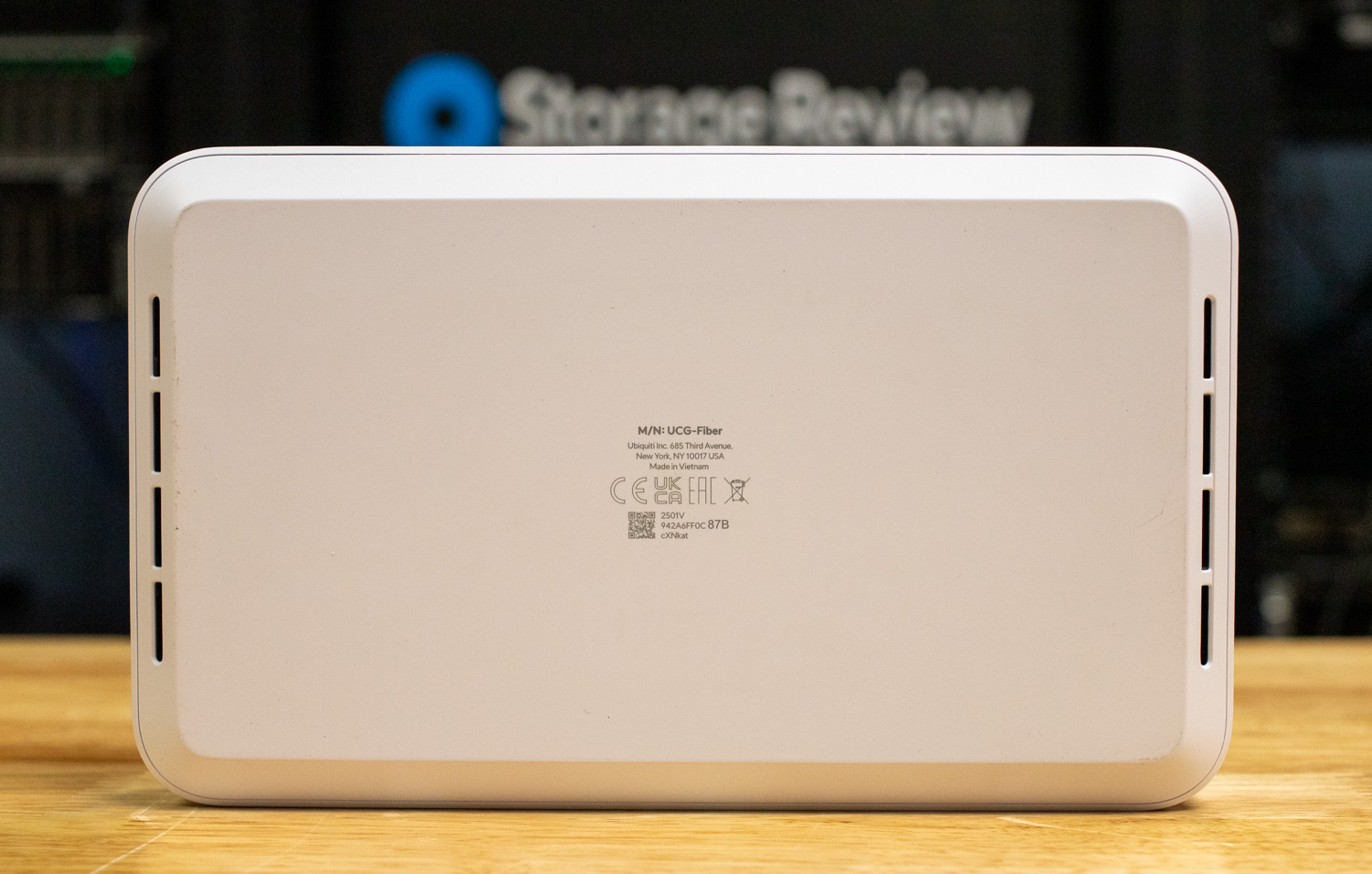
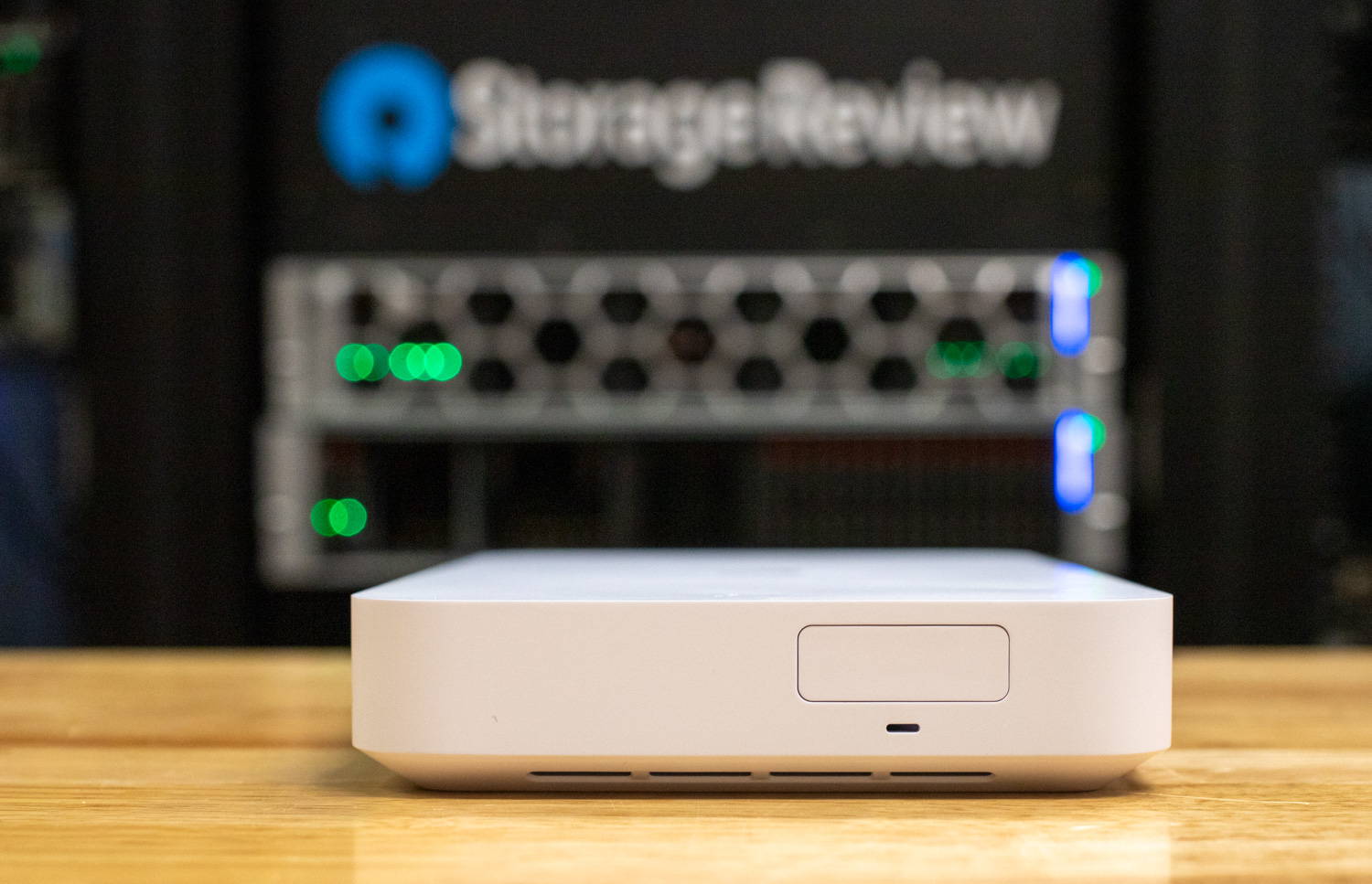
Starting with its overall size, the UniFi Cloud Gateway Fiber comes in at a compact footprint of 8.3 x 5 x 1.1 in (212.8 x 127.6 x 30 mm), making it a true desktop-class form factor. The unit features a solid white polycarbonate housing with a sturdy feel, weighing in at around 1.5 lb.

![Cloud Gateway Fiber bottom]()

On the front, a 0.96″ LCM status display provides at-a-glance system information such as total throughput in and out, connected devices, and client counts, giving quick visibility without needing to log into the controller.

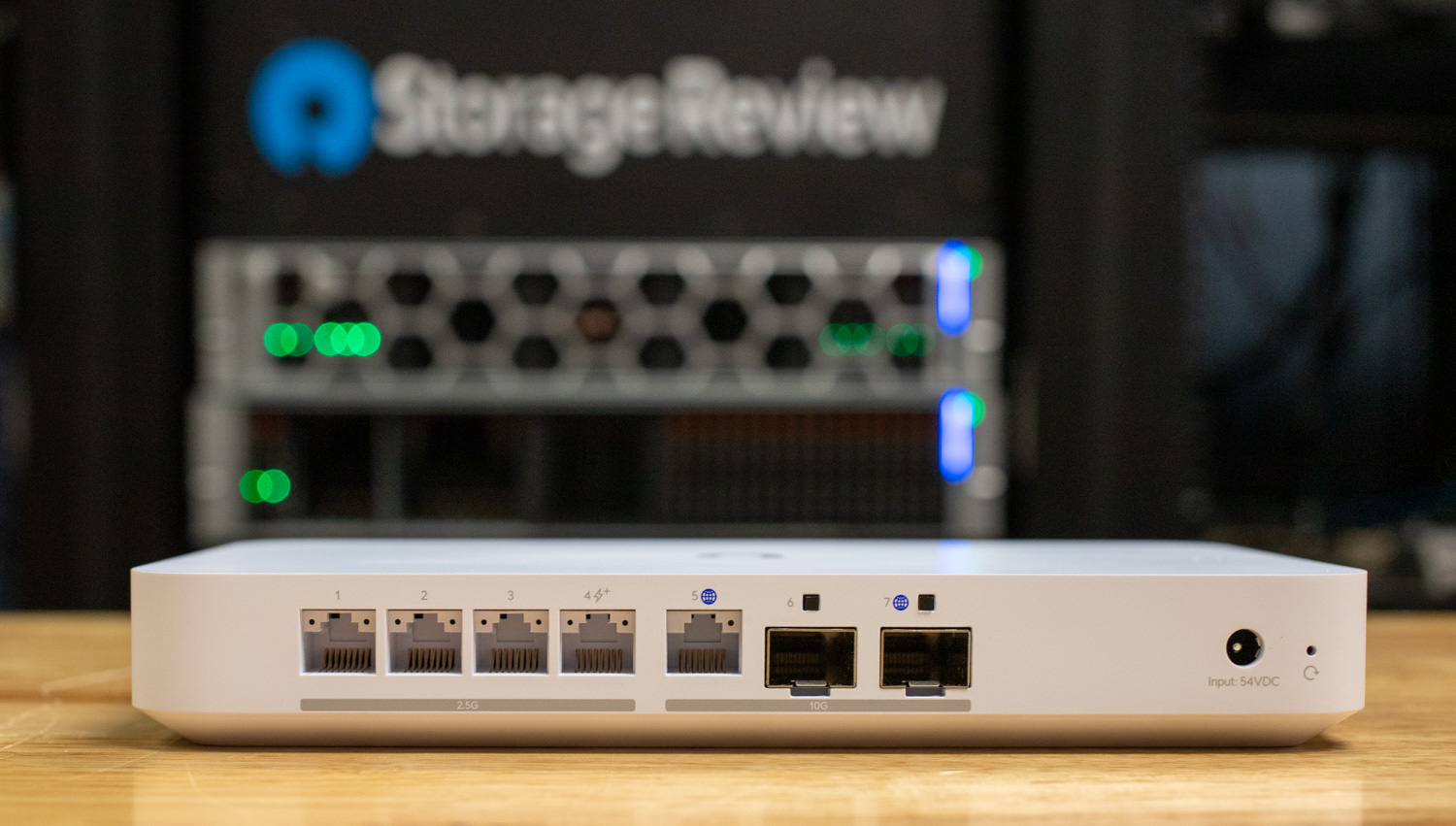
Moving to the rear of the device, starting from the left, there are four 2.5 GbE ports, with port 4 supporting PoE+ and delivering up to 30W of power. The fifth RJ45 port supports 10G/2.5G/1G and can be configured as a WAN uplink. On the SFP+ side, the unit includes two 10G/1G ports, with the furthest-right port also configurable as a WAN uplink. To the far right is a DC power input for the included external 54V DC/1.1A (100–240V AC) power supply, along with a factory reset button to restore the gateway to default settings.

![Cloud Gateway Fiber rear ports]()

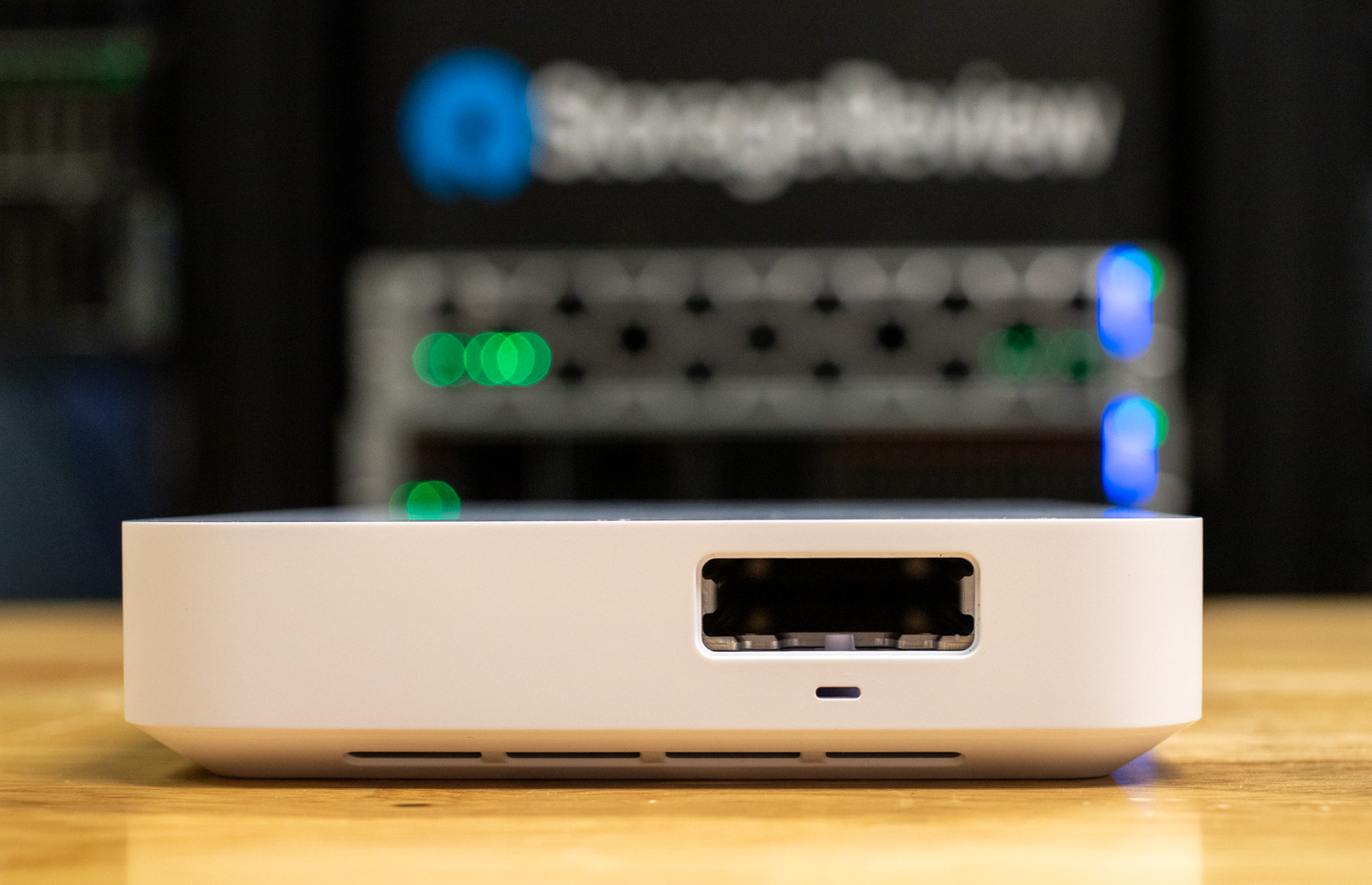
On the left-hand side of the chassis (viewed from the front) is an integrated M.2 slot, where an optional SSD sled can be installed to add an NVMe drive of up to 2 TB. This storage option enables UniFi Protect support, with capacity for up to 15 HD cameras, 8 2K cameras, or 5 4K cameras.

![Cloud Gateway Fiber m.2 ssd slot]()

Internally, the UCG-Fiber is powered by a quad-core ARM Cortex-A73 processor clocked at 2.2 GHz paired with 3 GB of system memory. This hardware foundation allows the device to handle 50+ adopted UniFi devices and over 500 simultaneous user connections, making it well-suited for small- to mid-size deployments.

## UniFi Network Overview

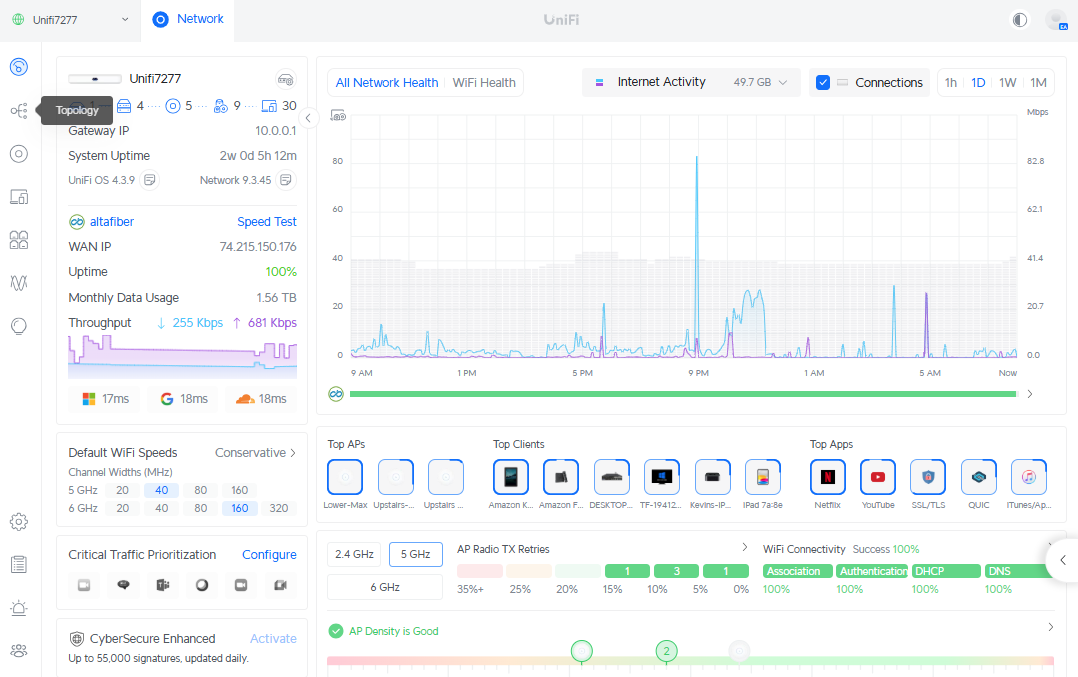
In our test environment, the Cloud Gateway Fiber is running UniFi OS 4.3.9 paired with Network 9.3.45. The dashboard view mirrors what we’ve seen across other UniFi gateways, maintaining the same intuitive layout and feature set found in the [UDM Pro Max](https://www.storagereview.com/review/ubiquiti-dream-machine-pro-max-review) and UDR 7. This consistency ensures that administrators familiar with UniFi’s ecosystem can transition seamlessly, whether managing a large rackmount deployment or a compact desktop gateway.

The interface provides a consolidated view of network activity, showing real-time throughput, WAN uptime, and internet usage trends. Administrators can quickly identify top APs, clients, and applications while also reviewing WiFi connectivity metrics such as association, authentication, DHCP, and DNS success rates. Advanced tools, including traffic prioritization and CyberSecure Enhanced threat management, are integrated into the same pane, keeping critical functions accessible from the home page.

![Cloud Gateway Fiber UI dashboard overview]()

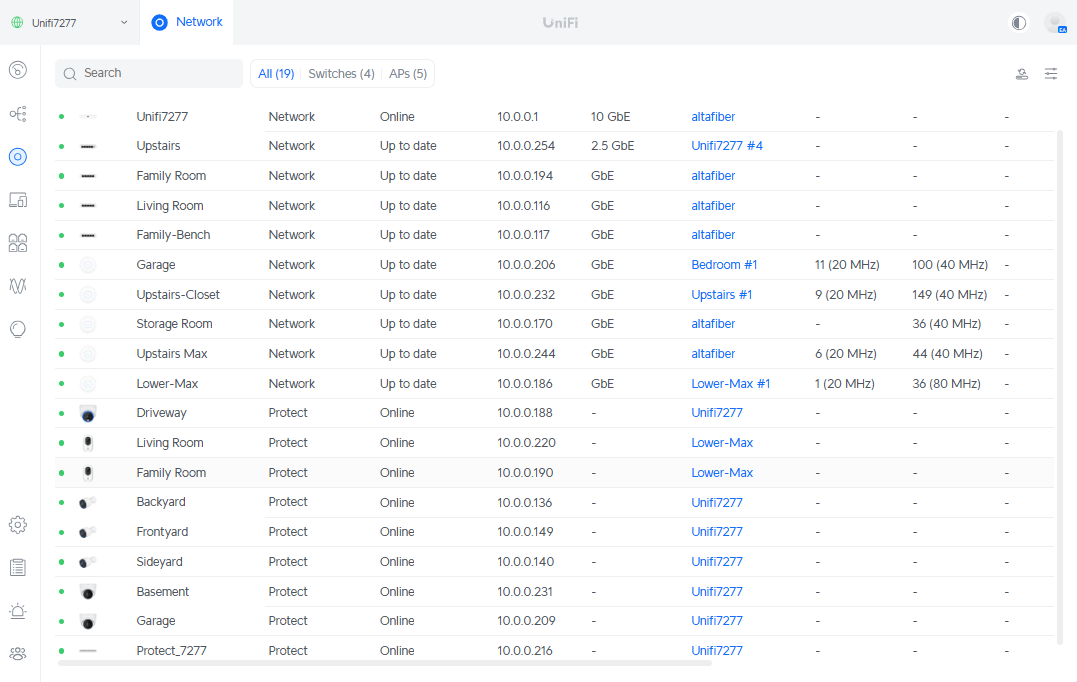
To validate Ubiquiti’s claim of supporting 50+ UniFi devices within a single deployment, we pushed our test environment to 19 active devices, a balanced mix of UniFi access points, switches, cameras, and NVR. This represents a medium-sized home network but still stresses the controller in a way that mimics small office or branch site usage.

The UniFi Device view clearly shows each device online, with a combination of 10 GbE, 2.5 GbE, and GbE uplinks/downlinks feeding into the Cloud Gateway Fiber. Devices span multiple roles, including WiFi coverage across several APs, network switching, and UniFi Protect cameras tied back to an NVR.

Even at this device count, the management interface remained responsive with no noticeable lag when navigating dashboards or drilling into performance views. This aligns with our experience on other UniFi gateways like the UDM Pro Max and UDR 7, where the UI scales predictably as more hardware is brought online.

While our test network did not reach the 50-device threshold, performance and stability at 19 devices suggest that the Cloud Gateway Fiber is well-equipped to manage larger UniFi environments without compromise.

![Cloud Gateway Fiber UI UniFi devices overview]()

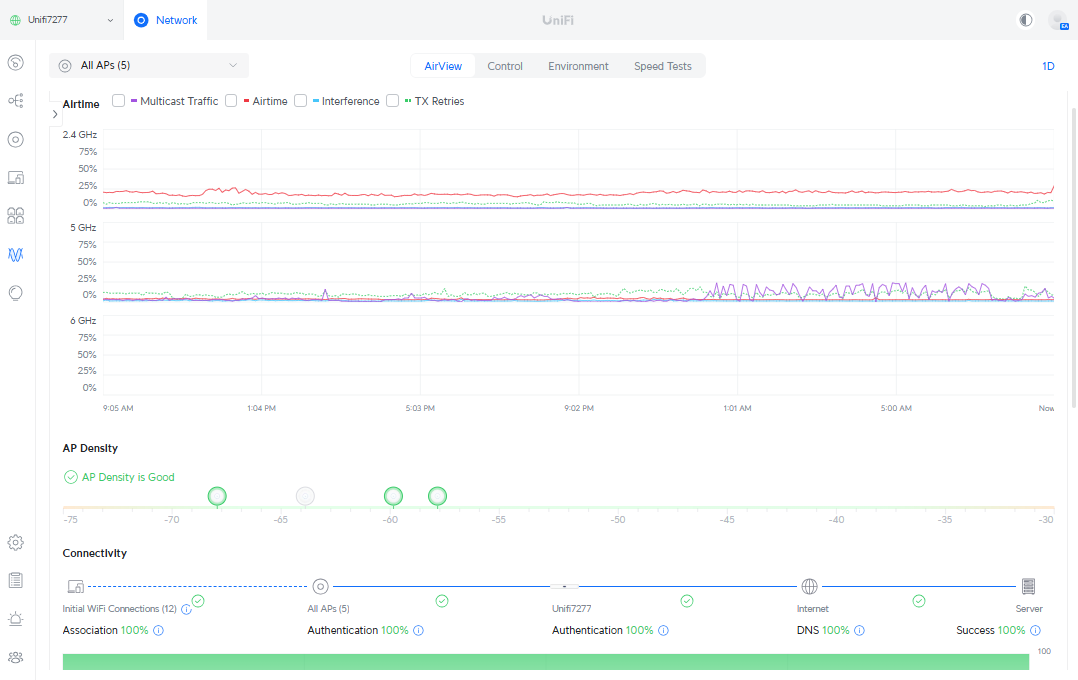
The AP management tab gives a clear view of airtime use, interference, and retries across all bands. In our test network, 2.4 GHz and 5 GHz remained stable with minimal interference. AP density was rated good, and connectivity success stayed at 100 percent for association, authentication, DHCP, and DNS. This view keeps wireless health easy to monitor and troubleshoot; this is consistent with what we have seen on other UniFi gateways.

![Cloud Gateway Fiber UI wireless overview]()

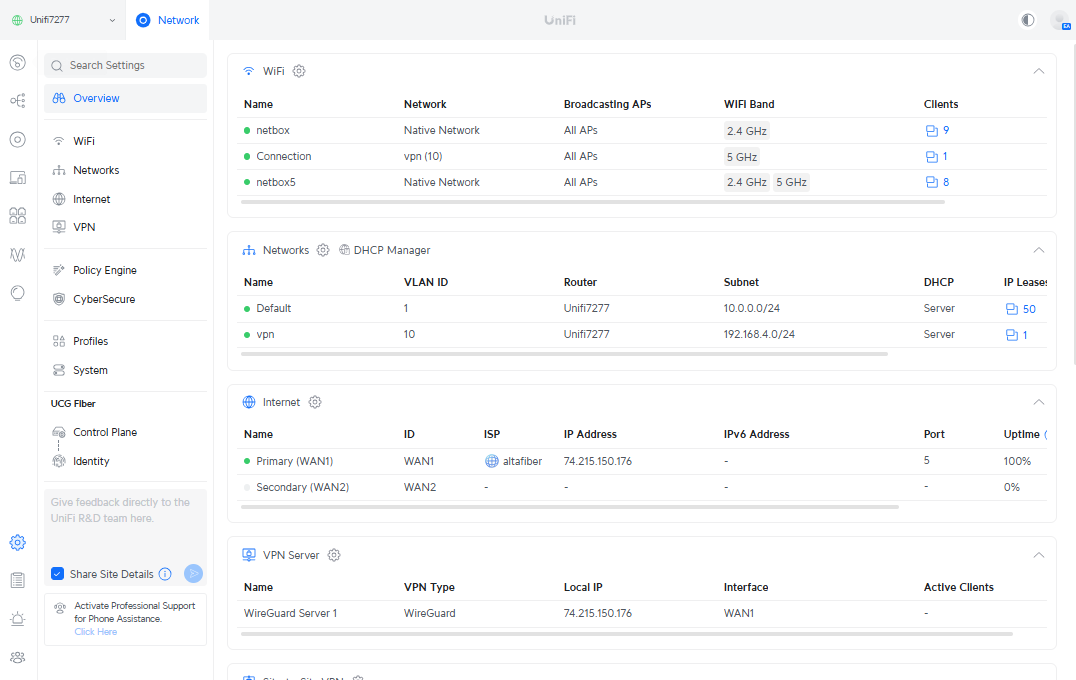
The UniFi Cloud Gateway Fiber brings the full UniFi networking stack into a compact form factor. Administrators have access to a complete suite of enterprise-grade tools, including firewall management, policy-based routing, QoS, port forwarding, static routes, and dynamic routing protocols like OSPF and BGP. DNS and NAT configurations are handled natively, with support for multiple VPN options such as WireGuard, IPsec, OpenVPN, L2TP, and Teleport.

CyberSecure integration extends protection with updated signatures, while redundant WAN support enables failover and load balancing across multiple uplinks. The gateway also supports Site Magic for simple edge-to-edge site connectivity without the complexity of manual VPN configuration. Together, these features make the Cloud Gateway Fiber a fully capable edge gateway designed to provide resilience and flexibility in small- to mid-sized deployments.

![Cloud Gateway Fiber UI Settings ]()

## Conclusion

The Ubiquiti Cloud Gateway Fiber delivers impressive value as a compact 10G gateway, offering 5 Gbps of IDS/IPS-secured throughput at just $279. In testing, it handled a medium-sized deployment of 19 UniFi devices without issue, and the interface remained as smooth and familiar as what we have experienced on the UDM Pro Max and UDR 7. Features like advanced traffic controls, CyberSecure, and AirView give administrators the tools to keep both wired and wireless environments operating efficiently.

![Cloud Gateway Fiber side view]()

Although we did not enable the Protect portion of the gateway for this review, the option to add an NVMe drive for integrated NVR support is a meaningful selling point for small offices or home users. They only need a handful of cameras without a large, bulky device. Along with Protect, the Cloud Gateway Fiber supports the full UniFi application stack, including Network, Access, Talk, and Connect, giving it the flexibility to scale beyond simple routing into a unified management platform.

By combining routing performance, application support, and expandability, the Cloud Gateway Fiber positions itself as one of the most cost-effective ways to introduce 10G networking into a UniFi deployment.

**[Cloud Gateway Fiber Product Page](https://store.ui.com/us/en/category/all-cloud-gateways/collections/cloud-gateway-fiber/products/ucg-fiber?a_aid=StorageReview) (affiliate link)**

**Engage with StorageReview**

[Newsletter](https://www.storagereview.com/storage_newsletter) |  [YouTube](https://www.youtube.com/user/StorageReview "Opens in a new window") | Podcast  [iTunes](https://podcasts.apple.com/gb/podcast/storagereview-com-storage-reviews/id1060681115 "Opens in a new window")/ [Spotify](https://open.spotify.com/show/1y6VnznABhHeOSMOmbDTz0 "Opens in a new window") |  [Instagram](https://www.instagram.com/storagereview/ "Opens in a new window") |  [Twitter](https://twitter.com/storagereview "Opens in a new window") |  [TikTok](https://www.tiktok.com/@storagereview? "Opens in a new window") |  [RSS Feed](https://www.storagereview.com/rss.xml)

![]()

### Dylan Dougherty

IT professional specializing in network administration and writer for StorageReview.

Previous post: [Lenovo ThinkStation P3 Tower Gen 2 Review: Core Ultra 9 and RTX 5000 Ada](https://www.storagereview.com/review/lenovo-thinkstation-p3-designed-for-professional-workflows)

Next post: [NVIDIA L40S for Omniverse: From OpenUSD Scenes to Physics-Aware World Models](https://www.storagereview.com/review/nvidia-l40s-for-omniverse-from-openusd-scenes-to-physics-aware-world-models)

Trusted Vendors

Products and solutions from our affiliate partners:

- [  
  ![Ubiquiti Logo](https://www.storagereview.com/wp-content/uploads/2024/11/2-1.webp)  
   Ubiquiti](https://store.ui.com/us/en?a_aid=StorageReview "Opens in a new window")
- [  
  ![Newegg Logo](https://www.storagereview.com/wp-content/uploads/2025/11/newegg.webp)  
   Newegg](https://click.linksynergy.com/fs-bin/click?id=g5terNMDhz0&offerid=1207190.18&subid=0&type=4 "Opens in a new window")
- [  
  ![Amazon Logo](https://www.storagereview.com/wp-content/uploads/2025/11/amazon.webp) Amazon](https://amzn.to/4fLJUEW "Opens in a new window")

Newsletter

Subscribe to the StorageReview newsletter to stay up to date on the latest news and reviews. We promise no spam!

1  

Leave this field empty if you’re human:

## Advertisement

Content Categories

[Facebook](https://www.facebook.com/@storagereview) [X](https://twitter.com/storagereview) [Instagram](https://www.instagram.com/storagereview/) [LinkedIn](https://www.linkedin.com/company/storagereview-com) [YouTube](https://www.youtube.com/user/storagereview?sub_confirmation=1) [Email](mailto:info@storagereview.com) [Spotify](https://open.spotify.com/show/1y6VnznABhHeOSMOmbDTz0) [Reddit](https://www.reddit.com/r/StorageReview/) [Discord](https://discord.gg/TwMHb4azdC) [RSS](https://www.storagereview.com/rss.xml) [TikTok](https://www.tiktok.com/@storagereview)

Copyright © 1998-2025 Flying Pig Ventures, LLC Cincinnati, Ohio. All rights reserved.

Manage your privacy

To provide the best experiences, we and our partners use technologies like cookies to store and/or access device information. Consenting to these technologies will allow us and our partners to process personal data such as browsing behavior or unique IDs on this site and show (non-) personalized ads. Not consenting or withdrawing consent, may adversely affect certain features and functions.

Click below to consent to the above or make granular choices. Your choices will be applied to this site only. You can change your settings at any time, including withdrawing your consent, by using the toggles on the Cookie Policy, or by clicking on the manage consent button at the bottom of the screen.

Functional Functional Always active

The technical storage or access is strictly necessary for the legitimate purpose of enabling the use of a specific service explicitly requested by the subscriber or user, or for the sole purpose of carrying out the transmission of a communication over an electronic communications network.

Preferences Preferences

The technical storage or access is necessary for the legitimate purpose of storing preferences that are not requested by the subscriber or user.

Statistics Statistics

The technical storage or access that is used exclusively for statistical purposes. The technical storage or access that is used exclusively for anonymous statistical purposes. Without a subpoena, voluntary compliance on the part of your Internet Service Provider, or additional records from a third party, information stored or retrieved for this purpose alone cannot usually be used to identify you.

Marketing Marketing

The technical storage or access is required to create user profiles to send advertising, or to track the user on a website or across several websites for similar marketing purposes.

Statistics

Marketing

Features

Always active

Always active

- Manage options
- Manage services
- Manage {vendor\_count} vendors
- [Read more about these purposes](https://cookiedatabase.org/tcf/purposes/)

Accept Deny Manage options Save preferences Manage options

- {title}
- {title}
- {title}

Manage your privacy

To provide the best experiences, we use technologies like cookies to store and/or access device information. Consenting to these technologies will allow us to process data such as browsing behavior or unique IDs on this site. Not consenting or withdrawing consent, may adversely affect certain features and functions.

Functional Functional Always active

The technical storage or access is strictly necessary for the legitimate purpose of enabling the use of a specific service explicitly requested by the subscriber or user, or for the sole purpose of carrying out the transmission of a communication over an electronic communications network.

Preferences Preferences

The technical storage or access is necessary for the legitimate purpose of storing preferences that are not requested by the subscriber or user.

Statistics Statistics

The technical storage or access that is used exclusively for statistical purposes. The technical storage or access that is used exclusively for anonymous statistical purposes. Without a subpoena, voluntary compliance on the part of your Internet Service Provider, or additional records from a third party, information stored or retrieved for this purpose alone cannot usually be used to identify you.

Marketing Marketing

The technical storage or access is required to create user profiles to send advertising, or to track the user on a website or across several websites for similar marketing purposes.

Statistics

Marketing

Features

Always active

Always active

- Manage options
- Manage services
- Manage {vendor\_count} vendors
- [Read more about these purposes](https://cookiedatabase.org/tcf/purposes/)

Accept Deny Manage options Save preferences Manage options

- {title}
- {title}
- {title}

Manage consent Manage consent

```json
{"@context":"https:\/\/schema.org","@graph":[{"@type":"WebPage","@id":"https:\/\/www.storagereview.com\/review\/ubiquiti-cloud-gateway-fiber-review-10g-gateway-with-5gbps-ids-ips","url":"https:\/\/www.storagereview.com\/review\/ubiquiti-cloud-gateway-fiber-review-10g-gateway-with-5gbps-ids-ips","name":"Ubiquiti Cloud Gateway Fiber Review: 10G Gateway With 5Gbps IDS\/IPS - StorageReview.com","isPartOf":{"@id":"https:\/\/www.storagereview.com\/#website"},"primaryImageOfPage":{"@id":"https:\/\/www.storagereview.com\/review\/ubiquiti-cloud-gateway-fiber-review-10g-gateway-with-5gbps-ids-ips#primaryimage"},"image":{"@id":"https:\/\/www.storagereview.com\/review\/ubiquiti-cloud-gateway-fiber-review-10g-gateway-with-5gbps-ids-ips#primaryimage"},"thumbnailUrl":"https:\/\/www.storagereview.com\/wp-content\/uploads\/2025\/08\/StorageReview-Ubiquiti-UCG-Fiber-3.jpg","datePublished":"2025-08-22T15:27:14+00:00","dateModified":"2026-08-16T00:07:53+00:00","description":"UniFi Cloud Gateway Fiber review: compact 10G gateway with 5 Gbps IDS\/IPS, 10G SFP+, 10GBASE-T, NVMe NVR support at $279.","breadcrumb":{"@id":"https:\/\/www.storagereview.com\/review\/ubiquiti-cloud-gateway-fiber-review-10g-gateway-with-5gbps-ids-ips#breadcrumb"},"inLanguage":"en-US","potentialAction":[{"@type":"ReadAction","target":["https:\/\/www.storagereview.com\/review\/ubiquiti-cloud-gateway-fiber-review-10g-gateway-with-5gbps-ids-ips"]}]},{"@type":"ImageObject","inLanguage":"en-US","@id":"https:\/\/www.storagereview.com\/review\/ubiquiti-cloud-gateway-fiber-review-10g-gateway-with-5gbps-ids-ips#primaryimage","url":"https:\/\/www.storagereview.com\/wp-content\/uploads\/2025\/08\/StorageReview-Ubiquiti-UCG-Fiber-3.jpg","contentUrl":"https:\/\/www.storagereview.com\/wp-content\/uploads\/2025\/08\/StorageReview-Ubiquiti-UCG-Fiber-3.jpg","width":1500,"height":851,"caption":"UniFi Cloud Gateway Fiber with 10GBASE-T and dual 10G SFP+ ports"},{"@type":"BreadcrumbList","@id":"https:\/\/www.storagereview.com\/review\/ubiquiti-cloud-gateway-fiber-review-10g-gateway-with-5gbps-ids-ips#breadcrumb","itemListElement":[{"@type":"ListItem","position":1,"name":"Home","item":"https:\/\/www.storagereview.com\/"},{"@type":"ListItem","position":2,"name":"Review","item":"https:\/\/www.storagereview.com\/review"},{"@type":"ListItem","position":3,"name":"Ubiquiti Cloud Gateway Fiber Review: 10G Gateway With 5Gbps IDS\/IPS"}]},{"@type":"WebSite","@id":"https:\/\/www.storagereview.com\/#website","url":"https:\/\/www.storagereview.com\/","name":"StorageReview.com","description":"StorageReview.com is a leading provider of news and reviews throughout the entire IT stack - from the datacenter to the edge, and all points in between.","publisher":{"@id":"https:\/\/www.storagereview.com\/#organization"},"potentialAction":[{"@type":"SearchAction","target":{"@type":"EntryPoint","urlTemplate":"https:\/\/www.storagereview.com\/?s={search_term_string}"},"query-input":{"@type":"PropertyValueSpecification","valueRequired":true,"valueName":"search_term_string"}}],"inLanguage":"en-US"},{"@type":"Organization","@id":"https:\/\/www.storagereview.com\/#organization","name":"StorageReview.com","url":"https:\/\/www.storagereview.com\/","logo":{"@type":"ImageObject","inLanguage":"en-US","@id":"https:\/\/www.storagereview.com\/#\/schema\/logo\/image\/","url":"https:\/\/www.storagereview.com\/wp-content\/uploads\/2020\/02\/Storage-Reviews-2-2.png","contentUrl":"https:\/\/www.storagereview.com\/wp-content\/uploads\/2020\/02\/Storage-Reviews-2-2.png","width":344,"height":61,"caption":"StorageReview.com"},"image":{"@id":"https:\/\/www.storagereview.com\/#\/schema\/logo\/image\/"},"sameAs":["https:\/\/x.com\/storagereview","http:\/\/youtube.com\/user\/storagereview"]}]}
```