---
description: The Dell Precision 7560 is a well-equipped mobile workstation with dedicated graphics and amazing display options.
title: Dell Precision 7560 Review
image: https://www.storagereview.com/wp-content/uploads/2021/08/storagereview-dell-precision-750-full.jpg
---
[![Storage Review]()](https://storagereview.com/)
---
[Facebook](https://www.facebook.com/@storagereview) [X (Twitter)](https://twitter.twitter.com/storagereview) [Instagram](https://www.instagram.com/storagereview/) [LinkedIn](https://www.linkedin.com/company/storagereview-com) [YouTube](https://www.youtube.com/user/storagereview?sub_confirmation=1) [Email](mailto:info@storagereview.com) [Spotify](https://open.spotify.com/show/1y6VnznABhHeOSMOmbDTz0) [Reddit](https://www.reddit.com/r/StorageReview/) [Discord](https://discord.gg/TwMHb4azdC) [RSS Feed](https://www.storagereview.com/rss.xml) [TikTok](https://www.tiktok.com/@storagereview)
[Facebook](https://www.facebook.com/@storagereview) [X (Twitter)](https://twitter.com/storagereview) [Instagram](https://www.instagram.com/storagereview/) [LinkedIn](https://www.linkedin.com/company/storagereview-com) [YouTube](https://www.youtube.com/user/storagereview?sub_confirmation=1) [Email](mailto:info@storagereview.com) [Spotify](https://open.spotify.com/show/1y6VnznABhHeOSMOmbDTz0) [Reddit](https://www.reddit.com/r/StorageReview/) [Discord](https://discord.gg/TwMHb4azdC) [RSS Feed](https://www.storagereview.com/rss.xml) [TikTok](https://www.tiktok.com/@storagereview)
[![StorageReview.com]()](https://www.storagereview.com)
≡ Menu
- [Home](https://www.storagereview.com/)
- [Storage Reviews](https://www.storagereview.com/review)
- [End User Reviews](https://www.storagereview.com/consumer)
- [Enterprise Reviews](https://www.storagereview.com/enterprise)
- [Ubiquiti Reviews](https://www.storagereview.com/best/ubiquiti-reviews)
- [SR Merch](https://store.storagereview.com)
- [Leaderboards](https://www.storagereview.com/best)
- [Best Storage Arrays](https://www.storagereview.com/best/storage-arrays)
- [Best Enterprise SSDs](https://www.storagereview.com/best/enterprise-ssds)
- [Best Servers](https://www.storagereview.com/best/servers)
- [Best Enterprise GPUs](https://www.storagereview.com/best/enterprise-gpus)
- [Best Desktops for Local AI](https://www.storagereview.com/best/desktops-local-ai)
- [Best Laptops for Local AI](https://www.storagereview.com/best/laptops-local-ai)
- [Best Local LLM Tools](https://www.storagereview.com/best/local-llm-tools)
- [Agentic AI Hardware](https://www.storagereview.com/best/agentic-ai-hardware)
- [Best SSDs & Hard Drives](https://www.storagereview.com/best_drives)
- [Best Portable SSDs](https://www.storagereview.com/best/portable-ssds)
- [Best Business Laptops](https://www.storagereview.com/best/business-laptops)
- [Best Mobile Workstations](https://www.storagereview.com/best/mobile-workstations)
- [Best Desktop Workstations](https://www.storagereview.com/best/desktop-workstations)
- [Best Mini PCs](https://www.storagereview.com/best/mini-pcs)
- [Best Laptop Battery Life](https://www.storagereview.com/best/laptop-battery-life)
- [Storage Reference Guide](https://www.storagereview.com/storage-reference-guide)
- [About SR](https://www.storagereview.com/about-storagereview)
- [StorageReview.com Sweepstakes Rules and Regulations](https://www.storagereview.com/storagereview-com-sweepstakes-rules-and-regulations)
Search
[Home](https://www.storagereview.com/) » [Review](https://www.storagereview.com/review) » Dell Precision 7560 Review
# Dell Precision 7560 Review
by Charles P. Jefferies on September 7, 2021
[End User](https://www.storagereview.com/consumer) ◇ [Workstation](https://www.storagereview.com/consumer/workstation)
Dell’s Precision 7560 is its most powerful 15.6-inch mobile workstation. This model’s component loadout includes Intel’s 11th generation Xeon and Core processors, NVIDIA workstation-grade GPUs up to the 16GB RTX A5000, up to 128GB of ECC memory, and space for three NVMe drives. Its top screen option sports a UHD (3840×2160) resolution and a 100% Adobe RGB color rating.
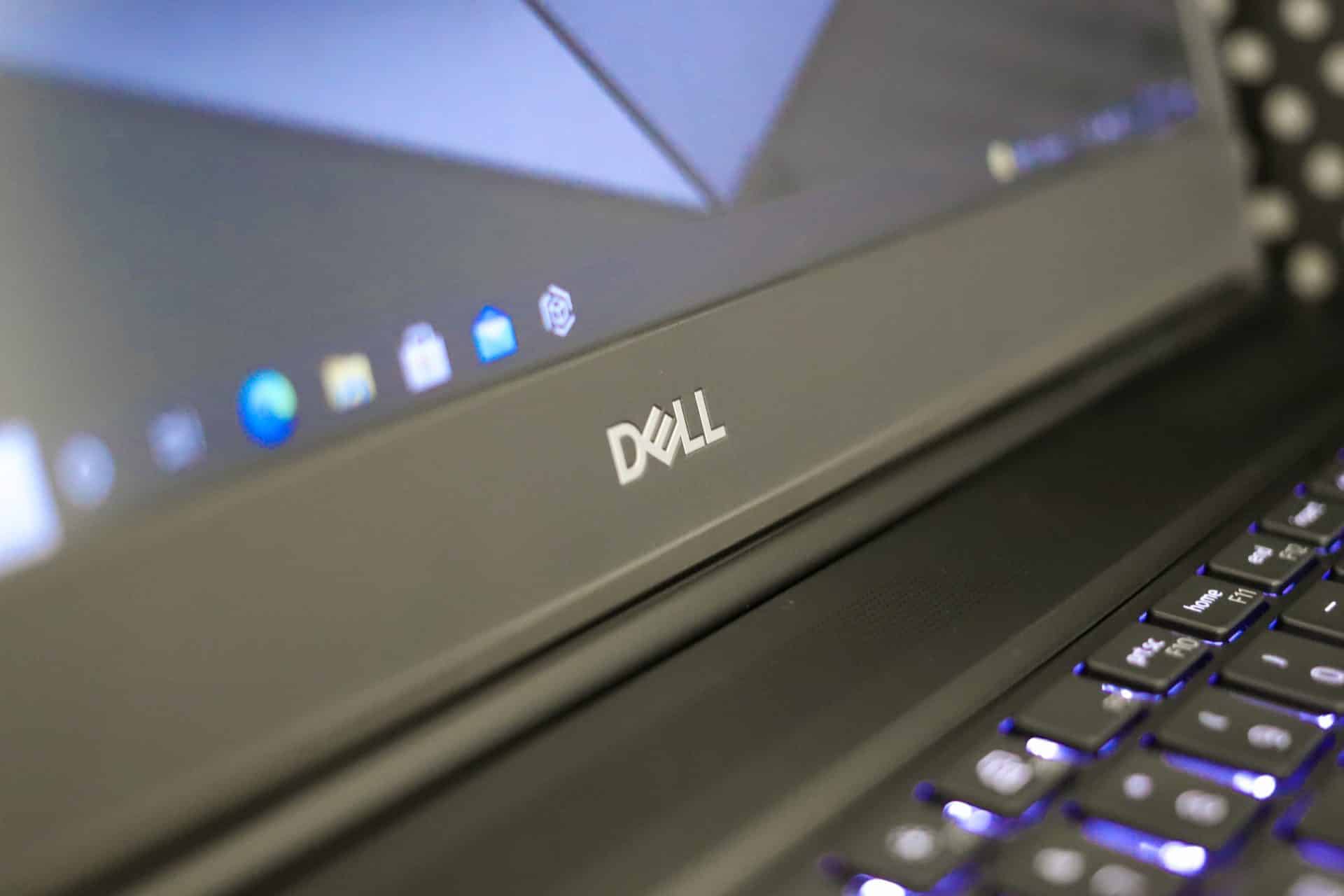
The 7560 also has top-notch security options; Windows, Ubuntu, and Red Hat operating systems options; and a standard three-year warranty. Overall, the Precision 7560 is a worthy alternative to its chief rivals, the Lenovo [ThinkPad P15 Gen 2](https://www.storagereview.com/review/lenovo-thinkpad-p15-gen-2-review) and the HP ZBook Fury 15 G8. It won’t be cheap even if you have access to corporate or fleet discounts, but if you’re looking for the most performance you can get in a 15.6-inch form factor, the Precision 7560 won’t steer you wrong.
## **Dell Precision 7560 Specifications**
Let’s check the Precision 7560’s stats. (Skip to the end of this section for the condensed version.)
| **Processor** | Intel 11th Generation 45-watt processors:- Xeon W-11955M (8 cores, 24MB cache, 2.6 to 5.0GHz, vPro)
- Xeon W-11855M (6 cores, 18MB cache, 3.2 to 4.9GHz, vPro)
- Core i9-11950H (8 cores, 24MB cache, 2.6 to 5.0GHz, vPro)
- Core i7-11850H (8 cores, 24MB cache, 2.5 to 4.8GHz, vPro)
- Core i7-11800H (8 cores, 24MB cache, 2.3 to 4.6GHz)
- Core i7-11600H (6 cores, 18MB cache, 2.9 to 4.6GHz)
- Core i5-11500H (6 cores, 12MB cache, 2.9 to 4.6GHz, vPro)
|
| --- | --- |
| **Operating System** | - Windows 10 Home, Pro, Pro for Workstations, Pro Education, Professional China, Enterprise
- Ubuntu 20.04 LTS
- RedHat 8.4
|
| **Chipset** | Intel Mobile WM590 |
| **Memory** | Four SODIMM slots support up to the following:- 128GB DDR4-3200 non-ECC (4x 32GB)
- 128GB DDR4-3200 ECC (4x 32GB)
- 64GB DDR4-3466 non-ECC (4x 16GB)
|
| **Graphics** | - Intel UHD Graphics (integrated)
- Nvidia T1200 (4GB GDDR6)
- Nvidia RTX A2000 (4GB GDDR6)
- Nvidia RTX A3000 (6GB GDDR6)
- Nvidia RTX A4000 (8GB GDDR6)
- Nvidia RTX A5000 (16GB GDDR6)
|
| **Displays** | 15.6-inch 60Hz display options:- 1920×1080, anti-glare, non-touch, 45% NTSC, 220 nits
- 1920×1080, anti-glare, non-touch, 100% DCIP3, 500 nits
- 1920×1080, touch, 100% DCIP3, 500 nits
- 3840×2160, anti-glare, non-touch, 100% Adobe RGB, HDR600, 600 nits
|
| **Storage** | Supports three M.2 Type-2280 PCI Express solid-state drives, including Gen 4 NVMe. Supports RAID 0/1/5. Drives offered from 256GB to 4TB. |
| **Wireless** | - Intel Wi-Fi 6E AX210 with Bluetooth 5.2
- Optional Qualcomm Snapdragon X55 5G Modem (DW5930E)
|
| **I/O Ports and Connectors** | - (1) RJ-45 Gigabit Ethernet
- (2) USB 3.2 Gen 1 Type-A, one with PowerShare
- (2) Thunderbolt 4 (USB Type-C)
- (1) HDMI 2.1
- (1) Mini-DisplayPort 1.4
- (1) Universal audio jack
- (1) SD card slot
- (1) SmartCard reader
- (1) Micro SIM
|
| **Security Features** | - Optional Intel vPro (iAMT 12)
- Wedge lock slot
- Hardware TPM 2.0 with FIPS 140-2 certification, TCG certification
- Optional Dell Client Command Suite
- Optional contacted or contactless SmartCard reader
|
| **Multimedia Features** | - Dual integrated speakers with MaxxAudio Pro by Waves
- Optional dual integrated noise-canceling microphones
- Optional HD camera
- Optional IR camera
|
| **Dimensions (HWD)** | 0.98 (front) \~ 1.08 (rear) by 14.1 by 9.5 inches |
| **Weight** | Starts at 5.4 pounds |
| **Battery Options** | 6-cell lithium-ion options:- 68WHr with ExpresChargeBoost
- 95WHr with ExpressChargeBoost
- 95WHr Long Life Cycle
|
| **Power Adapter** | 180 watts, 7.4mm barrel |
| **Warranty** | - Standard three-year with onsite service after remote diagnosis
- Available coverage up to five years with accidental damage coverage
- Optional ProSupport with Next Business Day onsite service
- Optional ProSupport Plus with Next Business Day onsite service
|
| **Other Features** | - Aluminum Titan Gray LCD cover
- QWERTY white backlit keyboard with multimedia keys
- ISV certifications for popular apps
|
The Precision 7560 offers nearly the same selection of processors, graphics cards, memory, and storage options as the HP ZBook Fury 15 G8 and the [Lenovo ThinkPad P15 Gen 2](https://www.storagereview.com/review/lenovo-thinkpad-p15-gen-2-review). The HP has one more M.2 slot (for a total of four) and is the only one that offers AMD Radeon Pro cards and a privacy screen.
Meanwhile, Lenovo is the only one to offer a display with active pen input. The Precision 7560’s niche advantage is offering slightly faster DDR4-3466 non-ECC memory than the usual DDR4-3200. Overall, however, the on-paper differences between the three are slight; this is a highly competitive field, one in which these three have been competing for many years.
## **Dell Precision 7560 Design and Build**
True to a top-end business laptop, the Precision 7560 has a metal construction and a tank-like feel. Though not a rugged laptop, it’s designed for travel and can withstand not being treated like royalty.
![Dell Precision 7560 Angle]()
The design is professional without being overly sterile. Its silver edges and lid contrast nicely with its black palm rest.
![Dell Precision 7560 Lid]()
The Precision 7560 is 14.17 inches wide, 9.53 inches deep, and varies in height from 0.98 inches at the front to 1.08 inches at the rear. It’s relatively chunky next to a typical consumer 15.6-inch laptop, but this is a powerful workstation, and its dimensions and starting weight of 5.42 pounds are acceptable.
The competition fares about the same; the ZBook Fury 15 G8 is 14.21 by 9.55 by 1.02 inches and starts at 5.18 pounds and the ThinkPad P15 Gen 2 is 14.7 by 9.9 by 0.9\~1.2 inches and starts at 6.32 pounds.
## Dell Precision 7560 Screen and Input Devices
Our review model’s screen has a UHD (3840×2160) resolution. Designers will especially appreciate its rated 600-nit brightness and 100% Adobe RGB color coverage.
![Dell Precision 7560 Front]()
Though factory calibrated, professionals will want to invest in a calibration device. This display also comes with an IR camera for Windows Hello facial recognition. It has a sliding privacy shutter.
![Dell Precision 7560 Webcam]()
Dell also offers three FHD (1920×1080) screen options. The base non-touchscreen is rated for just 220 nits and 45% NTSC coverage. An upgrade to a 500-nit panel with 100% DCI-P3 coverage is inexpensive ($39 per Dell’s online configurator). It can be had with touch capability for a little more. The UHD screen on our review unit is only available as non-touch with an anti-glare surface.
The keyboard keys have a comfortable 1.65mm key travel distance for good tactile feedback. The number pad is full-size, though the half-height up and down arrow keys take some adjustment; ideally, they would all be the same size for consistency.
![Dell Precision 7560 Keyboard]()
Strangely, the white backlighting on our test model is not a standard feature.
![Dell Precision 7560 Keyboard Backlighting]()
## Dell Precision 7560 Connectivity and Upgradeability
The Precision 7560’s connectivity starts on its left edge with a pair of Thunderbolt 4 (USB Type-C) ports and the optional SmartCard reader.
![Dell Precision 7560 Left Edge]()
Right-edge connectivity includes a full-size SD card slot, a universal audio jack, a pair of USB 3.2 Gen 1 Type-A ports (5Gbps), and a cable lock slot. One of the Type-A ports has PowerShare to allow device charging while the notebook is turned off.
![Dell Precision 7560 Right Edge]()
The remaining ports are on the back; they include mini-DisplayPort 1.4 and HDMI 2.1 video outputs and a Gigabit Ethernet jack. The power adapter also connects back here, which is smartly placed since it keeps the cable from protruding from one of the notebook’s sides. Internally, the Precision 7560 has an Intel Wi-Fi 6E AX210 card with Bluetooth 5.2. 5G mobile broadband is optional, though our review unit is not so equipped.
![Dell Precision 7560 Back]()
The laptop’s two cooling fans send their air out the back edge, a good design since it keeps the heat away from your hands. Below, our thermal camera shows that under load, the Precision 7560 concentrates most of its heat towards the center-right of the keyboard.
![Dell Precision 7560 FLIR]()
End-user upgradeability is a strength for the Precision 7560. On some models, one M.2 Type-2280 slot resides in a dedicated access panel on the bottom cover, making it unnecessary to remove the cover just to install an SSD. Removing the bottom cover gives you access to all three M.2 Type-2280 slots plus two of the SODIMM slots for memory upgrades. Getting to the other two SODIMM slots requires removing the keyboard.
![dell precision 7560 ssd bay]()
The battery is also under the bottom panel. The 95WHr long life cycle version in our review unit notably carries a three-year warranty like the rest of the notebook. (Typically, batteries are only covered for one year regardless of the total warranty coverage.) A 95WHr ExpressCharge battery is also available if you prioritize quick charging time. Either 95WHr battery is a required upgrade over the base 68WHr battery with our review unit’s powerful RTX A4000 graphics card.
## **Dell Precision 7560 Performance**
We put our Precision 7560 review unit through our resource-intensive benchmarking regimen to gauge its performance. Our review unit is equipped as follows:
- Windows 10 Pro
- 15.6-inch UHD (3840×2160) display
- Intel Core i7-11850H processor (8 cores, 24MB cache, 2.5 to 4.8GHz)
- Nvidia RTX A4000 graphics card (8GB GDDR6 dedicated memory)
- 32GB DDR4-3200 non-ECC memory (4x 8GB SODIMMs)
- 2TB M.2 Gen 4 PCIe NVMe solid-state drive
- 6-cell 95WHr long life cycle battery
![Dell Precision 7560 Core i7]()
This is a potent configuration even though it’s not entirely top-shelf – for instance, a slightly faster CPU is available (a Core i9-11950H or Xeon W-11955M, both of which can reach 5.0GHz) as well as a formidable RTX A5000 16GB graphics card and up to four times the DDR4 memory (128GB).
However, with hardware a peg or two down from the top, our review unit balances high performance with a relatively reasonable price. It goes for $5,039 on Dell’s site at this writing, but that number can change with corporate or fleet discounts.
Depending on the test, we will compare the Precision 7560 to other workstation notebooks including the ThinkPad P15 Gen 2. Let’s get on with the testing.
### **SPECviewperf 2020**
The SPECviewperf 2020 benchmark is the worldwide standard for measuring the graphics performance of professional applications running under the OpenGL and Direct X application programming interfaces. The viewsets (or benchmarks) represent graphics content and behavior from actual applications, without having to install the applications themselves. These viewsets include 3D Max, CATIA, Creo, Energy, Maya, Medical, Siemens NX, and Solidworks.
| Viewsets | **Dell Precision 7560** (UHD, Nvidia RTX A4000) | Lenovo ThinkPad P15 Gen 2 (FHD, Nvidia RTX A5000) |
| --- | --- | --- |
| 3dsmax-07 | 51.98 | 125.99 |
| Catia-06 | 50.12 | 106.36 |
| Creo-03 | 67.58 | 161.61 |
| Energy-03 | 18.01 | 64.23 |
| Maya-06 | 106.38 | 398.74 |
| Medical-03 | 16.89 | 58.94 |
| Snx-04 | 139.91 | 726.7 |
| Sw-05 | 75.45 | 285.1 |
The Dell’s numbers seem small next to the ThinkPad’s, but that is because its UHD screen has four times the pixels of the ThinkPad’s FHD (1920×1080) panel. The Dell also uses a GPU that’s one notch down. Nonetheless, its numbers are healthy enough to suggest it can handle demanding creative applications.
### **SPECworkstation 3**
Next, we ran SPECworkstation3, a test that specializes in benchmarks designed for testing all key aspects of workstation performance; it uses over 30 workloads to test CPU, graphics, I/O, and memory bandwidth. The workloads fall into broader categories such as Media and Entertainment, Financial Services, Product Development, Energy, Life Sciences, and General Operations. We are going to list the broad-category results for each, as opposed to the individual workloads.
The results are an average of all the individual workloads in each category. The Precision 7560 did well next to the ThinkPad P15 Gen 2 again considering it uses a slightly lesser processor and graphics card.
| | **Dell Precision 7560** (UHD, Nvidia RTX A4000) | Lenovo ThinkPad P15 Gen 2 (FHD, Nvidia RTX A5000) |
| --- | --- | --- |
| **M&E** | 2.75 | 3.16 |
| **ProdDev** | 3.07 | 3.34 |
| **LifeSci** | 2.86 | 2.94 |
| **Energy** | 1.76 | 1.77 |
| **FSI** | 2.14 | 2.29 |
| **GeneralOps** | 2.65 | 2.56 |
| **GPU Compute** | 5 | 5.17 |
### **ESRI**
Next up is the Environmental Systems Research Institute (Esri) benchmark. Esri is a supplier of Geographic Information System (GIS) software. Esri’s Performance Team designed their PerfTool add-in scripts to automatically launch the ArcGIS Pro. This application uses a “ZoomToBookmarks” function to browse various predefined bookmarks and create a log file with all the key data points required to predict the user experience. The script automatically loops the bookmarks three times to account for caching (memory and disk cache). In other words, this benchmark simulates heavy graphical use that one might see through Esri’s ArcGIS Pro software.
Starting off is the Montreal model where the Precision 7560 produced 111.1 average and 44.2 minimum FPS. Its numbers are lower than the ThinkPad’s again due to its higher screen resolution.
| **ESRI ArcGIS Pro 2.3 Montreal** | |
| --- | --- |
| **Average FPS** | **Average** |
| **Dell Precision 7560** (UHD, Nvidia RTX A4000) | 111.13 |
| Lenovo ThinkPad P15 Gen 2 (FHD, Nvidia RTX A5000) | 738.1 |
| **Minimum FPS** | **Average** |
| **Dell Precision 7560** (UHD, Nvidia RTX A4000) | 44.15 |
| Lenovo ThinkPad P15 Gen 2 (FHD, Nvidia RTX A5000) | 279.56 |
The Philly model is last; the Precision 7560’s numbers were similar to what it produced in the Montreal model but with a slightly higher minimum FPS.
| **ESRI ArcGIS Pro 2.3 Philly** | |
| --- | --- |
| **Average FPS** | **Average** |
| **Dell Precision 7560** (UHD, Nvidia RTX A4000) | 108.63 |
| Lenovo ThinkPad P15 Gen 2 (FHD, Nvidia RTX A5000) | 561.22 |
| **Minimum FPS** | **Average** |
| **Dell Precision 7560** (UHD, Nvidia RTX A4000) | 45.33 |
| Lenovo ThinkPad P15 Gen 2 (FHD, Nvidia RTX A5000) | 244.66 |
### **Blender**
Next up is the ubiquitous Blender, an open-source 3D modeling application. This benchmark was run using the Blender Benchmark utility (OptiX enabled), which measures in seconds (lower is better). The Precision 7560 performed as follows:
| **Benchmark** | **Time in seconds** |
| --- | --- |
| bmw27 | 21.75 |
| classroom | 74.38 |
| fishy\_cat | 48.14 |
| koro | 149.84 |
| pavailion\_barcelona | 101.53 |
### **LuxMark**
LuxMark is an OpenCL cross-platform benchmarking tool from those who maintain the open-source 3D rending engine, LuxRender. This tool looks at GPU performance in the areas of 3D modeling, lighting, and video work. For this review, we used the newest version, v4alpha0. In LuxMark, higher is better when it comes to the score.
The Precision 7560 did well, predictably a bit behind the ThinkPad P15 Gen 2 with its more powerful GPU.
![Dell Precision 7560 Luxmark Results]()
### **Octane**
Lastly, we look OctaneBench, a benchmarking utility for OctaneRender, which is another 3D renderer with RTX support that is similar to V-Ray.
The Precision 7560 completed this with a score of 341.65, not too far behind the ThinkPad P15 Gen 2’s score of 372.64.
![Dell Precision 7560 Octane Bench]()
## **Conclusion**
The Precision 7560 delivers formidable workstation capabilities and performance on the go, scoring well throughout our testing thanks to its 11th generation Core i7 processor and Nvidia RTX-class graphics. With up to an eight-core Core or Xeon processor, 128GB of ECC memory, and three storage drives, the Precision 7560 can easily rival a desktop workstation in overall performance. Its available UHD (3840×2160) screen with full Adobe RGB coverage can also make it unnecessary to get a professional external monitor for color-sensitive work.
![precision 7560 extra ssd bays]()
Excellent build quality, comprehensive security features, available 5G mobile broadband, and a standard three-year warranty round out the Precision 7560’s appeal. Inexpensive it isn’t, but it is competitively priced with the HP ZBook Fury 15 G8 and the Lenovo ThinkPad P15 Gen 2. We’d really like to see this config gain with the A5000 and i9, just to see how the top-spec 7560 would hang. Overall though, the Precision 7560 earns a place among top-shelf mobile workstations.
[Product Page](https://www.dell.com/en-us/work/shop/dell-laptops-and-notebooks/precision-7560-workstation/spd/precision-15-7560-laptop)
**Engage with StorageReview**
[Newsletter](https://www.storagereview.com/storage_newsletter) | [YouTube](https://www.youtube.com/user/StorageReview "Opens in a new window") | Podcast [iTunes](https://podcasts.apple.com/gb/podcast/storagereview-com-storage-reviews/id1060681115 "Opens in a new window")/ [Spotify](https://open.spotify.com/show/1y6VnznABhHeOSMOmbDTz0 "Opens in a new window") | [Instagram](https://www.instagram.com/storagereview/ "Opens in a new window") | [Twitter](https://twitter.com/storagereview "Opens in a new window") | [TikTok](https://www.tiktok.com/@storagereview? "Opens in a new window") | [RSS Feed](https://www.storagereview.com/rss.xml)
![]()
### Charles P. Jefferies
I'm a lifelong technology enthusiast and have been reviewing consumer and enterprise technology since 2005. I specialize in laptops, tablets, and enterprise hardware. I'm a graduate of Rochester Institute of Technology. Outside of work, I love the gym, reading, and photography.
Previous post: [SK hynix Gold P31 2TB SSD Review](https://www.storagereview.com/review/sk-hynix-gold-p31-2tb-ssd-review)
Next post: [SecureData SecureUSB KP Review](https://www.storagereview.com/review/securedata-secureusb-kp-review)
Trusted Vendors
Products and solutions from our affiliate partners:
- [

Ubiquiti
](https://store.ui.com/us/en?a_aid=StorageReview "Opens in a new window")
- [

Newegg
](https://click.linksynergy.com/fs-bin/click?id=g5terNMDhz0&offerid=1207190.18&subid=0&type=4 "Opens in a new window")
- [
 Amazon
](https://amzn.to/4fLJUEW "Opens in a new window")
Newsletter
Subscribe to the StorageReview newsletter to stay up to date on the latest news and reviews. We promise no spam!
1
Leave this field empty if you’re human:
## Advertisement
Content Categories
[Facebook](https://www.facebook.com/@storagereview) [X](https://twitter.com/storagereview) [Instagram](https://www.instagram.com/storagereview/) [LinkedIn](https://www.linkedin.com/company/storagereview-com) [YouTube](https://www.youtube.com/user/storagereview?sub_confirmation=1) [Email](mailto:info@storagereview.com) [Spotify](https://open.spotify.com/show/1y6VnznABhHeOSMOmbDTz0) [Reddit](https://www.reddit.com/r/StorageReview/) [Discord](https://discord.gg/TwMHb4azdC) [RSS](https://www.storagereview.com/rss.xml) [TikTok](https://www.tiktok.com/@storagereview)
Copyright © 1998-2025 Flying Pig Ventures, LLC Cincinnati, Ohio. All rights reserved.
Manage your privacy
To provide the best experiences, we and our partners use technologies like cookies to store and/or access device information. Consenting to these technologies will allow us and our partners to process personal data such as browsing behavior or unique IDs on this site and show (non-) personalized ads. Not consenting or withdrawing consent, may adversely affect certain features and functions.
Click below to consent to the above or make granular choices. Your choices will be applied to this site only. You can change your settings at any time, including withdrawing your consent, by using the toggles on the Cookie Policy, or by clicking on the manage consent button at the bottom of the screen.
Functional Functional Always active
The technical storage or access is strictly necessary for the legitimate purpose of enabling the use of a specific service explicitly requested by the subscriber or user, or for the sole purpose of carrying out the transmission of a communication over an electronic communications network.
Preferences Preferences
The technical storage or access is necessary for the legitimate purpose of storing preferences that are not requested by the subscriber or user.
Statistics Statistics
The technical storage or access that is used exclusively for statistical purposes. The technical storage or access that is used exclusively for anonymous statistical purposes. Without a subpoena, voluntary compliance on the part of your Internet Service Provider, or additional records from a third party, information stored or retrieved for this purpose alone cannot usually be used to identify you.
Marketing Marketing
The technical storage or access is required to create user profiles to send advertising, or to track the user on a website or across several websites for similar marketing purposes.
Statistics
Marketing
Features
Always active
Special features
Special purposes
Always active
- Manage options
- Manage services
- Manage {vendor\_count} vendors
- [Read more about these purposes](https://cookiedatabase.org/tcf/purposes/)
Accept Deny Manage options Save preferences Manage options
- {title}
- {title}
- {title}
Manage your privacy
To provide the best experiences, we use technologies like cookies to store and/or access device information. Consenting to these technologies will allow us to process data such as browsing behavior or unique IDs on this site. Not consenting or withdrawing consent, may adversely affect certain features and functions.
Functional Functional Always active
The technical storage or access is strictly necessary for the legitimate purpose of enabling the use of a specific service explicitly requested by the subscriber or user, or for the sole purpose of carrying out the transmission of a communication over an electronic communications network.
Preferences Preferences
The technical storage or access is necessary for the legitimate purpose of storing preferences that are not requested by the subscriber or user.
Statistics Statistics
The technical storage or access that is used exclusively for statistical purposes. The technical storage or access that is used exclusively for anonymous statistical purposes. Without a subpoena, voluntary compliance on the part of your Internet Service Provider, or additional records from a third party, information stored or retrieved for this purpose alone cannot usually be used to identify you.
Marketing Marketing
The technical storage or access is required to create user profiles to send advertising, or to track the user on a website or across several websites for similar marketing purposes.
Statistics
Marketing
Features
Always active
Special features
Special purposes
Always active
- Manage options
- Manage services
- Manage {vendor\_count} vendors
- [Read more about these purposes](https://cookiedatabase.org/tcf/purposes/)
Accept Deny Manage options Save preferences Manage options
- {title}
- {title}
- {title}
Manage consent Manage consent
```json
{"@context":"https:\/\/schema.org","@graph":[{"@type":"WebPage","@id":"https:\/\/www.storagereview.com\/review\/dell-precision-7560-review","url":"https:\/\/www.storagereview.com\/review\/dell-precision-7560-review","name":"Dell Precision 7560 Review - StorageReview.com","isPartOf":{"@id":"https:\/\/www.storagereview.com\/#website"},"primaryImageOfPage":{"@id":"https:\/\/www.storagereview.com\/review\/dell-precision-7560-review#primaryimage"},"image":{"@id":"https:\/\/www.storagereview.com\/review\/dell-precision-7560-review#primaryimage"},"thumbnailUrl":"https:\/\/www.storagereview.com\/wp-content\/uploads\/2021\/08\/storagereview-dell-precision-750-full.jpg","datePublished":"2021-09-07T19:35:12+00:00","description":"The Dell Precision 7560 is a well-equipped mobile workstation with dedicated graphics and amazing display options.","breadcrumb":{"@id":"https:\/\/www.storagereview.com\/review\/dell-precision-7560-review#breadcrumb"},"inLanguage":"en-US","potentialAction":[{"@type":"ReadAction","target":["https:\/\/www.storagereview.com\/review\/dell-precision-7560-review"]}]},{"@type":"ImageObject","inLanguage":"en-US","@id":"https:\/\/www.storagereview.com\/review\/dell-precision-7560-review#primaryimage","url":"https:\/\/www.storagereview.com\/wp-content\/uploads\/2021\/08\/storagereview-dell-precision-750-full.jpg","contentUrl":"https:\/\/www.storagereview.com\/wp-content\/uploads\/2021\/08\/storagereview-dell-precision-750-full.jpg","width":1920,"height":1280,"caption":"Dell Precision 7560 Angle"},{"@type":"BreadcrumbList","@id":"https:\/\/www.storagereview.com\/review\/dell-precision-7560-review#breadcrumb","itemListElement":[{"@type":"ListItem","position":1,"name":"Home","item":"https:\/\/www.storagereview.com\/"},{"@type":"ListItem","position":2,"name":"Review","item":"https:\/\/www.storagereview.com\/review"},{"@type":"ListItem","position":3,"name":"Dell Precision 7560 Review"}]},{"@type":"WebSite","@id":"https:\/\/www.storagereview.com\/#website","url":"https:\/\/www.storagereview.com\/","name":"StorageReview.com","description":"StorageReview.com is a leading provider of news and reviews throughout the entire IT stack - from the datacenter to the edge, and all points in between.","publisher":{"@id":"https:\/\/www.storagereview.com\/#organization"},"potentialAction":[{"@type":"SearchAction","target":{"@type":"EntryPoint","urlTemplate":"https:\/\/www.storagereview.com\/?s={search_term_string}"},"query-input":{"@type":"PropertyValueSpecification","valueRequired":true,"valueName":"search_term_string"}}],"inLanguage":"en-US"},{"@type":"Organization","@id":"https:\/\/www.storagereview.com\/#organization","name":"StorageReview.com","url":"https:\/\/www.storagereview.com\/","logo":{"@type":"ImageObject","inLanguage":"en-US","@id":"https:\/\/www.storagereview.com\/#\/schema\/logo\/image\/","url":"https:\/\/www.storagereview.com\/wp-content\/uploads\/2020\/02\/Storage-Reviews-2-2.png","contentUrl":"https:\/\/www.storagereview.com\/wp-content\/uploads\/2020\/02\/Storage-Reviews-2-2.png","width":344,"height":61,"caption":"StorageReview.com"},"image":{"@id":"https:\/\/www.storagereview.com\/#\/schema\/logo\/image\/"},"sameAs":["https:\/\/x.com\/storagereview","http:\/\/youtube.com\/user\/storagereview"]}]}
```