

Updated October 28, 2026: Ollama becomes the third pick with measured guide results (145.48 and 92.87 tokens per second on the RTX 5000 Ada bench, the fastest of the three so far), the starter FAQ now reflects the speed gap, and the Guide column links the Ollama hands-on. On October 19, Open WebUI became the second, at 115.32 and 75.06 against 123 and 82 for Jan. Originally published August 19, 2026.
There are four reasons to run a language model on your own hardware, and only one of them is ideological. Privacy: a document you hand to a local model never leaves the machine, which is the entire conversation for client code, contracts, patient data, and unreleased products.
Cost structure: cloud AI is metered, and agentic workloads multiply token counts fast enough that a capable workstation can pay for itself; hardware you own runs at the price of electricity. Availability: no rate limits, no outages, no deprecation email changing your workflow on a Tuesday. And control: the model you validated is the model you run until you decide otherwise.
The counterweight is that frontier cloud models remain more capable, and for long-horizon agentic work, the gap is real. Where local models have reached parity is bounded work: chat, summarization, single-file code, and document Q&A. That happens to be most of what most people do all day. If your driver is maximum capability at any price, use the cloud. If your driver is privacy, cost, or control, local is viable today, and this page is the map.
That framing should set your hardware budget, because local AI spend is a memory decision before it is anything else. 16GB of VRAM or 32GB of unified memory covers the 7 to 8B class, which handles the bounded work above. 24 to 32GB of VRAM, or 48GB unified, reaches the 30B class where agentic coding stops being a demo. 96 to 128GB of unified memory runs the 100B-plus models that approach frontier quality. Overbuying buys speed you may not notice; underbuying means the model class you wanted never loads at all.
Our Best Laptops for Local AI and Best Desktops for Local AI boards rank the machines by tier. This page covers what to run on them.
The software side has not matured as gracefully as the hardware. Roughly a third of the tools you will find recommended in a search result today are dead, and most of the pages recommending them have not noticed.
This page tracks what works and on what hardware, as of October 2026. We rank by GitHub stars for now, because it is a neutral and verifiable signal, and we say when a tool is closed source and has no star count to give. Every tool name in the tables links to its official download. As each pick goes through the lab, the Guide column fills in with a hands-on setup walkthrough and our own numbers, starting with Jan.
Three rules govern this page, starting with the distinction between a local model and a local agent. Several products run on your machine while every inference call goes to a vendor cloud; that is a privacy posture, not offline capability, and those tools are listed separately at the bottom so the distinction stays visible. Second, every entry carries a realistic hardware minimum, because “it runs on a laptop” is meaningless without a memory figure. Third, we track what died, with dates, in the FAQ.
The Picks
Best Overall Local LLM Runtime: Ollama
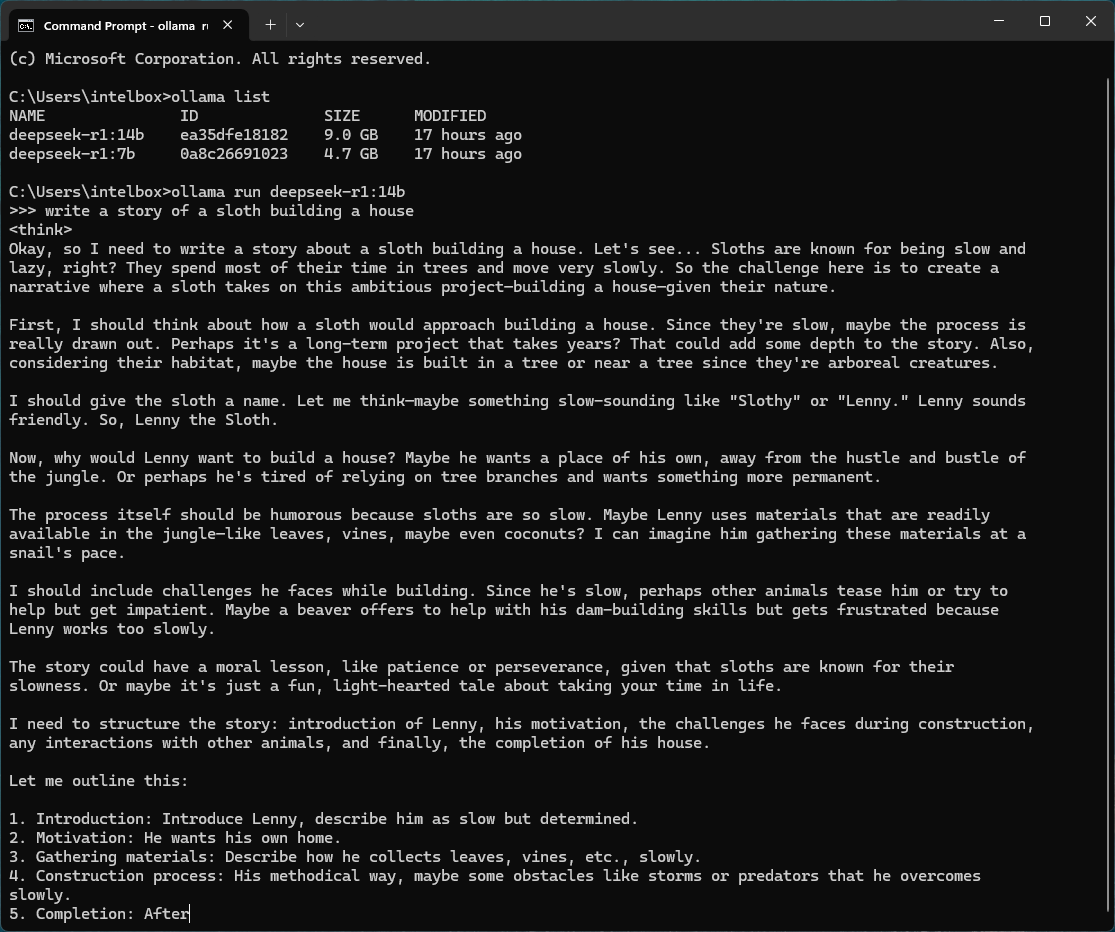
Ollama is the default answer, and the one most other tools talk to. MIT licensed, roughly 179,000 GitHub stars, and it now ships a desktop GUI alongside the CLI. It pulls models with one command, exposes an OpenAI-compatible endpoint on localhost, and in January 2026 added Anthropic Messages API compatibility, which is how people now point Claude Code at a local model. Minimum: 8GB system RAM for a 3B model, 16GB for 7-8B, 24GB VRAM for the 30B class.
It is also the fastest platform on this page with our own numbers behind it. In our Ollama hands-on, on the same RTX 5000 Ada bench and model files as the Jan and Open WebUI guides, Ollama 0.40.11 decoded Jan V3.5 4B at a median 145.48 tokens per second and Jan V2 VL High at 92.87, 18 and 13 percent ahead of Jan, with full GPU offload and no CUDA setup. The trade-offs are in the desktop app: importing existing GGUFs takes a Modelfile and PowerShell, an imported vision model lost image support without its projector file, and web search needs an account and returned an HTTP 402 error.
Best for Benchmarking Hardware: LM Studio
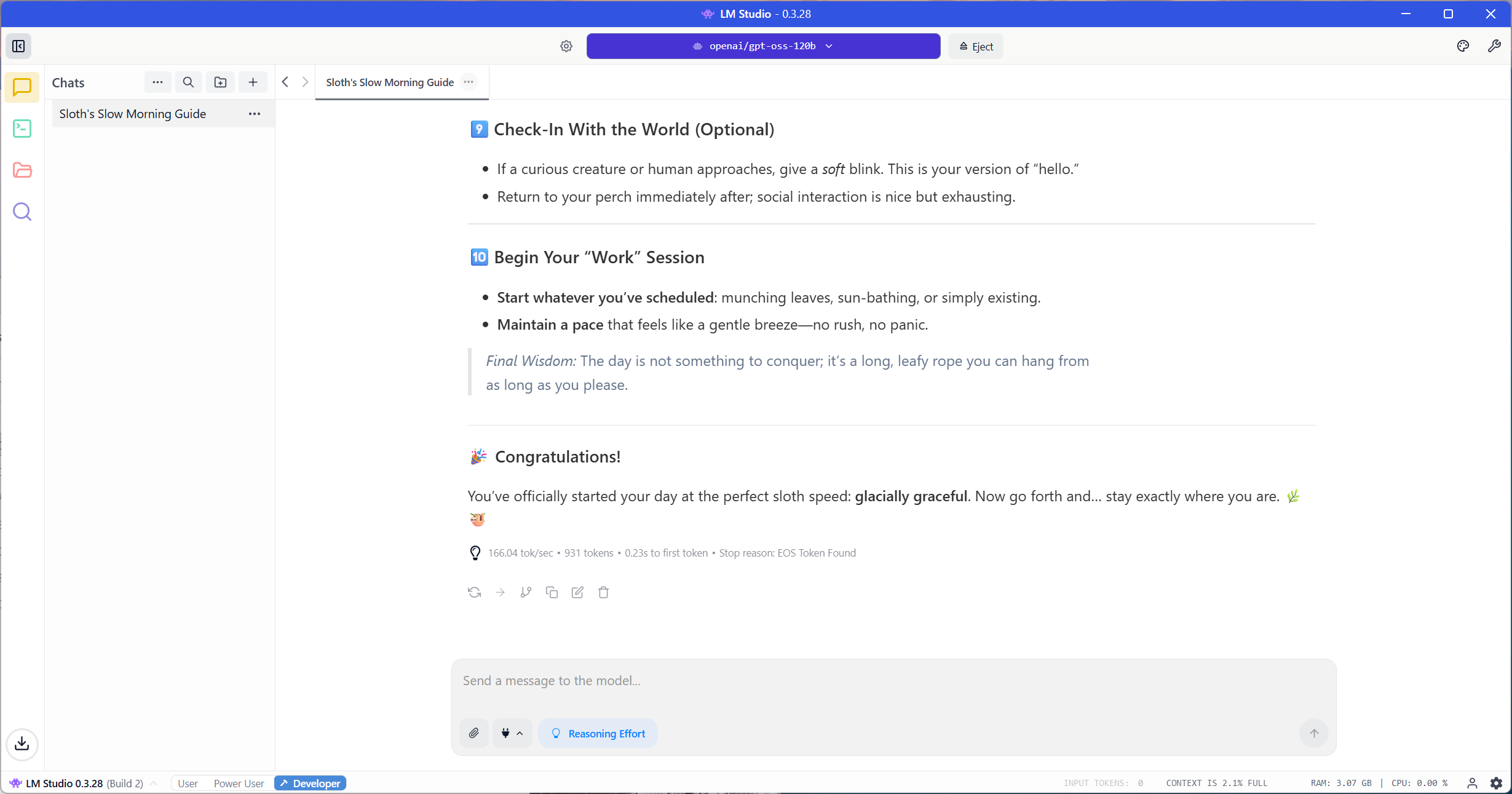
Closed source, so it has no star count, and it earns its place anyway. LM Studio bundles both llama.cpp and MLX and exposes the controls that matter when you are measuring a machine rather than using one: GPU offload layers, quantization choice, context length, and multi-GPU behavior. It has been free for commercial use since July 2025. This is the tool behind most of the tokens-per-second figures on our workstation and laptop boards. Minimum: 16GB RAM; 24GB VRAM or 32GB unified memory to be interesting.
Best Underlying Engine: llama.cpp
Nearly everything else on this page is downstream of llama.cpp. MIT licensed, roughly 124,700 stars, with multiple tagged builds published per day. It matters to a hardware audience for a specific reason: the backend list is enormous, covering CUDA, ROCm, Metal, Vulkan, SYCL, CANN, and OpenCL, and vendor engineers now contribute optimizations directly to it. An Intel Arc prefill improvement in build 8688 was worth roughly 5x, and every Ollama and LM Studio user got it without installing anything. Minimum: runs on CPU alone; 8GB RAM to be usable.
Best Local-First Desktop App: Jan
Apache 2.0, roughly 44,100 stars, v0.8.6 as of October 2026. Jan bundles llama.cpp, so there is nothing else to install, and it works with the network cable pulled out. That sounds like a low bar until you check how many apps in this category are cloud clients with an Ollama field. This is the one to hand to a colleague who will never open a terminal.
It is also the first platform on this page with our own numbers behind it: on our RTX 5000 Ada bench, Jan V3.5 4B decoded at a median 123 tokens per second and Jan V2 VL High at 82, using 4.8GB and 8.2GB of GPU memory, with GPU acceleration enabled on first launch and no CUDA setup. The full walkthrough, from install to the OpenAI-compatible API, is in our Jan hands-on guide; document RAG is the one part of the app it did not cover. Minimum: 8GB RAM.
Best Local Document RAG: AnythingLLM
MIT, roughly 64,800 stars. It bundles a vector database and handles chunking and embedding without configuration, which makes it the most turnkey document chat in the desktop class. Two things we will not bury: a March 2026 vulnerability rated CVSS 9.6 allowed remote code execution triggered by the model’s own streamed response, fixed in 1.11.2, so update before you use it. And telemetry ships on by default in an app marketed as local-first, which you turn off in Settings. Minimum: 16GB RAM for document work.
Best Self-Hosted Multi-User: Open WebUI
Roughly 149,000 stars and the deepest retrieval configurability here, and we tested server v0.12.2. It began as a self-hosted server with Docker as the entry point, and a Windows desktop app now installs it with a bundled Python environment and its own llama.cpp runtime. One thing to know before you build on it: the license changed in April 2025 from BSD-3 to a custom license that is not OSI-approved, adding a clause against removing Open WebUI branding, with a carve-out below fifty users in any thirty-day window. Run it unmodified at a small scale, and nothing changed for you.
It is the second platform on this page with our own numbers. On our Jan bench and model files, Open WebUI Desktop decoded Jan V3.5 4B at a median 115.32 tokens per second and Jan V2 VL High at 75.06, 6.2 and 8.5 percent behind Jan on a different llama.cpp build. Setup is where they diverge: we pinned llama.cpp build b11612, added CUDA runtime DLLs by hand, and restored an 8,192-token context after a reinstall let it allocate up to 169,984 tokens per slot.
Presets, image input, DDGS web search, and the local API then all worked, as our Open WebUI hands-on guide details. Minimum: a separate runtime plus 4GB for the container, or the desktop app with its bundled llama.cpp.
Best Local Coding Agent: Cline
Apache 2.0, roughly 63,900 stars. Cline has done more real engineering on the local path than any competitor, including a compact system prompt built specifically for Ollama and LM Studio and native tool calling per model family. Their own documentation is unusually candid about where the cloud still wins. Minimum: 24GB VRAM or 36GB unified memory, and set context to 32K or higher.
Best Offline Terminal Coding: Aider
Apache 2.0, roughly 48,300 stars, and architecturally the most reliable local option for a reason worth understanding. Aider does not use JSON tool calling at all. It parses diff and whole-file edit formats out of plain text, which sidesteps the exact failure mode that breaks most agents on local models. The caveat is maintenance: a single author wrote 96 percent of commits, and the release cadence has collapsed to roughly one stable release in 2026. Minimum: 24GB VRAM or 36GB unified.
Best Self-Hosted Agent Platform: OpenHands
MIT, roughly 84,500 stars. OpenHands documents local models properly and, more usefully, tells you when the problem is not your setup: its own docs state that if the agent behaves like a chatbot or fails tools constantly, the model is the limitation. It wants a 22K context minimum and recommends 32K. Minimum: 24GB VRAM for quantized models, or 64GB unified memory.
Best Free Offline Surprise: GitHub Copilot CLI
Since April 2026, the Copilot CLI runs against Ollama, vLLM, and Foundry Local. GitHub authentication is optional, and no Copilot subscription is required. Setting COPILOT_OFFLINE stops all telemetry and network contact, and its sub-agents inherit your local provider. Most comparison articles still list it as cloud-only. Note the split: the IDE extension still sends inline completions to the cloud even under bring-your-own-key. Minimum: a model with a 128K context window, so 32GB VRAM or 64GB unified.
Best Vendor-Backed Server: Lemonade
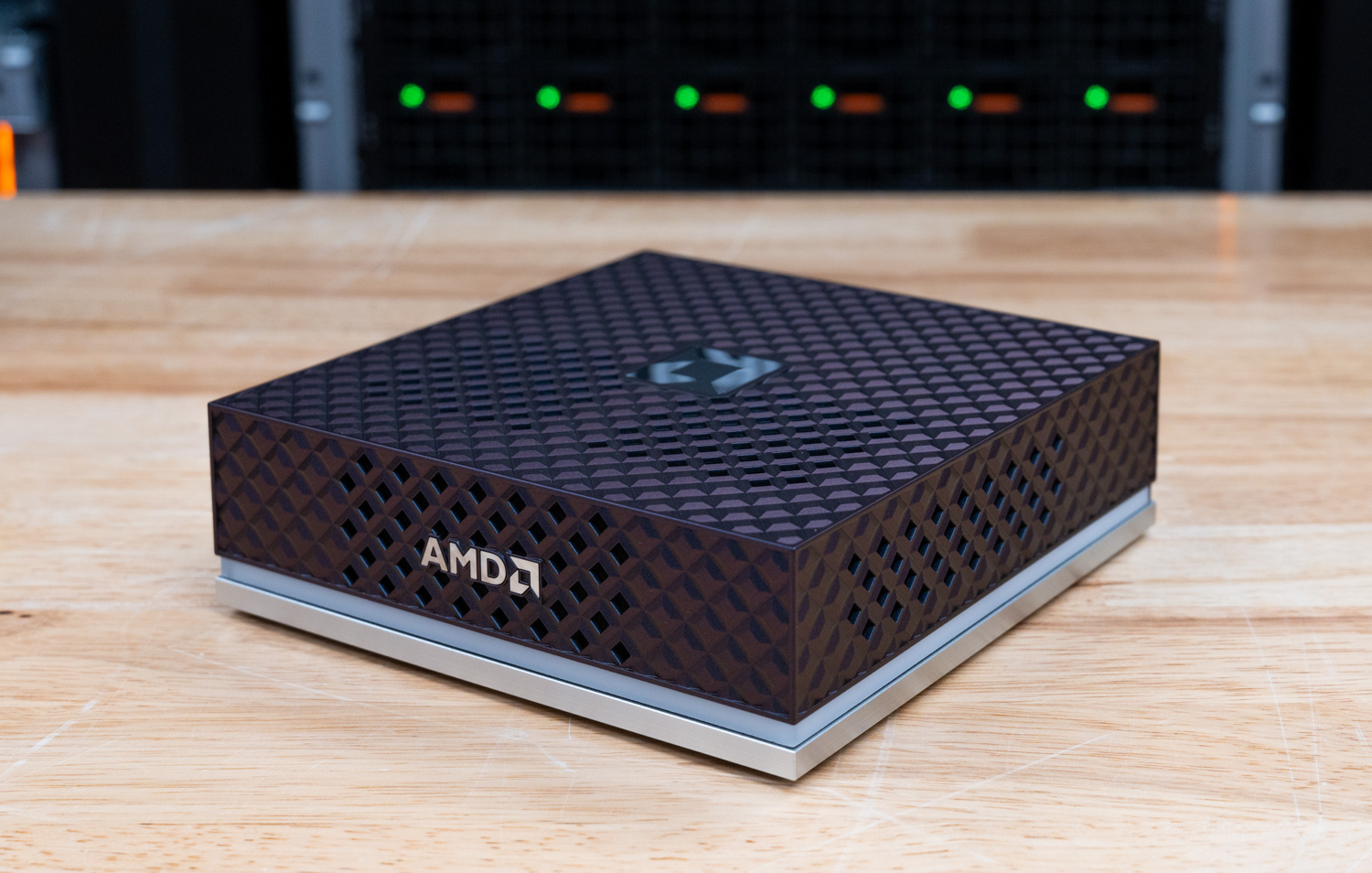
Apache 2.0, roughly 5,400 stars, and the only vendor-adjacent tool here we would recommend on merit alone. AMD engineers maintain it, and it runs on NVIDIA CUDA, Apple Metal, Vulkan, and plain CPU as well as on Radeon and Ryzen AI NPUs. It ships roughly every two weeks and moved its desktop app from Electron to Tauri in April 2026. Minimum: 16GB RAM; Ryzen AI 300 series or later for the NPU path.
Best Filesystem-Wide Local RAG: Nexa AI Hyperlink
Nexa AI Hyperlink is closed source and free, and it indexes your whole filesystem on the device and answers with inline citations. It is on this list because it is the only new local RAG tool with published acceleration figures on consumer hardware: roughly 3x faster indexing and 2x faster inference on an RTX 5090, with a 1GB folder dropping from about fifteen minutes to four or five. Minimum: a modern RTX GPU; 16GB RAM.
Runtimes: What Runs the Model
These five are the engines, and everything in the next two tables is a front end that talks to one of them, so the table is ordered by GitHub stars like the rest of the page.
The Guide column here overlaps with the apps, so it is scoped accordingly: Ollama gets a guide of its own because it is the pick and the backend most other tools point at, LM Studio appears in both tables and gets one guide, llama.cpp is covered through the apps that bundle it, starting with the Jan hands-on, and MLX is covered through LM Studio on Apple Silicon. vLLM is a serving engine, and its test already lives in our two-tower GB300 cluster review.
| Runtime | Stars | License | Minimum Hardware | Acceleration | Guide |
|---|---|---|---|---|---|
| Ollama | ~179,000 | MIT | 8GB RAM (3B), 16GB (7-8B), 24GB VRAM (30B class) | CUDA, ROCm, Metal, Vulkan | Ollama hands-on guide |
| llama.cpp | ~124,700 | MIT | 8GB RAM, CPU-only works | CUDA, ROCm, Metal, Vulkan, SYCL, CANN, OpenCL | Covered through the Jan and Open WebUI hands-ons |
| MLX / mlx-lm | ~27,500 | MIT | Apple Silicon, 16GB unified | Metal; CUDA backend added 2026 | Via the LM Studio guide (coming soon) |
| LM Studio | Closed source | Proprietary, free for commercial use | 16GB RAM; 24GB VRAM or 32GB unified | Bundles llama.cpp and MLX | Coming soon |
| vLLM | Production serving | Apache 2.0 | 24GB VRAM realistic floor | CUDA, ROCm | Tested in our GB300 cluster review |
Desktop Apps and Local RAG
These are the apps a reader installs, and the Local-First column is the one to read carefully: it separates software that runs a model on your machine from software that added a field for an Ollama URL.
| App | Stars | License | Local-First | Minimum Hardware | Guide |
|---|---|---|---|---|---|
| Open WebUI | ~149,000 | Custom, not OSI-approved | Capable; server, plus a Windows desktop app that bundles llama.cpp | Separate runtime + 4GB for container, or the desktop app | Open WebUI hands-on guide |
| AnythingLLM | ~64,800 | MIT | Capable; telemetry on by default | 16GB RAM | Coming soon |
| Jan | ~44,100 | Apache 2.0 | Yes, bundles llama.cpp | 8GB RAM | Jan hands-on guide |
| LM Studio | Closed source | Proprietary | Yes | 16GB RAM; 24GB VRAM to be interesting | Coming soon |
| Msty | Closed source | Proprietary, free tier | Yes, bundles Ollama, MLX, llama.cpp | 8GB RAM | Coming soon |
| Nexa AI Hyperlink | Closed source | Proprietary, free | Yes, on-device indexing | Modern RTX GPU, 16GB RAM | Coming soon |
Coding and Agentic Tools
These are the most hardware-hungry entries on the page, because agentic work needs a large context window and long sessions. Treat 32GB of VRAM or 64GB of unified memory as the point where this stops being a demo.
| Tool | Stars | License | Local Path | Minimum Hardware | Guide |
|---|---|---|---|---|---|
| OpenHands | ~84,500 | MIT | LM Studio, Ollama, vLLM, SGLang | 24GB VRAM or 64GB unified; 32K context | Coming soon |
| Cline | ~63,900 | Apache 2.0 | Ollama, LM Studio, OpenAI-compatible | 24GB VRAM or 36GB unified | Coming soon |
| Goose | ~52,900 | Apache 2.0 | Ollama first-class; now Linux Foundation | 24GB VRAM or 36GB unified | Coming soon |
| Aider | ~48,300 | Apache 2.0 | Ollama, OpenAI-compatible; no tool calling | 24GB VRAM or 36GB unified | Coming soon |
| Zed | v1.0, April 2026 | Apache 2.0 | LM Studio, Ollama, llama.cpp | 24GB VRAM or 36GB unified | Coming soon |
| GitHub Copilot CLI | Closed source | Proprietary, no subscription needed | Ollama, vLLM, Foundry Local | 32GB VRAM or 64GB unified; 128K context | Coming soon |
Vendor Initiatives
Every silicon and OS vendor ships something for local AI, and the category deserves its own line item because the naming is confusing and the mortality rate is high. The pattern across 2026 is consistent: the vendors stopped competing with the third-party stack and started feeding it. NVIDIA killed both of its own local AI products and now publishes optimizations for Ollama, llama.cpp, and ComfyUI. AMD co-brands with LM Studio. Qualcomm shipped its NPU capability by porting someone else’s app.
The one thing vendor tooling does that Ollama and LM Studio cannot: reach the NPU. llama.cpp has no NPU backend, so on a Snapdragon or Ryzen AI machine, those tools leave the neural engine at zero percent utilization. If you paid for 40 to 60 TOPS, only a vendor path uses it. Set expectations accordingly, because NPUs currently top out around 7B models, and the win is battery life on always-on small-model work, not throughput. A discrete GPU beats the NPU on speed every time.
| Vendor | What It Is | Type | Hardware Required | Status | Guide |
|---|---|---|---|---|---|
| AMD Lemonade | Server, GUI and SDK; ~5,400 stars, Apache 2.0 | App + server | 16GB RAM; Ryzen AI 300+ for NPU. Also runs on NVIDIA, Apple, CPU | Active, ships ~biweekly | Coming soon |
| Intel OpenVINO GenAI | Runtime and SDK; ~10,700 stars | SDK | Core Ultra, Arc A/B series; 16GB RAM | Active, 2026.3 in Aug 2026 | Tracked, no guide planned |
| Apple Foundation Models | On-device models exposed by the OS | OS framework | Apple Silicon; already installed | Active; opened to any provider at WWDC 2026 | Tracked, no guide planned |
| Microsoft Foundry Local | Local inference SDK and CLI; ~2,400 stars | SDK | Windows, macOS, Linux; NPU/GPU/CPU | GA April 2026; curated model catalog | Tracked, no guide planned |
| AMD GAIA | Local LLM app for Ryzen AI; ~1,400 stars, MIT | App + SDK | Ryzen AI 300 series minimum; 16GB RAM, 64GB recommended | Active, v0.20.0 June 2026 | Tracked, no guide planned |
| Intel AI Playground | Desktop app; ~900 stars | App | Arc A-series 8GB+, Arc B-series, Core Ultra | Active but still beta after two years | Tracked, no guide planned |
| Qualcomm GenieX | On-device GGUF runtime for Snapdragon NPU | Runtime | Snapdragon X / X Elite, 8 Elite | Developer preview, July 2026 | Tracked, no guide planned |
| NVIDIA Project G-Assist | On-device 8B assistant for system control | App | RTX 20 series or later, 6GB VRAM | Active but still labeled pre-release | Tracked, no guide planned |
The naming adds to the confusion, because NVIDIA’s “RTX AI Garage” sounds like a product and is not one; it is a blog series. Microsoft’s stack has been renamed repeatedly: Copilot Runtime APIs became Windows AI APIs, Azure AI Foundry became Microsoft Foundry, and DirectML is now in maintenance mode with security fixes only. Qualcomm AI Hub is a cloud service that provisions physical devices remotely, not something you run locally.
What Usually Breaks
Most reports that local models “do not work” are configuration problems, not model problems. Four in particular account for a large share of them, and all four are things a hardware audience should know before blaming the silicon.
1. Ollama defaults to a 4,096-token context. It does not throw an error when you exceed it. It silently truncates, and an agentic loop dies quietly. Every serious harness needs more: OpenHands wants at least 22K and recommends 32K, Codex needs 32K, Copilot CLI needs 128K, and Cline sets 262,144. This single setting is probably the most common cause of the failure reports you will find online.
2. KV cache quantization degrades tool calling specifically, and it does so before general output quality visibly suffers. The llama.cpp documentation warns about it directly. If you are running an agent, turn it off.
3. Tool count is a cliff, not a slope. Above roughly five or six tools in scope, some models silently stop emitting valid JSON tool calls and start embedding XML in the response body instead, which the harness reads as “no tool used.” One popular agent shipped eleven tools by default and broke its own recommended model until early 2026. We hit a version of this in our Open WebUI testing, where built-in tool instructions pushed a short benchmark request past an 8,192-token context. The practical consequence is counterintuitive: loading many MCP servers is actively harmful on local models in a way it is not on frontier models.
4. Q4_K_M is the practical floor. Below it, tool-call reliability falls off faster than general quality does, so the model still sounds fine while quietly failing to do anything.
Memory Is the Constraint
Across every tool on this page, the question that decides what you can run is how much memory the accelerator can see. These are the pairings we see cited most often for agentic work, and the ones we intend to verify in the lab.
| Hardware | Model | Footprint | Reported Throughput |
|---|---|---|---|
| RTX 5090, 32GB | Qwen3.6-35B-A3B Q4_K_M | ~21GB | 160-180 tok/s, 262K context |
| RTX 5090, 32GB | Qwen3-Coder-30B-A3B Q4_K_M | ~19GB | 50-90 tok/s on 24GB class |
| RTX 5090, 32GB | Devstral Small 24B Q4_K_M | ~14GB | Purpose-built for tool calling |
| RTX PRO 6000, 96GB | GPT-OSS 120B MXFP4 | ~63GB | The 100B class on a single workstation card; the GPU from our lab review |
| RTX PRO 5000 laptop, 24GB GDDR7 | Qwen3-Coder-30B-A3B Q4_K_M | ~19GB | Largest laptop GPU we have tested (ThinkPad P16 Gen 3); 30B class fits with context to spare |
| 96-128GB unified, M-series | gpt-oss-120b Q6_K | ~93GB | 14-20 tok/s; cleanest tool-call JSON of any open-weight model |
Worth saying, because the marketing does not: the largest open-weight models are not workstation models. GLM-5.2 is roughly 744B parameters and needs on the order of 744GB in FP8, which is an eight-GPU datacenter node. Kimi K2 and DeepSeek V4 are in the same category. Any guide telling you to run these on a desktop is wrong.
Throughput figures above are drawn from published third-party testing and vendor material, and are not yet StorageReview lab results, with the exception of the Jan, Open WebUI, and Ollama decode figures in the picks above. We will replace them with our own numbers as each pick goes through the Guide process.
Cloud-First Tools, and Why They Are Not Ranked Here
A local agent is not a local model, and the tools below show the difference: each runs on your machine while sending every inference call to a vendor cloud.
| Tool | Local model support | Note |
|---|---|---|
| Cursor | No | Official docs state all requests route through Cursor servers; custom keys work only with major cloud providers, and tab completion always uses Cursor models. Acquired by SpaceX in 2026 |
| Devin Desktop (was Windsurf) | No | Renamed June 2026. Every model is cloud-hosted |
| Google Antigravity | No | Documentation explicitly states it cannot use Ollama, LM Studio, or a custom endpoint |
| Gemini CLI | No | Local support exists only in community forks |
| Qodo | No | “On-prem” refers to self-hosted infrastructure still calling cloud models |
| GitHub Copilot in the IDE | Partial | Chat can use local models; inline completions remain cloud even under bring-your-own-key |
| ChatGPT | No | The desktop and mobile apps are clients for OpenAI’s cloud models. OpenAI’s open-weight gpt-oss models do run locally, but through the runtimes above, not through the ChatGPT app |
| Claude | No | Claude apps and Cowork run on Anthropic’s cloud models. Claude Code can be pointed at a local model through Ollama’s Anthropic-compatible API, which works but is an unsupported configuration |
| General agentic assistants | No | Tools in this class run on your machine but depend on a cloud model for reasoning |
There is a widely repeated genre of “connect Cursor to Ollama” guides. Cursor’s own documentation contradicts them. If offline operation is a requirement for you, that distinction is the whole ballgame.
What About Image and Video Generation?
Local image generation is one of the largest communities in local AI. ComfyUI alone outweighs most of the tools ranked above by GitHub stars, and local video generation is emerging as the most VRAM-hungry consumer workload there is. It deserves its own leaderboard, and it will get one; bolting a fourth category onto this page would bury it. Until then, the hardware logic on this page transfers directly: image and video work is even more memory-bound than language models, and the same tiers apply.
How This Page Works
Three rules govern the ranking, and the first is that ordering goes by GitHub stars for now. It is not ideal, but it is neutral, verifiable, and it does not require us to pretend we have tested things we have not. Closed-source tools are marked as such and given no invented score. As our own testing produces clear favorites, the ordering will shift to reflect measured results, and we will say so; Jan, Open WebUI, and Ollama now have lab numbers behind them, so that shift has started. Second, every entry carries a memory minimum, because that is the number that decides whether a model loads.
Third, the Guide column is a commitment scoped to the picks: each ranked pick gets a hands-on setup walkthrough with our numbers on our hardware, a runtime that ships inside an app is covered through that app guide, and vendor initiatives are tracked in their table without one. The link appears here when each guide publishes.
Local LLM Tools FAQ
Which local LLM tool should I start with?
Ollama if you are comfortable in a terminal, LM Studio if you would rather have a window with controls, and Jan if you want something that works out of the box and never asks you to install anything else. All three are free, all three run entirely offline, and all three use llama.cpp underneath, so the model behavior is the same. Speed is not: on our RTX 5000 Ada bench, Ollama decoded the same model files 13 to 18 percent faster than Jan, so the difference is the interface and the build each one ships.
What happened to NVIDIA ChatRTX, GPT4All, and Continue.dev?
They are gone, along with a surprising number of their peers, and this is the single most useful thing to know before following an older recommendation. NVIDIA ChatRTX was deprecated on January 21, 2026, its repository archived, and its support forum locked, with no replacement named.
GPT4All is the trickiest case: it has had no commits in twelve months, and its last release was February 2025, but the repository is not archived and still shows a large star count, so it looks alive. It only ever supported a narrow set of quantization formats and cannot load most current model releases.
Continue.dev, for two years the standard recommendation for local-model coding, was acquired by Cursor and wound down in June 2026. Roo Code shut down in May 2026, Void was archived in June 2026, Twinny in November 2025, and Reor in March 2026. Khoj sunset its hosted service in April 2026, though the self-hosted version survives. On the vendor side, Intel IPEX-LLM was archived in January 2026 and flagged for known security issues with no published migration path, and NVIDIA RTX AI Toolkit was deprecated in November 2025.
How much VRAM do I need to run a local LLM?
For chat, 8GB of system RAM runs a 3B model, and 16GB runs a 7 to 8B model acceptably on CPU alone. For useful speed, you want the model in VRAM or unified memory: 16GB handles the 7 to 14B class, 24GB reaches the 30B class at Q4, and 32GB or more is where agentic coding work stops being frustrating. Above that, capacity matters more than bandwidth, which is why 96 to 128GB unified-memory machines run models that no consumer graphics card can hold.
Do local LLM tools use my NPU?
Usually not, because llama.cpp has no NPU backend, so Ollama and LM Studio will leave the neural engine at zero percent on a Snapdragon or Ryzen AI machine and run on CPU or GPU instead. Reaching the NPU currently requires a vendor path: Qualcomm GenieX, AMD Lemonade with its NPU runtime, Intel OpenVINO, or Apple’s Neural Engine through the OS frameworks. The gain is battery life and low-power always-on operation, since NPUs also top out around 7B models today and a discrete GPU will beat one on throughput every time.
Should I run local AI on Windows or Linux?
For the desktop apps on this page, Windows and macOS are the smoother ride. LM Studio, Jan, AnythingLLM, and Ollama all install natively, GPU drivers come from the usual places, and nothing requires a terminal. Linux earns its keep one level down: the production serving engines, vLLM and SGLang, are Linux-first, multi-GPU serving effectively assumes it, and some of the newest acceleration paths land there before anywhere else, including AMD’s Ryzen AI NPU support, which arrived on Linux and wants a very recent kernel.
The gap is narrower than it used to be. AMD unified its ROCm releases across Windows and Linux in 2026, and WSL2 covers most of the remainder, which is how Docker-based tools like Open WebUI run happily on a Windows machine. The practical rule: if you are installing from the desktop apps table, stay on the OS you have; if you are building a dedicated serving box or chasing every acceleration path, build it on Linux.
Are local models good enough to replace a cloud model for coding?
It depends entirely on the task, and the split is sharper than most coverage admits. On bounded work, single-file generation, unit tests, boilerplate, and explaining code, current open-weight models on a good workstation are at rough parity with frontier cloud models. On long-horizon agentic work, multi-file refactors across a large repository, they lose clearly, and the failure modes are the unpleasant kind: silent no-ops and confidently reported work that never happened. If your reason for going local is privacy, air-gap requirements, or cost, it is viable today. If your reason is capability, it is not yet.
Is running a model locally safer than using a cloud service?
For data residency, yes, and that is the reason most people go local. For software security, the answer is no by default: a local AI app rated CVSS 9.6 in March 2026 could be driven to execute code on the host by the model’s own streamed output, because the desktop app was packaged with unsafe defaults. Local means your data stays put, and it does not mean the software is hardened, since this category ships a lot of fast-moving code.
What is an AI agent sandbox, and do I need one for local AI?
A sandbox is an isolated environment, usually a container or a lightweight virtual machine, where an AI agent executes the commands and code it generates, so a mistake or a malicious instruction cannot touch the host system. It exists because agents do more than answer questions: they run shell commands, edit files, and browse, and every one of those actions is driven by model output that can be manipulated. Running the model locally does not change that math at all.
Sandboxing is about isolating what the agent does, not where the model lives, and the code-execution vulnerability described above made exactly that point on a local-first app. Some tools on this page ship with sandboxing built in, and the ones that run agents with unrestricted host access deserve a harder look before they touch a machine you care about. As agent adoption moves into business settings, expect sandboxing to become a headline feature, and expect us to start weighing it in how we evaluate these tools.
Can local hardware run agentic workloads with dozens of sub-agents?
This is the frontier, and the short answer is that a single workstation runs out of room quickly. Multi-agent workloads spawn sub-agents that each carry their own context, and on the inference side each active context means its own KV cache in memory, so the footprint scales with concurrency as well as model size. Where those caches go when they outgrow memory is its own engineering problem; our deep dive on KV cache offload to flash, built on Dell and Solidigm hardware, is the best treatment of that subject we have published.
A machine that comfortably serves one 30B-class agentic session can typically handle a few parallel sessions through a batching server before latency degrades; dozens of concurrent sub-agents is server territory, with enough memory to hold many live contexts and a serving engine like vLLM built for continuous batching. There is also a quality ceiling, because local models already lose reliability as tool count grows, and orchestration multiplies tools and handoffs.
Our take is that single-agent and few-agent work is a legitimate workstation job today, and large sub-agent fleets are an infrastructure job. That boundary, and the hardware it takes to cross it, is something we plan to explore in much more depth.


 Amazon