

Updated October 13, 2026: Copy pass for house style; entries and data unchanged.
Every product on this page has been through the StorageReview lab. Ubiquiti ships faster than almost any vendor we cover, and the catalog has grown to the point where picking between four NAS models or nine cameras is hard. This is the index: every UniFi and Ubiquiti product we have tested, grouped by what it does, with the specs that matter, our take, and a link to the full review behind each one.

The UniFi Pro Max 16 PoE on our bench, one of the 27 Ubiquiti products we have put through the lab
Affiliate disclosure: the links in the Buy (affiliate) column of every table on this page are affiliate links to Ubiquiti’s store. If you purchase through one, StorageReview may earn a commission at no extra cost to you. Affiliate relationships never affect our testing, our conclusions, or which products we cover, and we do not list any product we have not tested in our lab.
A note on pricing: the price column is what the product cost at the time we reviewed it. Ubiquiti pricing is more stable than most of the hardware we cover, but check the store for current numbers before buying.
Where to Start
If you are building a UniFi setup from scratch, the order that matters is gateway, then switching, then cameras or storage. The Cloud Gateway Fiber at $279 is the cheapest sensible entry to 10G with real IDS/IPS throughput, and the Dream Router 7 folds WiFi 7 into the same box if you would rather not run separate access points.
For storage, the split is clear: the UNAS 2 is the $199 two-bay starting point, the UNAS Pro is the seven-bay enthusiast box, and the Enterprise NAS is where Ubiquiti stops competing with home NAS vendors and starts competing on real throughput, at 4,170 MB/s sequential read in our testing.
On cameras, nearly everything current is 4K with on-device AI, so the decision is form factor and field of view rather than image quality. The G6 Turret at $199 is the volume pick, the G6 Pro 360 replaces several cameras in one room, and you will need an NVR or a Protect-capable gateway to record any of it.
Our Picks
Every pick below is a product we have had in the lab. Full reviews are linked from each entry, and the complete list of everything we have tested follows.
Best UniFi NAS Overall: Ubiquiti Enterprise NAS
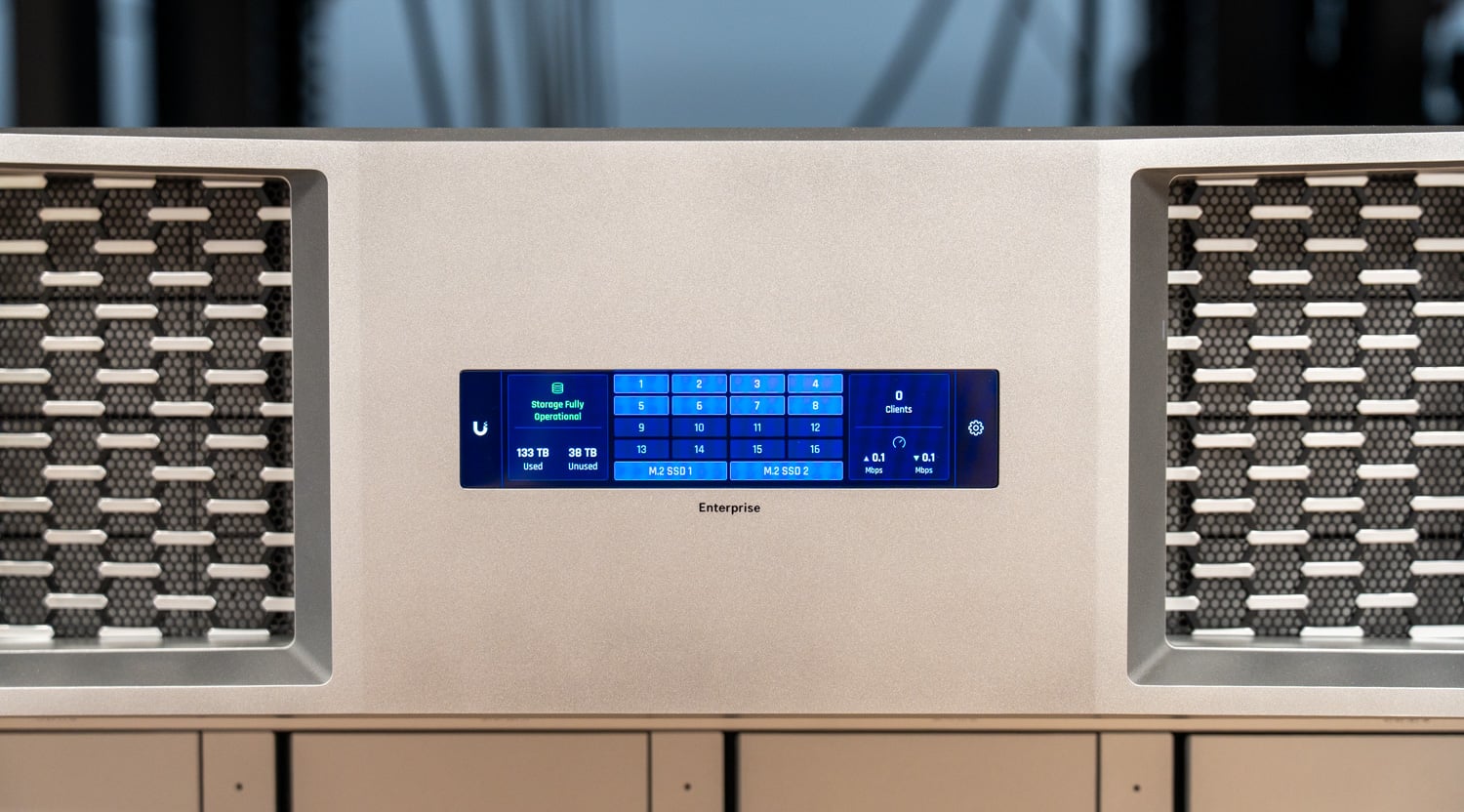
The Ubiquiti Enterprise NAS, our best overall UniFi NAS at 4,170 MB/s sequential NFS read
A 3U 16-bay ZFS box with dual 25GbE that measured 4,170 MB/s sequential NFS read and 90.9K IOPS 4K random read in our lab. Review: Ubiquiti Enterprise NAS Review
Best UniFi NAS for a Home or Small Office: UniFi UNAS 2
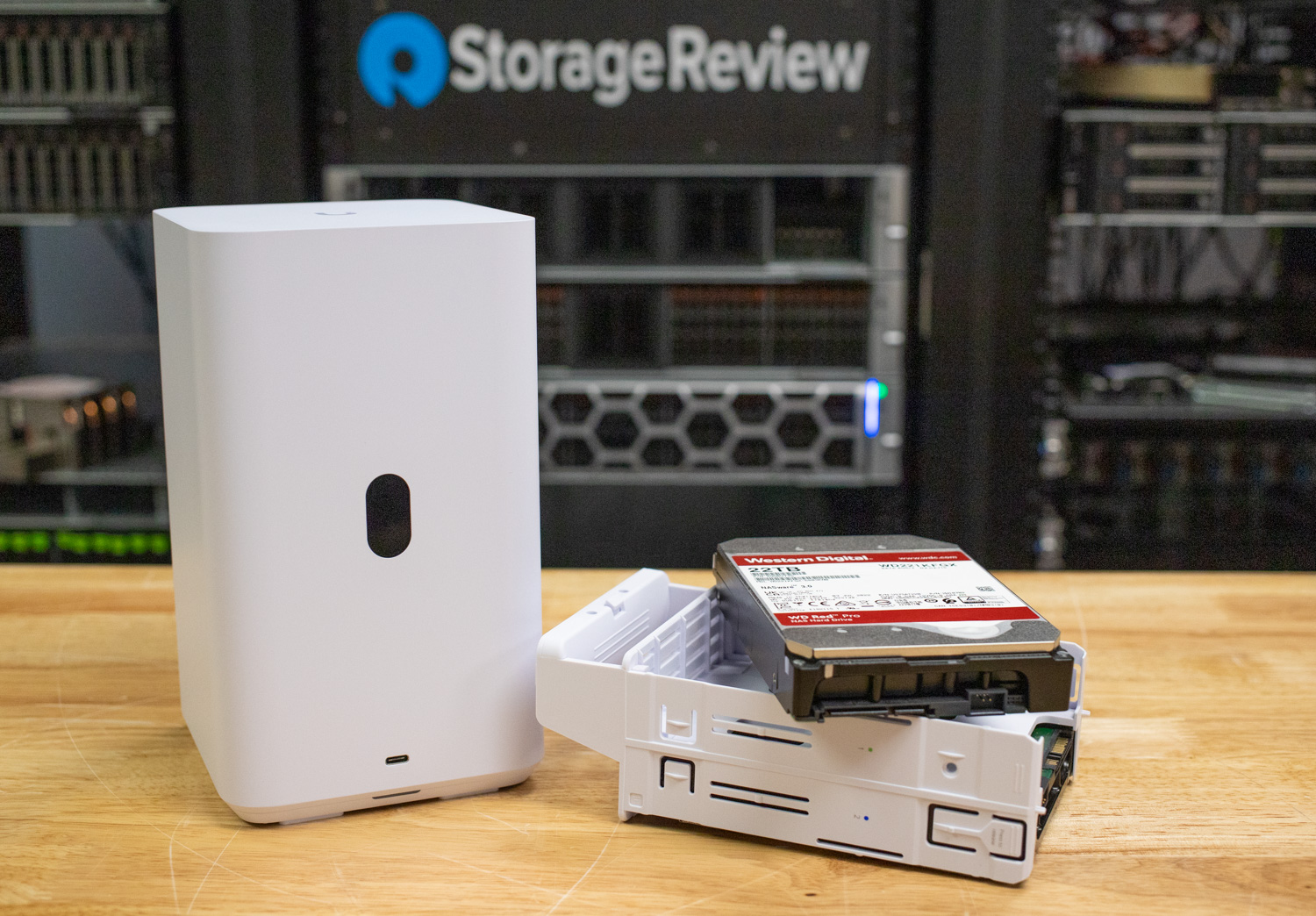
The UniFi UNAS 2, our pick for home and small office UniFi storage
Two bays, PoE++ powered, up to 48TB raw, and 270.5 MB/s read over 2.5GbE. Review: UniFi UNAS 2 Review
Best UniFi Camera: UniFi G6 Turret
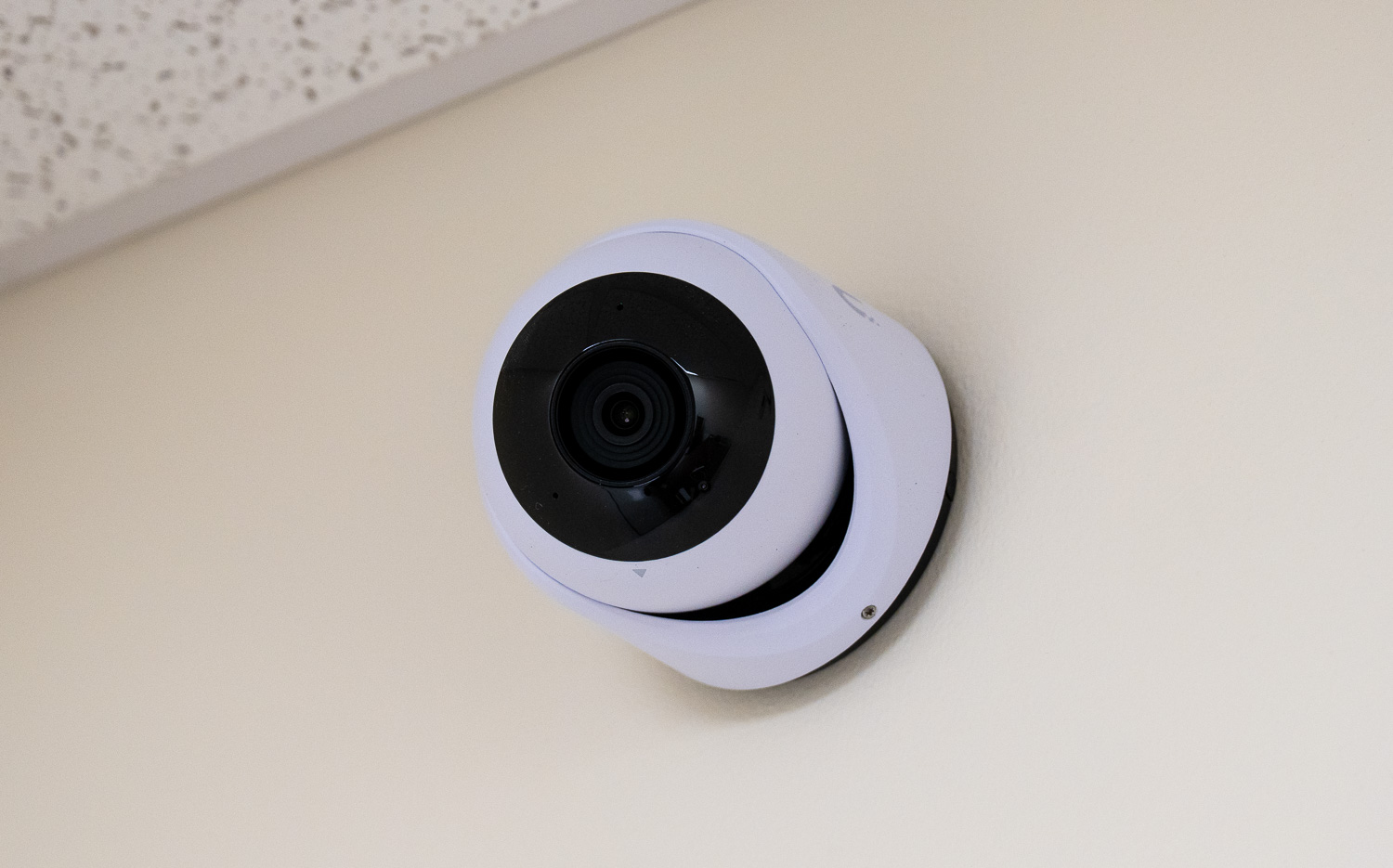
The UniFi G6 Turret, our best UniFi camera at $199 with on-device face and plate recognition
4K 8MP on a 1/1.8-inch sensor with on-device face and license plate recognition, at $199. Review: UniFi G6 Turret Review
Best UniFi Camera for Full-Room Coverage: UniFi G6 Pro 360
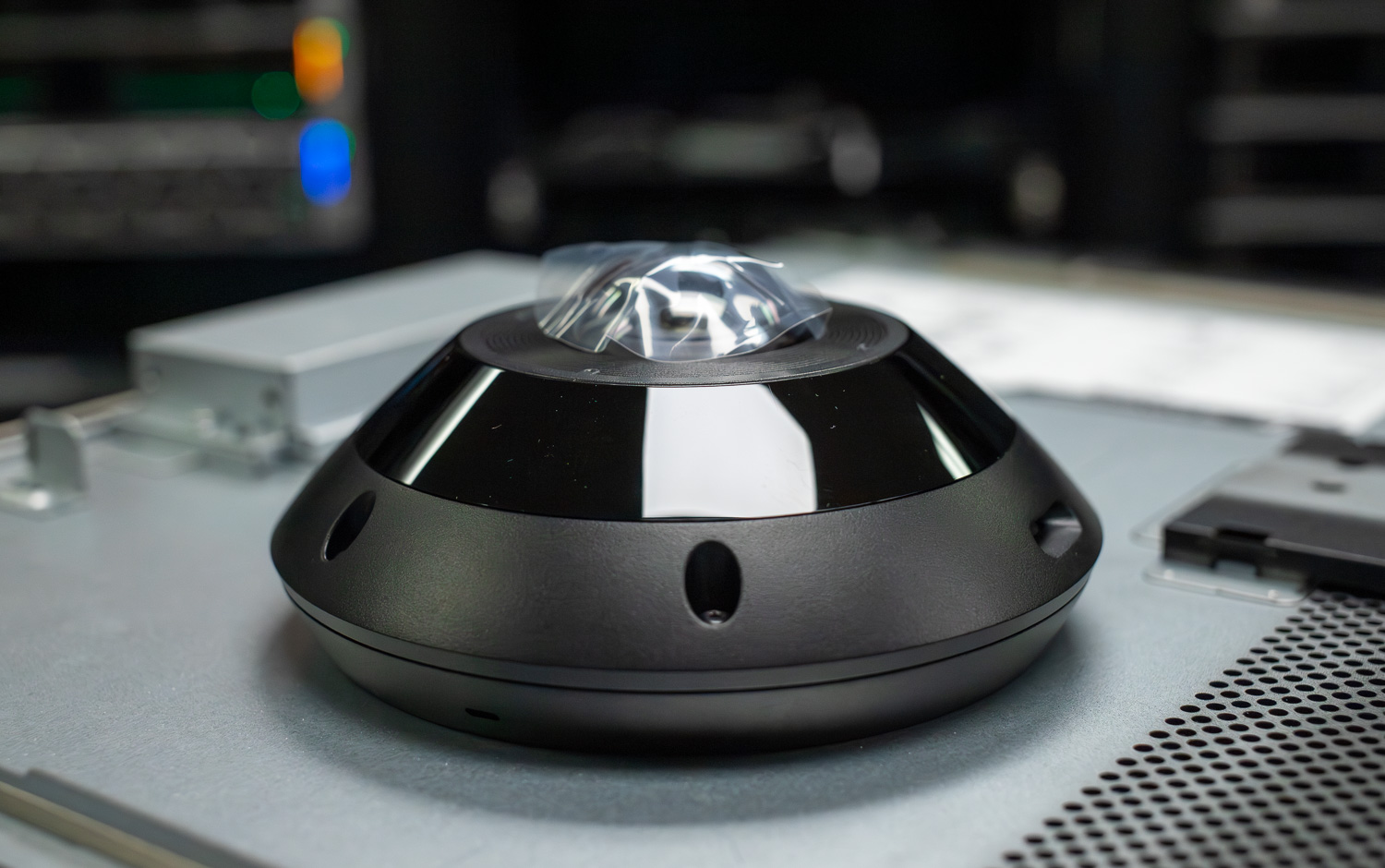
The UniFi G6 Pro 360, covering a full room from a single ceiling mount
12MP panoramic sensor covering 180 degrees from a single ceiling mount. Review: UniFi G6 Pro 360 Review
Best UniFi Gateway: UniFi Cloud Gateway Fiber
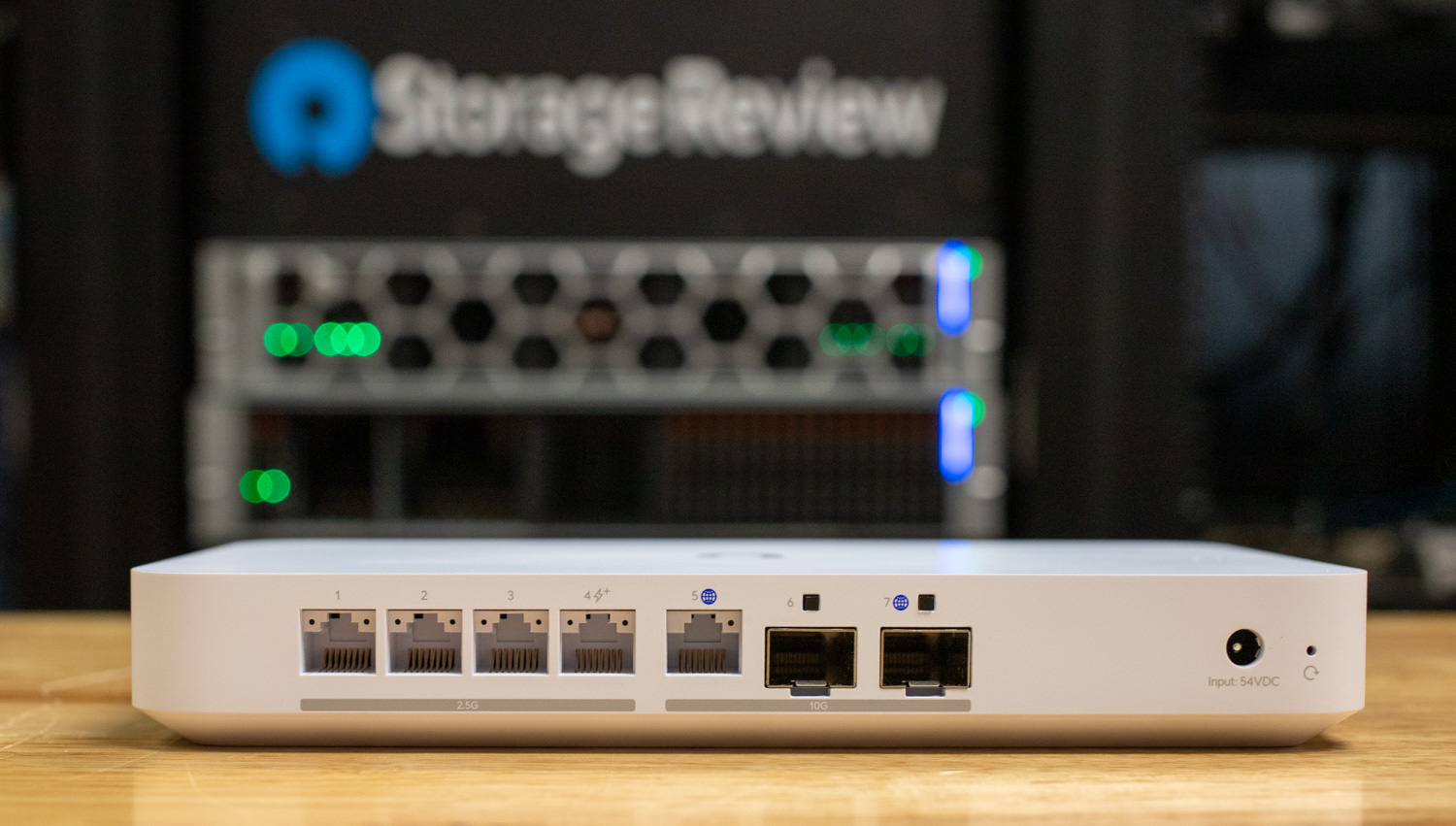
The UniFi Cloud Gateway Fiber, our best UniFi gateway at 5 Gbps IDS/IPS throughput
5 Gbps of IDS/IPS throughput with 10GBASE-T and dual 10G SFP+, the cheapest route into 10G UniFi. Review: UniFi Cloud Gateway Fiber Review
Best UniFi Gateway with WiFi Built In: UniFi Dream Router 7
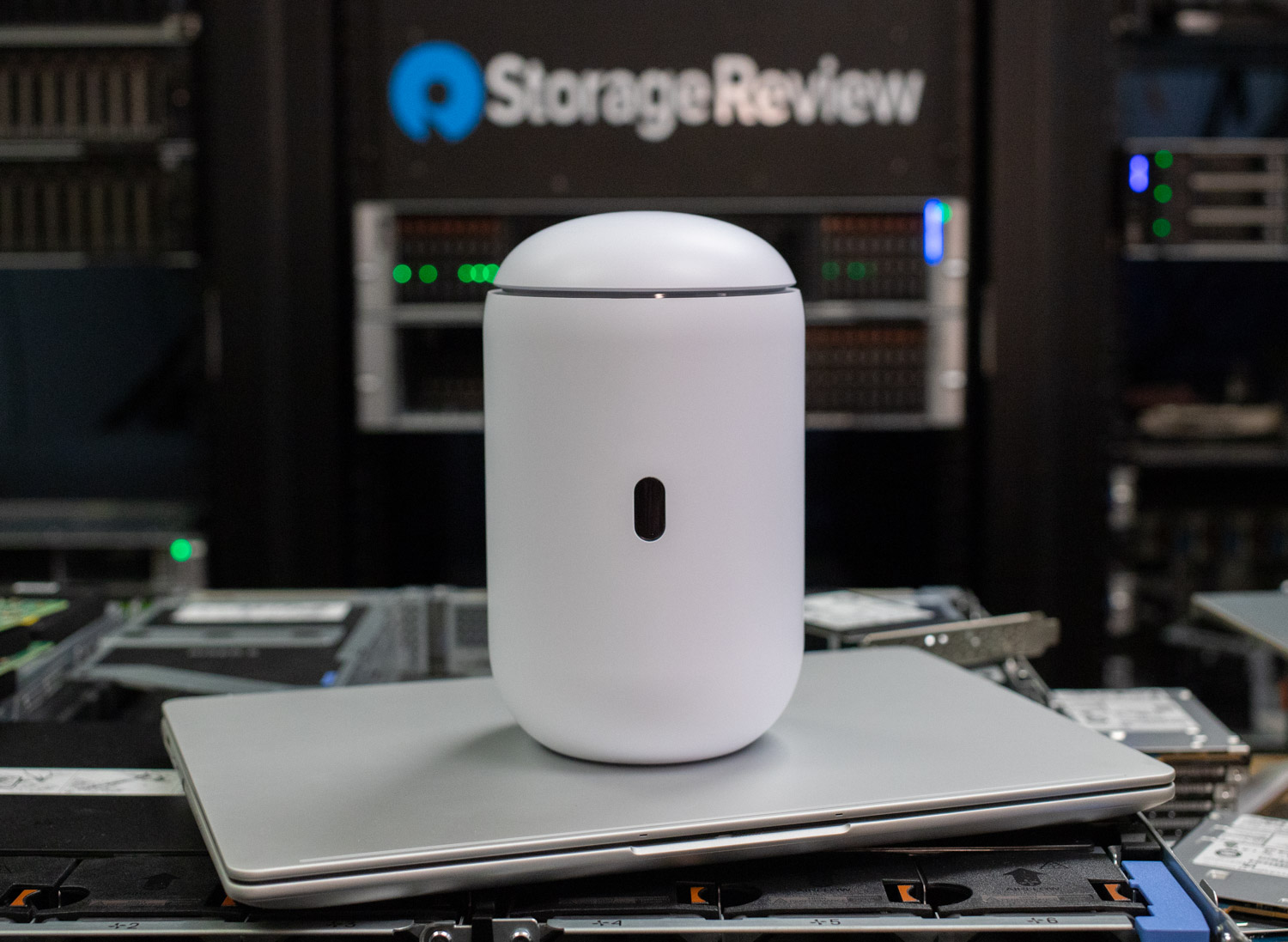
The UniFi Dream Router 7, WiFi 7 and full UniFi in a single box
2.3 Gbps IDS/IPS throughput, WiFi 7, and a 10G SFP+ WAN in one box. Review: UniFi Dream Router 7 Review
Best UniFi Access Point: UniFi E7
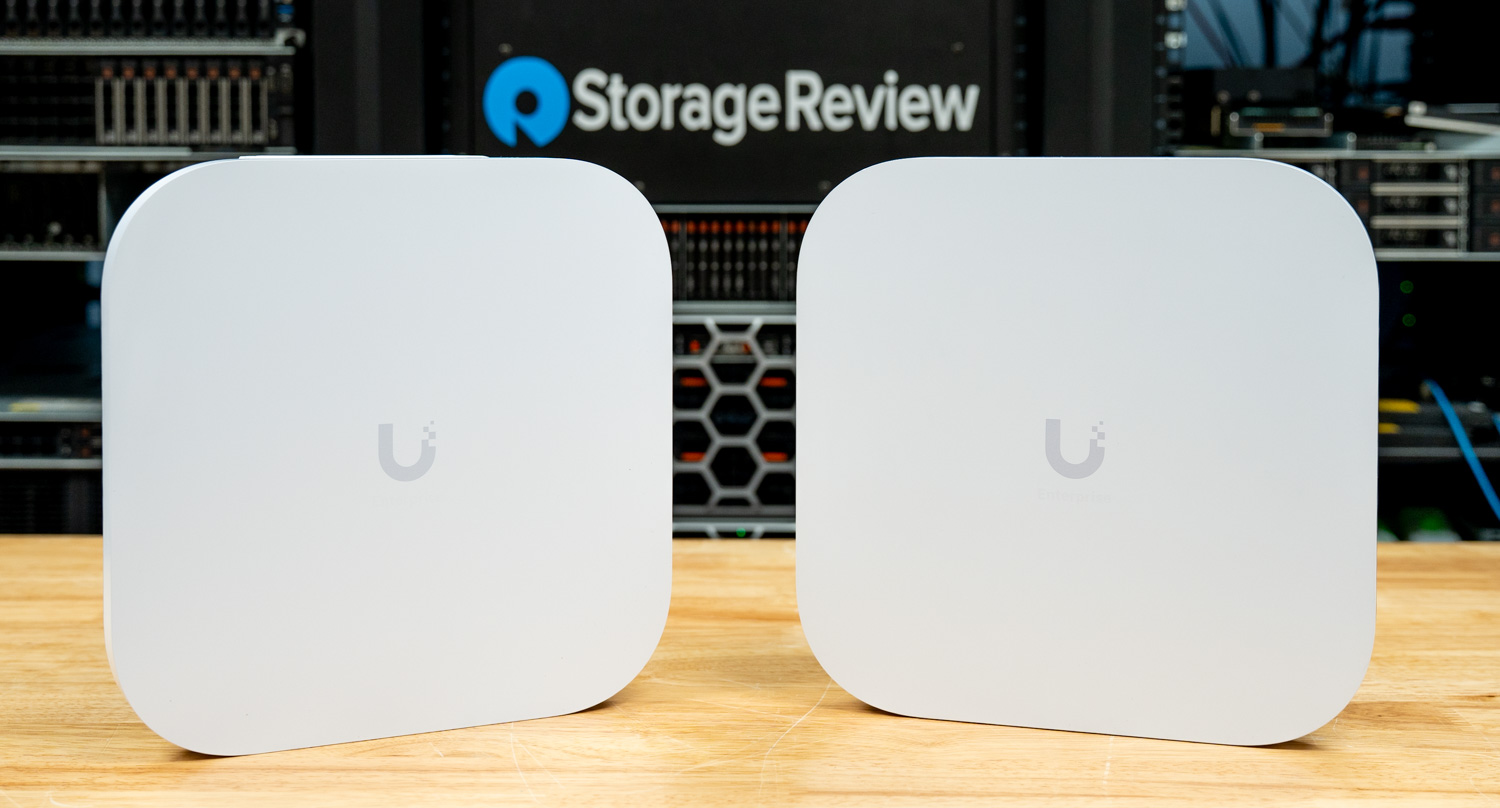
The UniFi E7, our best UniFi access point at a rated 11.5 Gbps on 6 GHz
Ten spatial streams of WiFi 7 rated at 11.5 Gbps on 6 GHz, with a 10GbE uplink. Review: UniFi E7 and E7-Campus Review
Best UniFi Switch for 10GbE: Switch Pro XG 10 PoE
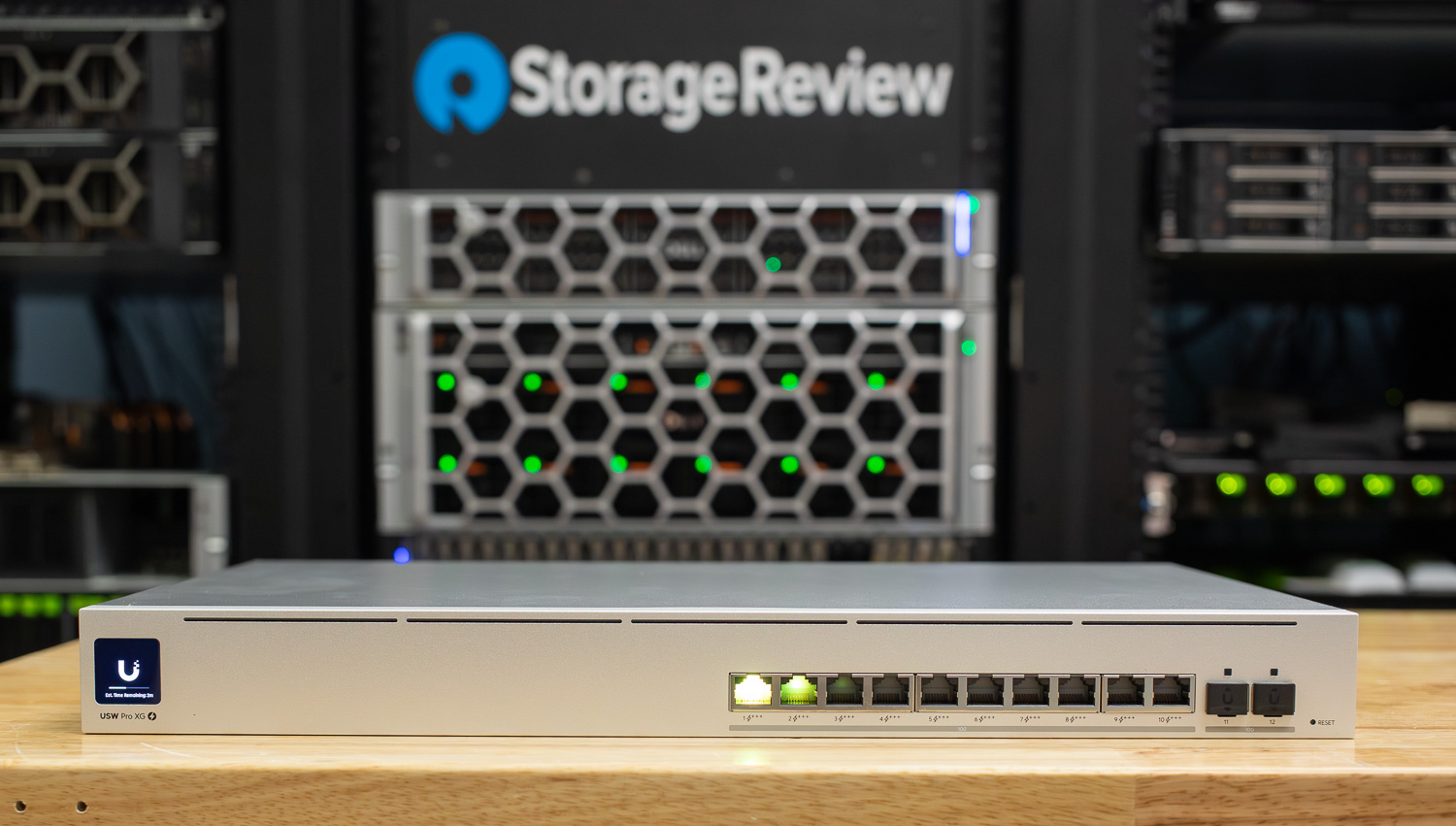
The Switch Pro XG 10 PoE, ten 10GbE PoE ports with a 400W budget
Ten 10GbE RJ45 PoE ports, a 400W PoE budget, and 240 Gbps of switching capacity. Review: Switch Pro XG 8 PoE and Pro XG 10 PoE Review
Best UniFi Rack Accessory: UniFi Power Distribution Pro
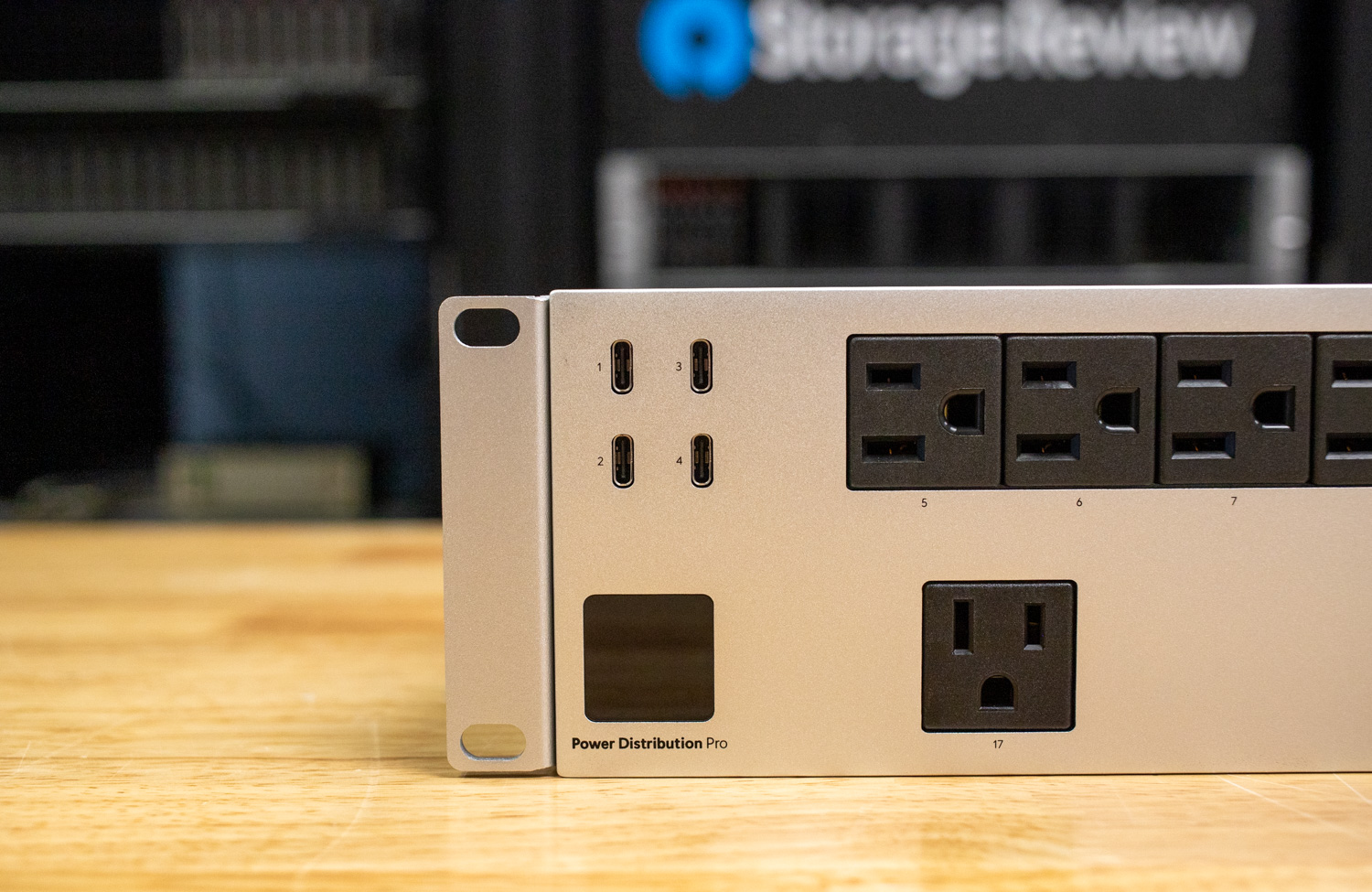
The UniFi Power Distribution Pro, 16 individually switchable outlets in 2U
A 2U PDU with 16 individually switchable outlets and 1,875W capacity for $279. Review: UniFi Power Distribution Pro Review
Best UniFi UPS: Ubiquiti UPS 2U Pro
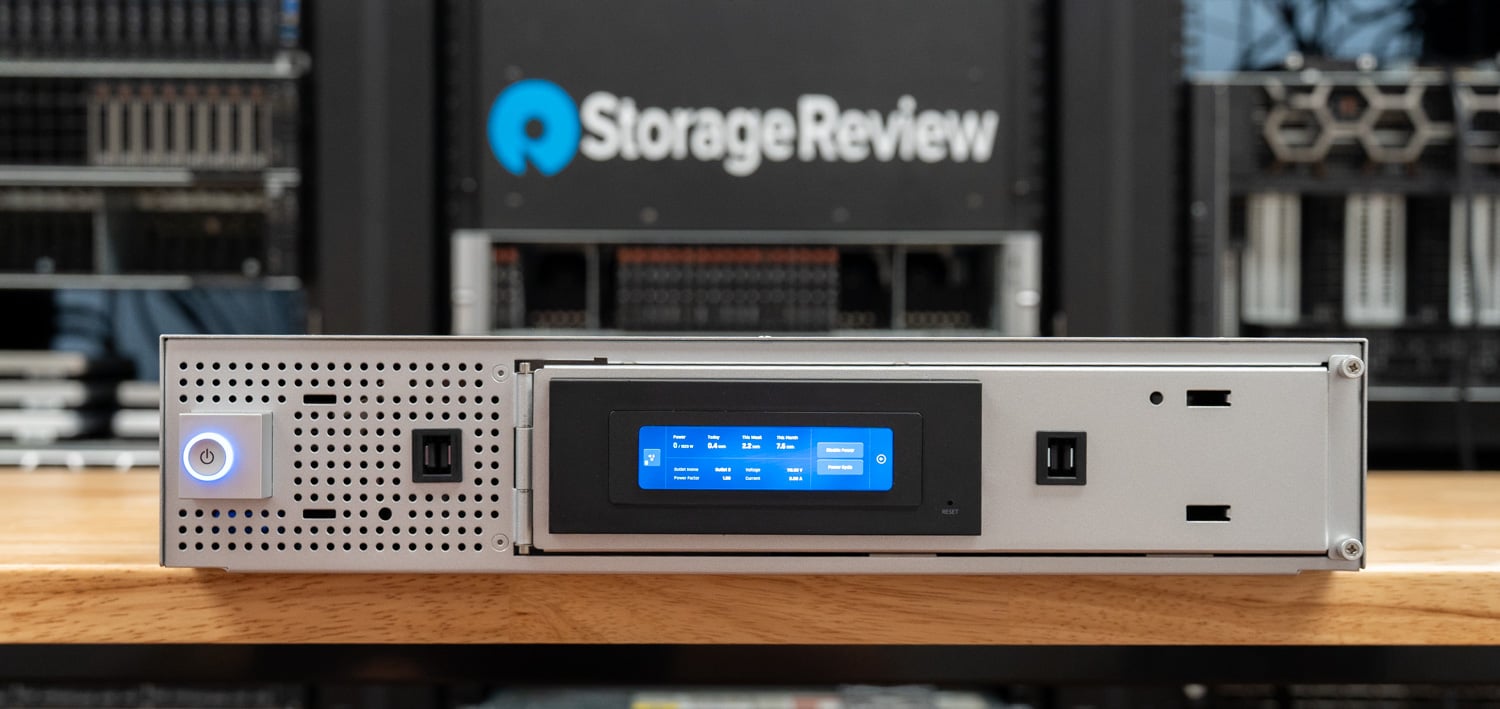
The UniFi UPS 2U Pro, our best UniFi UPS at 1920VA with a measured 9.1 ms transfer time
A 2U line-interactive UPS rated 1920VA / 1920W, with eight individually monitored and switched outlets and a field-replaceable battery. On our Quarch Mains Power Analysis Module we measured a 9.1 ms transfer from utility to battery with a clean pure sine wave output, and 22 minutes of runtime at a 960W half load, or 9 minutes at full load.
What separates it from the rest of the field is that UniFi network management is standard rather than an add-in card, which is where competing 2kVA rackmount units quietly add cost. At $679, or $732 once Ubiquiti’s checkout surcharge lands, it undercuts comparable enterprise units substantially. The smaller UniFi UPS Tower remains the pick for a desk or a shelf; this is the one for a rack. Review: Ubiquiti UPS 2U Pro Review: 1920W of UniFi-Managed Rackmount Power Protection Buy: Ubiquiti Store
Everything We Have Tested
Network Storage
| Product | What It Is | Our Take | Price at Review | Buy (affiliate) |
|---|---|---|---|---|
| Ubiquiti Enterprise NAS | 3U 16-bay ZFS NAS, dual 25GbE SFP28, 64GB ECC, redundant 550W | Measured 4,170 MB/s sequential NFS read and 90.9K IOPS 4K random read | $3,999 | Ubiquiti Store |
| UniFi UNAS Pro 8 | 2U 8-bay with NVMe cache, dual 10G SFP+, redundant power | Measured just over 2.2 GB/s sequential read | $799 | Ubiquiti Store |
| UniFi UNAS Pro | 7-bay desktop NAS, 10G SFP+, 154TB raw as tested | Measured 799 MB/s sequential read in RAID10 | $499 | Ubiquiti Store |
| UniFi UNAS 2 | 2-bay PoE++ NAS up to 48TB raw, 2.5GbE | Measured 270.5 MB/s read and 257.9 MB/s write | $199 | Ubiquiti Store |
Cameras and NVR
| Product | What It Is | Our Take | Price at Review | Buy (affiliate) |
|---|---|---|---|---|
| UniFi G6 Turret | 4K 8MP, 1/1.8-inch sensor, 30m IR, PoE | On-device face and license plate recognition at $199 | $199 | Ubiquiti Store |
| UniFi AI Dome | 8MP 4K dome with on-device AI, PoE | 40m IR, against 30m on the G6 Dome and 9m on the G5 | $399 | Ubiquiti Store |
| UniFi G6 Pro 360 | 12MP panoramic, 180 degree coverage, PoE+ | Full-room coverage from a single ceiling camera | $499 | Ubiquiti Store |
| UniFi G6 Dome | 8MP 4K dome, 134 degree diagonal FoV, 9.25W max | Professional-grade build at a mid-range price | $279 | Ubiquiti Store |
| UniFi G6 PTZ | Dual-lens 4K with 10x hybrid zoom, PoE+ | AI motion tracking with smooth UniFi Protect integration | $399 | Ubiquiti Store |
| UniFi G6 Bullet and G6 Instant | Both 4K 8MP; Bullet wired, Instant wireless | 4K AI cameras under $200 | $179 to $199 | Ubiquiti Store |
| UniFi AI Camera Series | AI Pro 8MP with 3x optical zoom, AI Bullet, AI Theta | The high end of Protect, up to the $2,499 AI DSLR | $299 to $2,499 | Ubiquiti Store |
| UniFi G5 Series | G5 Bullet, Turret Ultra, Dome Ultra, G5 Pro | The value tier, starting at $129 | $129 to $1,800 | Ubiquiti Store |
| UniFi Network Video Recorder Pro | 7-bay NVR up to 168TB raw, 10G SFP+ | Handles up to 24 4K cameras | $499 | Ubiquiti Store |
Switching and PoE
| Product | What It Is | Our Take | Price at Review | Buy (affiliate) |
|---|---|---|---|---|
| UniFi Switch Flex 2.5G 8 PoE | 8x 2.5GbE PoE++ plus 10GbE input, 60 Gbps capacity | 196W of PoE budget with the optional 210W adapter | $199 | Ubiquiti Store |
| Switch Pro XG 8 PoE and Pro XG 10 PoE | 8 or 10 10GbE RJ45 PoE ports, dual 10G SFP+ | XG 10 carries a 400W PoE budget and 240 Gbps switching | $499 to $699 | Ubiquiti Store |
| Switch Pro Max 16 PoE | 12x GbE PoE+ and 4x 2.5GbE PoE++, 10G uplinks | 180W PoE in an affordable Layer 3 switch | $399 | Ubiquiti Store |
| Switch Pro Max 48 PoE | 48 ports, 4x 10G SFP+, 820W internal supply | 720W total PoE and 224 Gbps switching capacity | $1,299 | Ubiquiti Store |
Gateways and Routers
| Product | What It Is | Our Take | Price at Review | Buy (affiliate) |
|---|---|---|---|---|
| UniFi Cloud Gateway Fiber | 10GBASE-T, dual 10G SFP+, NVMe slot to 2TB | 5 Gbps IDS/IPS throughput, a cheap route to 10G | $279 | Ubiquiti Store |
| UniFi Dream Router 7 | WiFi 7 gateway, 10G SFP+ and 2.5GbE WAN | 2.3 Gbps IDS/IPS throughput with WiFi 7 built in | $279 | Ubiquiti Store |
| UniFi Dream Machine Pro Max | 8x GbE LAN, dual 10G SFP+, RAID-capable storage | 5 Gbps routing with full DPI and IPS enabled | $599 | Ubiquiti Store |
| UniFi Express Gateway (UX) | WiFi 6 travel gateway, USB-C powered, 10W max | Full UniFi in a pocket-sized travel router | $149 | Ubiquiti Store |
WiFi Access Points
| Product | What It Is | Our Take | Price at Review | Buy (affiliate) |
|---|---|---|---|---|
| UniFi E7 and E7-Campus | WiFi 7, 10 spatial streams, 10GbE uplink, PoE++ | Rated 11.5 Gbps on 6 GHz | $499 to $799 | Ubiquiti Store |
| UniFi U7 Pro XG and XGS | WiFi 7 with 10GbE uplink; XGS adds 4×4 on 5 GHz | XGS steps to PoE++ and 4×4 MU-MIMO | $199 to $299 | Ubiquiti Store |
| UniFi U7 Outdoor | WiFi 7 outdoor AP, 2×2 MIMO, IPX6, PoE+ | Rated 465m of open-space coverage with the directional antenna | $199 | Ubiquiti Store |
Power and Tools
| Product | What It Is | Our Take | Price at Review | Buy (affiliate) |
|---|---|---|---|---|
| UniFi Power Distribution Pro | 2U PDU, 16 switchable outlets, 1,875W max | Solves real rack headaches for $279 | $279 | Ubiquiti Store |
| UniFi UPS Tower | 1000VA / 600W tower UPS, 11 outlets | Roughly 50 minutes of runtime at a 36 to 48W load | $159 | Ubiquiti Store |
| UACC SFP Wizard | Pocket transceiver programmer for SFP through QSFP28 | 75 minutes of continuous SFP diagnostics per charge | $49 | Ubiquiti Store |
| UniFi UPS 2U Pro | 2U rackmount UPS, 1920VA / 1920W line interactive, 8 switched outlets | Measured 9.1 ms transfer time with a pure sine wave output, and 22 minutes at a 960W half load | $679 | Ubiquiti Store |
Ubiquiti FAQ
Is Ubiquiti gear worth it?
For the money, in our testing, generally yes, with a caveat. The value is in the ecosystem: one controller for network, cameras, storage, and power, with no per-camera or per-site licensing, which is where competing surveillance and networking stacks quietly get expensive. The caveat is that the value depends on staying inside the ecosystem, so mixing in third-party gear erases much of the advantage.
What is the best UniFi camera?
For most installations, the G6 Turret at $199, which brings 4K, a 1/1.8-inch sensor, 30m IR, and on-device face and license plate recognition at the lowest price in the current G6 line. Choose the AI Dome instead when you need longer night range, at 40m against the G6 Dome’s 30m, and the G6 Pro 360 when one 12MP panoramic camera can replace two or three fixed ones.
Which UniFi NAS should I buy?
The UNAS 2 at $199 for two drives and light duty, the UNAS Pro at $499 for seven bays and 10G, and the Enterprise NAS at $3,999 when you need dual 25GbE, ZFS, and redundant power. The performance gap is wide and worth understanding: we measured 270.5 MB/s on the UNAS 2 against 4,170 MB/s on the Enterprise NAS.
Do I need a UniFi gateway to use UniFi cameras?
You need something running UniFi Protect, which means either a Protect-capable console such as the Dream Machine Pro Max, or a dedicated recorder like the UNVR-Pro, because cameras alone will not record. Budget for the recorder and the storage in it when pricing a camera project, because that is where camera-only quotes tend to fall apart.
How often is this page updated?
Every few weeks, because Ubiquiti releases frequently and we test most of what ships, so new entries are added as reviews publish and the dated note at the top records what changed. If a product is not on this page, we have not tested it, and we do not list hardware we have not put through the lab.


 Amazon