

Updated October 16, 2026: RTX Spark laptops join the page in a section of their own, because they ran our new client suite. The HP OmniBook Ultra 16 takes Best RTX Spark Laptop and the Lenovo Yoga 9n 2-in-1 16 takes Coolest-Running RTX Spark Laptop, with the Lenovo Pro 9n 15 and Microsoft Surface Laptop Ultra for Business (as tested) listed beside them.
Every laptop ranked here has been through the StorageReview lab. We measure local AI performance directly: UL Procyon AI Text Generation runs the same models on every system that can hold them, and where the hardware warrants we go deeper with LM Studio and Ollama. Nothing on this page is ranked from a spec sheet, and every pick links to the review holding the data.
There are two roads to running AI models on a laptop in 2026. Discrete NVIDIA RTX PRO GPUs deliver the fastest tokens per second, but the model has to fit inside the card’s VRAM, 8GB to 24GB across this field. Unified and shared memory designs, led by AMD’s Ryzen AI Max+ (Strix Halo) and Intel’s Core Ultra shared LPCAMM2 platforms, trade raw speed for capacity: the GPU can borrow most of system memory, so far larger models load at all. The picks below cover both roads, plus the NPU-first efficiency class.
At a Glance
| Category | System | AI Engine | Key Result | Full Review |
|---|---|---|---|---|
| Best Overall Laptop for Local AI | Dell Pro Max 18 Plus | RTX PRO 5000 Blackwell 24GB / 128GB CAMM2 | 185 tok/s (Phi, Procyon), fastest laptop we have tested | Pro Max 18 Plus Review |
| Best for Large Models | HP ZBook Ultra G1a 14 | Ryzen AI Max+ PRO 395, up to 96GB assignable unified memory | Loaded DeepSeek-R1 70B; Gemma 3 27B at 9 tok/s | ZBook Ultra G1a Review |
| Best 16-inch Balance | Dell Pro Max 16 Plus | RTX PRO 5000 Blackwell 24GB / 128GB CAMM2 | 179 tok/s (Phi) with 6 hr 21 min of battery | Pro Max 16 Plus Review |
| Best Ultraportable | Lenovo ThinkPad P14s Gen 7 | RTX PRO 1000 Blackwell 8GB / 64GB LPCAMM2 | 55 tok/s (Phi) at 3.59 lb | P14s Gen 7 Review |
| Best Without a Discrete GPU | Dell Pro Precision 5 14s Intel | Intel Arc Pro B390 iGPU, 64GB shared LPCAMM2 | Ran models that exceed 8GB VRAM, 23 hr 50 min of battery | Pro Precision 5 14s Review |
| Best Thin-and-Light NPU System | HP EliteBook 6 G1q | Snapdragon X Plus, 45 TOPS Hexagon NPU, 32GB | Llama 3.2 3B at 37 tok/s in LM Studio | EliteBook 6 G1q Review |
| Best RTX Spark Laptop | HP OmniBook Ultra 16 | RTX Spark N1X, 20-core CPU / 6,144-core Blackwell GPU, 128GB (64GB to the GPU) | 35B coding agent task in 72.0 s at 89.5 tok/s, 3 of 3 runs passed | OmniBook Ultra 16 Review |
| Coolest-Running RTX Spark Laptop | Lenovo Yoga 9n 2-in-1 16 | RTX Spark N1X, 20-core CPU / 6,144-core Blackwell GPU, 64GB (32GB to the GPU) | 72 C peak through a 30-minute sustained load, against 98 C on the HP OmniBook Ultra 16 | Yoga 9n 2-in-1 16 Review |
The Picks
Best Overall Laptop for Local AI: Dell Pro Max 18 Plus
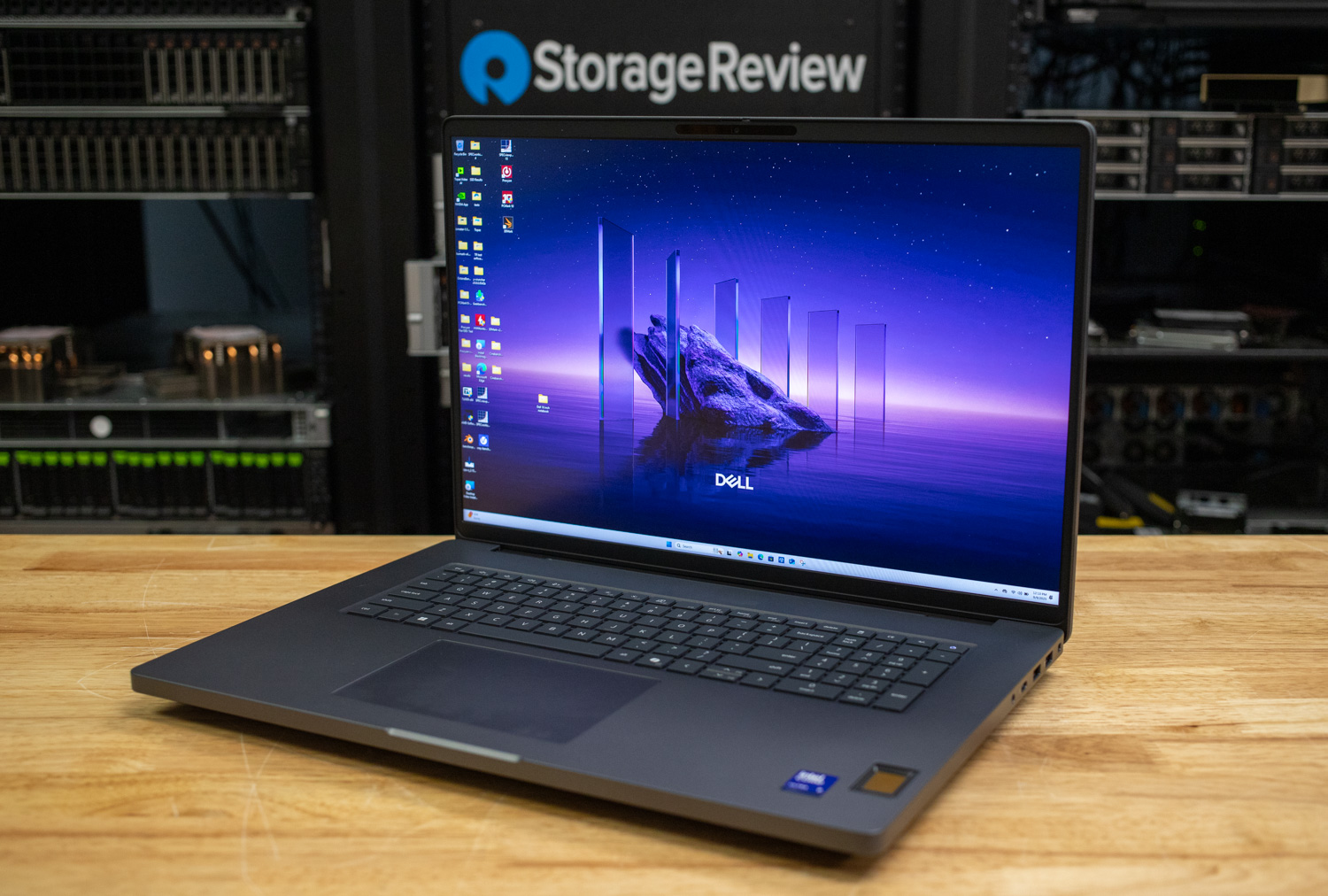
The Pro Max 18 Plus posted the fastest local AI numbers of any laptop through the StorageReview lab. In UL Procyon AI Text Generation, its RTX PRO 5000 Blackwell (24GB GDDR7) pushed Phi to 185.1 tokens per second, Mistral to 140.5, and Llama 3 to 119.7, with time to first token under 0.35 seconds on every model. The Core Ultra 9 285HX and 128GB of CAMM2 memory keep the rest of the pipeline out of the way, and the 24GB of VRAM comfortably holds 20B-class quantized models.
The tradeoffs are exactly what the chassis suggests: 7.17 pounds and 3 hours 39 minutes of measured battery life, the shortest runtime in our laptop dataset. This is a deskside machine that happens to fold. It listed at $9,245 as tested at review time. If local inference speed is the whole question, this is the answer.
Review: Dell Pro Max 18 Plus: Blackwell RTX PRO 5000 Performance To Go
Best for Large Models: HP ZBook Ultra G1a 14
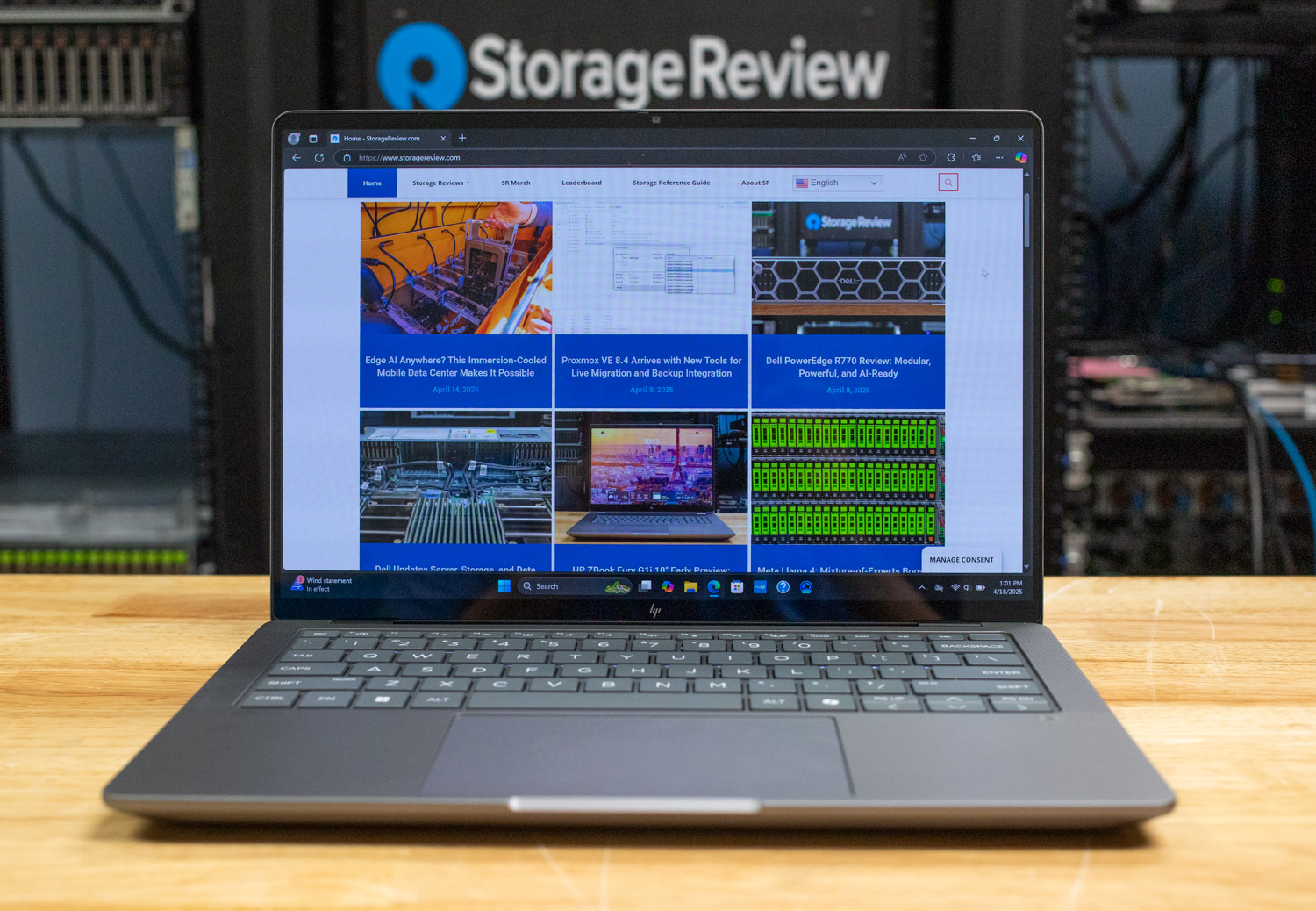
Speed is one axis; capacity is the other. The ZBook Ultra G1a pairs AMD’s Ryzen AI Max+ PRO 395 with 128GB of LPDDR5X unified memory, up to 96GB of it assignable to the Radeon 8060S GPU. That pool let us load models no discrete-GPU laptop can touch: DeepSeek-R1 70B and QwQ 32B both ran locally in LM Studio and Ollama, and Gemma 3 27B generated at 8.96 tokens per second with prompt processing at 73 tokens per second.
Its Procyon numbers trail every RTX PRO machine here (Phi at 65 tokens per second), so this is not the pick for fast chat on small models. It is the pick when the model itself is the point, and it does that at 3.3 pounds with 10 hours 35 minutes of battery. This is the same unified-memory story AMD’s Strix Halo tells on our desktop side, folded into a 14-inch chassis.
Review: HP ZBook Ultra G1a 14 Review
On the Horizon: HP ZBook Ultra G3a 16
The Best for Large Models pick above may be about to hand the category to its own successor. The ZBook Ultra G3a 16 brings 192GB of LPDDR5X-8533 unified memory with up to 160GB assignable to the GPU (the G1a 14 tops out at 128GB and 96GB), a Ryzen AI Max+ PRO 495 at its head, and a thermal redesign that sustains 100W where the G1a held 55W. Capacity won the G1a its slot while the power budget capped its pace; the G3a attacks both numbers at once.
Benchmarks wait for shipping hardware, expected in October with pricing to follow, and it enters the rankings when the full Procyon and LM Studio runs are in. Our hands-on preview covered the hardware on a pre-production unit with performance testing not permitted, and the full review follows when a shipping unit reaches the lab.
Best 16-inch Balance: Dell Pro Max 16 Plus
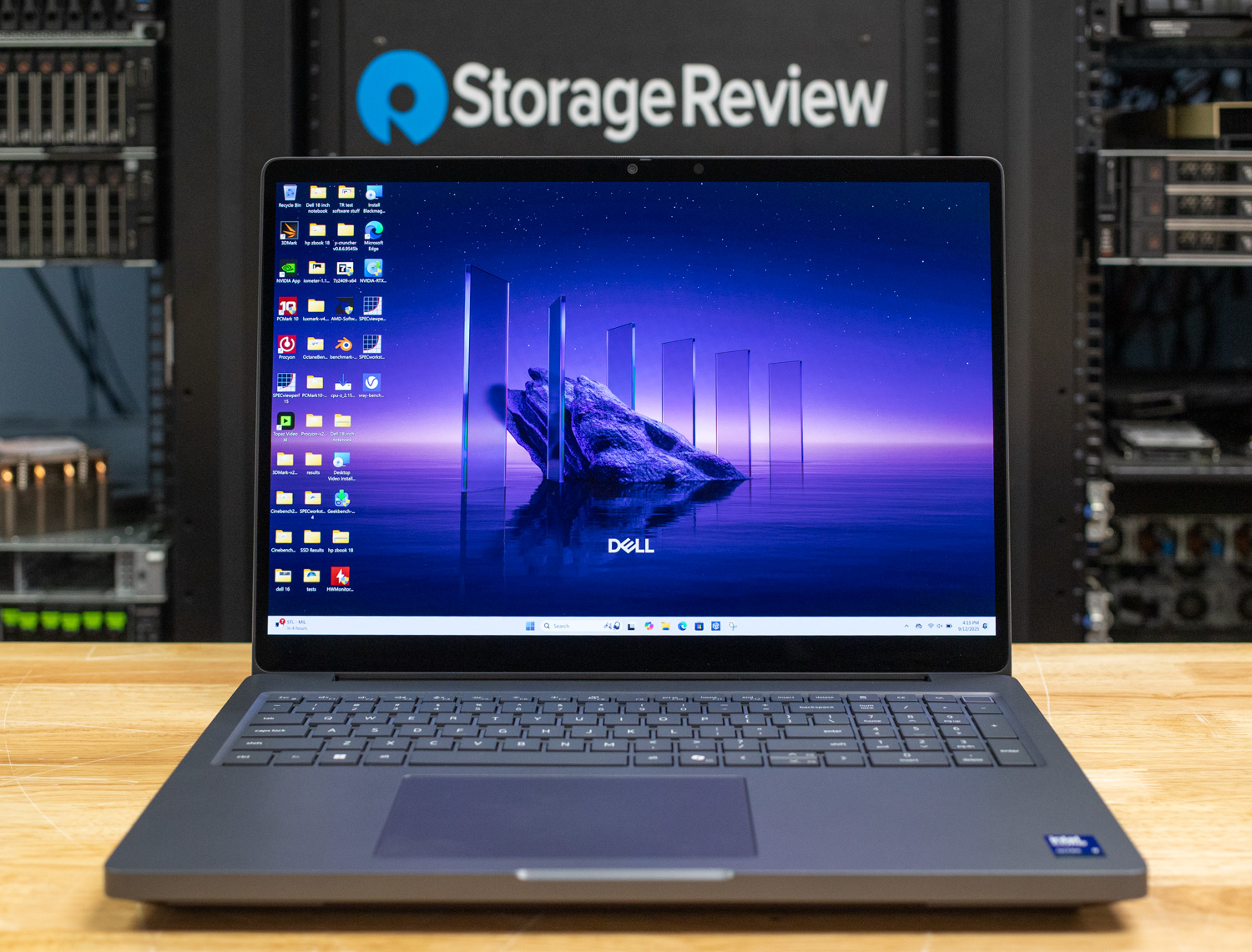
The Pro Max 16 Plus runs the same RTX PRO 5000 Blackwell 24GB as the 18 Plus and gives up almost nothing: Phi at 178.6 tokens per second, Mistral at 134.2, Llama 3 at 114.7, roughly 96 percent of the flagship’s throughput. In exchange it starts at 5.63 pounds against 7.17 and nearly doubles the battery result at 6 hours 21 minutes.
For most people who want serious local inference in a bag, this is the better buy of the two. It also holds the Best Overall Mobile Workstation spot on our Best Mobile Workstations leaderboard, so the AI speed comes with the full professional application stack already validated.
Review: Dell Pro Max 16 Plus Review: Built for Long Days and Big Jobs
Best Ultraportable: Lenovo ThinkPad P14s Gen 7
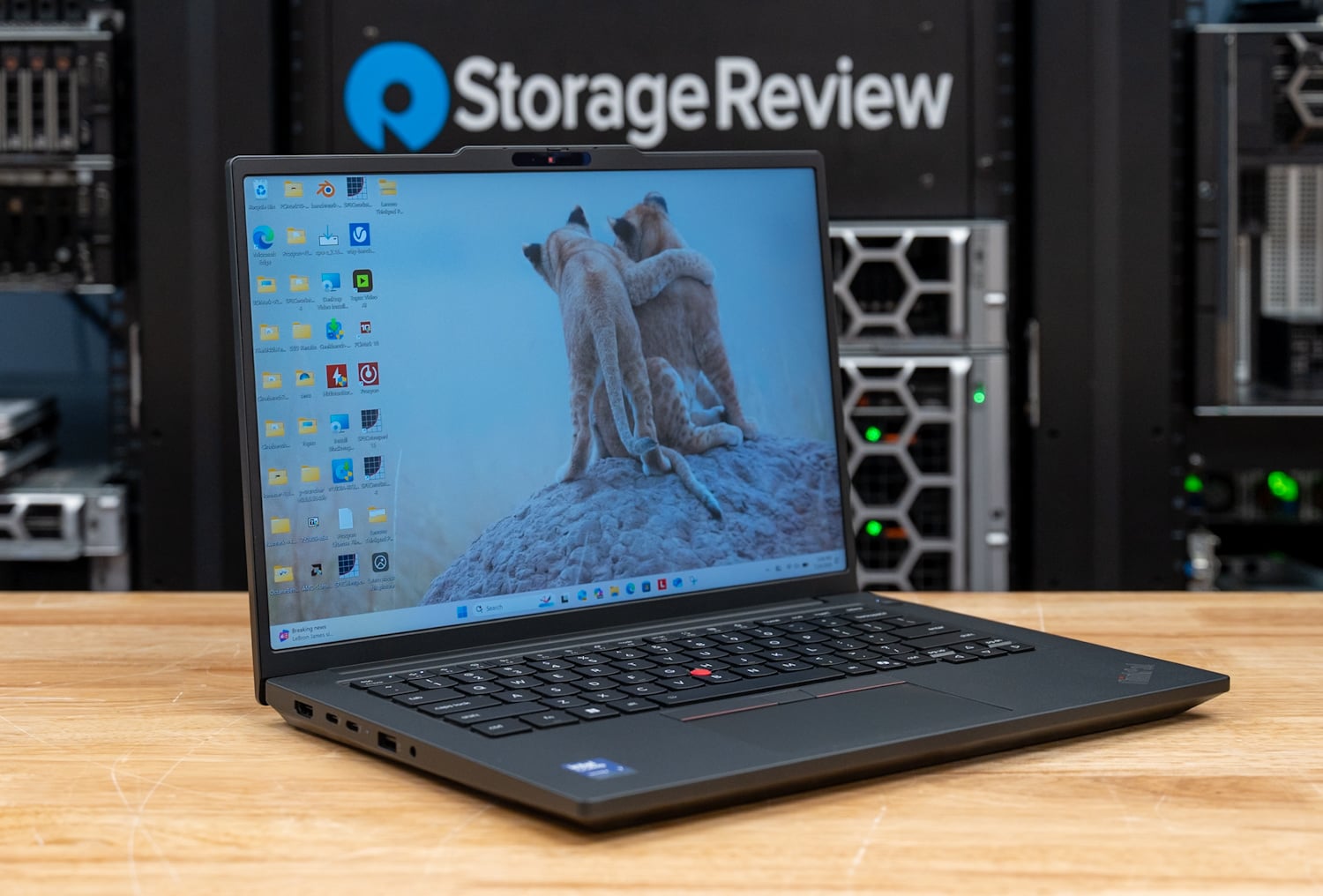
At 3.59 pounds, the P14s Gen 7 is the lightest laptop here with a discrete Blackwell GPU. The RTX PRO 1000 (8GB GDDR7) turned in Phi at 55.1 tokens per second and Mistral at 40.3, real interactive speeds for 7B-class models, and Panther Lake’s 50 TOPS NPU makes it a Copilot+ machine. The battery result of 15 hours 52 minutes means the AI capability does not cost you the workday.
Know the ceiling before you buy: our Llama 2 13B run did not finish because that model wants about 12GB of graphics memory through the Procyon path and the GPU has 8GB. For 7B-and-under quantized models this is a terrific carry; for bigger ones, look up the page.
Review: Lenovo ThinkPad P14s Gen 7 Review
Best Without a Discrete GPU: Dell Pro Precision 5 14s Intel
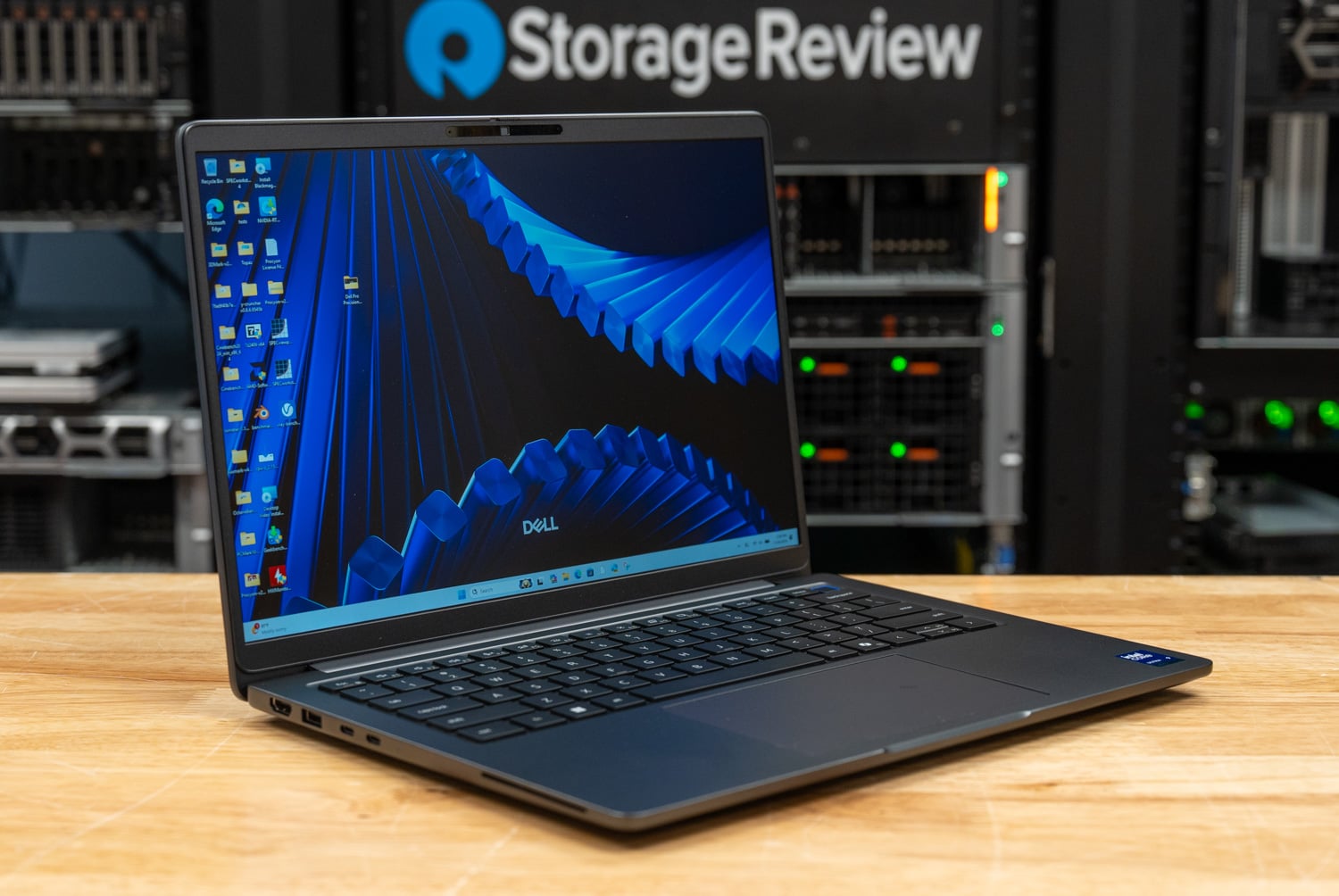
No discrete GPU is no problem, within reason: the Pro Precision 5 14s Intel pairs the Core Ultra X9 388H (50 TOPS NPU) with Intel Arc Pro B390 integrated graphics drawing on a 64GB LPCAMM2 shared memory pool. In our testing that pool ran larger local AI workloads than 8GB discrete cards could hold, completing the full Procyon AI Text Generation suite (scores of 887 on Phi and 786 on Llama 2) where VRAM-limited systems posted DNFs.
Generation speed is modest next to RTX PRO silicon, so it suits background assistant work over heavy interactive sessions. The rest of the package is remarkable: 3.12 pounds and 23 hours 50 minutes of measured battery, second-longest in our entire dataset. It also holds the Best Ultraportable Workstation spot on our Best Mobile Workstations board.
Review: Dell Pro Precision 5 14s Intel Review
Best Thin-and-Light NPU System: HP EliteBook 6 G1q
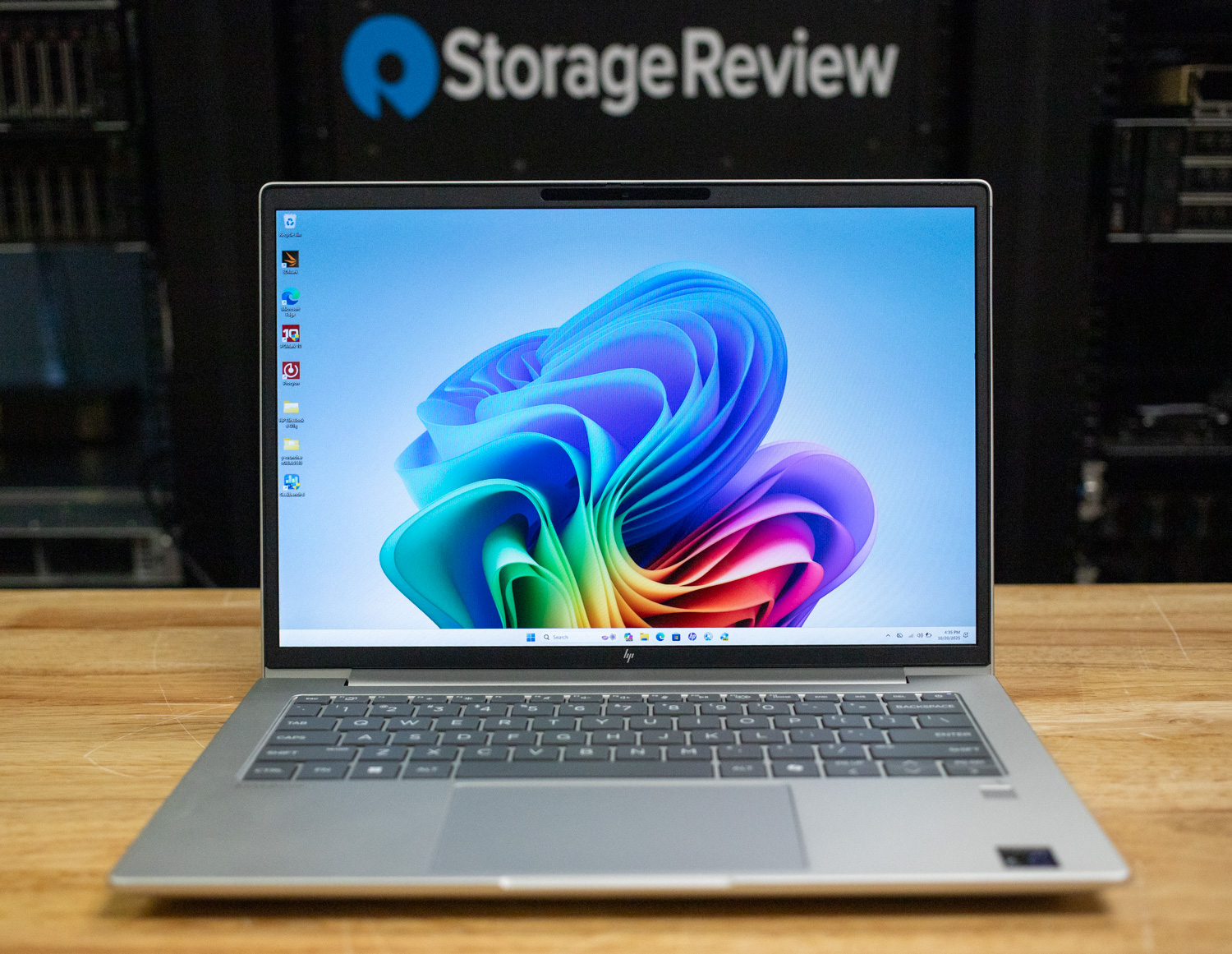
The EliteBook 6 G1q answers a different question: how little machine do you need for useful on-device AI? Its Snapdragon X Plus with a 45 TOPS Hexagon NPU ran Llama 3.2 3B at 36.7 tokens per second and Gemma 3 4B at 29.3 in LM Studio, with 1B models topping 62 tokens per second. Those are usable chat speeds from a 3.17-pound machine that measured 19 hours 35 minutes of battery.
The ceiling is low, 4B parameters was the largest model we tested, so this is for local chat, summarization, and offline assistants, with heavy models out of reach. At around $3,100 as configured at review, it was also the least expensive system on this page.
Review: HP EliteBook 6 G1q Review: All-Day Power in a Lightweight Laptop
RTX Spark Laptops: Tested on Our New Client Suite
NVIDIA’s RTX Spark N1X brings the GB10 superchip from DGX Spark to Windows laptops, with one pool of LPDDR5X shared between a Grace CPU and a Blackwell GPU. Laptops get two variants at a 45 to 80W TDP: a 20-core CPU with a 6,144-core GPU, and an 18-core CPU with a 5,120-core GPU. We test these systems on sr-client 1.2, our new Arm64-native client suite, so their results do not line up row for row with the Procyon numbers behind the picks above. Our RTX Spark launch coverage has the full platform detail.
Memory decides what each configuration can run. A firmware setting splits the pool between Windows and the GPU, and our smallest local AI model tier needs at least 16GB of GPU-usable memory, so a 32GB system set to 12GB for the GPU cannot load the 12.8GB gpt-oss:20b.
Best RTX Spark Laptop: HP OmniBook Ultra 16
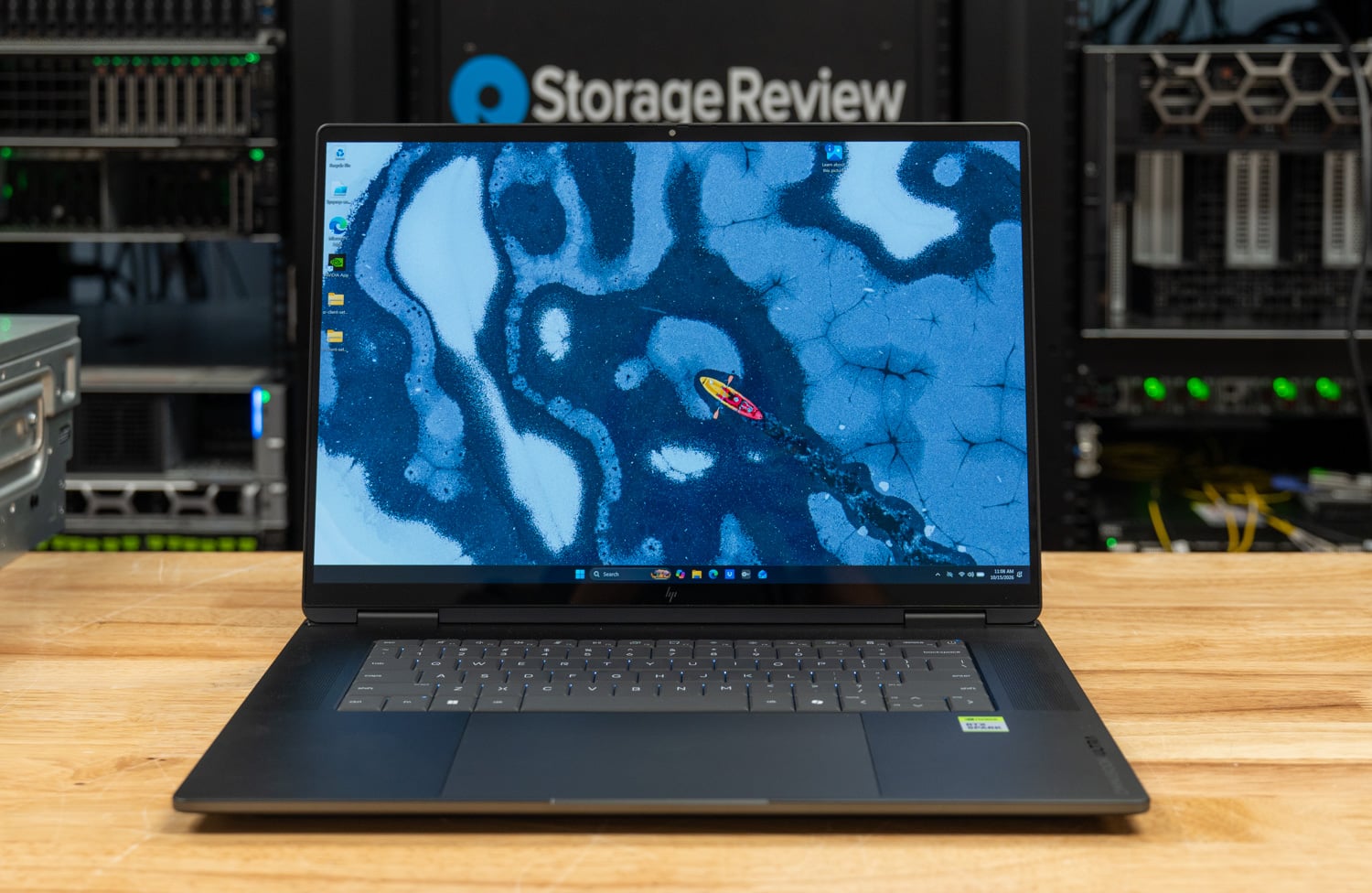
The 128GB OmniBook Ultra 16 is the most complete RTX Spark notebook we have tested. With 62.5GB of GPU-usable memory it runs both of our local AI model tiers, generating gpt-oss:20b at 58.0 tokens per second and Qwen3.6-35B-A3B at 89.5. It passed all nine coding agent runs and finished the Qwen3.6 task in 72.0 seconds, the quickest in its group, and it completed the all-core OpenBLAS solve at 98 C, the test that powered off two Surface Laptop Ultra units.
Its 7,004 in Cinebench 2026 multi-core was the top CPU result in that comparison, 35 percent ahead of the Razer Blade 16. The Blade’s RTX 5090 still generates tokens 2.3x faster on models that fit in its 24GB, and the OmniBook’s browser slowed by 1.73x while the coding agent ran on the shared GPU. The 128GB, 2TB build we tested is sold only through HP.com, where HP priced it at $6,229.99 as of October 14. The $3,199.99 32GB model keeps the CPU speed but cannot load our model tiers, and battery results are pending.
Review: HP OmniBook Ultra 16 Review: RTX Spark With 128GB Tops Our Local Coding Agent Test
Coolest-Running RTX Spark Laptop: Lenovo Yoga 9n 2-in-1 16
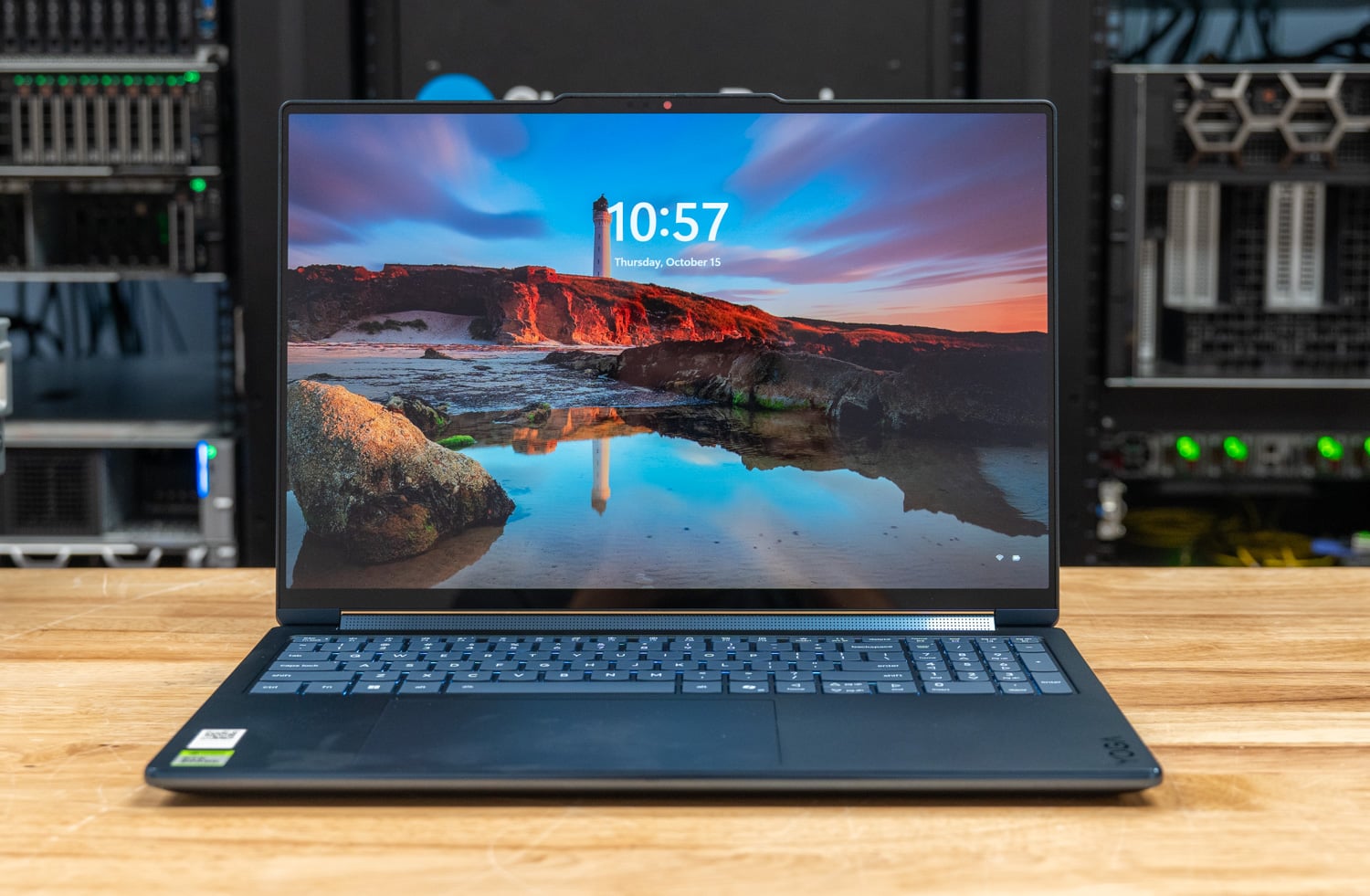
The Yoga 9n 2-in-1 16 ran the N1X cooler than any RTX Spark notebook we have tested. Through our 30-minute sustained loop its CPU peaked at 72 C and held 3,015MHz, finishing at 100.1 percent of its first pass. The HP OmniBook Ultra 16 and Surface Laptop Ultra sat at 98 C, and the Lenovo Pro 9n 15 peaked at 92 C, all measured through the Windows thermal zones, the only CPU sensor these systems expose. Lenovo credits enlarged vents, a raised thermal bump, and a convertible hinge that leaves room behind the vents for air to move.
The cooler tuning costs the Yoga some all-core speed against the HP. Multi-threaded results land 4 to 10 percent behind the OmniBook in most tests, and the coding agent slowed the browser by 2.44x on the Yoga against 1.73x on the HP. Its 64GB build gives the GPU 32GB, enough for gpt-oss:20b at 58.0 tokens per second but short of our 35B tier. For a 16-inch convertible that spends time as a tablet or on a lap, that trade makes sense. It listed at $3,749.99 as tested, and battery results are pending.
Review: Lenovo Yoga 9n 2-in-1 16 Review: The Coolest-Running RTX Spark Notebook
Also tested on the new suite:
- Lenovo Pro 9n 15: the 18-core N1X with 32GB of memory in a 3.64-pound chassis. Llama 3.1 8B ran at 55.1 tokens per second in MLPerf Client, within 2 percent of a 20-core N1X on the same 12GB GPU split, and its higher all-core clocks keep it within 8 to 11 percent of the 20-core part in rendering and compiles while peaking at 93 C. At 12GB for the GPU it sits out our model-load and coding agent tests, so local AI buyers should configure more memory. Lenovo lists it from $2,999.99 for an 18-core, 32GB, 512GB model.
- Microsoft Surface Laptop Ultra for Business (as tested): the 128GB unit generated gpt-oss:20b and Qwen3.6-35B-A3B at 58 to 89 tokens per second and posted 6,963 in Cinebench 2026 multi-core. It appears as tested only, because two units powered off under our all-core OpenBLAS load.
The Dell XPS 16 Creator Edition is expected in the lab soon and joins this section once we have tested it. Battery results for every RTX Spark system wait on our new cross-platform battery test.
Also Tested
These systems went through the same lab process and are worth a look for the right buyer, even though they do not hold a category spot today.
- Lenovo ThinkPad P16 Gen 3: the third RTX PRO 5000 machine in the fleet (Phi at 141.2 tok/s); our unit shipped with 32GB of RAM, which held back the rest of the workflow story.
- HP ZBook Fury G1i 18: same 24GB Blackwell GPU class as the Pro Max 18 Plus, a step behind on throughput (Phi at 157.4 tok/s) and $11,687 as tested at review.
- Dell Pro Precision 7 16 Intel: RTX PRO 3000 Blackwell with 12GB of VRAM, the strongest midrange GPU result in this field (Procyon text generation score of 2,244 on Phi via DirectML); its 12GB opens the 14B class that 8GB cards cannot hold.
- Lenovo ThinkPad P1 Gen 8: RTX PRO 2000 8GB in a 4.06-pound chassis with 12 hours 59 minutes of battery; Phi at 77.3 tok/s.
- Dell Pro Max 14 Premium: RTX PRO 2000 8GB at 3.55 pounds; Phi at 54.1 tok/s.
- Dell Pro Max 16 (Ryzen): RTX PRO 1000 8GB with a 16 hour 2 minute battery result; Phi at 61.9 tok/s.
- Lenovo ThinkPad P14s Gen 6: RTX PRO 500 6GB; entry Blackwell AI at 45.7 tok/s on Phi.
- Dell Pro Precision 5 16s Intel: the 16-inch sibling of our no-dGPU pick on the same shared-memory platform, with the longest workstation battery we have measured at 24 hours 43 minutes.
- Dell Pro Precision 5 14s AMD: 60 TOPS NPU and a 64GB shared pool; AMD’s Procyon INT8 image path was not yet available at test time, which limits comparison. The Dell Pro Precision 5 16s AMD brings the same Ryzen AI 9 HX PRO 475 and 60 TOPS NPU to a 16-inch chassis and posted the strongest local LLM throughput of the Pro Precision line in our testing, well clear of its Intel sibling on both Llama3 and Llama2, making it the pick of this family for local inference work.
- HP EliteBook X G1a: Ryzen AI 9 HX 375 with a 55 TOPS NPU; we have not yet run our LLM suite on it.
How We Rank
UL Procyon AI Text Generation is our cross-fleet yardstick: the same four models (Phi, Mistral, Llama 3, and Llama 2 where it fits) on every laptop that can hold them, so tokens-per-second numbers here are directly comparable. Where the hardware makes it interesting, we go deeper with LM Studio and Ollama runs on larger models. Each laptop is ranked once per measurement basis, and a system only appears on this page if it produced usable local AI results in our lab. RTX Spark systems ran sr-client 1.2, our new client suite, so they are compared with each other on this page and not with the Procyon results behind the other picks.
Prices move quickly in this market, so any dollar figure on this page is the as-tested price at the time the review published. We do not make value claims without checking current vendor configurator pricing, and when we do, we date the check.
Laptop Local AI FAQ
What matters more for local AI on a laptop, VRAM or total memory?
Both, for different reasons: a model must fit in the memory the GPU can reach: on discrete cards that is VRAM (8GB to 24GB in this field), and our Llama 2 13B run DNF’d on 8GB cards because it wanted about 12GB. Unified and shared memory designs flip the equation: AMD’s Ryzen AI Max+ can assign up to 96GB of system RAM to the GPU, and Intel’s shared LPCAMM2 pools reach 64GB, so far larger models load at all, just at lower speeds. Fit determines whether a model runs; the silicon determines how fast.
What is the largest model StorageReview has run on a laptop?
DeepSeek-R1 70B, loaded locally on the HP ZBook Ultra G1a 14 through its 96GB assignable unified memory pool. For sustained generation we measured Gemma 3 27B at 8.96 tokens per second on the same machine. On our desktop side the bar is higher; the Best Desktops for Local AI leaderboard covers systems that serve much larger models.
Do NPU TOPS ratings matter for running LLMs?
Less than the marketing suggests today, because most local LLM runtimes lean on the GPU, and every tokens-per-second number on this page came from GPU inference except the Snapdragon EliteBook, where the platform’s AI stack is the point. NPUs currently earn their keep on efficiency and on INT8 image generation paths, and they are why several of these machines qualify as Copilot+ PCs, so buy for the GPU and memory first.
What happens to battery life when you run models locally?
Inference is one of the heaviest sustained loads a laptop can run, so plan on wall power for real sessions. The battery numbers on this page are PCMark 10 Modern Office results, a productivity measure, and the spread is enormous: 3 hours 39 minutes on our fastest AI laptop versus nearly 24 hours on the shared-memory Dell. Our Laptop Battery Life Leaderboard ranks the full field.
How do RTX Spark laptops compare with the laptops ranked here?
RTX Spark laptops run NVIDIA’s N1X, which shares one pool of LPDDR5X between a Grace CPU and a Blackwell GPU. We test them on sr-client 1.2, our new client suite, so their numbers do not line up row for row with the Procyon results behind the picks on this page. On the 128GB HP OmniBook Ultra 16, gpt-oss:20b and Qwen3.6-35B-A3B generated at 58.0 and 89.5 tokens per second, and the 35B coding task passed three of three runs in 72.0 seconds. The memory split decides which models load: the 32GB Lenovo Pro 9n 15, set to 12GB for the GPU, could not load the 12.8GB gpt-oss:20b. The Lenovo Yoga 9n 2-in-1 16 ran coolest, peaking at 72 C through a 30-minute sustained load. The Surface appears as tested only, because two units powered off under our all-core OpenBLAS load.
Should I just buy a desktop for local AI instead?
If the machine will live on a desk, yes, probably. Deskside systems offer more memory per dollar, better sustained thermals, and no battery compromise; our Best Desktops for Local AI leaderboard starts at roughly the price of the midrange laptops here. The laptops on this page are for people whose AI workload has to travel.


 Amazon