

Running large language models locally has become much easier over the past couple of years, but a gap remains between downloading a model and having a useful desktop environment for it. Jan describes itself as a ChatGPT alternative, offering an open-source desktop app with a familiar chat-style interface that keeps most of the setup inside the application. It can run downloaded models locally through llama.cpp while also connecting to hosted AI services, so you can use local and cloud-based models from the same interface.
This hands-on is also the first guide tied to our Best Local LLM Tools leaderboard, where we are adding repeatable performance results from our own test hardware as we work through the platforms on the list.
Besides basic local chat, Jan includes a built-in model Hub, web search and page fetching, image input, MCP integrations, and an OpenAI-compatible local API.
For this hands-on look, we installed Jan from scratch on an HP Z4 Rack G5 workstation with Windows 11 Pro for Workstations, equipped with an Intel Xeon w5-2465X, 128GB of RAM, and an NVIDIA RTX 5000 Ada Generation GPU with 32GB of VRAM, to see how the setup process works, how Jan manages local models, whether GPU acceleration works automatically, and how its main features behave once everything is running.
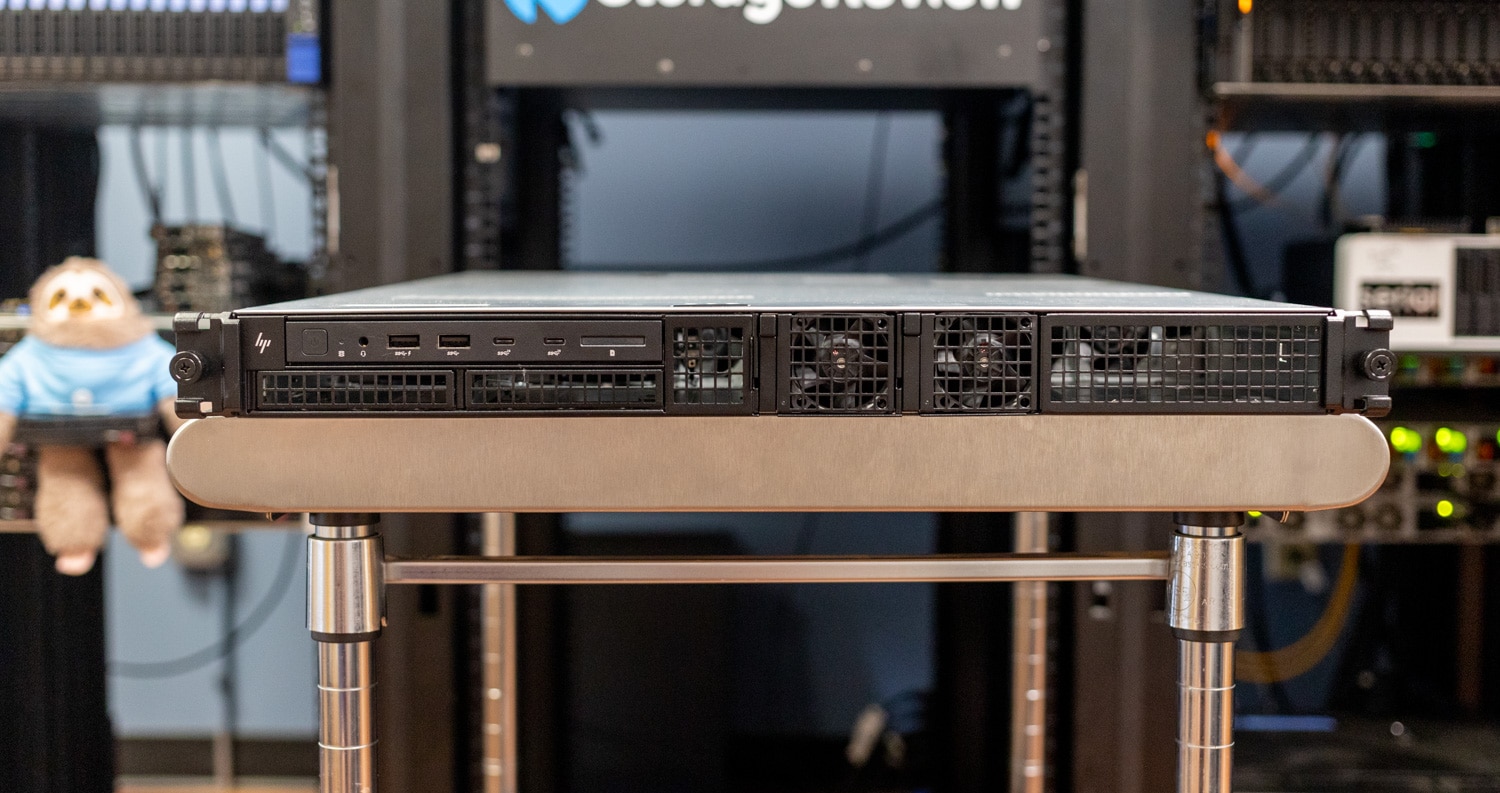
Jan changed between our first pass and publication, with v0.8.5 and v0.8.6 arriving shortly before this review went live. The newer releases address several areas from the earlier build, including bundling llama.cpp directly into Jan, changing how GPU offload is configured, adjusting parallel-sequence defaults, and adding conversation prompt caching. Because those changes affect local inference, we updated to v0.8.6 and reran all of our performance tests before publishing.
Test System
| Component | Configuration |
|---|---|
| Operating System | Windows 11 Pro for Workstations |
| CPU | Intel Xeon w5-2465X, 16 cores |
| Memory | 128GB |
| GPU | NVIDIA RTX 5000 Ada Generation |
| VRAM | 32GB |
| NVIDIA Driver | 597.06 |
| CUDA Compatibility | 13.2 (nvidia-smi) |
| Jan | v0.8.6 |
| llama.cpp | 0.5.0, build b11146 |
Jan detected the system hardware correctly through its Hardware settings page, including the CPU, system memory, and RTX 5000 Ada. On this system, which already had NVIDIA drivers installed, Jan enabled GPU acceleration without requiring any additional CUDA setup inside the application before we loaded a model.
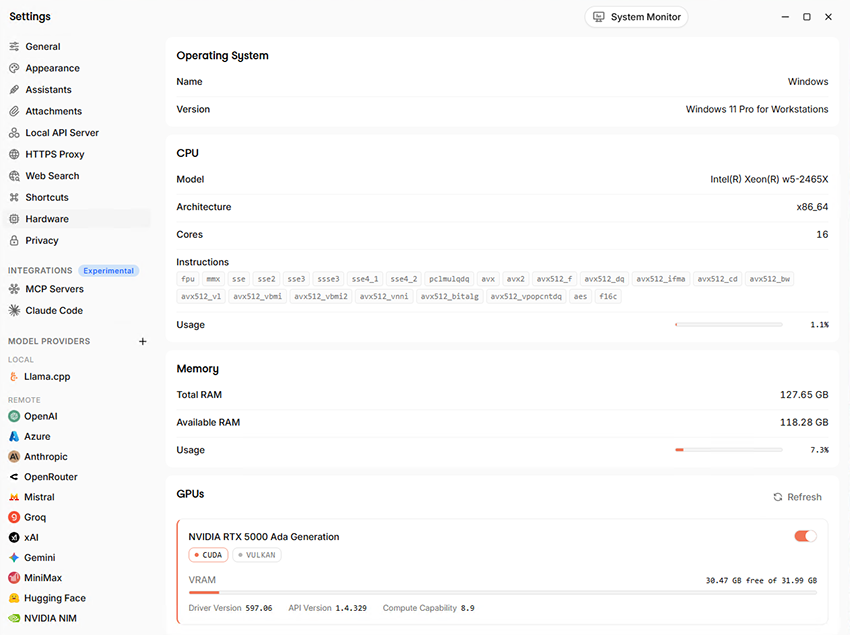
Jan v0.8.6 detected the Xeon w5-2465X, 127.65GB of RAM, and NVIDIA RTX 5000 Ada Generation with 31.99GB of VRAM.
Installing Jan and Getting Started
The Windows installation uses a standard .exe installer, and the first launch goes directly into Jan’s main chat interface. Jan did not require an account to use a local model. On first launch, it asked whether we wanted to share anonymous usage data and then offered to download its recommended local model, Jan V3.5.
The initial Jan V3.5 download was listed at 2.8GB. Clicking Download started the process inside the app, and Jan displayed a success notification when it completed. Once installed, the model became available from the selector at the top of the chat window.
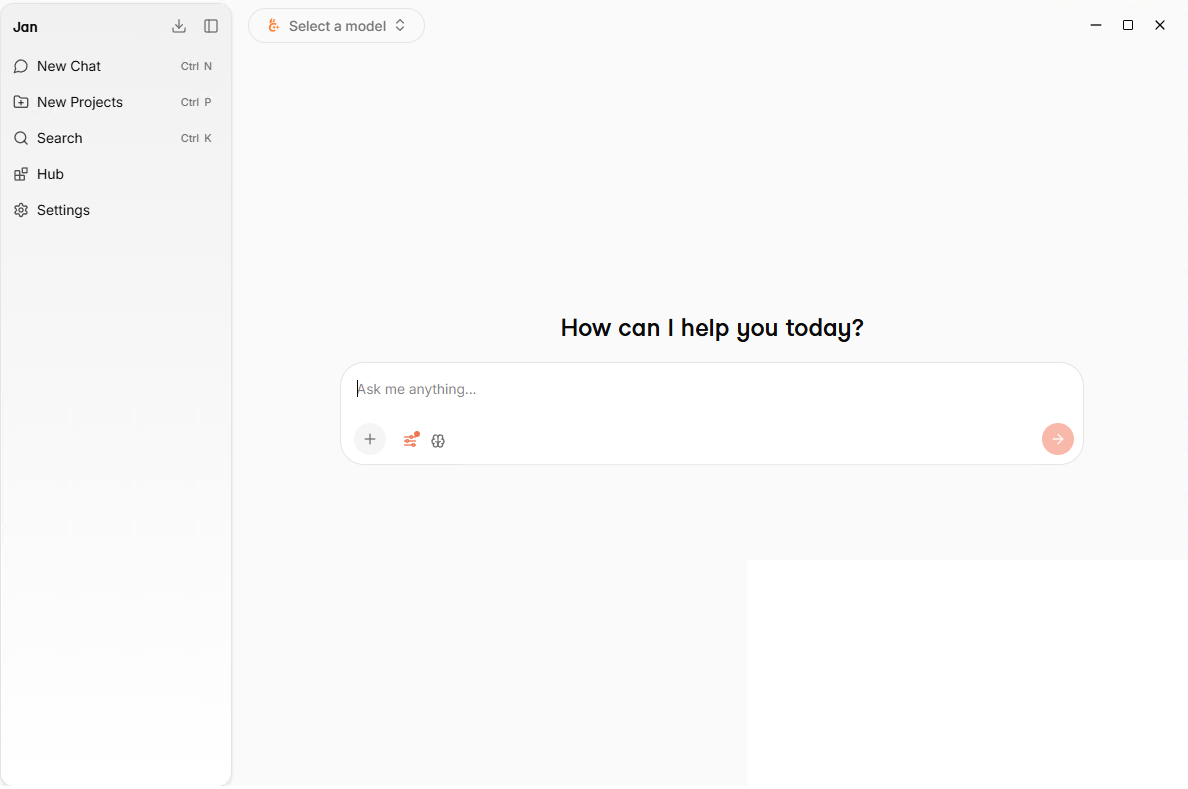
On its first launch, Jan offers its recommended Jan V3.5 local model as a 2.8GB download.
Browsing and Downloading Models
Jan’s Hub keeps model discovery and installation inside the application, with direct access to models from Hugging Face and useful information available before a download begins. Each entry includes the download size, quantization, capability tags, and a hardware-fit indicator, which helps narrow down models that are appropriate for the available memory and GPU.
On our RTX 5000 Ada system, several models were marked with a green Fits label. The Hub showed a 2.5GB Q4_K_M option for Jan V3.5 4B, while Jan V2 VL High was shown at 4.7GB and included Multimodal and Tools support. Alternate variants were available from the same model card.
Jan can also use hosted models from providers such as OpenAI, Anthropic, Gemini, Groq, and Mistral alongside models running locally through llama.cpp. This gives users one interface for downloaded and cloud-based models, while the Hub removes much of the manual work involved in finding GGUF files and checking memory requirements before installing them.
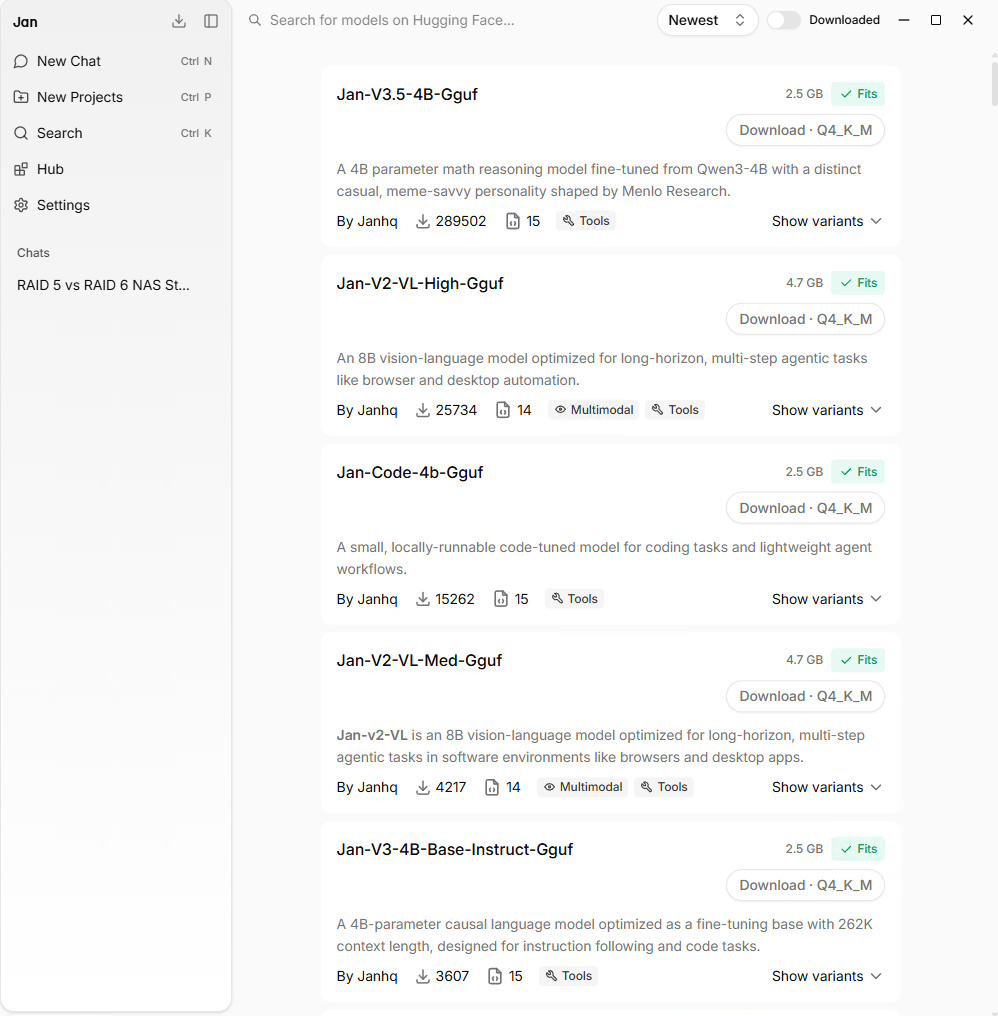
The Hub displays download size, quantization, model features, and hardware-fit status before installation.
We downloaded Jan V2 VL High as our second model because it added image support while still fitting easily inside the RTX 5000 Ada’s 32GB frame buffer.
Model Settings and GPU Use
One of the bigger changes introduced during the v0.8.5 and v0.8.6 update cycle is that llama.cpp is now bundled in the application, whereas earlier builds managed it separately. Our installation showed llama.cpp 0.5.0, build b11146, with Parallel Sequences set to 0 so llama.cpp can use its default behavior, while Remember Conversations Between Sessions was enabled to keep each conversation’s prompt cache on disk.
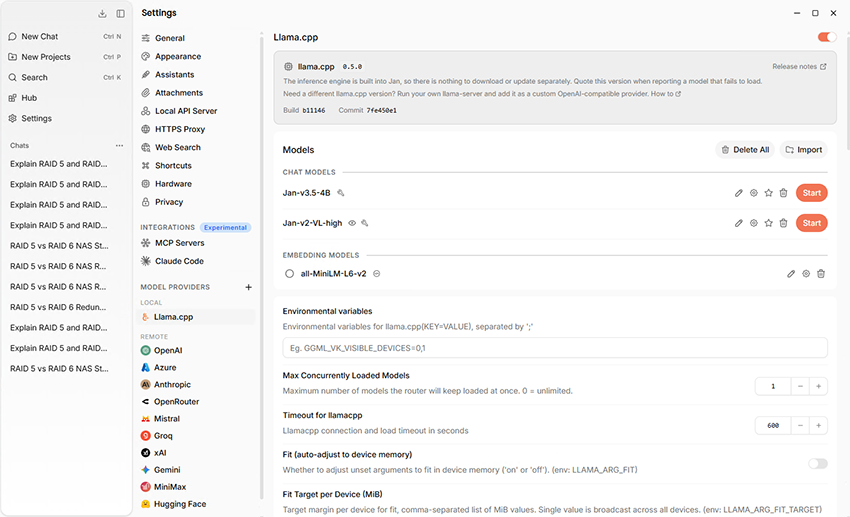
Jan v0.8.6 includes llama.cpp 0.5.0 directly in the application, with build b11146 shown in the local model provider settings.
With Jan V3.5 4B installed, the gear icon beside the active model provides access to its sampling and runtime settings. In our installation, Jan showed a temperature of 0.8, Top P of 0.95, Top K of 40, Min P of 0.05, and a Repeat Penalty of 1.
Although the recent runtime changes altered the default GPU-offload behavior, our upgraded Jan V3.5 4B and Jan V2 VL High profiles still displayed 100 GPU layers in v0.8.6, so we left those saved values unchanged for the rerun. Additional controls included an 8,192-token context size, CPU settings for Mixture of Experts weights, KV-cache offload, and a batch size of 2,048. These options let you adjust memory use and inference behavior directly in Jan without editing command lines or separate configuration files.
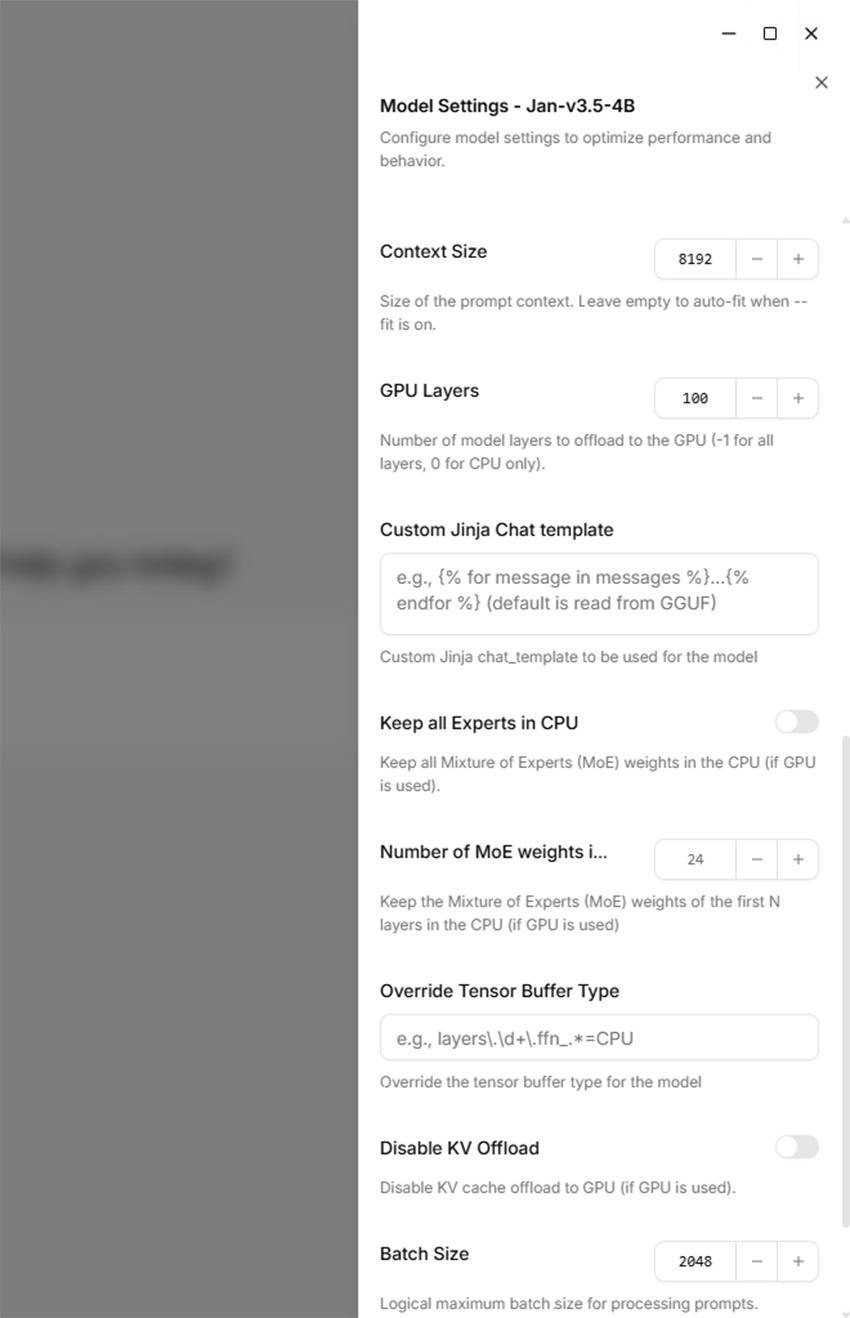
Our upgraded Jan V3.5 4B profile retained an 8,192-token context size, 100 GPU layers, and a batch size of 2,048 in v0.8.6.
Local Generation Performance
With both models running on the RTX 5000 Ada, we repeated our text-generation test on Jan v0.8.6 to measure decode speed under the updated runtime. We disabled Web Search, kept the context size at 8,192 tokens, kept GPU layers at the 100 value retained by our upgraded model profiles, and kept the batch size at 2,048.
We used the same text-only prompt for every run: “Explain RAID 5 and RAID 6 to someone building their first NAS. Include the main advantages and disadvantages of each, in about 400 words.” The first response after loading each model was discarded as a warm-up, followed by three measured runs in three fresh threads.
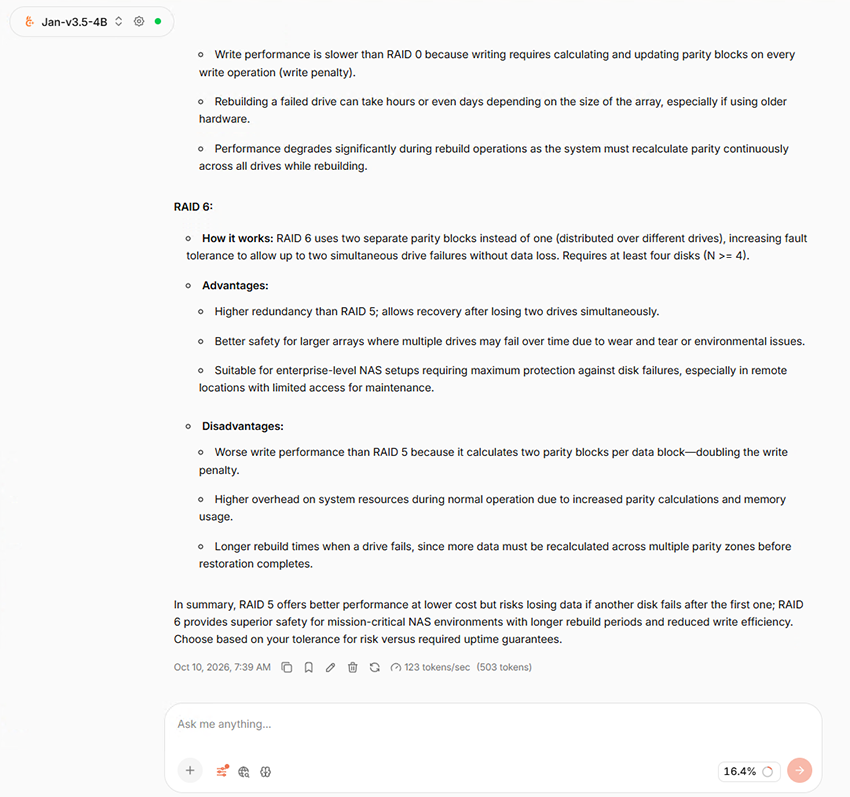
Jan V3.5 4B reached 123 tokens/sec with 503 Jan-reported output tokens in this measured run, matching the median figures from the three-run test.
Jan V3.5 4B Q4_K_XL recorded a median decode rate of 123 tokens/sec across the three measured runs, with a median of 503 Jan-reported output tokens and a median peak GPU memory use of 4,839 MiB. Jan V2 VL High Q4_K_M reached a median of 82 tokens/sec, with 1,728 Jan-reported output tokens and a median peak GPU memory use of 8,197 MiB.
The llama.cpp timing lines also tracked Jan’s on-screen decode figures closely, with median eval rates of 122.55 tokens/sec for Jan V3.5 4B and 82.30 tokens/sec for Jan V2 VL High. We did not report a prefill median because conversation prompt caching was enabled in v0.8.6, and several repeated runs showed only one prompt token being evaluated. Those cached values would not provide a useful comparison of full-prompt processing performance.
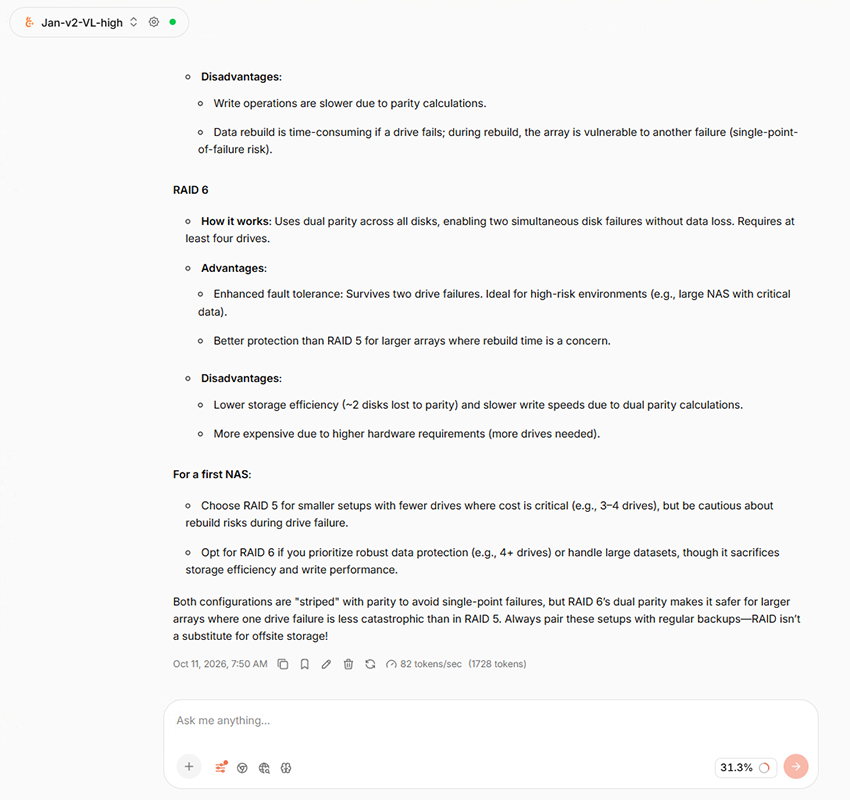
Jan V2 VL High reached 82 tokens/sec with 1,728 Jan-reported output tokens in this measured run, matching the median figures from the three-run test.
| Model | Quantization | Output Tokens | Decode Speed | GPU Memory |
|---|---|---|---|---|
| Jan V3.5 4B | Q4_K_XL | 503 | 123 tok/s | 4,839 MiB |
| Jan V2 VL High | Q4_K_M | 1,728 | 82 tok/s | 8,197 MiB |
Note: Output-token counts, decode rates, and GPU memory figures are medians of three measured runs after one discarded warm-up run. GPU memory is the median of the peak memory use observed during each measured run. Jan V2 VL High’s reported output count appears to include reasoning tokens, since the visible answer was around 400 words while Jan reported a much larger token total. Its output-token count should therefore not be compared directly with Jan V3.5 4B.
Using Jan for Local Chat
Jan’s main interface is simple to navigate once a model is installed. Recent conversations appear in the left sidebar, the active model stays visible at the top, and attachments and tools sit directly below the prompt field.
Switching between installed models takes only a few clicks. Jan also displays information at the end of a response, including token count and generation rate. Reasoning models can display their thinking activity while generating, though the level of detail depends on the model used.
Our first local test asked Jan to explain the differences between RAID 5 and RAID 6 for someone building a NAS. Both downloaded models completed the request, with Jan V2 VL High generating a longer answer and using 8,197 MiB of GPU memory, compared with 4,839 MiB for the 4B model.
Web Search
Jan includes web search and page fetching directly in the chat interface, allowing supported models to bring current online information into a conversation when those tools are enabled. We repeated our earlier Web Search test after updating to Jan v0.8.6 by enabling the feature and asking Jan V2 VL High the same RAID 5 versus RAID 6 question used during our local testing.
Jan again decided on its own that current information could help and attempted to invoke Web Search even though the prompt did not ask it to search online. The reasoning view showed the model deciding to verify current NAS recommendations before submitting a search query. In this run, the search itself could not complete because the configured Exa service had reached its free MCP rate limit, but the test confirmed that Jan V2 VL High still automatically calls Web Search when it decides outside information may be useful.
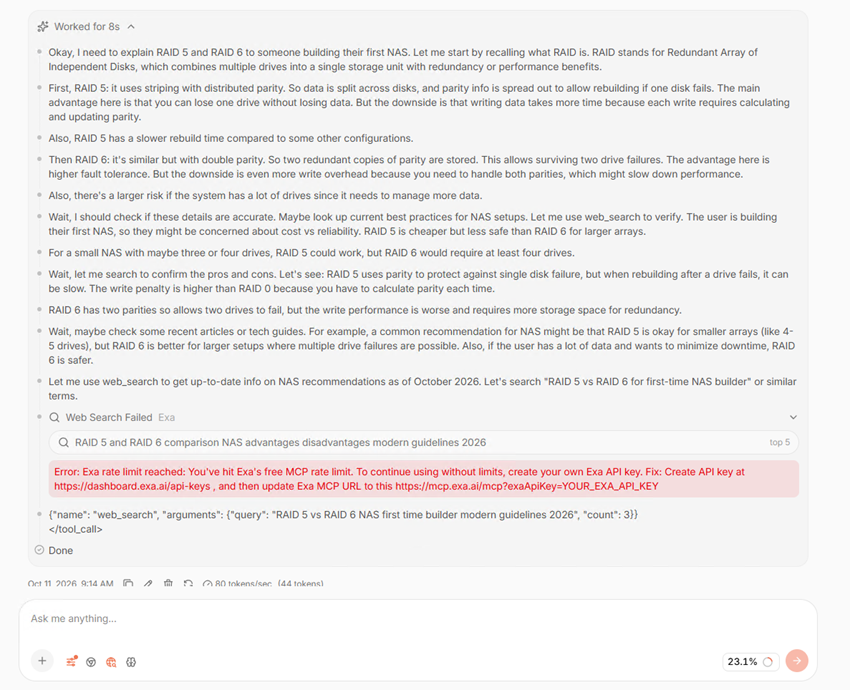
With Web Search enabled in Jan v0.8.6, Jan V2 VL High automatically attempted an online search during the RAID query, although Exa’s free MCP rate limit stopped the request.
Jan also supports MCP, which allows compatible external tools and services to be connected to the application, including options such as browser interaction and other integrations. We did not test MCP during this session, but its inclusion gives users another way to extend what locally running models can access and perform beyond the standard chat interface.
Multimodal Input
To retest image input after updating to Jan v0.8.6, we attached a fresh nvidia-smi screenshot to Jan V2 VL High and asked it to identify the GPU model, NVIDIA driver version, total VRAM, GPU utilization, GPU temperature, and power usage shown in the image. The model correctly identified all six values: NVIDIA RTX 5000 Ada Generation, driver 597.06, 32,760 MiB of VRAM, 1% GPU utilization, 35C temperature, and 4W / 250W power usage.
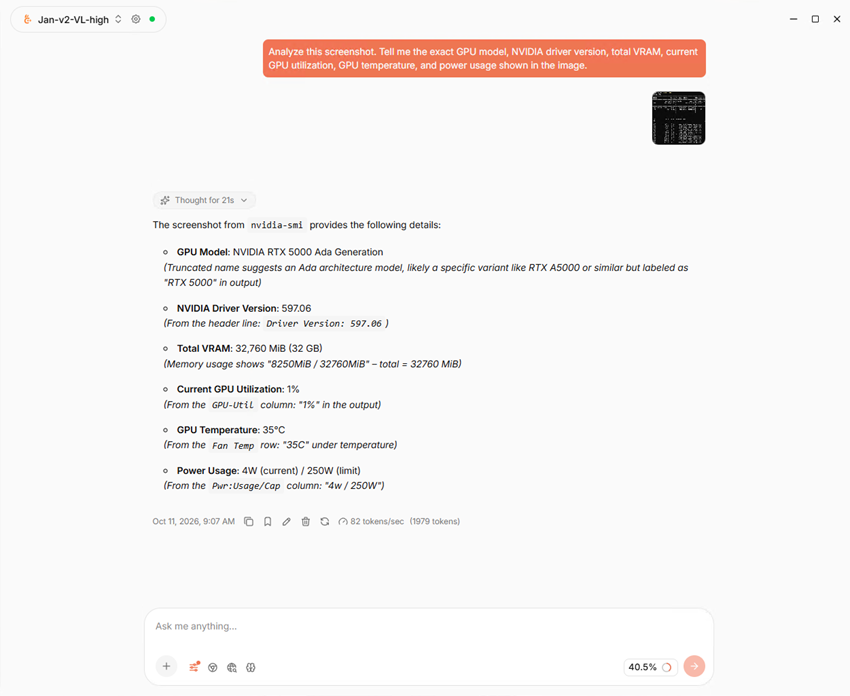
Jan V2 VL High correctly identified all six requested hardware values from a fresh nvidia-smi screenshot in Jan v0.8.6.
That’s better than our initial multimodal test on the earlier Jan build, which spent much of its response working through the terminal layout. The model still spent 21 seconds reasoning before answering, and Jan reported 1,979 output tokens, but the visible response was concise and answered the request directly.
Local API Server
Jan also includes a local OpenAI-compatible API server, accessible from its Settings menu. We selected Jan V3.5 4B as the default local API model and started the server directly from the interface.
Jan reported the server running on:
http://127.0.0.1:1337/v1
The built-in server log confirmed a successful launch, while Jan also provided access to interactive API documentation.
We used PowerShell to make sure the local API worked as expected, starting with a query to /v1/models, which returned the installed models, including Jan V2 VL High. From there, we sent a chat-completions request to Jan-v3.5-4B-Q4_K_XL asking for a one-sentence explanation of RAID 6, and Jan returned the response directly in PowerShell:
“RAID 6 is a disk array configuration that provides data redundancy by using two independent parity blocks per data block, allowing the array to survive the failure of up to two disks without data loss.”
The response contained one factual error: RAID 6 uses two parity blocks per stripe, not two parity blocks per data block.
With both requests working, we confirmed that software supporting an OpenAI-compatible endpoint can communicate directly with Jan’s downloaded models, without sending every prompt through the desktop chat interface.
What Went Wrong
The main issue from our initial testing came from the multimodal test, where Jan V2 VL High understood the nvidia-smi screenshot but spent far too long working through a simple extraction request. The v0.8.6 retest described above returned all six values in a concise response, though the 21 seconds of reasoning and 1,979 reported output tokens show the model still does a lot of work before it answers.
The Web Search retest on v0.8.6 hit a limit outside Jan: the configured Exa service had reached its free MCP rate limit, so the automatic search the model attempted during the RAID question couldn’t complete. Anyone leaning on Web Search should expect to configure a search provider with enough headroom for regular use.
Outside those points, the v0.8.6 testing went smoothly. All six repeated local generation runs completed without crashes, model-load failures, or GPU detection problems.
Conclusion
For anyone curious about running local LLMs on Windows, Jan v0.8.6 removes much of the setup work while still leaving plenty of room to adjust how models run. On our test system, it automatically detected the RTX 5000 Ada; both downloaded models used GPU acceleration, and the Hub showed model size and hardware-fit information before we committed to a download. It provides enough guidance for someone getting started, while still offering settings such as context size, GPU layers, and memory options when more control is needed.
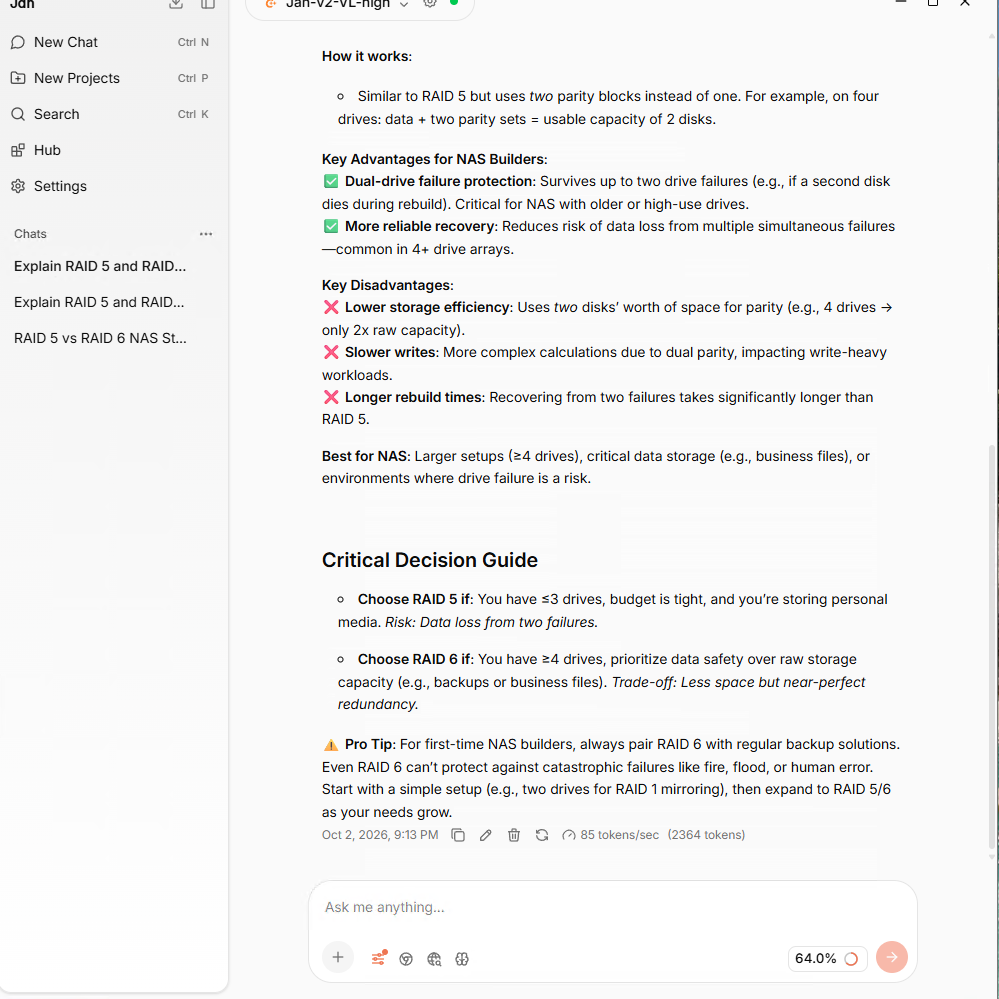
Jan V2 VL High completed the local RAID comparison while displaying generation information below the response.
Jan goes well beyond running local models and providing a chat window, adding many features to the same interface. We tested Web Search directly from a conversation, tested image input with Jan V2 VL High, saw remote AI providers available alongside local llama.cpp models, and sent requests to the OpenAI-compatible API from PowerShell.
On our RTX 5000 Ada system, Jan V3.5 4B reached a median of 123 tokens/sec in our updated text-generation test, while Jan V2 VL High reached 82 tokens/sec. Jan V2 VL High also produced a much more concise response in our repeated multimodal test after the v0.8.6 update, correctly identifying all six requested values from the nvidia-smi screenshot.
Jan ran reliably throughout the session, and going from a fresh installation to running local models on the GPU took one installer, one model download, and a few clicks.
We’ll use the same testing method as we work through additional entries in our Best Local LLM Tools leaderboard, giving readers performance results from the same hardware alongside the differences in features and day-to-day use.

Leaderboard: Jan holds Best Local-First LLM Desktop App on our Best Local LLM Tools leaderboard.


 Amazon