---
description: "PCIe AI accelerators ranked on measured vLLM throughput: H200 NVL, RTX PRO 6000 and 4500, L40S and L4, plus the H100 NVL, with memory tiers and 2U power notes."
title: "Best Enterprise GPUs 2026: PCIe AI Accelerators, Lab-Tested and Ranked"
image: https://www.storagereview.com/wp-content/uploads/2026/10/StorageReview-NVIDIA-RTX-Pro-4500-Group-3-labeled-v3.jpg
---

[![Storage Review]()](https://storagereview.com/)

---

[Facebook](https://www.facebook.com/@storagereview) [X (Twitter)](https://twitter.twitter.com/storagereview) [Instagram](https://www.instagram.com/storagereview/) [LinkedIn](https://www.linkedin.com/company/storagereview-com) [YouTube](https://www.youtube.com/user/storagereview?sub_confirmation=1) [Email](mailto:info@storagereview.com) [Spotify](https://open.spotify.com/show/1y6VnznABhHeOSMOmbDTz0) [Reddit](https://www.reddit.com/r/StorageReview/) [Discord](https://discord.gg/TwMHb4azdC) [RSS Feed](https://www.storagereview.com/rss.xml) [TikTok](https://www.tiktok.com/@storagereview)

[Facebook](https://www.facebook.com/@storagereview) [X (Twitter)](https://twitter.com/storagereview) [Instagram](https://www.instagram.com/storagereview/) [LinkedIn](https://www.linkedin.com/company/storagereview-com) [YouTube](https://www.youtube.com/user/storagereview?sub_confirmation=1) [Email](mailto:info@storagereview.com) [Spotify](https://open.spotify.com/show/1y6VnznABhHeOSMOmbDTz0) [Reddit](https://www.reddit.com/r/StorageReview/) [Discord](https://discord.gg/TwMHb4azdC) [RSS Feed](https://www.storagereview.com/rss.xml) [TikTok](https://www.tiktok.com/@storagereview)

[![StorageReview.com](https://www.storagereview.com/wp-content/uploads/2026/07/Storage-Review-2x.png)](https://www.storagereview.com)

≡ Menu

- [Home](https://www.storagereview.com/)
- [Storage Reviews](https://www.storagereview.com/review)
  - [End User Reviews](https://www.storagereview.com/consumer)
  - [Enterprise Reviews](https://www.storagereview.com/enterprise)
  - [Ubiquiti Reviews](https://www.storagereview.com/best/ubiquiti-reviews)
- [SR Merch](https://store.storagereview.com)
- [Leaderboards](https://www.storagereview.com/best)
  - [Best Storage Arrays](https://www.storagereview.com/best/storage-arrays)
  - [Best Enterprise SSDs](https://www.storagereview.com/best/enterprise-ssds)
  - [Best Servers](https://www.storagereview.com/best/servers)
  - [Best Enterprise GPUs](https://www.storagereview.com/best/enterprise-gpus)
  - [Best Desktops for Local AI](https://www.storagereview.com/best/desktops-local-ai)
  - [Best Laptops for Local AI](https://www.storagereview.com/best/laptops-local-ai)
  - [Best Local LLM Tools](https://www.storagereview.com/best/local-llm-tools)
  - [Agentic AI Hardware](https://www.storagereview.com/best/agentic-ai-hardware)
  - [Best SSDs & Hard Drives](https://www.storagereview.com/best_drives)
  - [Best Portable SSDs](https://www.storagereview.com/best/portable-ssds)
  - [Best Business Laptops](https://www.storagereview.com/best/business-laptops)
  - [Best Mobile Workstations](https://www.storagereview.com/best/mobile-workstations)
  - [Best Desktop Workstations](https://www.storagereview.com/best/desktop-workstations)
  - [Best Mini PCs](https://www.storagereview.com/best/mini-pcs)
  - [Best Laptop Battery Life](https://www.storagereview.com/best/laptop-battery-life)
- [Storage Reference Guide](https://www.storagereview.com/storage-reference-guide)
- [About SR](https://www.storagereview.com/about-storagereview)
  - [StorageReview.com Sweepstakes Rules and Regulations](https://www.storagereview.com/storagereview-com-sweepstakes-rules-and-regulations)

Search

[Home](https://www.storagereview.com/) » [StorageReview Best: Lab-Tested Buyer’s Guides](https://www.storagereview.com/best) » Best Enterprise GPUs 2026: PCIe AI Accelerators, Lab-Tested and Ranked

# Best Enterprise GPUs 2026: PCIe AI Accelerators, Lab-Tested and Ranked

*Published October 14, 2026. Five PCIe accelerators ranked on one vLLM container and one model set, with the H100 NVL in Also Tested; the H200 NVL carries a power note explained below.*

**Every accelerator ranked on this page has been through the StorageReview lab as a single PCIe card.** The enterprise GPU market is split between the HGX and OAM modules that fill AI factories and the add-in cards that go into the 2U and 4U servers most data centers already run, and this page covers the second group only: the data center GPU you can order in a mainstream server configurator and slot into a rack you already have.

That is the enterprise inference market, and enterprise inference is the workload every card here is ranked on. Every pick links to the review holding the data, and the ranking comes from the same test on every card.

That test is vLLM online serving, the stack most enterprise inference runs on, driven from 1 to 32 concurrent streams on every card, and to 128 on the two Hopper cards, on four models in the same NGC vLLM 26.08 container (vLLM 0.27.1 on CUDA 13.4.1) and the same 595.71.05 driver.

Five of the six cards ran in our Dell PowerEdge R770 at the power that server delivers to a GPU slot; the RTX PRO 6000 ran in our Dell Pro Max Tower T2 on the same container and driver. The order you see below held on every model and both request shapes we ran, so the ranking is not a peak-only result.

Memory decides more than compute does in this class. A 24GB or 32GB card serves small and mid-size models at chat length and runs out of KV cache once long prompts stack up; a 48GB or 96GB card carries mid-size models with room for multi-tenant concurrency, and the 94GB and 141GB HBM cards are where a model in the 70B to 120B band stays on one GPU. The picks are organized around that split, and the FAQ at the bottom answers the comparison questions buyers ask most, from RTX PRO 6000 against H100 to what 450W versus 600W is worth in a 2U.

## At a Glance

Output tokens per second are from Ministral 3 14B Instruct FP8 at 32 concurrent streams, the heaviest point every card completed, on the 512-in, 512-out chat shape and the 8,192-in, 1,024-out document shape. FP8 is the MAMF maximum achievable matmul result in TFLOPS, a sustained dense GEMM measurement, not the vendor peak.

| Category | Accelerator | Memory / Bandwidth | Slots / Power as Tested | Chat 512/512 (tok/s) | Document 8K/1K (tok/s) | MAMF FP8 (TFLOPS) | Full Review |
| --- | --- | --- | --- | --- | --- | --- | --- |
| Best Overall PCIe AI Accelerator | NVIDIA H200 NVL\* | 141GB HBM3e / 4.8TB/s | Dual-slot / 450W\* | 3,435 | 1,038 | 1,262 | [ET900N G3 Review (H200 NVL data)](https://www.storagereview.com/review/asus-expertcenter-pro-et900n-g3-review) |
| Best Enterprise Inference GPU | NVIDIA RTX PRO 6000 Blackwell Server Edition | 96GB GDDR7 / 1.6TB/s | Dual-slot / 600W (450W cap also tested) | 2,283 | 608 | 774 | [RTX PRO 6000 Review](https://www.storagereview.com/review/nvidia-rtx-pro-6000-workstation-gpu-review-blackwell-architecture-and-96-gb-for-pro-workflows) |
| Best Single-Slot GPU | NVIDIA RTX PRO 4500 Blackwell Server Edition | 32GB GDDR7 / 800GB/s | Single-slot / 165W | 1,107 | 190 | 280 | [RTX PRO 4500 SE Review](https://www.storagereview.com/review/nvidia-rtx-pro-4500-blackwell-server-edition-review) |
| Best Mainstream Inference GPU Still Shipping | NVIDIA L40S | 48GB GDDR6 / 864GB/s | Dual-slot / 350W | 995 | 230 | 369 | [RTX PRO 4500 SE Review (L40S data)](https://www.storagereview.com/review/nvidia-rtx-pro-4500-blackwell-server-edition-review) |
| Best Slot-Powered Card for 1U and Edge | NVIDIA L4 | 24GB GDDR6 / 300GB/s | Single-slot HHHL / 72W | 364 | 42 | 116 | [L4 Review](https://www.storagereview.com/review/nvidia-l4-gpu-review-low-power-inferencing-wizard) |

*\*The H200 NVL was tested at 450W, the most a Dell PowerEdge R770 GPU slot delivers. The card is rated to 600W, and we have not run it there, so its figures on this page are a floor. The RTX PRO 6000 figures come from the Workstation Edition; NVIDIA rates both editions at 600W, and they profile identically in our testing, and the Server Edition is the passive, headless board with the same GPU and memory.*

## The Picks

### Best Overall PCIe AI Accelerator: NVIDIA H200 NVL

**The H200 NVL is the fastest add-in card we have measured, and it is the only one on this page that keeps scaling past 32 streams.** At 32 concurrent streams on Ministral 3 14B FP8, it served 3,435 output tokens per second against 3,096 for the H100 NVL and 2,283 for the RTX PRO 6000, and the gap widened as concurrency rose: 7,336 tokens per second at 128 streams, where the RTX cards had already stopped. On the 8,192-token document shape, the 141GB of HBM3e never ran short, and the card finished 21 to 23 percent ahead of the H100 NVL on every model at matched concurrency.

The lead is wider against the Blackwell card than the spec sheets suggest. At 32 streams, the H200 ran 50 to 81 percent ahead of the RTX PRO 6000 across the three FP8 and BF16 models, and at 8K input it held 1,038 tokens per second on the 14B model to the RTX card’s 608, because 4.8TB/s of HBM feeds decode in a way 1.6TB/s of GDDR7 cannot.

Two or four cards bridge over NVLink at 900GB/s, which no other card here offers. Our H200 NVL numbers appear beside the RTX PRO 6000 and the GB300 DGX Station in the ET900N G3 review, where the Station reached 22,041 output tokens per second on GPT-OSS-20B at 128 streams against 6,022 for this card.

The power note matters for a 2U buyer: this card ran at the 450W a PowerEdge R770 slot allows, and its 600W rating remains untested in our lab. The one workload where it shows no advantage is the NVFP4 build of Qwen3.8-27B, where the card has no FP4 hardware and vLLM dequantizes on the fly, landing at 467 tokens per second against 616 for the RTX PRO 6000. Buy it for memory and bandwidth, which is what a 70B to 120B deployment needs.

[Read the ASUS ET900N G3 review, which carries our H200 NVL results](https://www.storagereview.com/review/asus-expertcenter-pro-et900n-g3-review)

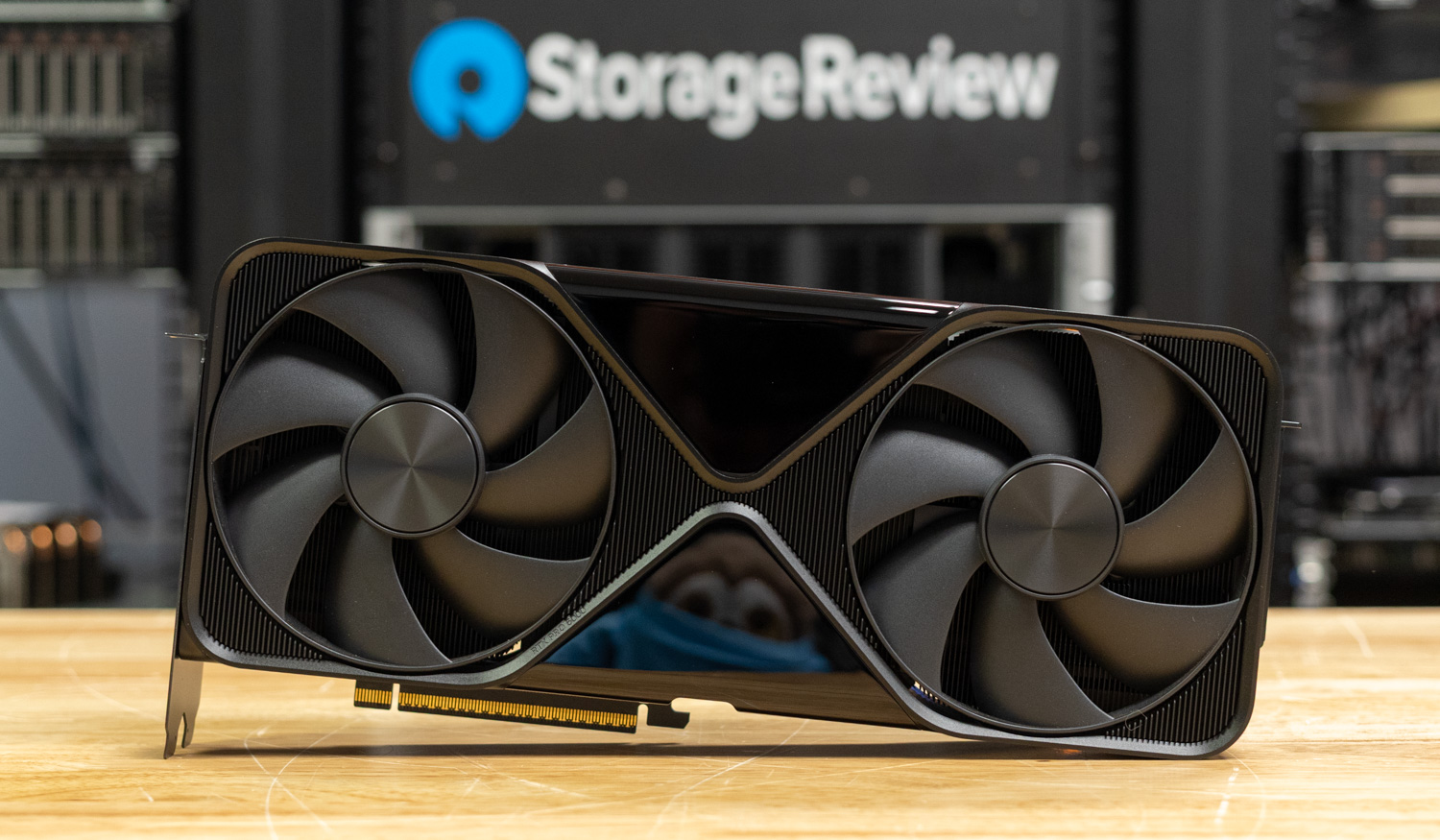
### Best Enterprise Inference GPU: NVIDIA RTX PRO 6000 Blackwell Server Edition

![NVIDIA RTX PRO 6000 Blackwell front view on the StorageReview lab bench]()  
**The RTX PRO 6000 is the enterprise inference GPU on this page: the Blackwell card built for the 2U and 4U inference servers enterprises are buying now, with the largest frame buffer below the HBM tier and the broadest feature set of any card here.** At 600W it served 2,283 output tokens per second at 32 streams on Ministral 3 14B FP8, 2,139 on the 8B model, and 4,155 on the 3B, roughly 2x the RTX PRO 4500 at short context and 2.7x to 3.5x at 8K input, where its 96GB keeps climbing to 32 streams while the 32GB and 48GB cards flatten.

In MAMF, it reached 774 TFLOPS in FP8 and 1,481 in NVFP4, the highest FP4 figure on the page.

The 450W cap tells a 2U buyer what the last 150W is worth. Held to 450W, the most a PowerEdge R770 slot delivers, the card gave up 2 to 5 percent at short context and 4 to 9 percent at long context, and its FP8 MAMF result did not move. At the cap, it delivers 4.8 output tokens per second per rated watt on the 14B model against 3.8 at 600W, which is why a 2U buyer loses little by running it there.

It is also the only card on this page with RT cores, four encoders and decoders, and display outputs, so a server that mixes inference with rendering, transcoding, or virtual workstations under vGPU gets one card for all of it. Our numbers come from the Workstation Edition in a Dell Pro Max Tower T2; NVIDIA rates both editions at 600W, they profile identically in our testing, and the Server Edition is the passive, headless version with the same GB202 GPU and 96GB of GDDR7 with ECC.

**Also in our lab:** four Server Edition cards in the [HPE ProLiant DL380a Gen12](https://www.storagereview.com/review/hpe-proliant-dl380a-gen12-review-air-cooled-4u-server-for-dense-multi-gpu-ai), two and four cards in the Dell PowerEdge XE7740 inside the [ET900N G3 review](https://www.storagereview.com/review/asus-expertcenter-pro-et900n-g3-review), the single card in the [Dell Pro Max Tower T2](https://www.storagereview.com/review/dell-pro-max-tower-t2-review-meteor-lake-and-rtx-pro-deliver) that produced the numbers above, eight cards and 768GB in the [Comino Grando](https://www.storagereview.com/review/comino-grando-rtx-pro-6000-review-768gb-of-vram-in-a-liquid-cooled-4u-chassis), and dual Max-Q cards in the [Dell Precision 7875](https://www.storagereview.com/review/dell-precision-7875-review-threadripper-pro-9995wx-meets-dual-rtx-pro-6000-blackwell-gpus) and [HP Z8 Fury G6i](https://www.storagereview.com/review/hp-z8-fury-g6i-review-one-xeon-up-to-four-blackwell-gpus).

[Read the full NVIDIA RTX PRO 6000 review](https://www.storagereview.com/review/nvidia-rtx-pro-6000-workstation-gpu-review-blackwell-architecture-and-96-gb-for-pro-workflows)

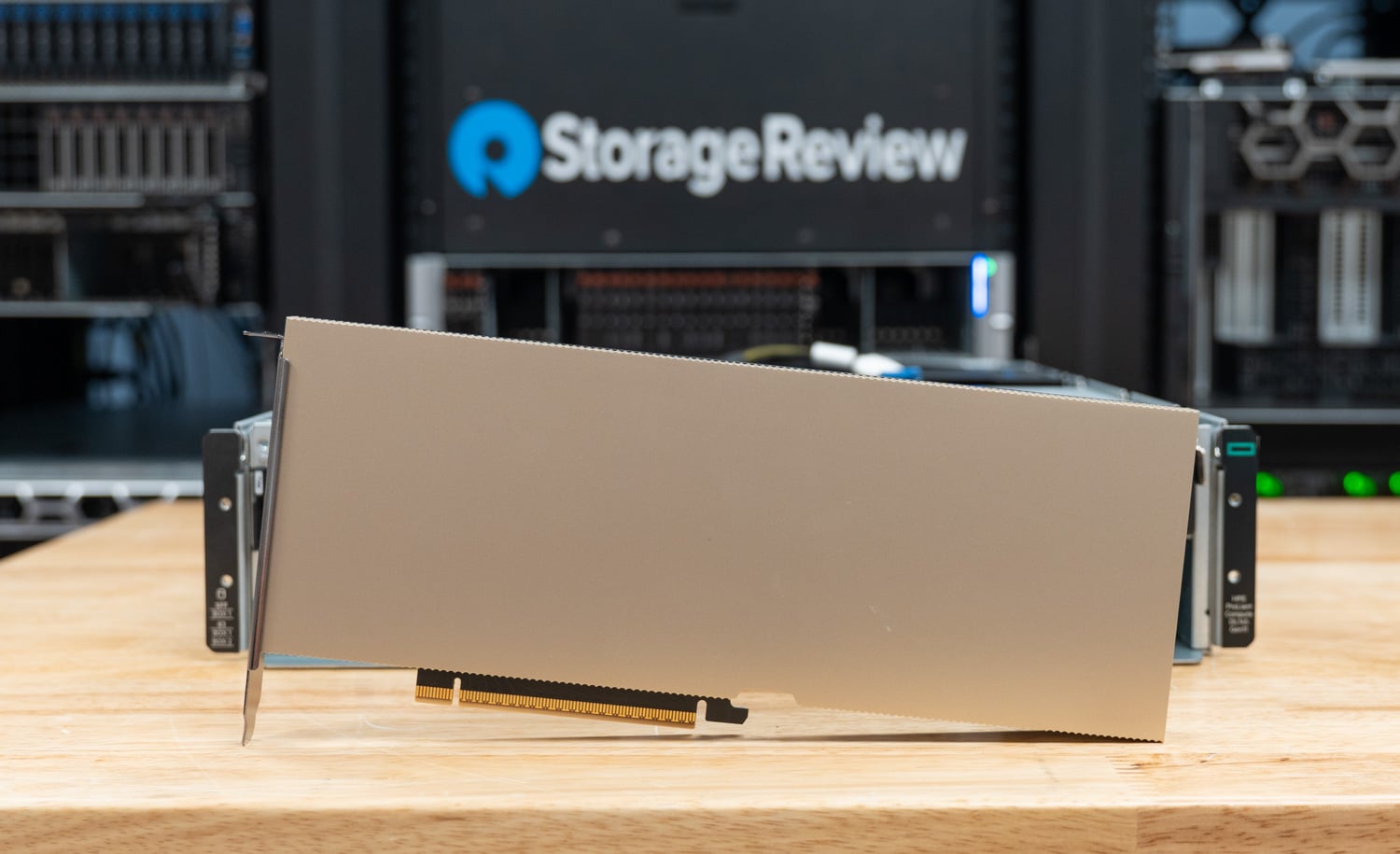
### Best Single-Slot GPU: NVIDIA RTX PRO 4500 Blackwell Server Edition

![NVIDIA RTX PRO 4500 Blackwell Server Edition standing on the bench in the StorageReview lab]()  
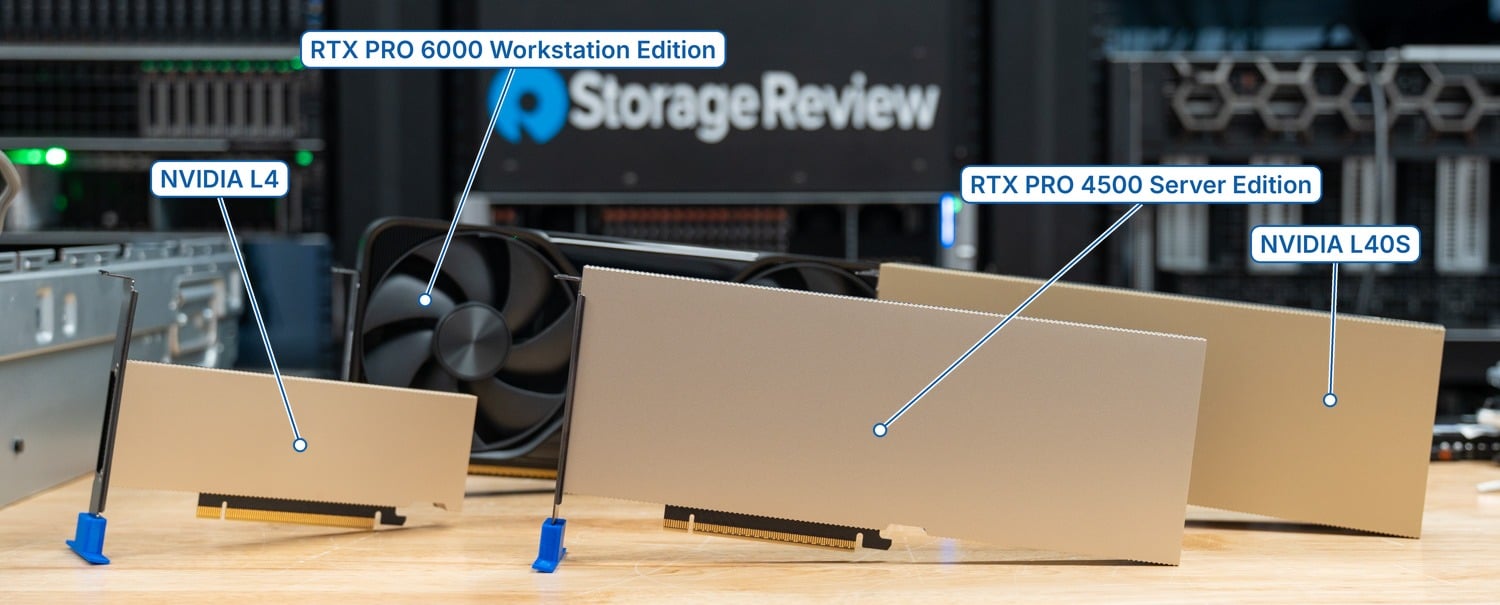
**The RTX PRO 4500 Server Edition delivers L40S throughput from a single-slot, 165W card, which is the trade most mainstream servers were waiting for.** At 32 streams on the chat shape, it matched or edged the L40S on every FP8 and BF16 model: 1,107 against 995 tokens per second on Ministral 3 14B FP8 and 2,006 against 1,988 on the 3B model, from a card rated at 47 percent of the L40S’s power and half its slots. Against the L4 it replaces, it ran 2.8x to 3.6x faster at 2.3x the board power, and a 2U chassis that holds four dual-slot cards holds eight of these.

The limit is 32GB: at 8,192-token input, the card trailed the L40S by 17 to 33 percent, and its curves flattened at eight streams, where the 48GB card kept climbing to 16, because KV cache, not compute, ran out. It is also a full-height, full-length board with a 16-pin connector, so the L4’s 1U and half-height homes do not take it without a chassis built for FHFL cards.

NVFP4 is the other caveat, shared by every card we tested on this vLLM build: on Qwen3.8-27B, the 4500 produced 320 tokens per second at 32 streams while its FP4 hardware reached 569 TFLOPS in MAMF, so the FP4 advantage exists at the GEMM level and has not reached the serving stack yet. Two 16GB MIG partitions, confidential computing, and vGPU 20 round out a data center feature set the Workstation Edition of the same card does not carry.

**Also in our lab:** the same card against the L4 inside an [HPE ProLiant DL145 Gen11](https://www.storagereview.com/review/nvidia-rtx-pro-4500-edge-review-hpe-proliant-dl145-gen11-l4), the edge server review that preceded this one.

[Read the full NVIDIA RTX PRO 4500 Blackwell Server Edition review](https://www.storagereview.com/review/nvidia-rtx-pro-4500-blackwell-server-edition-review)

### Best Mainstream Inference GPU Still Shipping: NVIDIA L40S

![Labeled lineup of the NVIDIA L4, RTX PRO 4500 Blackwell Server Edition, and L40S standing on the StorageReview lab bench]()  
**The L40S has been the default mainstream inference card for two years, and 48GB is the reason it still earns a slot on a Blackwell-era page.** On the chat shape, it served 995 output tokens per second at 32 streams on Ministral 3 14B FP8, 1,005 on the 8B model, and 1,988 on the 3B.

That is within 12 percent of the RTX PRO 4500 everywhere, and ahead of it on the 8K document shape at 230 against 190 on the 14B model, 277 against 185 on the 8B, and 475 against 384 on the 3B. Its curves keep climbing to 16 streams at long context, where the 32GB card stops at eight.

The cost of that memory is a 350W, dual-slot board on PCIe 4.0, and no FP4 hardware; on the NVFP4 build of Qwen3.8-27B it reached 480 tokens per second by dequantizing, which beat the 4500 by 1.5x on this software build. Its MAMF ceilings are 220 TFLOPS in BF16 and 369 in FP8, a little under half the RTX PRO 6000. For a fleet that already runs on L40S and whose workloads sit at long context, it is not a card to replace yet; for a new 2U, the single-slot 4500 does the same chat-length work at half the slots and power.

**Also in our lab:** a single L40S in the [Lenovo ThinkSystem SR650 V4](https://www.storagereview.com/review/lenovo-thinksystem-sr650-v4-review-versatile-2u-workhorse), and the card’s graphics side in our [L40S for Omniverse](https://www.storagereview.com/review/nvidia-l40s-for-omniverse-from-openusd-scenes-to-physics-aware-world-models) piece.

[Read our L40S results in the RTX PRO 4500 Server Edition review](https://www.storagereview.com/review/nvidia-rtx-pro-4500-blackwell-server-edition-review)

### Best Slot-Powered Card for 1U and Edge: NVIDIA L4

![NVIDIA L4 GPU, a half-height single-slot card, on the StorageReview lab bench]()  
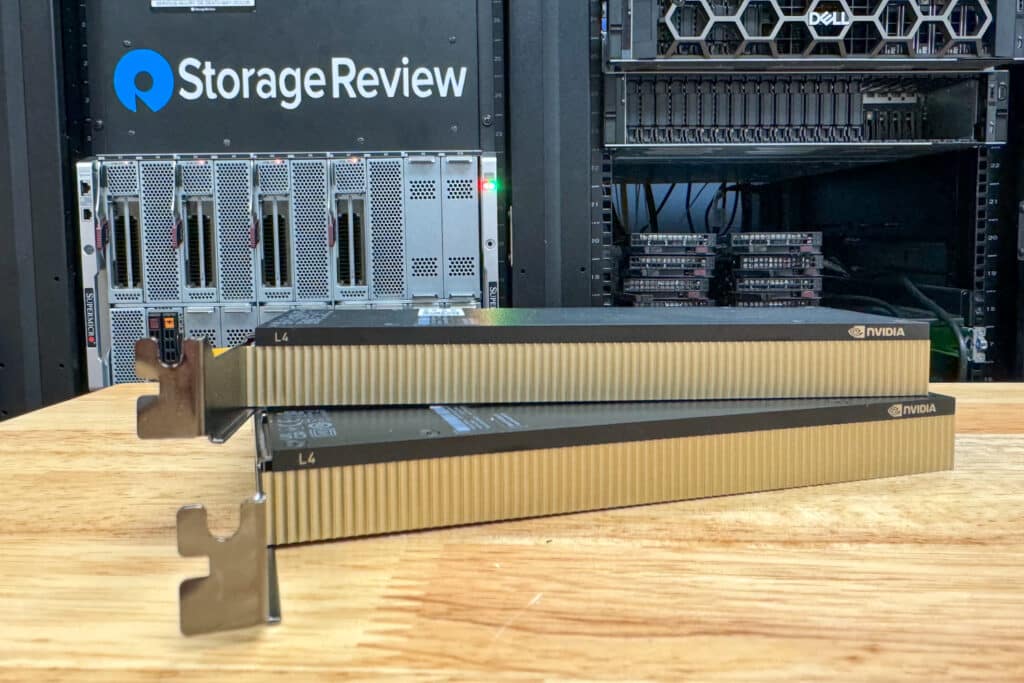
**The L4 is the only card on this page that draws its power from the slot and fits a half-height bay, which keeps it in the 1U servers and edge boxes nothing newer can enter.** At 72W, it served 364 output tokens per second at 32 streams on Ministral 3 14B FP8, 279 on the 8B model, and 704 on the 3B, and its 5.1 output tokens per second per rated watt on the 14B model beats the L40S at 2.8 and the RTX PRO 6000 at 600W at 3.8.

Its MAMF ceilings of 50 TFLOPS in BF16 and 116 in FP8 are the lowest here, and it has no FP4 path, so the 27B NVFP4 model did not fit its 24GB.

Long context is where it stops: on the 8,192-token shape, the L4 was flat from four streams on every model, at 34 to 130 tokens per second, because 24GB and 300GB/s hold very few 8K contexts at once. The RTX PRO 4500 Server Edition runs 2.8x to 3.6x faster, but it needs an FHFL slot and a 16-pin cable, so an L4 fleet in a 1U or half-height chassis does not get a drop-in replacement. Our RTX PRO 4500 edge review measured both cards inside an HPE ProLiant DL145 Gen11, where the 4500 delivered 2.7x the L4.

**Also in our lab:** the L4 at the edge in the [Dell PowerEdge XR7620](https://www.storagereview.com/review/dell-poweredge-xr7620-review-acceleration-for-the-edge), four L4s in the [Dell PowerEdge T560](https://www.storagereview.com/review/dell-poweredge-t560-tower-server-review), and the card against the RTX PRO 4500 in the [HPE ProLiant DL145 Gen11](https://www.storagereview.com/review/nvidia-rtx-pro-4500-edge-review-hpe-proliant-dl145-gen11-l4).

[Read the full NVIDIA L4 review](https://www.storagereview.com/review/nvidia-l4-gpu-review-low-power-inferencing-wizard)

## Also Tested

### NVIDIA H100 NVL

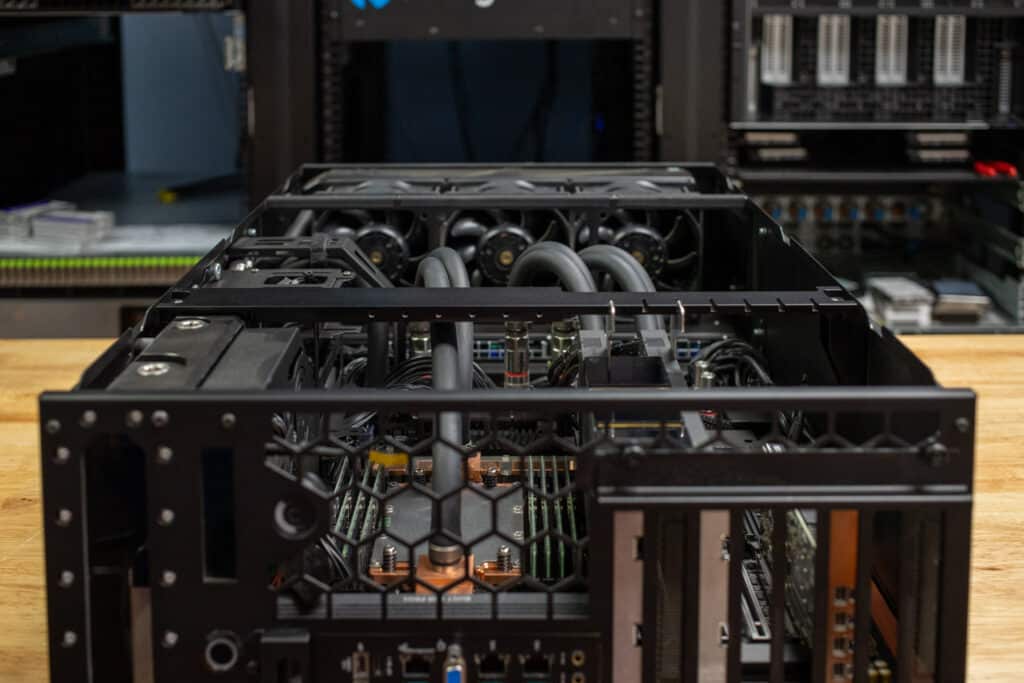
![Comino Grando H100 server with the lid off, showing a pair of NVIDIA H100 NVL PCIe cards bridged with NVLink]()  
**The H100 NVL ran the same ladder in the same R770 and sits in Also Tested only because it has no Hopper peer on this page to hold a category against.** One generation back, it was still 36 to 61 percent faster than the RTX PRO 6000 at matched concurrency on the FP8 and BF16 models we ran.

In the same R770, on the same container, it served 3,096 output tokens per second at 32 streams on Ministral 3 14B FP8, 3,449 on the 8B reasoning model, and 5,873 on the 3B, and it scaled to 128 streams like its successor, reaching 6,038 on the 14B model. Its MAMF result of 1,047 TFLOPS in FP8 sits 35 percent above the RTX PRO 6000’s 774.

The 94GB of HBM3 at 3.9TB/s is the reason. On the document shape, it held 859 tokens per second at 32 streams on the 14B model, 41 percent ahead of the RTX PRO 6000 at 600W, with the same shape of curve the H200 shows at 21 to 23 percent lower height. Two cards bridge over NVLink at 600GB/s, the configuration our Comino Grando H100 review covers, and the card draws 350 to 400W, configurable in a dual-slot passive package that fits the same risers as an L40S.

Where it falls short is the same place the H200 does: on NVFP4 checkpoints, it has no hardware for. For a buyer who needs HBM capacity and has an H100 NVL quote in hand, the data says it remains the second-fastest add-in card we have tested, behind only the H200 NVL above.

**Also in our lab:** the same pair of H100 NVLs in our R770 fed the [Graid SupremeRAID AE](https://www.storagereview.com/review/storage-at-gpu-speed-benchmarking-graid-supremeraid-ae-for-ai) GPU Direct Storage testing.

[Read the full Comino Grando H100 review](https://www.storagereview.com/review/comino-grando-h100-review-188gb-of-nvl-gpu-memory)

## Scale-Out Configurations

A card earns its rank on this page as a single card. Multi-card results are reported here as configurations, unranked, because they run different model sets and software stacks and cannot be ordered against each other or against the single-card ladder above. Each row carries the measured result and the review it comes from.

| Configuration | Host | Measured Result | Stack | Source |
| --- | --- | --- | --- | --- |
| 4x NVIDIA RTX PRO 6000 Blackwell Server Edition (384GB) | Dell PowerEdge XE7740 | MiniMax M3 NVFP4: 1,181 output tokens/s at 16 streams, 759 at 32 (512/512) | NGC vLLM 26.08, MTP speculative decoding | [ET900N G3 Review](https://www.storagereview.com/review/asus-expertcenter-pro-et900n-g3-review) |
| 4x NVIDIA RTX PRO 6000 Blackwell Server Edition (384GB) | HPE ProLiant DL380a Gen12 | GPT-OSS-120B NVFP4, TP4: 4,016 total tokens/s at batch 64, 3,956 at batch 32; Llama 3.2 90B Vision: 1,372 total tokens/s at batch 128 | vLLM online serving | [DL380a Gen12 Review](https://www.storagereview.com/review/hpe-proliant-dl380a-gen12-review-air-cooled-4u-server-for-dense-multi-gpu-ai) |
| 2x NVIDIA RTX PRO 6000 Blackwell Server Edition (192GB) | Dell PowerEdge XE7740 | MiniMax M2.7 NVFP4: 1,932 output tokens/s at 128 streams (512/512), 511 on 8K/1K | NGC vLLM 26.08 | [ET900N G3 Review](https://www.storagereview.com/review/asus-expertcenter-pro-et900n-g3-review) |
| 4x Intel Gaudi 3 PCIe (512GB HBM) | Dell PowerEdge XE7740 | Llama 3.1 70B, TP4: about 3,600 total tokens/s at 128 concurrent requests (1,024/1,024); FP8 paths slower than BF16 on this build | Intel vLLM fork 2.7.1 on Gaudi Docker 1.22.2 | [XE7740 Review (sponsored by Dell)](https://www.storagereview.com/review/dell-poweredge-xe7740-inside-the-architecture-of-enterprise-ai-inference) |


The Intel vLLM fork had not yet optimized its FP8 paths at test time, and FP8 ran slower than BF16. The MiniMax M3 result shows the ceiling of PCIe scale-out on a model that barely fits in 384GB, where four cards pulled ahead of a single GB300 DGX Station at 16 streams and fell back at 32 as the long prompts consumed cache.

## Beyond the Slot

A model that outgrows 141GB on one card, or a serving load that needs dozens of streams on a 400B-class checkpoint, has left the add-in card market. The GB300 DGX Station class is ranked on our [Best Desktops for Local AI](https://www.storagereview.com/best/desktops-local-ai) board, where a single Blackwell Ultra GPU with 252GB of HBM3e sits beside the H200 NVL in the same charts, and the HGX B200 and AMD Instinct MI350X systems from our Supermicro JumpStart reviews belong on [Best Servers](https://www.storagereview.com/best/servers). Those systems are measured as systems, not as cards, and they are not ranked here.

## How We Rank

Three rules govern every StorageReview leaderboard, and the first is that only lab-tested cards are ranked: anything we have not benchmarked can be mentioned, but it cannot hold a category. Second, cards are tested as single cards in a host that supports them, at the power that host delivers, and that power is stated on every entry; the H200 NVL note above is the one case where the rating and the tested power differ.

Third, workstation cards are excluded from this page, with one stated exception: where NVIDIA sells the same silicon as a server part and the two profile identically, the workstation card stands in, and the entry says so.

Rankings derive from vLLM online serving output throughput, the enterprise inference workload, at matched concurrency on a shared model set, with the 8,192-token document shape and MAMF compute results breaking ties, and memory capacity sets the viability tier. Vendors do not see rankings before publication, no placement on this page is paid, and where a sponsored piece is cited, it is identified as such. New cards enter as they complete the same test on the same container, and the changelog at the top records every change.

## Enterprise GPU FAQ

### What is the best GPU for enterprise inference?

For the 2U and 4U inference servers most enterprises buy, the RTX PRO 6000 Blackwell Server Edition, because it combines 96GB, the highest FP4 compute we have measured in a PCIe card, MIG, vGPU, and graphics and video engines in a card that loses only 2 to 9 percent of its throughput at the 450W a mainstream slot delivers.

The H200 NVL is the faster card when memory and bandwidth decide the workload, and it led every model we ran, so a deployment built around 70B to 120B models at high concurrency should start there. The RTX PRO 4500 Server Edition is the pick when the slot is single-width, or the power budget is 165W.

### RTX PRO 6000 vs H100 NVL: which is faster for inference?

The H100 NVL is 36 to 61 percent faster at matched concurrency on the FP8 and BF16 models we ran in the same vLLM container, and 41 to 52 percent faster on the 8,192-token document shape, because 94GB of HBM3 at 3.9TB/s feeds decode faster than 96GB of GDDR7 at 1.6TB/s. The RTX PRO 6000 wins on NVFP4 checkpoints, where the H100 has no FP4 hardware, and it is the only one of the two with graphics, video, and display capability. Buy the H100 NVL for throughput on FP8 and BF16 models; buy the RTX PRO 6000 for a mixed workload or for an FP4 roadmap.

### H100 NVL vs H200 NVL: is the upgrade worth it?

The H200 NVL ran 10 to 12 percent ahead of the H100 NVL at 32 streams on the chat shape and 21 to 23 percent ahead at 128 streams and on the 8,192-token document shape, with 141GB against 94GB of memory and 4.8TB/s against 3.9TB/s. Those figures are from the H200 at 450W, the most a 2U R770 slot delivers, and its 600W rating is untested in our lab, so the gap is a floor. The capacity difference is the decision for most buyers: a 120B-class model in FP8 that fits in 141GB needs two H100 NVLs.

### L40S vs RTX PRO 6000: what does the bigger card buy?

At short context, the RTX PRO 6000 served 2.1x to 2.3x the L40S’s output throughput at 32 streams on the Ministral set, and at 8,192-token input the ratio grew to 2.2x to 2.6x as the 48GB card ran out of KV cache at 16 streams while the 96GB card kept scaling. The 6000 also brings FP4 hardware, PCIe 5.0, and MIG with four 24GB partitions, at 600W against 350W. For long-context or multi-tenant work, it is the better buy; for chat-length serving at the L40S’s power, the single-slot RTX PRO 4500 is the closer match.

### L4 vs RTX PRO 4500: should an L4 fleet upgrade?

The RTX PRO 4500 Server Edition ran 2.8x to 3.6x the L4’s output throughput at short context in our R770 and 2.7x inside an HPE ProLiant DL145 Gen11, at 165W against 72W and with 32GB against 24GB. The catch is physical: the 4500 is a full-height, full-length card with a 16-pin connector, and the L4 is a half-height, slot-powered card, so 1U servers and small edge boxes built around the L4 do not take the 4500. Upgrade where the chassis has an FHFL slot; keep the L4 where it does not.

### RTX PRO 6000 Server Edition vs Workstation Edition: what is the difference?

The same GB202 GPU, 96GB of GDDR7 with ECC, and a 600W rating; NVIDIA rates them identically, and they profile the same in our testing, which is why the Workstation Edition’s data stands in for the Server Edition on this page. The Server Edition is passive and headless, built for chassis airflow, with the data center feature set of MIG, confidential computing, and vGPU; the Workstation Edition is actively cooled with four DisplayPort outputs. A server buyer wants the Server Edition; the numbers are the same either way.

### What is the difference between a PCIe GPU and an SXM or HGX module?

A PCIe accelerator is an add-in card that plugs into a standard slot and draws 72W to 600W, which is why it fits the 2U and 4U servers already in a rack, and multi-card communication runs over PCIe or an NVLink bridge. SXM and OAM modules are soldered to a baseboard inside purpose-built systems such as HGX B200 or MI350X platforms, run at 700W to 1,400W per GPU, and link over a full NVLink or Infinity Fabric mesh. This page ranks the first kind; the second is covered on our server and local AI desktop boards.

### How much GPU memory does an inference server need?

It depends on the model and the context. On this page, 24GB and 32GB cards served 3B to 14B models comfortably at chat length and flattened by four to eight streams at 8,192-token input; 48GB kept climbing to 16 streams, 96GB never ran short on the same models, and the 141GB H200 NVL held GPT-OSS-120B on a single card in our ET900N G3 testing. Budget the weights first, then the KV cache for the concurrency you expect, and treat long-context or multi-tenant work as a 48GB-and-up requirement.

### Does 450W versus 600W matter in a 2U server?

Less than the rating gap suggests, on the one card we have measured both ways. Capped to 450W, the most a PowerEdge R770 slot delivers, the RTX PRO 6000 gave up 2 to 5 percent of output throughput at short context and 4 to 9 percent at long context, and its FP8 MAMF result did not change, which returned 25 percent of its power budget for a 2 to 9 percent cost. The H200 NVL on this page was tested at 450W for the same reason, and its full 600W result has not yet been measured.

Trusted Vendors

Products and solutions from our affiliate partners:

- [  
  ![Ubiquiti Logo](https://www.storagereview.com/wp-content/uploads/2024/11/2-1.webp)  
   Ubiquiti  
  ](https://store.ui.com/us/en?a_aid=StorageReview "Opens in a new window")
- [  
  ![Newegg Logo](https://www.storagereview.com/wp-content/uploads/2025/11/newegg.webp)  
   Newegg  
  ](https://click.linksynergy.com/fs-bin/click?id=g5terNMDhz0&offerid=1207190.18&subid=0&type=4 "Opens in a new window")
- [  
  ![Amazon Logo](https://www.storagereview.com/wp-content/uploads/2025/11/amazon.webp) Amazon  
  ](https://amzn.to/4fLJUEW "Opens in a new window")

Newsletter

Subscribe to the StorageReview newsletter to stay up to date on the latest news and reviews. We promise no spam!

1  

Leave this field empty if you’re human:

Content Categories

[Facebook](https://www.facebook.com/@storagereview) [X](https://twitter.com/storagereview) [Instagram](https://www.instagram.com/storagereview/) [LinkedIn](https://www.linkedin.com/company/storagereview-com) [YouTube](https://www.youtube.com/user/storagereview?sub_confirmation=1) [Email](mailto:info@storagereview.com) [Spotify](https://open.spotify.com/show/1y6VnznABhHeOSMOmbDTz0) [Reddit](https://www.reddit.com/r/StorageReview/) [Discord](https://discord.gg/TwMHb4azdC) [RSS](https://www.storagereview.com/rss.xml) [TikTok](https://www.tiktok.com/@storagereview)

Copyright © 1998-2025 Flying Pig Ventures, LLC Cincinnati, Ohio. All rights reserved.

Manage your privacy

To provide the best experiences, we and our partners use technologies like cookies to store and/or access device information. Consenting to these technologies will allow us and our partners to process personal data such as browsing behavior or unique IDs on this site and show (non-) personalized ads. Not consenting or withdrawing consent, may adversely affect certain features and functions.

Click below to consent to the above or make granular choices. Your choices will be applied to this site only. You can change your settings at any time, including withdrawing your consent, by using the toggles on the Cookie Policy, or by clicking on the manage consent button at the bottom of the screen.

Functional Functional Always active

The technical storage or access is strictly necessary for the legitimate purpose of enabling the use of a specific service explicitly requested by the subscriber or user, or for the sole purpose of carrying out the transmission of a communication over an electronic communications network.

Preferences Preferences

The technical storage or access is necessary for the legitimate purpose of storing preferences that are not requested by the subscriber or user.

Statistics Statistics

The technical storage or access that is used exclusively for statistical purposes. The technical storage or access that is used exclusively for anonymous statistical purposes. Without a subpoena, voluntary compliance on the part of your Internet Service Provider, or additional records from a third party, information stored or retrieved for this purpose alone cannot usually be used to identify you.

Marketing Marketing

The technical storage or access is required to create user profiles to send advertising, or to track the user on a website or across several websites for similar marketing purposes.

Statistics

Marketing

Features

Always active

Always active

- Manage options
- Manage services
- Manage {vendor\_count} vendors
- [Read more about these purposes](https://cookiedatabase.org/tcf/purposes/)

Accept Deny Manage options Save preferences Manage options

- {title}
- {title}
- {title}

Manage your privacy

To provide the best experiences, we use technologies like cookies to store and/or access device information. Consenting to these technologies will allow us to process data such as browsing behavior or unique IDs on this site. Not consenting or withdrawing consent, may adversely affect certain features and functions.

Functional Functional Always active

The technical storage or access is strictly necessary for the legitimate purpose of enabling the use of a specific service explicitly requested by the subscriber or user, or for the sole purpose of carrying out the transmission of a communication over an electronic communications network.

Preferences Preferences

The technical storage or access is necessary for the legitimate purpose of storing preferences that are not requested by the subscriber or user.

Statistics Statistics

The technical storage or access that is used exclusively for statistical purposes. The technical storage or access that is used exclusively for anonymous statistical purposes. Without a subpoena, voluntary compliance on the part of your Internet Service Provider, or additional records from a third party, information stored or retrieved for this purpose alone cannot usually be used to identify you.

Marketing Marketing

The technical storage or access is required to create user profiles to send advertising, or to track the user on a website or across several websites for similar marketing purposes.

Statistics

Marketing

Features

Always active

Always active

- Manage options
- Manage services
- Manage {vendor\_count} vendors
- [Read more about these purposes](https://cookiedatabase.org/tcf/purposes/)

Accept Deny Manage options Save preferences Manage options

- {title}
- {title}
- {title}

Manage consent Manage consent

```json
{"@context":"https:\/\/schema.org","@graph":[{"@type":"WebPage","@id":"https:\/\/www.storagereview.com\/best\/enterprise-gpus","url":"https:\/\/www.storagereview.com\/best\/enterprise-gpus","name":"Best Enterprise GPU 2026: PCIe AI Cards, Lab-Tested","isPartOf":{"@id":"https:\/\/www.storagereview.com\/#website"},"primaryImageOfPage":{"@id":"https:\/\/www.storagereview.com\/best\/enterprise-gpus#primaryimage"},"image":{"@id":"https:\/\/www.storagereview.com\/best\/enterprise-gpus#primaryimage"},"thumbnailUrl":"https:\/\/www.storagereview.com\/wp-content\/uploads\/2026\/10\/StorageReview-NVIDIA-RTX-Pro-4500-Group-3-labeled-v3.jpg","datePublished":"2026-10-14T21:19:15+00:00","dateModified":"2026-10-14T21:26:28+00:00","description":"PCIe AI accelerators ranked on measured vLLM throughput: H200 NVL, RTX PRO 6000 and 4500, L40S and L4, plus the H100 NVL, with memory tiers and 2U power notes.","breadcrumb":{"@id":"https:\/\/www.storagereview.com\/best\/enterprise-gpus#breadcrumb"},"inLanguage":"en-US","potentialAction":[{"@type":"ReadAction","target":["https:\/\/www.storagereview.com\/best\/enterprise-gpus"]}]},{"@type":"ImageObject","inLanguage":"en-US","@id":"https:\/\/www.storagereview.com\/best\/enterprise-gpus#primaryimage","url":"https:\/\/www.storagereview.com\/wp-content\/uploads\/2026\/10\/StorageReview-NVIDIA-RTX-Pro-4500-Group-3-labeled-v3.jpg","contentUrl":"https:\/\/www.storagereview.com\/wp-content\/uploads\/2026\/10\/StorageReview-NVIDIA-RTX-Pro-4500-Group-3-labeled-v3.jpg","width":1500,"height":605,"caption":"Labeled lineup of the NVIDIA L4, RTX PRO 4500 Blackwell Server Edition, and L40S standing on the StorageReview bench, with the fan-cooled RTX PRO 6000 Workstation Edition behind them"},{"@type":"BreadcrumbList","@id":"https:\/\/www.storagereview.com\/best\/enterprise-gpus#breadcrumb","itemListElement":[{"@type":"ListItem","position":1,"name":"Home","item":"https:\/\/www.storagereview.com\/"},{"@type":"ListItem","position":2,"name":"StorageReview Best: Lab-Tested Buyer&#8217;s Guides","item":"https:\/\/www.storagereview.com\/best"},{"@type":"ListItem","position":3,"name":"Best Enterprise GPUs 2026: PCIe AI Accelerators, Lab-Tested and Ranked"}]},{"@type":"WebSite","@id":"https:\/\/www.storagereview.com\/#website","url":"https:\/\/www.storagereview.com\/","name":"StorageReview.com","description":"StorageReview.com is a leading provider of news and reviews throughout the entire IT stack - from the datacenter to the edge, and all points in between.","publisher":{"@id":"https:\/\/www.storagereview.com\/#organization"},"potentialAction":[{"@type":"SearchAction","target":{"@type":"EntryPoint","urlTemplate":"https:\/\/www.storagereview.com\/?s={search_term_string}"},"query-input":{"@type":"PropertyValueSpecification","valueRequired":true,"valueName":"search_term_string"}}],"inLanguage":"en-US"},{"@type":"Organization","@id":"https:\/\/www.storagereview.com\/#organization","name":"StorageReview.com","url":"https:\/\/www.storagereview.com\/","logo":{"@type":"ImageObject","inLanguage":"en-US","@id":"https:\/\/www.storagereview.com\/#\/schema\/logo\/image\/","url":"https:\/\/www.storagereview.com\/wp-content\/uploads\/2020\/02\/Storage-Reviews-2-2.png","contentUrl":"https:\/\/www.storagereview.com\/wp-content\/uploads\/2020\/02\/Storage-Reviews-2-2.png","width":344,"height":61,"caption":"StorageReview.com"},"image":{"@id":"https:\/\/www.storagereview.com\/#\/schema\/logo\/image\/"},"sameAs":["https:\/\/x.com\/storagereview","http:\/\/youtube.com\/user\/storagereview"]}]}
{"@context":"https://schema.org","@type":"ItemList","name":"Best Enterprise GPUs in 2026","url":"https://www.storagereview.com/best/enterprise-gpus","numberOfItems":5,"itemListElement":[{"@type":"ListItem","position":1,"name":"NVIDIA H200 NVL (Best Overall PCIe AI Accelerator)","url":"https://www.storagereview.com/review/asus-expertcenter-pro-et900n-g3-review"},{"@type":"ListItem","position":2,"name":"NVIDIA RTX PRO 6000 Blackwell Server Edition (Best Enterprise Inference GPU)","url":"https://www.storagereview.com/review/nvidia-rtx-pro-6000-workstation-gpu-review-blackwell-architecture-and-96-gb-for-pro-workflows"},{"@type":"ListItem","position":3,"name":"NVIDIA RTX PRO 4500 Blackwell Server Edition (Best Single-Slot GPU)","url":"https://www.storagereview.com/review/nvidia-rtx-pro-4500-blackwell-server-edition-review"},{"@type":"ListItem","position":4,"name":"NVIDIA L40S (Best Mainstream Inference GPU Still Shipping)","url":"https://www.storagereview.com/review/nvidia-rtx-pro-4500-blackwell-server-edition-review"},{"@type":"ListItem","position":5,"name":"NVIDIA L4 (Best Slot-Powered Card for 1U and Edge)","url":"https://www.storagereview.com/review/nvidia-l4-gpu-review-low-power-inferencing-wizard"}]}
{"@context":"https://schema.org","@type":"FAQPage","mainEntity":[{"@type":"Question","name":"What is the best GPU for enterprise inference?","acceptedAnswer":{"@type":"Answer","text":"For the 2U and 4U inference servers most enterprises buy, the RTX PRO 6000 Blackwell Server Edition, because it combines 96GB, the highest FP4 compute we have measured in a PCIe card, MIG, vGPU, and graphics and video engines in a card that loses only 2 to 9 percent of its throughput at the 450W a mainstream slot delivers. The H200 NVL is the faster card when memory and bandwidth decide the workload, and it led every model we ran, so a deployment built around 70B to 120B models at high concurrency should start there. The RTX PRO 4500 Server Edition is the pick when the slot is single-width, or the power budget is 165W."}},{"@type":"Question","name":"RTX PRO 6000 vs H100 NVL: which is faster for inference?","acceptedAnswer":{"@type":"Answer","text":"The H100 NVL is 36 to 61 percent faster at matched concurrency on the FP8 and BF16 models we ran in the same vLLM container, and 41 to 52 percent faster on the 8,192-token document shape, because 94GB of HBM3 at 3.9TB/s feeds decode faster than 96GB of GDDR7 at 1.6TB/s. The RTX PRO 6000 wins on NVFP4 checkpoints, where the H100 has no FP4 hardware, and it is the only one of the two with graphics, video, and display capability. Buy the H100 NVL for throughput on FP8 and BF16 models; buy the RTX PRO 6000 for a mixed workload or for an FP4 roadmap."}},{"@type":"Question","name":"H100 NVL vs H200 NVL: is the upgrade worth it?","acceptedAnswer":{"@type":"Answer","text":"The H200 NVL ran 10 to 12 percent ahead of the H100 NVL at 32 streams on the chat shape and 21 to 23 percent ahead at 128 streams and on the 8,192-token document shape, with 141GB against 94GB of memory and 4.8TB/s against 3.9TB/s. Those figures are from the H200 at 450W, the most a 2U R770 slot delivers, and its 600W rating is untested in our lab, so the gap is a floor. The capacity difference is the decision for most buyers: a 120B-class model in FP8 that fits in 141GB needs two H100 NVLs."}},{"@type":"Question","name":"L40S vs RTX PRO 6000: what does the bigger card buy?","acceptedAnswer":{"@type":"Answer","text":"At short context, the RTX PRO 6000 served 2.1x to 2.3x the L40S's output throughput at 32 streams on the Ministral set, and at 8,192-token input the ratio grew to 2.2x to 2.6x as the 48GB card ran out of KV cache at 16 streams while the 96GB card kept scaling. The 6000 also brings FP4 hardware, PCIe 5.0, and MIG with four 24GB partitions, at 600W against 350W. For long-context or multi-tenant work, it is the better buy; for chat-length serving at the L40S's power, the single-slot RTX PRO 4500 is the closer match."}},{"@type":"Question","name":"L4 vs RTX PRO 4500: should an L4 fleet upgrade?","acceptedAnswer":{"@type":"Answer","text":"The RTX PRO 4500 Server Edition ran 2.8x to 3.6x the L4's output throughput at short context in our R770 and 2.7x inside an HPE ProLiant DL145 Gen11, at 165W against 72W and with 32GB against 24GB. The catch is physical: the 4500 is a full-height, full-length card with a 16-pin connector, and the L4 is a half-height, slot-powered card, so 1U servers and small edge boxes built around the L4 do not take the 4500. Upgrade where the chassis has an FHFL slot; keep the L4 where it does not."}},{"@type":"Question","name":"RTX PRO 6000 Server Edition vs Workstation Edition: what is the difference?","acceptedAnswer":{"@type":"Answer","text":"The same GB202 GPU, 96GB of GDDR7 with ECC, and a 600W rating; NVIDIA rates them identically, and they profile the same in our testing, which is why the Workstation Edition's data stands in for the Server Edition on this page. The Server Edition is passive and headless, built for chassis airflow, with the data center feature set of MIG, confidential computing, and vGPU; the Workstation Edition is actively cooled with four DisplayPort outputs. A server buyer wants the Server Edition; the numbers are the same either way."}},{"@type":"Question","name":"What is the difference between a PCIe GPU and an SXM or HGX module?","acceptedAnswer":{"@type":"Answer","text":"A PCIe accelerator is an add-in card that plugs into a standard slot and draws 72W to 600W, which is why it fits the 2U and 4U servers already in a rack, and multi-card communication runs over PCIe or an NVLink bridge. SXM and OAM modules are soldered to a baseboard inside purpose-built systems such as HGX B200 or MI350X platforms, run at 700W to 1,400W per GPU, and link over a full NVLink or Infinity Fabric mesh. This page ranks the first kind; the second is covered on our server and local AI desktop boards."}},{"@type":"Question","name":"How much GPU memory does an inference server need?","acceptedAnswer":{"@type":"Answer","text":"It depends on the model and the context. On this page, 24GB and 32GB cards served 3B to 14B models comfortably at chat length and flattened by four to eight streams at 8,192-token input; 48GB kept climbing to 16 streams, 96GB never ran short on the same models, and the 141GB H200 NVL held GPT-OSS-120B on a single card in our ET900N G3 testing. Budget the weights first, then the KV cache for the concurrency you expect, and treat long-context or multi-tenant work as a 48GB-and-up requirement."}},{"@type":"Question","name":"Does 450W versus 600W matter in a 2U server?","acceptedAnswer":{"@type":"Answer","text":"Less than the rating gap suggests, on the one card we have measured both ways. Capped to 450W, the most a PowerEdge R770 slot delivers, the RTX PRO 6000 gave up 2 to 5 percent of output throughput at short context and 4 to 9 percent at long context, and its FP8 MAMF result did not change, which returned 25 percent of its power budget for a 2 to 9 percent cost. The H200 NVL on this page was tested at 450W for the same reason, and its full 600W result has not yet been measured."}}]}
```